Pixpa

Pixpa review

Portfolio sites, client galleries, blogs, and a built-in store in one clean, intuitive builder. Pixpa gives creatives a single subscription instead of a patchwork of separate tools.

By Ciroapp Editorial Team · Updated Sep 8, 2026

Commission may apply at no extra cost

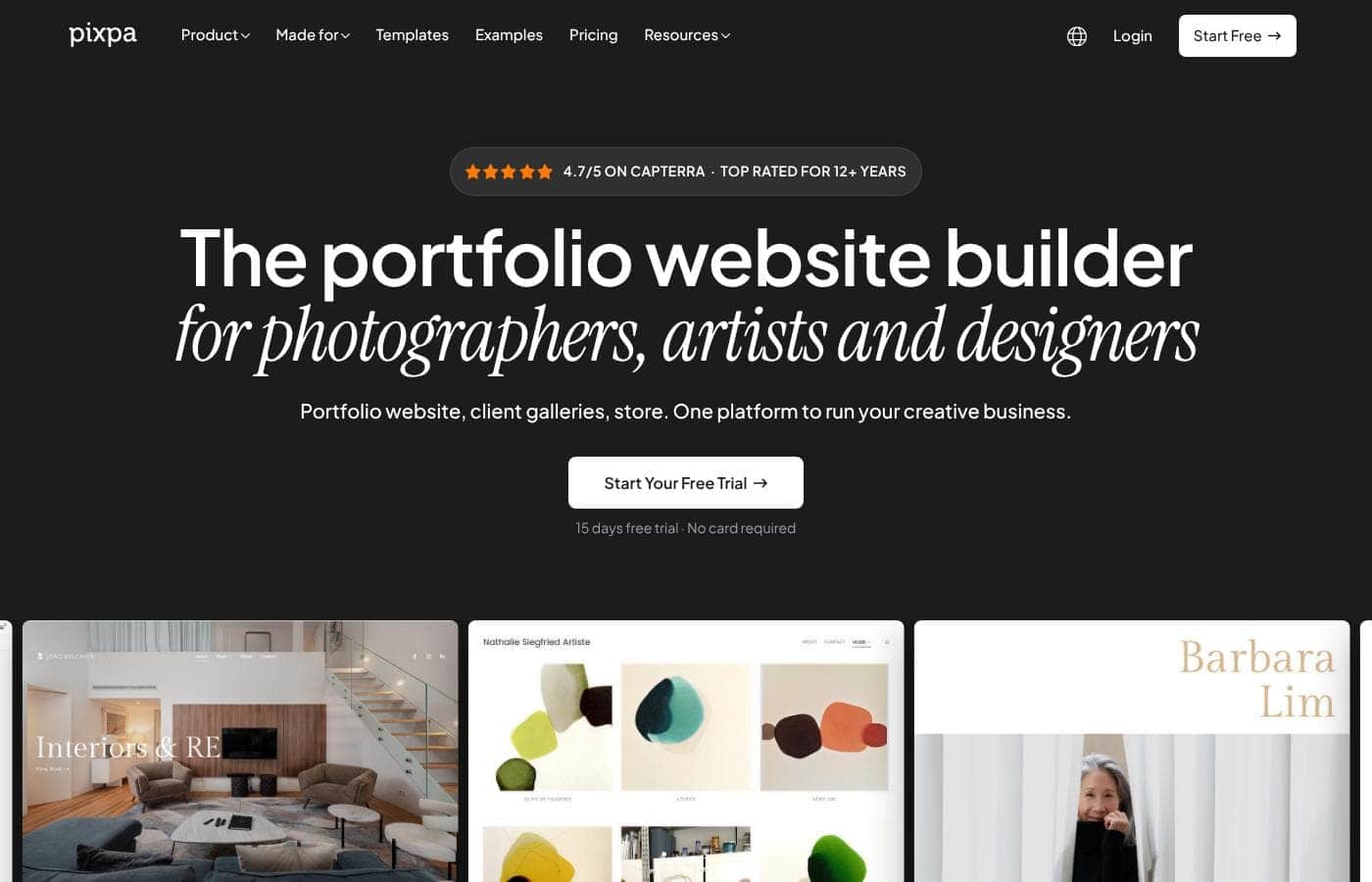
Pixpa homepage screenshot

At a glance

Quick overview for Pixpa: rating, pricing summary, key features, and highlights.
Vendor page checked Oct 12, 2026

Ciroapp score

3.9/ 5

Pixpa bundles portfolio galleries, blogging, and ecommerce into one subscription that creatives can run without code, with clear plan limits and an 11-plus-year Top Rated track record. Trade-offs include a tightly capped entry plan, top-tier-only commerce tools, and dollar prices that aren't displayed upfront. Overall, it's a solid pick for photographers and freelancers who match their needs to a tier.

Pros

  • Pros:Puts a portfolio, blog, and store under one subscription, so creatives avoid paying for three separate tools
  • Pros:Plan limits are transparent — pages, gallery images, storage, products, and contributors are specified per tier
  • Pros:Strong discounting — 40% off yearly billing, 55% off two-year billing, and up to 55% off for students and educators

Cons

  • Cons:The Basic plan is tightly capped — 10 pages/galleries, 200 gallery images, 3 GB storage, 3 products, 1 blog, and 1 watermark — so most working creatives will outgrow it quickly
  • Cons:Key ecommerce features, including inventory management and abandoned cart recovery, are reserved for the top-tier Advanced plan
  • Cons:Custom fonts only arrive on the Professional plan and above, limiting branding control on cheaper tiers
Best for
  • Photographers and visual artists who need portfolio galleries with watermark protection for client work
  • Freelance creatives who want a portfolio, blog, and small online store combined in one subscription
  • Small studios and agencies that need multiple collaborators — unlimited contributors on Professional and Advanced
This section is a summary. Detailed sections about features, use cases, pricing, and reviews follow below.

What is Pixpa?

Pixpa is a website builder aimed squarely at people who need to show creative work online, and user feedback describes it as a top-notch service that simply works. Its reputation rests on usability: the design tools are approachable, the interface stays consistent, and the default designs are clean and simple. The company has held a Top Rated distinction for over 11 years, a meaningful longevity signal in a category where builders appear and disappear quickly.

Pixpa is an all-in-one website builder that combines portfolio galleries, blogging, and ecommerce on a single platform. Plans scale from a basic personal site (10 pages/galleries, 200 gallery images, 3 GB storage) up to Advanced tiers with unlimited pages, 100 GB of storage, and full store tooling such as inventory management and abandoned cart recovery. Because pages, galleries, blogs, and products live under one roof, users avoid stitching together a separate site builder, gallery service, and shop.
Should you choose Pixpa?

Quick buyer guidance before you compare plans or click through.

Choose it if

  • Photographers and visual artists who need portfolio galleries with watermark protection for client work
  • Freelance creatives who want a portfolio, blog, and small online store combined in one subscription
  • Small studios and agencies that need multiple collaborators — unlimited contributors on Professional and Advanced
  • Students and educators building a first portfolio who can use the up-to-55% education discount

Skip it if

  • High-volume ecommerce sellers, since inventory management and abandoned cart recovery are locked to the top-tier Advanced plan
  • Teams on a budget, because Basic and Creator cap collaboration at two contributors
  • Video-heavy creators whose media libraries would strain the 3–100 GB storage caps

Next steps before buying

  1. 1Start the 15-day free trial at pixpa.com and explore the design tools before committing to a paid plan
  2. 2Match your needs to a tier: count your pages/galleries, gallery images, products, and contributors against each plan's limits
  3. 3Pick a clean template and build your core portfolio pages and galleries first
  4. 4Add a blog and products if you plan to publish content or sell, noting that Advanced is required for inventory management and abandoned cart recovery
  5. 5Choose a billing term — yearly saves 40% and two-yearly saves 55% — and claim the free domain included with Creator and above

Pixpa Key Features

✨ Portfolio and Gallery Building

Pixpa's core strength is presenting visual work: plans are structured around pages and galleries, with the entry Basic plan covering up to 10 pages/galleries and 200 gallery images before higher tiers remove the caps. A watermark allowance is built into the plans, letting photographers protect preview images shared with clients. Users highlight the clean, simple design language, which keeps portfolio sites looking professional without heavy customization work.

✨ Built-in Ecommerce

Every plan includes a store, with product limits stepping from 3 on Basic to 10 on Creator, 100 on Professional, and unlimited on Advanced. The Advanced tier adds operational tooling — inventory management and abandoned cart recovery — that many general website builders lack entirely. Storage scales alongside commerce needs, from 3 GB on Basic up to 100 GB on Advanced.

✨ Blogging and Content Tools

Blogging is included on every plan, though Basic is limited to a single blog while all higher tiers allow unlimited blogs. That makes the platform viable for creatives who publish writing, case studies, or studio updates alongside their visual work. Unlimited pages on the Creator plan and above mean the blog and portfolio can grow without replatforming.

✨ Collaboration, Domains, and Branding

Team access scales from 2 contributors on Basic and Creator to unlimited contributors on Professional and Advanced, which suits small studios and agencies. Creator, Professional, and Advanced plans include a free domain for the first year. Custom font support arrives on the Professional plan and above, giving established brands tighter typographic control.

Use Cases

💡 Photographer Portfolio Websites

Photographers get the most direct fit: gallery structures, generous image allowances on mid and upper tiers, and watermarking for client-facing previews. A Creator or Professional plan handles an unlimited gallery library, and the built-in store can move prints or session bookings without adding a separate ecommerce tool.

💡 Freelance Designers and Artists

Freelancers who need a portfolio, a blog for case studies, and a small shop for products or services can run everything from one subscription. Unlimited blogs on Creator and above support ongoing content publishing, while the 10-product allowance on Creator covers most solo sellers.

💡 Small Studios and Creative Teams

Studios with several people working on the site benefit from unlimited contributors on Professional and Advanced plans. Inventory management and abandoned cart recovery on Advanced make it practical to sell actual product lines, not just showcase work.

💡 Students and Educators

With discounts of up to 55% for students and educators, Pixpa is an affordable first portfolio for those entering creative fields. The Basic plan's low limits matter less early on, and the yearly billing discounts keep costs predictable as the portfolio grows.

Pixpa pricing

  • 4 plans

Prices not verified yet — see the vendor page.

Pixpa's pricing page

Pixpa pricing page screenshotView pricing page screenshot
PlanBilled monthlyBilled annuallyIncludes
Basic
See vendor page
See vendor page
Personal website; up to 10 pages/galleries, 200 images, up to 3 store products, 3 GB storage, 1 blog, 2 contributors, 1 watermark. Price not displayed on page.
Creator
See vendor page
See vendor page
Portfolio + store; unlimited pages/images, up to 10 products, 5 GB storage, free domain year 1, 2 contributors, 10 gallery links. Price not displayed on page.
Professional
See vendor page
See vendor page
Most popular; up to 100 products, 25 GB storage, unlimited contributors, custom fonts, payment forms, 25 gallery links. Price not displayed on page.
Advanced
See vendor page
See vendor page
Unlimited products, 100 GB storage, inventory management, abandoned cart recovery, unlimited gallery links. Price not displayed on page.

Price history

Tracking prices since Sep 7, 2026. No price change detected yet.

Pricing types: Free plan, Free trial, Monthly subscription, Yearly subscription, One-time payment, Usage-based pricing

Pricing notes

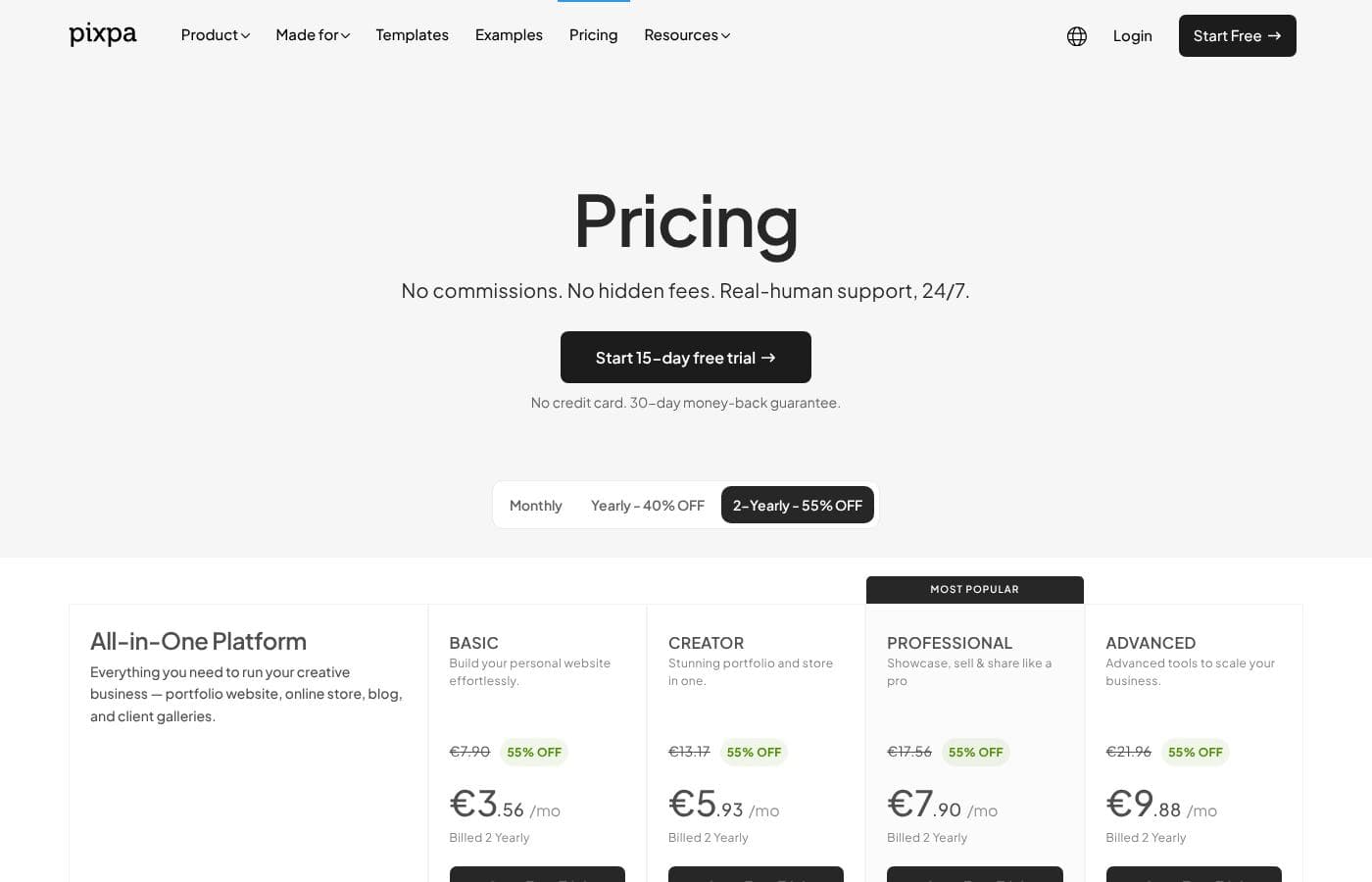
Pixpa offers four All-in-One plans (Basic, Creator, Professional, Advanced) with monthly, yearly (40% off), and 2-yearly (55% off) billing, plus a 15-day free trial and 30-day money-back guarantee. The page shows no visible per-plan dollar prices; the only visible figures are a $199 limited-time website setup service (normally $399) and up to 55% education discounts.

Pixpa pricing: Plans from $0/month Billing options: Free plan, Free trial, Monthly subscription, Yearly subscription, One-time payment, Usage-based pricing

Email me when Pixpa changes price

One email when we detect a price change on the vendor's pricing page. No newsletter, no deals. Unsubscribe in one click.

User Reviews

No reviews yet.

Write a Review

Write a Review for Pixpa
0/100 characters
0/2000 characters

Why use Pixpa?

The main reason to choose Pixpa is consolidation: freelancers and studios typically need a portfolio, a blog, and a way to sell, and Pixpa bundles all three instead of forcing three subscriptions. User reviews consistently point to the intuitive UI and clean, simple designs as the reason non-technical creatives can actually finish their sites.

The commercial terms also lower the risk of trying it — a 15-day free trial, a 30-day money-back guarantee, 40% off yearly billing, 55% off two-year billing, and up to 55% off for students and educators.

Pixpa alternatives

Other tools in the Website Builder category

View all Website Builder tools
Zenfolio

Zenfolio

Website Builder4.1/5

Zenfolio is a powerful, yet simple, complete platform favored by photographers for nearly two decades. It's designed specifically for professionals needing to organize, showcase, and sell their work efficiently. This solution offers simplicity meeting power. It is a unified solution, making it easy to manage specialty areas like portrait, wedding, and even volume photography—all in one place. Zenfolio is built to grow with you, providing tools no matter the current size of your business or your future goals.

Duda

Duda

Website Builder4.1/5

Duda is the AI-Ready Website Platform built exclusively for professionals. This includes digital marketing agencies, SaaS companies, and freelance builders. Its workflow is designed to help you build and offer better sites much faster. You'll work within an intuitive no-code editor that uses drag-and-drop simplicity. It leverages built-in AI tools for superior productivity. The infrastructure is rock-solid, too. Sites run on ultra-reliable AWS hosting with enterprise-grade security and automatic backups. You never worry about ongoing technical maintenance again.

Carrd

Carrd

Website Builder4.1/5

Carrd offers a straightforward solution for building single-page websites. It's designed to be simple and highly accessible to anyone. You can begin with one of many available templates, or choose a clean blank page instead. This flexibility lets you quickly make the site your own. The sites you create are fully responsive right out of the box. This means they automatically look great on phones, tablets, and desktops alike. You can even build up to three sites using all of Carrd’s core features for free! That makes it an excellent tool for anyone needing a fast launch.

Framer

Framer

Website Builder4.1/5

Framer is a powerful visual design tool made for crafting and publishing modern websites. It empowers you to build exactly what you imagine using smooth effects, animations, and interactions. You can craft responsive layouts visually, eliminating the need to write code. The platform helps you skip the blank canvas entirely. Integrated AI can generate sophisticated page layouts and advanced components right away. Collaboration is built in, meaning updates are seamless, and the entire process is completely handoff-free.

Squarespace

Squarespace

Website Builder4.1/5

Squarespace is an all‑in‑one website builder and online store platform that lets you publish a professional site, sell products, take bookings, and collect donations. It’s aimed at entrepreneurs, creatives, consultants, designers, event organizers, and other service providers who want a polished, functional web presence. The platform combines hosting, templates, a design editor, domain registration, payments, and marketing tools in one place.

Phonesites

Phonesites

Website Builder4/5

Phonesites is a no-code platform that helps small teams, solo entrepreneurs, and marketers turn web traffic into leads and customers. You can build websites, landing pages, surveys, pop-ups, and digital business cards from your phone or desktop, without writing code.

Cheapest Website Builder software for 1 to 25 users

Pixpa FAQ

Does Pixpa offer a free trial?

Yes. Pixpa provides a 15-day free trial, and paid plans are backed by a 30-day money-back guarantee, so you can evaluate the builder and still get a refund if it doesn't fit your workflow.

How much does Pixpa cost?

Pixpa sells four plans — Basic, Creator, Professional, and Advanced — billed monthly, yearly (40% off), or two-yearly (55% off). Students and educators can receive up to 55% off, and an optional setup service costs $199 for a limited time (normally $399). Exact per-month dollar prices were not published on the pages reviewed, so confirm current figures on the Pixpa pricing page before purchasing.

Can I sell products through my Pixpa site?

Yes. Every plan includes a store, with product limits of 3 on Basic, 10 on Creator, 100 on Professional, and unlimited on Advanced. The Advanced plan adds inventory management and abandoned cart recovery for more serious selling operations.

Do I need coding skills to build a site on Pixpa?

User feedback emphasizes Pixpa's intuitive design tools, consistent interface, and clean, simple designs, so coding is not required for standard portfolio, blog, and store setups. If you'd rather hand the build off entirely, a setup service is available at $199 (limited time, from $399).

Is a custom domain included?

The Creator, Professional, and Advanced plans include a free domain for the first year. The entry-level Basic plan does not list this inclusion.

Ready to try Pixpa? Check out the official site or pricing.

Are you Pixpa? Claim this listing · Get the badge