Office Timeline

Office Timeline review

Office Timeline (now Lucen Software): executive-ready timelines and Gantt charts, built right inside PowerPoint.

Office Timeline costs from $9/mo · 4 plans · Free plan available · prices checked Oct 24, 2026

By Ciroapp Editorial Team · Updated Sep 17, 2026

Commission may apply at no extra cost

Office Timeline homepage screenshot

At a glance

Quick overview for Office Timeline: rating, pricing summary, key features, and highlights.
Pricing verified Oct 24, 2026

Ciroapp score

4.0/ 5

Office Timeline (now Lucen) turns project plans into polished PowerPoint timelines without the rebuild-every-cycle grind. Excel and MS Project imports keep slides in sync, though the free plan's 10-item cap and annual-only licenses will pinch some buyers. Overall, it's a strong, low-risk pick for teams that report to leadership in PowerPoint.

Pros

  • Timelines and Gantt charts are built directly inside PowerPoint, so reports stay in the format executives and clients already expect—no new tool to learn or export step to manage
  • Excel import with refresh (Plus plan and up) keeps slides synced to the underlying plan, eliminating manual copy-paste updates each reporting cycle
  • Expert tier imports and refreshes data from MS Project, Smartsheet, Jira, and Wrike, so PMOs can consolidate multiple project sources into one visual

Cons

  • The Free plan caps slides at 10 milestones or tasks and offers only limited swimlane, dependency, and Excel features, which quickly forces serious users into paid tiers
  • Core value depends on the Microsoft ecosystem—teams outside PowerPoint and Excel get little benefit, and the browser-based Timeline Online is a secondary experience
  • It is a visualization and reporting tool, not an end-to-end project management suite, so you still need separate tools for task execution and delivery
Best for
  • Project managers presenting executive updates in PowerPoint
  • PMO and transformation leads who need one clear roadmap view
  • Consultants and client-facing teams building polished Gantt visuals
Money-back guarantee
Yes — 30 days
This section is a summary. Detailed sections about features, use cases, pricing, and reviews follow below.

What is Office Timeline?

Building project slides by hand eats hours you don't have. Office Timeline (now Lucen Software) turns complex plans into clear PowerPoint timelines without rebuilding slides. Executives get the big picture, teams stay aligned, and time tracking keeps budgets honest.

Here's what the company's own site tells you before you buy.

Office Timeline has rebranded as Lucen Software, a platform that helps teams plan, visualize, report on, and track work. Its flagship Timeline add-in turns project plans into PowerPoint timelines and Gantt charts, with a browser-based web app too. The wider suite covers time tracking (Track), planning in Excel (Plan), and process mapping.

It's built for project managers, consultants, and enterprise teams reporting progress to leadership.

Should you choose Office Timeline?

Quick buyer guidance before you compare plans or click through.

Choose it if

  • Teams already working in PowerPoint that want timelines without learning a new tool
  • Organizations that report progress to executives on a regular cadence
  • Businesses that need time tracking tied to hourly costs and profitability
  • Buyers who want a free starting point before committing to paid plans
  • Companies comfortable adopting a platform mid-rebrand (Office Timeline to Lucen)

Skip it if

  • Teams outside the Microsoft ecosystem — core value depends on PowerPoint and Excel
  • Anyone wanting a full standalone project management suite — this leans toward visualization, reporting, and tracking rather than end-to-end delivery
  • Buyers who dislike tool sprawl — Track runs as a separate web app, adding another login to manage
  • Researchers relying on current third-party reviews — the rebrand means much existing content still references the old Office Timeline name

Next steps before buying

  1. 1Download the free Timeline version and test it in your own PowerPoint setup
  2. 2Verify your Microsoft Office version and confirm the add-in supports your environment
  3. 3Try Lucen Track's free trial if billable hours and budget visibility matter to you
  4. 4Check how the rebrand affects support, renewals, and documentation before committing

Ease of use

The site positions the Timeline add-in as working directly inside PowerPoint, and customer quotes highlight quick creation and big time savings on updates. There's little public setup detail on the homepage, but free downloads for Timeline and Track suggest a low-friction start. Test the free version yourself before rolling it out to a team.

Office Timeline Key Features

📊 Build executive-ready timelines inside PowerPoint

The Timeline add-in turns complex project plans into clear, executive-ready visuals without rebuilding slides. It lives inside PowerPoint, or runs in your browser with Timeline Online. Pick a template, add milestones and tasks, and you've got a polished slide in minutes.

Use it when leadership needs the big picture, not every detail.

✨ See priorities, progress, and risk in one view

Swimlanes, dependencies, and critical path views make complex roadmaps easier to read. Each visual shows where work overlaps and what depends on what, so teams spot risks early. That's useful for strategic roadmaps, product launches, and any plan that spans several teams or workstreams.

⏱️ Track hours, budgets, and margins with Track

Track is a web app that records billable time and ties each hour to hourly rates. From its dashboard, you can watch project budgets, team performance, and margins as work happens. Finance teams can also categorize hours — development, meetings, project work — to keep cost control honest.

✨ One suite for planning, mapping, and browser work

Beyond timelines, the suite covers the tools your work already touches.

  • Plan handles planning and alignment in Excel
  • Process mapping builds flowcharts in PowerPoint
  • Timeline Online covers browser-based editing

Each tool solves one job, so you can adopt what fits and skip the rest.

✨ Start small, expand as needs connect

You don't have to adopt everything at once. The platform is built so most teams start with one area of clarity, then expand as planning, visualization, reporting, and effort connect. Free entry points for Timeline and Track mean you can test the fit before any budget talk.

Use Cases

📊 Executive updates that don't eat your week

Project managers turn complex plans into clean PowerPoint timelines for leadership reviews. No more rebuilding slides each cycle — just update and present. Expected outcome: executive-ready slides in minutes, not hours.

🗺️ One roadmap the whole team trusts

PMO and transformation leads map priorities, progress, and risk in a single view. Swimlanes, dependencies, and critical path show how work connects. Tip: Plus adds these features; Expert unlocks unlimited swimlanes.

⏱️ Billable hours tied to real budgets

Client-facing teams log time in Lucen Track against hourly rates. Managers watch budgets, margins, and team performance without extra spreadsheets. Expected outcome: fewer billing surprises and clearer cost control.

🔄 Plans that stay in sync

Planners align work in Excel, then import it straight into a timeline. Refreshing updates the slide when the plan changes — no copy-paste. Tip: Excel import and refresh starts on the Plus plan.

Office Timeline pricing

From$9/mo

  • 4 plans
  • Free plan available

Prices checked on Oct 24, 2026 from Office Timeline's pricing page

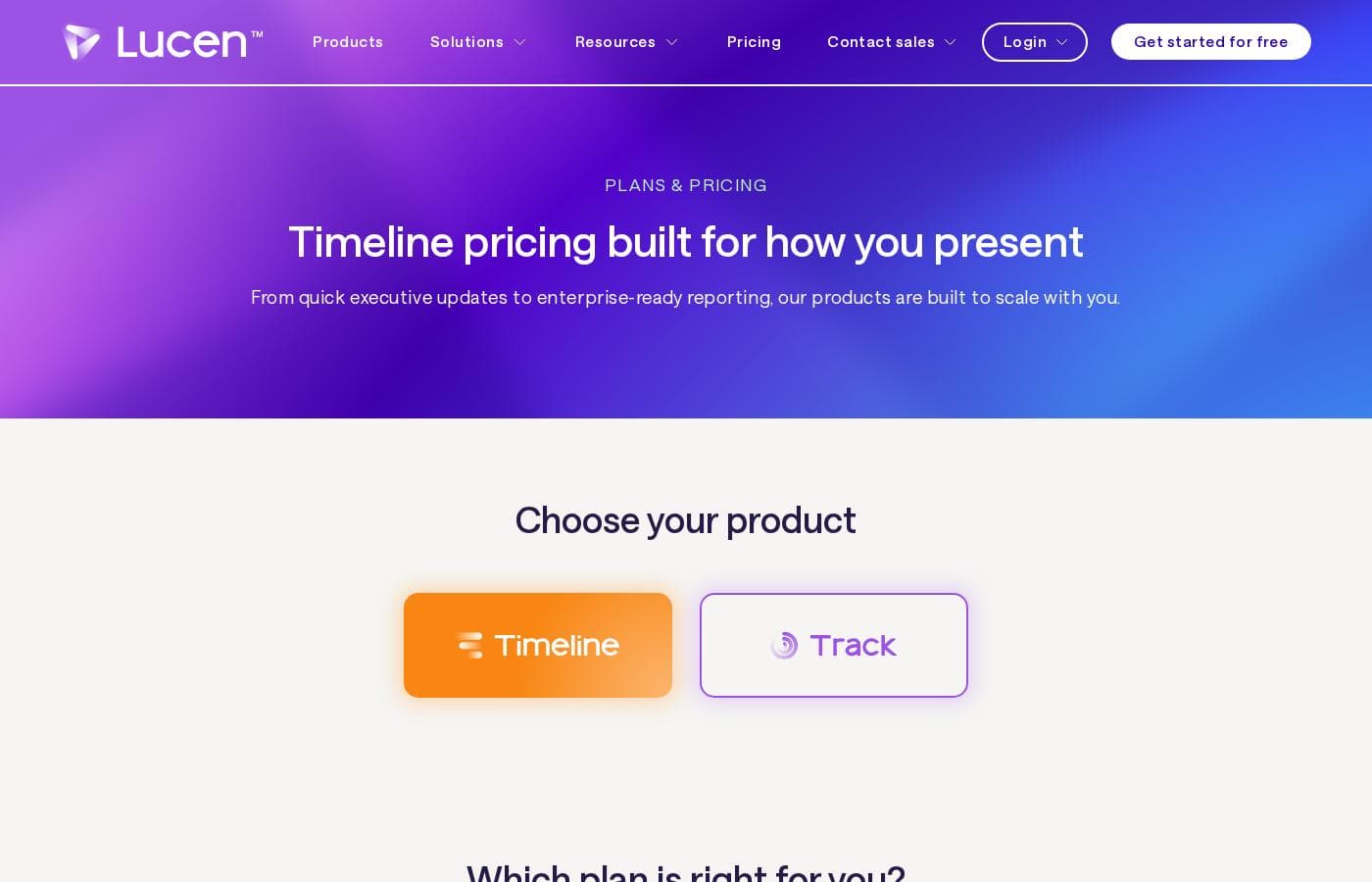
Office Timeline pricing page screenshotView pricing page screenshot
PlanBilled monthlyBilled annuallyIncludes
Free
Free
Free
Up to 10 milestones and/or tasks per slide; limited swimlane, dependency, and Excel features
  • Simple timelines and executive-ready visuals in minutes
  • Timeline and Gantt templates
  • Works as a PowerPoint add-in or in the browser with Timeline Online
  • Up to 10 milestones or tasks per slide
Lite
per user
—
$9/mo
$108 per year
  • More templates and styling control for repeatable reporting
  • Unlimited free updates
  • Standard technical support
  • 1 timeline scale
Plus
per user
—
$17/mo
$204 per year
  • Swimlanes
  • Dependencies and critical path
  • Import data from Excel with Excel refresh
  • 3 timeline scales
Expert
per user
—
$21/mo
$252 per year
  • Unlimited swimlanes
  • Planned vs. Actual tracking, variance tracking, and baselines
  • MS Project, Smartsheet, Jira, and Wrike import and refresh
  • Advanced templates
  • 3 timeline scales

Price history

Tracking prices since Oct 1, 2026. No price change detected yet.

Pricing types: Free plan, Yearly subscription, Per seat pricing

Pricing notes

Office Timeline (now Lucen Timeline) offers four plans: Free, Lite at $9, Plus at $17, and Expert at $21 per user per month. Paid plans are 1-year licenses billed annually, and every tier works as a PowerPoint add-in or in the browser with Timeline Online.

Office Timeline costs between $0 and $21 per user per month with four plans: Free at $0, Lite at $9, Plus at $17, and Expert at $21 — paid tiers are 1-year licenses billed annually.

Now part of Lucen Software, this tool builds timelines in PowerPoint or right in your browser. Here's a quick tour of each plan.

Free

Price: Free (1-year Free license, available annually) Best For: Individuals getting started Other Features: simple timelines and executive-ready visuals in minutes; timeline and Gantt templates; works as a PowerPoint add-in or in the browser via Timeline Online; up to 10 milestones or tasks per slide

Start here if you're new to timeline tools. It's a real free plan, not a trial, and it renews at no cost each year. Just keep the 10-item-per-slide limit in mind — bigger schedules need a paid tier.

Lite

Price: $9 per user/month, billed annually (1-year license) Best For: Professionals who present regularly Refund Policy: 30-day money-back guarantee Other Features: more templates and styling control for repeatable reporting; unlimited free updates; standard technical support

Lite fits consultants and managers who build timelines every week. Styling control keeps recurring reports consistent, so you're not rebuilding slides from scratch each time.

Plus

Price: $17 per user/month, billed annually (1-year license) Best For: Teams managing projects and programs Refund Policy: 30-day money-back guarantee Other Features: swimlanes; dependencies and critical path; Excel import and refresh; 3 timeline scales

Plus is the natural step up for project teams. Pulling data straight from Excel means your slides stay in sync with the actual plan. If you work alone on simple visuals, Lite probably covers you for less.

Expert

Price: $21 per user/month, billed annually (1-year license) Best For: Organizations with advanced reporting needs Refund Policy: 30-day money-back guarantee Other Features: unlimited swimlanes; planned vs. actual tracking, variance tracking, and baselines; integrations with MS Project, Smartsheet, Jira, and Wrike; advanced templates

Expert suits PMOs and enterprises juggling several data sources. If you don't import from tools like Jira or MS Project, Plus likely does the job at a lower price.

A few things worth knowing before you buy. Licenses are granted per user, so count your actual users first — companies need one license for each person who will use the software. Annual billing renews automatically by default, but you can switch that off anytime in your account's Subscriptions page. Upgrading from one paid plan to another only charges the price difference. Best of all, there's a 30-day money back guarantee, so you can cancel and get a full refund if it's not a fit. 🎉


Cost calculator

Estimate what Office Timeline costs for your team.

Billing

Lite has no published price for this billing cycle.

Lite is priced per user: price × 5 seats. Estimate based on published list prices, before taxes, add-ons and discounts.

How to pay less for Office Timeline

  • Start on the free plan and upgrade only when you hit its limits.
  • 30-day money-back guarantee if it does not fit.
  • Some plans are priced per user: only pay for seats people actually use.
  • Cheaper tools in this category start at $4.92/mo.
Visit Office Timeline

Email me when Office Timeline changes price

One email when we detect a price change on the vendor's pricing page. No newsletter, no deals. Unsubscribe in one click.

User Reviews

No reviews yet.

Write a Review

Write a Review for Office Timeline
0/100 characters
0/2000 characters

Why use Office Timeline?

Most reporting tools make you choose between fast slides and accurate data. Lucen (formerly Office Timeline) aims to hand you both, starting inside the tools your stakeholders already open.

  • Build where you present — timelines and Gantt charts live inside PowerPoint, with a web app option for browser-based work.
  • Stop rebuilding slides — the site promises executive-ready updates from complex plans, and long-time users say it saves serious prep time before leadership reviews.
  • Borrow enterprise credibility — the company reports that the majority of the Fortune 500 uses its software.
  • Connect hours to money — Lucen Track ties billable time to hourly rates so you can watch budgets, margins, and team performance.
  • Start free, then expand — Timeline and Track both offer free entry points, so you can prove the fit before any budget conversation.
  • Grow at your own pace — begin with timeline clarity, then add planning, tracking, and process mapping as your needs connect.

Office Timeline alternatives

Other tools in the Gantt Chart category

View all Gantt Chart tools
EdrawProj

EdrawProj

Gantt Chart3.9/5From $4.92/mo

EdrawProj is a powerful, yet remarkably user-friendly, project management solution. It is designed to help you plan, manage, and track every essential component: tasks, costs, resources, and processes. The software is fundamentally built around creating and customizing professional Gantt charts effortlessly. It helps you schedule all your activities, oversee every project aspect, and actively track your progress. This makes it an ideal tool for project managers, team members, and individuals across all professions.

Office Timeline FAQ

How much does Office Timeline cost?

Office Timeline's cheapest paid plan, Lite, costs $9 per month. Paid plans range from $9 to $21 per month. Prices checked on Oct 24, 2026 from the vendor's pricing page.

Does Office Timeline have a free plan?

Yes. Office Timeline has a free plan (Free); paid plans start at $9 per month.

Does Office Timeline offer a free trial or a money-back guarantee?

It has a 30-day money-back guarantee.

Has Office Timeline's price changed recently?

No. We have not detected a price change since we started tracking on Oct 1, 2026.

I'm on a Mac or don't use PowerPoint. Can I still use it?

Yes. Timeline Online runs entirely in your browser with no install, so you can build timelines from any device. Your annual license covers both the PowerPoint add-in and Timeline Online.

Which integrations come with each plan?

Excel import with refresh starts on Plus. Expert adds MS Project, Smartsheet, Jira, and Wrike, all with refresh. Free only offers limited versions, capped at 10 items per slide.

How do I activate my subscription after buying?

You'll receive a unique Product Key. Install the free add-in, click Upgrade on the Timeline ribbon in PowerPoint, and enter your key. The server validates it and activates your license for one year.

Ready to try Office Timeline? Check out the official site or pricing.

Are you Office Timeline? Claim this listing · Get the badge