Odoo

Odoo review

Integrated open-source ERP with a one-click app for every business process

Odoo costs from €31.10/mo · 2 plans · prices checked Nov 22, 2026

By Ciroapp Editorial Team · Updated Sep 16, 2026

Commission may apply at no extra cost

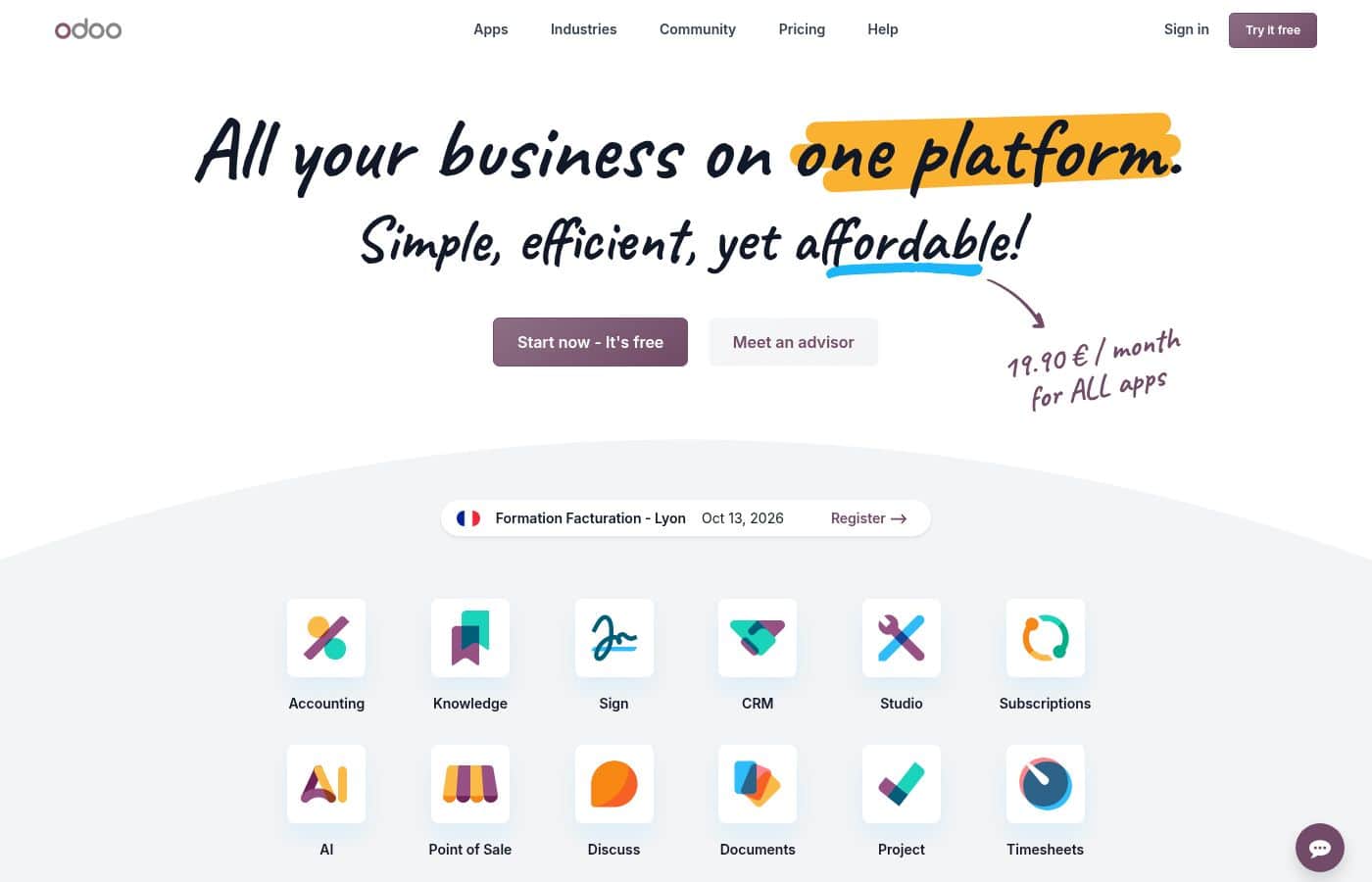
Odoo homepage screenshot

At a glance

Quick overview for Odoo: rating, pricing summary, key features, and highlights.
Pricing verified Nov 22, 2026

Ciroapp score

4.1/ 5

Odoo packs CRM, accounting, inventory, and more into one open-source suite, so records flow between apps without connectors. The free Community edition is a genuine highlight, but some modules trail dedicated tools, and setup takes real work. Overall, it's a solid pick for teams consolidating scattered software.

Pros

  • Every app runs on the same platform, so data flows between sales, inventory, and accounting without third-party integrations or sync tools
  • Community edition is 100% free and open source, letting technical teams run a full ERP with no licensing cost
  • Apps install with a single click, so companies can start small and add modules as they grow without re-platforming

Cons

  • Feature depth varies between modules—some apps cover the essentials well but lack the advanced capabilities of dedicated best-of-breed tools in that category
  • Configuring a multi-app deployment takes real effort; businesses without technical staff often depend on partners or paid Enterprise services
  • Choosing between self-hosting the free Community edition and paying for Enterprise means weighing hosting, upgrades, and support work against subscription cost
Best for
  • Small businesses that want to consolidate spreadsheets and disconnected apps into one integrated system without upfront licensing costs
  • Technical founders and IT teams who value open source and want to self-host, customize, or extend their ERP
  • Growing companies that expect to add departments—inventory, HR, e-commerce—over time and don't want to re-platform each time
This section is a summary. Detailed sections about features, use cases, pricing, and reviews follow below.

What is Odoo?

Odoo is an open-source business management platform that covers accounting, sales, inventory, HR, marketing, and more through a single suite of interconnected apps. Instead of stitching together separate tools per department, teams install the modules they need from Odoo's catalog and get shared data across them from day one. The platform scales from micro businesses to large enterprises, with a 100% free Community edition and an Enterprise edition that adds extra apps, infrastructure, and professional services.

A global developer community of over 100,000 people supports the ecosystem with modules, fixes, and extensions.

Odoo is an ERP platform built as a modular suite of business applications covering CRM, invoicing, inventory, e-commerce, manufacturing, HR, and point of sale. Each app works on its own but shares a common database, so a record created in one module is available in the others without re-entry or sync tools. It ships in two editions: Community, which is 100% free and open source, and Enterprise, which adds extra apps, hosting infrastructure, and professional services.

Because the core is open source, companies can self-host, customize, or extend Odoo with their own modules.
Should you choose Odoo?

Quick buyer guidance before you compare plans or click through.

Choose it if

  • Small businesses that want to consolidate spreadsheets and disconnected apps into one integrated system without upfront licensing costs
  • Technical founders and IT teams who value open source and want to self-host, customize, or extend their ERP
  • Growing companies that expect to add departments—inventory, HR, e-commerce—over time and don't want to re-platform each time
  • Retailers and online sellers who need storefront, point of sale, and inventory working from the same stock data

Skip it if

  • Teams that need only one deeply specialized function—such as advanced enterprise HR—where a dedicated best-of-breed tool offers more depth than an ERP module
  • Organizations with no technical staff that want a fully turnkey system, since the free Community edition requires self-managed hosting and upgrades
  • Companies with a single well-defined workflow that a simple vertical tool already covers, for whom a multi-app suite would add unnecessary complexity

Next steps before buying

  1. 1List the two or three processes you most want to fix—for example, invoicing and inventory—and plan to activate only those apps first rather than the whole suite
  2. 2Start a free trial on odoo.com to test the Enterprise apps, or download the free Community edition to self-host if you have technical resources
  3. 3Install your core apps with one click, import existing customer and product data, and run one workflow end to end—such as quote to invoice—before adding more modules
  4. 4If self-managing the platform becomes a burden, compare Enterprise plans for the extra apps, managed infrastructure, and professional services included in the subscription

Odoo Key Features

✨ One-click modular app catalog

Odoo ships a large collection of apps covering CRM, accounting, inventory, sales, purchasing, HR, manufacturing, and e-commerce. Each app installs with a single click and is integrated with the rest of the suite by default, so activating a new module requires no integration work. Companies can start with two or three apps and expand as needs grow without migrating data between systems.

✨ Community and Enterprise editions

The Community edition is 100% free and open source, letting teams self-host and modify the platform without licensing fees. The Enterprise edition adds extra apps, managed infrastructure, and professional services such as support. This two-tier model lets small teams run indefinitely on the free core while larger organizations pay for the operational backing they need.

✨ Shared data across all modules

All Odoo apps write to the same underlying system, so records created in one app are instantly visible in others. A contact added by sales is available to invoicing and support, and inventory updates as orders are confirmed. This eliminates the duplicate data entry and third-party sync connectors that collections of standalone apps typically demand.

✨ Open-source extensibility

The Community edition's source code is fully open, and a global developer community of more than 100,000 people contributes modules, fixes, and customizations. Companies with development resources can modify existing behavior or build entirely new apps on the platform. Community-built extensions also cover niches the core catalog doesn't address.

Use Cases

💡 Small businesses consolidating scattered tools

A company running spreadsheets plus separate apps for invoicing and inventory can consolidate onto Odoo's core modules. Orders move from quote to invoice to stock movement inside one system, and the free Community edition keeps licensing costs at zero. As the business grows, additional apps can be switched on instead of new vendors being onboarded.

💡 Retail and e-commerce operations

Odoo's e-commerce, point of sale, and inventory apps share the same product and stock data, so online orders and in-store sales draw down one inventory. Product information is managed once and published across channels. Businesses selling both online and in person avoid the reconciliation work that separate storefront and POS systems create.

💡 Inventory and operations planning

Teams managing stock, purchasing, and fulfillment use Odoo's inventory and purchase apps to track what's on hand, on order, and committed to customers in real time. Because purchasing sees the same data as sales, reorders reflect actual demand rather than estimates. Companies that previously planned in spreadsheets get a single source of truth for stock levels.

💡 Growing companies standardizing on one platform

Organizations that expect to add departments over time—HR, manufacturing, e-commerce—use Odoo so each new function is an app install rather than a new software project. Enterprise customers add extra apps, infrastructure, and professional services as complexity increases. The result is one system of record instead of a patchwork accumulated department by department.

Odoo pricing

From€31.10/mo

  • From the vendor's pricing page, checked Nov 22, 2026
  • 2 plans

Prices checked on Nov 22, 2026 from Odoo's pricing page

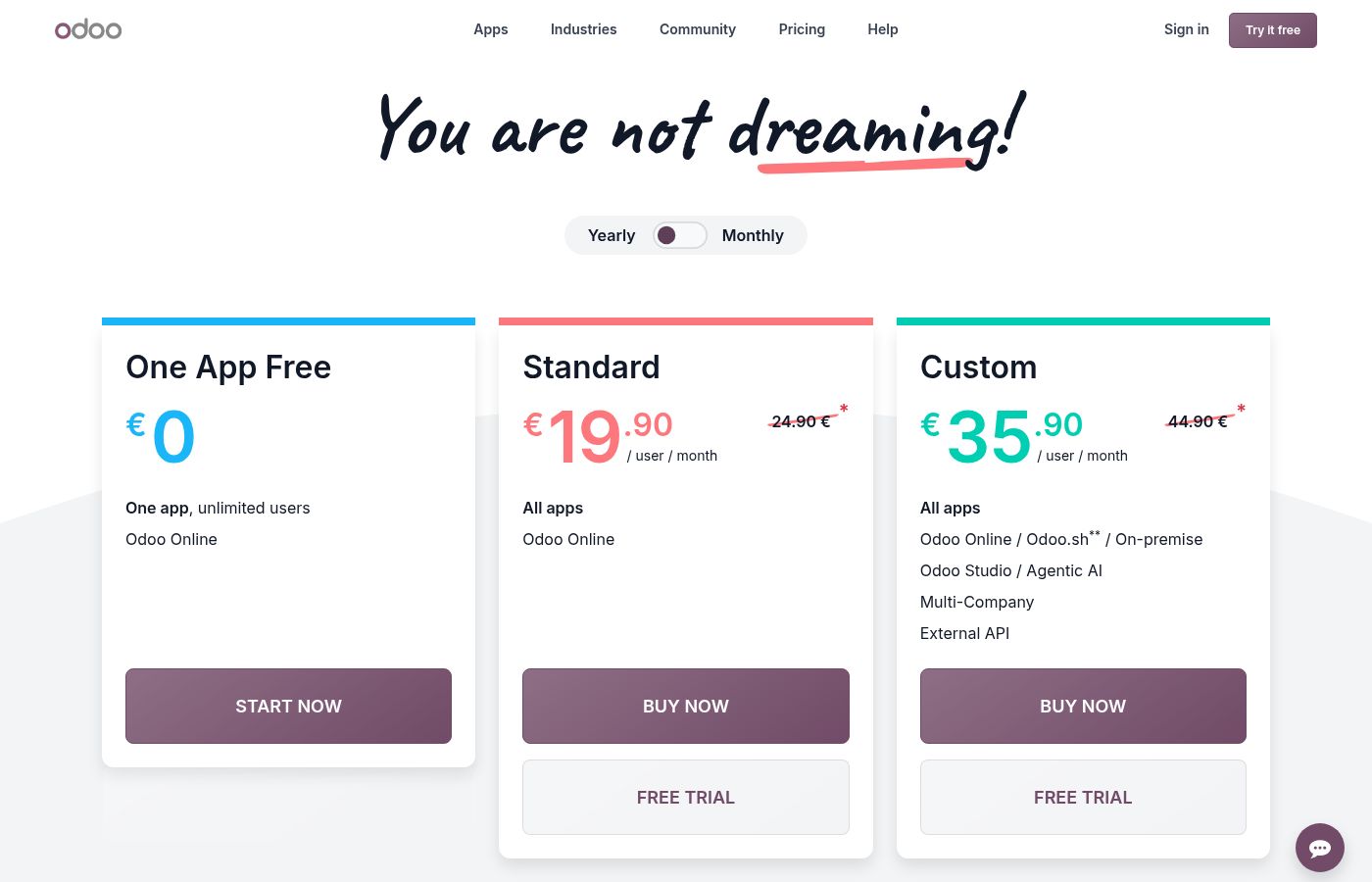
Odoo pricing page screenshotView pricing page screenshot
PlanBilled monthlyBilled annuallyIncludes
Standard
per user
€31.10/mo
—
per user; Listed in EUR (not a USD price); ≈ $34.18 at ECB 1.0989 USD per EUR on 2026-11-17
Custom
per user
€56.90/mo
—
per user; Listed in EUR (not a USD price); ≈ $62.53 at ECB 1.0989 USD per EUR on 2026-11-17

Price history

Tracking prices since Oct 1, 2026. No price change detected yet.

Pricing types: Free plan, Free trial, Monthly subscription, Yearly subscription, Per seat pricing, Usage-based pricing

Cost calculator

Estimate what Odoo costs for your team.

Billing
Per month
€155.50
Per year
€1,866

Standard is priced per user: price × 5 seats. Estimate based on published list prices, before taxes, add-ons and discounts.

How to pay less for Odoo

  • Some plans are priced per user: only pay for seats people actually use.
Visit Odoo

Email me when Odoo changes price

One email when we detect a price change on the vendor's pricing page. No newsletter, no deals. Unsubscribe in one click.

User Reviews

No reviews yet.

Write a Review

Write a Review for Odoo
0/100 characters
0/2000 characters

Why use Odoo?

Businesses typically choose Odoo to escape the cost and friction of running disconnected tools that never share data cleanly. Because every app sits on the same platform, information entered once—a customer, a product, a stock level—is immediately usable across sales, invoicing, and operations.

The free Community edition removes licensing costs entirely for teams willing to manage hosting themselves, while Enterprise pricing stays within reach of small businesses. And when a process isn't covered out of the box, the open codebase and 100,000-strong developer community make custom apps practical rather than exceptional.

Odoo alternatives

Other tools in the ERP category

View all ERP tools
BILLmanager

BILLmanager

ERP3.8/5

BILLmanager is a billing and service automation platform from ISPsystem, built for hosting companies, cloud providers, and service businesses. It covers the customer journey from ordering on your website to provisioning, billing, and support. A separate Enterprise edition handles internal billing and cost tracking for organizations running their own infrastructure. The vendor says one installation is certified for 50 million subscribers.

ERPNext

ERPNext

ERP4.2/5

ERPNext is a powerful, comprehensive Enterprise Resource Planning (ERP) solution. It manages everything your business needs to operate and grow, including accounting, procurement, sales, manufacturing, and HR. It works reliably out of the box across nearly every industry and country. Because it is completely open source, the software provides unmatched freedom and flexibility for customization. Over 30,000 companies have already adopted this robust solution.

Zedonk

Zedonk

ERP3.8/5

Zedonk is a cloud-based, affordable and modular PLM, ERP, and digital showroom platform for fashion brands. Trusted by 1,000+ labels worldwide, it streamlines product development, production, sales and inventory in one easy system. With secure access, excellent customer support, and free onboarding and training, Zedonk helps brands manage their entire business efficiently.

DualEntry

DualEntry

ERP3.5/5

DualEntry is a full-GL accounting software classified in the ERP category, meaning it handles the complete general ledger rather than a subset of accounting tasks. Its distinguishing trait is an AI-first architecture: automation and intelligent assistance are core to how transactions are recorded, reviewed, and reported, instead of being bolted on later. It is purpose-built for high-growth enterprises that need depth, control, and scalability in their accounting stack.

Odoo FAQ

How much does Odoo cost?

Odoo's cheapest paid plan, Standard, costs €31.10 per month. Paid plans range from €31.10 to €56.90 per month. Prices checked on Nov 22, 2026 from the vendor's pricing page.

Has Odoo's price changed recently?

No. We have not detected a price change since we started tracking on Oct 1, 2026.

Is Odoo really free?

Yes. The Community edition is 100% free and open source and includes the core apps, with no license fees—companies running it typically only pay for their own hosting.

What's the difference between Odoo Community and Enterprise?

Community is the free, open-source edition that you can self-host and modify. Enterprise adds apps that aren't in Community, managed hosting infrastructure, and professional support services. Teams with technical resources and simpler needs can stay on Community indefinitely, while organizations wanting vendor support and the full app catalog choose Enterprise.

Can Odoo replace separate tools like a standalone CRM or accounting app?

In most cases, yes—Odoo ships apps for CRM, accounting, inventory, sales, HR, e-commerce, and manufacturing that all share the same data. The caveat is depth: a dedicated best-of-breed tool may offer more advanced features in its specialty, so companies with highly specialized workflows should compare the specific Odoo module against their dedicated tool before consolidating.

Do Odoo apps work together out of the box?

Yes. All apps are built on the same platform and install with a single click, and they're integrated by default—data entered in one app is available in the others without connectors or sync tools. This is the core difference between Odoo and assembling separate software products per department.

Ready to try Odoo? Check out the official site or pricing.

Are you Odoo? Claim this listing · Get the badge