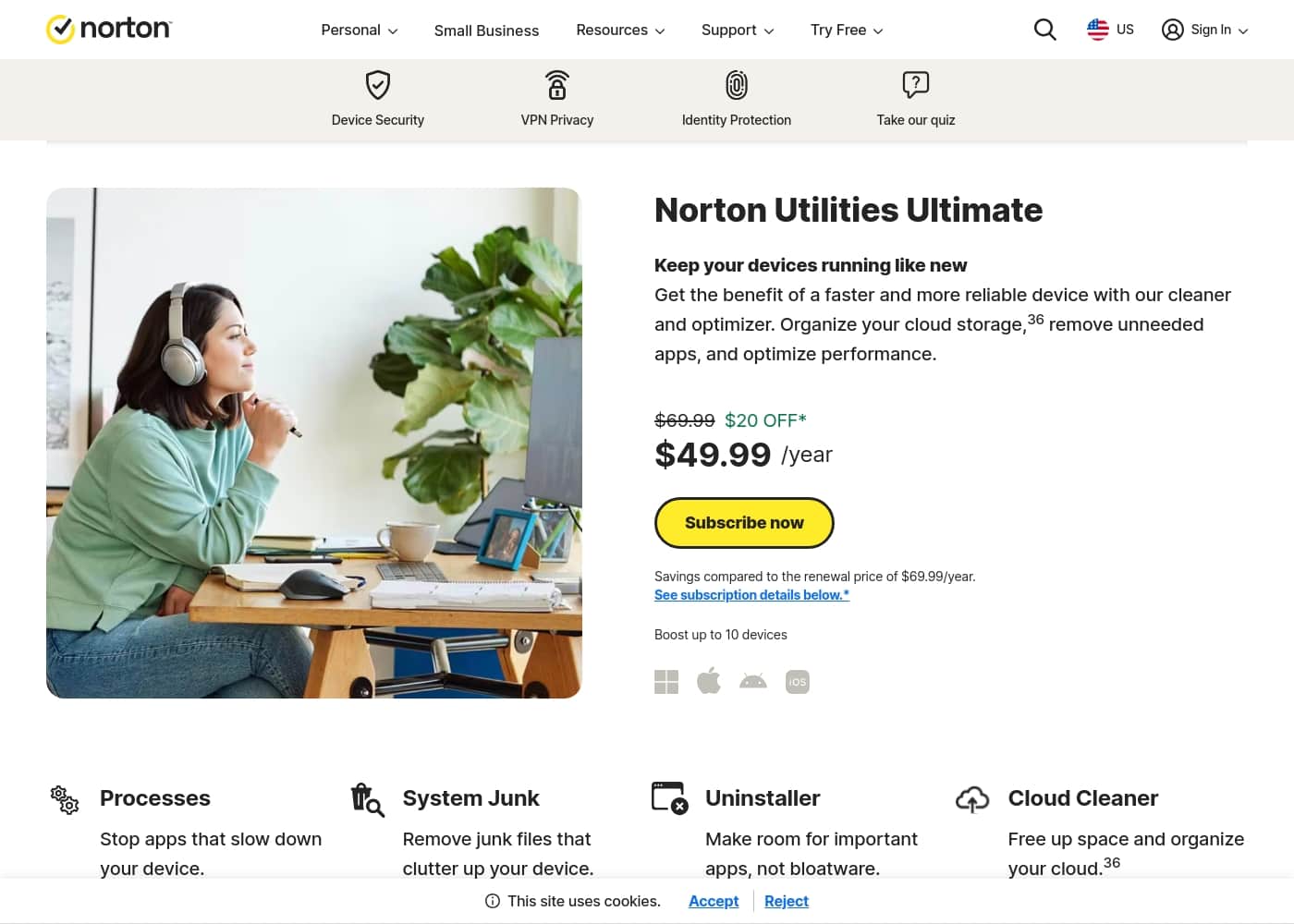
Norton Utilities Ultimate costs £59.99 for the first year and covers up to 10 devices. The software offers multiple language options based on the subscriber's global region chosen during the original purchase process.
Refunds for monthly subscriptions are limited to 14 days after purchase, while annual plans enjoy a longer refund window. Cancellations can be made at any time to stop future automatic payments from being processed on the account.
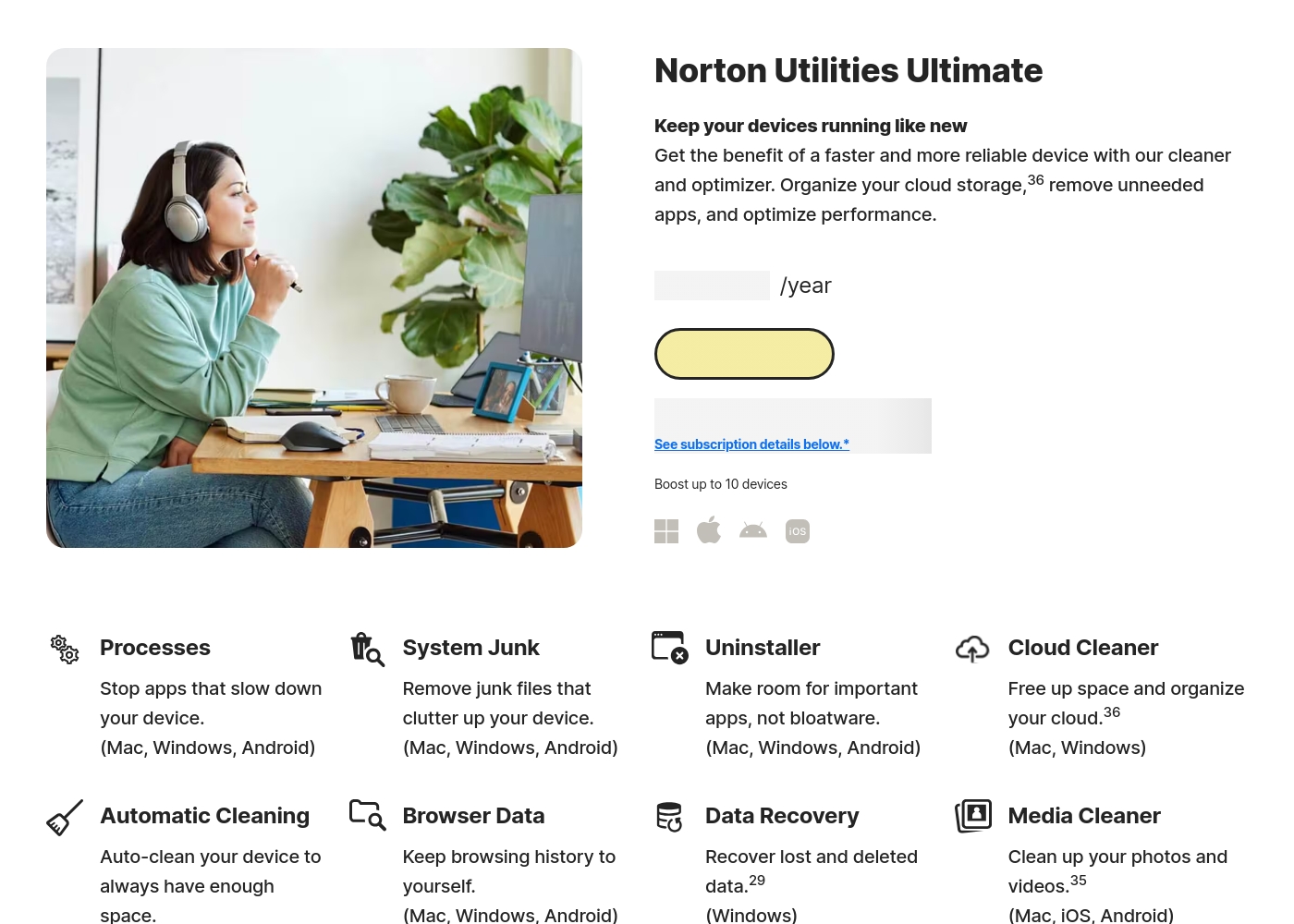
The service highlights its ability to reclaim space and increase speed by reducing background app activity and fixing common system problems. It also includes specialized tools like Data Recovery for Windows and Cloud Cleaner for popular storage services like Dropbox and Google Drive.
Data Shredder is also available to permanently delete sensitive files, though those files cannot be recovered once removed using this tool. Mobile users can enjoy cleaner tools for Android and iOS that specifically target photo and video media clutter on their devices.
Mac users have access to file cleanup and startup management features to keep their computers running smoothly for longer durations. Windows users get the most comprehensive set of tools including deep cleaning, disk optimization, and system registry maintenance for their PCs.
Through these diverse tools, Norton Utilities Ultimate provides a complete maintenance suite for modern digital households and small business owners alike. The goal is to provide a comprehensive toolbox and easy-to-use interface for maintaining optimal device performance without technical expertise.
The service supports up to 10 devices per person or family, making it a cost-effective choice for multi-device environments and users. Regular updates ensure the software remains compatible with the latest versions of Windows, macOS, Android, and iOS mobile operating systems available today.
Users can easily download the software by following a simple series of steps in their online Norton account management dashboard. Activation keys are provided during the download process to simplify the setup and installation across all qualified devices and systems.
Additional subscription details can be reviewed in the Terms of Sale and License and Services Agreement provided on the website. Privacy protection is a key component, with tools designed to remove browsing history and tracking cookies that persist on browsers.
The automated tasks are meant to occur in the background so you can stay productive while your machine stays healthy and fast. Each year you can expect to pay the then-current renewal price unless you choose to turn off the auto-renewal feature.
The service is trusted by millions of users globally and is backed by Gen, a global leader in brand safety and digital protection. Small business versions are also available for those needing to protect larger device fleets or more employee-specific endpoints and data.
The introductory price of £59.99 represents a significant saving over the standard renewal cost for first-time subscribers to the platform. For users who want their machines to run like new, this maintenance suite offers a professional and thorough approach to digital hygiene.
Norton Utilities Ultimate is designed to take the guesswork out of system maintenance through a simple and effective set of tools. Each plan includes support for multiple platforms, ensuring you can manage your phone, tablet, and computer from a single service plan.
The software's intuitive dashboard makes it simple to see which optimization tasks are needed to improve your system performance. A dedicated uninstaller also helps you identify bloatware and unnecessary apps that may be slowing down your boot times and memory.
Data recovery is a vital inclusion for Windows users who may have accidentally deleted important files or documents from their machines. Cloud cleaning takes optimization beyond the local drive to help organize and reclaim space in your online storage accounts as well.
The software ensures a clutter-free digital life by identifying and removing the files you no longer need or use on a daily basis. Through these steps, users can enjoy a faster and more reliable device experience that lasts significantly longer than an unmaintained computer.
The service maintains a high focus on ease of use, ensuring that even non-technical users can keep their computers in peak condition. With a single annual payment, users get a year of comprehensive protection and optimization for all their family devices and hardware.
The 60-day money-back guarantee provides a risk-free way to test the software's effectiveness on your specific hardware and setup today. Cancellation and refund policies are clearly stated and accessible to ensure users feel comfortable with their purchase and ongoing subscription.
Total value and reliability are central to the Norton brand, which has provided digital security for decades to millions of people. The utilities suite is a direct response to user needs for faster, cleaner, and more efficient hardware in an increasingly digital world.
Each feature is benchmarked against industry standards to ensure top-tier performance and reliable results for every system it cleans and optimizes. The software is updated frequently to respond to new types of system clutter and performance-sapping applications that emerge on different platforms today.
Users can find detailed FAQ sections online to help them understand each tool and how it benefits their specific computing environmental needs. The simple pricing model ensures there are no hidden fees, and renewal price transparently communicated well before any charge is made.
By following these simple steps, you can ensure your technology stays fast, lean, and productive for years of reliable and safe use. The professional and friendly approach makes it an ideal choice for anyone looking to simplify their device maintenance and computer health.
Norton continues to bridge the gap between complex software optimization and user-friendly tools that deliver high-impact results for everyday technology enthusiasts. Whether you use Windows, Mac, or mobile, you can benefit from a professional cleaning suite that keeps your tech running like it just came home.
Start your subscription today for £59.99 and experience the difference of a professionally optimized and maintained device fleet for your home. The suite of tools is comprehensive, covering local system data, cloud storage, privacy traces, and even data recovery for deleted Windows files as well.
Trust your devices to the name that has defined digital protection for generations and enjoy the peace of mind that comes with Norton software. The 10-device limit is particularly generous for today's connected homes, covering laptops, desktops, tablets, and smartphones easily under a single yearly license.
Renewing each year keeps your machines in peak condition, ensuring they perform at the high level you expect for both work and daily play. Detailed system requirements help you verify compatibility before you buy, ensuring a smooth experience from the very first download on your account.
Norton Utilities Ultimate is the choice for anyone who values a fast, clean, and reliable computing experience across all of their modern hardware. The value of the first-year discount makes it easy to try, and the long refund window ensures you are satisfied with the results.
Professional-grade tools are now accessible to everyone through this intuitive and powerful maintenance suite that delivers real speed and storage space gains. Keep your digital life organized and your machines fast with the professional tools and automated features included in every Utilities Ultimate annual subscription today.
The software's focus on bloatware removal and background process management makes it a potent tool for extending the life of your current hardware. By reducing the strain on your system resources, you can enjoy a more responsive and efficient computing experience throughout your entire day of use.
Investing in local system maintenance pays dividends in productivity and user satisfaction by eliminating the slowdowns and crashes common in aging hardware today. Norton provides the tools to fight back against system degradation and keep your tech running efficiently for as long as you choose to own it.
Make the smart choice for your computers and mobile devices by choosing the comprehensive maintenance power of the Norton Utilities Ultimate software suite today. The friendly, helpful tools are just a download away, ready to transform your device's performance and reclaim your storage space for things that matter.
Whether you are a professional or a casual user, having a clean and fast machine is essential for a great digital experience everywhere today. Experience the power of automated maintenance and professional cleaning with Norton's premier utility software designed for every device you own and use daily.
The simple annual subscription provides a full year of ongoing care and optimization to keep your digital identity and hardware in perfect working order. Sign up today to lock in the special introductory pricing and begin the process of making your devices feel brand and new once more.
The results speak for themselves, with faster boot times, more available storage, and a more responsive system at your fingertips for every single task. Norton is committed to providing top-quality software that solves real-world problems for users of all technical levels through simple and powerful digital tools.
Utilities Ultimate is the pinnacle of their maintenance offerings, providing a complete and thorough approach to system health and long-term hardware reliability for everyone. Choose the trusted performance of Norton and enjoy a better, faster, and more private computing life with their latest maintenance and optimization software package.
The software includes deep-cleaning technology that finds and removes junk files that other standard cleaners often miss during their system scans of your hardware. With automated schedules, you can set it and forget it, knowing that your computer is being maintained by professional-grade tools while you work or sleep.
The peace of mind that comes with a clean system is invaluable, and Norton makes it easy to achieve with their Utilities Ultimate maintenance suite. The software works silently in the background to ensure your productivity is never interrupted by system slowness or annoying pop-ups about low disk and storage space.
Trust your technology to the experts and enjoy a faster, cleaner life with Norton Utilities Ultimate and its comprehensive set of optimization and repair tools. A 60-day money-back guarantee means you can purchase with confidence, knowing that Norton stands behind the quality and effectiveness of their maintenance software tools.
The £59.99 introductory price is an investment in your productivity and the longevity of your valuable computers, tablets, and mobile devices in use today. Keep your tech at its best and your data private with the advanced cleaning and optimization features found only in the Norton Utilities Ultimate software package.
Whether for home or business, it provides the essential tools needed to keep your digital environment lean, fast, and completely free of unnecessary clutter and junk. Start your optimization journey today and see why millions of users trust Norton to keep their devices running at their absolute peak performance and efficiency.
The suite of tools is robust, reliable, and remarkably easy to use, making professional system maintenance accessible to every user regardless of their technical background or skills. Experience the difference of a fast, clean, and well-maintained computer system with Norton Utilities Ultimate and take back control of your digital hardware performance and daily life.
The comprehensive cleaning tools ensure that every corner of your system is free from bloat and junk, leaving more room for the data you value. With ongoing updates and support, you can be sure your software is always ready to tackle the latest challenges in system optimization and device health management.
Norton remains the gold standard in digital care, and Utilities Ultimate is the perfect example of their commitment to user-owned hardware excellence and system speed. Invest in your technology's future today with a subscription to the world's most trusted device maintenance and optimization suite from the experts at Norton and Gen.
Your devices will thank you with faster performance, more space, and a reliable user experience that lasts for as long as you choose to keep them. Norton handles the hard work of system maintenance so you can focus on what really matters in your digital life and professional career work tasks.
Join the millions of satisfied users who have transformed their hardware performance with the power of Norton's premier maintenance and system cleaning software today suite. The introductory offer is the perfect time to start, giving you a full year of professional optimization at a significantly reduced price for your home or business devices.
Trust the name that knows digital protection best and give your devices the care they deserve with Norton Utilities Ultimate's advanced system cleaning tools. It is the complete solution for anyone who wants a better, faster, and more reliable computing experience on every device they own and use every day.
Simple, powerful, and effective—Norton Utilities Ultimate is the maintenance suite your technology has been waiting for to reach its full potential and speed. Get started today and feel the difference of a professionally cleaned and optimized device from the very first scan and system repair and maintenance task.
The software's intuitive design ensures you are always in control of your system's health, with clear reports and easy-to-understand optimization options for every user. From data recovery to cloud cleaning, every tool is designed to provide maximum benefit with minimum effort for the subscriber to maintain their system performance high.
Norton Utilities Ultimate is more than just a cleaner; it's a complete health system for your entire fleet of modern digital devices and hardware assets. Experience the peace of mind and performance gains that only a professional maintenance suite can provide for your valuable computers and mobile technology systems.
Choose Norton today and start your journey toward a faster, cleaner, and more efficient digital life for you and your entire family or small business. The tools are ready, the pricing is right, and the results are guaranteed to make your devices feel like they have just come home from the factory.
Don't let system clutter hold you back any longer; take back your speed and storage space with the help of Norton Utilities Ultimate's advanced cleaning technology. The professional approach to system health is what sets Norton apart, and you can experience it for yourself with a simple annual subscription today at £59.99.
Trust the experts, enjoy the performance, and keep your tech running like new for years to come with the help of Norton maintenance software. The service's commitment to quality and user satisfaction ensures you are getting the best possible care for your computers and mobile devices on the market.
Join the Norton family today and experience a faster, cleaner, and more productive digital life with the power of modern system optimization at your command. Utilities Ultimate is the key to unlocking your device's true potential, providing the speed and reliability you need to succeed in today's connected world and tech.
Your journey to a better digital experience starts with a single click and the trusted performance of Norton's premier device maintenance and system optimization suite. The software's comprehensive approach ensures that no part of your system is overlooked, leaving you with a machine that is fast, lean, and completely optimized.
Trust your devices to the best and enjoy the benefits of a professionally maintained system that works as hard as you do every single day. Norton Utilities Ultimate is the ultimate tool for everyone who values performance, privacy, and reliability in their modern digital hardware and device ecosystems.
Get started today and see for yourself why Norton remains the global leader in digital maintenance and protection for millions of technology users and families. The value is clear, the tools are powerful, and the results are undeniable—Norton Utilities Ultimate is the solution for your device's speed and system health.
Experience the power of professional maintenance and join the millions who trust Norton to keep their digital lives running smoothly and efficiently every day. The introductory price is just £59.99, making it an affordable and essential investment for anyone with a fleet of modern computers and mobile devices today home.
Give your tech the gift of speed and space with the advanced cleaning and optimization power of Norton Utilities Ultimate's comprehensive system maintenance and repair suite. Your computers will run faster, your storage will be cleaner, and your digital life will be more organized than ever before with Norton's expert help.
The simple, effective, and reliable maintenance you've been looking for is finally here, backed by the trusted name of Norton and the power of Gen software. Sign up today and take the first step toward a better, faster digital world for yourself and all of the devices you own and love.
Norton is here to help you get the most out of your technology, and Utilities Ultimate is the perfect tool to make that happen for everyone. The results will speak for themselves as you enjoy a faster, more responsive system and a cleaner digital environment on all of your screens and devices.
Experience the ultimate in device maintenance today with Norton Utilities Ultimate and its advanced suite of system cleaning and performance optimization tools for your modern life. Trust the name that defines excellence in digital care and enjoy a faster, cleaner, and more reliable computing experience with the power of Norton software help.
The journey to peak performance starts now with a simple and effective maintenance suite designed to help every device you own run like it's brand new and fast. Each feature is a testament to Norton's dedication to quality and user-centered design, providing real benefits that you can see and feel in your daily work tasks.
Reclaim your technology and enjoy the speed you deserve with the professional cleaning power of Norton Utilities Ultimate's premier system optimization and repair software package today. The software's ability to fix common system problems and reduce background clutter makes it an essential tool for anyone who wants to stay productive and efficient daily.
Choose the best for your technology and enjoy the long-term benefits of a professionally maintained and optimized computer system from the experts at Norton and Gen global. The introductory discount is a great way to start, and the 60-day guarantee ensures your total satisfaction with the software's performance and results on your specific hardware and needs.
Don't wait for your computer to slow down; keep it fast and clean with the regular maintenance provided by Norton Utilities Ultimate's automated system cleaning and repair tools now. Trust in the power of professional optimization and enjoy a faster, cleaner, and more productive digital life for years to come with Norton's expert maintenance software suite.
Norton Utilities Ultimate pricing: Norton Utilities Ultimate costs £59.99 for the first year and covers up to 10 devices. It focuses on device performance through automated cleaning, junk removal, and system optimization tools for Windows, Mac, and mobile platform Android and iOS devices. The subscription includes automated cleaning and system data removal to help keep your devices performing at their peak efficiency while increasing your overall online privacy.
The service automatically renews annually unless canceled by the subscriber before the billing cycle begins. A 60-day money-back guarantee is available for annual subscriptions through Norton's customer support and account management portal. The software works across 10 PCs, Macs, tablets, or phones to maintain their speed and storage space automatically.
Individuals can manage their subscriptions through the Norton web portal to track recurring payments and renewal dates for their software license. A trial version may require payment information upfront, leading to a paid subscription if not canceled within the specified trial period. Pricing for subsequent years may be higher than the initial introductory offer provided during the first year of service.
Billing is handled typically as an annual recurring payment subject to local country pricing and taxes as applicable to the user's region. Subscribers receives email notifications regarding upcoming renewal charges and price changes to ensure complete transparency before payment occurs. The product is a standalone service and is generally not included as part of standard Norton 360 security bundles.
Detailed hardware and operating system requirements apply for some specific cleaning and data recovery features included in the software. Users can access tech support for help with installation, activation keys, and any billing questions through the official Norton support website or phone. The software offers multiple language options based on the