NextDNS

NextDNS review

Network-wide DNS filtering for ads, malware, and content control — with zero load on your devices.

NextDNS costs from $1.99/mo · 4 plans · Free plan available · prices checked Oct 13, 2026

By Ciroapp Editorial Team · Updated Sep 16, 2026

Commission may apply at no extra cost

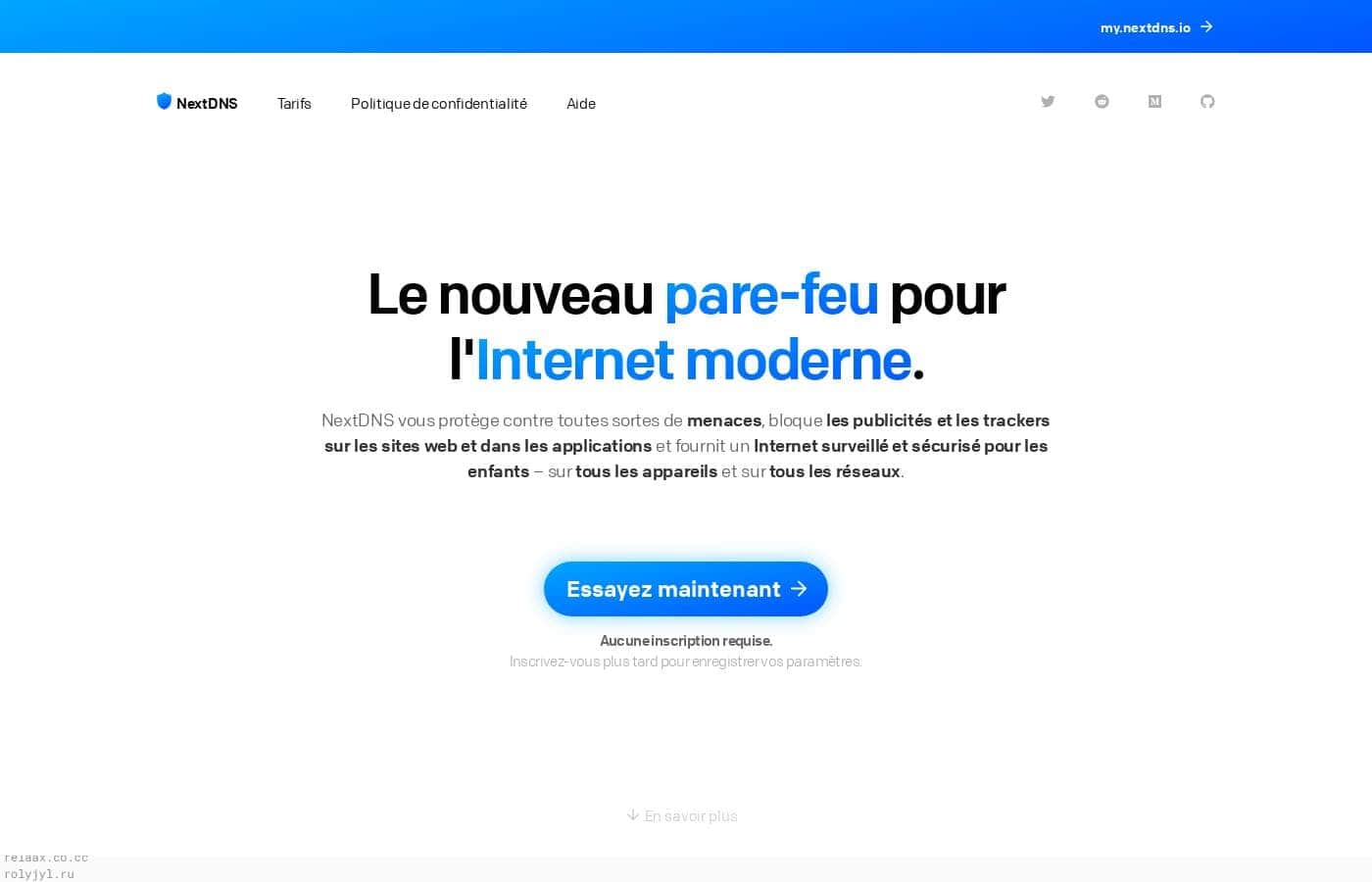
NextDNS homepage screenshot

At a glance

Quick overview for NextDNS: rating, pricing summary, key features, and highlights.
Pricing verified Oct 13, 2026

Ciroapp score

4.2/ 5

NextDNS blocks ads, trackers, and malware at the DNS level, so one setup covers every device on your network, including consoles and smart TVs that can't run apps. It's cheap, light on your hardware, and the free tier includes all features, but it can't stop same-domain ads like YouTube's. Overall, it's an easy, low-cost pick for households and privacy-minded users who want set-and-forget protection.

Pros

  • Pros:Protects every device on a network from one configuration, including smart TVs, consoles, and IoT hardware that cannot run blocking software
  • Pros:Filtering happens in the cloud, so devices spend no CPU, memory, or battery on ad and malware blocking
  • Pros:The free plan unlocks all features with a 300,000-query monthly allowance rather than gating core functionality behind payment

Cons

  • Cons:DNS filtering cannot remove ads served from the same domain as the content around them, such as YouTube ads, so it complements rather than replaces browser-based blockers
  • Cons:The free plan's 300,000-query monthly cap downgrades filtering to a plain resolver once exceeded, which can happen silently and go unnoticed
  • Cons:All lookups route through NextDNS's servers, requiring trust in a third party and creating a dependency on its availability
Best for
  • Households that want ad and tracker blocking across every device — including smart TVs, consoles, and guests' phones — without installing software on each one
  • Parents who need content restrictions that follow kids' tablets, school laptops, and consoles across different networks
  • Privacy-conscious users who like the Pi-hole concept but do not want to buy, configure, and maintain their own hardware
This section is a summary. Detailed sections about features, use cases, pricing, and reviews follow below.

What is NextDNS?

Ad blockers and security tools usually live on individual devices, which means installing, updating, and troubleshooting software everywhere you browse. NextDNS flips that model by filtering traffic at the DNS level from the cloud: the moment a device connects, protection is already in place. It is often described as a Pi-hole in the cloud, and the comparison holds — you get network-wide blocking without buying or maintaining any hardware.

NextDNS is a cloud-hosted DNS filtering service. When a device performs a domain lookup, NextDNS checks the request against your configuration and blocks domains tied to ads, trackers, malware, or unwanted content before the connection is made. Because it operates at the DNS layer rather than as an app, it covers phones, computers, routers, smart TVs, consoles, and IoT devices alike — including hardware that cannot run blocking software.

Connections to NextDNS use modern encrypted protocols such as DNS-over-HTTPS and DNS-over-TLS, and all filtering runs on NextDNS's infrastructure rather than on your device.

Should you choose NextDNS?

Quick buyer guidance before you compare plans or click through.

Choose it if

  • Households that want ad and tracker blocking across every device — including smart TVs, consoles, and guests' phones — without installing software on each one
  • Parents who need content restrictions that follow kids' tablets, school laptops, and consoles across different networks
  • Privacy-conscious users who like the Pi-hole concept but do not want to buy, configure, and maintain their own hardware
  • People whose laptops and phones regularly leave home and need filtering that works on any Wi-Fi network
  • Small teams (priced per 50 employees) that want a low-maintenance DNS-layer defense against malware and phishing domains

Skip it if

  • Users whose main goal is blocking same-domain ads such as YouTube's — DNS filtering cannot separate those from the content around them, so a browser blocker is still needed
  • Organizations that need endpoint-level security, deep packet inspection, or compliance-grade controls rather than DNS-layer filtering
  • Users uncomfortable routing all their DNS queries through a third-party cloud service; a self-hosted resolver keeps lookups local
  • Anyone who needs guaranteed filtering with no usage ceiling and cannot accept the free tier stopping blocks after 300,000 queries in a month

Next steps before buying

  1. 1Create a free account at nextdns.io and set up your first configuration — the free plan includes all features and 300,000 queries per month
  2. 2Choose a setup method: install the native app or profile on your phones and computers, add the DoH/DoT endpoint in device settings, or point your router's DNS at NextDNS to cover the whole network at once
  3. 3Open the dashboard and enable the blocklists, parental-control categories, and settings you want for that configuration
  4. 4Review the analytics over the first few days to confirm filtering is working, tune anything too aggressive, and track your query count against the free quota

NextDNS Key Features

✨ Cloud DNS Filtering

NextDNS inspects every domain lookup your devices make and refuses connections to domains associated with ads, trackers, and malware. Because the check happens upstream before a page or app can reach its destination, blocking works system-wide — inside browsers, mobile apps, and background services — rather than only where a browser extension happens to be installed.

✨ Encrypted DNS-over-HTTPS and DNS-over-TLS

Queries travel to NextDNS over modern encrypted protocols, DNS-over-HTTPS and DNS-over-TLS. This prevents anyone else on the same network — a café hotspot, a hotel, or your ISP — from reading or tampering with the domains your devices look up, which plain DNS leaves exposed.

✨ No Local Performance Cost

All filtering runs on NextDNS's servers, so nothing is computed on your hardware. Devices spend no CPU, memory, or battery on blocking, which matters most on older laptops, phones, and low-power hardware where per-device blockers are most noticeable.

✨ Parental Controls

Filtering rules can restrict adult and inappropriate content at the DNS level, so restrictions apply even on devices where parental-control apps cannot be installed, such as game consoles and smart TVs. Unlimited configurations on every plan let you run separate profiles — stricter rules for younger children, looser ones for adults — under a single account.

✨ Broad Device Coverage and Simple Rollout

NextDNS offers native support on major platforms, so phones and computers are usually protected by installing an app or configuration profile. Everything else — routers, consoles, televisions, and smart-home hardware — can be covered by pointing its DNS settings at NextDNS or configuring the DoH/DoT endpoint, extending filtering to devices that can never run software.

✨ Analytics and Configuration Control

A dashboard lets you review filtering activity, adjust blocklists and rules, and manage multiple configurations independently. This visibility also makes your monthly query count easy to track, which matters on the free plan's 300,000-query allowance.

Use Cases

💡 Household-Wide Ad and Tracker Blocking

Point your router at NextDNS and every device behind it — phones, laptops, smart TVs, consoles, and smart-home gadgets — inherits the same blocklists. This covers guests' devices and appliances that have no way to install an ad blocker, and it removes the need to configure each machine individually.

💡 Protection for Devices That Leave Home

A laptop used at home, a café, and an office sits behind three different networks in a week. Because NextDNS works over encrypted DNS from any location, its ad blocking and malware filtering travel with the device, closing the gap that home-only solutions such as a self-hosted Pi-hole leave open.

💡 Parental Controls Across Kids' Devices

Children typically rotate between tablets, school laptops, and consoles, and content filters installed on one device do not follow them to the next. Applying restrictions at the DNS level means adult content stays blocked everywhere the child's device connects, and separate configuration profiles let parents set different rules per child or age group.

💡 Pi-Hole-Style Filtering Without the Hardware

Self-hosted DNS blocking appeals to many people until they face buying a Raspberry Pi, configuring it, and keeping it running. NextDNS delivers the same concept as a hosted service: no hardware to buy, nothing to maintain, and filtering that keeps working when you are away from your home network.

💡 A Lightweight Security Layer for Small Teams

On the Business plan, priced per 50 employees, NextDNS blocks connections to malware and phishing domains before a user can reach them. It is not a full endpoint security product, but as a low-maintenance first line of defense requiring no software installation on employee machines, it meaningfully reduces exposure.

NextDNS pricing

From$1.99/mo

  • 4 plans
  • Free plan available
  • Save up to 17% with annual billing

Prices checked on Oct 13, 2026 from NextDNS's pricing page

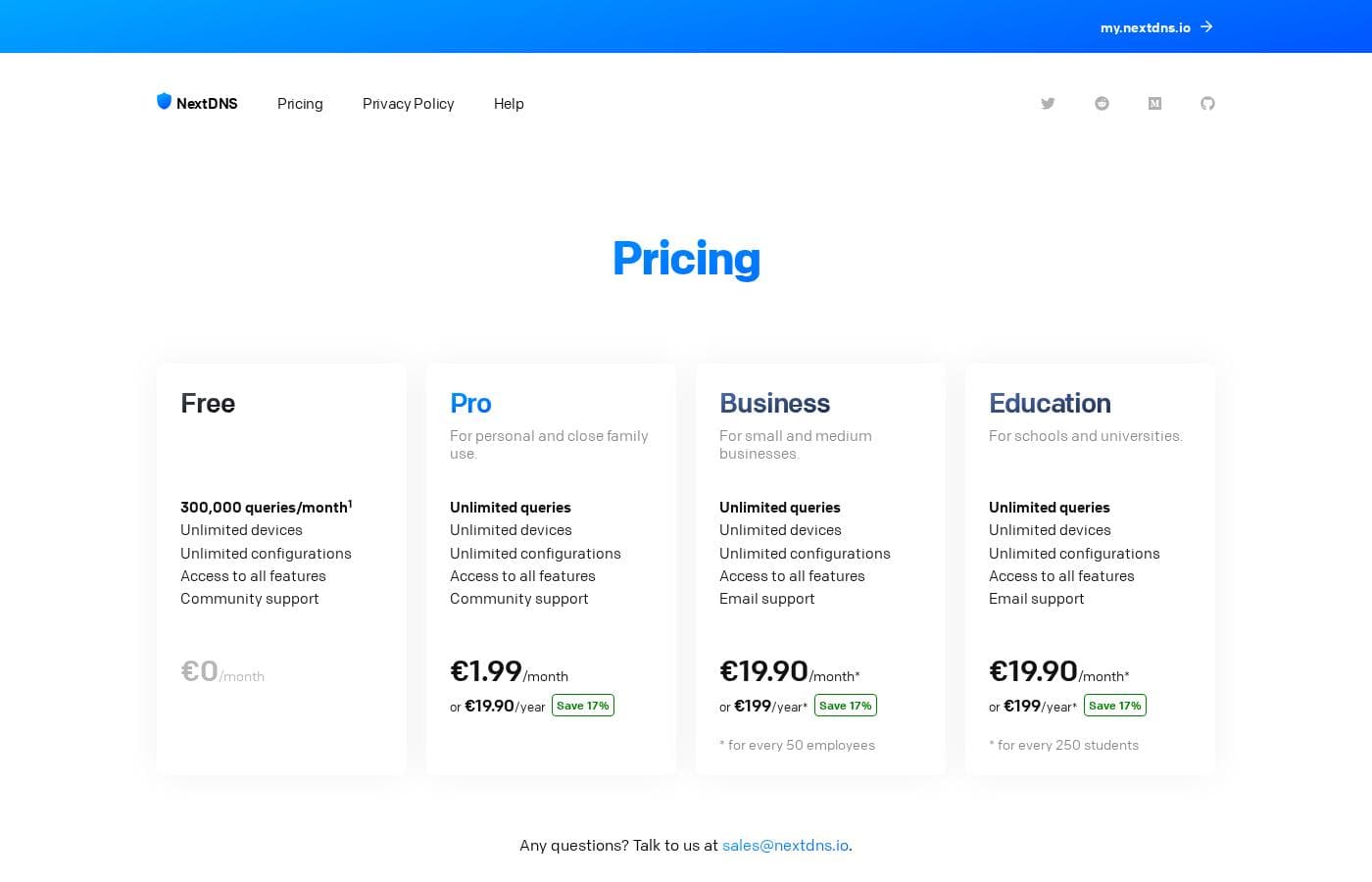
NextDNS pricing page screenshotView pricing page screenshot
PlanBilled monthlyBilled annuallyIncludes
Free
Free
—
300,000 queries per month. After exceeding the quota, NextDNS continues answering DNS queries as a classic non-blocking DNS service.
  • Unlimited devices
  • Unlimited configurations
  • Access to all features
  • Community support
Personal
$1.99/mo
$1.66/mo
$19.90 per year
Save up to 17% with annual billing
  • Unlimited queries
  • Unlimited devices
  • Unlimited configurations
  • Access to all features
  • Community support
Business
$19.90/mo
$16.58/mo
$199 per year
Save up to 17% with annual billing
For every 50 employees
  • Unlimited queries
  • Unlimited devices
  • Unlimited configurations
  • Access to all features
  • Email support
Education
$19.90/mo
$16.58/mo
$199 per year
Save up to 17% with annual billing
For every 250 students
  • Unlimited queries
  • Unlimited devices
  • Unlimited configurations
  • Access to all features
  • Email support

Price history

Tracking prices since Oct 1, 2026. No price change detected yet.

Pricing types: Free plan, Monthly subscription, Yearly subscription

Pricing notes

NextDNS offers a free plan with 300,000 queries per month, plus paid monthly or yearly options. Paid pricing starts at $1.99 per month for Personal and reaches $19.90 per month for Business or Education.

NextDNS costs between $0 and $19.90 per month with four plans: Free at $0, Personal at $1.99, Business at $19.90, and Education at $19.90.

Here’s how the plans compare.

Free

Price: $0/month Other Features: Unlimited devices, unlimited configurations, access to all features, community support

The Free plan includes 300,000 queries each month. It covers the core NextDNS features across unlimited devices and configurations, making it a practical choice for light personal use. If you exceed the monthly quota, NextDNS continues to answer DNS queries as a classic non-blocking DNS service rather than blocking them.

Personal

Price: $1.99/month or $19.90/year Other Features: Unlimited queries, unlimited devices, unlimited configurations, access to all features, community support

Personal removes the free plan’s query limit while keeping the same broad feature access. Choose monthly billing for flexibility, or annual billing for a listed 17% saving. It’s suited to individuals and households that use NextDNS regularly across several devices.

Business

Price: $19.90/month or $199/year Other Features: Unlimited queries, unlimited devices, unlimited configurations, access to all features, email support

Business pricing applies for every 50 employees. It includes unlimited queries, devices, and configurations, plus access to all features and email support. Annual billing is marked as saving 17%, so this tier is designed for organizations that need coverage beyond individual use.

Education

Price: $19.90/month or $199/year

Education uses the same listed monthly and annual prices as Business, but the allowance is calculated for every 250 students. It offers the same unlimited usage and email support, making it the relevant option for qualifying education deployments.

NextDNS offers a free plan, but the free monthly query quota applies. Paid plans support monthly or yearly billing, and the page lists card, PayPal, and cryptocurrency payments. No free trial or money-back guarantee is shown in the available pricing details.
Cost calculator

Estimate what NextDNS costs for your team.

Billing
Per month
$1.99
Per year
$23.88

Personal states no user limit: shown as one price for the whole account. Check the price for 5 users with the vendor. Estimate based on published list prices, before taxes, add-ons and discounts.

How to pay less for NextDNS

  • Pay annually: saves up to 17% compared with monthly billing.
  • Start on the free plan and upgrade only when you hit its limits.
Visit NextDNS

Email me when NextDNS changes price

One email when we detect a price change on the vendor's pricing page. No newsletter, no deals. Unsubscribe in one click.

User Reviews

No reviews yet.

Write a Review

Write a Review for NextDNS
0/100 characters
0/2000 characters

Why use NextDNS?

The main reason to choose a DNS-level filter is coverage. One configuration protects an entire household or team, and it follows laptops and phones onto any network they join, which per-device blockers cannot do.

Because processing is remote, there is no cost to device CPU, memory, or battery, and setup is typically a one-time change of DNS settings rather than a software rollout. The free tier also includes every feature with a 300,000-query monthly allowance, so you can evaluate the full product before paying $1.99 per month for unlimited queries.

NextDNS alternatives

Other tools in the Ad Blocker category

View all Ad Blocker tools
AdGuard

AdGuard

Ad Blocker4.3/5

AdGuard is a versatile utility designed to make the web cleaner and strongly protect your digital life. It goes far beyond a simple browser extension experience. AdGuard offers full-fledged applications for major platforms, including Windows, Mac, Android, and iOS. This system-wide approach means it works everywhere, eliminating ads and trackers in standard browsers and various mobile apps. It focuses on privacy first and actively guards against known dangerous or malicious sites. The company has protected over 160 million users since 2009.

NextDNS FAQ

How much does NextDNS cost?

NextDNS's cheapest paid plan, Personal, costs $1.99 per month. Paid plans range from $1.99 to $19.90 per month. Prices checked on Oct 13, 2026 from the vendor's pricing page.

Does NextDNS have a free plan?

Yes. NextDNS has a free plan (Free); paid plans start at $1.99 per month.

How much do you save with annual billing on NextDNS?

Paying annually saves up to 17% compared with monthly billing, based on NextDNS's list prices.

Has NextDNS's price changed recently?

No. We have not detected a price change since we started tracking on Oct 1, 2026.

Does NextDNS work on devices that can't install apps?

Yes. Because filtering happens at the DNS layer, any device that lets you change its DNS settings — routers, smart TVs, game consoles, and smart-home hardware — can be protected by pointing it at NextDNS or configuring its DNS-over-HTTPS or DNS-over-TLS endpoint. Every plan also includes unlimited devices.

How is NextDNS different from running a Pi-hole?

A Pi-hole is self-hosted hardware on your home network, so it only filters devices connected to that network and requires setup and ongoing maintenance. NextDNS is hosted: there is no hardware to buy or maintain, filtering works wherever a device connects, and encrypted protocols protect queries outside your home.

Will NextDNS slow down my devices or drain battery?

No. All the filtering work runs on NextDNS's remote infrastructure, so your devices spend no CPU, memory, or battery on it. As with any DNS resolver, lookup speed depends on network conditions, but the blocking itself adds no local processing load.

Ready to try NextDNS? Check out the official site or pricing.

Are you NextDNS? Claim this listing · Get the badge