AdGuard

AdGuard review

Ad-free browsing in every browser and app, with privacy built in.

By Ciroapp Editorial Team · Updated Sep 7, 2026

Commission may apply at no extra cost

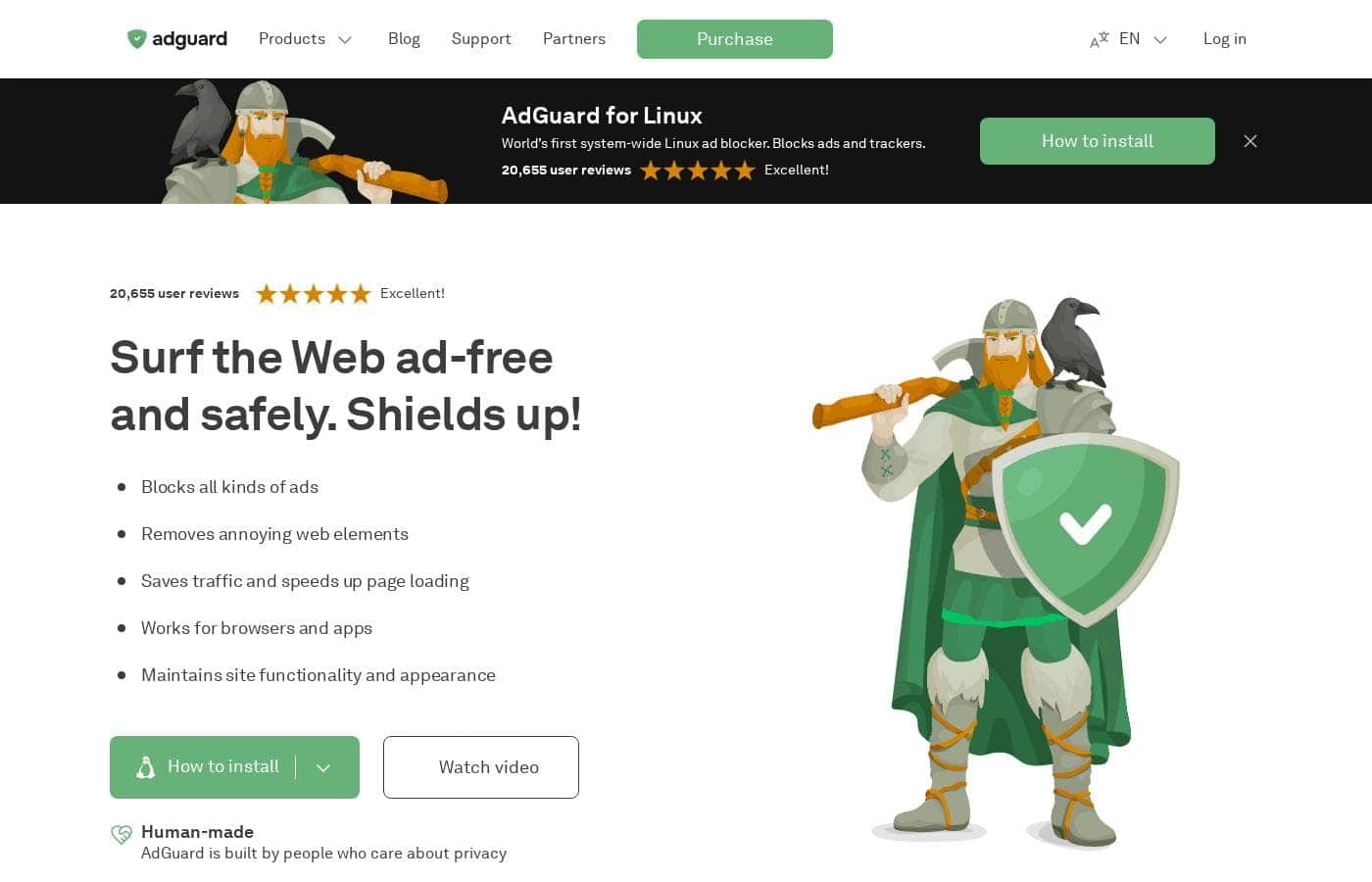
AdGuard homepage screenshot

At a glance

Quick overview for AdGuard: rating, pricing summary, key features, and highlights.
Vendor page checked Sep 28, 2026

Ciroapp score

4.3/ 5

AdGuard filters traffic system-wide, so ads, trackers, and phishing pages disappear in every browser and app, and one license covers Windows, macOS, Android, and iOS. Watch for the APK-based Android install and auto-renewing subscriptions, though. Overall, it's a polished, affordable pick for whole-device ad blocking.

Pros

  • Pros:Filters traffic system-wide, so ads, pop-ups, and video ads (including YouTube) are removed in every browser and in apps — not just one browser at a time like typical extensions
  • Pros:Universal licenses work across Windows, macOS, Android, and iOS, with Personal covering 3 devices and Family covering 9 under a single purchase, plus a lifetime option at $84.79
  • Pros:Goes beyond ad blocking with phishing and malicious website filtering, parental controls for adult content, and Stealth Mode tracking protection on Mac

Cons

  • Cons:AdGuard for Android is not on Google Play — you must sideload the APK, allow installs from your browser, and on some Samsung phones running One UI 6 or newer, disable Auto Blocker during setup
  • Cons:AdGuard for Linux is command-line only, and AdGuard Home requires installing software on your router, which puts both out of reach for non-technical users
  • Cons:The free options are limited — the free Android and iOS versions lack full features, and the mobile Content Blocker only works in Samsung Internet and Yandex Browser
Best for
  • People who want ads blocked in every browser and app, not just one browser
  • Households that want one license covering multiple devices
  • Privacy-minded users who also want phishing and malware filtering
Free trial
Yes — 14 days
Money-back guarantee
Yes — 30 days
This section is a summary. Detailed sections about features, use cases, pricing, and reviews follow below.

What is AdGuard?

Tired of pop-ups, video ads, and trackers slowing down every page? AdGuard blocks ads across your browsers and your apps, filters out dangerous websites, and speeds up page loading. You can try the full apps free for 14 days before spending anything.

AdGuard is a family of ad-blocking and privacy tools built since 2009. Its core apps for Windows, Mac, and Android block ads system-wide, warn you about phishing and malicious sites, and shield your data from trackers. There are also free browser extensions, a router-level blocker called AdGuard Home, and extras like VPN, DNS, and email aliases.

It's for anyone who wants ad-free browsing beyond what a single extension can do.

Should you choose AdGuard?

Quick buyer guidance before you compare plans or click through.

Choose it if

  • Users on Windows, Mac, Android, or iOS who want system-wide filtering
  • Anyone frustrated by pop-ups, banners, and YouTube ads in daily browsing
  • Buyers who prefer to test first — the Windows, Mac, and Android apps include a 14-day free trial
  • Budget-conscious users happy to start with the free browser extension or the free Android and iOS versions
  • Tech-comfortable users open to APK installs on Android or command-line tools on Linux

Skip it if

  • Android users uncomfortable sideloading — AdGuard for Android installs via APK rather than a standard store download
  • Anyone expecting full features for free — the free Android and iOS versions are limited, and the full apps require a paid license
  • Non-technical users who want router-level protection — AdGuard Home requires installing software on your router
  • People who avoid the command line — AdGuard for Linux works entirely through a terminal interface
  • Mobile browser users outside the supported list — the Content Blocker only works in Samsung Internet and Yandex Browser, with limited features

Next steps before buying

  1. 1Decide what you need: the free browser extension covers browsing, while the full apps add in-app blocking, DNS control, and security filtering — AdGuard's comparison table on its site breaks down the differences
  2. 2Start with the 14-day free trial on Windows, Mac, or Android to see if the full version fits your habits
  3. 3Check that your devices are covered — supported platforms include Windows, Mac, Android, iOS, Linux, and Android TV
  4. 4If you'll protect several devices or family members, review the license options on AdGuard's site, including discounted gift licenses
  5. 5Skim the Knowledge base first if you're new to APK installs, router setup, or filtering rules

Ease of use

Onboarding looks straightforward for most products: direct downloads for Windows, Mac, and Android, QR codes for mobile, and a Knowledge base with instructions. The free browser extensions are the simplest entry point. A few products need more effort — the Android app installs via APK, the Linux version is command-line only, and AdGuard Home requires router setup. In-app support is mentioned for the desktop and mobile apps.

AdGuard Key Features

✨ Block ads in every browser and app

Tired of the same pop-ups chasing you from Chrome to Firefox to your favorite game? AdGuard's desktop and Android apps filter traffic system-wide, so banners, pop-ups, and video ads disappear everywhere — including YouTube. Pages load faster too, since ads, trackers, and clutter never reach your screen.

✨ Keep trackers out of your business

Every site you visit seems to want data. AdGuard shields your information from web analytics and online trackers, and Mac users get Stealth Mode for extra cover. Statistics screens in the Windows and Android apps show exactly what's been blocked, so you can watch the protection working.

🛡️ A safety net for shady sites

AdGuard filters out phishing and malicious websites, so you're warned before a dangerous page loads. Parents can also shield kids from inappropriate and adult content. If something annoying slips through, the Assistant extension lets you block custom items on any page and send reports straight from your browser.

🏠 Protection that reaches every screen

Your network has more than laptops, and AdGuard meets them where they are:

  • AdGuard Home installs on your router and filters every connected device — no client software needed
  • AdGuard for Android TV blocks ads and acts as a firewall for your Smart TV
  • AdGuard DNS adds free, no-install filtering to any device

✨ Start small, stay ad-free

Not ready for a system-wide app? The free Browser Extension blocks ads in Chrome, Firefox, Safari, Edge, Opera, and Yandex Browser. On mobile, the Content Blocker covers Samsung Internet and Yandex Browser, while AdGuard Mini keeps Safari on Mac clean.

Each one strips ads and speeds up pages.

Use Cases

💻 Ad-free browsing on your computer

Pop-ups and video ads follow you across browsers. AdGuard for Windows or Mac filters your whole device, so ads disappear in every browser and app — YouTube included. You can test it free for 14 days first.

Expected outcome: faster page loading and cleaner browsing.

📱 Clean apps on Android and TV

AdGuard for Android blocks ads and trackers in all your apps and games, not just the browser. Prefer the big screen? AdGuard for Android TV does the same for your Smart TV.

Tip: The Android app installs via APK, so allow sideloading first.

🏠 Whole-home protection at the router

Got smart speakers, cameras, or gadgets that can't run apps? Install AdGuard Home on your router once. Every device on your network gets ad and tracker blocking — no extra software needed.

Expected outcome: a cleaner, safer network with one setup.

🛡️ Safer browsing for the family

One license can cover the whole household. Parental control shields kids from adult content, and browsing security warns you about phishing sites. The Family plan covers up to 9 devices, so everyone's devices stay protected.

Expected outcome: safer browsing for every family member.

AdGuard pricing

  • 2 plans

Prices not verified yet — see the vendor page.

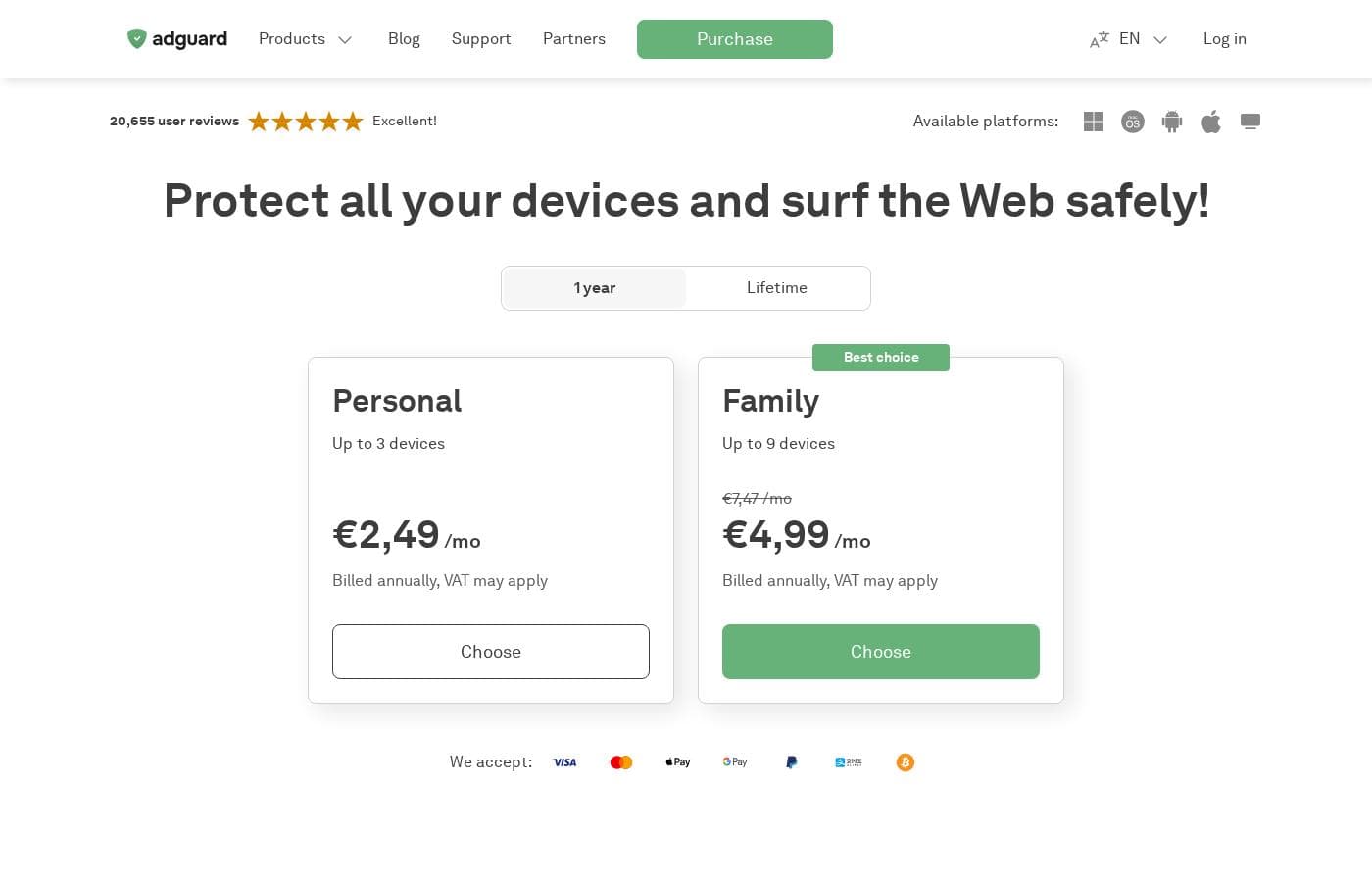
AdGuard's pricing page

AdGuard pricing page screenshotView pricing page screenshot
PlanBilled monthlyBilled annuallyIncludes
Personal license
See vendor page
See vendor page
Covers 3 devices; billed annually for 1-year option, one-time payment for lifetime; VAT may apply
Family license
See vendor page
See vendor page
Covers 9 devices; billed annually for 1-year option, one-time payment for lifetime; VAT may apply

Price history

Tracking prices since Sep 7, 2026. No price change detected yet.

Pricing range: $2.49–$5.49/month (billed annually), or $84.79 lifetime

Pricing types: Free plan, Free trial, Yearly subscription, One-time payment

Pricing notes

AdGuard offers Personal licenses covering 3 devices and Family licenses covering 9 devices, each available as a 1-year subscription or a one-time lifetime payment. No specific prices are visibly displayed on the page, though a 30-day money-back guarantee is offered.

AdGuard costs between $2.49 and $5.49 per month with two annual plans — Personal at $2.49/month and Family at $5.49/month (marked down from $7.47) — plus a lifetime license for $84.79.

Both plans are billed annually, and VAT may apply depending on your region. Here's what each one covers.

Personal

Price: $2.49/month, billed annually — $29.88 per year Best For: One person covering up to 3 devices Refund Policy: 30-day money-back guarantee Other Features:

  • Universal license that works on Windows, macOS, Android, and iOS
  • Blocks ads in browsers and apps, plus extra privacy tools
  • Upgrade to Family later if you need more devices

This is the easy pick if you're protecting your own laptop, phone, and tablet. Three devices covers most solo setups, and you can move a license to a new device from your AdGuard account. Need more than 3? You can upgrade instead of buying a second license.

Family

Price: $5.49/month, billed annually (normally $7.47/month) Best For: Households protecting up to 9 devices Refund Policy: 30-day money-back guarantee Other Features:

  • Labeled "Best choice" at checkout
  • Same universal, cross-platform license as Personal
  • Licenses for 10+ devices are arranged through [email protected]

If your household shares phones, tablets, and computers, this plan covers everyone under one license. Nine devices is plenty for most homes, and each one gets the same ad blocking and privacy protection. It's worth counting your devices before you buy so you pick the right size.

Lifetime License

Price: $84.79 one-time Other Features:

  • Shown at checkout as an alternative to the yearly license
  • No renewals after purchase

Prefer to pay once and be done? AdGuard lets you choose between 1-year and lifetime licenses, and the lifetime option costs roughly the same as three years of the Personal plan. It makes sense if you're confident you'll stick with AdGuard for the long haul.

A few billing details worth knowing. Licenses bought on the AdGuard website renew automatically, but you can cancel a subscription from your AdGuard account, and it stays active until its expiry date. There's also a 30-day money-back guarantee — contact [email protected] within 30 days of purchase for a refund.

Good news if you want to try before buying: the full AdGuard apps for Windows, Mac, and Android come with a 14-day free trial, and AdGuard Premium for iOS offers a 7-day trial. There are genuinely free options too, like the AdGuard Browser Extension, Content Blocker, and AdGuard DNS. You can even buy a discounted gift license for someone else.
How to pay less for AdGuard

  • Use the 14-day free trial before you pay.
  • 30-day money-back guarantee if it does not fit.
Start free trial

Email me when AdGuard changes price

One email when we detect a price change on the vendor's pricing page. No newsletter, no deals. Unsubscribe in one click.

User Reviews

No reviews yet.

Write a Review

Write a Review for AdGuard
0/100 characters
0/2000 characters

Why use AdGuard?

Most ad blockers only work inside one browser at a time. AdGuard's apps filter traffic across your whole device, so apps and games stay clean too — and you can test it all before paying.

  • Blocks ads in browsers and apps, not just in one browser — including banners, pop-ups, and video ads on YouTube
  • Filters phishing and malicious websites, so you're warned before landing on a dangerous page
  • Speeds up page loading and saves traffic by stripping ads, trackers, and unnecessary elements
  • Shields your data from web analytics and online trackers across sites and apps
  • Covers nearly every platform: Windows, Mac, Android, iOS, Linux, Android TV, and even your whole network through AdGuard Home
  • Trusted at scale, with 20,655 user reviews rated "Excellent" and more than 160 million users since 2009

AdGuard alternatives

Other tools in the Ad Blocker category

View all Ad Blocker tools
NextDNS

NextDNS

Ad Blocker4.2/5

NextDNS functions as an advanced network layer filter, often described as a "Pi-hole in the cloud." Instead of requiring heavy software on every device, it secures your connection at the fundamental DNS level. This approach means security, parental controls, and ad-blocking start instantly, regardless of where you connect. It features native support on major platforms and relies on modern, encrypted protocols like DNS-over-HTTPS and DNS-over-TLS. Crucially, all the processing occurs remotely, guaranteeing zero impact on your device's CPU, memory, or battery life.

AdGuard FAQ

What does AdGuard do with my data when I buy?

AdGuard says it never shares your personal information and collects only what's needed to run its sites and apps. Checkout runs over HTTPS, and payments go through Paddle and PayPro Global, which publish their own privacy policies.

How responsive is AdGuard's support if something goes wrong?

You can email [email protected] 24/7. AdGuard's FAQ addresses about 90% of common questions first, and the Knowledge base walks you through setup, filtering rules, and license management.

Can I move my AdGuard license to a new device?

Yes. First remove it from the old device in your app's License tab or AdGuard account, then activate it on the new one. Your activation codes are always available in your AdGuard account.

How do I install AdGuard on Android?

It's not on Google Play, so you'll download and install the APK directly. Allow installs from your browser first. On some Samsung phones running One UI 6 or newer, you may need to turn off Auto Blocker during setup.

Ready to try AdGuard? Check out the official site or pricing.

Are you AdGuard? Claim this listing · Get the badge