MacKeeper

MacKeeper

More space. More speed. Maximum security.

#1 dans Mac Cleaner
2 min read · Updated 10/4/2025
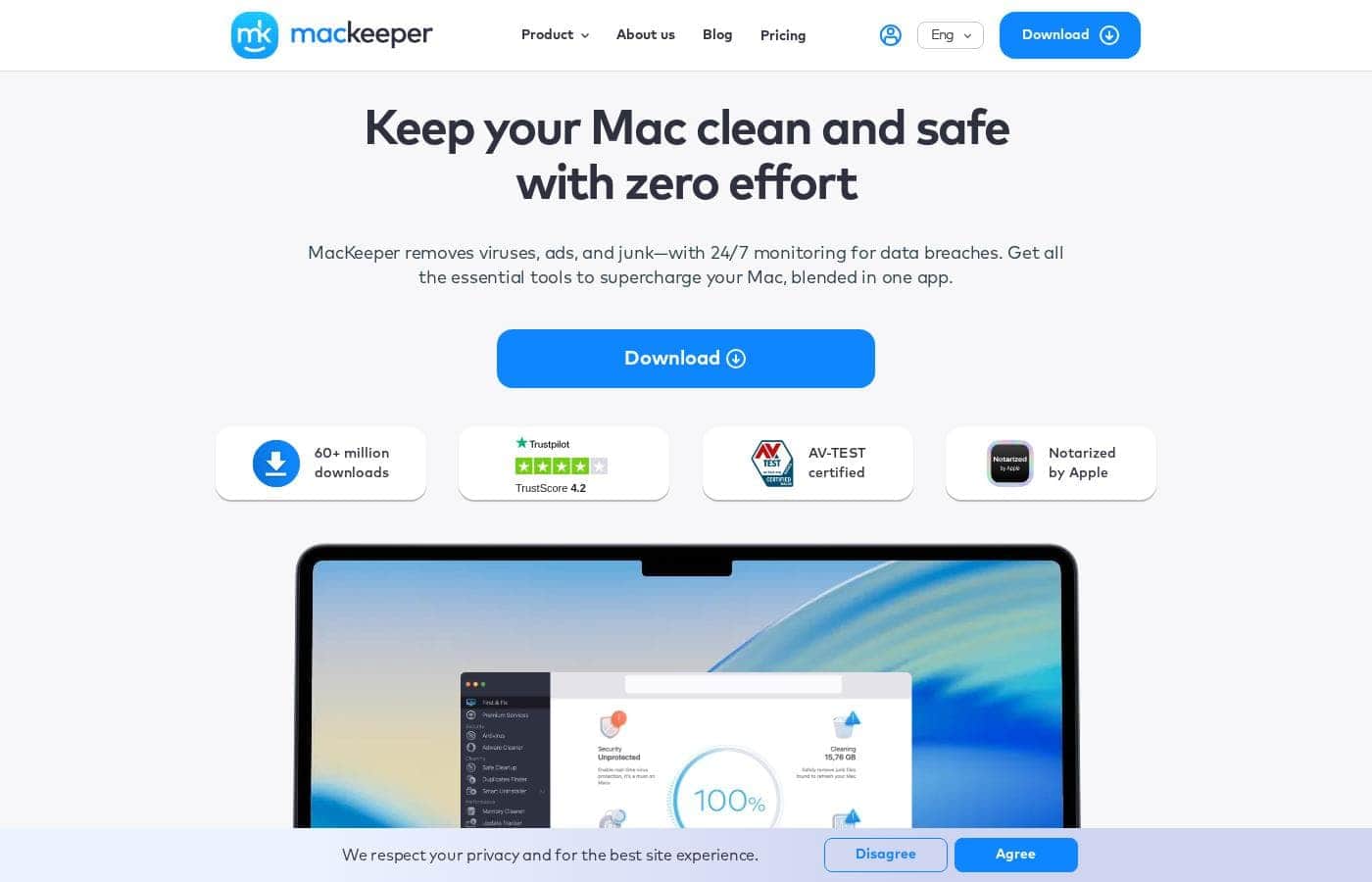
MacKeeper homepage screenshot

At a glance

Quick overview for MacKeeper: rating, pricing summary, key features, and highlights.

Ciroapp review

4.4
Essential Protection and Speed for Mac.

MacKeeper effectively combines crucial security, privacy, and cleaning tools into a single, intuitive interface tailored specifically for macOS. We found its centralized dashboard and AV-TEST verified security measures offer compelling value, especially given the platform-specific focus and comprehensive support system. Overall, this is an excellent, reliable utility for users prioritizing a streamlined, well-supported Mac experience.

Pros

  • Pro:Exceptional 24/7 expert customer support praised for its speed and knowledge.
  • Pro:Proven effectiveness in cleaning junk files and restoring Mac speed.
  • Pro:Combines cleaning, real-time security, and a built-in VPN/ID monitoring.
  • Pro:User-friendly design ensures easy navigation for new or less tech-savvy users.

Cons

  • Con:Some users report the in-app notifications can be excessive or non-stop.
  • Con:One report mentioned encountering a "hard sales pitch" during a support interaction.
Free trial
Yes
Money-back guarantee
Yes — 14 days
Range: $5.95–$10.95/monthFree trial, Monthly subscription, Yearly subscription
This section is a summary. Detailed sections about features, use cases, pricing, and reviews follow below.

MacKeeper review, pricing, features, pros & cons

Is your Mac feeling slow or vulnerable to online threats? It's frustrating when junk files pile up and performance lags. MacKeeper solves this by offering a suite of essential tools blended into one app.

It’s designed to keep your machine clean and safe with zero effort while providing 24/7 monitoring for data breaches. ✨

What is MacKeeper?

MacKeeper is an all-in-one application built specifically for macOS 10.15 or later. It focuses on bringing together essential security, privacy, and performance tools into a single, straightforward dashboard. You can easily access control functions right from the menu bar, making it incredibly simple to manage your machine’s health.

Reviewers consistently note that MacKeeper is highly functional, well-organized, and remarkably easy to use after a quick install. It moves beyond average antivirus software by offering complete Mac care. 💡

MacKeeper Key Features

✨ Real-Time Maximum Security

MacKeeper offers robust protection designed to keep your machine safe. It instantly guards your system against unwanted threats like malware and adware with zero effort. This powerful, real-time defense is always working in the background for you.

This security is independently verified and highly effective. MacKeeper boasts an impressive 99.7% virus detection rate, as certified by AV-TEST. This high protection standard ensures much more comprehensive Mac care than basic antivirus software offers.

Run a quick scan to see exactly how your Mac is doing. You gain complete peace of mind knowing that your device is continually monitored and protected against growing online risks.

✨ Deep Cleaning Power

Is your Mac feeling full and slow? MacKeeper’s cleaning tools are built to help you reclaim valuable storage space. This Deep Cleaning Power can free up gigabytes of space on your hard drive quickly and efficiently.

The application effectively targets digital clutter that slows down performance. It removes junk files, manages messy duplicates, and identifies unused applications you don't need any longer. By eliminating this unnecessary bulk, your system becomes lighter and more responsive.

Achieving better performance starts with a clean slate. You can easily remove accumulated digital debris, ensuring your Mac has the optimal space it needs to run smoothly.

✨ Boost Mac Performance

If you are struggling with a slow machine, MacKeeper works to significantly improve your performance. It helps your Mac operate more efficiently by addressing common speed issues. You'll enjoy a faster overall user experience.

MacKeeper works to enhance key operational areas. For example, you can enjoy a faster startup time when you first boot your Mac. The utility also helps manage applications that might be consuming excessive resources.

Use the specialized RAM cleaner tool to maximize available memory. This feature helps you quit memory-draining apps instantly. This ensures you have more free RAM space for the programs you need to use now.

✨ 24/7 Identity and Privacy Monitoring

Protecting your personal identity is simple with MacKeeper’s Critical ID Monitoring. We monitor online risks 24/7 and alert you immediately upon detection. This feature works constantly to safeguard your most sensitive details.

If a data breach occurs, you’ll know if your personal records were exposed. We monitor details like passwords, credit card numbers, or SSNs involved in breaches. This gives you time to protect your accounts before severe damage occurs.

The application also helps ensure your browsing remains private. You can use a built-in VPN to browse anonymously. Plus, MacKeeper can block annoying ads and trackers that try to follow you online.

✨ Instant Expert Support Directly in the App

Getting real help in real time is easy with MacKeeper. We offer expert support built directly into the application. You never have to wait for help or navigate complex email requests.

Simply access the unique chat window when you need assistance. You can instantly chat with tech experts right there in the app. This feature ensures you skip waiting lines and get assistance quickly.

You benefit from 24/7 access to MacKeeper’s dedicated team. Our security and privacy experts are always ready to provide the dependable help you need.

Use Cases

🚀 Boosting Performance and Speed

Does your Mac feel sluggish, or are you waiting too long for applications to load? Over time, junk files and unneeded app leftovers accumulate, dragging down your system. MacKeeper helps boost your performance by identifying and removing these unnecessary files.

This deep cleaning power also targets messy duplicates and useless applications. By clearing this digital clutter, you can enjoy a faster startup time and ensure more free RAM space is ready for your tasks. This quick optimization is essential for keeping your everyday workflow running smoothly.

Expected outcome: A much snappier response time and the release of significant gigabytes of storage.

🛡️ Achieving Real-Time Maximum Security

Cyber threats like malware and adware are constant problems for Mac users. You need robust protection that works instantly, not just after a deep scan. MacKeeper guards you in real time, actively blocking these threats before they can cause harm.

This protection suite is verified by independent tests, reaching an impressive 99.7% detection rate. When you browse or download files, MacKeeper is always vigilant. It provides maximum security so you can browse the web and manage your files with total peace of mind.

👀 Protecting Identity and Privacy Online

Worrying about data breaches is stressful, especially when considering sensitive records like credit cards, SSNs, and passwords. MacKeeper works 24/7 to monitor online identity risks, even when you're offline. If your valuable information appears in a known breach, you'll be immediately alerted.

While browsing, you also gain tools to block ads and trackers that follow you across the internet. This helps you maintain better online anonymity. You can browse more freely knowing your device is protected and your personal data is monitored around the clock.

🛠️ Managing Your Mac Effortlessly

You don't need to juggle multiple utilities and apps to keep your Mac optimized and safe. MacKeeper blends all essential security, privacy, and performance solutions into one easy-to-use dashboard. This central management tool saves you time and reduces maintenance complexity.

For quick access to key functions, you can control the protection and performance tools right from your menu bar. This design makes managing your machine’s health incredibly simple and highly dependable.

💬 Accessing Instant Expert Support

Sometimes, questions arise that require expert knowledge, or perhaps you run into a configuration issue. Waiting days for email responses or sitting through phone queues is frustrating. MacKeeper resolves this by building immediate assistance into the application itself.

A unique chat window lets you connect instantly with MacKeeper’s team of security and privacy experts. You get real help in real time from professionals. If you ever need guidance or have a serious issue, expert advice is just a quick message away.

Pricing Overview for MacKeeper

Pricing range
$5.95–$10.95/month
Pricing types
Free trial, Monthly subscription, Yearly subscription
Money-back guarantee
Yes — 14 days

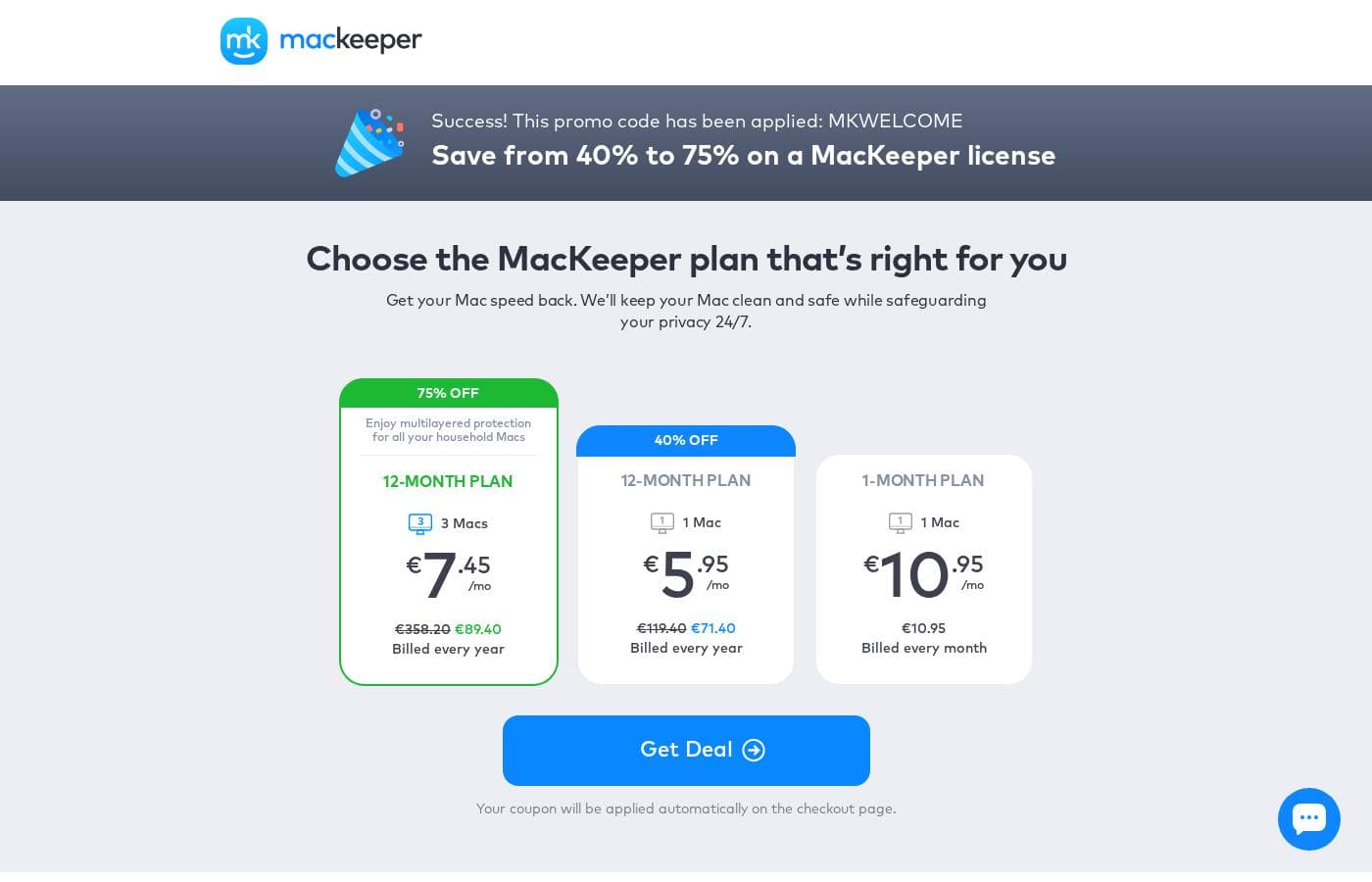
MacKeeper offers flexible subscription plans designed for single users or entire households. Plans are available on monthly or discounted annual terms, with effective prices ranging from $5.95 to $10.95 per month.

Plans & Pricing

12-Month Plan (3 Macs)

Monthly$7.45
Yearly$89.40
  • 75% off regular price
  • Includes 3 Macs
  • Multilayered protection

12-Month Plan (1 Mac)

Monthly$5.95
Yearly$71.40
  • 40% off regular price
  • Includes 1 Mac
  • 24/7 protection

1-Month Plan (1 Mac)

Monthly$10.95
YearlyNot explicitly stated (Calculates to $131.40)
  • Billed every month
  • Includes 1 Mac

MacKeeper costs between $5.95 and $10.95 per month, offering three plans: the 12-month plan for 1 Mac at $5.95/month, the 12-month plan for 3 Macs at $7.45/month, and the 1-month plan for 1 Mac at $10.95/month.

Here are the available pricing options to help you choose the best fit for your Mac protection needs.

12-Month Plan (3 Macs)

Price: $7.45/month (Billed annually at $89.40) Websites Supported: 3 Macs Best For: Household protection/multilayered protection Refund Policy: 14-day money-back guarantee Other Features: Enjoys the highest discount (75% OFF the standard rate)

This annual package is ideal if you need comprehensive protection for multiple computers in your household. It offers the lowest cost per device due to the substantial 75% discount applied to the first year. Choosing this plan ensures you receive MacKeeper's full suite of cleaning, performance, privacy, and security tools across all three Macs.

12-Month Plan (1 Mac)

Price: $5.95/month (Billed annually at $71.40) Websites Supported: 1 Mac Best For: Single user / long-term commitment Refund Policy: 14-day money-back guarantee Other Features: Saves 40% on the standard price, provides continuous 24/7 protection and privacy features

If you only need to secure one Mac, this plan provides the most economical long-term solution. You save 40% immediately by committing to a yearly subscription compared to paying month-to-month. It ensures your device remains clean, speedy, and safeguarded against viruses and privacy threats year-round.

1-Month Plan (1 Mac)

Price: $10.95/month (Billed every month) Websites Supported: 1 Mac Best For: Short-term use / Flexibility / Testing Refund Policy: 14-day money-back guarantee Other Features: Maximum flexibility with no long-term commitment

This monthly plan is perfect if you want maximum flexibility or simply want to try out MacKeeper for a single month without a yearly obligation. Billing is straightforward at $10.95 every 30 days. Although it is the highest monthly rate, you can easily cancel without fuss after the first month if your needs change.

If you are still unsure, the MacKeeper website notes that you can perform a diagnostics scan on your Mac for free to check its status. MacKeeper also stands behind its paid subscriptions with a 100% Money-Back Guarantee. You have 14 days after purchase to request a full refund if you are not satisfied with the performance or service.

User Reviews

User sentiment for MacKeeper is overwhelmingly positive, focusing heavily on its effectiveness and exceptional customer support. Users frequently mention that the software successfully cleans up junk files and unwanted programs, leading to a noticeable improvement in Mac speed and overall reliability.

Reviewers describe the sophisticated design as user-friendly and intuitive, making it highly accessible even for non-experts. The centralized security features, including the VPN for safe browsing and real-time malicious software scanning, also provide users with considerable peace of mind.

However, the most universally praised aspect is the support team. Reviewers commend the staff for being 24/7, quick, patient, and knowledgeable, providing personalized, step-by-step solutions to complex problems.

While reports of effective cleaning are common, only minor complaints surface, such as non-stop notifications or an occasional hard sales pitch during support interactions. Overall, users feel the app is indispensable for keeping their Mac running smoothly.

👍

What users say elsewhere

Joe D.
· Trustpilot
5.0 / 5

Tech support provided step-by-step instructions to assist me with a specific issue. The fix was fast, specific, and simple. This was truly 5-star level assistance!

L.K.
· Trustpilot
5.0 / 5

I’ve been using MacKeeper for a few months now, and it gives me peace of mind. Since I do my banking and shopping online, it’s comforting to have extra protection. The built-in VPN is a beneficial bonus.

No reviews yet.

Write a Review

Write a Review for MacKeeper
0/100 characters
0/2000 characters

Why use MacKeeper?

Why juggle multiple utilities when you can have one powerful solution? MacKeeper is designed to transform your Mac experience by guaranteeing maximum security and optimal speed.

  • Real-Time Maximum Security: You gain robust protection, instantly blocking malware and adware threats with an independent AV-TEST verified protection rate of 99.7%.
  • Deep Cleaning Power: Free up significant disk space—we're talking gigabytes—by cleaning up junk files, unneeded apps, and messy duplicates that commonly slow your system down.
  • Critical ID Monitoring: MacKeeper works 24/7 to monitor online identity risks, alerting you immediately to breaches involving sensitive records like credit cards, passwords, or SSNs.
  • Built-In Expert Support: Never wait for answers. A unique chat window lets you connect instantly with MacKeeper’s team of security experts, giving you real help right when you need it.
  • Effortless Management: The software is highly dependable and easy to use. You can access all essential protection and performance tools centrally from a simple dashboard, sometimes without even needing to open the main application.

Ready to transform your workflow with MacKeeper?

Frequently Asked Questions

What happens to the price when my annual subscription renews?

The discounted prices are introductory offers for the first year. Subsequent annual payments will renew at the standard rate. The 1 Mac annual plan renews at an unsubsidized rate of $131.40 annually.

How many devices can I cover under a single MacKeeper subscription?

MacKeeper subscriptions are licensed per device. You can choose a plan covering 1 Mac or a comprehensive household plan that protects up to 3 Macs.

Is there a free trial option to test the full features?

You can download MacKeeper to perform a free diagnostics scan of your Mac's status. They also offer a limited 'free test drive' specifically for the RAM cleaner tool.

What specific system requirements does MacKeeper have?

MacKeeper requires your device to be running macOS 10.15 (Catalina) or any newer operating system. It also needs a minimal 100 MB of disk space to function.

What specific personal data does the ID Theft Guard feature monitor?

The ID Theft Guard works 24/7 to monitor online identity risks. It alerts you immediately if sensitive personal records like passwords, credit cards, or SSNs are found in data breaches.

How quickly can I reach a technical support expert?

MacKeeper offers 24/7 access to security and privacy experts via a unique chat window built right into the app. This feature is designed to provide immediate, real-time help.

What does it mean that MacKeeper is 'Apple Notarized'?

Apple Notarization means the automated system scanned the software for malicious components. This verification ensures that MacKeeper is safe to download but is not an official App Store review.

Is there a data limit or quota on the built-in VPN Private Connect?

Not explicitly stated on the official site. The VPN Private Connect is advertised as an included feature for anonymous browsing without mention of usage limitations.

How do I cancel my subscription if I don't want to renew?

Not explicitly stated on the official site. You should refer to the terms and conditions or contact their 24/7 support team to manage billing auto-renewals.

How often is the 1-Month Plan billed?

The 1-Month Plan offers maximum flexibility and is billed every 30 days. This plan does not require a long-term yearly commitment.

Who is MacKeeper best suited for?

It is ideal for anyone needing centralized Mac care, combining speed, security, and cleaning. It is particularly good for users who value excellent, readily available expert support.

What is the very first step after installing MacKeeper?

Once installed, you should immediately run the one-click scan. This provides an instant overview of your Mac's storage, performance, and security issues.

Does MacKeeper support languages other than English?

Not explicitly stated on the official site. You should check the Help Center or contact customer support for details on supported regional languages.

Ready to try MacKeeper? Check out the official site or pricing.