CleanMyMac X

CleanMyMac X review

Keep your Mac running fast and clean with an all-in-one utility.

By Ciroapp Editorial Team · Updated Sep 17, 2026

Commission may apply at no extra cost

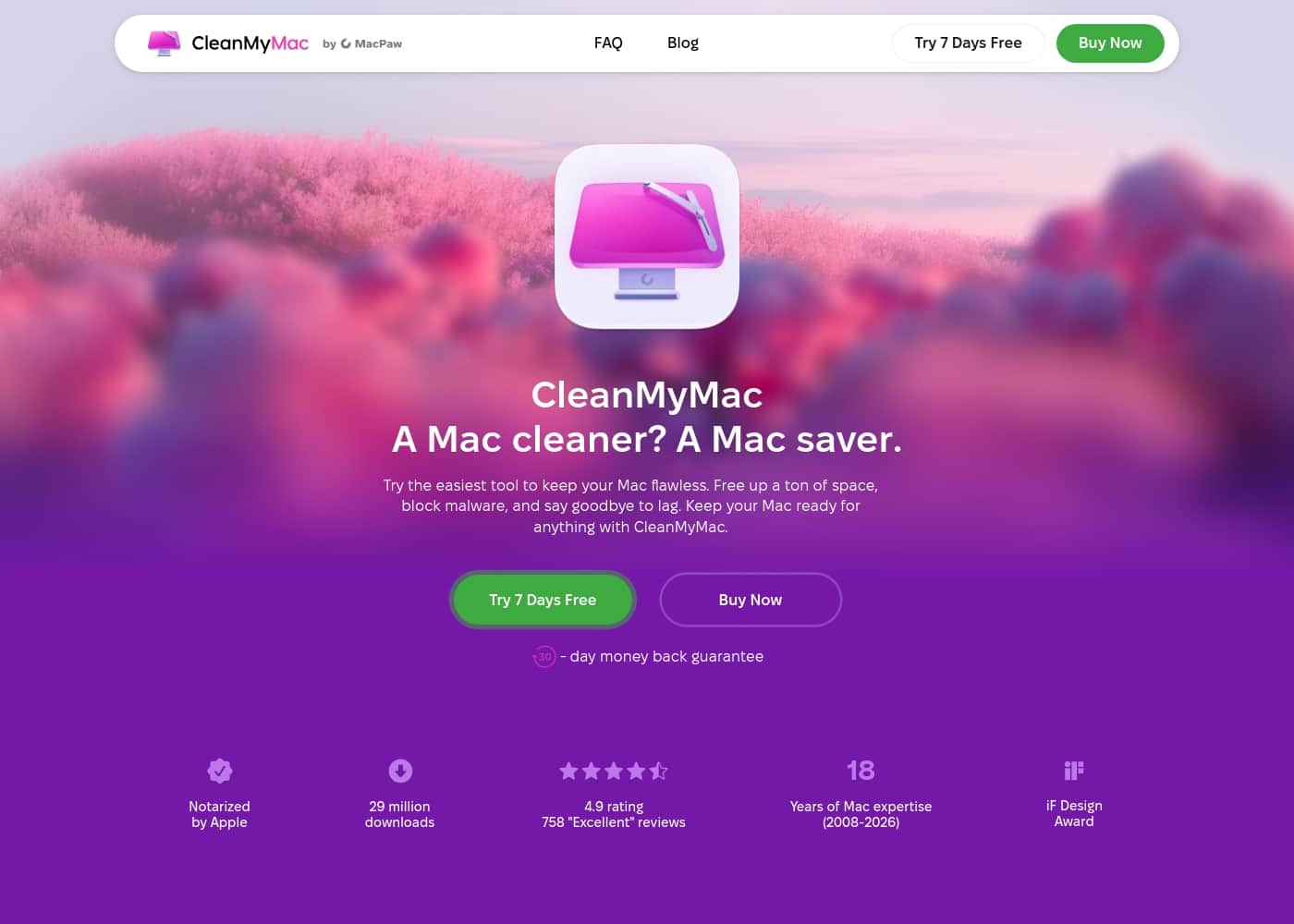
CleanMyMac X homepage screenshot

At a glance

Quick overview for CleanMyMac X: rating, pricing summary, key features, and highlights.

Ciroapp score

4.5/ 5

Effective, but with minor quirks.

We find CleanMyMac X to be a reliable all-in-one utility that effectively cleans and optimizes Mac systems. Overall, it delivers solid value for most users, though some may encounter minor hiccups with startup speed or licensing.

Pros

  • Pros:Highly effective at cleaning junk and boosting Mac performance.
  • Pros:User-friendly and intuitive interface for easy navigation.
  • Pros:Responsive and helpful customer support.

Cons

  • Cons:Can cause loading delays at computer startup.
  • Cons:Some users report difficulties with licensing or linking multiple devices.
  • Cons:Recent UI changes were perceived as less intuitive by a few.
Best for
  • Mac users whose machines have slowed down over time and who want to disable background apps and startup items to restore speed without digging through System Settings manually.
  • People with cluttered hard drives who want a visual way to find what's eating space — Space Lens maps folders by size so you can spot the biggest clutter quickly.
  • Non-technical macOS users who prefer one hub for cleaning junk, running malware scans, uninstalling apps completely, and handling updates instead of juggling separate tools.
This section is a summary. Detailed sections about features, use cases, pricing, and reviews follow below.

What is CleanMyMac X?

Is your Mac feeling sluggish? 🐌 Performance drops and clutter can slow you down. CleanMyMac X tackles this head-on.

It helps speed up your Mac, manage apps, and clear clutter—all from one place. This can boost your productivity and keep things running smoothly. 💡

CleanMyMac X is a macOS utility app designed to optimize your computer's performance. 🛠️ It acts as a central hub for cleaning junk, removing malware, and managing applications. The software is for anyone with a Mac who wants to maintain speed, free up storage, and handle basic security.

Should you choose CleanMyMac X?

Quick buyer guidance before you compare plans or click through.

Choose it if

  • Mac users whose machines have slowed down over time and who want to disable background apps and startup items to restore speed without digging through System Settings manually.
  • People with cluttered hard drives who want a visual way to find what's eating space — Space Lens maps folders by size so you can spot the biggest clutter quickly.
  • Non-technical macOS users who prefer one hub for cleaning junk, running malware scans, uninstalling apps completely, and handling updates instead of juggling separate tools.
  • Anyone paying for cloud storage who wants Cloud Cleanup to show exactly what is filling their cloud accounts so they can free up room in a few taps.

Skip it if

  • Users who expect instant results — some report loading delays at computer startup and occasional difficulties with licensing or linking multiple devices.
  • Buyers on a tight budget, since pricing starting at $3.35/month may feel high for some despite loyalty and competitor-migration discounts.
  • Advanced users who want deep diagnostics — the tool offers limited insight into why specific apps run slower than others, and recent UI changes felt less intuitive to a few long-time users.
  • Anyone not on macOS 11.0 or later, since the software requires at least macOS 11.0, 320 MB of disk space, and a 1200x800 display.

Next steps before buying

  1. 1Confirm your Mac meets the requirements: macOS 11.0 or later, at least 320 MB of free disk space, and a 1200x800 pixel display.
  2. 2Sign up for the 7-day free trial at cleanmymac.com so you can test all features — including Space Lens, Cloud Cleanup, and malware scans — on your own system before paying.
  3. 3If you're switching from another Mac cleaner or upgrading from an older version, gather your previous purchase email or coupon code first to claim the 30% upgrade bonus or competitor discount.
  4. 4After installing, start with a Quick scan to clear junk, then run Space Lens to map your drive and identify the largest folders worth cleaning first.

CleanMyMac X Key Features

✨ Speed Up Your Mac

Your Mac can feel brand-new again. The tool disables unnecessary background apps and startup items that slow things down. This direct action can restore speed and boost your productivity.

It's a simple way to tackle performance drops and get back to smooth operation.

✨ Manage Apps Seamlessly

Think of it as a single hub for all your application needs. You can remove apps completely, including their leftover files. Staying on top of updates is also straightforward.

This approach keeps your system tidy and running efficiently.

✨ Remove Malware Before It Spreads

The software uses a proprietary engine to detect 99% of malicious software. You can run different types of scans—Quick, Normal, or Deep—to match your needs. It helps you control application permissions and keep tabs on your privacy.

This adds a crucial layer of security to your Mac.

✨ Clear Cloud Storage Space

If you're paying for cloud storage but not using it, this feature helps. It shows exactly what is filling up your cloud accounts. You can then free up room with just a few taps.

It's a practical way to manage your online space and save costs.

✨ Find and Delete Duplicate Files

Duplicate files can eat up precious storage space. The tool detects similar images and sorts through downloaded files. You can decide how to handle them, giving you control.

This helps you reclaim space and organize your files more effectively.

✨ Visualize Your Hard Drive

Building an interactive map of your entire drive gives you a clear picture. Folders are sorted by size, so you can see where space is being used. Space Lens helps you find the biggest chunks of clutter.

This visual approach makes tidying up your drive much easier.

Use Cases

🚀 Reviving a Sluggish Mac for Daily Work

You're working on a project, but your Mac feels slow and unresponsive. Background apps and system clutter are likely the cause. With CleanMyMac X, you can disable unnecessary startup items and background processes. This frees up resources and restores speed, letting you focus on your tasks without interruptions.

Expected outcome: A noticeable improvement in responsiveness and multitasking.

📦 Streamlining App Management

Managing multiple apps can get messy, with updates and leftovers cluttering your system. CleanMyMac X provides a single hub to handle everything.

  1. Uninstall apps completely, including hidden files and preferences.
  2. Stay updated on crucial app versions with easy notifications.
  3. Keep your system clean by managing startup items and background apps.

Tip: Use the app management hub to review and remove unused apps regularly.

🛡️ Proactive Malware Protection

You receive a suspicious email or download an unknown file, and you're concerned about security. CleanMyMac X's proprietary engine detects 99% of malicious software. Run a Quick, Normal, or Deep scan to protect your privacy and control application permissions.

This gives you peace of mind, knowing your Mac is secure from threats.

☁️ Freeing Up Cloud Storage

You're paying for cloud storage but don't know what's using the space. The Cloud Cleanup tool shows exactly what's filling your cloud accounts. You can quickly identify and remove unnecessary files to free up room. This helps you optimize storage without manual searching, saving time and money.

Expected outcome: More available cloud space and reduced storage costs.

🔍 Finding and Removing Duplicate Files

Duplicate photos and downloaded files are taking up valuable space. CleanMyMac X detects similar images and sorts through downloads automatically. You can review and delete duplicates with a few clicks. This keeps your drive tidy and ensures you're not wasting storage on redundant data.

Tip: Schedule regular scans to catch duplicates early.

🗺️ Visualizing Hard Drive Clutter

You're running low on disk space but don't know where to start cleaning. Space Lens builds an interactive map of your entire drive, showing folders sorted by size. This visual approach helps you quickly find the biggest clutter spots.

You can then tidy up efficiently, reclaiming space without guesswork.

CleanMyMac X pricing

Prices not verified yet — see the vendor page.

CleanMyMac X's pricing page

CleanMyMac X pricing page screenshotView pricing page screenshot

Pricing types: Monthly subscription

Pricing notes

CleanMyMac offers flexible cleaner software starting at $3.35/month. Pricing scales down if you qualify for competitor or upgrade discounts, and there is a 7-day free trial available to test the features first-hand physically on your system. macOS users can choose between monthly and yearly billing options depending on their preference.

CleanMyMac costs starting at $3.35 per month with subscription options, upgrade programs, and competitor discounts available.

Here's a breakdown of the pricing structure below.

CleanMyMac Plan

Price: Starting at $3.35/month Other Features: Background application management, Proprietary anti-malware engine, Cloud Cleanup tool, Find duplicate files, Space Lens visualizer

This subscription is ideal for macOS users who want to speed up their systems, remove clutter, and protect their computer from security risks. It's a great match if you hate manual file hunting and want a simple solution.

You can try CleanMyMac with a 7-day free trial. If you are already a user, confirm licensing limits before buying to see if you qualify for their 30% upgrade bonus or extra competitor discounts. This plan is straightforward and easy to use.

CleanMyMac starts at $3.35/month with yearly subscriptions, competitor discounts, and upgrade options available.

CleanMyMac starts at $3.35 per month. You can also explore discounts if you are migrating from a competing Mac cleaner app or upgrading from an older version. Both options require verifying previous purchases or coupon codes.

Starting at $3.35/month

["Free Trial", "Monthly", "Yearly"]

true

7

false

Here's a breakdown of the pricing structure below.

CleanMyMac Plan

Price: Starting at $3.35/month

This plan is ideal for MacOS users who want to speed up their systems, remove malware, and tidy up visual drive spaces. It offers full application management tools.

You can try CleanMyMac features completely free for 7 days before committing to a paid plan. Be sure to confirm license limits before buying to ensure smooth performance.

[ { "name": "CleanMyMac Plan", "monthly_price": "$3.35/month", "annual_price": null, "features": [ "Disable unnecessary background applications", "Detect 99% of malicious software", "Cloud Cleanup tool", "Find and delete duplicate files", "Space Lens interactive folder mapping" ], "limits": null, "cta": "Buy Now" } ]

CleanMyMac X pricing: CleanMyMac offers flexible cleaner software starting at $3.35/month.

Here's a breakdown of the pricing structure below.

CleanMyMac Plan

Price: Starting at $3.35/month

It's a great match if you hate manual file hunting and want a simple solution.

You can try CleanMyMac with a 7-day free trial. This plan is straightforward and easy to use.

CleanMyMac starts at $3.35 per month. Both options require verifying previous purchases or coupon codes.

Starting at $3.35/month

["Free Trial", "Monthly", "Yearly"]

true

7

false

Here's a breakdown of the pricing structure below.

CleanMyMac Plan

Price: Starting at $3.35/month Other Features: Background application management, Proprietary anti-malware engine, Cloud Cleanup tool, Find duplicate files, Space
Email me when CleanMyMac X changes price

One email when we detect a price change on the vendor's pricing page. No newsletter, no deals. Unsubscribe in one click.

User Reviews

Based on external reviews, CleanMyMac X is highly rated on Trustpilot (4.7/5), with users praising its effectiveness, ease of use, and reliable performance. Many highlight the user-friendly interface and how it keeps Macs running smoothly.

🛠️ The software is often noted as a simple, one-stop solution for cleaning, optimization, and security. Some recurring themes include concerns about startup loading times, occasional difficulties with licensing or device linking, and recent UI changes that a few found less intuitive.

Customer support is frequently described as responsive and helpful, though some users mention initial hurdles with recognition. Overall, the sentiment is strongly positive, with users appreciating the time-saving, peace-of-mind benefits and the value it provides.

Summarized from public reviews on Trustpilot, Capterra

No reviews yet.

Write a Review

Write a Review for CleanMyMac X
0/100 characters
0/2000 characters

Why use CleanMyMac X?

Your Mac might be slower than you think, and unused files and background apps could be the culprit. 🚀 CleanMyMac X offers a direct way to reclaim speed and space. It’s not just about cleaning; it's about maintaining a healthy system.

✅ Restore Speed: It can help speed up your Mac like it's brand-new by disabling unnecessary background apps.

✅ One-Stop Management: A single hub for managing apps, removing them completely, and handling updates.

✅ Security Protection: Its proprietary engine detects 99% of malicious software, with scan options to control permissions.

✅ Cloud Cleanup: Shows what's filling your cloud storage so you can free up room easily.

✅ Space Visualization: Uses an interactive map to find the biggest clutter, helping you tidy up effectively.

✅ Simple & Smooth: Users report the design is elegant and runs smoothly, making maintenance straightforward.

CleanMyMac X alternatives

Other tools in the Mac Cleaner category

View all Mac Cleaner tools
MacKeeper

MacKeeper

Mac Cleaner3.7/5

MacKeeper is an all-in-one application built specifically for macOS 10.15 or later. It focuses on bringing together essential security, privacy, and performance tools into a single, straightforward dashboard. You can easily access control functions right from the menu bar, making it incredibly simple to manage your machine’s health. Reviewers consistently note that MacKeeper is highly functional, well-organized, and remarkably easy to use after a quick install. It moves beyond average antivirus software by offering complete Mac care.

CleanMyMac X FAQ

What are the system requirements for CleanMyMac X?

It requires macOS 11.0 or later. You need at least 320 MB of disk space. A display resolution of 1200x800 pixels is recommended.

Is there a free trial available?

Yes, CleanMyMac X offers a 7-day free trial. You can test all features on your Mac before committing to a subscription.

How does pricing work for CleanMyMac X?

Pricing starts at $3.35 per month. You can choose between monthly and yearly billing options. Discounts are available for upgrades and competitor migrations.

Can I get a discount if I'm switching from another cleaner?

Yes, competitor discounts are available. You'll need to enter a coupon code to verify your discount.

What is the upgrade bonus for existing users?

Existing users can get a 30% discount. You'll need to verify the email address used for your previous purchase.

Does CleanMyMac X scan for malware?

Yes, it uses a proprietary engine to detect 99% of malicious software. You can run Quick, Normal, or Deep scans.

What features are included in the CleanMyMac Plan?

The plan includes background app management, anti-malware scanning, cloud cleanup, duplicate file finding, and a Space Lens visualizer.

How does Cloud Cleanup work?

Cloud Cleanup shows what's filling your cloud storage. You can free up room with just a few taps.

Can I see a visual map of my hard drive?

Yes, the Space Lens feature builds an interactive map of your drive. It shows folders sorted by size to help you find clutter.

How do I manage apps with CleanMyMac X?

It's a single hub for full application management. You can remove apps and their leftovers. It also helps you stay on top of updates.

Is CleanMyMac X good for non-technical users?

Yes, the design is described as elegant and intuitive. Users praise it for being simple and easy to use.

What are the known cons or issues with CleanMyMac X?

Some users report loading delays at startup. There may be occasional difficulties with licensing or device linking.

How is customer support for CleanMyMac X?

External reviews frequently describe customer support as responsive and helpful. Some users mention initial hurdles with recognition.

Who is CleanMyMac X best suited for?

It's ideal for macOS users who want to speed up their systems and remove clutter. It's a good match if you dislike manual file hunting.

Ready to try CleanMyMac X? Check out the official site or pricing.

Are you CleanMyMac X? Claim this listing · Get the badge