iMyFone LockWiper

iMyFone LockWiper review

Remove iPhone passcodes, Apple IDs, Screen Time, and MDM locks without a jailbreak

iMyFone LockWiper costs from $4.17/mo · 7 plans

By Ciroapp Editorial Team · Updated Sep 16, 2026

Commission may apply at no extra cost

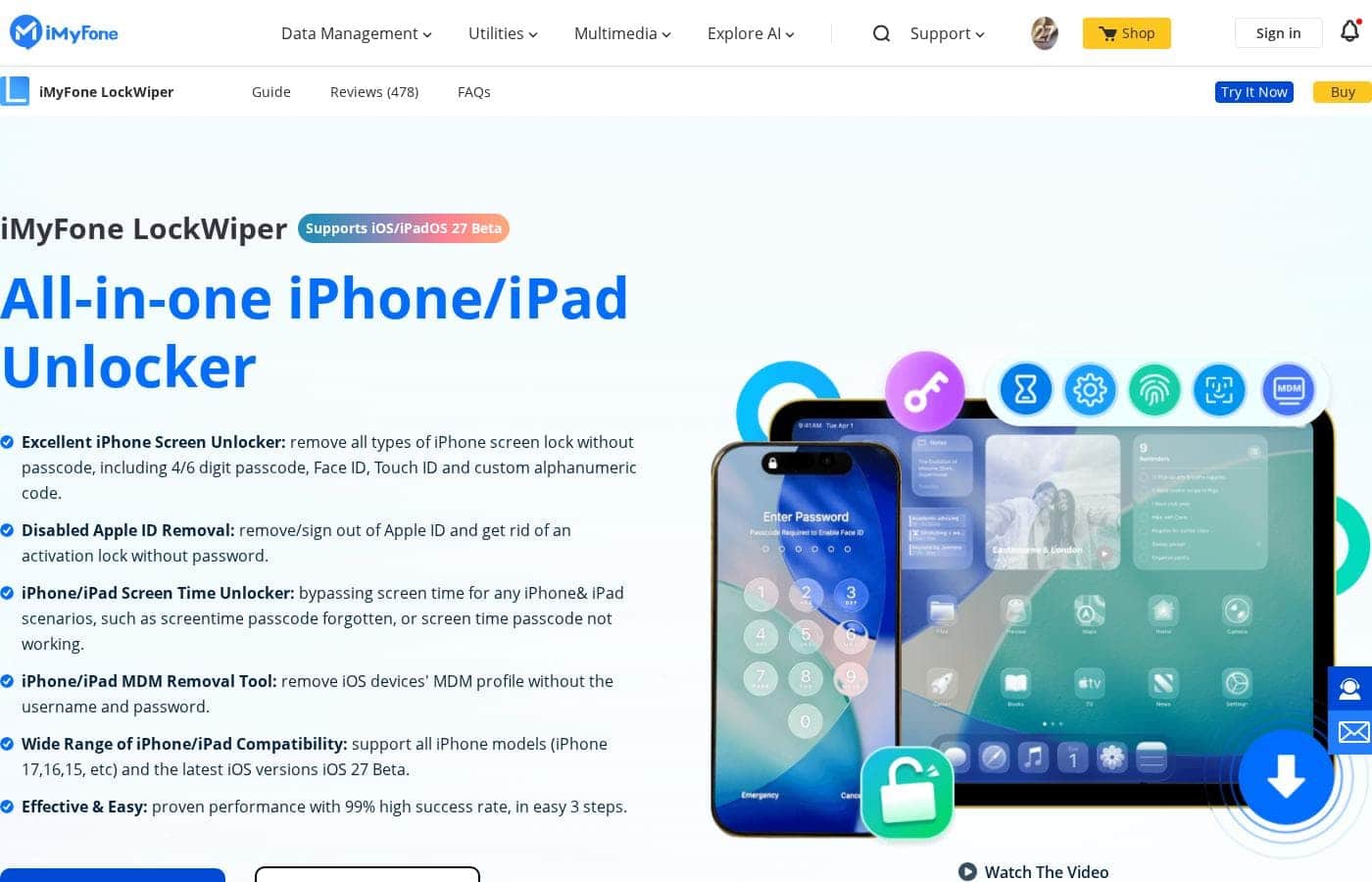
iMyFone LockWiper homepage screenshot

At a glance

Quick overview for iMyFone LockWiper: rating, pricing summary, key features, and highlights.
Vendor page checked Oct 12, 2026

Ciroapp score

3.8/ 5

LockWiper covers the full range of iPhone lockouts — forgotten passcodes, stuck Apple IDs, Screen Time, and MDM — without a jailbreak, and its lifetime plans cover five devices for under $90. The trial can't remove locks, and passcode or Apple ID removal wipes your data. Overall, it's a sensible pick if you're genuinely locked out and have a backup.

Pros

  • Pros:Removes 4-digit, 6-digit, custom, and alphanumeric passcodes plus Face ID and Touch ID locks without needing the old code and without jailbreaking
  • Pros:Signs out an Apple ID without the password even when Find My iPhone is enabled, clearing a previous owner's account on second-hand iPhones
  • Pros:Erases Screen Time passcodes and removes MDM profiles without data loss, so photos, messages, and apps stay intact

Cons

  • Cons:The free trial only verifies compatibility and downloads firmware; actual lock removal always requires a paid license
  • Cons:Screen passcode and Apple ID removal erase everything on the device, so data is only recoverable from a backup made before you were locked out
  • Cons:On iOS 11.4 and later, Apple ID removal requires the device passcode and two-factor authentication, so it isn't fully password-free
Best for
  • Anyone locked out of their own iPhone or iPad after a forgotten passcode, a broken screen, or an 'iPhone is Disabled' or 'Security Lockout' message
  • Buyers of second-hand iPhones still tied to the previous owner's Apple ID who need the activation lock cleared via the Full Toolkit
  • People who forgot their Screen Time passcode or received a former company device with an MDM profile and don't want to lose their data
Free trial
Yes
Money-back guarantee
Yes — 30 days
This section is a summary. Detailed sections about features, use cases, pricing, and reviews follow below.

What is iMyFone LockWiper?

Getting locked out of an iPhone usually means a trip to an Apple Store or a full restore through iTunes. iMyFone LockWiper takes a different route: a desktop program for Windows and Mac that removes screen passcodes, Apple IDs, Screen Time passcodes, and MDM profiles directly over USB. The vendor reports more than 4.6 million users over 12 years, with support for hardware from the iPhone 5 through the iPhone 17 running iOS 7.0 up to the iOS 27 Beta.

LockWiper is an iOS unlocking utility that handles four main jobs: removing 4/6-digit, custom, and alphanumeric screen passcodes including Face ID and Touch ID locks; signing out an Apple ID without the password; erasing Screen Time passcodes; and bypassing MDM activation screens. The Full Toolkit tier adds iCloud activation lock bypass, SIM lock removal, fixes for more than 150 iOS/iPadOS system issues, and iOS version upgrades or downgrades. Nothing requires a jailbreak, and most unlocks finish in about 2-3 minutes across three steps: choose a mode, connect via USB, and click Start.

Should you choose iMyFone LockWiper?

Quick buyer guidance before you compare plans or click through.

Choose it if

  • Anyone locked out of their own iPhone or iPad after a forgotten passcode, a broken screen, or an 'iPhone is Disabled' or 'Security Lockout' message
  • Buyers of second-hand iPhones still tied to the previous owner's Apple ID who need the activation lock cleared via the Full Toolkit
  • People who forgot their Screen Time passcode or received a former company device with an MDM profile and don't want to lose their data
  • Households or repair hobbyists handling several devices, since lifetime plans cover 5 devices with a one-time payment

Skip it if

  • Anyone expecting a free unlock, since the trial checks compatibility and downloads firmware but never removes a lock without a paid license
  • Users who need Apple ID removal on iOS 11.4+ but can't provide the device passcode and two-factor authentication
  • People who must preserve on-device data while removing a screen passcode, because that process erases the device
  • Buyers on a tight budget who only need activation lock bypass, as it requires the more expensive Full Toolkit plans

Next steps before buying

  1. 1Download the LockWiper free trial on a Windows 7-11 or macOS 10.9-15.0 computer and use it to confirm your device is compatible and download the correct firmware package
  2. 2Back up your iPhone or iPad if you still can, because screen passcode and Apple ID removal erase the device while Screen Time and MDM removal do not
  3. 3Choose the mode that matches your problem (Unlock Screen Passcode, Unlock Apple ID, or Screen Time/MDM), connect the device over USB, and click Start; most unlocks finish in 2-3 minutes
  4. 4Purchase the license matching your needs before the final removal, from the $29.99 Standard monthly plan to lifetime tiers covering 5 devices, all backed by the 30-day money-back guarantee

iMyFone LockWiper Key Features

✨ Remove Any iPhone or iPad Screen Lock

Forgot your passcode, or Face ID won't recognize you? LockWiper removes 4-digit and 6-digit codes, Touch ID, Face ID, and custom alphanumeric passcodes. Connect your iPhone or iPad to your computer and the tool handles the rest.

It helps when the screen is broken, the device says 'iPhone is disabled,' or the code has simply slipped your mind.

✨ Apple ID Removal Without the Password

Stuck with a locked or disabled Apple ID, or a previous owner's account on a second-hand iPhone? LockWiper signs the old account out, even with Find My iPhone enabled, so you can log in with your own and use iCloud services fully. On iOS 11.4 and later, you'll need the device passcode and two-factor authentication to finish.

✨ Screen Time and MDM Fixes That Keep Your Data

Screen Time and MDM removal are the gentle options. Both take the lock off without erasing your data, so photos, messages, and apps stay put. Use Screen Time removal when you've forgotten that passcode, on your own device or one managed through Family Sharing.

Use MDM removal when a company profile limits your device and you lack the credentials.

⚡ Unlock in Three Simple Steps

No jailbreak, no technical expertise — the whole job takes three steps:

  1. Launch LockWiper and choose Unlock Apple ID or Unlock Screen Passcode.
  2. Connect your device to the computer over USB.
  3. Click Start and wait 2–3 minutes.

The free trial lets you check compatibility and download firmware before you unlock anything.

✨ Broad Device and iOS Coverage

LockWiper covers iPhone 5 through iPhone 17, iPad mini, Air, and Pro, plus iPod touch models. It runs from iOS 7.0 up to the iOS 27 Beta, so recent updates are covered. The full version also detects and repairs iTunes errors that could interrupt an unlock.

Over 12 years, it has helped more than 4.6 million users.

Use Cases

🔒 You're locked out of your iPhone

Forgot your passcode? Face ID or Touch ID won't cooperate? Even a broken screen counts. LockWiper removes 4/6-digit, custom, and alphanumeric passcodes in three steps—no old code needed.

Expected outcome: You regain access to your iPhone or iPad.

📱 Your second-hand iPhone is locked to owner

You bought a used iPhone, but it's stuck on someone else's Apple ID. LockWiper removes the previous account—even with Find My iPhone enabled—so you can sign in with your own.

Tip: Activation lock bypass needs the Full Toolkit plan, and the device must be activated.

☁️ Your Apple ID is locked or disabled

Too many wrong password attempts can lock or disable your Apple ID. LockWiper signs you out of the stuck account without the password, so you can log in fresh.

Expected outcome: Full access to iCloud services and Apple ID features again.

🛠️ MDM, Screen Time, and Android locks

Work device stuck on an MDM activation screen? Forgot the Screen Time passcode but don't want to erase anything? LockWiper removes both without data loss. It also clears Android screen locks and Google FRP locks.

Expected outcome: Full device control, with your photos and messages intact.

iMyFone LockWiper pricing

From$4.17/mo

  • 7 plans

Vendor page checked on Oct 12, 2026; confirm current prices on iMyFone LockWiper's pricing page

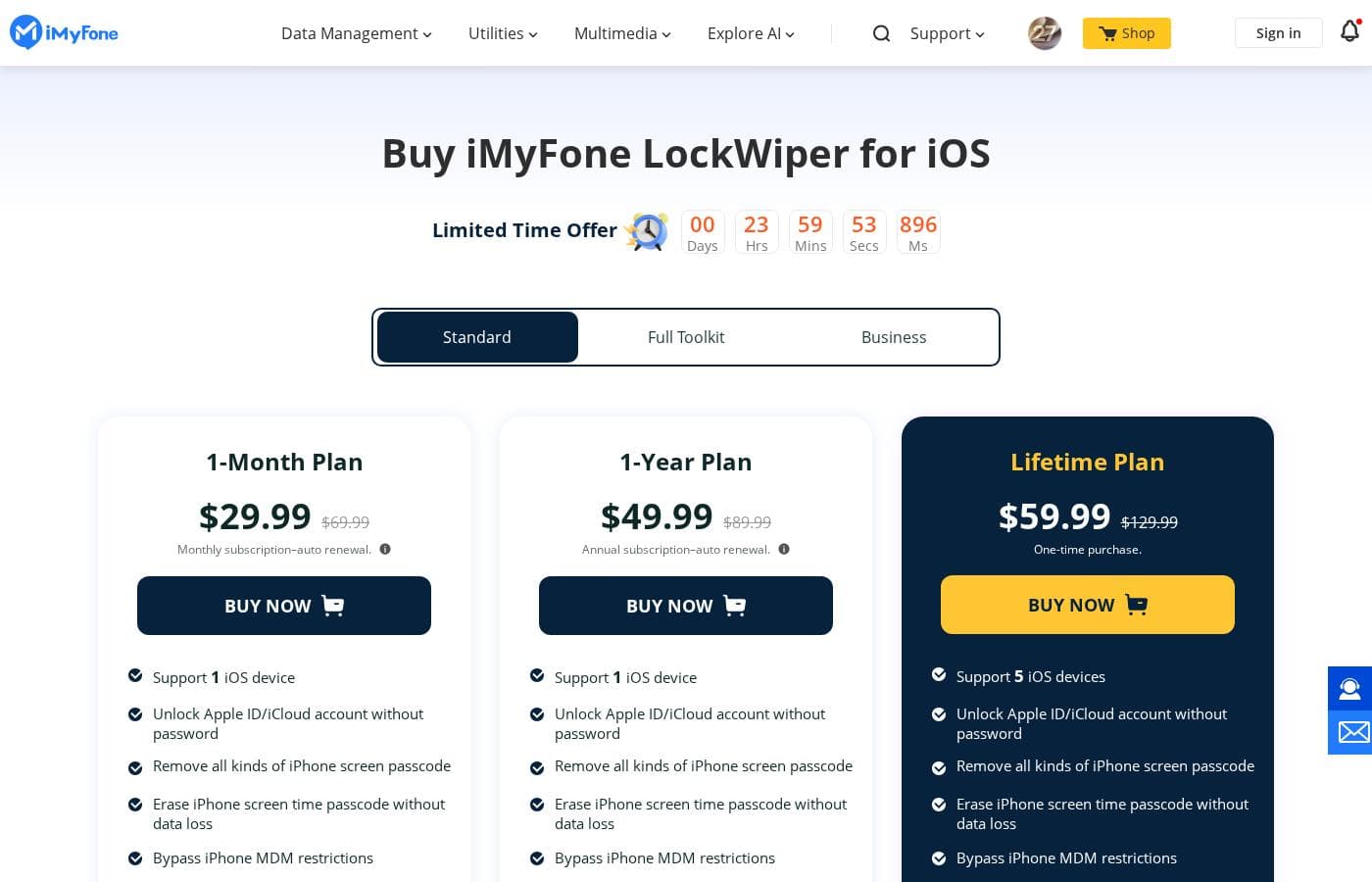
iMyFone LockWiper pricing page screenshotView pricing page screenshot
PlanBilled monthlyBilled annuallyIncludes
Standard 1-Month Plan
$29.99/mo
—
Supports 1 iOS device; auto-renews monthly, cancel anytime with a reminder email before renewal
  • Unlock Apple ID/iCloud account without password
  • Remove all kinds of iPhone screen passcode
  • Erase iPhone screen time passcode without data loss
  • Bypass iPhone MDM restrictions
  • Repair iTunes
  • +3
Standard 1-Year Plan
—
$4.17/mo
$49.99 per year
Supports 1 iOS device; auto-renews yearly with a notification email before renewal
  • Unlock Apple ID/iCloud account without password
  • Remove all kinds of iPhone screen passcode
  • Erase iPhone screen time passcode without data loss
  • Bypass iPhone MDM restrictions
  • Repair iTunes
  • +3
Standard Lifetime Plan
See vendor page
See vendor page
Supports 5 iOS devices; one-time purchase, no renewals
  • Unlock Apple ID/iCloud account without password
  • Remove all kinds of iPhone screen passcode
  • Erase iPhone screen time passcode without data loss
  • Bypass iPhone MDM restrictions
  • Repair iTunes
  • +3
Full Toolkit 1-Month Plan
$49.99/mo
—
Supports 1 iOS device; auto-renews monthly, cancel anytime
  • Everything in Standard
  • Bypass iCloud activation lock
  • Bypass iOS SIM lock
  • Fix 150+ iOS/iPadOS issues
  • Upgrade and downgrade iOS versions
  • +5
Full Toolkit 1-Year Plan
—
$6.67/mo
$79.99 per year
Supports 1 iOS device; auto-renews yearly with a notification email before renewal
  • Everything in Standard
  • Bypass iCloud activation lock
  • Bypass iOS SIM lock
  • Fix 150+ iOS/iPadOS issues
  • Upgrade and downgrade iOS versions
  • +5
Full Toolkit Lifetime Plan
See vendor page
See vendor page
Supports 5 iOS devices; one-time purchase, no renewals
  • Everything in Standard
  • Bypass iCloud activation lock
  • Bypass iOS SIM lock
  • Fix 150+ iOS/iPadOS issues
  • Upgrade and downgrade iOS versions
  • +5
Business Plan
See vendor page
See vendor page
  • All features
  • Free updates
  • Free tech support
  • Permission for company use
  • No attribution required
  • +3

Price history

Tracking prices since Oct 1, 2026. No price change detected yet.

Pricing types: Free trial, Monthly subscription, Yearly subscription, One-time payment

Pricing notes

iMyFone LockWiper offers Standard and Full Toolkit licenses, each available as a 1-month, 1-year, or lifetime plan. Pricing starts at $29.99/month for Standard, $49.99/month for Full Toolkit, and $39.95 for Business licensing.

iMyFone LockWiper costs between $29.99 and $89.99 with 7 plans: Standard at $29.99/month, $49.99/year, or $59.99 one-time; Full Toolkit at $49.99/month, $79.99/year, or $89.99 one-time; plus a Business license from $39.95.

Here's what each option includes, so you can match the license to your situation.

Standard 1-Month Plan

Price: $29.99/month (discounted from $69.99) Refund Policy: 30-day money-back guarantee Other Features:

  • Supports 1 iOS device
  • Unlock Apple ID/iCloud account without password
  • Remove all kinds of iPhone screen passcode
  • Erase Screen Time passcode without data loss
  • Bypass MDM, repair iTunes, and get 24/7 email & chat support

This is the easiest way to fix one locked phone quickly. It also removes Android screen locks and Google account/FRP locks. Keep in mind it's a subscription — it auto-renews monthly, but you can cancel anytime and you'll get a reminder email before each renewal.

Standard 1-Year Plan

Price: $49.99/year (discounted from $89.99) Refund Policy: 30-day money-back guarantee Other Features:

  • Supports 1 iOS device
  • Full Standard feature set, including Apple ID removal and MDM bypass
  • Android screen lock and Google FRP removal
  • Auto-renews yearly with a notification email beforehand

If you might need a second unlock later in the year, this beats paying month to month. You get the exact same features as the monthly plan, just billed once.

Standard Lifetime Plan

Price: $59.99 one-time (discounted from $129.99) Refund Policy: 30-day money-back guarantee Other Features:

  • Supports 5 iOS devices
  • One-time purchase, no renewals
  • Full Standard feature set, including iTunes repair and 24/7 support

For $10 more than the yearly plan, you never pay again and cover up to five devices. That's usually the sweet spot for households or anyone juggling several iPhones. 💡

Full Toolkit 1-Month Plan

Price: $49.99/month (discounted from $189.94) Refund Policy: 30-day money-back guarantee Other Features:

  • Supports 1 iOS device
  • Everything in Standard, plus iCloud activation lock and iOS SIM lock bypass
  • Fix 150+ iOS/iPadOS issues and upgrade or downgrade iOS versions
  • Back up or erase device data, bypass Android FRP, and screen mirror to PC/Mac

Choose this when a Standard fix won't cut it — for example, bypassing the activation lock on a second-hand iPhone. It's a short-term license built for one-off, heavier jobs.

Full Toolkit 1-Year Plan

Price: $79.99/year (discounted from $259.94) Refund Policy: 30-day money-back guarantee Other Features:

  • Supports 1 iOS device
  • All Full Toolkit exclusives for 12 months
  • Compatible with iOS 27, with auto-renewal you can cancel anytime

This suits bigger projects that could run longer than a month. You pay $30 more than the monthly tier but stay covered all year.

Full Toolkit Lifetime Plan

Price: $89.99 one-time (discounted from $359.94) Refund Policy: 30-day money-back guarantee Other Features:

  • Supports 5 iOS devices
  • Every Full Toolkit feature with no renewals
  • Covers activation lock, SIM lock, MDM, system repair, backups, and screen mirroring

If you work on multiple devices or simply want the complete toolbox forever, this is the top tier. Five device seats make it the most flexible personal license on the page.

Business Plan

Price: License plans from $39.95 Other Features:

  • All features with permission for company use
  • Free updates and free tech support
  • Volume discount and flexible payment options
  • 1-1 sales consultant; no attribution required

Teams that need to provision, track, and manage licenses across groups should start here. If none of the standard plans fit your company, iMyFone invites you to contact its sales team directly.

Free trial and refunds: There's a free trial for all programs, but it's limited — you can check device compatibility, enter DFU/Recovery mode, and download the firmware package, yet actual lock removal requires a paid license. Every purchase is backed by a 30-day money-back guarantee if the product can't solve your technical problem. Monthly and yearly plans auto-renew, and you can cancel the subscription at any time. Confirm your device count and license needs before buying so you land on the right tier, and pay with PayPal, Visa, MasterCard, and other major methods.
Cost calculator

Estimate what iMyFone LockWiper costs for your team.

Billing
Per month
$29.99
Per year
$359.88

Standard 1-Month Plan states no user limit: shown as one price for the whole account. Check the price for 5 users with the vendor. Estimate based on published list prices, before taxes, add-ons and discounts.

How to pay less for iMyFone LockWiper

  • A free trial is available: test it before you pay.
  • 30-day money-back guarantee if it does not fit.
Start free trial

Email me when iMyFone LockWiper changes price

One email when we detect a price change on the vendor's pricing page. No newsletter, no deals. Unsubscribe in one click.

User Reviews

No reviews yet.

Write a Review

Write a Review for iMyFone LockWiper
0/100 characters
0/2000 characters

Why use iMyFone LockWiper?

The main reason to pick LockWiper over a manual iTunes restore is coverage of cases Apple's own recovery path doesn't solve. Apple's method erases the device and demands the Apple ID password afterward, while LockWiper can sign out an old Apple ID even with Find My iPhone enabled, which is what second-hand phone buyers typically need.

It also handles MDM profiles left on former company devices and forgotten Screen Time passcodes, and both of those are removed without touching your data.

iMyFone LockWiper alternatives

Other tools in the iPhone Unlocker category

View all iPhone Unlocker tools

iMyFone LockWiper FAQ

How much does iMyFone LockWiper cost?

iMyFone LockWiper's cheapest paid plan, Standard 1-Year Plan, costs $4.17 per month. Paid plans range from $4.17 to $49.99 per month.

Does iMyFone LockWiper offer a free trial or a money-back guarantee?

iMyFone LockWiper offers a free trial. It has a 30-day money-back guarantee.

Has iMyFone LockWiper's price changed recently?

No. We have not detected a price change since we started tracking on Oct 1, 2026.

Does iMyFone LockWiper erase my data?

It depends on the lock. Screen Time passcode removal and MDM profile removal keep your photos, messages, and apps intact. Removing a screen passcode or signing out an Apple ID wipes the device as part of the process, so back up beforehand if you can. The Full Toolkit also includes a backup and erase feature if you need to safeguard data first.

Which devices and operating systems are supported?

LockWiper supports iPhone 5 through iPhone 17, iPad mini, Air, and Pro, and iPod touch, running iOS 7.0 through the iOS 27 Beta. The desktop app runs on Windows 7 through 11 and macOS 10.9 through 15.0, and the Full Toolkit tier is listed as compatible with iOS 27.

Can LockWiper remove the activation lock on a used iPhone?

Yes, but only with a Full Toolkit plan; the Standard tier doesn't include activation lock bypass, and the device must already be activated. LockWiper signs out the previous owner's Apple ID even with Find My iPhone enabled, though on iOS 11.4 or later you'll also need the device's screen passcode and access to two-factor authentication to finish.

Ready to try iMyFone LockWiper? Check out the official site or pricing.

Are you iMyFone LockWiper? Claim this listing · Get the badge