Getscreen.me

Getscreen.me review

Remote desktop from any browser — quick support, permanent access, and enterprise-grade control.

Getscreen.me costs from $5/mo · 3 plans

By Ciroapp Editorial Team · Updated Sep 17, 2026

Commission may apply at no extra cost

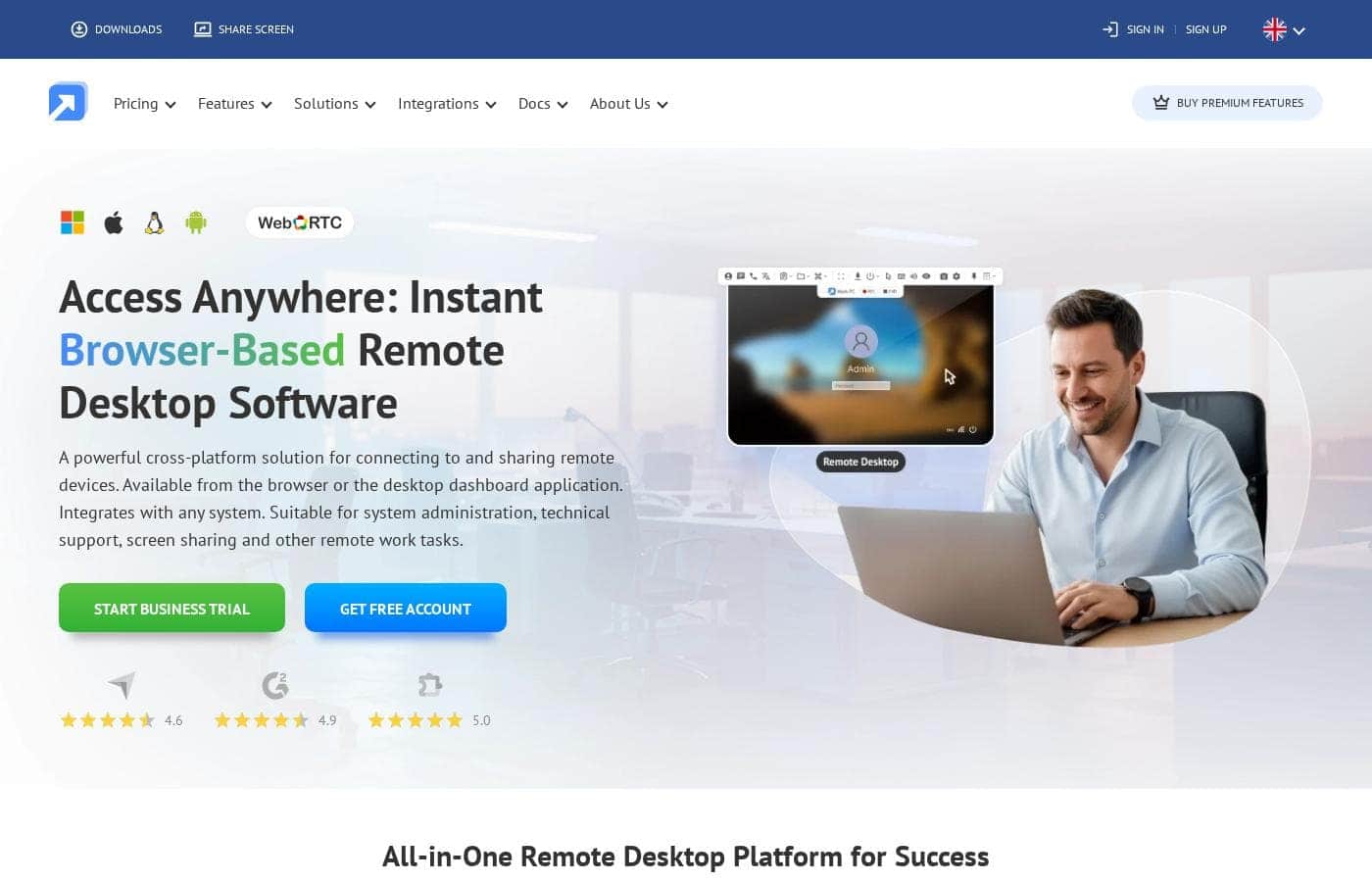
Getscreen.me homepage screenshot

At a glance

Quick overview for Getscreen.me: rating, pricing summary, key features, and highlights.
Vendor page checked Oct 22, 2026

Ciroapp score

4.0/ 5

Getscreen.me keeps remote support simple: connect from any browser to Windows, macOS, Linux, or Android devices, with published per-seat pricing from $5 a month and a 14-day trial that needs no card. The agent requirement, email-only support, and lack of a refund guarantee give some pause. Overall, it's a solid, budget-friendly pick for small IT teams and help desks.

Pros

  • Browser-based connections mean operators don't need heavy client software installed — you can reach devices from any browser, with optional desktop app and Chrome extension for frequent users
  • Cross-platform coverage spanning Windows, macOS, Linux, and Android, including gesture-based control for phones and tablets — unusual breadth for tools in this price range
  • Transparent per-seat pricing is low compared to mainstream rivals — business plans start at $5.00/month per technician plus $0.10/month per device, with annual billing saving 16%

Cons

  • Every target device requires an agent installed, so there's no zero-setup option for the machines you connect to — a hurdle for one-off support of unfamiliar computers
  • No published refund or money-back guarantee is advertised, so buyers must rely on the 14-day trial and Terms and Conditions before committing to paid plans
  • Support channels are limited to a web form and email — no phone or live-chat option is listed, which may frustrate teams needing urgent help
Best for
  • IT administrators managing unattended desktops and servers
  • Help desks running fast one-time support sessions
  • Software teams that want to embed remote access under their own brand
Free trial
Yes — 14 days
This section is a summary. Detailed sections about features, use cases, pricing, and reviews follow below.

What is Getscreen.me?

Remote desktop tools are often heavy, slow to set up, and lock you to one desk. Getscreen.me takes a different route: connect from your browser, install an agent on the target device, and start working in a few clicks. It supports Windows, macOS, Linux, and Android, with a free plan to test first.

Getscreen.me is browser-based remote desktop software. You install an agent on the devices you want to reach, then connect from any browser, the desktop app, or a Chrome extension. It covers permanent access, one-time support sessions, screen sharing, and Android control.

According to the vendor, it fits IT admins, support teams, and remote workers — from solo users to enterprises.

Should you choose Getscreen.me?

Quick buyer guidance before you compare plans or click through.

Choose it if

  • Browser-first workflows with no client installs for operators
  • Mixed Windows, macOS, Linux, and Android device fleets
  • Teams needing SSO, LDAP/Active Directory sync, and role-based permissions
  • Supporting users without sharing passwords with them
  • Collaborative sessions with joint operators and video recordings for training or compliance

Skip it if

  • Buyers who want simple published prices — business costs are estimated through the site's calculator or a quote request
  • Teams expecting a zero-setup target side — every device you access needs an agent installed
  • Organizations without the capacity to run their own servers — the self-hosted option adds infrastructure work
  • Free-tier users needing branding, API access, or team management — the site places those in paid business plans
  • Buyers who need phone or live-chat support — the site lists an online form and email as support channels

Next steps before buying

  1. 1Check pricing first: use the site's calculator to estimate business costs, and review the free and Personal Lifetime plans.
  2. 2Confirm your devices are covered on the system requirements page (Windows, macOS, Linux, Android).
  3. 3Create a free account or start the 14-day business trial — no card needed — and run a real session before paying.
  4. 4If you need SSO, LDAP, API, iFrame, or self-hosting, read the relevant docs and verify which plan includes them.
  5. 5Compare against TeamViewer and AnyDesk using the site's own comparison pages, and read the Terms and Conditions before you buy.

Ease of use

Setup looks simple on paper: install an agent on the target device, then connect from a browser, desktop app, or Chrome extension. The site stresses a few-clicks start with no complex installation, and published reviews highlight an intuitive interface and easy implementation. Docs, guides, and video tutorials back this up; direct help runs through a web form and email.

Getscreen.me Key Features

🌐 Connect from Any Browser 🌐

You don't need heavy client software to get started. Install a small agent on the device you want to reach, then connect from your browser, the desktop app, or a Chrome extension. It works across Windows, macOS, Linux, and Android, so you can fix problems from any machine you're sitting at.

✨ Two Ways to Reach a Device

Permanent access keeps you connected to managed desktops and servers without end-user involvement — ideal for unattended office machines. Quick support runs one-time sessions instead: users join with a link, so you never ask for their passwords. Use the first for system administration, the second for help desk work.

📱 Work Beyond the Screen 📱

Some jobs don't need a full screen session. Getscreen.me gives you faster paths:

  • Terminal Mode opens a real command line — PowerShell, zsh, or bash — without interrupting the user.
  • File Manager moves files through a dual-pane view with drag-and-drop.
  • Android support lets you control phones and tablets with gestures and built-in file tools.

✨ Built for Team Collaboration

Several operators can join the same session, and you can run unlimited concurrent connections. Sessions can be video-recorded for training or compliance, and every action lands in an audit log. Business plans add SAML/SSO, Active Directory sync, and role-based permissions, so the right people reach the right devices.

✨ Make It Look Like Your Own

Branding options let you swap logos, titles, icons, and link names, or run everything from your own domain. Developers can go further with an HTTP API and iFrame embedding to place remote access inside their apps. And if your data policies are strict, there's a self-hosted version for your own infrastructure.

Use Cases

🖥️ IT Administration Without the Desk Hops

Manage servers and office computers without leaving your seat. Install the agent once, then connect from any browser. Wake machines with Wake-on-LAN, reboot with auto-reconnect, and run scripts in Terminal Mode.

Expected outcome: faster routine maintenance and fewer site visits. > Tip: Use Terminal Mode for backend fixes — it won't interrupt the user's screen.

🎧 Fast One-Time Support for Help Desks

Help customers in a few clicks, not a few steps. Send a quick-support link, connect from your browser, and fix issues while they watch. No password sharing needed.

Expected outcome: quicker resolutions and calmer customers. > Tip: Record sessions for training or compliance — recording storage varies by plan.

📱 Android Devices, Managed From Your Browser

Control Android phones, tablets, and digital displays from any browser. Gestures feel natural, quick commands save taps, and built-in file management keeps devices up to date. Expected outcome: smooth mobile fleet upkeep from your desk.

Tip: Set access rights per device so the right people reach the right hardware.

🔌 Remote Access Under Your Own Brand

Put remote access inside your product. Generate connection links with the HTTP API, embed sessions via iFrame, and carry your brand everywhere — logos, invitations, links, and custom domains. Expected outcome: a remote-access experience that feels like yours.

Tip: Read the HTTP API docs before designing your integration flow.

Getscreen.me pricing

From$5/mo

  • 3 plans
  • Save up to 17% with annual billing

Vendor page checked on Oct 22, 2026; confirm current prices on Getscreen.me's pricing page

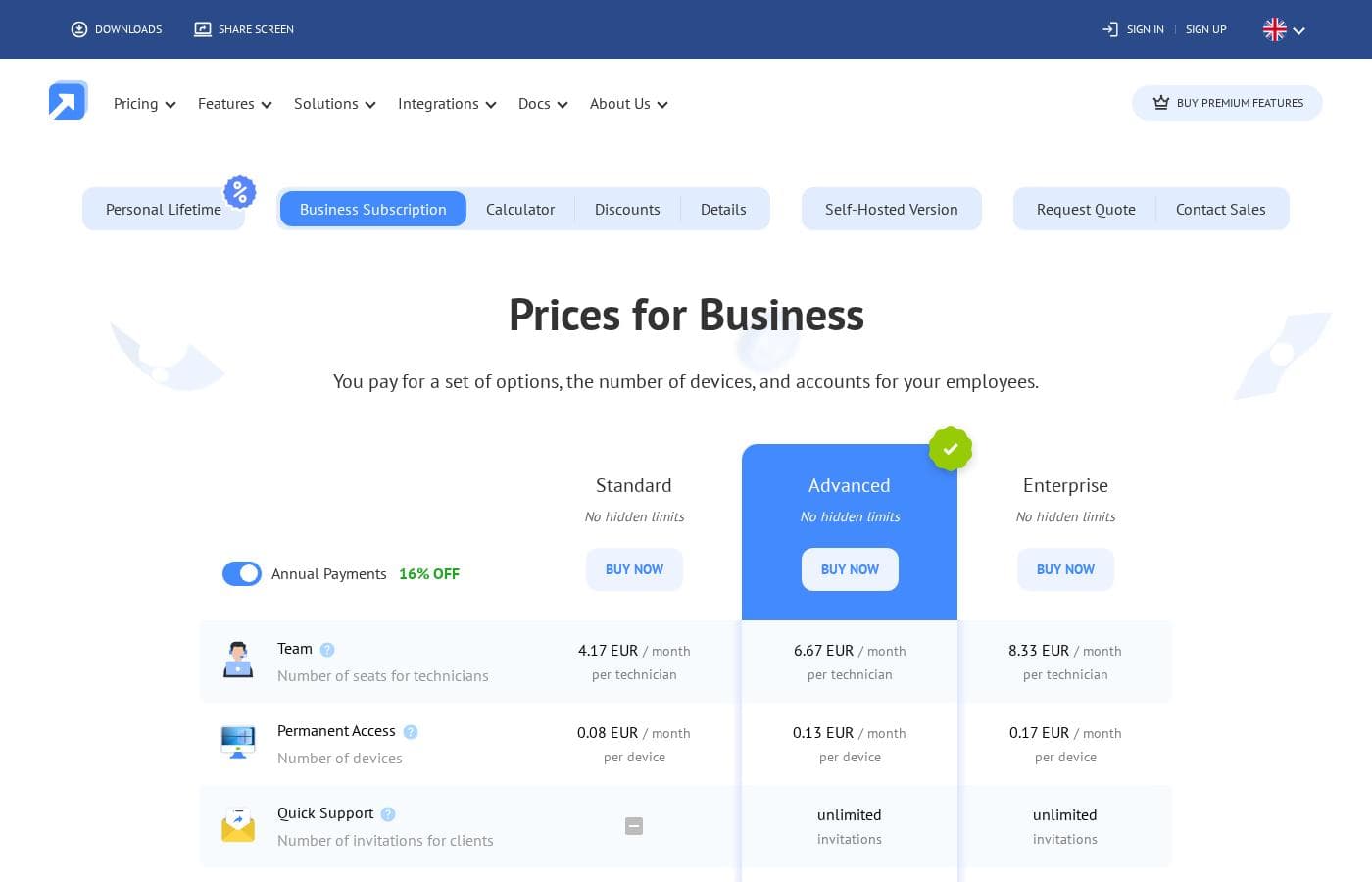
Getscreen.me pricing page screenshotView pricing page screenshot
PlanBilled monthlyBilled annuallyIncludes
Standard
$5/mo
$4.17/mo
$50.04 per year
Save up to 17% with annual billing
4 GB max transferred file size; video recording capped at 1 GB per technician
  • Unlimited concurrent connections
  • File transfers up to 4 GB per file
  • Session video recording (1 GB per technician)
  • Permanent access to managed devices
Advanced
$8/mo
$6.67/mo
$80.04 per year
Save up to 17% with annual billing
Video recording capped at 2 GB per technician; HTTP API capped at 100 requests per hour per device
  • Unlimited Quick Support invitations for clients
  • No cap on transferred file size
  • Session video recording (2 GB per technician)
  • HTTP API (100 requests per hour per device)
Enterprise
$10/mo
$8.33/mo
$99.96 per year
Save up to 17% with annual billing
Video recording capped at 5 GB per technician; HTTP API capped at 1,000 requests per hour per device
  • Unlimited Quick Support invitations
  • Session video recording (5 GB per technician)
  • HTTP API (1,000 requests per hour per device)
  • No cap on transferred file size

Price history

Tracking prices since Oct 1, 2026. No price change detected yet.

Pricing types: Free plan, Free trial, Monthly subscription, Yearly subscription, One-time payment, Per seat pricing

Pricing notes

Getscreen.me offers three business plans — Standard, Advanced, and Enterprise — priced at $5.00, $8.00, and $10.00 per technician per month ($4.17, $6.67, and $8.33 with annual billing), plus a small per-device fee for permanent access. A free version and a 14-day full-feature business trial are also available.

Getscreen.me costs between $5.00 and $10.00 per technician per month with three business plans: Standard at $5.00, Advanced at $8.00, and Enterprise at $10.00 monthly ($4.17, $6.67, and $8.33 with annual billing), plus small per-device fees for permanent access.

You pay for three things: the option set you need, the number of devices you manage, and seats for your technicians. Choosing annual billing cuts every rate by 16%.

Standard

Price: $5.00/month per technician ($4.17/month per technician billed annually), plus $0.10/month per device ($0.08 annually) Best For: Solo admins and small IT teams that need dependable remote access Other Features:

  • Unlimited concurrent connections
  • File transfers up to 4 GB per file
  • Session video recording (1 GB per technician)
  • Permanent access to managed devices

This is the entry point for business use. It covers the essentials without extra frills, which suits freelancers or small IT shops that mostly connect to their own machines. If you rarely send invite links to clients, this tier keeps costs low. 💡

Advanced

Price: $8.00/month per technician ($6.67/month per technician billed annually), plus $0.15/month per device ($0.13 annually) Best For: Support teams that help external clients regularly Other Features:

  • Unlimited Quick Support invitations for clients
  • No cap on transferred file size
  • Session video recording (2 GB per technician)
  • HTTP API with 100 requests per hour per device

Pick this tier if your team runs frequent one-off support sessions. Unlimited invitations mean you can help as many customers as needed without watching a meter. The API access also makes it a good fit if you want to embed remote links in your own tools.

Enterprise

Price: $10.00/month per technician ($8.33/month per technician billed annually), plus $0.20/month per device ($0.17 annually) Best For: Larger organizations with heavier automation and recording needs Other Features:

  • Unlimited Quick Support invitations
  • Session video recording (5 GB per technician)
  • HTTP API with 1,000 requests per hour per device
  • No cap on transferred file size

Go here only if you'll actually use the tenfold API headroom and larger recording storage. Smaller teams can skip it — you'd pay more for capacity you may never touch.

Because your bill depends on how many technicians and devices you add, run your numbers through Getscreen.me's pricing calculator before you commit.

Getscreen.me also offers a free version you can start with no card needed, plus a 14-day business trial with access to all features. If subscriptions aren't your style, there's a Personal Lifetime option with a one-time payment for lifetime access. A self-hosted version and custom quotes are available through their sales team.

Cost calculator

Estimate what Getscreen.me costs for your team.

Billing
Per month
$5
Per year
$60

Standard has a flat price: the number of seats does not change the total. Estimate based on published list prices, before taxes, add-ons and discounts.

How to pay less for Getscreen.me

  • Pay annually: saves up to 17% compared with monthly billing.
  • Use the 14-day free trial before you pay.
  • Cheaper tools in this category start at $4.58/mo.
Start free trial

Email me when Getscreen.me changes price

One email when we detect a price change on the vendor's pricing page. No newsletter, no deals. Unsubscribe in one click.

User Reviews

No reviews yet.

Write a Review

Write a Review for Getscreen.me
0/100 characters
0/2000 characters

Why use Getscreen.me?

If you need to reach, fix, or share screens without wrestling with installs and passwords, this tool aims to make that a two-click job. Based on the vendor's own materials, here's what stands out:

  • Runs in your browser — connect without heavy client software on your side, or use the desktop app and Chrome extension if you prefer.
  • Cross-platform control — reach Windows, macOS, Linux, and Android devices, including gesture support for phones and tablets.
  • Built for teams — multi-operator sessions, unlimited concurrent connections, audit logs, SAML/SSO, and Active Directory sync on business plans.
  • Fits your own product — white-label branding, custom domains, an HTTP API, and iFrame embedding let you offer remote access under your brand.
  • Privacy-first option — a self-hosted version keeps data and infrastructure inside your own environment.
  • Low-risk to try — a free account plus a 14-day business trial with all features and no card required.

If browser-based access without password sharing matches your workflow, it's worth testing today.

Getscreen.me alternatives

Other tools in the Remote Desktop category

View all Remote Desktop tools
Parallels

Parallels

Remote Desktop4.1/5From $4.58/mo

Parallels Desktop for Mac is virtualization software that lets you run Windows on a Mac, including Apple Silicon. It’s built for Mac users who need Windows apps and cross‑platform workflows, as well as developers who work across platforms and teams that manage virtual apps and desktops. Trusted by over 7 million Mac users worldwide, Parallels also positions itself as a practical Citrix alternative for deploying virtual apps and desktops across on‑premises, cloud, and hybrid environments.

Getscreen.me FAQ

How much does Getscreen.me cost?

Getscreen.me's cheapest paid plan, Standard, costs $5 per month. Paid plans range from $5 to $10 per month.

Does Getscreen.me offer a free trial or a money-back guarantee?

Getscreen.me offers a 14-day free trial.

How much do you save with annual billing on Getscreen.me?

Paying annually saves up to 17% compared with monthly billing, based on Getscreen.me's list prices.

Has Getscreen.me's price changed recently?

No. We have not detected a price change since we started tracking on Oct 1, 2026.

How does billing work — is it per technician or per device?

Both. Each business plan charges a monthly rate per technician seat plus a small per-device fee for permanent access. Annual billing saves 16%. Use the site's pricing calculator to estimate your exact monthly cost.

Are there usage limits on file transfers, recordings, or API calls?

Yes, a few. Standard caps files at 4 GB and recordings at 1 GB per technician. Advanced lifts the file cap and allows 100 API requests per hour per device; Enterprise allows 1,000 and 5 GB of recordings.

Which languages and regions does Getscreen.me support?

The site runs in English, German, Spanish, Portuguese, French, and Chinese, and business plans include a multi-language interface. It's operated by Point B Ltd, a company based in Limassol, Cyprus.

Ready to try Getscreen.me? Check out the official site or pricing.

Are you Getscreen.me? Claim this listing · Get the badge