FlyingPress

FlyingPress review

One lightweight WordPress plugin for page caching, CSS/JS cleanup, and faster Core Web Vitals.

FlyingPress costs from $4.92/mo Β· 4 plans Β· prices checked Oct 15, 2026

By Ciroapp Editorial Team Β· Updated Sep 16, 2026

Commission may apply at no extra cost

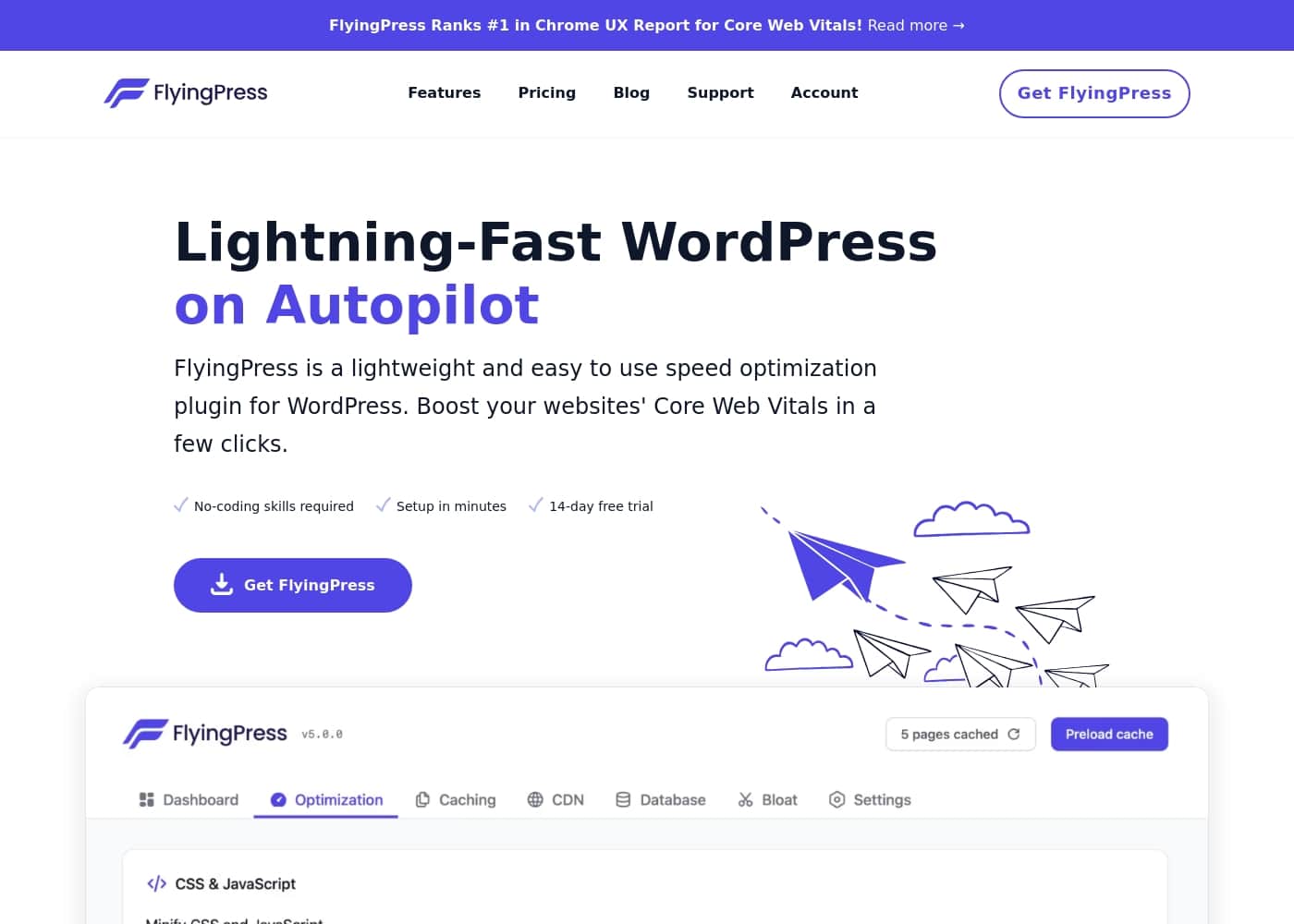
FlyingPress homepage screenshot

At a glance

Quick overview for FlyingPress: rating, pricing summary, key features, and highlights.
Pricing verified Oct 15, 2026

Ciroapp score

3.8/ 5

FlyingPress packs page caching, unused CSS removal, lazy loading, and font optimization into one guided WordPress plugin, so you can drop a bulky speed stack and cut conflict risk. Aggressive features can still break complex themes, and third-party reviews are scarce. Overall, it's a solid choice for consolidating your optimization tools, as long as you test each feature before going live.

Pros

  • Consolidates caching, CSS/JavaScript optimization, image lazy loading, and font handling into one plugin, replacing a typical four-to-five-plugin performance stack.
  • Automatically generates critical CSS and removes unused CSS, addressing render-blocking styles without a manual audit.
  • WooCommerce-aware caching excludes cart, checkout, and account pages by default, so stores can speed up catalog pages safely.

Cons

  • Aggressive options such as unused CSS removal or delayed JavaScript can break styles or interactivity on complex themes and page builders, so they require testing and exclusions rather than blind enabling.
  • Third-party review coverage on platforms like G2, Capterra, and Trustpilot is thin, making it harder to verify long-term reliability against better-documented rivals.
  • There is no large extension or add-on ecosystem comparable to WP Rocket's, so niche integrations may require custom work.
Best for
  • Bloggers and niche-site owners who want to pass Core Web Vitals without stacking separate cache, minification, and lazy-load plugins.
  • WooCommerce store owners who need caching that safely skips cart, checkout, and account pages.
  • Freelancers and agencies who deploy one repeatable performance configuration across many client WordPress builds.
This section is a summary. Detailed sections about features, use cases, pricing, and reviews follow below.

What is FlyingPress?

FlyingPress is a WordPress performance plugin that combines page caching with front-end optimization in a single install. Instead of layering separate plugins for minification, lazy loading, and font handling, it covers those jobs through one guided interface. That design makes it approachable for beginners while still exposing the controls experienced site owners expect.

FlyingPress is a WordPress plugin focused on site speed. Its core job is caching β€” serving prebuilt static HTML so PHP execution and database queries are skipped on repeat visits β€” but it also minifies CSS and JavaScript, generates critical CSS, removes unused styles, lazy loads images and iframes, and optimizes web fonts. Settings are organized into clearly labelled tabs with on-page explanations, so most sites can be configured without developer help.

Should you choose FlyingPress?

Quick buyer guidance before you compare plans or click through.

Choose it if

  • Bloggers and niche-site owners who want to pass Core Web Vitals without stacking separate cache, minification, and lazy-load plugins.
  • WooCommerce store owners who need caching that safely skips cart, checkout, and account pages.
  • Freelancers and agencies who deploy one repeatable performance configuration across many client WordPress builds.
  • Non-technical site admins who prefer a guided, tooltip-driven setup over hand-editing server configuration files.

Skip it if

  • Projects outside WordPress β€” the plugin has no value for static sites, headless builds, or other CMS platforms.
  • Sites whose slowness stems from underpowered hosting or an overloaded database server, which no optimization plugin can fix on its own.
  • Developers who want low-level, server-native control (NGINX or LiteSpeed rules) or a large extension marketplace for niche integrations.

Next steps before buying

  1. 1Choose a license at flyingpress.com/pricing and download the plugin zip from your account.
  2. 2In WordPress, go to Plugins > Add New > Upload Plugin, install the zip, activate it, and enter your license key.
  3. 3Start with the caching tab: enable page caching and preloading, then save and purge to generate your first cached pages.
  4. 4Add CSS and JavaScript optimizations one step at a time β€” minification and critical CSS first, unused CSS removal and delayed JavaScript last.
  5. 5Run PageSpeed Insights or GTmetrix before and after each change, verify key templates (home, product, checkout) still render correctly, and add exclusions where needed.

FlyingPress Key Features

✨ Page Caching

FlyingPress builds and serves static HTML copies of your pages so PHP execution and database queries are skipped on repeat visits. It preloads the cache, supports device-specific caching for separate mobile and desktop markup, and automatically purges connected pages when content changes. WooCommerce cart, checkout, and account pages stay excluded so dynamic commerce features keep working.

✨ CSS and JavaScript Optimization

The plugin minifies styles and scripts, generates critical CSS for above-the-fold rendering, and can strip unused CSS rules from the final page. JavaScript can be deferred or delayed until user interaction to shorten the render-blocking window. These settings are granular enough to exclude specific files when a theme or plugin misbehaves.

✨ Image and Media Handling

Images and iframes are lazy loaded, while images near the top of the page are preloaded so the largest contentful element paints quickly. Lazy rendering can skip offscreen HTML sections to shrink initial page weight. This targets common Core Web Vitals failures such as slow LCP and layout shifts without a separate image plugin.

✨ Font Optimization

FlyingPress can self-host Google Fonts and preload them, cutting external requests and render-blocking font CSS. Font display settings help prevent invisible text while pages load. Sites using custom or locally hosted fonts can preload those files as well.

✨ CDN and Server Integrations

The plugin rewrites static asset URLs to any CDN and integrates directly with Cloudflare through its API for purging and edge optimizations. It pre-compresses assets with GZIP and Brotli where the server supports them and can coexist with Varnish setups. This lets the cache layer and CDN layer be managed from one control panel.

✨ Guided Setup and Cache Rules

Settings are split into labelled tabs β€” caching, CSS, JavaScript, fonts, preloads β€” with explanations for each option. Exclusion rules keep specific pages, cookies, or query strings out of the cache, and database cleanup routines can trim post revisions and transients. Beginners can enable the recommended defaults and refine later.

Use Cases

πŸ’‘ Bloggers and Content Publishers

Content sites depend on fast article loads and passing Core Web Vitals. FlyingPress caches long-tail posts, removes unused CSS from theme stylesheets, and lazy loads images so editorial teams do not need a developer on call. Cache preloading keeps archived posts fast even after long gaps between visits.

πŸ’‘ WooCommerce Stores

Online shops need caching that never serves stale cart or checkout pages. FlyingPress excludes WooCommerce dynamic pages automatically while still caching product and category pages where speed drives conversion. Delayed JavaScript also helps product pages with heavy sliders and review widgets load responsively.

πŸ’‘ Agencies and Freelancers

Teams maintaining many client sites benefit from one repeatable performance stack. A standard FlyingPress configuration β€” caching, critical CSS, font self-hosting, CDN rewriting β€” can be cloned across builds, shortening setup time per project. Exclusion rules handle the edge cases that individual client themes introduce.

πŸ’‘ Replacing a Multi-Plugin Optimization Stack

Many WordPress sites accumulate a cache plugin, a minification plugin, a lazy-load plugin, and a database cleaner. FlyingPress consolidates those roles, removing inter-plugin conflicts and admin clutter. Migration is usually a matter of deactivating the old plugins, enabling the equivalent FlyingPress options, and retesting.

πŸ’‘ Core Web Vitals Remediation

Sites that fail LCP or render-blocking audits in PageSpeed Insights are a natural fit. Preloading the hero image, self-hosting fonts, deferring scripts, and generating critical CSS target the exact metrics Lighthouse measures. Progress can be verified by rerunning the same lab and field tests before and after configuration.

FlyingPress pricing

From$4.92/mo

  • From the vendor's pricing page, checked Oct 15, 2026
  • 4 plans

Prices checked on Oct 15, 2026 from FlyingPress's pricing page

FlyingPress pricing page screenshotView pricing page screenshot
PlanBilled monthlyBilled annuallyIncludes
Starter
β€”
$4.92/mo
$59 per year
Pro
β€”
$9.08/mo
$109 per year
Business
β€”
$19.08/mo
$229 per year
Unlimited
β€”
$23.25/mo
$279 per year

Price history

Tracking prices since Oct 1, 2026. No price change detected yet.

Pricing types: Free plan, Free trial

Pricing notes

FlyingPress pricing: Billing options: Free plan, Free trial

Cost calculator

Estimate what FlyingPress costs for your team.

Billing

Starter has no published price for this billing cycle.

Starter has a flat price: the number of seats does not change the total. Estimate based on published list prices, before taxes, add-ons and discounts.

Email me when FlyingPress changes price

One email when we detect a price change on the vendor's pricing page. No newsletter, no deals. Unsubscribe in one click.

User Reviews

No reviews yet.

Write a Review

Write a Review for FlyingPress
0/100 characters
0/2000 characters

Why use FlyingPress?

Page speed directly affects user experience, search rankings, and conversion rates, yet most WordPress stacks need three or more plugins to address it. FlyingPress consolidates caching, CSS/JavaScript cleanup, image handling, and font optimization into one tool, which reduces plugin bloat and the risk of performance plugins conflicting with each other.

Because the features share the same codebase and cache engine, the settings work together rather than fighting over the same requests.

FlyingPress alternatives

Other tools in the WordPress Cache plugin category

View all WordPress Cache plugin tools
WP Rocket

WP Rocket

WordPress Cache plugin4/5

WP Rocket is the essential caching plugin built specifically for WordPress. Many WordPress experts recommend it as the best way to achieve incredible speed results. This plugin offers cutting-edge technology that bundles the powerful optimization choices you would normally need 3 to 5 separate plugins for! The best part is that it performs the heavy lifting immediately. WP Rocket is designed to deliver results out of the box and applies 80% of performance best practices right upon activation. You don't need to be a tech expert; the setup takes just three minutes flat.

BerqWP

BerqWP

WordPress Cache plugin3.7/5

BerqWP is a WordPress plugin focused on improving website speed and performance. It handles common optimization tasks β€” page caching, asset delivery, and content delivery network integration β€” from a single dashboard, so site owners can address slow load times without configuring multiple separate tools.

FlyingPress FAQ

How much does FlyingPress cost?

FlyingPress's cheapest paid plan, Starter, costs $4.92 per month. Paid plans range from $4.92 to $23.25 per month. Prices checked on Oct 15, 2026 from the vendor's pricing page.

Has FlyingPress's price changed recently?

No. We have not detected a price change since we started tracking on Oct 1, 2026.

Do I still need a separate caching plugin if I install FlyingPress?

No β€” page caching is one of its core functions, and it preloads and purges that cache automatically. Running a second cache plugin alongside it is more likely to cause conflicts than benefits, so deactivate existing cache plugins before enabling FlyingPress.

Is FlyingPress safe to use with WooCommerce?

Yes. It excludes dynamic pages such as the cart, checkout, and my-account pages from caching by default, while still caching product and category pages. That combination delivers speed gains on catalog pages without serving stale order information.

Will removing unused CSS break my site?

It can on themes or page builders that inject styles dynamically, since the scanner may classify used rules as unused. FlyingPress lets you exclude specific stylesheets or restore rules, so the practical approach is to enable the feature, click through key templates, and whitelist anything that misbehaves.

Do I need a CDN in addition to FlyingPress?

The plugin works with any CDN by rewriting static asset URLs and integrates with Cloudflare through its API for purging and edge optimizations. On its own it reduces page weight and render-blocking work; pairing it with a CDN mainly improves time to first byte for visitors located far from your server.

Ready to try FlyingPress? Check out the official site or pricing.

Are you FlyingPress? Claim this listing Β· Get the badge