Erase.bg

Erase.bg

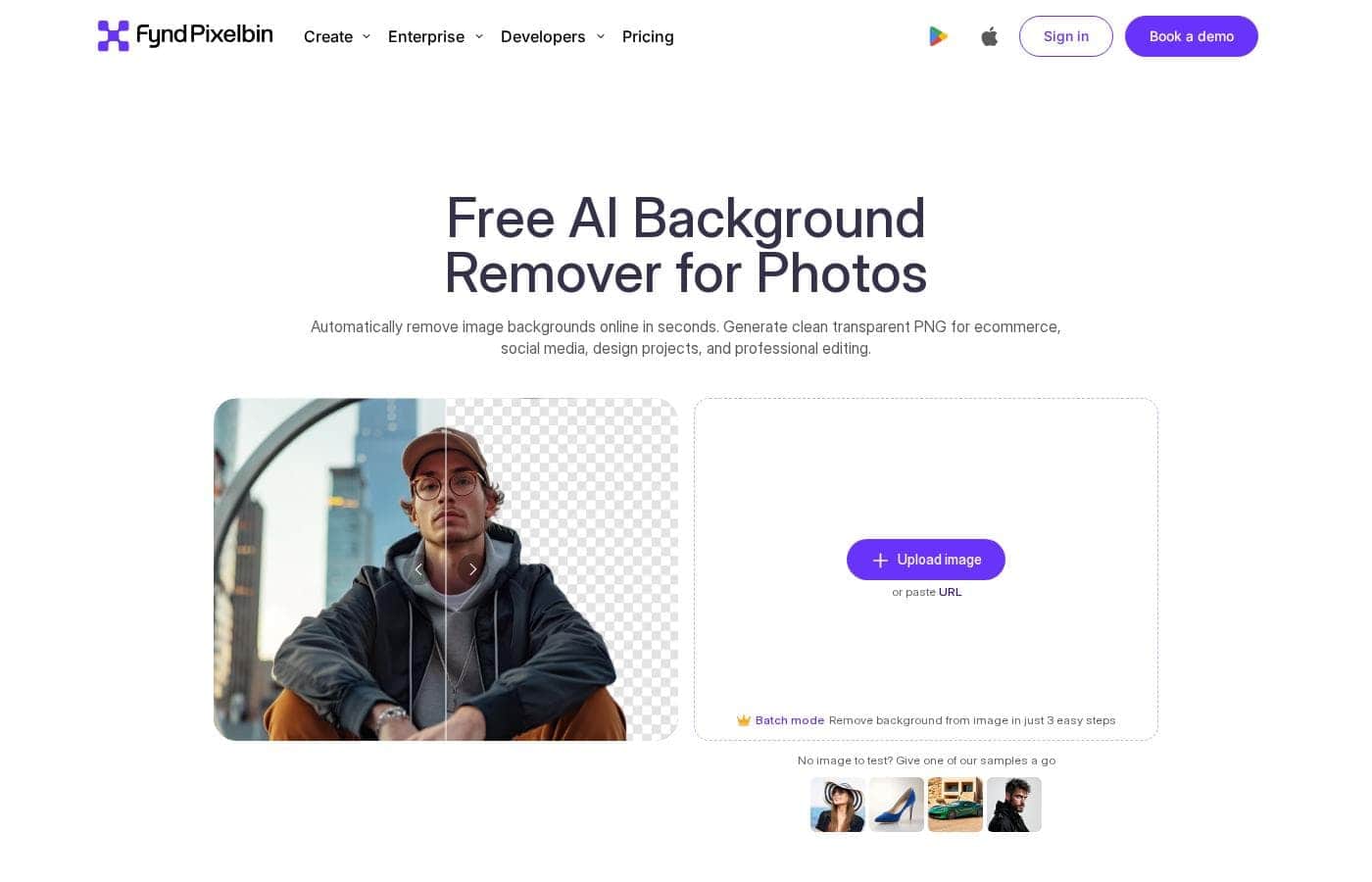
Instantly remove image backgrounds using free, 100% automatic AI technology.

#1 dans Photo Background Remover
2 min read · Updated 11/17/2025
Erase.bg homepage screenshot

At a glance

Quick overview for Erase.bg: rating, pricing summary, key features, and highlights.

Ciroapp review

4.6
High-quality AI, accessible pricing.

We found Erase.bg combines advanced AI functionality with remarkably accessible pricing, including a robust free offering. The tools available are suitable for both occasional users and developers needing seamless API integration for high-volume work. Overall, this service delivers exceptional value and precision where background removal is the priority.

Pros

  • Pro:100% automatic AI background removal is fast and precise.
  • Pro:The permanent Free plan offers 3 monthly credits for testing and occasional use.
  • Pro:Free tier users can download files in original, full resolution without payment.
  • Pro:Supports developer API/SDK integrations and scalable batch processing.

Cons

  • Con:No refunds are offered for paid subscriptions due to high AI resource costs.
  • Con:Unused credits on paid plans expire and do not roll over.
  • Con:External user feedback is extremely limited, making reliability difficult to confirm.
Range: $6–$21/monthFree plan, Monthly subscription, Yearly subscription, One-time payment, Usage-based pricing
This section is a summary. Detailed sections about features, use cases, pricing, and reviews follow below.

Erase.bg review, pricing, features, pros & cons

Are you tired of manually erasing photo backgrounds? Getting clean, polished images for e-commerce, websites, or social media used to take hours. Pixelbin’s free AI background remover changes everything.

It offers 100% automatic results, preserving details like edges and shadows with impressive precision. Now, you get clean visuals instantly. ✨

What is Erase.bg?

Pixelbin's AI image background remover is an incredibly simple, yet powerful, solution to isolate subjects in photos. Trained AI models detect objects like people, products, or vehicles and cleanly separate them from the original background. You can upload popular formats such as PNG, JPG, or HEIC files.

The tool is free to use with no sign-up required, making it easy to get high-quality processing right away. 💡

Erase.bg Key Features

✨ Instant, Automatic Background Removal

The tool instantly provides clean, polished images without requiring any manual editing. Pixelbin’s free AI technology delivers 100% automatic results in just three easy steps. You can upload images or paste a URL and begin processing immediately.

✨ Pinpoint Accuracy and High Quality Output

The advanced AI automatically delivers consistently high-resolution and professional results. It detects objects precisely while preserving critical details like edges, lighting, and shadows. The output image maintains clarity, ensuring a studio-quality final product.

✨ Ultimate Creative Customization

You gain immediate creative freedom to transform your visuals. Easily switch the background to any solid color, which is perfect for standard eCommerce listings. For branded content, upload your own custom design, and the AI seamlessly blends it into the image.

You can also head into Pixelbin Studio for additional edits as needed.

✨ AI-Generated Backdrop Creation

Generating unique new backdrops is simple using AI prompts. Just type what you want, and the AI generates a matching background. This feature creates visually aligned settings tailored for every purpose and platform.

This functionality allows you to control the image’s tone and mood easily.

✨ Scalable Efficiency for Large Batches

Teams and developers can achieve scalable efficiency when managing large image libraries. You can edit thousands of images at once using the specialized batch mode. Integration is simple because we offer Developer SDKs and APIs to fit any existing tech stack.

This saves valuable operational time while maintaining consistency.

✨ Flexible Asset and Format Support

The background remover is designed to handle specialized assets like logos and signatures quickly. It instantly turns these assets into transparent files, adding clarity to your visuals. The tool supports popular formats including PNG, JPG, JPEG, WEBP, and HEIC files.

Use Cases

🛍️ E-commerce Product Photography

Retail brands and e-commerce sellers need perfectly clean visuals to drive sales. You can use Erase.bg to remove confusing or cluttered backgrounds instantly.

Simply upload your product photos—like shoes, electronics, or furniture—and the AI works its magic. It preserves fine details such as edges and shadows, giving you studio-quality images immediately. You can switch the background to pure white or any solid color to meet platform requirements effortlessly.

💻 Integrating AI at Scale for Developers

For developers and large teams managing vast image libraries, manual editing is impossible. Erase.bg offers fully documented SDKs and APIs designed for easy integration with your existing tech stack.

This robust solution allows for efficient bulk removal, letting you edit thousands of images at once without delays or errors. Integrating this powerful AI directly into your workflow saves significant operational time and maintains quality and consistency across all projects.

Tip: Use the batch mode or API integration to handle high-volume processing quickly while maintaining high resolution output.

🎨 Creating Custom Marketing Visuals

Want to generate unique, branded content for ads or websites? This tool gives you ultimate creative control after removing the original background.

Problem: You have a product photo but need it placed on a specific, dynamic backdrop aligned with a new marketing campaign. Approach: Upload your custom design or type a descriptive prompt for the AI to generate a matching background. The AI seamlessly blends the subject with the new setting, creating visually aligned content for immediate use. Outcome: Stunning, tailored backdrops that control the tone and message of your visual storytelling.

👤 Polishing Professional Profile Pictures

Social media managers or individuals often need crisp headshots for profile pictures or LinkedIn. Distracting backgrounds can make your professional image look sloppy. The AI background remover quickly isolates the person, ensuring the focus stays on the subject.

Process your selfies or headshots and add custom, clean replacements to reflect your identity. This tiny step significantly enhances credibility and conveys professionalism instantly.

✍️ Quickly Converting Logos and Signatures

Branding materials often require transparent assets that look clean on any color surface. You can use the tool to change complexity into clarity.

  1. Upload your company logo or a handwritten signature image.
  2. The AI instantly processes the image for removal.
  3. Turn the logos and signatures into clear, transparent assets in seconds.

Expected outcome: High-resolution, professional assets ready for use in any document or website design.

Pricing Overview for Erase.bg

Pricing range
$6–$21/month
Pricing types
Free plan, Monthly subscription, Yearly subscription, One-time payment, Usage-based pricing

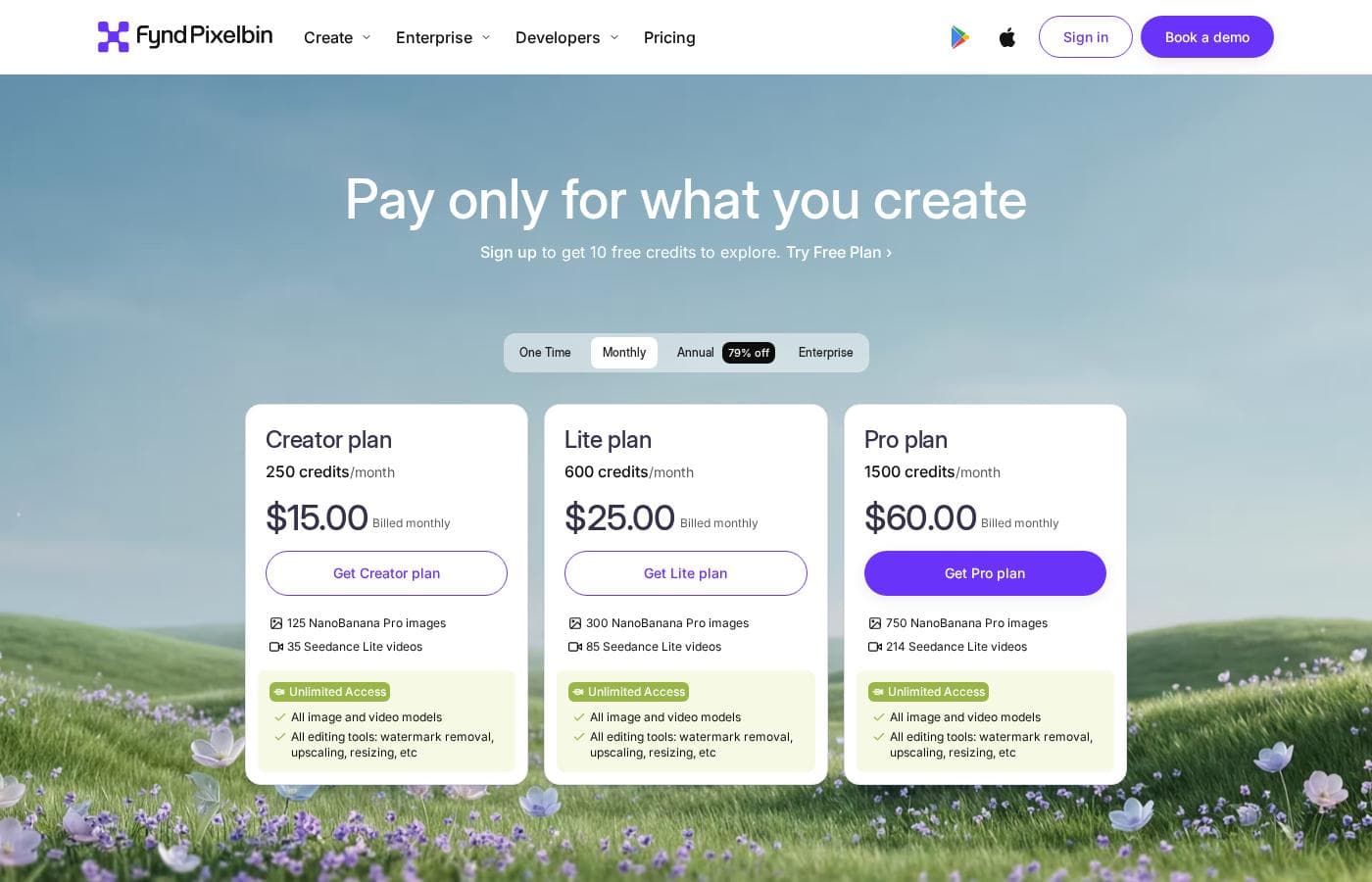
Pixelbin offers a credit-based pricing model, starting with a powerful permanent Free plan. Paid subscriptions range from an annual equivalent of $6 to $21 per month, with options for yearly billing or pay-as-you-go credits.

Plans & Pricing

Free plan

Monthly$0
YearlyNot applicable
3 credits/month
  • 3 credits/month
  • 2 GB Storage
  • Batch processing
  • Basic transformations
  • AI transformations
  • Watermark remover (3 images)
  • Image upscale (2X, 4X) (3 images)
  • AI background remover (3 images)

Pay as you go

MonthlyNot applicable
YearlyNot applicable
One-time purchase
  • Billed once at $19
  • Get one-time 10 free credits
  • Includes 10 free downloads
  • Custom support

Lite plan

Monthly$6
Yearly$72
1,800 credits/year
  • 1800 credits/year
  • 2 GB Storage
  • Batch processing
  • Basic/AI transformations
  • API access
  • SDK integration
  • Email support
  • Watermark remover (images)
  • + 2 more features

Pro plan

Monthly$21
Yearly$252
6,000 credits/year
  • 6000 credits/year
  • 2 GB Storage
  • Batch processing
  • Basic/AI transformations
  • API access
  • SDK integration
  • Email support
  • Watermark remover (images)
  • + 3 more features

Enterprise plan

Contact for pricing
Custom based on volume
  • Credits as needed
  • Unlimited Storage
  • Custom support
  • Batch processing
  • Basic/AI transformations
  • API access
  • SDK integration

Erase.bg (Pixelbin) costs between $0 and $21 per month with five options: Free at $0, Lite at $6/month (billed annually), Pay as you go at $19 (one-time), Pro at $21/month (billed annually), and an Enterprise plan with custom pricing.

Now, let's explore the details of each available plan.

Free plan

Price: $0/month Websites Supported: Not explicitly stated Best For: Trying the platform and occasional personal use Refund Policy: Not applicable Other Features:

  • 3 credits/month
  • 2 GB Storage
  • Basic transformations
  • Batch processing

This plan is perfect if you are testing the platform or only need to process a few images each month. You get instant access to core AI tools without spending anything.

Pay as you go

Price: $19 (one-time payment) Websites Supported: Not explicitly stated Best For: One-time high-volume tasks Refund Policy: Not explicitly stated Other Features:

  • Get one-time 10 free credits
  • Includes 10 free downloads

This option suits users who might have occasional, non-recurring image needs and prefer not to commit to a monthly subscription. It's a simple way to purchase credits immediately.

Lite plan

Price: $6/month (billed yearly at $72) Websites Supported: Not explicitly stated Best For: Small projects or frequent individual users Refund Policy: Cannot offer refunds due to the high cost of AI Other Features:

  • 1,800 credits/year
  • 2 GB Storage
  • Email support is included
  • Watermark remover (limited to 3 images)
  • Image upscale (2X, 4X) (limited to 3 images)

The Lite plan provides a good volume of credits for a low annual commitment. Choose Lite if you process images regularly and need reliable access to several AI transformation features, including some upscaling and background removal.

Pro plan

Price: $21/month (billed yearly at $252) Websites Supported: Not explicitly stated Best For: Professionals and small businesses Refund Policy: Cannot offer refunds due to the high cost of AI Other Features:

  • 6,000 credits/year
  • 2 GB Storage
  • Watermark remover (full access to images)
  • Soft shadow generator (limited to 1 image)
  • All basic and AI transformations

If you require higher credit volume and more robust AI tools like the Soft shadow generator, Pro is an excellent choice. This tier is designed for committed users running more intensive editing workflows.

Enterprise plan

Price: Custom Websites Supported: Not explicitly stated Best For: High volume use cases and large enterprises Refund Policy: Not explicitly stated Other Features:

  • Credits as needed
  • Unlimited storage
  • Dedicated support
  • Book 1:1 sessions with product experts

Large organizations with high volume processing requirements should contact the sales team directly for the Enterprise plan. It offers scalable resources, unlimited storage, and dedicated strategic support for heavy use.

The platform maintains a permanent Free plan, giving users 3 credits every month to try out the features. If you decide to upgrade to Lite or Pro, be aware that those paid plans explicitly state they cannot offer refunds because of the expense associated with utilizing AI resources.

User Reviews

Erase.bg (Pixelbin) currently has extremely limited external feedback, making a broad assessment challenging. The overall Trustpilot score is 3.7, derived from only one detailed review at the time of this aggregation.

However, the available user feedback is overwhelmingly positive regarding the core functionality and business model. Users specifically praise the platform for offering high-quality results while remaining completely free.

Crucially, the tool allows users to maintain the original image quality and size after background removal without forcing a paid subscription. This ease of use and focus on accessibility stand out amongst similar tools in the market.

We cannot definitively comment on support responsiveness, comprehensive integrations, or high-volume reliability due to the lack of further data. Despite the sparse results, the current sentiment suggests Erase.bg is a highly successful solution for quick, easy, and free professional background removal.

The transparent structure delivers clear, immediate value. 👍

What users say elsewhere

M. B.
· Trustpilot · Jul 14, 2023
5.0 / 5

This tool is super cool because it’s entirely free. I was able to download the original picture size and quality after removing the background without being forced to pay, which is really great.

L. Chen
· Trustpilot
5.0 / 5

It is incredibly easy to use. The platform delivered exactly what I needed for free, which certainly saves a lot of time compared to doing this manually in complex photo software.

No reviews yet.

Write a Review

Write a Review for Erase.bg
0/100 characters
0/2000 characters

Why use Erase.bg?

Choosing Pixelbin means selecting speed, quality, and complete creative control for your images. This AI tool delivers results that maintain clarity and professionalism, whether you're editing one photo or managing large batches. It’s an all-in-one solution for efficient visual transformation. ✅

  • Studio-Quality Results Instantly: The advanced AI detects objects precisely, preserving crucial details like edges, shadows, and lighting to ensure high-resolution final output.
  • Ultimate Customization: You gain immediate creative freedom. Easily switch the background to any solid color, upload your own custom design and blend it seamlessly, or use AI prompts to generate an entirely new backdrop.
  • Scalable Efficiency: Developers and large teams will appreciate the capability for efficient bulk removal. You can edit thousands of images at once using the batch mode or API, saving valuable operational time.
  • Easy Integration: Pixelbin meets scaling needs by offering Developer SDKs and APIs. This allows you to integrate professional, AI-powered background removal directly into your existing tech stack.
  • No Manual Effort: Because the tool is fully automated, you eliminate the tedious manual work associated with traditional editing software, completing the process in just three easy steps.

Ready to transform your workflow with Erase.bg?

Erase.bg Alternatives

Other tools in the Photo Background Remover category

Frequently Asked Questions

What platforms or systems can I integrate Erase.bg with?

Erase.bg supports integration into your existing tech stack. It offers Developer SDKs for major backend, frontend, and mobile platforms, as well as API access and webhooks for scalable bulk processing.

How does the credit system work for image processing?

Credits act as the currency needed to access Pixelbin's features. Typically, removing the background from one image uses a single credit, allowing flexible usage across all advanced tools.

Do unused credits roll over to the next billing cycle?

No, unused credits do not carry over. Credits expire automatically at the end of the specified monthly or annual billing cycle for all paid subscription plans.

What is the refund policy for paid subscriptions?

Refunds are not provided for paid subscriptions because of the high operational costs associated with utilizing AI resources. We recommend exploring the permanent Free plan first.

What happens to my remaining credits if I cancel my subscription?

If you choose to cancel your subscription, any remaining unused credits are forfeited immediately. To avoid this, you should use them before canceling.

If I change my subscription plan, do my credits transfer?

If you upgrade or downgrade between monthly or annual plans, any unused credits will generally be carried forward to your new subscription plan.

Is there a free trial available for the paid plans?

There is no temporary free trial explicitly listed for the paid tiers. However, the Free Plan provides three credits every month for you to test the core functionality permanently.

What is the available storage capacity on the paid plans?

The Lite and Pro plans include 2 GB of storage space. The Enterprise plan is designed for high volume needs and offers unlimited storage capacity.

What happens if I exceed my monthly credit or storage limit?

If you exceed your monthly credit allowance, additional usage is billed at an overage price per credit. Extra storage consumption is also charged at an overage price per GB.

Is the pricing based on the number of users (per-seat) or credit usage?

The pricing model is usage-based and revolves entirely around the purchase and consumption of credits. The official site does not explicitly detail a per-seat pricing structure.

What kind of customer support is included with the paid plans?

Lite and Pro plan users receive standard email support. Enterprise customers benefit from dedicated support and the option to book 1:1 sessions with product experts.

Who benefits most from using Erase.bg's advanced features?

The system is ideal for developers and businesses like e-commerce sellers needing scalable solutions. The batch processing feature handles thousands of images rapidly, saving significant time.

Ready to try Erase.bg? Check out the official site or pricing.