EdrawMind

EdrawMind

A collaborative tool for igniting ideas and harnessing chaos.

#1 dans Mind Mapping
2 min read Β· Updated 10/3/2025
EdrawMind homepage screenshot

At a glance

Quick overview for EdrawMind: rating, pricing summary, key features, and highlights.

Ciroapp review

4.5
AI-Powered Mind Mapping with Excellent Value.

We recognize EdrawMind as an extremely versatile and feature-rich mind mapping tool offering competitive one-time purchase options that provide great long-term value. Overall, we highly recommend it for users seeking modern AI integration and strong cross-platform capability essential for modern work.

Pros

  • Pro:Intuitive interface with a fast and straightforward learning curve.
  • Pro:Excellent value proposition, especially the convenient perpetual license option.
  • Pro:Strong AI integration for rapid idea generation and content creation.
  • Pro:Versatile functionality for various diagrams, outlines, and presentations.

Cons

  • Con:Reported difficulty in finding and executing subscription cancellations.
  • Con:Occasional technical interoperability issues between desktop and browser files.
Free trial
Yes β€” 7 days
Money-back guarantee
Yes β€” 30 days
Range: Free – US$215 (One-time)Free plan, Free trial, Monthly subscription, Yearly subscription, One-time payment
This section is a summary. Detailed sections about features, use cases, pricing, and reviews follow below.

EdrawMind review, pricing, features, pros & cons

Feeling overwhelmed when ideas are scattered or complex? It's tough to manage information and break down large subjects into useful pieces.

If you struggle to organize your thoughts, EdrawMind offers a solution. This tool helps facilitate serious idea generation and drive better results. It allows you to transform chaos into clear, structured mind maps. ✨

What is EdrawMind?

πŸ’‘ EdrawMind is a comprehensive tool focused on collaborative mind mapping, brainstorming, and outlining. It’s designed to help you work together, share complex ideas, and achieve clarity. The product is built for students, teams, and decision-makers alike.

They have over ten years of industry experience, helping countless individuals turn complex information into orderly structured mind maps. It really helps you simplify tough knowledge quickly.

EdrawMind Key Features

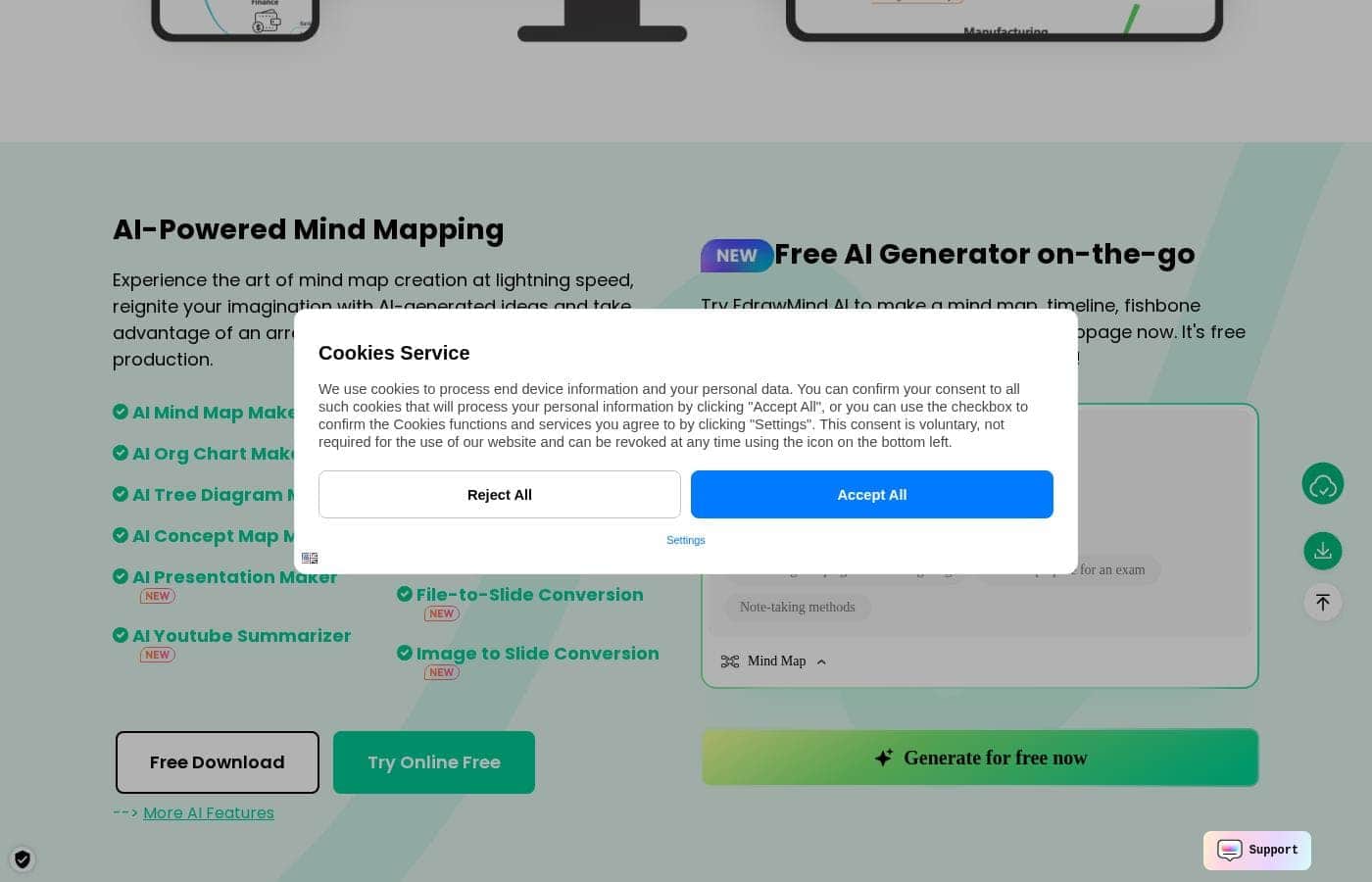
✨ AI Integration for Lightning-Fast Mapping

EdrawMind uses powerful AI features to speed up your idea generation process. You can experience the art of mind map creation at lightning speed. These tools help reignite your imagination with instant, AI-generated ideas.

AI revolutionizes how you approach content production and organizing complex sources. For example, you can use the AI YouTube Summarizer to quickly distill video content. It also allows specialized diagram creation, helping you build specific structures instantly.

  • AI Org Chart Maker
  • AI Tree Diagram Maker
  • AI Concept Map Maker

Additionally, AI powers seamless conversion utilities. You can transform complex sources like PDFs or plain text directly into clear, structured mind maps. This capability saves significant time when dealing with large or unstructured knowledge.

✨ Core Mind Mapping and Brainstorming

The tool facilitates your core idea generation and project planning processes. Built on over ten years of industry expertise, EdrawMind helps countless individuals and businesses work together. It’s designed to reliably break down complex topics into clear pieces.

Start transforming chaos into structure using the core mind mapping features. This approach helps you simplify complex knowledge quickly. The result is better focus and clear organization for any subject you tackle.

✨ Flexible Outlining and Note-taking

You get true flexibility when capturing and reviewing your thoughts. You can easily record and arrange your ideas within a structured outline. This is a great way to maintain a clear overview of your project structure.

EdrawMind offers effortless conversion between formats. You can outline your thoughts for high-level structure and then instantly turn that outline into a mind map. The reverse is also possible with just the touch of a button, moving from map back to outline. This seamless movement supports different stages of planning and visualization.

✨ Dynamic Presentation Creation in Seconds

Creating an impressive and polished presentation is now a very simple process. You no longer need external software to build a stunning slideshow. You start by jotting down all your talking points directly inside your mind map.

Next, you can style your map with colors, themes, and images to add visual impact. EdrawMind then transforms the entire map into a dynamic slideshow automatically and in just seconds. This process makes preparation fast and professional.

It also handles complex file conversions to slides. You can convert files or images straight into a slide presentation format. This provides you with an easy way to move from visual planning to powerful presentation.

✨ Controlled Collaboration and Sharing

Cooperation within your team is streamlined using EdrawMind’s sharing functionality. EdrawMind boards serve as versatile spaces for both private thought and shared teamwork. This allows you to manage information flow effectively.

These boards can be a private place for reflection if you need individual planning time. Or, you can use them as a shared workspace for team collaboration. Crucially, you maintain total control over who sees which information, ensuring security and organizational peace of mind.

✨ Community Gallery and Template Inspiration

You never have to start from a blank page or feel blocked by a lack of inspiration. The online Mind Map Gallery connects you with a vast community resource. You can explore a huge selection of professional mind map examples and templates there.

These resources provide immediate starting points for different projects and help you stay inspired. If you create a great map, you can also publish it to the gallery. This allows you to share your specialized knowledge and insights with the world.

Use Cases

✨ Instant Knowledge Structuring ✨

If you have a complex YouTube video, a dense PDF document, or lengthy text, EdrawMind helps you break it down fast. The AI tools revolutionize content production and summary creation. You can use features like the AI YouTube Summarizer to quickly obtain key points and structure.

Simply input your content source into the AI feature. EdrawMind instantly turns that information into an organized mind map structure. This process simplifies tough knowledge and transforms chaos into clear outlines at lightning speed.

πŸ’‘ Scaling Team Brainstorming

When your team needs to collaborate on a large project, managing inputs is often challenging. EdrawMind offers a shared workspace that facilitates scaling your brainstorming session. Everyone can contribute ideas and insights to the map simultaneously.

You maintain total control over access, deciding exactly who sees what information in the shared boards. This ensures streamlined cooperation while protecting sensitive or private reflections. It’s perfect for turning initial scattered ideas into a unified, actionable plan.

πŸ’‘ Effortless Dynamic Slideshows

Problem: You need to deliver an impressive presentation, but designing slides takes too much time. Approach: Use EdrawMind to jot down all your talking points and structure them visually. Add colors and images to polish the map’s appearance. Outcome: Turn your fully structured mind map into a dynamic slideshow in just seconds. This process helps you impress your audience with a polished and professional result.

Expected outcome: A dynamic, professional presentation created directly from your notes.

πŸ’‘ Converting Linear Thoughts to Visual Maps

Sometimes, projects begin with linear notes or a simple bulleted list. EdrawMind provides true flexibility by letting you start with an outline and develop it visually. You can record and arrange detailed ideas in a clear overview using the outlining function first.

Then, with only the touch of a button, you can convert that entire outline directly into a detailed mind mapβ€”or vice-versa. This fluid conversion capability supports different stages of thinking and planning.

Tip: Use the outlining feature when you need structural clarity before visualizing relationships.

πŸ’‘ Getting Started with Expert Templates πŸ’‘

You don't need to start from scratch when beginning a complex task like a business plan or project management structure. The online Mind Map Gallery hosts a huge selection of professional templates.

  1. Explore the EdrawMind Gallery for templates.
  2. Select a relevant template, like 'Business Plan' or 'Software Project Management'.
  3. Customize the map with your own project details.
  4. Publish your refined map to the gallery to share knowledge if desired. You stay inspired and reduce initial setup time significantly.

πŸ’‘ Igniting Imagination with AI

When creativity stalls, AI can help reignite your imagination. EdrawMind incorporates various AI tools designed to generate and structure ideas rapidly. You can use the AI Brainstorming feature or the dedicated AI Mind Map Maker to kickstart diverse projects.

This revolutionary AI integration helps you move past creative blocks. It provides generated concepts and structures so you can immediately focus on refining and finalizing your content.

Pricing Overview for EdrawMind

Pricing range
Free – US$215 (One-time)
Pricing types
Free plan, Free trial, Monthly subscription, Yearly subscription, One-time payment
Money-back guarantee
Yes β€” 30 days

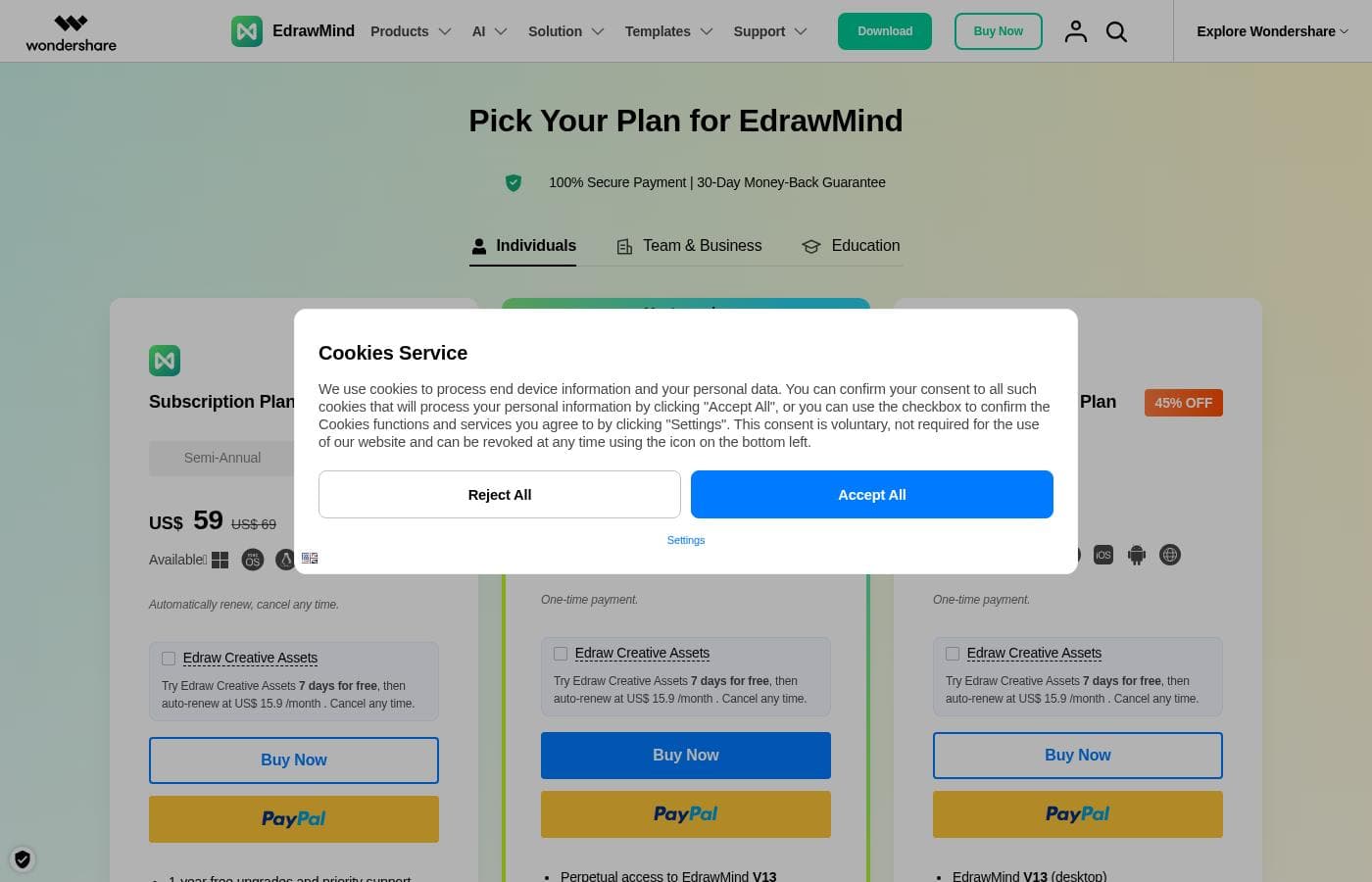
EdrawMind offers flexible pricing for individuals, including free access, annual subscriptions, and one-time perpetual purchase options. Subscriptions are billed semi-annually or annually, while perpetual plans require a single payment for long-term use.

Plans & Pricing

Free Plan/Free Trial

Monthly0
Yearly0
Export with Watermark; Limited to 100 topics; 100M Cloud Storage
  • 100 Topics
  • 7 Pre-set Themes
  • 500 EdrawMax AI Tokens
  • 500 EdrawMind AI Tokens
  • 100M Cloud Storage
  • Export with Watermark

Semi-Annual Subscription

Monthly$6.50 (Approx.)
Yearly$78 ($39 billed every 6 months)
Billed every six months
  • 6-month free upgrades and priority support
  • 6-month access on 3 PCs & 3 mobiles & online
  • Access to all features
  • 1GB free cloud storage
  • Unlimited AI Tokens and community templates

Annual Subscription

Monthly$4.92 (Approx.)
Yearly$59
Billed yearly
  • 1-year free upgrades and priority support
  • 1-year access on 3 PCs & 3 mobiles & online
  • Access to all features
  • 1GB free cloud storage
  • Unlimited AI Tokens and community templates

Perpetual Plan

Contact for pricing
One-time payment of US$198
  • One-time payment
  • Perpetual access to EdrawMind V12 (desktop)
  • 3-year access on mobiles and online
  • Access to all features
  • 10GB free cloud storage
  • Unlimited AI Tokens and community templates

Perpetual Bundle Plan

Contact for pricing
One-time payment of US$215
  • One-time payment
  • Includes EdrawMind V12 (desktop) and EdrawMax V14 (desktop)
  • 3-year access on mobiles and online
  • 20GB free cloud storage
  • Unlimited AI Tokens and community templates

EdrawMind costs between US$ 0 and US$ 215 (one-time) with 5 main options: Free, Semi-Annual Subscription at US$ 39, Annual Subscription at US$ 59, Perpetual Plan at US$ 198 (one-time), and a Perpetual Bundle Plan at US$ 215 (one-time).

Details below focus on the individual pricing tiers currently offered, including recurring subscriptions and permanent licenses.

Free Plan/Free Trial

Price: US$ 0 (Free) Websites Supported: Not explicitly stated Best For: Basic mapping and evaluation Refund Policy: Not applicable Other Features:

  • Limited to 100 topics and 7 pre-set themes
  • 500 tokens each for EdrawMax and EdrawMind AI features
  • 100MB free cloud storage
  • Exports include a watermark

This option is best if you're new to mind mapping or need restricted features for occasional use. It lets you test the core functionality before committing to a paid plan.

Semi-Annual Subscription

Price: US$ 39 per 6 months Websites Supported: Not explicitly stated Best For: Short-term projects or budget-conscious users Refund Policy: 30-day money-back guarantee Other Features:

  • 6-month free upgrades and priority support
  • 6-month access on 3 PCs, 3 mobiles, and online
  • Access to all features
  • 1GB free cloud storage

Choose this plan if you need full features for a defined period, like a semester or a specific project deadline. It offers a great temporary discount compared to monthly rates, with auto-renewal simplifying continuous access.

Annual Subscription

Price: US$ 59 per year (Slightly discounted from US$ 69) Websites Supported: Not explicitly stated Best For: Individuals needing consistent, updated access Refund Policy: 30-day money-back guarantee Other Features:

  • 1-year free upgrades and priority support
  • 1-year access on 3 PCs, 3 mobiles, and online
  • 1GB free cloud storage
  • Unlimited access to community templates and AI tokens

This is the ideal option for users who rely on EdrawMind year-round and appreciate ongoing updates and priority support. You get full access to all features without export watermarks.

Perpetual Plan

Price: US$ 198 (One-time payment) Websites Supported: Not explicitly stated Best For: Long-term users who prefer one-time ownership Refund Policy: 30-day money-back guarantee Other Features:

  • Permanent access to EdrawMind V12 (desktop)
  • 3-year access on mobiles and online
  • 10GB free cloud storage
  • Access to all features

This plan is marked as the "Most popular" choice, perfect for users who want to lock in the current software version. It provides significantly more cloud storage compared to subscription plans.

Perpetual Bundle Plan

Price: US$ 215 (One-time payment) Websites Supported: Not explicitly stated Best For: Professionals needing both EdrawMind and EdrawMax Refund Policy: 30-day money-back guarantee Other Features:

  • Includes EdrawMind V12 (desktop) and EdrawMax V14 (desktop)
  • EdrawMax is an all-in-one diagram tool with 210+ types of drawings
  • 3-year access on mobiles and online
  • 20GB free cloud storage

If your work involves multiple types of diagrams beyond just mind mapping, this bundle is a fantastic deal. It combines two powerful desktop applications along with generous storage space.

All EdrawMind purchases come with a 30-day money-back guarantee, providing confidence in your investment. Although there is a permanent free plan, you can also try the optional Edraw Creative Assets add-on with a 7-day free trial, which includes extra templates and advanced AI features.

User Reviews

External user feedback for EdrawMind is overwhelmingly positive, earning high marks for its usability and comprehensive features. Reviewers consistently praise the intuitive interface and fast learning curve, noting that the application is simple for beginners yet powerful enough for multidisciplinary professionals.

The strong library of templates, generous customization options, and versatility make it a valuable tool for organizing ideas, creating dynamic presentations, and handling complex diagramming tasks across many fields. Many users highlight the significant value proposition; the perpetual license option, in particular, is frequently cited as an amazing deal compared to competitors' pricing.

Key innovative features, such as the seamless AI integration and robust cross-platform compatibility (working across PC, mobile, and web), are also major selling points that boost user productivity. While the experience is excellent for most users, minor friction points exist: one user noted difficulty with technical interoperability between desktop and collaborative browser files, and another complained about the painful process of canceling a subscription.

Overall, users see EdrawMind as a game-changer for visual organization. βœ…

What users say elsewhere

Mark S.
Β· Trustpilot
5.0 / 5

The software was very easy to use, with a fast learning curve. It offers fantastic value compared to similar tools on the market. I quickly created several detailed diagrams.

Jaime L.
Β· Trustpilot
5.0 / 5

This is a very creative app, and the new AI features make it perfect for content creators. It has significantly sped up my content creation process. The program saves me a lot of time and effort.

No reviews yet.

Write a Review

Write a Review for EdrawMind
0/100 characters
0/2000 characters

Why use EdrawMind?

Why should you choose EdrawMind for your organization needs? It provides a unique, sophisticated experience by harnessing the power of artificial intelligence and versatile conversion features.

Here are the core benefits you'll experience:

  • Revolutionary AI Integration: You can experience the art of mind map creation at lightning speed. AI helps reignite your imagination with generated ideas and revolutionizes content production. You can use tools like the AI YouTube Summarizer or convert PDFs and text directly into mind maps.
  • Seamless Conversion: EdrawMind offers true flexibility for outlining and note-taking. You can effortlessly outline your thoughts for a clear overview, and then turn that outline into a mind mapβ€”and vice-versaβ€”with just the touch of a button.
  • Impressive Presentations: Creating a polished presentation is simple. Just jot down your talking points within your map, add polish with colors and images, and turn everything into a dynamic slideshow in seconds.
  • Controlled Collaboration: Cooperation is streamlined whether you need private reflection or shared workspaces. EdrawMind boards let you collaborate with your team while maintaining total control over who sees what information.
  • Community Inspiration: You never have to start from scratch when innovation stalls. The online gallery offers a huge selection of professional templates and examples. You can explore these to stay inspired or publish maps to share your knowledge with the world.

If you are simplifying complex knowledge or scaling team brainstorming, EdrawMind offers significant value. Users find the blend of experienced design and advanced features makes it a supreme product. It's the ideal solution to help you effectively break down complex topics. Get started by exploring the template gallery or downloading the app to try EdrawMind online today. βœ…

Ready to transform your workflow with EdrawMind?

Frequently Asked Questions

If I choose the Perpetual Plan, what exactly does my one-time payment cover?

Perpetual plans grant you permanent access to the specified desktop version, currently V12. Importantly, access on mobile and online platforms, along with free upgrades, lasts for three years after purchase.

How many devices can I use EdrawMind on with a single license?

All paid individual plans, including subscriptions and perpetual licenses, allow simultaneous access. You can use the software on up to 3 PCs, 3 mobile devices, and the online version concurrently.

How much cloud storage do I receive with a paid license?

Annual and Semi-Annual subscription plans include 1GB of cloud storage. If you choose the Perpetual Plan, you get significantly more storage, receiving 10GB for the standard plan or 20GB for the Perpetual Bundle.

How do I cancel my subscription and prevent automatic renewal?

You must log into your Wondershare Account Center to initiate a cancellation. Go to 'Plan & Product – Manage Subscription' and select the option to cancel. If you have trouble, you can submit a ticket to customer support.

What happens to my mind map files if I cancel my subscription?

After your paid membership ends, your account transitions into the permanent free plan. Although access to some premium features is restricted, all the files and maps you have created remain accessible.

Is there a limit on how much I can use the AI features?

The Free Plan is limited to 500 AI tokens for both EdrawMind and EdrawMax. All paid subscription and perpetual plans include unlimited usage of the AI features and access to community templates.

Can I upgrade from a subscription to a Perpetual Plan, and can I get a discount for payments I've already made?

Yes, you are able to upgrade to a Perpetual Plan at any time you wish. However, the official site states that your previous subscription payments cannot be deducted from the Perpetual Plan's price.

What is the Edraw Creative Assets option mentioned during checkout?

This is an optional add-on that provides extra enhanced community templates and specialized AI features. It offers a 7-day free trial before auto-renewing at a separate monthly cost.

How is my personal information secured during transactions and storage?

EdrawMind ensures high security by using the highest level of SSL encryption for all file transfers and information exchange. Your financial details are protected using advanced encryption and fraud prevention.

Does EdrawMind allow me to import files from other mind mapping programs?

Yes, you can import files from popular tools including MindManager and FreeMind directly. Paid plans also let you upload and convert files like Word, HTML, and Markdown for easy transfer.

Do I receive better technical support if I purchase a plan?

Yes, all purchased plans qualify for priority support and a guarantee of rapid technical service. Subscription holders also receive free software upgrades throughout their active term.

Does EdrawMind offer pricing specifically for teams or businesses?

The website shows tabs for 'Team & Business' and 'Education' pricing tiers. However, detailed cost structures and features for these multi-user licenses are not explicitly provided in the current information.

What payment methods are accepted when purchasing a license?

The company supports a wide variety of payment options. You can pay using all major credit cards, PayPal, bank or wire transfers, plus several local payment methods.

How do the Free and Paid plans differ regarding export quality?

Maps exported from the Free Plan will include a watermark, especially when exported as graphics or PDFs. All paid subscription and perpetual plans allow you to export files without any watermarks.

Is there a free trial period to test the full set of features?

While the Free Plan is permanent, you can also sign up for the optional 7-day free trial for the Edraw Creative Assets add-on. All paid plans are secured by a comprehensive 30-day money-back guarantee.

Ready to try EdrawMind? Check out the official site or pricing.