Divvy

Divvy review

BILL Spend & Expense (formerly Divvy): smart company cards with real-time budgets and AI-powered expense tracking.

By Ciroapp Editorial Team · Updated Sep 17, 2026

Commission may apply at no extra cost

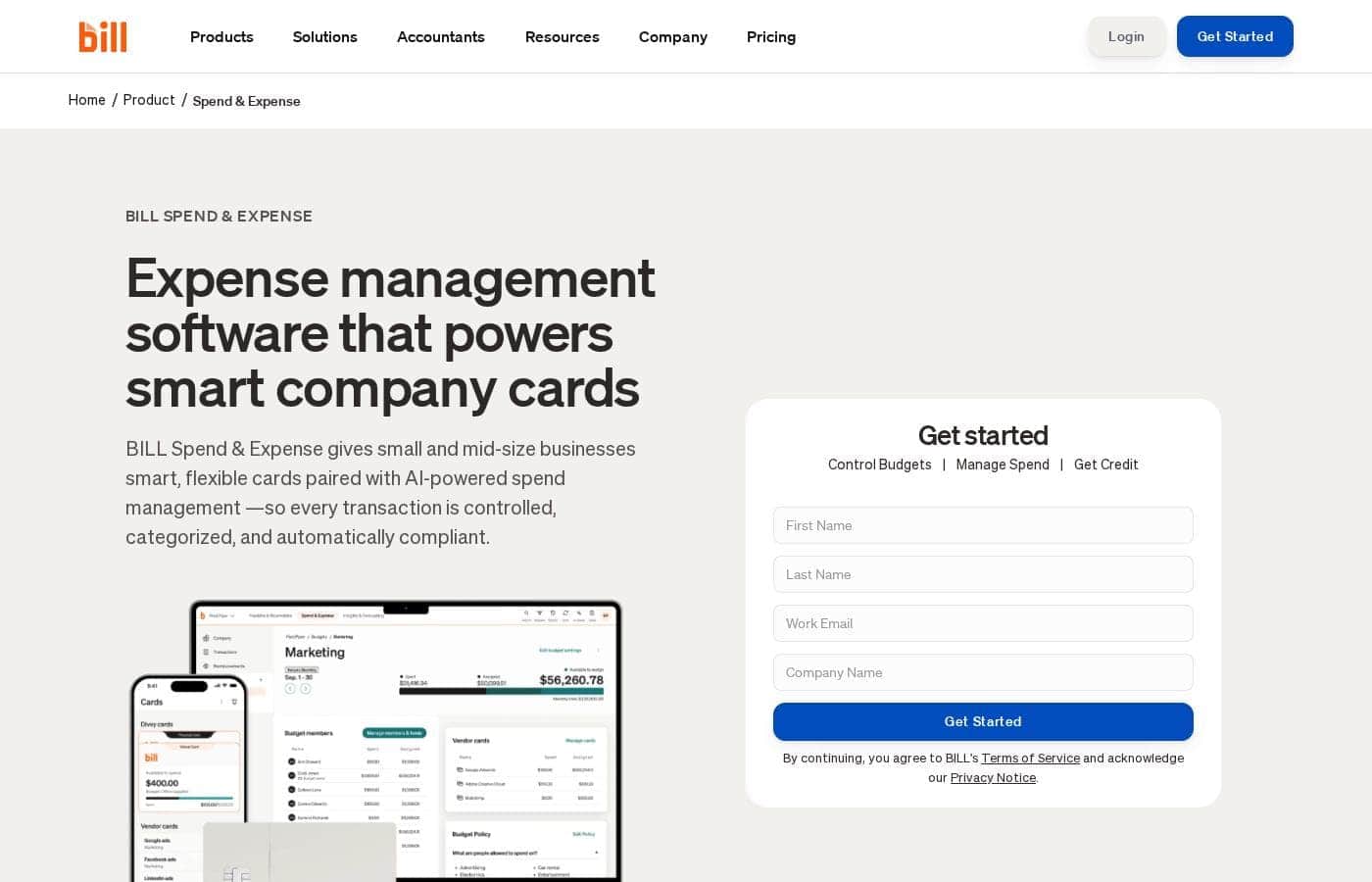
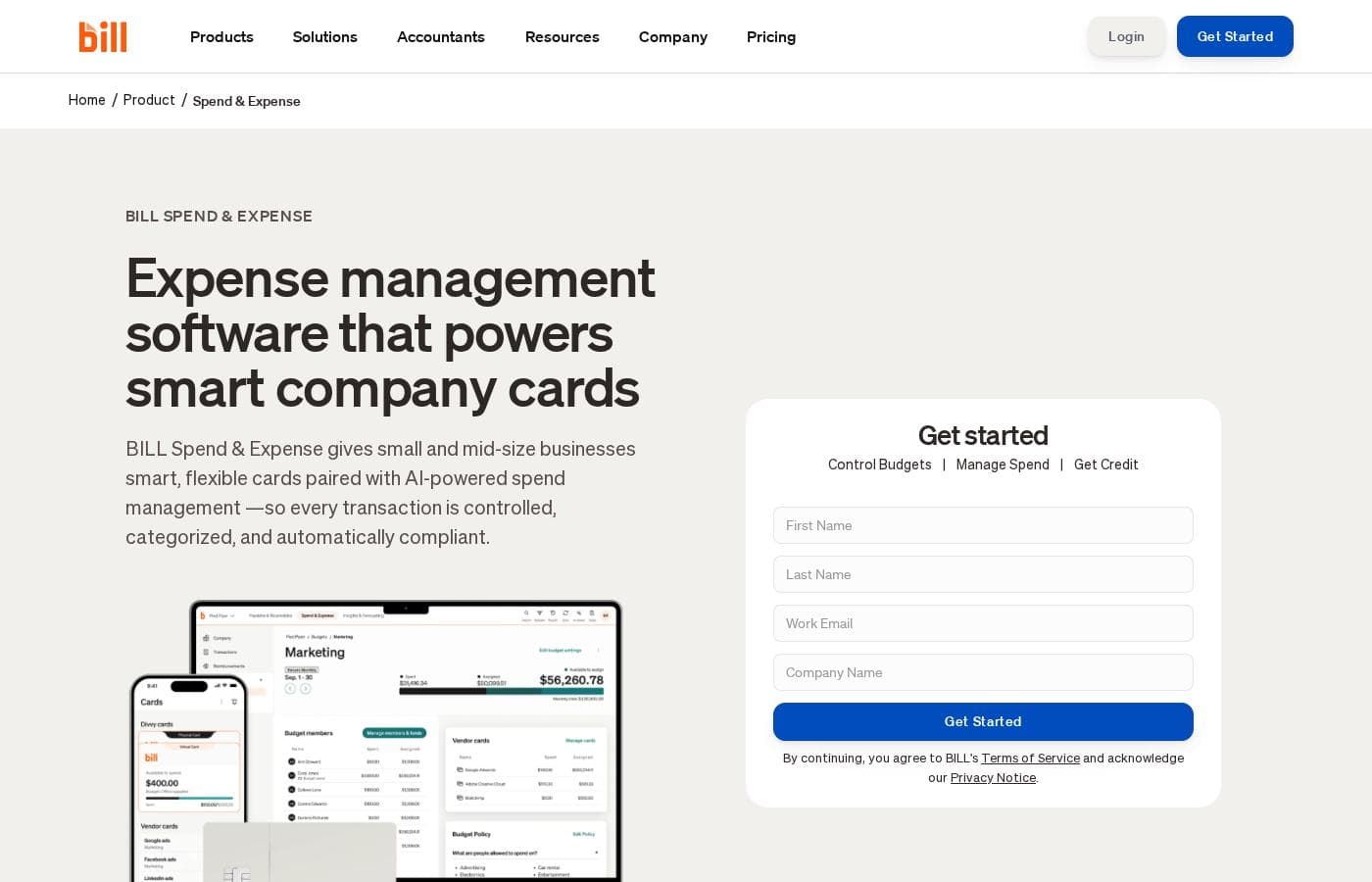
Divvy homepage screenshot

At a glance

Quick overview for Divvy: rating, pricing summary, key features, and highlights.
Vendor page checked Sep 30, 2026

Ciroapp score

4.0/ 5

Divvy, now BILL Spend & Expense, pairs smart company cards with real-time budgets, AI receipt capture, and two-way sync to QuickBooks, Xero, and NetSuite. Pricing comes only as a custom quote, and the biggest rewards assume you adopt BILL's card. Overall, it's a solid, recommendable pick for SMBs that want spending controlled before purchases happen.

Pros

  • Pros:Spending is controlled at the moment of purchase through per-team and per-project card limits, budgets, and approval rules—rather than being policed after the fact on expense reports
  • Pros:AI-powered receipt handling captures receipts by photo, text, or integrations, generates them when missing, and auto-codes accounting fields and memos to cut manual data entry
  • Pros:Direct two-way sync with QuickBooks, NetSuite, Xero, Sage Intacct, and Microsoft Dynamics keeps transactions, receipts, notes, and approval history flowing to your books for faster month-end closes

Cons

  • Cons:Pricing is not published—costs come as a custom quote based on your business needs and user count, so you can't budget or compare against competitors without talking to sales
  • Cons:The core value case assumes you adopt the BILL Divvy Card as your primary company card; if you keep an existing card program, the payoff from rewards, credit, and real-time card controls shrinks considerably
  • Cons:The BILL Divvy Card requires credit approval and is issued by Divvy Pay LLC's bank partners, so approval and terms are not guaranteed
Best for
  • Small and mid-size businesses that want spending controlled at the card level
  • Finance teams tired of chasing paper receipts and manual expense reports
  • Companies on QuickBooks, NetSuite, Xero, or Sage Intacct that want automatic transaction sync
Free trial
Yes
This section is a summary. Detailed sections about features, use cases, pricing, and reviews follow below.

What is Divvy?

Chasing receipts and waiting on expense reports slows every team down. BILL Spend & Expense (formerly Divvy) pairs smart company cards with real-time budgets, so you can set limits, auto-capture receipts, and sync everything to your books. The result: less data entry, faster closes, and spending you can actually see.

BILL Spend & Expense, formerly Divvy, is expense management software built for small and mid-size businesses. It combines the BILL Divvy Card with AI tools that track spending in real time, enforce budgets, and automate expense reporting. Teams issue physical or virtual cards, capture receipts on mobile, and sync to accounting systems like QuickBooks, Xero, and NetSuite.

Business credit and rewards are also part of the package.

Should you choose Divvy?

Quick buyer guidance before you compare plans or click through.

Choose it if

  • You want real-time visibility into every company purchase as it happens
  • You'd rather set budgets and card limits upfront than police spending after the fact
  • You want receipts captured, matched, and coded automatically with minimal manual entry
  • You're open to making the BILL Divvy Card your primary company card
  • You want rewards like cash back and travel perks on everyday business spending

Skip it if

  • Pricing isn't published—it's based on your needs and user count, so you'll need a demo or sales call to learn actual costs
  • The BILL Divvy Card requires credit approval and is issued by Divvy Pay, LLC's bank partners, so approval and terms aren't guaranteed
  • The value case centers on using BILL's card and rewards; if you're keeping a different card program, the payoff may shrink
  • The headline savings figures come from a 127-user survey from March 2022, so your results may differ
  • Deep value depends on supported accounting integrations—verify yours (including Acumatica, Slack, or HRIS tools) before committing

Next steps before buying

  1. 1Request a demo or a personalized quote first, since pricing depends on your business needs and number of users
  2. 2Confirm your accounting software—QuickBooks, NetSuite, Xero, Sage Intacct, or Microsoft Dynamics—syncs the way you expect
  3. 3Review the card terms, since the BILL Divvy Card is issued by bank partners and isn't a deposit product
  4. 4Compare against alternatives using BILL's compare page and third-party reviews before you commit
  5. 5Try the risk-free trial to test receipt capture, budgets, and approvals before rolling cards out to your whole team

Ease of use

Setup follows a simple path: apply once, get approved, issue physical or virtual cards, then sync automatically. The mobile app handles receipt capture, card management, and approvals, and AI is designed to shrink manual entry. Customer quotes describe it as user friendly with faster month-end closes. Keep in mind you'll still need credit approval and a supported accounting integration before everything flows.

Divvy Key Features

✨ Company cards that keep you in control

Give every team member a BILL Divvy Card—physical or virtual—without giving up control. You set flexible limits and rules before cards ever leave your hands. Every purchase shows up in real time, so you can see spending the moment it happens, not weeks later at month-end.

✨ AI that handles the receipt chase

Snap a photo or text a receipt to a dedicated BILL number; that's often all employees need to do. BILL's AI captures receipts from integrations, generates them when they're missing, and matches them to the right transaction. It codes every accounting field and writes memos too, so manual entry shrinks and your books close faster.

✨ Budgets and approvals built in upfront

Control happens before the purchase, not after. Create custom budgets, then lean on guardrails that enforce your policy:

  • Assign card limits per team or project
  • Automate approval workflows for every purchase
  • Get real-time alerts that help prevent overspending

📱 Your spending workflow, in your pocket

The mobile app equips remote and on-the-go teams to spend smarter from anywhere. Employees capture receipts, view card balances, and approve expenses right from their phones. Transactions appear instantly, so finance sees current numbers whether people are in the office or out in the field.

✨ Clean books, without the manual lift

BILL connects with QuickBooks, Xero, NetSuite, Sage Intacct, and Microsoft Dynamics through a direct two-way sync, running automatically or on demand. Every transaction carries its receipts, notes, and approval history, creating a complete audit trail. Customers report closing month-end books in days rather than weeks.

Use Cases

📚 Close the books without the chase

Your finance team sets budgets upfront, and AI matches receipts to transactions automatically. Everything syncs to QuickBooks or NetSuite without manual entry, so month-end stops dragging on.

💳 Control spend before it happens

Issue physical or virtual cards per team or project, with limits and approval rules baked in. Purchases get authorized the moment they're made—not weeks later on an expense report.

📱 Keep field and remote teams moving

Employees pay with company cards and snap receipts in the mobile app—or just text them in. Managers approve expenses from anywhere, so nobody waits on paperwork.

🏗️ Track budgets by department, grant, or client

Construction firms watch job costs. Nonprofits keep grants and programs visible. Professional services keep billable expenses audit-ready—every transaction carries its receipts, notes, and approval history.

Divvy pricing

Divvy doesn't publish prices: pricing is quote-based (contact sales).

Divvy's pricing page

Divvy pricing page screenshotView pricing page screenshot
PlanBilled monthlyBilled annuallyIncludes
Personalized Plan (Quote-Based)
See vendor page
See vendor page
Pricing scales with the number of users and your business needs
  • Smart company cards with real-time tracking and flexible spend limits
  • Custom budgets, approval workflows, and automated spend controls
  • AI-powered receipt capture and auto-categorization
  • Integrations with QuickBooks, NetSuite, Xero, Sage Intacct, and Microsoft
  • Rewards, travel management, business credit, and a mobile app
  • +1

Price history

Tracking prices since Sep 7, 2026. No price change detected yet.

Pricing range: Custom quote

Pricing types: Free trial, Per seat pricing

Pricing notes

Divvy (now BILL Spend & Expense) uses custom, quote-based pricing built around your business needs and the number of users on your account. There are no fixed public tiers — you request a demo for a personalized plan, and a risk-free trial is available.

Divvy (now BILL Spend & Expense) uses custom, quote-based pricing shaped by your business needs and the number of users on your account.

There's no published price list here, so here's what you actually get instead.

Personalized Plan (Quote-Based)

Best For: Small and mid-size businesses that want company cards, budgets, and expense automation in one place Other Features:

  • Smart company cards with real-time tracking and flexible spend limits
  • Custom budgets, approval workflows, and automated spend controls
  • AI-powered receipt capture and auto-categorization
  • Integrations with QuickBooks, NetSuite, Xero, Sage Intacct, and Microsoft
  • Rewards, travel management, business credit, and a mobile app

This one tailored plan covers the full platform. You request a demo, talk with the team, and get pricing built around your headcount and how you'll use the tool. It works well if you'd rather bundle cards, credit, and expense software than pay for separate products. Teams with multiple departments or entities also benefit, since budgets and card limits can be customized per group.

Pricing scales with users, so it's worth confirming your headcount, card needs, and any payment limits with the sales team before you sign anything.

What does that money buy? The platform also includes business credit, so you can apply for funding as part of setup, plus rewards that put cash back on company spending.

Here's the good news for cautious buyers: BILL advertises a risk-free trial you can sign up for directly on the site. If you'd rather watch first, a live demo is easy to request. There's no free-forever plan mentioned on this page, but the trial gives you a real look at the product before you commit to a paid quote. 💳
How to pay less for Divvy

  • A free trial is available: test it before you pay.
Start free trial

Email me when Divvy changes price

One email when we detect a price change on the vendor's pricing page. No newsletter, no deals. Unsubscribe in one click.

User Reviews

No reviews yet.

Write a Review

Write a Review for Divvy
0/100 characters
0/2000 characters

Why use Divvy?

If closing the books takes weeks instead of days, this platform was built for your problem. BILL Spend & Expense moves spending control to the moment money leaves the company—not after. Based on what the site publishes, here's where it stands out:

  • Control before the purchase. Set budgets, card limits, and approval rules upfront, so spending stays in policy without constant chasing.
  • AI cuts the busywork. Receipts match to transactions automatically, and BILL reports 95% day-one accuracy capturing invoice fields across 5M daily predictions.
  • Results users report. In a 127-user survey (March 2022), users cited $10,630 average monthly savings and 12 hours saved monthly; 94% would recommend it.
  • Books that stay clean. Two-way sync with QuickBooks, NetSuite, Sage Intacct, Xero, and Microsoft Dynamics speeds up reconciliation and month-end close.
  • Spending that pays you back. Rewards include cash back and travel perks on company purchases.
  • Industry recognition. G2 ranked it #1 in its Spend Management Grid Report for Winter 2025.

Divvy alternatives

Other tools in the Expense Management category

View all Expense Management tools
BILL

BILL

Expense Management4.2/5

BILL is the definitive financial operations platform, designed to bring simplification and automation to your business. It manages everything from accounts payable (AP) and accounts receivable (AR) to spend and expense management on a single platform. You get an aggregated cash flow task list and one secure login. BILL offers seamless, automatic sync with your preferred accounting software, ensuring you confidently automate your entire tech stack. It's built for thousands of businesses and 6,000+ accounting firms.

Travel Code

Travel Code

Expense Management3.8/5

Travel Code is an AI-driven platform for booking flights, hotels, and transfers with a focus on corporate travel. Affiliates earn high commissions by offering smart, automated travel solutions to business clients worldwide.

Divvy FAQ

Which accounting tools does BILL Spend & Expense sync with?

It syncs two ways with QuickBooks, NetSuite, Xero, Sage Intacct, and Microsoft Dynamics. Slack, HRIS tools, and Acumatica are also listed. BILL offers APIs and custom file integrations too, so verify your stack before committing.

Do I need a credit check to use the cards?

Yes. The BILL Divvy Card requires credit approval and is issued by Divvy Pay LLC's bank partners. Approval and terms aren't guaranteed, so review the card agreement and your specific lender before you commit.

Is pricing per seat or per transaction?

Neither rate is published. You'll get a custom quote based on your business needs and number of users. Since costs scale with headcount, confirm your user count and card needs with sales before signing.

Can I try it before buying?

Yes. There's a risk-free trial you can sign up for directly on the site, and no free-forever plan is mentioned. Check the trial terms for length and limits before you commit.

Ready to try Divvy? Check out the official site or pricing.

Are you Divvy? Claim this listing · Get the badge