CorelDRAW

CorelDRAW

The complete professional design toolbox.

#4 dans Graphic Design
1 min read · Updated 10/5/2025
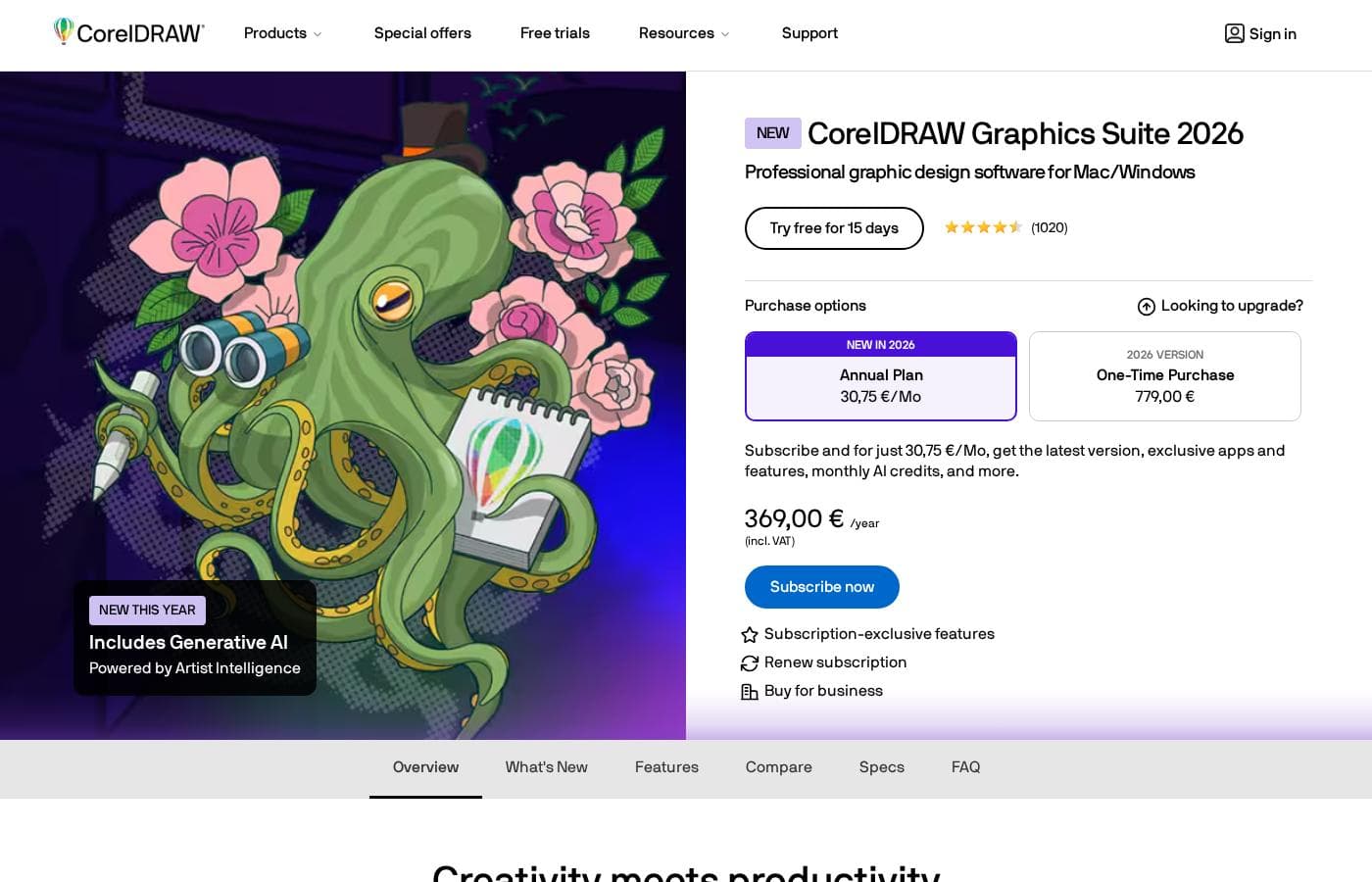
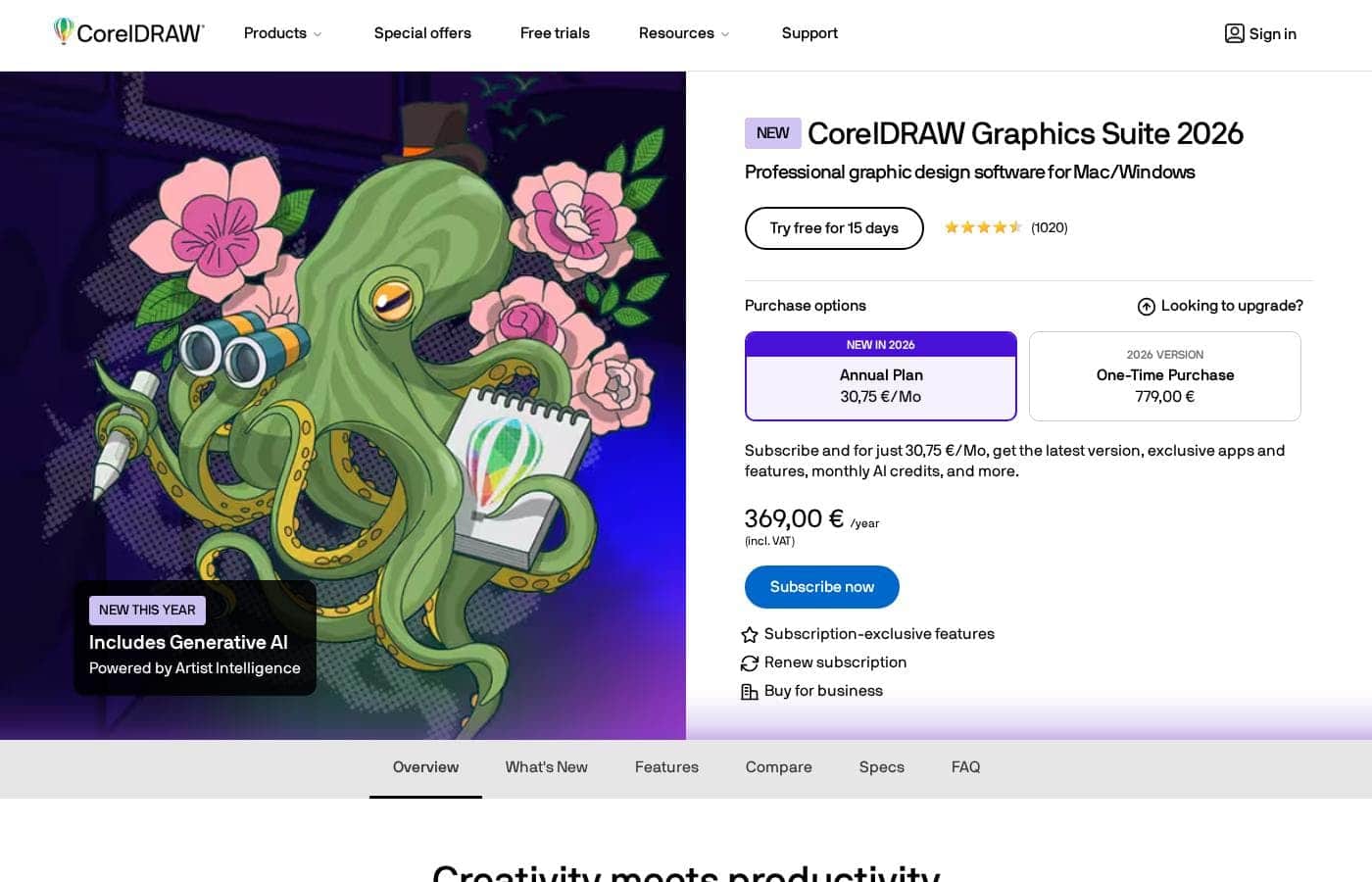
CorelDRAW homepage screenshot

At a glance

Quick overview for CorelDRAW: rating, pricing summary, key features, and highlights.

Ciroapp review

3.3
Powerful design suite with unstable support.

We find CorelDRAW Graphics Suite offers a comprehensive, professional design experience coupled with a competitive annual price point equivalent to $22.42 per month. However, external feedback consistently highlights serious concerns about software stability and abysmal customer support responsiveness. Overall, the powerful feature set is hampered by reliability issues and questionable transparency in feature delivery.

Pros

  • Pro:Complete suite for professional vector illustration, layout, and photo editing.
  • Pro:Considered user-friendly and approachable for a powerful design tool.
  • Pro:Highly flexible platform with customizable workspaces and toolbars.
  • Pro:Competitive annual subscription cost for a complete software suite.

Cons

  • Con:Reports of extremely poor, non-existent customer support.
  • Con:Frequent software instability and crashing, especially with large files.
  • Con:Lack of backward compatibility and issues managing older licenses.
  • Con:Concerns regarding false advertising of included features (AI, cloud sharing) that require extra cost.
Free trial
Yes — 15 days
Range: $22.42/month – $269.00/yearFree trial, Monthly subscription, Yearly subscription
This section is a summary. Detailed sections about features, use cases, pricing, and reviews follow below.

CorelDRAW review, pricing, features, pros & cons

Tired of design software that feels rigid and impossible to master? We know that professional tools often lack usability. ✨ CorelDRAW Graphics Suite addresses this by providing a complete tool that is genuinely user friendly and extremely flexible.

This focus simplifies complex tasks, helping you achieve smooth, quick results.

What is CorelDRAW?

CorelDRAW Graphics Suite is a professional resource designed to push the boundaries of visual communication. It serves as your comprehensive go-to toolbox for creative projects involving graphics. The suite provides specialized capabilities covering professional vector illustration and effective page layout.

Users also gain powerful tools for typography, font management, and advanced photo editing. 💡 Plus, subscribers now get exclusive access to CorelDRAW Web Online graphic design features.

CorelDRAW Key Features

🧰 The Complete Professional Toolbox 🧰

CorelDRAW Graphics Suite is designed to be your comprehensive go-to resource for creative projects. It functions as a genuinely complete design tool for all your diverse needs. This full scope simplifies complex tasks and eliminates the need to stitch together multiple software programs.

This powerful resource helps you push the boundaries of visual communication and achieve quick, smooth results. Professionals rely on its unique combination of power and simplicity. It’s widely reported as the easiest-to-use professional design software available today.

✨ Precision Illustration and Layout

You gain specialized capabilities specifically focused on professional vector illustration. Using vector tools ensures your artwork remains sharp and can scale perfectly without losing quality. This is key for creating logos, detailed graphics, and illustrations.

Beyond just illustration, the suite provides robust and effective page layout functions. This capability is essential for preparing everything from detailed marketing collateral to extensive multi-page documents. It offers flexibility needed for various project types.

✨ Streamlined Workflow and Customization

We believe professional software should always enhance your speed, not limit it. CorelDRAW allows you to fully customize your workspace to fit your personal illustration workflow. Customizable toolbars make the entire design process feel much smoother and quicker.

This focus on usability means complex operations become simple. The software allows you to apply symmetry to an object quickly and easily, for example. This specialized feature saves valuable time during edits and design tweaks.

✨ Integrated Font Management and Image Editing

The suite offers specialized tools that manage more than just primary vector graphics. You get powerful capabilities for handling typography and font assets. This integrated approach ensures consistent text presentation across all your designs and publications.

The essential professional toolkit also includes advanced photo editing features. Having advanced photo editing and comprehensive font management in one package simplifies your work. You don’t have to switch programs just to finalize an image or manage type assets.

✨ Flexible Online Graphic Design

Subscribers get exclusive access to features that maximize flexibility and collaboration. This includes access to CorelDRAW Web, which provides online graphic design features. You can access and work on projects even when you are away from your main desktop.

Exclusive cloud features further enhance your experience. These perks are part of the commitment to providing a complete toolset. This ensures you always receive the latest software version and continuous updates.

Use Cases

🎨 Creating Custom Vector Artwork

When you need to develop complex illustrations or detailed brand assets, CorelDRAW is your comprehensive tool. It provides professional vector illustration capabilities for any project. You don't have to tolerate rigid software that limits your artistic vision easily.

For instance, applying symmetry to objects is made fast and simple. This saves valuable time when creating logos or detailed radial designs. You can focus on pushing your creative boundaries while trusting the software to handle complex geometric tasks effortlessly.

📄 Designing Professional Page Layouts

Many projects require combining written content with high-quality visual elements. CorelDRAW is built for effective page layout, making it the perfect choice for brochures, reports, or newsletters.

Quick Flow:

  1. Define your document structure using the robust layout tools.
  2. Apply consistent, high-quality text using integrated typography and font management tools.
  3. Export a polished document ready for digital viewing or commercial printing.

🧰 Streamlining Your Illustration Workflow

Do you feel slowed down by awkward interfaces? CorelDRAW offers flexibility and a genuinely user-friendly experience, making it the easiest-to-use professional design software available.

Take advantage of the customizable toolbars right away. You can place your most-used illustration functions instantly within reach. This customization ensures your unique illustration workflows become much smoother and quicker, maximizing productivity while minimizing frustration.

Tip: Customize toolbars immediately to reduce clicks and accelerate your design output.

📸 Comprehensive Photo and Typography Management

You no longer need multiple separate applications to manage your creative assets. CorelDRAW Graphics Suite provides essential professional capabilities all in one package.

This includes advanced photo editing functions for cleaning up images or preparing them for print layout. It also offers powerful font management tools, ensuring that your typography is meticulously organized and consistently branded across all your communication efforts.

🌐 Designing Graphics On-the-Go (Subscribers Only)

Subscribers gain exclusive access to the CorelDRAW Web Online graphic design features. This means you maintain continuity in your workflow even when you are away from your main computer.

You can handle minor adjustments or create simple new graphics, accessing your professional tools in a flexible online environment. This ensures you always have the ability to communicate visually, no matter your location.

Pricing Overview for CorelDRAW

Pricing range
$22.42/month – $269.00/year
Pricing types
Free trial, Monthly subscription, Yearly subscription

CorelDRAW Graphics Suite 2025 is primarily offered through an annual subscription costing $269.00 per year. This price breaks down to an equivalent of $22.42 per month and includes access to the latest software and exclusive cloud features.

Plans & Pricing

CorelDRAW Graphics Suite 2025 Subscription

Monthly$22.42 (Equivalent)
Yearly$269.00
Not explicitly stated
  • Latest version of CorelDRAW Graphics Suite
  • Exclusive cloud features
  • Includes CorelDRAW Web (Online graphic design)
  • Subscription-exclusive features

CorelDRAW costs $269.00 per year with 1 advertised plan: CorelDRAW Graphics Suite 2025 Subscription at $269.00 annually (or $22.42 per month equivalent).

Let's look closer at the subscription options available for this professional graphics suite, which is designed for Mac and Windows.

CorelDRAW Graphics Suite 2025 Subscription

Price: $269.00 annually ($22.42/mo equivalent) Websites Supported: Not explicitly stated Best For: Professional graphic design software for Mac/Windows Refund Policy: Not explicitly stated Other Features:

  • Latest software version
  • Exclusive cloud features
  • Includes CorelDRAW Web (Online graphic design)
  • Subscription-exclusive features

This annual option provides comprehensive access to the full CorelDRAW Graphics Suite 2025 software. It’s a great choice if you need a professional toolkit for illustration, layout, and photo editing. By selecting the annual checkout, you lock in the best available rate, equivalent to just over $22 per month for continuous use. 🎨

If you want to try out the full professional toolset first, CorelDRAW offers an excellent way to start designing. You can try the software completely free for 15 days before committing to this subscription. Details regarding any refund or cancellation policies are not explicitly visible.

User Reviews

The combined sentiment from Trustpilot (2.5/5) and Capterra reviews presents a stark dichotomy. On one hand, loyal, long-time users praise CorelDRAW’s powerful functionality, stating it performs exactly what they need for professional vector work.

This high praise confirms the software's core feature accuracy and utility. However, the overwhelmingly negative majority sentiment focuses on three critical areas: customer service, reliability, and pricing transparency.

Users describe customer support as "nonexistent" and "appalling," often refusing assistance for older licensed versions. Reliability is a major concern, with multiple reports stating the software is "unstable" and prone to crashing, especially when handling large files or attempting quick exports 🤷.

Finally, transparency issues exist regarding pricing and feature inclusion; users cite instances of false advertising where features like AI assistance or cloud sharing promised in the subscription demand substantial extra, hidden costs. While the software’s capability is powerful, buyer beware regarding support and stability.

What users say elsewhere

Alex D.
· Trustpilot
5.0 / 5

I just love CorelDRAW. I’ve been working happily with it for over 10 years, and I truly don’t want to switch to any of the newer tools. It still does exactly what I need on a daily basis, and I really like it.

Ben R.
· Trustpilot
1.0 / 5

I have used Corel for over 25 years. Unfortunately, the software is consistently unstable now. Once a file gets large, the program simply crashes and makes reliable work impossible. Avoid this software if you possibly can.

No reviews yet.

Write a Review

Write a Review for CorelDRAW
0/100 characters
0/2000 characters

Why use CorelDRAW?

Why settle for software that slows down your creativity or limits your scope? CorelDRAW offers both power and simplicity, serving as a genuinely complete solution.

Here’s why designers consistently trust this powerful suite:

  • It is widely reported as the easiest-to-use professional design software available today. ✅
  • You gain an extremely flexible and truly complete design tool for all your diverse creative needs.
  • Features like applying symmetry to an object are made quick and simple, saving valuable time during edits.
  • Customizable toolbars ensure your preferred illustration workflows become much smoother and quicker.
  • You get essential professional capabilities, including advanced font management and photo editing, all in one package.

Push the boundaries of your visual communication and see the sky's the limit!

Ready to transform your workflow with CorelDRAW?

CorelDRAW Alternatives

Other tools in the Graphic Design category

Frequently Asked Questions

How long is the free trial, and what features does it include?

You can try the full professional toolset completely free for 15 days. This trial provides access to the complete CorelDRAW Graphics Suite experience. This allows you to explore all illustration, layout, and photo editing tools before committing.

What is the primary difference between the Mac and Windows versions?

CorelDRAW Graphics Suite 2025 is advertised as professional graphic design software for both Mac and Windows. The official site suggests a unified cross-platform solution. Both versions include access to the latest features and cloud services.

Does my annual subscription include perpetual ownership of the software?

Not explicitly stated on the official site. The advertised price focuses solely on an annual subscription model. A subscription means you receive the latest software version and exclusive features continuously.

If I cancel my subscription, is there a refund policy?

Not explicitly stated on the official site. Details regarding money-back guarantees or refunds if you cancel are not provided in the publicly available pricing information. You should check the terms of service before finalizing your purchase.

What happens if I need to buy licenses for a large team or a business?

A purchase option labeled 'Buy for business' is available on the site. However, specific details about volume licensing, per-seat pricing, or multi-user features are not publicly listed. You'll need to contact their sales team for enterprise quotes.

What is CorelDRAW Web, and how does it integrate with the desktop suite?

CorelDRAW Web is an exclusive online graphic design feature included with your subscription. This provides an important level of flexibility, allowing you to use CorelDRAW tools on the web.

Does the subscription include any cloud storage limits or file quotas?

Not explicitly stated on the official site. While the subscription includes 'exclusive cloud features,' the documentation does not specify limits regarding storage capacity or usage quotas.

Is there a discounted price available if I am upgrading from a previous version?

The main purchase page includes a prompt asking, 'Looking to upgrade?' This suggests a specific path or potential discount for existing users. Specific upgrade pricing details, however, are not explicitly provided.

Who is the ideal user for the CorelDRAW Graphics Suite?

It is designed for professionals who need a genuinely complete and flexible design toolbox. It suits users focused on detailed vector illustration, extensive page layout, and advanced photo editing work.

Which crucial, specialized tools are included in the suite?

The suite is comprehensive, offering professional vector illustration and page layout capabilities. It also includes dedicated tools for powerful typography, advanced font management, and photo editing.

Is the billed amount the same as the monthly equivalent price?

No, the annual price is $269.00, billed annually, which is the most economical option. The stated $22.42 per month is only the equivalent monthly breakdown of that annual cost.

Can I receive technical assistance quickly if I encounter a software issue?

Not explicitly stated on the official site. The product description does not specify details regarding standard customer support channels or guaranteed service level agreements (SLAs).

Ready to try CorelDRAW? Check out the official site or pricing.