Amadine

Amadine review

Vector design software for Mac, iPad, and iPhone — with a lifetime license option.

Amadine costs from $2.99/mo · 3 plans

By Ciroapp Editorial Team · Updated Sep 16, 2026

Commission may apply at no extra cost

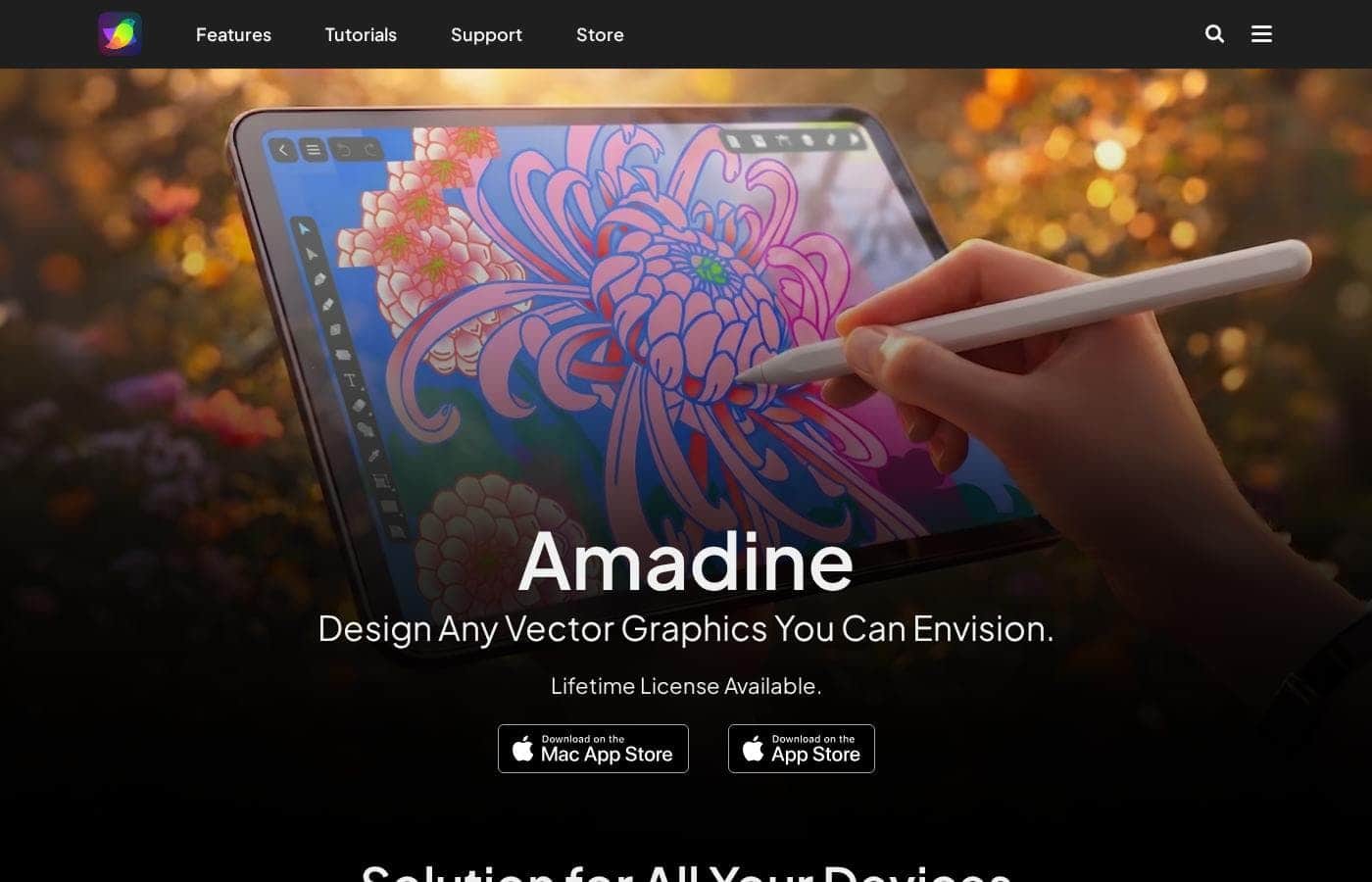
Amadine homepage screenshot

At a glance

Quick overview for Amadine: rating, pricing summary, key features, and highlights.
Vendor page checked Oct 13, 2026

Ciroapp score

3.9/ 5

Amadine packs real vector muscle — a Fusion Tool, precision snapping, flexible text options, CMYK exports, and built-in stock search — into one app for Mac, iPad, and iPhone, with a $29.99 lifetime license. It's Apple-only, has no free trial, and lacks independent review coverage. Overall, it's a solid pick for solo Apple-based designers who'd rather pay once than subscribe.

Pros

  • Pros:Runs as one vector app across Mac, iPad, and iPhone, so you can sketch on iPad and refine the same design on Mac without exporting files or switching tools.
  • Pros:Mac licenses are one-time purchases — $29.99 for a single user or $49.99 for a five-seat family license — with no subscription or renewal fees.
  • Pros:The Fusion Tool merges contours and lines into a single shape as an alternative to boolean operations, and Rounded Corners lets you tune both radius and curvature.

Cons

  • Cons:Apple-only: there is no Windows, Android, or web version, so mixed-platform teams can't standardize on it.
  • Cons:Requires macOS 11 or newer on Mac, or iOS/iPadOS 15 or higher on iPad and iPhone, which rules out older hardware.
  • Cons:The vendor doesn't mention real-time collaboration or cloud sync capabilities, which matters for team-based workflows.
Best for
  • Illustrators who draw on Mac and iPad
  • Freelance designers handling logos, branding, and lettering
  • Web and UI designers who need pixel-precise layouts
Money-back guarantee
Yes — 30 days
This section is a summary. Detailed sections about features, use cases, pricing, and reviews follow below.

What is Amadine?

Most design tools lock you to one device or bury simple tasks under a steep learning curve. Amadine takes a different path. It runs on Mac, iPad, and iPhone, keeps the interface clean, and offers a lifetime license — so you can create vector art without juggling subscriptions or relearning menus.

Amadine is a vector graphic design app for Mac, iPad, and iPhone. It covers illustration, branding and lettering, web and UI layouts, and print work. You get precise drawing tools, a tidy interface, and export to common formats like SVG, PDF, PNG, and JPEG.

It's built for designers and illustrators who want a focused tool across their Apple devices, with a lifetime license if you'd rather skip subscriptions.

Should you choose Amadine?

Quick buyer guidance before you compare plans or click through.

Choose it if

  • You work on Apple devices — Mac with macOS 11+, or iPad/iPhone with iOS or iPadOS 15+
  • You want one vector app that follows you from desktop to mobile
  • You need flexible text tools for logos and scalable lettering
  • You regularly export to SVG, PDF, EPS, TIFF, PNG, or JPEG
  • You value a clean, quick interface over deep professional menus

Skip it if

  • Windows, Android, or web users — the site lists Mac, iPad, and iPhone only
  • Owners of older hardware: macOS 11+ or iOS/iPadOS 15+ is required
  • Teams needing real-time collaboration or cloud sync — the site doesn't mention those capabilities
  • App Store buyers who count on refunds: returns there follow Apple's policy; the site's 30-day guarantee covers only Mac versions bought from its own store
  • Buyers who want pricing shown upfront — this page doesn't publish exact costs, so confirm before committing

Next steps before buying

  1. 1Check current pricing on amadine.com, including the lifetime license option, so nothing surprises you at checkout.
  2. 2Confirm your device qualifies: macOS 11 or higher, or iOS/iPadOS 15 or higher.
  3. 3Read the full return policy if refunds matter to you — terms differ between the official store and the App Stores.
  4. 4Compare Amadine's toolset with an app you already use to see if it covers your typical projects.
  5. 5Skim the release notes and gallery to gauge update frequency and the quality of real user work.

Ease of use

The site leans heavily on usability. It promises a 'neat and convenient' interface built for a swift workflow, and featured illustrators describe settling in quickly — one calls the Pen tool 'absolutely easy.' Keep in mind these are vendor claims and user quotes, not independent test results.

Amadine Key Features

✨ Precision That Keeps Layouts Sharp

Place every element exactly where it belongs. Pixel Preview, Snap to Grid, and Snap to Pixel keep your work aligned, while Smart Guides show you the way as you move objects around. They're most useful when you're building website or UI layouts, where a one-pixel slip is easy to spot.

The result: clean, consistent designs.

✨ Shape-Building Made Simple

Complex shapes don't need to be a struggle. The Fusion Tool merges several contours and lines into one — a fresh alternative to boolean operations. Rounded Corners softens sharp edges, and you can tune both the radius and its curvature.

Switch on the Isometric Grid when a flat drawing needs a 3D-style view.

🎨 Color and Style Control

Restyle a whole design in one move. The Recolor Panel updates everything in a single touch, or you can adjust one particular color step by step. For extra depth, apply Inner Glow, Outer Glow, Shadow, or Blur.

Your illustrations get a stylized finish without extra software.

✍️ Text and Content, Handled

Logos and print layouts need flexible type, and Amadine delivers it. You can shape text to fit your design, flow it across columns, and pull in stock photos without leaving the app.

  • Circular text, text on path, and text in shape for distinctive logos
  • Flowing text columns for flyers and brochures
  • Built-in search across Pexels, Pixabay, and Unsplash

Use Cases

🎨 Create Illustrations on Mac and iPad

Sketch an idea on your iPad, then refine it on your Mac — same app, same file. The Pen tool keeps Bezier curves easy, and Inner Glow or Shadow effects add depth. Expected outcome: artwork that moves with you, not against you.

✍️ Design Logos and Custom Lettering

A freelance designer builds a client logo with circular text, text on path, and text in shape. Want something unique? Draw your own lettering in vector so it scales anywhere.

Tip: Use the Recolor panel to test color options in one touch.

📐 Build Pixel-Perfect Web and UI Layouts

You're laying out a website or app screen. Snap to Grid, Snap to Pixel, and Smart Guides keep every element exactly where it belongs. Pixel Preview shows how it looks on screen.

Expected outcome: clean, precise layouts without guesswork.

🖨️ Prepare Print-Ready Projects

Design a flyer with flowing text columns, work in CMYK for accurate color, and export to PDF, EPS, or TIFF. Even iPhone exports are covered. > Tip: Mac licenses bought from the official site include a 30-day money back guarantee.

Amadine pricing

From$2.99/mo

  • 3 plans

Vendor page checked on Oct 13, 2026; confirm current prices on Amadine's pricing page

Amadine pricing page screenshotView pricing page screenshot
PlanBilled monthlyBilled annuallyIncludes
Amadine for Mac (Single User)
See vendor page
See vendor page
One Mac user
  • Single-user lifetime license
  • $29.99 one-time payment
Amadine for Mac – Family License
See vendor page
See vendor page
Up to five Mac users
  • Five-seat lifetime license
  • Save 67% vs. single licenses
  • $49.99 one-time payment
Amadine for iPad/iPhone
$2.99/mo
—
  • In-app purchases
  • Month, Year, and Lifetime options

Price history

Tracking prices since Sep 8, 2026. No price change detected yet.

Pricing types: Monthly subscription, Yearly subscription, One-time payment, Lifetime deal

Pricing notes

Amadine sells one-time lifetime licenses for Mac — $29.99 for a single user or $49.99 for a five-seat family license — plus flexible in-app purchases for iPad and iPhone starting at $2.99/month. Mac purchases from the official website carry a 30-day money back guarantee.

Amadine costs between $2.99/month and $49.99 with three plans: For Mac at $29.99 lifetime, For Mac Family License at $49.99 lifetime, and For iPad/iPhone from $2.99/month.

Every plan includes the full vector design app — the difference is your platform and how many people use it.

Amadine for Mac (Single User)

Price: $29.99 one-time (lifetime license) Best For: Solo designers who work on a Mac Refund Policy: 30-day money back guarantee Other Features:

  • Pay once, use forever
  • No subscriptions or renewal fees

This is the simplest way to own Amadine. You pay $29.99 once and the app is yours on Mac for good. If you design mainly at a desk and dislike recurring charges, this license fits well.

Amadine for Mac – Family License

Price: $49.99 one-time (lifetime license) Best For: Households or small studios with up to five Mac users Refund Policy: 30-day money back guarantee Other Features:

  • Five seats on one license
  • Saves 67% versus buying single copies

Five people can share Amadine for less than the cost of two single licenses. That works nicely for families with a shared Mac or a small team on a budget. The 30-day money back guarantee applies here too.

Amadine for iPad/iPhone

Price: From $2.99/Month Best For: Artists who draw on iPad or iPhone Other Features:

  • In-app purchases with Month, Year, and Lifetime options
  • Flexible billing — start monthly, upgrade anytime

The mobile app uses in-app purchases, so you can begin with a single month and see how it fits your workflow. Only the starting monthly price is listed, so check the App Store for current yearly and lifetime rates before you buy. It's a natural pick if your creative work happens away from a desk.

If none of the paid tiers fit, note that qualifying students, staff members, and non-profit organizations can apply for discounted licenses. There's also a 30-day money back guarantee on the Mac version when you buy from the official website. Purchases made through the App Store and Mac App Store instead follow Apple's own return policy.
Cost calculator

Estimate what Amadine costs for your team.

Billing
Per month
$2.99
Per year
$35.88

Amadine for iPad/iPhone states no user limit: shown as one price for the whole account. Check the price for 5 users with the vendor. Estimate based on published list prices, before taxes, add-ons and discounts.

How to pay less for Amadine

  • 30-day money-back guarantee if it does not fit.
Visit Amadine

Email me when Amadine changes price

One email when we detect a price change on the vendor's pricing page. No newsletter, no deals. Unsubscribe in one click.

User Reviews

No reviews yet.

Write a Review

Write a Review for Amadine
0/100 characters
0/2000 characters

Why use Amadine?

Most vector apps ask you to choose between power and simplicity. Amadine tries to give you both — and the way it's built makes a real difference day to day.

  • One app, three devices. Start a design on your Mac and pick it up on iPad or iPhone without switching tools.
  • Buy it once. A lifetime license is available, so you can skip the monthly-fee treadmill.
  • Precision where it counts. Pixel Preview, Snap to Grid, and Smart Guides help your web and UI layouts land exactly where they should.
  • Print-ready from the start. CMYK color mode plus exports to SVG, PDF, EPS, TIFF, PNG, and JPEG cover client deliverables.
  • Brand work gets easier. Circular text, text on path, and text in shape support logos and scalable lettering.
  • Backed by working illustrators. Featured artists on the site describe it as their go-to vector software and praise the Pen tool's easy Bezier handling.

Amadine alternatives

Other tools in the Graphic Design category

View all Graphic Design tools
Canva

Canva

Graphic Design4.3/5

Canva is an online visual suite for creating designs, presentations, videos, documents, whiteboards, and websites. Everything runs in your browser, with template marketplaces and an AI assistant built in. It serves individuals, small businesses, marketing teams, schools, and large enterprises through plans like Pro, Business, Enterprise, Education, and Nonprofits. If you want one place to create, share, and publish visual content, this aims to cover it.

CorelDRAW

CorelDRAW

Graphic Design3.8/5

CorelDRAW Graphics Suite is a professional resource designed to push the boundaries of visual communication. It serves as your comprehensive go-to toolbox for creative projects involving graphics. The suite provides specialized capabilities covering professional vector illustration and effective page layout. Users also gain powerful tools for typography, font management, and advanced photo editing. 💡 Plus, subscribers now get exclusive access to CorelDRAW Web Online graphic design features.

Renderforest

Renderforest

Graphic Design3.6/5

Renderforest is a comprehensive online platform that brings all your design, branding, and marketing needs together. It’s trusted by over 30 million users, including small businesses, startups, and large enterprises. The platform is designed to make high-quality visual creation possible for everyone, even if you don't have design skills or experience. It ultimately helps you enhance your digital presence and boost overall brand awareness.

Stencil

Stencil

Graphic Design3.5/5

Stencil is an acclaimed tool dedicated to rapid visual content creation. Users consistently describe it as a "super simple tool" that significantly reduces workload complexities. The platform is designed for professionals like strategic speakers, authors, and founders who need to produce high-quality images consistently. For many active users, it functions truly as an incredibly powerful business tool.

Amadine FAQ

How much does Amadine cost?

Amadine's cheapest paid plan, Amadine for iPad/iPhone, costs $2.99 per month.

Does Amadine offer a free trial or a money-back guarantee?

It has a 30-day money-back guarantee.

Has Amadine's price changed recently?

No. We have not detected a price change since we started tracking on Sep 8, 2026.

What devices and system versions does Amadine support?

Amadine runs on Mac (macOS 11 or newer) and on iPad and iPhone (iOS or iPadOS 15 or higher). There's no Windows, Android, or web version, so check your device before buying.

Can I use stock photos without leaving Amadine?

Yes. Amadine integrates with Pexels, Pixabay, and Unsplash, so you can drop millions of high-quality photos and graphics straight into your designs — even while working on your iPhone.

Ready to try Amadine? Check out the official site or pricing.

Are you Amadine? Claim this listing · Get the badge