CopyTrans

CopyTrans

The efficient application suite for managing iPhone, iPad, and PC data transfers.

#2 dans File management
2 min read · Updated 11/17/2025
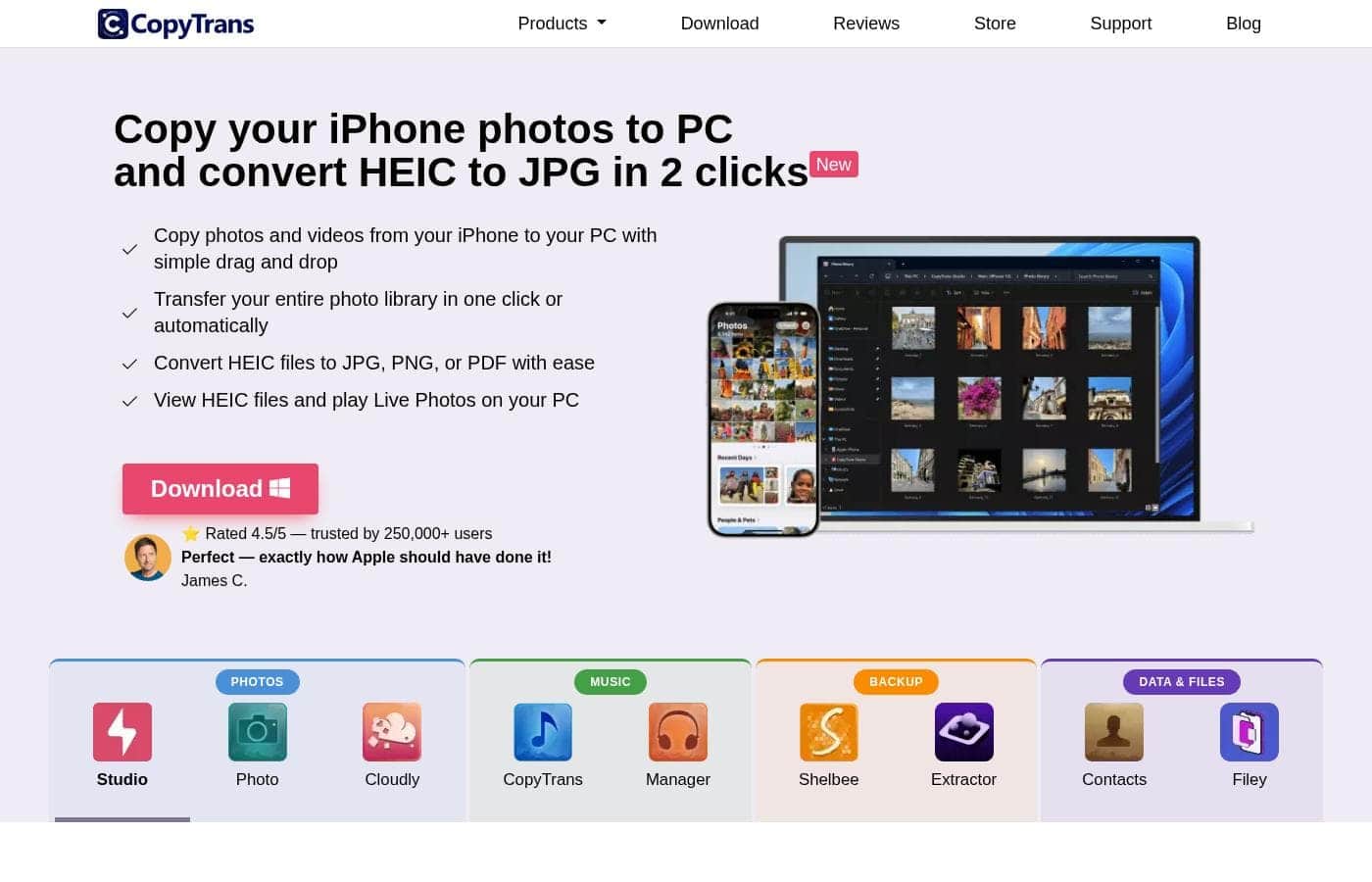
CopyTrans homepage screenshot

At a glance

Quick overview for CopyTrans: rating, pricing summary, key features, and highlights.

Ciroapp review

4.4
Seamless iOS data control for Windows.

We recognize CopyTrans as a robust and highly dependable solution for PC users managing iOS data, effectively bridging limitations imposed by native syncing tools. Overall, this established software earns exceptionally high reliability scores and offers outstanding value through its lifetime pricing model.

Pros

  • Pro:Functions as an efficient, reliable alternative to iTunes.
  • Pro:Offers exceptional value with affordable, one-time payment pricing (especially the 7 Pack Bundle).
  • Pro:Reliably transfers music and media, even from vintage iPods.
  • Pro:Includes seamless HEIC photo conversion and powerful photo organization.

Cons

  • Con:The software is primarily a transfer and backup tool, not a full synchronization program.
  • Con:Some applications have conversion limits (e.g., 100 photos at a time for HEIC conversion).
  • Con:Pricing for the Business License requires requesting a quote rather than being listed transparently.
Free trial
Yes
Money-back guarantee
Yes — 30 days
Range: $14.99–$29.99 (One-time)Free trial, One-time payment, Lifetime deal
This section is a summary. Detailed sections about features, use cases, pricing, and reviews follow below.

CopyTrans review, pricing, features, pros & cons

It's often frustrating to move photos, music, and data freely between your iPhone and your PC. Apple's default tools can sometimes feel rigid or complex. CopyTrans solves this by offering a suite of programs that make managing your Apple devices safe, fast, and easy-to-use.

What is CopyTrans?

CopyTrans offers several powerful programs designed to put you back in control of your iOS data. It serves as a comprehensive free iTunes alternative and a less complicated way to handle transfers than using iCloud for Windows. This suite is highly rated (4.5/5) and has been successfully trusted by over 250,000 users. 💡

This software is perfect for PC users who own an iPhone, iPad, or iPod and want reliable, plug-and-play ways to back up personal data, organize media, and transfer files effortlessly.

CopyTrans Key Features

📸 Effortless Photo & Video Transfer 📸

Stop struggling to move your cherished memories from your Apple device to your computer. CopyTrans removes the frustration of quickly transferring photos and videos between your iPhone, iPad, and PC. You can choose to transfer your entire photo library with a single click, which saves a lot of time. Alternatively, simple drag-and-drop functionality gives you precise control over which files you move.

Managing different file types is now incredibly easy with this tool. You can quickly convert tricky HEIC files into standard formats like JPG, PNG, or PDF with just two clicks. This also allows you to view those HEIC files and even play Live Photos directly on your Windows PC. You can even transfer media back—from your computer right to your iPhone or iPad—to create and manage photo albums.

✨ Total iPhone Backup Freedom

Take complete control of your iPhone backups, entirely independently of iTunes. CopyTrans offers an all-in-one backup and restore solution that bypasses the limitations of default Apple tools. You can back up essential items like contacts, messages, apps, photos, and device settings straight to your PC.

These backups can be saved to any location you choose, including external hard drives or USB sticks. One key feature is the custom restore ability. This function means you don't have to restore your entire device every time. Instead, you can choose to restore only the specific data you require, such as just your contacts or a specific set of messages. Encrypted backups are fully supported for enhanced privacy and security.

✨ Reclaiming Your Media Library

Easily organize and secure all your music and video files where you need them. Moving media from your Apple devices back to your computer or into a new iTunes library is finally simple. The software quickly transfers music, videos, and artwork, even restoring play counts, from your iPod, iPhone, or iPad back to your PC.

You gain powerful tools for managing your library details. You can create, edit, and manage playlists directly from your PC. It also allows you to update ID3 Tags, securing data like artist names and ratings. You can also easily search for, find, and add any missing album artwork to keep your collection polished.

✨ Advanced Contact & Data Organization

Get all your important personal data organized and backed up securely on your desktop. The suite is designed to manage more than just media and photos. You can easily manage and save vital iPhone contacts, notes, and messages by backing them up to your PC. This creates a secure, off-device copy of key information you can rely on.

This system also offers powerful export tools for maximum compatibility. You can transfer your iPhone contacts directly to services like Outlook or Android devices. Moreover, you can seamlessly edit, export, and import your iPhone calendar entries. You can also organize your web browser bookmarks from your computer.

✨ Smart Cloud and Backup Recovery

Manage files on your iCloud account and recover lost data from any previous backup file. CopyTrans acts as an effective alternative to iCloud for Windows, offering specific cloud management tools. You can back up your entire iCloud Photo Library and videos to your computer in a single click. The system cleverly downloads only recently taken photos, which helps prevent duplicated files on your system.

The tool also helps you recover items from any existing iTunes or iCloud backup. It automatically finds all backups stored on your PC, allowing you to view and recover specific data types like messages, photos, or contacts. You can also upload groups of JPG, PNG, or HEIC files to the iCloud library simultaneously.

✨ The Universal Utility Drive

Turn your iPhone or iPad into a versatile, portable storage device for all your files. The software enables you to use your iPhone much like a universal USB flash drive. This means you can transfer important work documents, such as Word, Excel, or Powerpoint files, onto your device for easy transport. You can move files quickly between your PC and iPhone either using a cable or over Wi-Fi.

This utility also helps you manage your device's internal storage efficiently. You can see all your stored files in one central place, sorted by criteria like size or date. This visibility allows you to quickly identify and delete the largest or oldest files, ensuring you maintain maximum free space. You can also easily open files stored within your iOS apps directly from your computer.

Use Cases

📸 Seamless Photo and Video Library Migration

It’s frustrating when you want to move hundreds of photos or videos from your iPhone to your PC. CopyTrans makes bulk transfer simple. You can copy your entire photo library to your computer in one click, or use simple drag-and-drop actions.

If your iPhone saves pictures in the HEIC format, you don't need to worry about compatibility issues. The software lets you easily convert those HEIC files into standard formats like JPG, PNG, or PDF in just two clicks. This saves you time and ensures your memories are accessible everywhere.

🎶 Restoring a Lost Music Library

What happens if your classic iPod holds all your favorite music, but your PC library crashed? CopyTrans offers an easy solution to restore your collection. You can transfer songs, videos, playlists, artwork, ratings, and even play counts from your iPod or iPhone back to your computer.

This process restores your entire established music organization, so you quickly get your iTunes library back without losing years of collected data and effort. It’s a fast, safe way to regain control of your media.

🛡️ Creating Specific, Independent iPhone Backups

If you need a reliable backup solution that doesn't rely on iTunes, CopyTrans offers full independence. You can back up your entire iPhone, including contacts, messages, apps, photos, and settings, saving the file to any storage location, like an external hard drive.

When it comes time to restore data to a new device or your current one, you have total control. You can use the custom restore option to select only the data you need, such as just your messages or contacts, rather than restoring the entire device. You can even encrypt these backups for added security.

🔍 Problem: Selectively Retrieving Data from Old Backups

Sometimes you only need a single item—like an important text message or an old contact—from a backup file. You don't want to restore your whole phone just for one piece of data.

CopyTrans approaches this by locating all your existing iTunes and iCloud backups automatically. You can view the contents and then extract just the specific photos, messages, contacts, or documents you need. This technique even works with encrypted backups, making recovery focused and efficient.

Tip: You can also use this feature to find and delete old backups to free up computer space.

📂 The Simple File Utility: iPhone as a USB Drive

You don't need dedicated flash drives when you have CopyTrans Filey. You can move files between your iPhone and PC instantly, using either a cable or Wi-Fi. This lets you use your iPhone as a versatile USB drive.

Quickly transfer crucial work documents like Word, Excel, or PowerPoint files or add movies to watch offline while traveling. The tool shows all your iPhone files in one consolidated place, helping you manage, sort, and delete large files to optimize space.

📅 Streamlined Contact, Calendar, and Message Management

Managing essential data like contacts and calendar entries should be easy, not complex. CopyTrans lets you manage and save calendars, notes, and contacts directly on your PC, giving you a central organization point.

If you plan to switch phones, you can easily export your iPhone contacts to services like Outlook or prepare them for effortless transfer to an Android device. You can also back up all your iPhone messages straight to your computer for secure record-keeping.

Pricing Overview for CopyTrans

Pricing range
$14.99–$29.99 (One-time)
Pricing types
Free trial, One-time payment, Lifetime deal
Money-back guarantee
Yes — 30 days

CopyTrans uses simple, one-time payment pricing for its specialized software tools, rather than monthly subscriptions. You can purchase specific functionality, such as photo management or contact backup, starting at $14.99 per single application.

Plans & Pricing

Individual App License (e.g., CopyTrans Photo)

Contact for pricing
One license per PC (implied based on Business license phrasing)
  • One-time purchase
  • Focuses on a single device management task (e.g., photos or contacts)
  • Instant digital delivery
  • 30 days money back guarantee

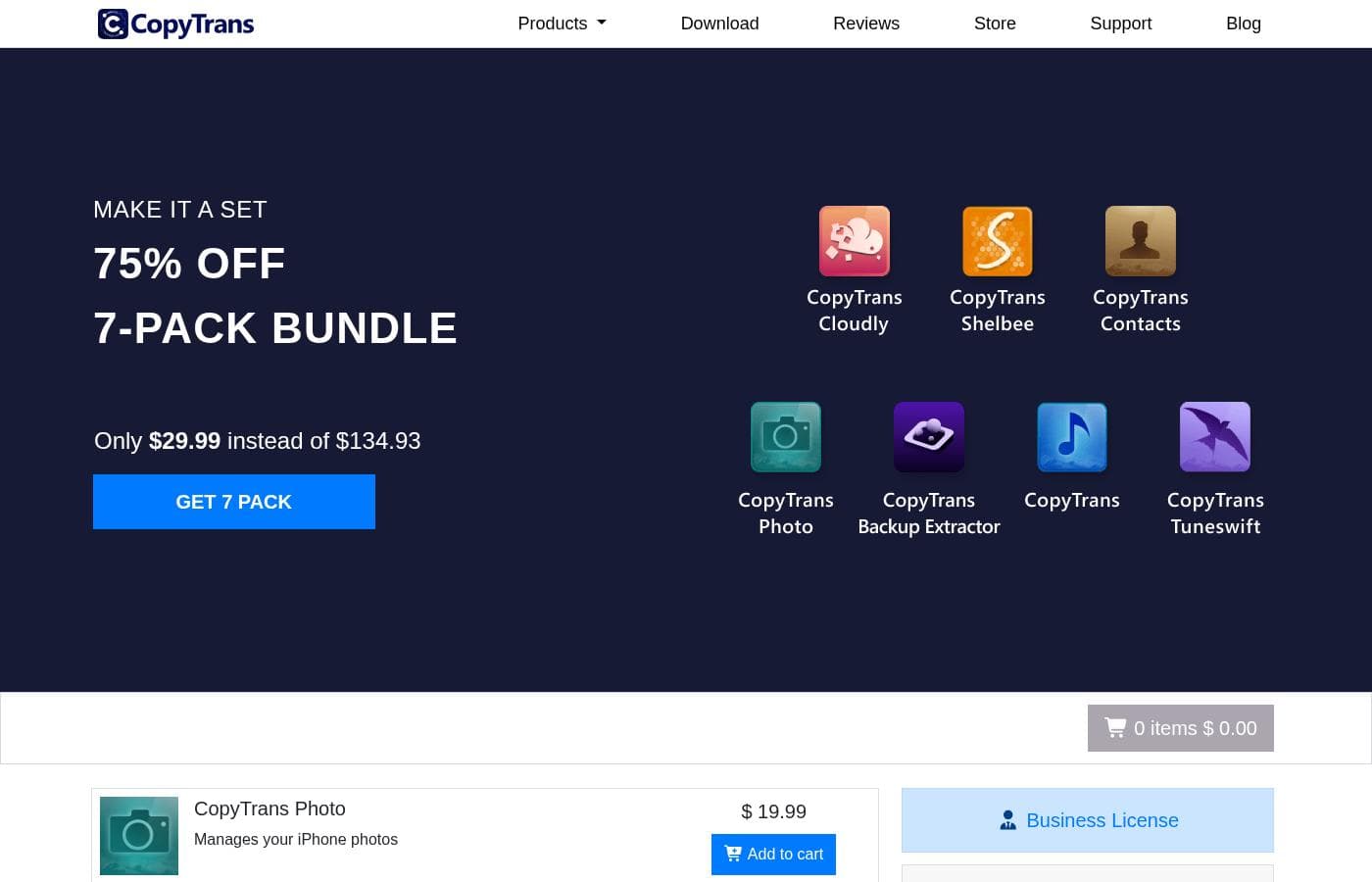
7 Pack Bundle

Contact for pricing
Not explicitly stated
  • 7 separate CopyTrans applications included
  • 75% discounte off individual prices ($134.93 value)
  • One-time payment
  • 30 days money back guarantee

Business License

Contact for pricing
Pricing requires quote
  • One license valid for multiple PCs
  • High-quality software
  • 2 years of regular updates guaranteed
  • One-time payment, no hidden fees

CopyTrans software pricing uses one-time payments for individual tools ranging from $14.99 to $29.99 for a bundle, with 3 main offerings: Individual App Licenses at $19.99 (most common), the 7 Pack Bundle at $29.99, and a Business License (price not explicitly stated).

These prices represent the one-time costs associated with using CopyTrans tools for effectively managing your iOS devices.

Individual App Licenses

Price: $19.99 (One-time payment) Websites Supported: Not explicitly stated Best For: Managing specific iPhone data Refund Policy: 30 days money back guarantee Other Features: Manages specific device needs like photos, contacts, or backups; CopyTrans TuneSwift is $14.99

If you only need one specialized function, like moving photos or managing contacts, this is the simple choice. This pay-once option gives you the exact tool you require without investing in unnecessary extras.

7 Pack Bundle

Price: $29.99 (One-time payment, 75% off the original $134.93) Websites Supported: Not explicitly stated Best For: Comprehensive iPhone management and maximizing savings Refund Policy: 30 days money back guarantee Other Features:

  • Includes 7 apps for all your iPhone needs
  • Covers photos, contacts, backups, cloud tools, and iTunes library management
  • Significant savings compared to buying individually

Choosing the 7 Pack Bundle is a fantastic value if you frequently manage multiple Apple devices or need diverse management capabilities. You get seven reliable, high-quality tools for one incredibly low price. This bundle helps you save a significant percentage.

Business License

Price: Not explicitly stated Websites Supported: One license, multiple PCs Best For: Organizations needing software for multiple users or extended support Refund Policy: Not explicitly stated Other Features:

  • High-quality, easy-to-use software
  • Guaranteed 2 years of regular updates
  • One-time payment with no hidden fees

If you manage multiple devices across a work environment or require flexible licensing for several users, the Business License is designed for your team. While the price is not public, it guarantees two years of updates and allows the software to be used on many computers.

We appreciate that you want to try before you commit, which is why CopyTrans offers a trial version of the software. All purchases are backed by a reliable 30 days money back guarantee to ensure you are fully satisfied with your chosen application.

User Reviews

CopyTrans maintains an excellent 4.3/5.0 rating on Trustpilot, driven by high customer satisfaction. Recurring user feedback highlights the software's exceptional reliability and ease of use, making it a highly effective alternative to restrictive default Apple tools.

Users, many of whom have trusted the product for over a decade, praise its ability to effortlessly transfer music libraries, complete with playlists and artwork, even from very old iPod devices onto new PCs. A major advantage frequently mentioned is the seamless management of photos, particularly the praised HEIC file conversion tool that "just works" and solves a common pain point for Windows users.

Furthermore, the pricing structure, especially the bundled "7 Pack," is consistently cited as affordable and offering superb value. If issues arise, customer support is noted for being quick, courteous, professional, and resolving problems efficiently, often replying within a few hours.

CopyTrans successfully acts as a powerful, user-friendly bridge between Apple devices and Windows PCs, providing users with total control over their data transfer and backup needs. ✅

What users say elsewhere

Alex D.
· Trustpilot
5.0 / 5

I had an issue activating my app purchase, but customer support was excellent. They were quick, courteous, and professional, getting me up and running almost immediately. This program makes interfacing with my iPhone so much easier.

Sarah P.
· Trustpilot
5.0 / 5

I needed to extract a valued music collection from my very old iPod. I found CopyTrans and I couldn’t believe how simple it was to copy the files back to my PC. It worked flawlessly, saving me a huge repair shop expense.

No reviews yet.

Write a Review

Write a Review for CopyTrans
0/100 characters
0/2000 characters

Why use CopyTrans?

Are you tired of complicated syncing processes and restrictive device management? CopyTrans focuses on making the integration between your Windows PC and your Apple devices seamless and simple. You don't need to be an expert to use these apps—they are designed as truly "Plug & Play" tools with over 10 years of experience bridging this technology gap. ✅

  • Independence and Control: You can back up and restore your entire iPhone, iPad, or iPod independently of iTunes. It offers custom restore options, letting you save only the specific data you need, such as just messages or contacts. Encrypted backups are supported too.
  • Easy Photo Management: Transfer your entire photo library in one click or use simple drag-and-drop functionality. You can also easily convert tough HEIC files into standard formats like JPG, PNG, or PDF in just two clicks.
  • Restore Old Media: Easily transfer music, playlists, videos, and artwork from your older iPod back to your PC or restore your entire iTunes library from any connected iOS device.
  • Total Data Backup: Quickly back up essential data like messages, contacts, calendars, notes, and photos straight to your computer. You can even manage and export your contacts to services like Outlook or Android.
  • Effortless File Utility: Use your iPhone as a versatile USB flash drive. Move work documents (like Word, Excel, or Powerpoint) or movies to your device over Wi-Fi or with a cable, consolidating all your file needs in one place.

Ready to transform your workflow with CopyTrans?

CopyTrans Alternatives

Other tools in the File management category

Frequently Asked Questions

How does CopyTrans pricing work? Is it a monthly subscription?

CopyTrans uses a simple one-time payment structure for permanent software use. You purchase the application or bundle once, and you will not owe recurring monthly or annual subscription fees.

What is the key difference between the standard license and the Business License?

The standard individual and bundle licenses generally imply use on one PC. The Business License offers use on multiple connected PCs under one license and guarantees two years of regular software updates.

Is there a publicly available price for the CopyTrans Business License?

No, the pricing for the Business License is not listed next to the individual apps or bundles. Interested organizations must request a quote directly from CopyTrans.

Can I try the software before I commit to purchasing it?

Yes, CopyTrans offers a trial version of the software so you can 'try before you buy.' You can download this trial directly from their website.

Does CopyTrans integrate with non-Apple systems or services?

Yes, CopyTrans Contacts allows you to export and transfer iPhone contacts to other platforms. This includes services and devices associated with Outlook and Android.

What is the support turnaround time if I have a problem after purchasing?

CopyTrans provides assistance by email. They commit to responding to customer inquiries and providing support within 24 hours.

Are there any limits on how many HEIC files I can convert at once?

The official product features for CopyTrans Photo do not explicitly state a daily or volume limit for HEIC file conversion.

How can CopyTrans help me back up my data safely?

CopyTrans supports secure data management, including backup and restore functions. You can create encrypted iPhone backups and set a password for added security.

How long is the money-back guarantee policy for CopyTrans?

All individual app purchases and bundles are backed by a 30 days money-back guarantee. This ensures you are fully satisfied with your chosen application.

Does CopyTrans still work if I don't have the latest version of iTunes installed?

Yes, CopyTrans is specifically designed to function as a free iTunes alternative. It enables you to manage, back up, and transfer data independently of iTunes.

I only need one function, but the 7 Pack Bundle is cheaper. Which should I choose?

If you only need one specific function, you can purchase the individual app for $19.99. However, the 7 Pack Bundle is a one-time purchase of $29.99, providing significant savings and seven applications.

How quickly do I receive the software after making a purchase?

CopyTrans guarantees instant digital delivery immediately after your purchase is successfully processed.

Ready to try CopyTrans? Check out the official site or pricing.