Canny

Canny review

Turn scattered customer feedback into revenue-backed roadmap decisions.

By Ciroapp Editorial Team · Updated Sep 17, 2026

Commission may apply at no extra cost

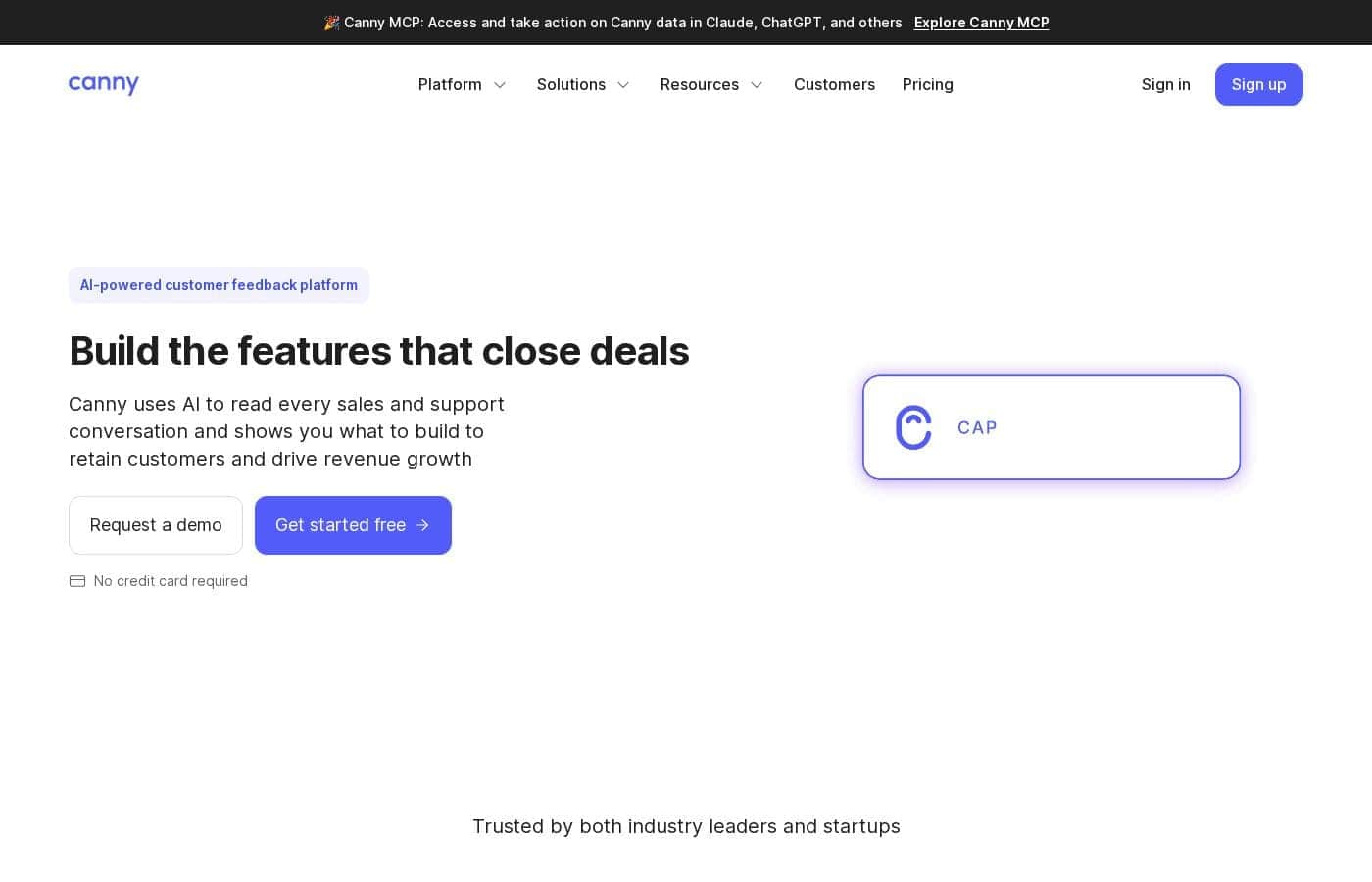
Canny homepage screenshot

At a glance

Quick overview for Canny: rating, pricing summary, key features, and highlights.
Vendor page checked Oct 13, 2026

Ciroapp score

3.9/ 5

Canny ties customer feedback to revenue, so roadmap calls reflect what's worth building rather than what's loudest. Autopilot spots trends across sales and support conversations, the customer portal keeps users engaged, and you can build custom AI reports in Claude or ChatGPT. Pricing details aren't published upfront, though, and no trial length or refund terms were visible. Overall, it's a solid pick for B2B teams that want revenue-backed prioritization.

Pros

  • Pros:Prioritizes feature requests by revenue impact rather than raw vote counts, so a request tied to $500K in pipeline can be distinguished from one affecting a single $10K account
  • Pros:Autopilot automatically reads sales and support conversations to surface emerging trends and themes (like billing or data-import issues) without manual sorting
  • Pros:MCP server lets you query your feedback data and build custom reports directly inside Claude or ChatGPT, avoiding spreadsheet exports

Cons

  • Cons:Deeper LLM-based analysis depends on external tools — custom AI reporting requires Claude or ChatGPT via the MCP server, so teams not using those tools miss that capability
  • Cons:The revenue-focused feature set may be more than very small teams need if they only want a lightweight suggestion box
  • Cons:Realizing full value requires connecting your existing support, CRM, and project management tools, since Canny's core strength is consolidating feedback from systems you already use
Best for
  • B2B product teams that want revenue-backed roadmap decisions
  • Sales teams that need to quantify feature gaps and get them prioritized
  • Customer success teams watching for churn risk before renewals
This section is a summary. Detailed sections about features, use cases, pricing, and reviews follow below.

What is Canny?

Product teams drown in feedback from sales calls, support tickets, and customer emails. It's hard to know which requests actually matter. Canny reads those conversations with AI and shows which features tie to revenue, so you can prioritize with confidence.

Customers can vote on requests, track your roadmap, and hear back when you ship.

Canny is an AI-powered customer feedback management platform. It collects requests from customers, reads sales and support conversations, and ties feedback to revenue so product decisions aren't driven by the loudest voice. Teams across product, sales, customer success, and marketing use it to prioritize roadmaps, spot churn risks, and close feature gaps.

The company reports 100K+ registered companies and 15M+ feedback items captured.

Should you choose Canny?

Quick buyer guidance before you compare plans or click through.

Choose it if

  • You want AI to read sales and support conversations and surface themes automatically
  • You need feedback prioritized by revenue impact, not just vote counts
  • You want a portal where customers submit, vote, and track request status — publicly or privately
  • You already use Claude or ChatGPT and want deeper analysis through Canny's MCP server
  • Your stack includes common customer service and project management tools Canny integrates with

Skip it if

  • Teams that don't use Claude or ChatGPT, since deeper LLM-based analysis depends on those tools via the MCP server
  • Very small teams that just need a lightweight suggestion box may find a revenue-focused platform more than they need
  • Organizations unwilling to connect existing support and project management tools, because Canny's value relies on pulling feedback from the systems you already use

Next steps before buying

  1. 1Review Canny's pricing page to confirm plan costs and billing terms before you commit.
  2. 2Check the integrations directory to verify Canny connects to your support, CRM, and project management tools.
  3. 3Start a no-credit-card trial or request a demo to see how Autopilot handles your own feedback.
  4. 4Read the Assembled, CircleCI, and Mercury case studies to see revenue-based prioritization in practice.
  5. 5Compare against one or two alternatives before deciding, especially if LLM-based analysis matters to your workflow.

Ease of use

Signals point to a low-friction start. You can sign up without a credit card, and Canny connects to tools you already use for support and project management. Autopilot automates trend detection, which cuts down on manual sorting. We haven't tested it hands-on, but published case studies describe teams consolidating scattered feedback into one place, which suggests a manageable setup.

Canny Key Features

📈 Spot trends as they emerge

Canny's Autopilot reads your sales and support conversations and surfaces issues and themes across all feedback. You'll see trend lines for things like billing or data imports, so revenue opportunities don't slip by while you're busy. Use it when you want to catch what matters early, not just what's loudest.

✨ See the right signal, not everything

Feedback gets messy fast. Canny lets you build views by product area, theme, or product owner, so the right people see the right feedback. When your product team needs billing insights, they get billing instead of the whole firehose.

That means faster reviews and fewer requests lost in the shuffle.

✨ Dig deeper in Claude or ChatGPT

Already using an LLM? Canny's MCP server lets you query your feedback and build custom reports right inside Claude or ChatGPT. Ask a question, get a report.

It's handy when you need an answer a standard view can't quite give you, without exporting data or wrangling spreadsheets.

💬 Make customers feel heard

The Portal turns feedback into a two-way conversation. Customers submit and vote on requests in their own words, and each request shows its status. You can also:

  • Publish your roadmap so customers see what's coming next
  • Announce new features to every customer who asked
  • Control privacy settings over who can access your Portal

✨ Works with your existing workflow

Canny connects to tools you already use for customer service, project management, and more. That matters most when requests live across sales calls, support tickets, and emails — the platform pulls them together in one place. Everyone from product to success works from the same customer signal.

Use Cases

📊 Prioritize your roadmap by revenue

You're a product manager staring at a hundred requests. Canny shows which ones tie to real revenue, so you build what closes deals — not just what's loudest.

Expected outcome: Roadmap calls backed by what customers will pay for.

🤝 Quantify feature gaps in deals

A deal stalls over a missing feature? Sales logs it, ties it to the revenue at stake, and gets it prioritized. No more shouting to be heard.

Expected outcome: Feature gaps tied to real money get built.

Tip: Check the integrations directory to confirm your CRM connects.

🛟 Catch churn risk before renewal

You're in customer success. Autopilot surfaces themes as they emerge, so recurring complaints don't stay hidden until the renewal call. You step in early — and spot expansion chances too.

Expected outcome: Fewer renewal surprises, more growth conversations.

📣 Launch in your customers' words

Marketing digs into feedback to hear how customers describe their problems. Then campaigns, positioning, and launch copy use that language — not internal jargon.

Expected outcome: Messaging that sounds like your customers, not your org chart.

Canny pricing

Prices not verified yet — see the vendor page.

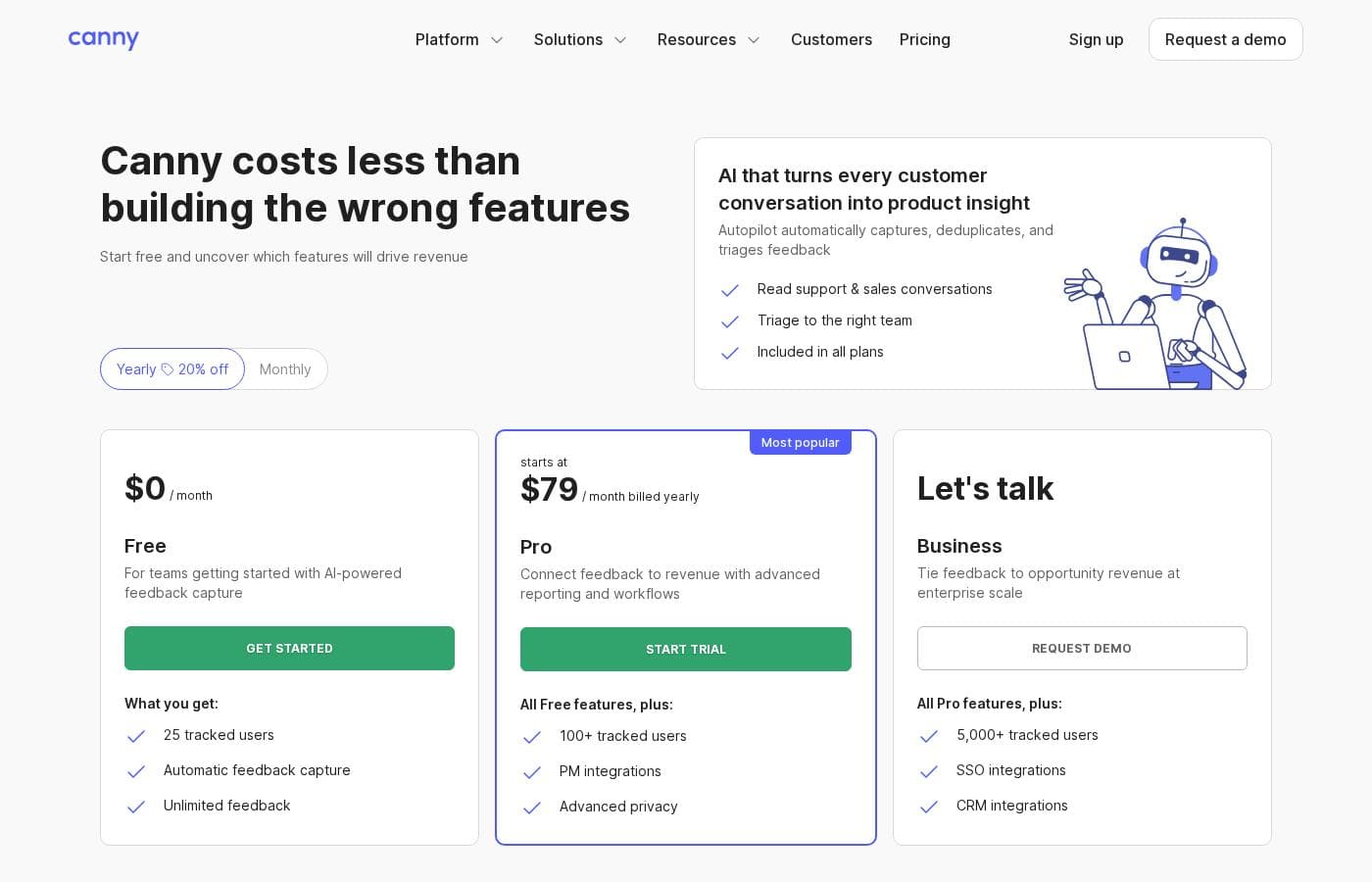
Canny's pricing page

Canny pricing page screenshotView pricing page screenshot

Price history

Tracking prices since Oct 1, 2026. No price change detected yet.

Pricing range: Varies by plan (see canny.io/pricing)

Pricing notes

Canny uses subscription pricing, with its current plans and prices listed on its official pricing page at canny.io/pricing. The site notes you can get started without a credit card.

Canny sells subscription plans, with current prices listed on its own pricing page — and you can get started without a credit card.

Here's what we can tell you about how Canny's pricing works.

Canny is an AI-powered customer feedback platform. It collects requests from customers, shows what to build based on revenue impact, and keeps your product, sales, and success teams aligned. Because it serves everyone from small product teams to large companies, it follows the standard SaaS model: you pick a plan, pay a recurring fee, and get access to the platform.

Canny publishes its full plan lineup at canny.io/pricing. That page lists each tier, its price, and what's included. Prices can shift with promotions or plan updates, so it's worth checking there for the latest numbers before you commit.

Before you buy, confirm which limits matter most for your team — things like how many teammates or how much feedback you need to track — and match those against the details on the pricing page. That five-minute check can save you from outgrowing a plan sooner than you planned.

Who is Canny a good fit for? Product teams that want to prioritize by customer demand and revenue impact. Sales and customer success teams that want to tie feedback to churn risk and expansion opportunities. If you're just getting started, picking a smaller tier and scaling up as feedback volume grows is a sensible path.

One clear signal from Canny's homepage: you can sign up without a credit card. That lowers the risk of trying it out. We didn't spot a money-back guarantee or trial length on the pages we reviewed, so check those terms during signup if they're deal-breakers for you.

Bottom line: Canny keeps pricing easy to find. Head to canny.io/pricing for current plans, choose the tier that fits your team size, and start with the option that needs no card up front.
Email me when Canny changes price

One email when we detect a price change on the vendor's pricing page. No newsletter, no deals. Unsubscribe in one click.

User Reviews

No reviews yet.

Write a Review

Write a Review for Canny
0/100 characters
0/2000 characters

Why use Canny?

Most feedback tools tell you what customers say. Canny tells you what's worth building — and backs it with revenue data.

  • Prioritize by revenue, not volume. One customer on the site put it bluntly: a feature affecting $10K of existing revenue could beat one with $500K of opportunity, because there was no way to see the difference. Canny makes that difference visible.
  • Catch trends early. Autopilot surfaces issues and themes across all your feedback, so revenue opportunities don't slip by while you're busy.
  • Organize feedback your way. Build views by product area, theme, or product owner, so the right people see the right signal instead of everything at once.
  • Dig deeper with AI you already use. Canny's MCP server lets you query your feedback and build custom reports in Claude or ChatGPT.
  • Keep customers in the loop. Customers submit and vote on requests, see roadmap status, and get announcements when features ship — which grows your most engaged accounts.
  • Proven at scale. 100K+ registered companies, 1M+ product updates sent, and case studies from teams like CircleCI, Mercury, and AgencyAnalytics.

Canny alternatives

Other tools in the Feedback category

View all Feedback tools
Frill

Frill

Feedback4.1/5

Frill is a unified tool designed for teams dedicated to shipping better products, faster. It combines customer feedback boards, public roadmaps, and announcements into a single, elegant platform. You can install it quickly as a Web App or integrate the Widget directly onto your site. This thoughtfully designed platform focuses on simplicity, offering powerful customizability without the complex setup. It quickly becomes a crucial part of the feedback loop with your customers.

Sleekplan

Sleekplan

Feedback3.7/5

Sleekplan is an easy-to-use, all-in-one feedback management solution. It organizes user requests and brings feature voting boards, roadmaps, changelogs, and satisfaction surveys directly to your website. It's more than just a feature voting tool; it covers the entire process from the initial idea to the final shipped feature. This comprehensive approach ensures that you turn raw user input into successful outcomes. Product, Support, and Development teams can use it to organize feedback in one centralized place.

Canny FAQ

Which tools does Canny integrate with?

Browse the full directory at canny.io/integrations to confirm your stack is supported before you commit.

Can I control who sees our customer feedback?

Yes. You decide who can access your Portal, and you can publish a customer-facing version of any request. Customers can also submit and vote on requests and track their status.

Do I need Claude or ChatGPT to use Canny's AI?

Not for everyday analysis. Canny's built-in AI reads sales and support conversations, and Autopilot surfaces trends automatically. For custom reports, its MCP server lets you query feedback directly in Claude or ChatGPT.

Will Canny hold up as our feedback volume grows?

It's proven at scale — Canny reports 100K+ registered companies and 15M+ feedback items captured.

Ready to try Canny? Check out the official site or pricing.

Are you Canny? Claim this listing · Get the badge