Canary Mail

Canary Mail

Email that raises the bar for features, design, and security.

#3 dans Email Client
2 min read · Updated 10/6/2025
Canary Mail homepage screenshot

At a glance

Quick overview for Canary Mail: rating, pricing summary, key features, and highlights.

Ciroapp review

3.5
Secure, feature-rich, but platform inconsistent.

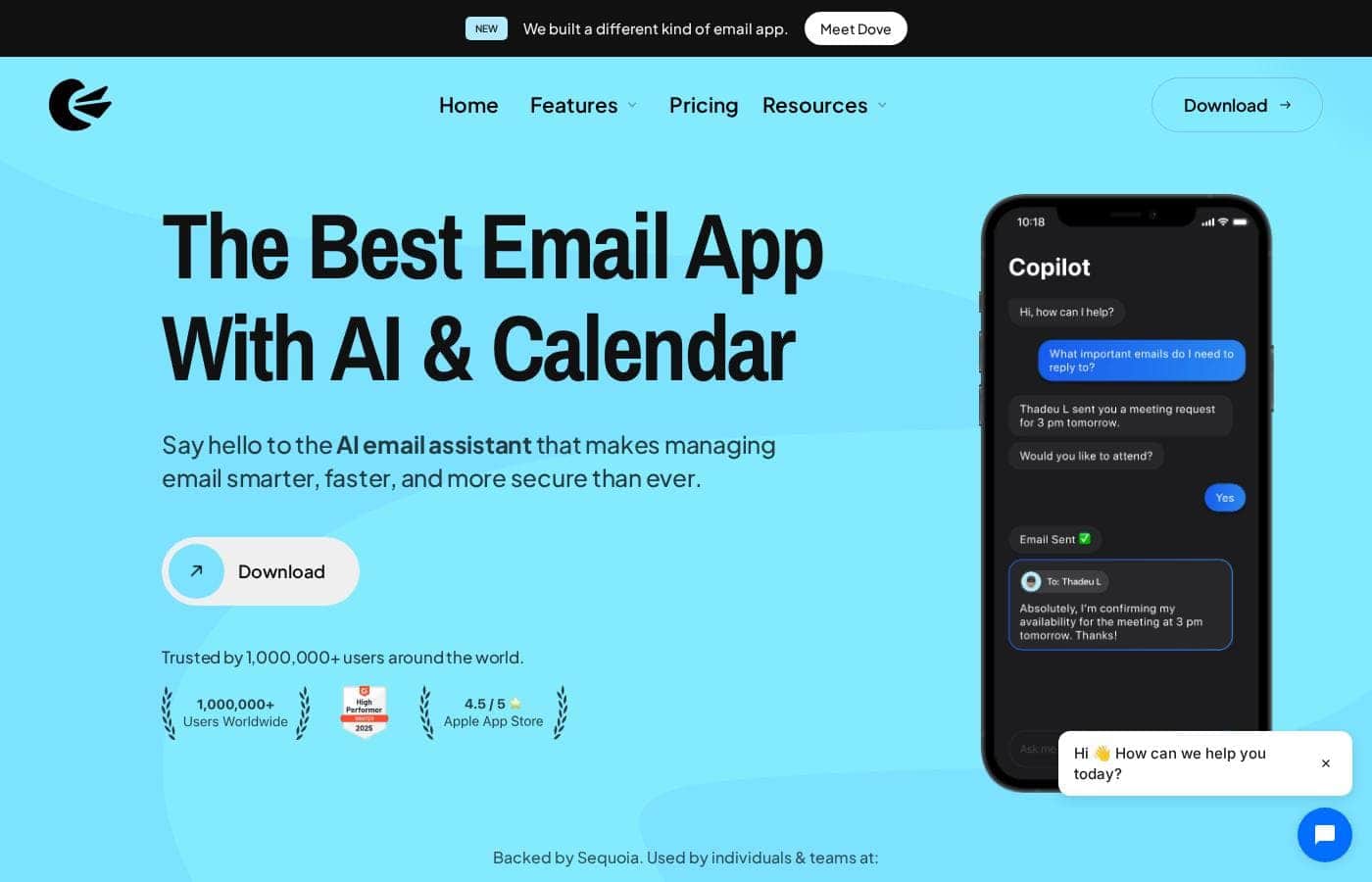
Canary Mail focuses on combining enterprise-level security, like end-to-end encryption, with powerful, modern efficiency tools, including highly-rated AI assistance. We appreciate its commitment to a beautiful user interface and seamless multi-account management across devices. Overall, we recommend Canary Mail cautiously, as the platform offers exceptional features but requires that users tolerate significant, platform-specific stability issues and reportedly poor customer support.

Pros

  • Pro:Features built-in end-to-end encryption for high security.
  • Pro:Powerful AI capabilities for summarizing and drafting responses.
  • Pro:Excellent multi-account management with fast syncing across devices.
  • Pro:Intuitive user interface (UI) and aesthetically pleasing design.

Cons

  • Con:Significant, recurring stability issues and bugs, especially on Windows and Android.
  • Con:Reports of support being difficult or impossible to contact.
  • Con:The app can be slow and sluggish at loading messages.
  • Con:Core features, like creating groups for bulk sending, are missing.
Free trial
Yes — 7 days
Range: Not explicitly statedFree plan, Free trial, Monthly subscription, Yearly subscription
This section is a summary. Detailed sections about features, use cases, pricing, and reviews follow below.

Canary Mail review, pricing, features, pros & cons

Dealing with cluttered inboxes and managing email safely is often a headache. Canary Mail offers a smart solution. It focuses on boosting security with end-to-end encryption while providing powerful, simple controls to streamline your workflow.

You can get instant peace of mind. ✅

What is Canary Mail?

Canary Mail is designed for users who expect the best from their communication tool. It promises top features, great design, and excellent security all in one place. Canary doesn't just meet expectations; it aims to sit firmly on top by raising the bar. 💡

This comprehensive approach means your email experience is efficient and thoroughly protected.

Canary Mail Key Features

✨ Built-in End-to-End Security

Gain instant peace of mind knowing your communications are totally shielded. Canary Mail features built-in end-to-end encryption. This powerful tool ensures that only you and the intended recipient can read your messages.

This foundational layer establishes rock-solid security. It helps to keep your sensitive correspondence private and protected. The platform successfully raises the bar for email privacy standards.

✨ Preventing Costly Mistakes

Avoid errors before they happen using advanced safety checks. Canary Mail includes Human Error Prevention, acting as essential mistake proofing when you compose. This feature helps you circumvent those common, costly sending errors.

You can send your crucial messages confidently every single time. It equips you with the necessary measures to manage your communications professionally and without stress.

📦 Achieving Instant Inbox Clarity

It's easy to declutter your inbox and remove distracting noise. You can achieve instant clarity with a simple, one-click action. This tool immediately removes unnecessary clutter from your view.

Taking control of your mailing lists is also simpler than ever. Use 1-Click Unsubscribe to easily leave any unwanted lists. This combination ensures your workspace stays focused and professional. 📦

✨ Streamlining Your Workflow

Save valuable time by accelerating your daily communication tasks. Canary allows you to compose common responses quickly using templates. This feature saves you effort on repetitive communication every single day.

For conversations needing constant access, leverage the ‘Pin’ feature. This tool keeps important conversations instantly available. They remain easily accessible and front and center in your workflow.

✨ Always Know When Your Messages Are Read

Keep track of your communications accurately and effortlessly. Canary Mail provides instant read receipts. You will always know the moment your important messages have been opened.

This visibility helps confirm that your communications were received and reviewed. It ensures you never have to guess about the status of critical outreach. For added confidence, the platform also includes Vade Secure for further protection.

Use Cases

🔒 Securing Highly Confidential Client Data

You routinely handle sensitive client data, contracts, or private proposals via email. Standard email systems lack guaranteed protection, which creates risk. Canary Mail offers built-in end-to-end encryption.

Only you and the intended recipient can read the message content, ensuring ultimate privacy. You gain instant peace of mind knowing your critical communications are rock-solid and secure. 🔒

✨ Preventing Costly Sending Mistakes

Problem: You just rushed an email to a potential investor but forgot the crucial attachment. These mistakes cost you credibility and time if you have to send a correction. Approach: Canary includes Human Error Prevention.

This smart feature checks for common errors—like missing attachments or misaddressed recipients—before the message leaves your outbox. Outcome: You minimize the risk of unprofessional or incomplete messages, ensuring that important emails are correct the first time.

🗑️ Mastering Inbox Clarity and Control

Inboxes quickly become cluttered with promotional mail and old conversations, slowing your workflow.

Here’s how to regain control with Canary:

  • Step 1: Eliminate Noise. Use the 1-Click Unsubscribe feature to instantly leave any unwanted mailing list without searching for hidden links.
  • Step 2: Declutter. Apply the one-click declutter tool to quickly archive unnecessary old messages and achieve instant inbox clarity.

Tip: Make this your routine at the start of every day to save valuable sorting time.

⏱️ Boosting Efficiency with Standard Responses

If you handle large volumes of inquiries—such as customer support or sales follow-ups—you send similar replies constantly. Rewriting this content is a major time drain. Canary Mail allows you to save and use powerful email templates.

You can quickly compose professional, standardized responses for common questions or status updates. You save effort every day, allowing you to focus on unique communications.

🔔 Tracking Important Sales Communications

When you send a critical proposal or contract, you need instant confirmation that the recipient received and reviewed it. Canary Mail provides instant read receipts. You always know precisely when your messages have been opened, eliminating guesswork.

This feature enables you to follow up at the perfect time and track important communications reliably.

📌 Keeping Critical Conversations Front and Center

In a busy workday, crucial conversations for active projects can rapidly get buried under new mail. To ensure you stay focused, use Canary Mail’s ‘Pin’ feature. Pinning keeps those vital conversations instantly accessible and locked to the front of your inbox view.

You'll never lose track of high-priority discussions or action items required for deadlines.

🛡️ Adding Advanced Protection

Beyond standard encryption, many users need an extra layer of confidence against developing online threats. Canary Mail includes integrated Vade Secure protection. This provides enhanced security measures for your email environment.

You can manage communications professionally with the maximum control and protection available.

Pricing Overview for Canary Mail

Pricing range
Not explicitly stated
Pricing types
Free plan, Free trial, Monthly subscription, Yearly subscription

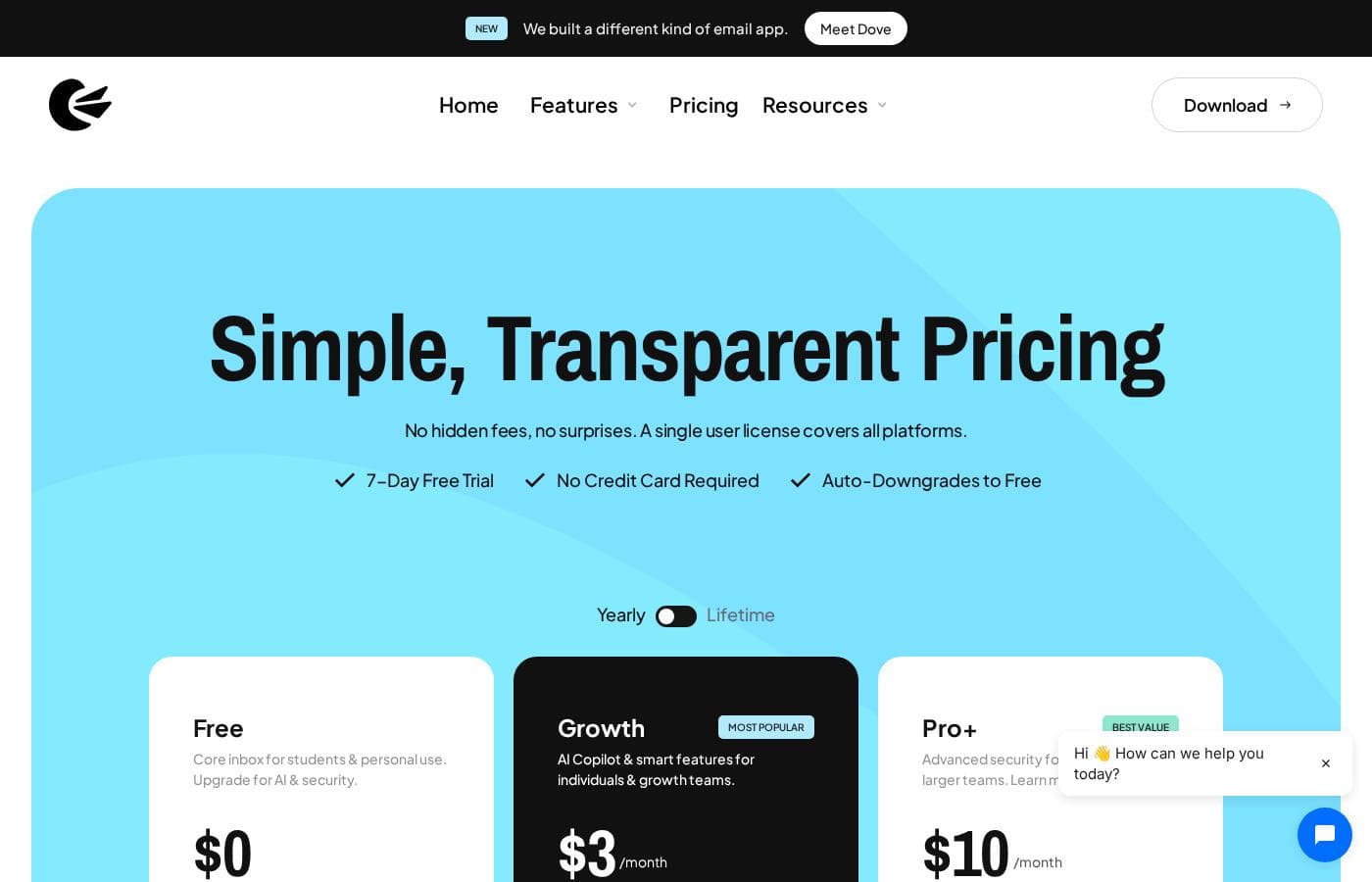
Canary Mail offers a simple, three-tiered pricing structure: Free, Growth, and Pro+. You can use the Free plan indefinitely, and premium plans are tailored for individuals, growing teams, and larger professional organizations.

Plans & Pricing

Free

Contact for pricing
Best for students & personal use
  • Can be used indefinitely
  • Includes core functionality

Growth

Contact for pricing
  • Most Popular plan
  • Best for individuals & growing teams
  • Unlocks additional features

Pro+

Contact for pricing
  • Best Value tier
  • Best for professionals & larger teams
  • Unlocks additional features

Canary Mail costs between Not explicitly stated and Not explicitly stated with 3 plans: Free at Free, Growth at Not explicitly stated, Pro+ at Not explicitly stated.

We believe in simple, efficient pricing. Here is a look at the features and target audience for each option.

Free

Price: Free Websites Supported: Not explicitly stated Best For: students & personal use Refund Policy: Not explicitly stated (The plan is free) Other Features: Try Canary for as long as you like.

This plan is perfect if you are a student or only need basic personal email management. You can use this plan indefinitely and get comfortable with the application’s core functionality.

Growth

Price: Not explicitly stated Websites Supported: Not explicitly stated Best For: individuals & growing teams Refund Policy: Cancel Anytime Other Features: Identified as the "Most Popular" plan, unlocks additional features.

If you are an individual professional or managing a small, expanding team, the Growth plan is designed for you. This tier unlocks additional features beyond the standard Free tier, offering enhanced capability for productive work and collaboration.

Pro+

Price: Not explicitly stated Websites Supported: Not explicitly stated Best For: professionals & larger teams Refund Policy: Cancel Anytime Other Features:

  • Marked as "Best Value"
  • Designed for professionals
  • Supports larger teams

For established businesses and larger professional organizations, the Pro+ plan is the top-tier option. This plan offers the best value for money when you need the complete package of features, supporting efficiency across your entire team. 🎉

Canary Mail features a perpetual Free plan, allowing you to use the core application without charge for as long as you need. For those interested in premium features, all paid plans include a risk-free 7-day free trial that requires no credit card to start. You are free to cancel your subscription at any time, ensuring total flexibility.

User Reviews

Canary Mail receives highly polarized feedback, reflecting a split experience between those who find it indispensable and those frustrated by instability. Many users praise the intuitive design and excellent support for multiple accounts, noting fast synchronization across various devices, including Apple, Android, and Windows.

The much-touted AI features—capable of triaging, summarizing, and drafting complex responses—are often described as “phenomenal” and a significant edge over competitors. Conversely, a major theme focuses on recurring bugs and reliability issues, especially impacting the Windows and Android versions, sometimes resulting in corrupted attachments or slow, sluggish performance.

For business users, this instability makes the platform unusable, leading to calls for better quality control. Furthermore, several users report unresponsive or non-existent support when seeking help or trying to resolve refund issues.

Despite seamless initial setup and strong features, potential users must weigh the powerful performance against the reported ongoing instability and customer service risks. 📧

What users say elsewhere

Sarah K.
· Trustpilot
5.0 / 5

The AI is phenomenal! Canary helps me triage my inbox, summarize emails, and swiftly draft positive or negative responses. It works perfectly on my iPhone and Tab Ultra, keeping me updated everywhere I go.

Michael L.
· Trustpilot
5.0 / 5

I needed a flexible email client. This app has a beautiful, native-to-Apple UI, syncs fast across my devices, and organizes my personal and professional accounts perfectly. It’s exactly what I wanted.

No reviews yet.

Write a Review

Write a Review for Canary Mail
0/100 characters
0/2000 characters

Why use Canary Mail?

Why settle for less when Canary Mail provides maximum control and protection? This platform succeeds by combining innovative safety measures with powerful, time-saving tools. It equips you with the features you need to manage your communications professionally and securely.

Here are the top reasons to consider Canary Mail right now:

  • Rock-Solid Security: Enjoy built-in end-to-end encryption, ensuring only you and the intended recipient can read your messages. The platform also includes Vade Secure for added confidence.
  • Mistake Proofing: Benefit from Human Error Prevention, helping you avoid costly sending mistakes before they even happen.
  • ⏱️ Save Valuable Time: Use templates to quickly compose common responses, saving you effort every day. You can also use the ‘Pin’ feature to keep important conversations instantly accessible and front and center.
  • 🗑️ Achieve Inbox Clarity: Declutter your inbox with just one click, removing unnecessary noise instantly. Plus, use 1-Click Unsubscribe to easily leave unwanted mailing lists.
  • 🔔 Track Communications: Get instant read receipts, so you always know when your important messages have been opened.

If you value security and efficiency in equal measure, Canary is worth exploring. Get started today! 🚀

Ready to transform your workflow with Canary Mail?

Canary Mail Alternatives

Other tools in the Email Client category

Frequently Asked Questions

Do I need a credit card to access the 7-day free trial for Canary Mail?

No, the seven-day free trial is completely risk-free. You do not need to provide any credit card information to begin testing the premium features.

Can I cancel my paid subscription to the Growth or Pro+ plans anytime?

Yes, all paid plans, including Growth and Pro+, allow you to 'Cancel Anytime.' This policy provides total flexibility regarding your subscription commitment.

Does Canary Mail offer a money-back guarantee if I am unhappy with my paid service?

A specific money-back guarantee or refund policy is not explicitly stated on the official site content provided. We recommend checking the current Terms of Service for detailed refund information.

What non-standard security measures does Canary Mail include beyond end-to-end encryption?

Beyond built-in end-to-end encryption, Canary Mail includes powerful Human Error Prevention features. It also integrates Vade Secure to further enhance your communication safety.

Which users is the 'Most Popular' Growth plan best suited for?

The Growth plan is tailored for serious individual professionals or teams that are actively expanding. This tier helps unlock advanced features beyond the basic Free plan.

Who should choose the Pro+ plan, labeled as the 'Best Value'?

The Pro+ plan is designed for established businesses, larger professional organizations, and teams. It provides the full suite of capabilities for those needing comprehensive performance.

How long can I use the Free plan, and what features does it include?

You can use the Free plan indefinitely, as it is perpetual. It is best for students and personal users who only require the application's core email functionality.

Is the cost of the paid plans based on a per-user seat model or overall usage?

The pricing structure is tiered (Growth and Pro+) for 'teams,' but the exact cost model, such as per-seat licensing, is not explicitly stated in the provided pricing details.

Besides encryption, what productivity tools help me save time in the inbox?

You can save time with features like templates for quicker responses and 1-Click Unsubscribe to instantly leave unwanted mailing lists. You also get instant read receipts to track message status.

Are there specific tools provided for migrating existing email accounts into Canary Mail?

Information regarding dedicated onboarding assistance or specific migration tools designed for importing existing email data is not explicitly stated on the official site.

Does Canary Mail offer dedicated Service Level Agreements (SLAs) for customer support?

Service Level Agreements (SLAs) or guaranteed support responsiveness times for paid subscribers are not explicitly stated on the official site content.

Does Canary Mail integrate with popular third-party tools like CRMs or productivity software?

Details regarding specific integrations with common software like CRMs or project management tools are not explicitly stated on the official site.

Ready to try Canary Mail? Check out the official site or pricing.