Calendly

Calendly

Easy scheduling ahead

#3 dans Appointment Scheduling
1 min read · Updated 10/4/2025
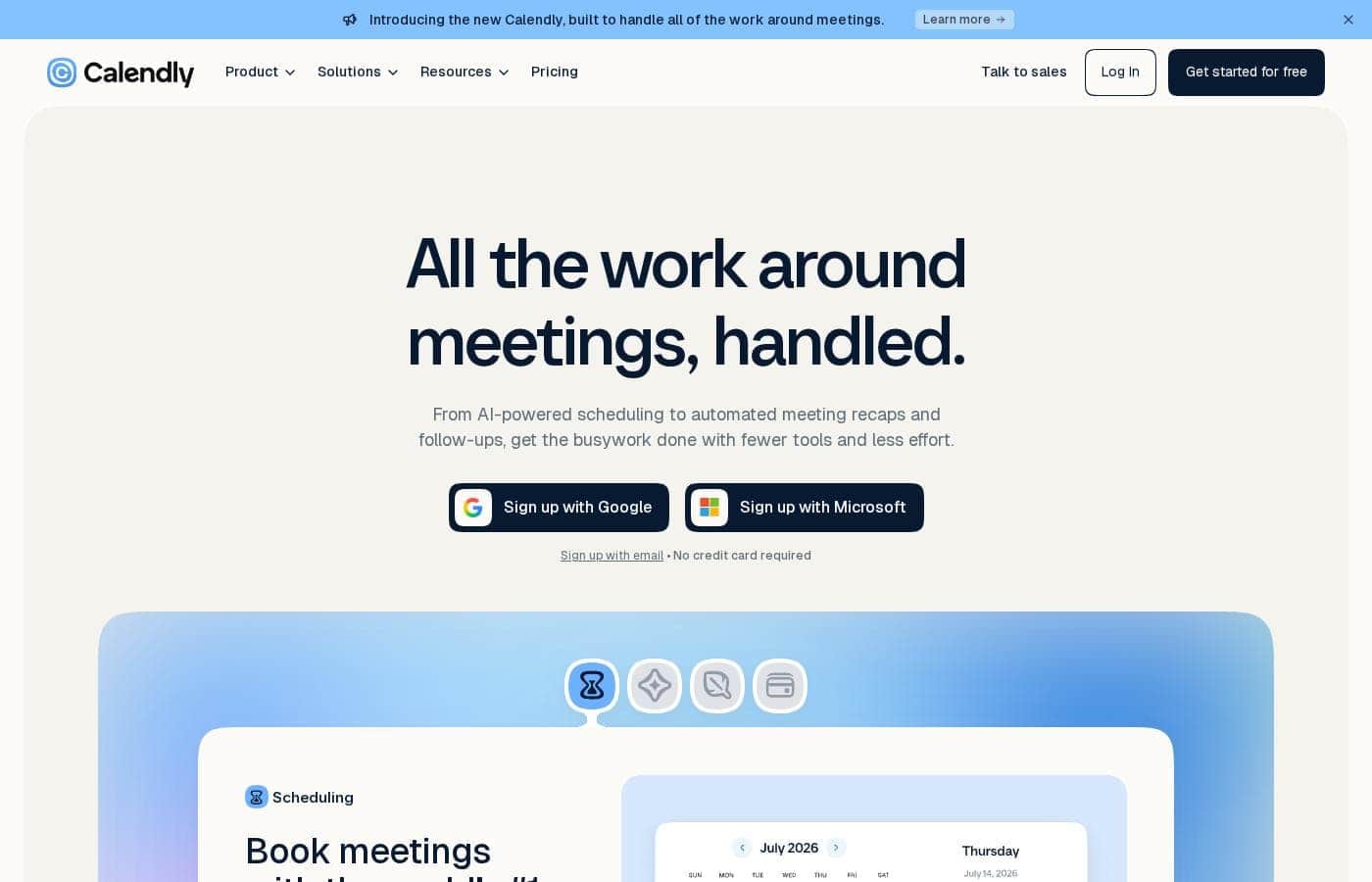
Calendly homepage screenshot

At a glance

Quick overview for Calendly: rating, pricing summary, key features, and highlights.

Ciroapp review

4.0
Industry-leading, reliable scheduling automation.

We found Calendly remains the industry standard for automated scheduling due to its powerful core functionality and ease of use, connecting seamlessly with almost any calendar or tool. Overall, the platform is excellent for personal and small team scheduling, though advanced features and customer support require improvement to match the product's quality.

Pros

  • Pro:Highly intuitive and easy scheduling process for users and clients.
  • Pro:Eliminates significant time spent on ‘back and forth’ email coordination.
  • Pro:Robust Free plan provides ample functionality for consistent bookings.
  • Pro:Excellent integration with calendars, video conferencing, and payment systems.

Cons

  • Con:Customer support responsiveness is frequently criticized, particularly for non-paid users.
  • Con:Advanced team features (collective/round-robin) can be difficult or cumbersome to set up.
  • Con:Recent UI changes have negatively impacted established workflows for some long-term users.
  • Con:Some users report difficulty or lack of direct linking support for Apple Calendar (iCalendar).
Free trial
Yes — 14 days
Range: $10–$16/seat/month (billed yearly)Free plan, Free trial, Monthly subscription, Yearly subscription, Per seat pricing, Quote based
This section is a summary. Detailed sections about features, use cases, pricing, and reviews follow below.

Calendly review, pricing, features, pros & cons

Spending too much time fighting for a meeting slot means less time doing actual work. 💡 Avoid those confusing email chains entirely with Calendly.

This trusted tool handles the complex logistics of scheduling for you. It automates your meeting bookings using real-time availability while helping you reduce costly no-shows.

What is Calendly?

Calendly is touted as the leading online appointment scheduling tool. It currently serves over 20 million professionals globally.

This powerful software connects multiple calendars—up to six—to ensure you only offer available times. While it’s simple enough for single users, it also meets the needs of enterprise organizations. Organizations, including 86% of Fortune 500 companies, rely on Calendly for secure, streamlined scheduling.

Calendly Key Features

✨ Real-Time Sync and Personalized Availability

Calendly works to ensure you offer only available times. It connects up to six of your calendars instantly. The system then uses this real-time data to automate your scheduling process.

This core capability prevents the frustrating experience of double-booking. When you share your link, invitees see only the slots where you are truly free across all your connected accounts. You maintain complete control over your time.

⚙️ Customizable Event Types and Control ⚙️

You have full flexibility when setting up meetings. Choose from pre-built templates or quickly create custom event types tailored for any meeting need. These options help define the specific preferences for in-person meetings, calls, or video conferencing.

You also control exactly how meetings appear and are booked. Fine-tune your schedule with detailed settings to protect your focus and energy. Key controls include:

  • Scheduling rules that define your working hours.
  • Time buffers to prevent back-to-back meetings.
  • The ability to customize your booking page.

This robust control helps you avoid scheduling fatigue and truly optimize your availability.

✨ Automated Workflows and Attendance Boosters

Calendly allows you to boost meeting attendance and reduce costly no-shows with automated workflows. This feature handles all the necessary pre- and post-meeting logistics for you.

Set up automated reminders through emails or SMS messages before a meeting. You can also schedule follow-up emails automatically. By automating this communication, you save administrative time and improve your overall results from scheduled calls.

✨ Advanced Team Scheduling and Coverage

The platform offers powerful tools designed for groups and growing businesses. You can combine team schedules to offer your customers and candidates more booking options quickly.

Round robin meetings let you pool team availability. The system then automatically cycles through available team members to ensure balanced distribution. For meetings that require multiple people, collective events quickly combine the availability of co-hosts, making co-hosted calls simple to schedule.

✨ Lead Qualification and Instant Routing

Instantly qualify and schedule meetings with high-value leads directly from your website. You can use routing forms placed on your site to capture necessary information.

Once a lead or customer is qualified, the system routes them immediately into a scheduled meeting with the appropriate team member. This streamlined process removes friction and ensures your sales team connects with prospects faster.

✨ Extensive Integration Ecosystem

Calendly seamlessly connects with over 100 tools you already use every day. This boosts productivity by linking your scheduling directly to your operations and financial systems. You can connect various CRMs, marketing tools, and payment services.

Critical professional suite integrations ensure smooth operations:

  • The Google Suite (Calendar, Meet, Analytics).
  • The Microsoft Suite (Teams, Outlook, Azure SSO).
  • Payment gateways like Stripe and PayPal.

Browser extensions are also available. These allow you to quickly share scheduling links from platforms like your email inbox, LinkedIn, or your CRM.

Use Cases

📅 Streamlining Individual Availability Management

Getting a meeting on the calendar used to mean sending four emails back and forth. You can now connect up to six calendars to Calendly to automate scheduling based on your real-time availability. You define your specific scheduling rules, add necessary buffers, and prevent frustrating overbookings.

This ensures you control your time effectively while offering visitors only the slots where you can genuinely meet. > Tip: Use detailed availability settings to automatically block time before and after meetings. This gives you necessary breathing room.

📈 Instant Lead Qualification and Routing

This feature helps sales teams capture high-value prospects directly from their website. Problem: High-value leads are hitting your page but are not connecting successfully with a sales rep. Approach: Utilize powerful routing forms on your landing pages to screen visitors quickly upon submission.

When prospects meet the criteria for a high priority, they are routed immediately to the correct booking page. Outcome: The prospect instantly sees the pooled availability of the qualified sales team using the round robin feature. They book their demo immediately with the correct available representative.

✅ Boosting Meeting Attendance and Reducing No-Shows

Automated workflows are crucial for protecting your valuable time and meeting results. Calendly lets you set up customized, automated reminders and follow-up communications. This process drastically improves attendance rates for sales calls, client consultations, and internal meetings.

Follow-up Flow: * The invitee books their spot via your link and receives instant confirmation. * Automated workflows send a reminder email the day before the event. * An automated SMS message is sent just before the meeting starts.

  • After the event, a personalized follow-up email confirms the next critical steps. Expected outcome: Drastically improve meeting attendance and results.

🤝 Coordinating Group and Team Meetings

When multiple team members must attend a call, coordinating their individual availability is challenging. Calendly simplifies this necessity for panel interviews or co-hosted calls. Using collective events, the system finds times when all required hosts are genuinely available, automatically combining their calendars.

This combined schedule is then shown to the customer, resulting in one easy booking instead of multiple internal checks. Alternatively, round robin scheduling uses the pooled availability of an entire team. This provides candidates or customers with more booking options and ensures equitable distribution of appointments among representatives.

🔌 Integrating Scheduling into Your Business Tools

Your scheduling tool should integrate seamlessly with your existing technology stack. Calendly boosts productivity by connecting with over 100 tools you already use, ranging from the Google and Microsoft Suites to CRMs like HubSpot and Salesforce. For businesses that require payments upfront, you can automatically connect billing platforms like Stripe or PayPal.

This integration ensures efficient payment collection when a professional service is booked.

🔒 Centralized Control for Enterprise Security

Large organizations require consistent quality and security compliance across all scheduling activities. Team admins use enterprise-grade admin management tools for robust control. These features help streamline onboarding and track broad scheduling trends.

Admins can ensure configuration consistency across all users, maintain security standards, and protect sensitive scheduling data. Organizations relying on this secure framework include 86% of Fortune 500 companies.

Pricing Overview for Calendly

Pricing range
$10–$16/seat/month (billed yearly)
Pricing types
Free plan, Free trial, Monthly subscription, Yearly subscription, Per seat pricing, Quote based

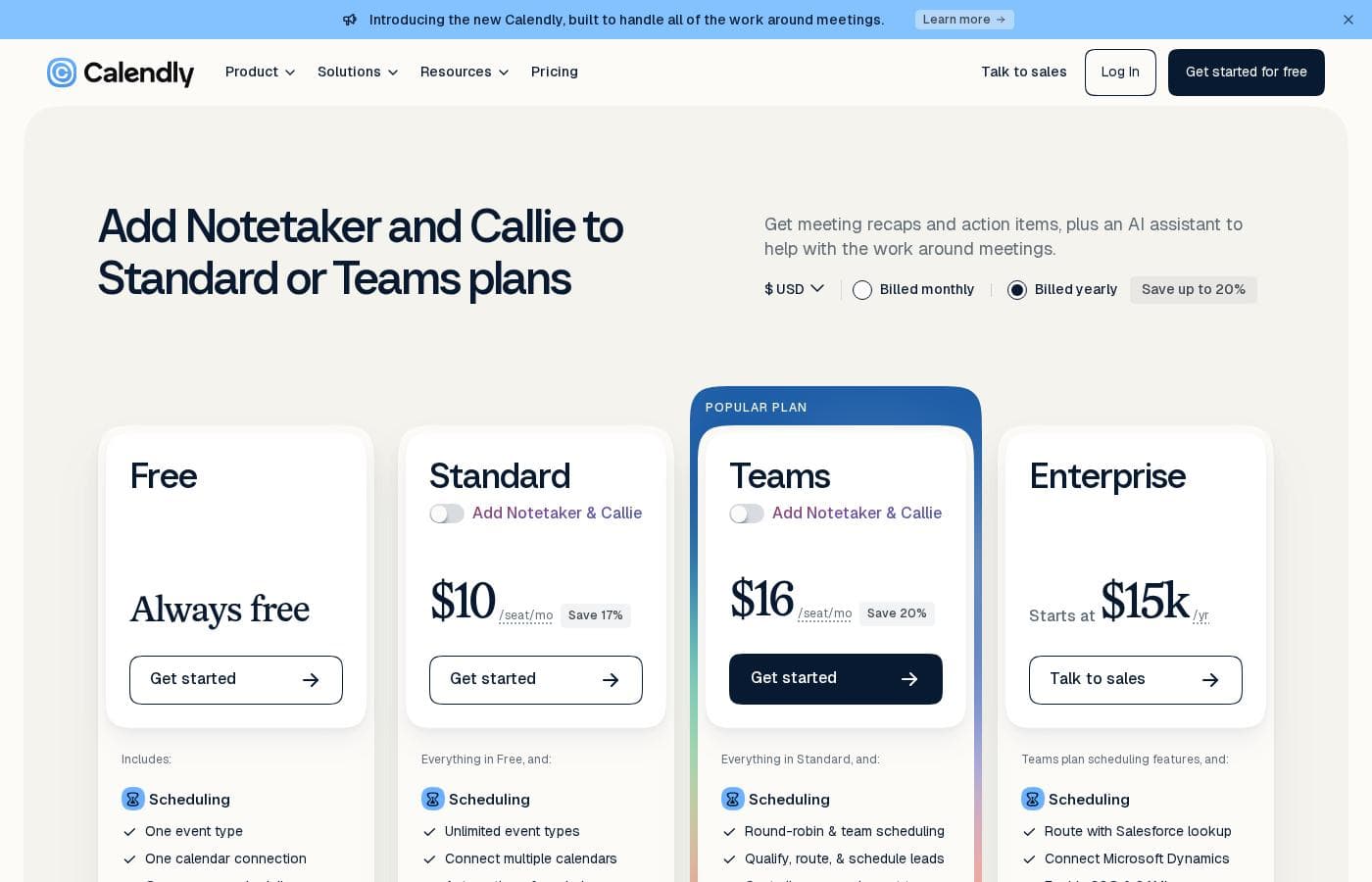
Calendly uses a tiered pricing structure primarily based on features and team size, offering four plans including an "Always Free" option. Paid plans, Standard and Teams, are billed yearly per seat, starting at $10 per seat per month.

Plans & Pricing

Free

MonthlyFree
YearlyFree
1 event type
  • 1 event type
  • Connect 1 calendar
  • Customize availability
  • Add video conferencing
  • Customize your booking page
  • Mobile apps
  • Browser extensions

Standard

MonthlyNot explicitly stated
Yearly$10/seat/mo (billed yearly)
Not explicitly stated
  • Unlimited event types
  • Connect multiple calendars
  • Connect Hubspot, Mailchimp
  • Connect Stripe, Paypal
  • Connect with Zapier, webhooks
  • Automate meeting reminders
  • Automate scheduling outreach
  • 24/7 chat support

Teams

MonthlyNot explicitly stated
Yearly$16/seat/mo (billed yearly)
Not explicitly stated
  • Send meetings to Salesforce
  • Share Round-robin meetings
  • Qualify & route leads
  • Connect Hubspot, Marketo, Pardot
  • Advanced admin features
  • Single Sign-On (Security add-on)

Enterprise

MonthlyNot applicable
YearlyStarts at $15k/yr
Not explicitly stated
  • Route with Salesforce lookup
  • Connect Microsoft Dynamics
  • Dedicated account support
  • Enable SSO & SAML
  • Domain control
  • Audit log compliance
  • Data deletion API
  • Security and legal reviews

Calendly offers four main plans ranging from a permanent Free tier up to $16 per seat per month (billed yearly). The plans are Free (Always free), Standard ($10/seat/month, billed yearly), Teams ($16/seat/month, billed yearly), and Enterprise (starting at $15,000/year).

Let's explore which plan works best for your specific scheduling needs.

Free

Price: Always free Websites Supported: Not explicitly stated Best For: Personal use Refund Policy: Not explicitly stated Other Features:

  • Connect 1 calendar
  • 1 event type
  • Add video conferencing
  • Mobile apps and browser extensions

If you just need a straightforward way to schedule occasional meetings and manage one calendar, the Free plan is perfect. It gives you the core functionality you need to start automating meetings without requiring any commitment or cost.

Standard

Price: $10/seat/month (Billed yearly) Websites Supported: Not explicitly stated Best For: Professionals and small teams Refund Policy: Not explicitly stated Other Features:

  • Unlimited event types
  • Connect multiple calendars
  • Connect HubSpot, Mailchimp, Stripe, and PayPal
  • Automate meeting reminders and scheduling outreach
  • 24/7 chat support

This tier offers huge boosts in capability for growing users who need flexible scheduling options. You get access to crucial integrations and can manage unlimited event types, making it ideal if you rely on scheduling for business transactions or client services.

Teams

Price: $16/seat/month (Billed yearly) Websites Supported: Not explicitly stated Best For: Growing businesses Refund Policy: Not explicitly stated Other Features:

  • Share Round-robin meetings
  • Qualify and route leads
  • Send meeting details to Salesforce
  • Advanced admin features
  • Single Sign-On (as a security add-on)

The Teams plan is the recommended choice for organizations focused on scalable sales and robust lead management. The ability to qualify leads and use round-robin scheduling helps ensure your sales team maximizes efficiency and coverage across the team.

Enterprise

Price: Starts at $15k/year Websites Supported: Not explicitly stated Best For: Large companies Refund Policy: Not explicitly stated Other Features:

  • Dedicated account support
  • Enable SSO & SAML
  • Domain control and audit log compliance
  • Data deletion API
  • Security and legal reviews

Designed for high-security and large-scale deployments, the Enterprise tier focuses heavily on compliance, administrative control, and dedicated support. Companies with strict security and governance requirements should start here, reaching out to the sales team for a custom quote.

Calendly thoughtfully provides a robust Always Free plan for individual users and micro businesses. If you're considering a paid plan, you can test out many of the features first with a generous 14-day free trial. If you decide to upgrade, note that subscriptions automatically renew for the same period unless you downgrade your plan before the renewal date. Remember, payment via invoice requires a minimum commitment of $5,000 for Standard or Teams.

User Reviews

Users consistently praise Calendly for its exceptional ease of use and efficiency in eliminating the classic scheduling back-and-forth. Many professionals, including consultants and educators, consider it an indispensable tool that significantly saves time, often noting the free tier is robust enough for consistent bookings.

Integrations with calendars, video tools, and payment systems are highly valued. However, sentiment is mixed regarding customer support—especially for free accounts, where response times are reportedly slow.

While effective for simple 1:1 scheduling, some reviewers find advanced team features, particularly managing collective or round-robin events, can be cumbersome or even a “nightmare.” Recent UI updates have also been criticized for breaking established workflows. Despite these issues and occasional incompatibility with specialized calendars (like Apple Calendar), the consensus is that Calendly is a reliable, industry-leading automated scheduling solution.

📅

What users say elsewhere

Robert W.
· Trustpilot
5.0 / 5

I've been using Calendly for three years now. It has really made my consulting business take off and be profitable. This happened through easy payment integration and streamlined scheduling.

Sarah K.
· Trustpilot
5.0 / 5

Calendly helped me tremendously during the difficult start of COVID when we were suddenly short staffed and needed efficiency. Now I can't imagine a day without it; the set-up is ideal and simple.

No reviews yet.

Write a Review

Write a Review for Calendly
0/100 characters
0/2000 characters

Why use Calendly?

Stop wasting time on coordination and start focusing on achieving your goals. Calendly offers much more than just a simple booking link. It provides automated, customizable features that help teams scale efficiency.

Here are compelling reasons to start using Calendly today:

  • Optimize Availability: Connect your calendars instantly and take control of your time. You can use detailed availability settings, scheduling rules, and buffers to prevent back-to-back meetings.
  • 📅 Boost Your Results: Improve meeting attendance drastically by using automated reminders, SMS messages, and follow-up emails.
  • 🤝 Advanced Teamwork: Utilize features like round robin and collective events. This pools team availability, providing candidates or customers with more booking options.
  • 🔌 Integrate Everything: Boost productivity by connecting Calendly seamlessly with over 100 tools you already use, including the Google and Microsoft Suites.
  • 📈 Qualify Leads Instantly: Use routing forms directly on your website. This allows you to qualify high-value leads and customers, routing them immediately into a scheduled meeting.
  • 🔒 Trustworthy Security: Keep sensitive scheduling data secure. The platform is built with enterprise-grade admin management, security integrations, and compliance audits to protect your organization.

Ready to transform your workflow with Calendly?

Calendly Alternatives

Other tools in the Appointment Scheduling category

Frequently Asked Questions

What happens when my 14-day free trial ends?

After your 14-day trial period is complete, you are automatically downgraded to the permanent Free tier. You won't be charged anything, and you can continue to use the core scheduling features as long as you wish.

Is the listed pricing based on a monthly or annual commitment?

The advertised prices, such as $10 and $16 per seat, reflect annual billing commitments. Choosing to be billed annually provides significant savings compared to the month-to-month rate. Paid subscriptions automatically renew for the same period unless you change your plan beforehand.

Are there minimum cost requirements for paying via invoice?

Yes, payment via invoice is available but requires a minimum financial commitment. This minimum is $5,000 for the Standard or Teams plans, and $15,000 yearly for the Enterprise plan.

Which key integrations are included with the Standard paid plan?

The Standard plan provides access to many crucial integrations. You can connect to HubSpot, Mailchimp, Zapier, webhooks, and payment systems like Stripe and PayPal. This tier also allows you to link multiple external calendars.

What kind of advanced data security features are reserved for the Enterprise plan?

The Enterprise plan offers the highest level of security and compliance features. These include enabling SSO and SAML, full domain control, audit log compliance, and access to a data deletion API.

How many event types and calendars can I connect on the Free plan versus the Standard plan?

The Free plan is designed for personal use and allows connecting one calendar and one event type. By contrast, the Standard plan and others provide unlimited event types and let you connect multiple calendars (up to six).

What level of customer support is guaranteed for paid users?

Users on the Standard plan and above receive access to 24/7 chat support. Customers on the Enterprise tier get even better service with dedicated account support personnel.

Is there special pricing available for non-profit organizations?

Yes, Calendly does offer special pricing programs for non-profit organizations that qualify. You should contact the customer support team directly for specific details and eligibility requirements.

Can I include my whole team when trying the free trial?

Yes, you are welcome to invite team members to use the advanced features during your 14-day free trial. If you don't upgrade, all team members will automatically revert to the Free plan when the trial ends.

How do the Teams and Enterprise plans handle lead qualification and routing?

These plans utilize routing forms that you embed on your website. These forms instantly qualify high-value leads and customers, routing them immediately towards a scheduled meeting with the appropriate team member.

Does Calendly offer a money-back guarantee or refund policy?

The official site does not explicitly state a publicized money-back guarantee or standard refund policy. Check the detailed Terms of Service or contact the sales team for specific refund details related to plan upgrades.

What types of payment methods does Calendly accept?

Calendly accepts major credit and debit cards, including Visa, Mastercard, and American Express. If you are located outside the United States, you may also use PayPal for payment.

How does the per-seat model affect scaling my team?

The Standard and Teams plans charge strictly per seat, meaning you must purchase a license for every user needing access to those features. Scaling your organization requires increasing your total number of paid user seats.

Who is the Enterprise plan best suited for?

The Enterprise plan is best for large companies that require high integration, security, and governance. It includes features like dedicated account support, SSO/SAML enablement, and control over audit log compliance.

Ready to try Calendly? Check out the official site or pricing.