Hiver

Hiver

The AI-first customer service platform that looks and feels just like your inbox.

#3 dans Help Desk
2 czas czytania · Zaktualizowano 10/5/2025
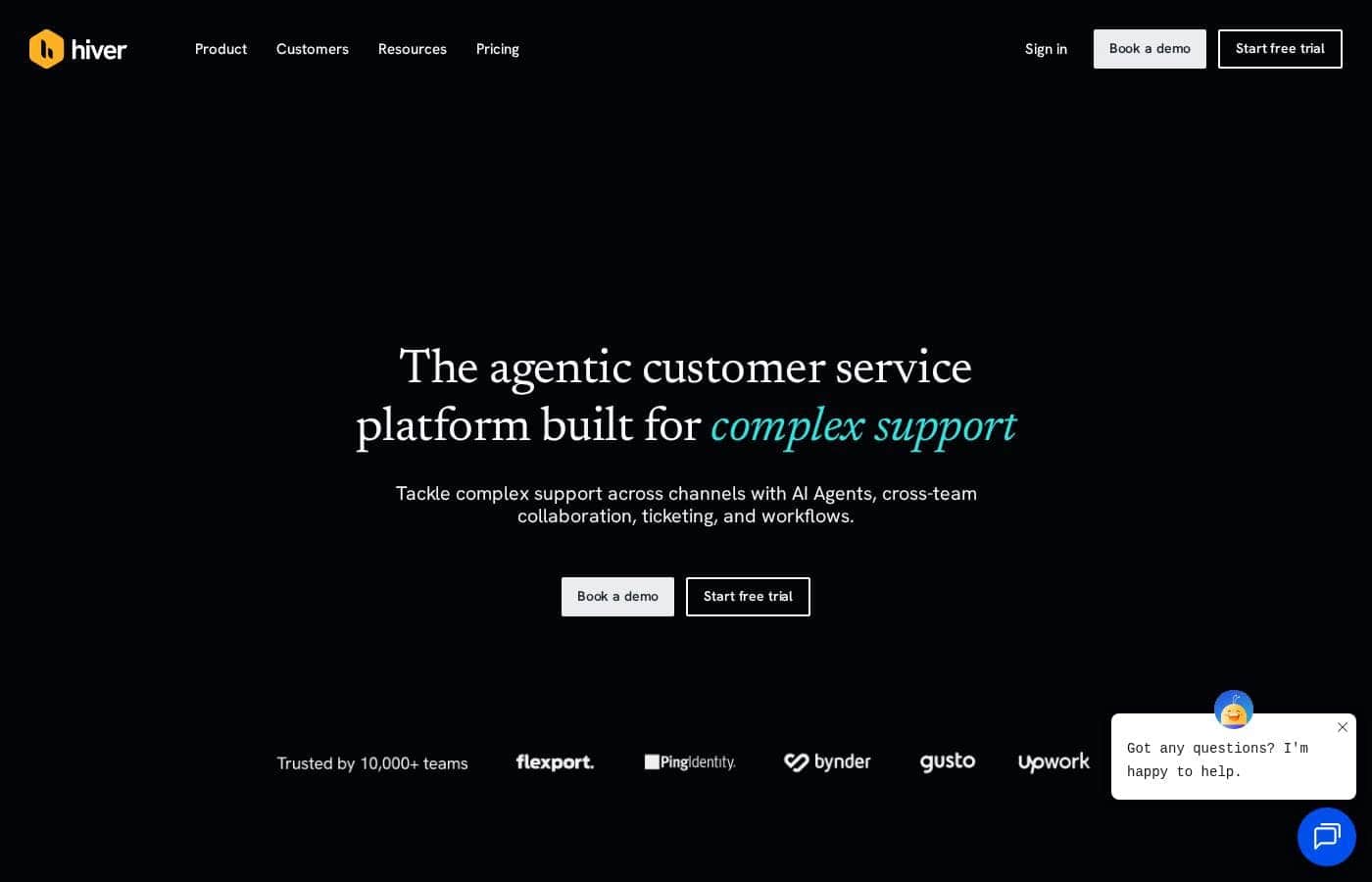
Zrzut ekranu strony głównej Hiver

At a glance

Quick overview for Hiver: rating, pricing summary, key features, and highlights.

Recenzja Ciroapp

3.0
Simple Shared Inbox, Complex Subscription.

We found Hiver's promise of transforming Gmail into a seamless helpdesk highly appealing and effective for team collaboration. However, we must flag significant and recurring user reports concerning aggressive cancellation policies and perceived low value for the price. Overall, Hiver provides strong helpdesk features in a familiar interface, but the associated business practices detract heavily from the user experience.

Zalety

  • Pro:Integrates seamlessly into Gmail, offering a familiar user interface.
  • Pro:Fast deployment and high ease of use (get started quickly in under 5 minutes).
  • Pro:Robust Free plan available that supports an unlimited number of users.
  • Pro:Collaboration tools (Shared Drafts, internal Notes) eliminate messy email forwarding.

Wady

  • Con:Repeated and strong user complaints about high pricing or being overpriced.
  • Con:Severe complaints regarding extreme difficulty or impossibility when canceling subscriptions.
  • Con:Analytics modules have previously been deemed very limited and lacking clarity.
  • Con:Past reports indicate buggy software and inconsistent synchronization issues.
Bezpłatny okres próbny
Yes — 7 dni
Zakres: $0–$49/user/monthFree plan, Free trial, Monthly subscription, Yearly subscription, Per seat pricing
This section is a summary. Detailed sections about features, use cases, pricing, and reviews follow below.

Recenzja Hiver, ceny, funkcje, zalety i wady

Are you tired of dealing with bloated helpdesks and clunky customer service tools? When support involves endless forwarding and missed emails, your customers aren't happy. Hiver solves this!

It manages support across all channels right from an easy-to-use, familiar platform. You get centralized communication and better visibility. ✨

Czym jest Hiver?

Hiver is an innovative, AI-first customer service platform. It transforms your existing email inbox into a complete, powerful ticketing system. This means you already know how to use it, allowing teams to get started quickly, often in under five minutes.

Hiver is built for any team—from customer service and finance to HR and IT—that needs to manage communication across channels like email, live chat, WhatsApp, and phone in one simple place. 💡

Hiver Kluczowe funkcje

✨ Your Inbox is Now a Ticketing Powerhouse

Hiver turns your existing email platform into a comprehensive, multi-channel ticketing system. You can easily manage essential group emails like info@ and help@ directly from this familiar interface. This centralizes all customer conversations, making it simple to assign clear ownership and track every query.

You stop missing emails because all personal and shared messages are held in one place. Hiver expertly handles support across channels, including standard email, live chat, WhatsApp, and phone communication.

✨ Seamless Team Collaboration

Get faster resolution times by ditching messy email forwarding chains and internal blind copies. Hiver provides built-in tools for streamlined teamwork right within the conversation window. Use Shared Drafts to collaboratively review and write replies before sending them out to the customer.

Additionally, you can use internal Notes and @mentions to discuss complex issues privately with specific teammates. This focused, organized collaboration boosts internal speed and prevents communication errors.

🚀 Scale Service with Effortless AI 🚀

Hiver is built as an AI-first platform designed to deliver remarkable speed and efficiency. You can train the core AI on your specific data, including entire conversation histories and internal help articles, in less than 15 minutes.

This unique capability allows the system to automatically draft replies and resolve queries at scale, greatly speeding up your response quality. The AI helps you maintain human-like service while efficiently automating high-volume ticket work.

✨ Automate Repetitive Workflows for Efficiency

Stop wasting time performing tedious, repetitive tasks that slow your support team down. Hiver automatically handles the grunt work through powerful workflow automation tools. The platform instantly routes new conversations to the correct team member and categorizes incoming queries quickly.

This robust automation ensures every ticket is structured correctly and lands with the right person immediately, improving team structure and response times.

✨ Contextual Data Without Switching Tabs

Hiver simplifies complex support requests by delivering all necessary customer information directly to you. You can integrate Hiver with over 100 different external business applications, including essential CRM systems.

This powerful feature allows you to view, edit, and update customer data from these external apps right within the conversation thread. Getting instant context eliminates the need to jump between multiple browser tabs constantly.

✨ Advanced Visibility and Performance Insights

Gain critical visibility into team performance and capacity using Hiver's detailed analytics tools. You can easily measure key metrics necessary for maintaining high service standards. These tools provide valuable actionable insights.

Metrics tracked include resolution times, overall support volume, trending ticket types, and direct customer feedback. These insights help your team ensure high service delivery and meet crucial performance goals, such as achieving a 100% SLA success rate.

Przypadki użycia

📧 Centralizing Customer Service Channels

Your customer service team handles requests across email, live chat, WhatsApp, and phone. Juggling these communications usually means switching between multiple platforms, slowing down service. Hiver centralizes all these channels within one familiar inbox interface. Every interaction becomes a tracked ticket immediately.

This unified view ensures seamless tracking and management. You can assign ownership and centralize communication quickly, delighting customers with exceptional, multi-channel service.

🤝 Improving Internal Team Collaboration

When a complex customer query requires input from different departments, endless forwarding wastes time. Hiver stops the messy CC and forward chains by providing built-in collaboration tools. You can use Internal Notes and @mentions to loop in specialists instantly, all within the main conversation thread.

Agents also use Shared Drafts to write accurate, finalized responses together before sending. This feature ensures your team handles internal queries efficiently, eliminating inbox clutter and boosting productivity.

🤖 Scaling Support Using AI Automation

Many customer questions are repetitive, yet agents spend valuable time answering them manually. Hiver's AI-first approach helps you scale service without dramatically increasing staff numbers. You can train the core AI on your specific conversation history and help articles quickly.

This training takes less than 15 minutes, allowing Hiver to automatically respond to, and resolve, common queries at scale. This crucial automation frees human agents to focus on complex issues and detailed resolutions.

💻 Managing the IT Help Desk

IT and Operations teams often manage employee requests through generic group emails like itsupport@. Hiver turns this communication inbox into a structured employee help desk. You assign ownership to incoming IT requests and track them efficiently.

Hiver also allows you to set up a self-service Customer Portal where employees can track the status of their requests. This visibility ensures timely support delivery and keeps internal business operations hassle-free, turning IT into a seamless provider.

💵 Automating Financial Workflows

The Finance and Payroll team manages sensitive communications like vendor payments and approvals via addresses such as finance@. This process requires structure and accountability. Hiver lets you manage these specialized communication streams just like support tickets.

Workflow automations route vendor invoices to the correct approver and trigger follow-up tasks automatically. Customers report improved accuracy and speed in processing vendor payments, ensuring better control over financial operations and improving cash collection.

💬 Enabling Proactive Self-Service and Live Chat

To reduce agent workload, you need to offer instant answers to website visitors. Hiver enables self-service tools right on your website using live chat.

Tip: Combine your Knowledge Base with an AI Chatbot to proactively deflect simple questions.

If the chatbot cannot resolve the issue, the conversation is automatically routed to an available human agent. This process speeds up resolutions and tracks all interactions together, offering seamless service continuity.

Przegląd cen Hiver

Zakres cen
$0–$49/user/month
Typy cen
Free plan, Free trial, Monthly subscription, Yearly subscription, Per seat pricing

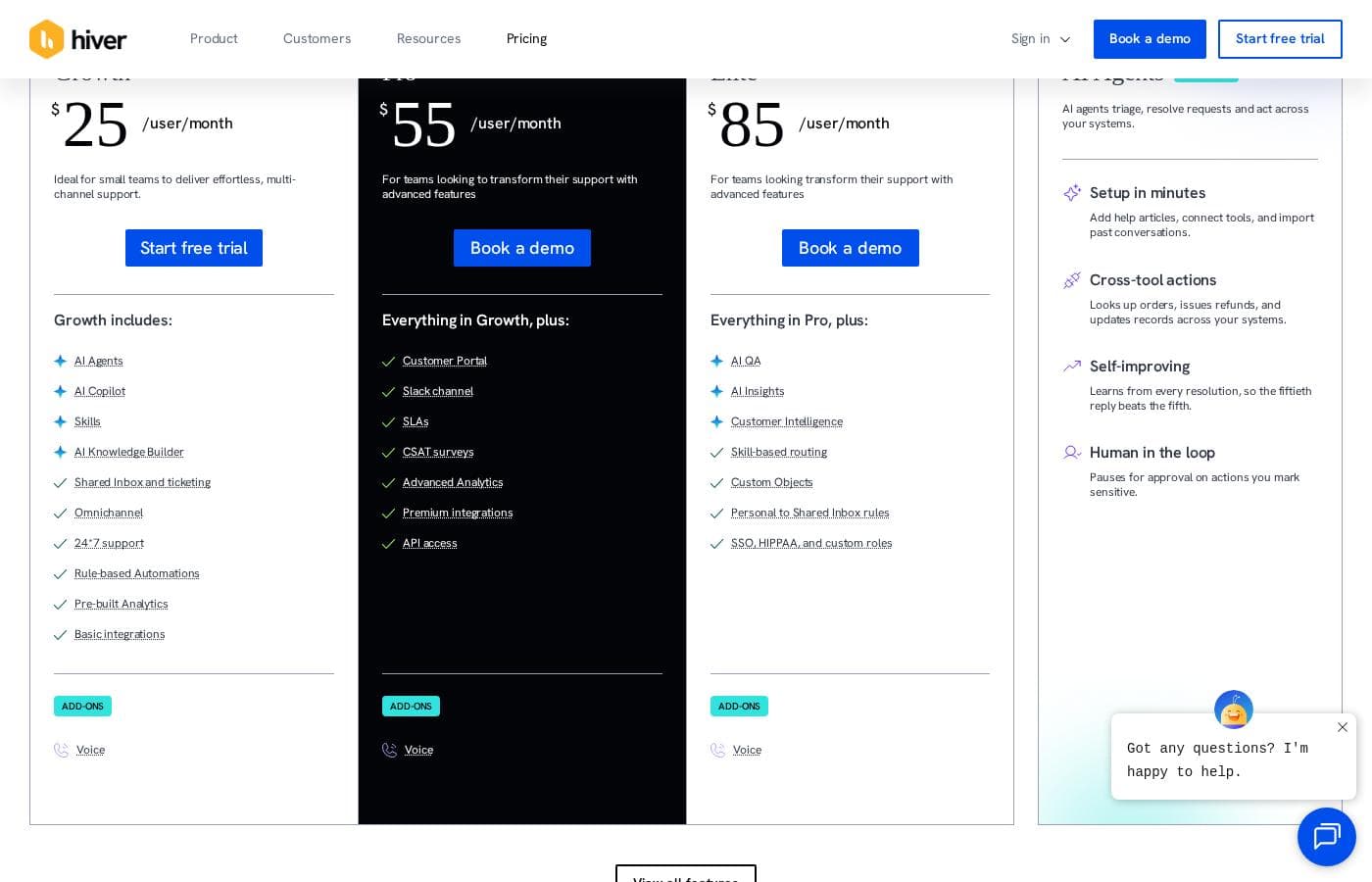
Hiver offers flexible per-user pricing across four paid tiers plus a robust free plan. Paid plans start at $19 per user per month when billed annually, which allows you to save up to 20%.

Plany i ceny

FREE

Miesięczne$0
Roczne$0
Unlimited users
  • Multi-channel shared inboxes
  • Ticketing
  • Live chat, WhatsApp & Voice
  • Knowledge Base
  • Team collaboration
  • Slack integration
  • 24/7 email and live chat support

LITE

Miesięczne$24
Roczne$19
Per user per month
  • Customer portal
  • Workflow automations
  • Round-robin auto-assignment
  • Service level agreements (SLA)
  • Custom fields
  • Approval workflows
  • Analytics for conversation data
  • Essential integrations

GROWTH

Miesięczne$34
Roczne$29
Per user per month
  • Analytics for team performance
  • Custom reports
  • Advanced integrations (e.g., Zapier)

PRO

Miesięczne$59
Roczne$49
Per user per month
  • Chatbots
  • CSAT survey
  • Business hours
  • Advanced analytics
  • Scheduled data exports
  • Premium integrations & API access

ELITE

MiesięczneContact us
RoczneContact us
For large teams that need advanced features or use multiple shared inboxes
  • Skill-based routing
  • Custom roles
  • HIPAA compliance
  • Single sign-on
  • Additional success services (Dedicated Success Manager)
  • Custom build hours

Hiver costs between $0 and $49 per user per month (billed annually) with five plans: FREE at $0, LITE at $19, GROWTH at $29, PRO at $49, and ELITE (Contact us).

Let's explore which plan makes the most sense for your team's unique needs.

FREE

Price: $0 (Free forever) Websites Supported: Not explicitly stated Best For: Teams wanting basic triage capabilities for multi-channel communication. Refund Policy: Not explicitly stated Other Features: Multi-channel shared inboxes, Ticketing, Live chat/WhatsApp/Voice, Knowledge Base, Team collaboration, Slack integration, 24/7 email and live chat support.

The Free plan is perfect for teams just starting out who need fundamental tools to manage basic customer interactions. It offers core features like knowledge base access and team collaboration right inside your inbox, along with unlimited users.

LITE

Price: $19 per user per month (billed yearly; monthly price is $24) Websites Supported: Not explicitly stated Best For: Growing teams needing workflow automation and structured support processes. Refund Policy: Not explicitly stated Other Features: Customer portal, Workflow automations, Round-robin auto-assignment, Service level agreements (SLA), Custom fields, Approval workflows, Analytics for conversation data, Essential integrations.

If you're ready to organize your processes, the Lite plan adds crucial features like SLAs and approval workflows. This tier helps automate assignments and provides basic analytics on your team's conversation workload, promoting efficiency across the board.

GROWTH

Price: $29 per user per month (billed yearly; monthly price is $34) Websites Supported: Not explicitly stated Best For: Teams focused on deep performance metrics and needing advanced integration options. Refund Policy: Not explicitly stated Other Features: Analytics for team performance, Custom reports, Advanced integrations (including Zapier).

Step up to the Growth plan when you need deeper insights into team efficiency beyond just conversation data. You'll gain access to powerful custom reporting features and advanced integration capabilities to streamline more complex operations and workflows.

PRO

Price: $49 per user per month (billed yearly; monthly price is $59) Websites Supported: Not explicitly stated Best For: Established support centers requiring advanced functionality like Chatbots, detailed analytics, and API access. Refund Policy: Not explicitly stated Other Features: Chatbots, CSAT survey setup, Business hours configuration, Advanced analytics, Scheduled data exports, Premium integrations & API access.

As the most popular option, Pro is built for scale and optimized service delivery. It introduces critical elements like CSAT surveys and integrated chatbots to maximize efficiency, giving your team scheduled data access and premium API tools.

ELITE

Price: Contact us Websites Supported: Not explicitly stated Best For: Large teams needing advanced security (HIPAA & SSO) and dedicated success services. Refund Policy: Not explicitly stated Other Features: Skill-based routing, Custom roles, HIPAA compliance, Single sign-on (SSO), Additional success services (Dedicated Success Manager), Custom build hours.

The Elite tier is designed for large enterprises and organizations with strict compliance requirements like HIPAA. This plan ensures custom control over user permissions, offers a dedicated success manager, and provides personalized technical support.

You can start using Hiver immediately with the 100% free plan, which even includes unlimited users. Alternatively, new customers can experience the premium features of the Elite plan during a 7-day free trial without providing a credit card. Note that Hiver also offers an AI add-on for $20 per user per month, available to purchase across all paid plans.

Recenzje użytkowników

External feedback shows a highly polarized user experience, resulting in a low overall satisfaction score. While some users appreciate Hiver's core function as the "most simple helpdesk within email", providing a frictionless support experience directly inside Gmail, the critical complaints focus heavily on pricing and service practices.

Several recent reviews allege the service is overpriced and strongly advise against use due to extreme difficulties in cancelling existing subscriptions or accounts. These recurring administrative issues suggest a significant lack of focus on customer retention and respect for user autonomy.

Reliability is also noted as a concern for some users, with past mentions of buggy software and inconsistent sync performance. While the concept of a seamless shared inbox is praised, the reported issues concerning business practices and value for money severely impact user trust.

👎

Co mówią użytkownicy gdzie indziej

Alex D.
· Trustpilot · Feb 27, 2023
5.0 / 5

Hiver offers the most simple helpdesk solution we've found that works right within the email interface. This made the onboarding process incredibly fast for our team. We appreciate how simple the system is to use daily.

Chris M.
· Trustpilot · Aug 7, 2025
1.0 / 5

Be careful when signing up; this service is significantly overpriced for what it currently offers. Worse, they made it extremely difficult to cancel our account when we decided to switch platforms. This is an unfortunate business practice.

Brak recenzji.

Napisz recenzję

Napisz recenzję dla Hiver
0/100 znaków
0/2000 znaków

Dlaczego używać Hiver?

Choosing Hiver means prioritizing speed, simplicity, and powerful automation. More than 10,000 teams trust Hiver because it dramatically improves efficiency. You shouldn't have to switch tabs or break the bank just to deliver great support.

Here is how Hiver can transform your team's performance:

  • Boost Productivity and Speed: Customers have seen up to a 90% increase in productivity and a 65% reduction in resolution times. This happens because Hiver streamlines otherwise complex processes.
  • Ditch the Mess: Use Shared Drafts, @mentions, and internal Notes to collaborate instantly. You can finally stop using messy CCs and forwards to manage complex internal queries. ✅
  • Integrate Instantly: Pull customer data from over 100 apps directly into Hiver. You can update or view essential information without ever switching away from the conversation tab.
  • Scale with AI: Train Hiver's core AI on your specific history and help articles in less than 15 minutes. This allows you to automatically respond to and resolve queries efficiently at scale.
  • Achieve Excellence: Gain actionable insights into key metrics like response times and support capacity. This critical visibility helps teams aim for high performance and a 100% SLA success rate.

Gotowy na transformację przepływu pracy z Hiver?

Hiver Alternatywne narzędzia

Inne narzędzia w kategorii Help Desk

Najczęściej zadawane pytania

How does the 7-day free trial work, and what plan features are included?

When you sign up, you instantly get access to the features of the Elite plan for seven days. This trial does not require you to provide a credit card upfront. You also receive 24/7 priority support during the trial period to experience the best of Hiver.

Is Hiver priced per user, and what are the specific payment options?

Yes, Hiver is priced based on the number of users in your team for all paid tiers. You can choose to pay monthly or sign up for an annual subscription. Annual billing provides savings of up to 20% on the total cost.

Which third-party applications does Hiver integrate with across different tiers?

Hiver integrates with over 100 apps to bring customer data into your inbox. Lite plans include essential integrations like Slack, Asana, Jira, and QuickBooks. The Growth plan adds advanced integrations via Zapier, and the Pro plan includes premium integrations and API access.

Are there limits on the number of shared inboxes or rule-based automations?

The Free plan includes unlimited users but is limited to one shared email inbox. Paid plans offer more shared inboxes and automation rules, such as three shared inboxes and 15 automations in the Growth plan. Only the Elite plan offers unlimited shared inboxes and automations.

How much does the Hiver AI functionality cost, and how do I purchase it?

The Hiver AI add-on costs an extra $20 per user per month. It includes features like AI Summarizer, AI Compose, and AI Tagging. Currently, you purchase this add-on offline through your Account Manager or Sales representative.

What security certifications and compliance standards does Hiver adhere to?

Hiver focuses on data security and privacy. It is compliant with major standards including GDPR, SOC 2 Type II, ISO 27001, and CCPA. HIPAA compliance, which is necessary for handling sensitive health data, is only provided in the Elite plan.

Will Hiver help us migrate our data from another existing help desk solution?

Yes, Hiver confirms they will help you migrate your existing data at no additional cost. You should reach out to their team or schedule a demo to get assistance with the migration process.

What kind of customer support is included, and is 24/7 assistance provided?

All Hiver plans, including the Free version, come with continuous customer support. This around-the-clock assistance is available 24/7 via both email and live chat.

If I am not satisfied, is there a money-back guarantee or a specific refund policy?

Hiver's website does not explicitly advertise a money-back guarantee period for its paid plans. The site only provides information regarding monthly and yearly payment options.

Who is Hiver best suited for besides just customer support teams?

Hiver is designed to improve communication across many departments using shared inboxes. This includes Finance, HR, and IT teams that need to manage external and internal communication efficiently.

If I use Google Workspace or Outlook, must I pay for every account user in my organization?

No, you only pay for the specific users whom you activate to access Hiver features. You retain control and can manage which individual teammates are enabled through the Hiver platform interface.

What happens to my account access if I do not upgrade after the 7-day free trial ends?

If you do not choose a paid plan after the trial, your account will be suspended. You can then choose to switch to the Free plan or upgrade within seven days to reactivate your original account.

Are there any usage limits on basic features like Email Templates or Tags?

Yes, basic features have limitations in the starting tiers. The Free plan only allows one email tag and one email template per account, increasing to unlimited usage in the Growth and higher plans.

Gotowy, aby wypróbować Hiver? Zobacz oficjalną stronę lub cennik.