完全な翻訳は近日公開 — 製品詳細は英語、ナビゲーションは日本語で表示しています。
Prezi

Prezi レビュー

Present, engage, and see exactly what your audience retained.

著者 Ciroapp Editorial Team · 更新日 2026年9月16日

追加費用なしでコミッションが発生する場合があります

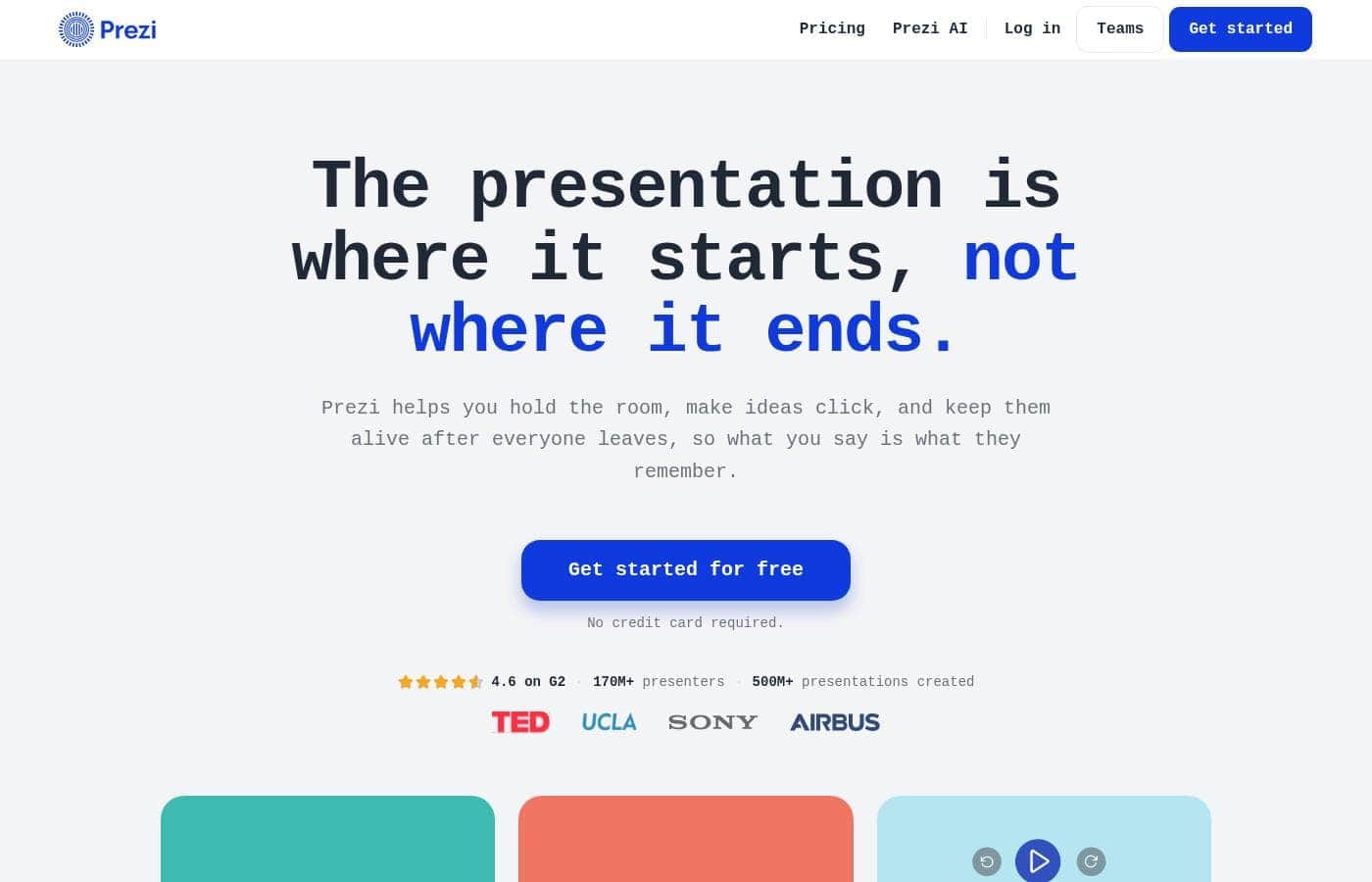
Preziのホームページスクリーンショット

概要

Preziの評価、価格概要、主な機能、注目ポイントをすばやく確認できます。
ベンダーページ確認日 2026年10月12日

Ciroappスコア

4.0/ 5

Prezi bundles presenting, polls, Q&A, and shareable recaps into one tool, and its 4.6 G2 rating plus 170M users back up the track record — but paid tier prices and refund terms stay hidden until you dig. Overall, it's a smart pick for trainers and presenters who want engagement data without juggling four separate apps.

長所

  • 長所:Imports decks from PowerPoint, Google Slides, Canva, PDF, Word, and ChatGPT drafts while preserving your original slide designs, so you can add engagement features without rebuilding anything
  • 長所:Runs live polls, quizzes, and Q&A inside the same flow as your slides, with attendees joining via a single QR code from their phones — no app download or login for in-room, remote, or hybrid audiences
  • 長所:Turns each finished session into one shareable link that works as a narrated video, podcast, transcript, or self-check quiz, so people who missed the live event can catch up without a reschedule

短所

  • 短所:Audience participation is phone-dependent — every attendee must scan a QR code and join from their own device, which rules out device-free rooms and excludes people without smartphones
  • 短所:Refund, cancellation, and trial terms for paid plans are not spelled out in the available materials, so you are committing to the free tier's goodwill rather than documented buyer protections
  • 短所:Key training features like SCORM export are mentioned, but which plan tier includes them is unspecified, making it hard to know if you need an expensive plan for LMS integration
最適
  • Training and onboarding teams who must show leadership proof of completion and comprehension
  • Educators who want students to revisit lecture material until it sticks
  • Presenters running remote or hybrid sessions where everyone participates the same way
このセクションは概要です。機能、ユースケース、価格、レビューの詳細は下に続きます。

Preziとは?

Most presentations evaporate the moment the room empties. People nod along, then forget everything by Friday. Prezi attacks that problem head-on: your audience joins live polls, quizzes, and Q&A from their phones, your session becomes a link they can revisit later, and quiz results show you what stuck and what didn't.

Prezi is a presentation platform built on a zoomable canvas. You can bring in slides from PowerPoint, Google Slides, Canva, PDF, or Word, then add live polls, quizzes, and Q&A that your audience joins by QR code. Afterward, your session becomes a shareable link that works as video, podcast, transcript, and quiz.

It's aimed at presenters, trainers, and educators who are accountable for what their audience remembers.

Preziを選ぶべきですか?

プラン比較や公式サイトへ進む前に確認したい購入判断のポイントです。

選ぶべき人

  • You already have slides in PowerPoint, Google Slides, Canva, PDF, or Word and want to add engagement without rebuilding
  • You want attendees to join polls, quizzes, and Q&A with no app download or login
  • You need one shareable link that works as video, podcast, transcript, and self-check quiz afterward
  • You want question-by-question results on what your audience understood, plus a feedback digest
  • You need SCORM export and completion data to report results to stakeholders

避けるべき人

  • Teams that need written trial or refund terms before committing — the site advertises a free start with no credit card but doesn't spell out refund policy details here
  • Presenters who prefer device-free sessions — audience participation depends on attendees joining from their own phones via QR code
  • Anyone needing LMS or SCORM export on a budget — training features like SCORM export are mentioned, but their plan availability isn't specified on this page

購入前の次のステップ

  1. 1Create a free account (no credit card needed) and import one of your existing decks to see how it handles the conversion.
  2. 2Run a small test session: have a few colleagues scan the QR code and answer a poll and quiz to check the join experience on their phones.
  3. 3Compare Prezi against your current setup (deck tool plus separate polling or recording tools) to weigh the consolidation savings.
  4. 4Review the privacy and sharing controls — private, unlisted, or public — to confirm they fit your compliance needs before you build anything substantial.

使いやすさ

Based on Prezi's own materials, getting started looks low-friction: free signup with no credit card, AI that drafts a deck from a description, and imports that preserve your slide designs. Audience-side setup is minimal too — one QR code, no app, no login. Independent usability testing isn't available here, so treat these onboarding claims as vendor-reported.

Prezi 主な機能

📱 Turn every phone into a hand in the air

Your audience scans one QR code and joins right from their phones — no app, no login. They answer polls, take quizzes, and ask questions live. The group upvotes what it most wants answered, and you keep control with a moderation queue.

It works the same in the room, on a call, or half-and-half.

✨ Keep the slides you already have

You don't need to rebuild anything. Prezi imports PowerPoint, Google Slides, Canva, PDF, Word, and even ChatGPT drafts onto its zoomable canvas, and your slides arrive looking the way you made them. Want a fresh look?

Just ask Prezi to restyle the deck. Or describe what you need and let AI draft it from scratch.

✨ One screen runs the whole session

Most presenters juggle a deck tool, a polling tool, a form builder, and a screen recorder. Prezi puts all four in one flow. You present, launch a poll, open Q&A, and close with a quiz — without leaving what you're showing.

Add your logo, colors, and style once, and everything you make carries your brand.

🎧 One link that keeps teaching

Your session becomes a shareable link people revisit on their terms:

  • Watch it as a narrated video
  • Listen as a podcast or read the transcript
  • Quiz themselves on what they retained

You choose private, unlisted, or public, invite specific people, and keep your branding and call-to-action on the page.

✨ See what stuck, not just who showed up

Quiz and poll results come back question by question, so you can see which concepts landed and which need another pass. Q&A shows where the confusion lives, and an end-of-session feedback digest delivers ratings and comments straight to you. Training teams can also export SCORM to their LMS with completion and comprehension data.

使用例

🏢 Onboarding that gets completed

Run a live onboarding session, then share one link so new hires revisit it as video, podcast, or self-check quiz. SCORM export sends completion and comprehension data to your LMS. Expected outcome: proof of completion you can show leadership.

🎓 Lectures students actually revisit

Educators present a lecture once, then students review it as video, podcast, or quiz until the material sticks. Built-in self-checks show what needs another pass. > Tip: share the link after class so absentees catch up without a reschedule.

🎤 Hybrid meetings where everyone joins in

Present to a room and a call at once. Everyone scans one QR code and joins polls, quizzes, and Q&A from their phone — no app, no login. Expected outcome: remote attendees participate the same way as people in the room.

🧰 One tool instead of four

Stop juggling a deck tool, polling app, form builder, and recorder. Import your PowerPoint, Canva, or PDF slides, run everything from one screen, and brand it once. > Tip: describe your topic and let AI draft the first version.

Preziの料金

  • 無料プランあり

2026年10月12日に提供元のページを確認済み。最新の価格は次のページで確認してください: Preziの料金ページ

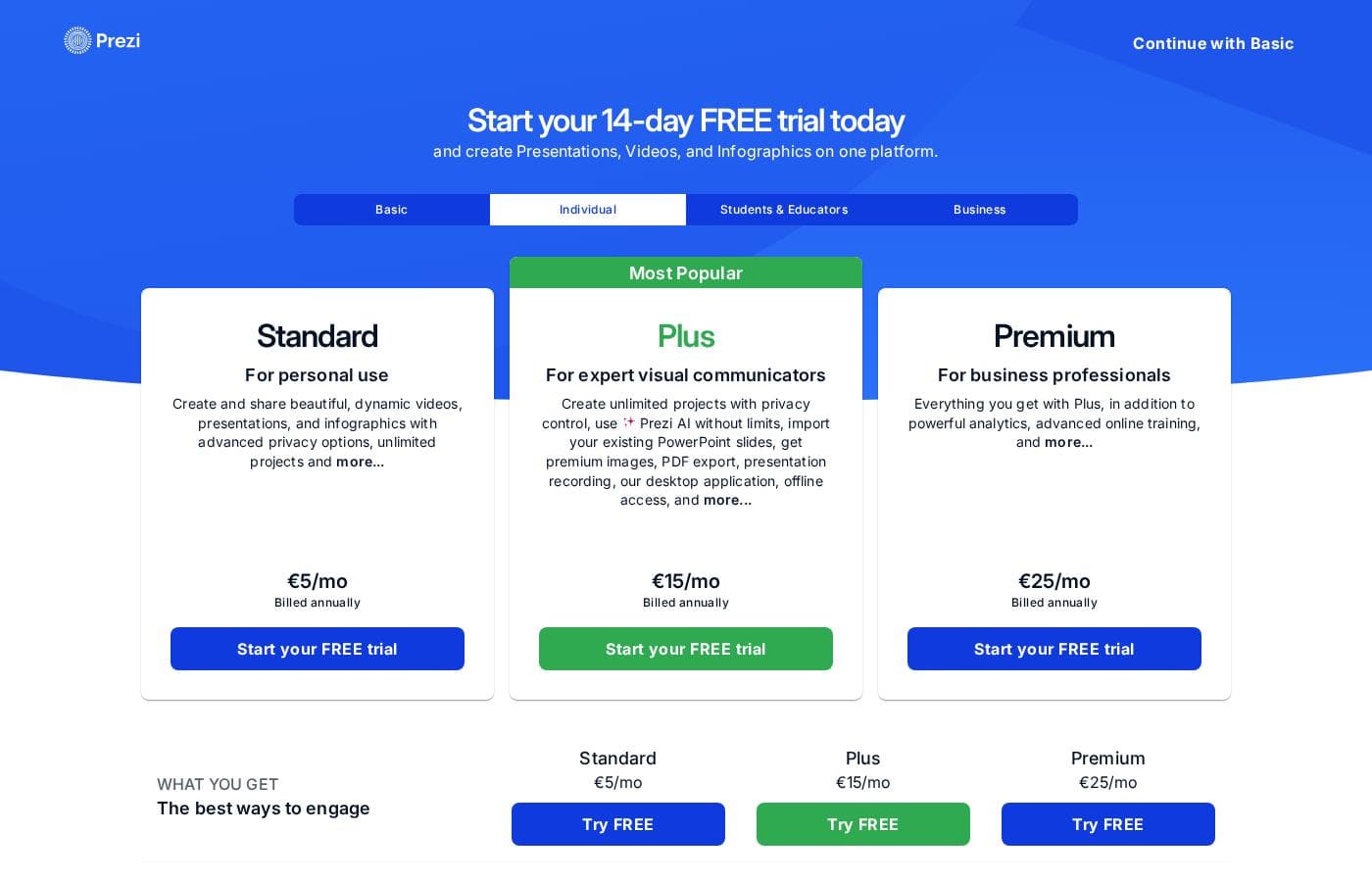
Preziの料金ページのスクリーンショット料金ページのスクリーンショットを見る
プラン月払い年払い含まれる機能
Free to start
無料
—
  • Create and present presentations
  • Import slides from PowerPoint, Google Slides, Canva, PDF, or Word
  • No credit card required to sign up

価格の推移

2026年10月9日から価格を追跡中。まだ価格変更はありません。

価格タイプ: Free plan

料金に関する補足

Prezi is free to start — you can create, import your existing slides, and present without a credit card. Paid tiers exist for team-level features like LMS export and engagement analytics; check Prezi's pricing page for current tier prices.

Prezi is free to start — you can create and present without paying anything or entering a credit card.

Paid plans sit on top of that free start. Prezi's site confirms plenty about what the platform does, so here's what we know and how to choose wisely.

Free to start

Price: Free Other Features:

  • Create and present real presentations
  • Import slides from PowerPoint, Google Slides, Canva, PDF, or Word
  • No credit card required to sign up

Prezi's free option is a working product, not a locked demo. You can build a deck from scratch or bring in slides you already made elsewhere, then present them on Prezi's zoomable canvas. That gives you a genuine feel for the format before you spend anything. If you present now and then, it may be all you need. 💡

What paid plans are built around. Prezi's strongest selling point is how much it bundles into one tool. You can draft a deck with AI, import an existing PowerPoint or PDF, run live polls and quizzes, and open audience Q&A that everyone joins by QR code — no app to download. After the session, your presentation becomes a shareable link that works as a narrated video, a podcast, or a self-check quiz. Training teams also get SCORM export to an LMS plus completion and comprehension data they can show leadership. Those team-level capabilities are where upgrades earn their keep.

Who should upgrade. If you mainly need to build and present a solid deck, start free and see how far it takes you. If you run training, onboarding, or large live sessions — and you need engagement data, branded materials, or LMS integration — a paid tier is built for that. Solo presenters who never use polls or results tracking likely don't need the top of the range.

One thing to check first. Current tier names, prices, and license limits weren't listed on this page, so confirm them on Prezi's pricing page before you buy. Plan lineups change, and a surprise seat count at checkout is never fun.

The clearest pricing fact Prezi shares is this: you can start creating for free, with no credit card, and import the slides you already have. That's a genuinely low-risk way to try it. See whether your audience engages the way the site describes, and only move to a paid plan if you actually need the team-level tools.
Preziを安く使う方法

  • まず無料プランで始め、制限に達してからアップグレードしましょう。
Preziの公式サイトへ

Preziの価格が変わったらメールで通知

ベンダーの料金ページで価格の変更を検出したときに1通のメールを送ります。ニュースレターやセール情報はありません。ワンクリックで解除できます。

ユーザーレビュー

まだレビューがありません。

レビューを書く

Preziのレビューを書く
0/100文字
0/2000文字

Preziを使う理由は?

Most presentations run one way: you talk, they listen, and nobody measures what landed. Prezi flips that. Your audience participates live, your session lives on afterward, and you get data instead of guesses.

  • One tool replaces four. Present, launch polls, open Q&A, and close with a quiz from the same screen — no juggling tabs while you're live.
  • Zero-friction participation. Attendees scan one QR code and join from their phones. No app download, no login, whether they're in the room or ten time zones away.
  • Keep the slides you already have. Import PowerPoint, Google Slides, Canva, PDF, Word, or ChatGPT drafts — they arrive looking the way you made them.
  • A recap that keeps teaching. Your session becomes one link: narrated video, podcast, transcript, or self-check quiz, so people who missed it catch up without a reschedule.
  • Evidence, not vibes. Question-by-question quiz and poll results plus a feedback digest show which ideas need another pass.
  • A track record you can check. Prezi holds a 4.6 rating on G2, ranks as a Leader in two G2 categories, and counts 170M+ users across 195 countries.

Prezi の代替ツール

プレゼンテーションカテゴリの他のツール

プレゼンテーションの全ツールを見る
Microsoft PowerPoint

Microsoft PowerPoint

Presentation4.3/5

魅力的なプレゼンテーションをデザインし、リアルタイムで共同作業しましょう。

Google Slides

Google Slides

Presentation4.1/5

シンプルな操作性、どこからでも、一緒に美しいプレゼンテーションを作成しましょう。

Beautiful.ai

Beautiful.ai

Presentation3.9/5

自分でデザインしてくれるプレゼン資料。Beautiful.aiのSmart Slidesがレイアウトと余白を自動調整し、プロやチームが通常の半分の時間で洗練された資料を作れるようにします。

Keynote

Keynote

Presentation3.7/5

Keynoteで作成、共同作業、プレゼンテーションを。

Prezi よくある質問

Preziに無料プランはありますか?

はい。Preziには無料プラン(Free to start)があります。

Preziの価格は最近変わりましたか?

いいえ。2026年10月9日に追跡を始めて以来、価格の変更は検出されていません。

Do attendees need to download anything to participate?

No. Attendees scan one QR code and join from their own phones — no app, no login. In-room, remote, and hybrid audiences get the same polls, quizzes, and Q&A. Keep in mind participation depends on people having a phone.

Can I control who sees my presentations and recaps?

Yes. You choose private, unlisted, or public for each session, invite specific people, and add your own branding and call-to-action button to the shareable link.

Can I cancel a paid plan or get a refund?

Prezi confirms a free start with no credit card, so you can test it without billing risk. Refund and cancellation terms for paid plans aren't detailed here, so review Prezi's terms before you upgrade.

Does Prezi connect to an LMS?

Yes. Prezi offers SCORM export to your LMS, plus completion and comprehension data you can share with leadership. Check the pricing page to see which plan includes it.

Preziを試してみる準備はできましたか?公式サイトまたは価格をご覧ください。

Preziの担当者ですか? この掲載を申請する · バッジを入手