Pixpa vs SitesGPT
This comparison pits established reliability against cutting-edge AI speed. Pixpa offers stability, integrated client tools, and amazing 24/7 human support. SitesGPT provides instant, 1-Click website generation for a $0 price tag. The key difference lies in the level of operational risk and trust.
Best for: Photographers and artists needing secure, integrated client galleries, Users prioritizing guaranteed 24/7 human customer support
Best for: Individuals needing rapid launch speed for a personal project or blog, Solo entrepreneurs operating on a strict $0 budget
Exceptional Support, Inconsistent Reliability
We find Pixpa offers genuinely responsive, world-class customer support and highly affordable plans, positioning it well for artists and simple portfolio users. However, we noted persistent issues with core functionality like mobile responsiveness and integrated store reliability which impede professional use. Overall, Pixpa is a solid choice for lightweight portfolios, but scaling businesses might experience frustrating technical limits.
Pros
- World-class customer service is remarkably responsive 24/7.
- Very affordable, all-inclusive pricing tiers start at $5/month.
- Intuitive design environment praised over competitors like Squarespace.
- Support agents often create step-by-step videos to resolve issues.
Cons
- Reports of poor mobile optimization and image scaling problems.
- E-commerce functions (like the "add to basket" option) are often buggy.
- Website reliability is inconsistent, with recurring monthly downtime reported.
- Performance issues when hosting extensive high-resolution galleries for sale.
Rapid Website Builder, High Operational Risk.
We found SitesGPT delivers on its promise of exceptionally rapid, AI-driven website creation with a strong $0 entry point. Overall, while the core technology is impressive for speed and ease of use, we caution prospective users about serious operational red flags, including reported data loss and accusations of illegal spamming practices.
Pros
- Exceptionally fast 1-Click website generation.
- Highly user-friendly and guided for beginners.
- Generates modern, responsive, and professional templates.
- No initial financial commitment (implied $0 entry).
Cons
- Multiple user reports regarding sudden loss of access to completed work.
- Serious and repeated accusations regarding illegal spam text messages.
- Pricing tiers or feature limitations for the free version are unclear.
- Significant reliability and ethical concerns raised by polarized feedback.
AboutPixpa
Users describe Pixpa as a top-notch web service that just works. Its primary focus is on usability, offering design tools and a consistent User Interface (UI) that is intuitive. Designs are simple and clean, making site creation approachable. Furthermore, the service carries the distinction of being Top Rated for 11+ Years, reflecting proven quality and reliability. ✅
AboutSitesGPT
SitesGPT is acknowledged as a premier AI Website Builder, pioneering the innovative wave of digital transformation. It leverages Artificial Intelligence to make professional web creation simple and exceptionally fast. This platform offers a glimpse into a future where high-quality website creation is accessible to everyone. You can get your FREE stunning website built in just 1-Click. 💡
Highlights
Feature Comparison
Features Overview
We highlight the main differences and pick a winner for each feature.
Customer Support
Pixpa is famous for its 24/7 support; SitesGPT support is not stated.
Pixpa provides unbelievably responsive customer support 24/7. Experts are available via live chat and email to resolve issues fast. Agents often create step-by-step videos for complex problem solving. SitesGPT does not explicitly state customer support channels or guaranteed response times. If you lose access, getting human help is entirely uncertain. This is a critical difference for business users relying on immediate help. Pixpa guarantees assistance; SitesGPT offers none specified. If support is your priority, Pixpa wins easily with its world-class team. Serious issues on SitesGPT may mean zero recourse.
Website Creation Speed
SitesGPT uses 1-Click AI generation; Pixpa uses a template editor.
SitesGPT is designed for maximum efficiency using its AI Website Builder. Users can generate a professional, functional website in just 1-Click. This is an extremely rapid development process. Pixpa relies on a more traditional, intuitive design environment with 200+ premium templates. While fast, it requires manual setup and customization. If speed is your absolute priority, SitesGPT dramatically reduces the initial setup time to minutes. Pixpa requires more hands-on effort to tweak the design. SitesGPT instantly provides a dynamic foundation; Pixpa ensures a quality design outcome via template editing.
Pricing Structure
SitesGPT is free, while Pixpa uses affordable tiered subscriptions.
SitesGPT promotes an implied $0 entry point with its Free Website Builder. No premium pricing tiers are currently published or detailed. Pixpa offers robust, all-inclusive tiers starting at $5/month (annually). All Pixpa plans include custom domains and secure hosting. The primary choice is between paying $0 for sites via SitesGPT or paying for structured support. SitesGPT offers maximum cost-efficiency. Pixpa provides security and features for a low monthly fee, backed by a 30-day money-back guarantee. SitesGPT risks stability for $0 cost.
Reliability and Trust
Pixpa is established, but SitesGPT has serious reports of data loss.
Pixpa has been Top Rated for 11+ Years, establishing proven quality and trust. It offers a structured 30-day money-back guarantee. SitesGPT has serious, repeated accusations of users losing access to all completed work. Multiple reports cite significant operational risk. Pixpa's problems tend to be technical bugs, like buggy e-commerce functions. SitesGPT's problems involve risk of total data loss. Trusting your core business data to Pixpa is safer given its track record. SitesGPT carries severe, business-critical reliability warnings.
Mobile Responsiveness
SitesGPT offers built-in responsive design; Pixpa has reported optimization issues.
Pixpa users frequently report poor mobile optimization and image scaling problems. Uploaded photographs often appear stretched on phones. SitesGPT ensures dynamic design and responsiveness are built-in from generation. Your site should look perfect on any device. This functionality ensures SitesGPT performs better for mobile visitors right out of the box. Pixpa requires extra manual effort to fix mobile views. For visual artists especially, Pixpa's mobile issues are a major concern. SitesGPT seems to handle modern responsiveness more capably.
Portfolio Focus
Pixpa excels with integrated client galleries; SitesGPT is generic AI.
Pixpa is ideally suited for visual artists, offering integrated client galleries and portfolios. It simplifies selling and sharing work. SitesGPT focuses on generating general website structures like blogs or small business sites. No specialized portfolio or client tools are mentioned. If you are a photographer or creative needing client proofing, Pixpa is explicitly designed for this workflow. SitesGPT requires external tools. Pixpa combines your website, store, and client management in one all-in-one suite. SitesGPT offers quick publishing speed only.
E-commerce Capabilities
Pixpa includes e-commerce functionality; SitesGPT's features are unknown.
Pixpa integrates online store functionality across its Creator and Professional plans. This allows users to start selling products immediately. However, users report that Pixpa's e-commerce functions can be buggy. The 'add to basket' option sometimes fails, especially on mobile. Since SitesGPT promotes only a free builder, advanced selling features are not mentioned. It is unclear if SitesGPT supports an integrated store. If selling is crucial, Pixpa provides the framework, but be aware of reported bugs. SitesGPT lacks explicit e-commerce support information.
Setup Assistance
Pixpa offers a paid expert setup; SitesGPT is purely self-service.
Pixpa allows users to hire a dedicated Pixpa Pro Expert for setup assistance. This service costs a separate $199 one-time fee. This option is excellent if you have zero time for the learning curve. You ensure your Pixpa site is professionally configured from day one. SitesGPT uses its 1-Click AI to automate setup instantly. It assumes simplicity replaces the need for paid human consultation. Pixpa offers white-glove service for those who can afford it. SitesGPT relies purely on machine efficiency for deployment.
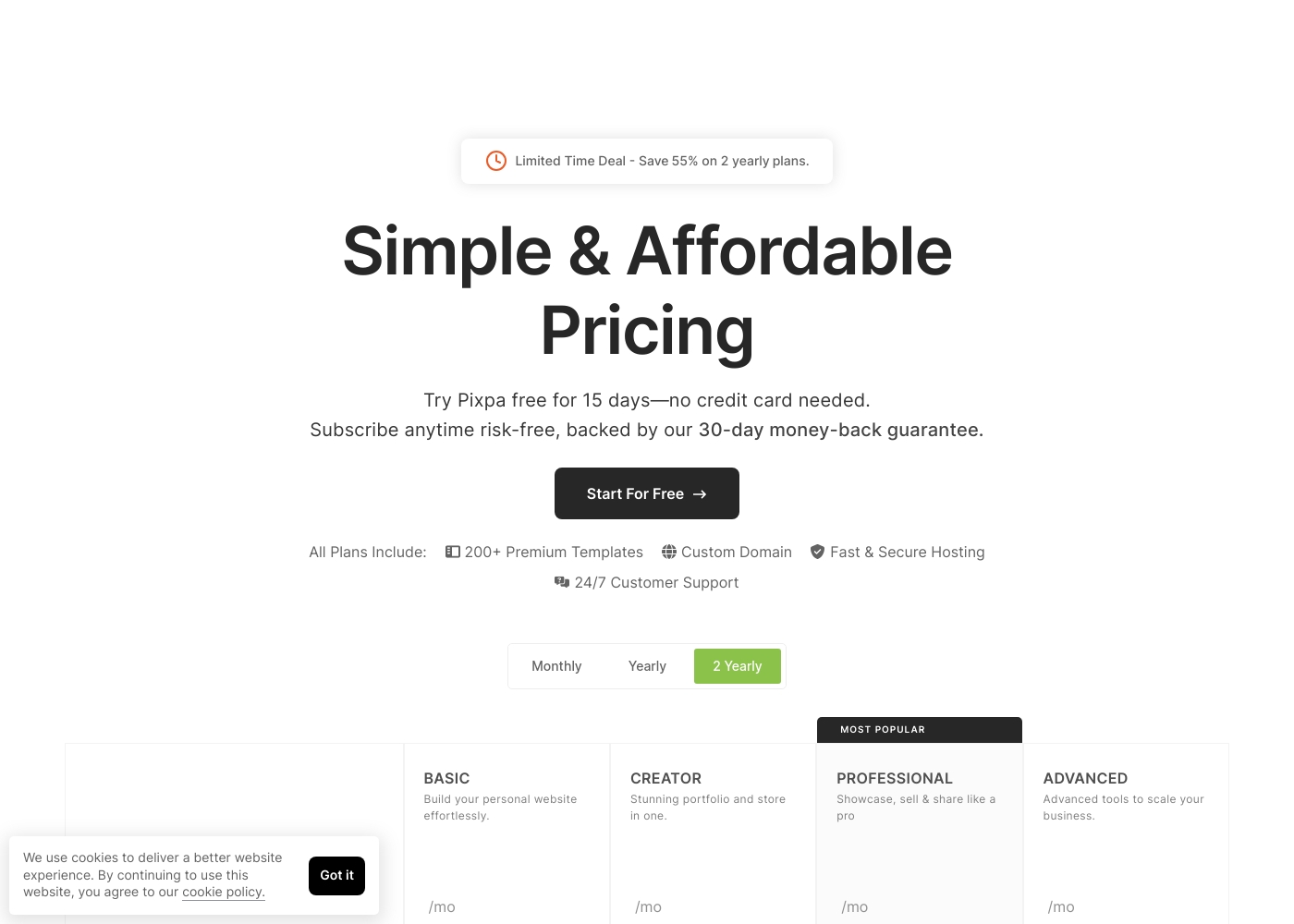
Pixpa costs between $5 and $21 per month (when billed annually) with four main plans: Basic at $5/mo, Creator at $12/mo, Professional at $18/mo, and Advanced at $21/mo.
Pixpa offers all-inclusive, affordable plans to handle your full website, store, blog, and client galleries in one place.
Basic
Price: $5/month (billed yearly) or $8/month (billed monthly) Best For: Building your personal website effortlessly Refund Policy: 30-day money-back guarantee Other Features: 200+ Premium Templates, Custom Domain, 24/7 Customer Support
- Build your personal website effortlessly
- Includes 200+ Premium Templates
- Custom Domain support
- 24/7 Customer Support
- Stunning portfolio and store in one
- Includes 200+ Premium Templates
- Custom Domain support
- Fast & Secure Hosting
- Showcase, sell & share like a pro
- Most Popular plan
- Includes 200+ Premium Templates
- 24/7 Customer Support
- Advanced tools to scale your business
- Includes 200+ Premium Templates
- Custom Domain support
- Fast & Secure Hosting
The information below details the currently known access options for SitesGPT.
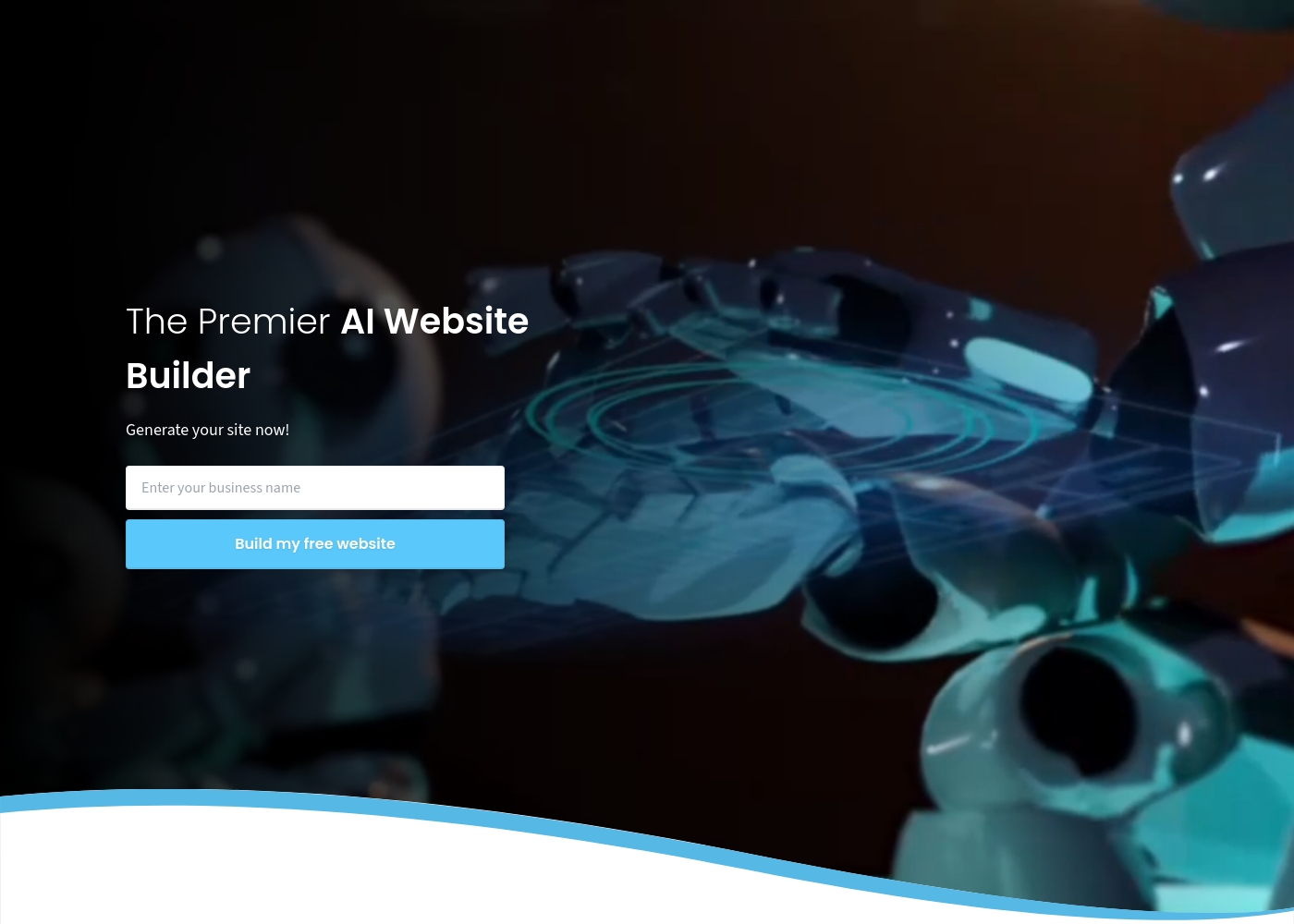
Free Website Builder
Best For: Users looking to launch a new business, showcase a portfolio, or start a blog quickly. Other Features:
- Your stunning website is built in 1-Click
- Uses AI integration for creation
- Supports dynamic and responsive design
- User-friendly interface
This option is excellent if you want to immediately see the power of the AI Website Builder without any financial commitment. It's a risk-free way to test the platform's speed and ease of use for your initial project. Go ahead and try it out! 🤖
- 1-Click website generation
- AI-driven design
- Dynamic and responsive website creation
Pricing Notes
- Pixpa offers a 15-day free trial requiring no credit card and a 30-day money-back guarantee.
- SitesGPT strongly emphasizes a $0 entry point with its Free Website Builder, and no premium plans are published.
- Pixpa offers significant savings when users choose an annual commitment vs. monthly billing.
- The affordable fixed price of Pixpa provides certainty regarding included secure hosting and 24/7 support.
- SitesGPT's lack of known paid tiers means scalability and feature limits on the free plan are completely uncertain.
Pricing Head-to-Head
User Reviews
Pixpa’s external feedback demonstrates a clear split between its stellar customer service and technical reliability issues. Many users consistently praise the support staff, describing the team as “truly remarkable” and incredibly responsive via simultaneous live chat and email. They often provide quick, effective resolutions, with some agents creating step-by-step video guides to solve complex problems.
However, users frequently cite significant technical shortcomings. The most recurring complaints revolve around necessary mobile optimization, with reports of uploaded images becoming stretched or badly rendered on phones. Reliability is also a key concern, as some users experienced their websites breaking down monthly or having downtime that was dismissed by initial support responses. E-commerce functionality also needs improvement. Shoppers struggle with buggy “add to basket” options, especially on mobile, rendering the shop useless for some. While the pricing is affordable (as low as $5/month), reviewers noted performance limitations when dealing with extensive high-resolution galleries and poor SEO indexing help. It’s a platform with amazing support but noticeable technical shortcomings 🛠️.
Customer service is truly remarkable. They quickly find a resolution to your issue and go out of their way to help. Their website is much more fluid and easier to use than Squarespace.
Users are highly impressed by SitesGPT's ease of use and remarkable speed. Many reviewers note that the AI builder is incredibly simple, allowing them to create a professional, stunning website in just a few minutes, avoiding the complexity of traditional builders like Wix.
Users praise the user-friendly interface, responsive, and modern templates, making it accessible even for beginners who lack coding skills. However, the user feedback environment is sharply divided.
I spent months building a website on Wix. I found SitesGPT and got a great website in a few minutes! This is truly unbelievable technology and an amazing website generator.
Our Verdict
Choosing between Pixpa and SitesGPT is a classic stability versus speed trade-off. Unless you absolutely must launch instantaneously for $0, Pixpa is the safer, more dependable choice. SitesGPT’s AI speed is impressive, but the operational risks involved are severe. Pixpa’s superpower is its commitment to human support and reliability. If an issue arises, Pixpa guarantees unbelievable responsive 24/7 expert help. Pixpa is perfect for visual professionals needing a structured platform, integrated client galleries, and a team who will solve problems. SitesGPT wins if your only priority is unparalleled speed and zero initial cost. Its 1-Click AI builder will generate a stunning site instantly for free. SitesGPT is ideal for testing concepts, starting a quick blog, or getting online when time is the enemy. The deciding factor should be the trust and risk assessment. SitesGPT users frequently report losing access to their finished websites completely. Pixpa, while affordable, offers established quality recognized for over 11 years. Choose Pixpa if your website needs to be functional and supported long-term. Opt for SitesGPT only if you are launching simple, non-critical projects and accept a very high risk of data instability.
Frequently Asked Questions
Which builder is better for a professional portfolio: Pixpa or SitesGPT?
Pixpa is designed specifically for visual professionals and artists. It includes integrated client galleries and portfolio tools. SitesGPT lacks these specialized features, focusing only on general website generation.
Is SitesGPT worth the risk compared to Pixpa's reliability?
SitesGPT is only worth the risk if your budget is strictly $0 and the site is disposable. Pixpa offers established stability, a 30-day guarantee, and 24/7 expert support. For professional use, Pixpa is the far safer long-term investment.
Does SitesGPT offer 24/7 customer support like Pixpa?
No, SitesGPT does not advertise any formal customer support channels. Pixpa offers unbelievably responsive 24/7 human support via live chat. If you need help, Pixpa has a guaranteed expert response.
Which platform offers a better mobile experience for visitors?
SitesGPT is marketed as providing dynamic and responsive design inherently. Pixpa has reported issues with mobile optimization and image scaling. SitesGPT seems to handle modern mobile views more capably.
Can I integrate an online store with Pixpa or SitesGPT?
Pixpa offers integrated e-commerce features within its paid plans. While Pixpa's storefront has known bugs, SitesGPT does not explicitly mention integrated selling capabilities. Pixpa provides the better foundation for retail.
Which software is better for users who lack technical skills?
SitesGPT is easier due to its 1-Click creation system requiring almost no effort. However, Pixpa also features an extremely intuitive interface. SitesGPT is fastest, but Pixpa ensures human help when needed.
Ready to Choose?
Both tools have their strengths. Choose based on your specific needs.