Norton Family vs Xnspy
Norton Family and Xnspy are both powerful tools for device oversight, but they target different needs. Norton Family is transparent parental control from a trusted brand focused on setting boundaries. Xnspy is specialized monitoring software prioritizing discreet, deep investigation of communications and apps. The choice hinges on whether you need supervision and limits or stealth and data extraction.
Best for: Families prioritizing transparent supervision and open boundaries, Users already utilizing or planning to purchase Norton 360 security bundles
Best for: Users requiring completely discreet or undetectable monitoring capabilities, Investigative monitoring needing keystroke capture and recorded surroundings
Trusted Security Engine for Family Safety
We find Norton Family offers a powerful and mature set of parental control tools, utilizing Norton’s decades of security expertise. It excels at balancing screen time management with web safety and providing crucial location supervision. Overall, this is a highly reliable security package for families seeking broad digital management features within a trusted ecosystem.
Pros
- Built on a robust, proven, and highly reliable security platform.
- Comprehensive features including screen time limits, location tracking, and content filtering.
- Dedicated ‘School Time’ feature helps minimize remote learning distractions.
- Manageable via an easy-to-use Parent Portal and mobile app.
Cons
- Renewal costs are significantly higher than the introductory promotional price.
- Customer loyalty does not appear to be rewarded in the pricing structure.
- General Norton users sometimes report being overwhelmed by notifications.
- Little specific external feedback is available on the dedicated Family product features.
Effective Monitoring, Comprehensive Customer Support.
We find Xnspy delivers robust remote monitoring capabilities, offering comprehensive tracking of communications and social media for both Android and iPhone devices. While the setup can be tricky, the powerful 24/7 live customer support team earns significant praise for assisting users through installation hurdles. Overall, Xnspy provides strong feature value for its price, but users should be aware of potential data synchronization delays and the limiting partial refund policy.
Pros
- Runs discreetly in the background, minimizing detection.
- Comprehensive social media and communication monitoring features.
- Professional and quick 24/7 live customer support available.
- Effective for parental control and providing peace of mind.
Cons
- Reports of data synchronization delays, particularly on iPhone.
- Setup process is noted as tricky or difficult for average users.
- Strict 10-day partial refund policy is widely criticized.
- Compatibility limitations restrict features (e.g., GPS) on older Android phones.
AboutNorton Family
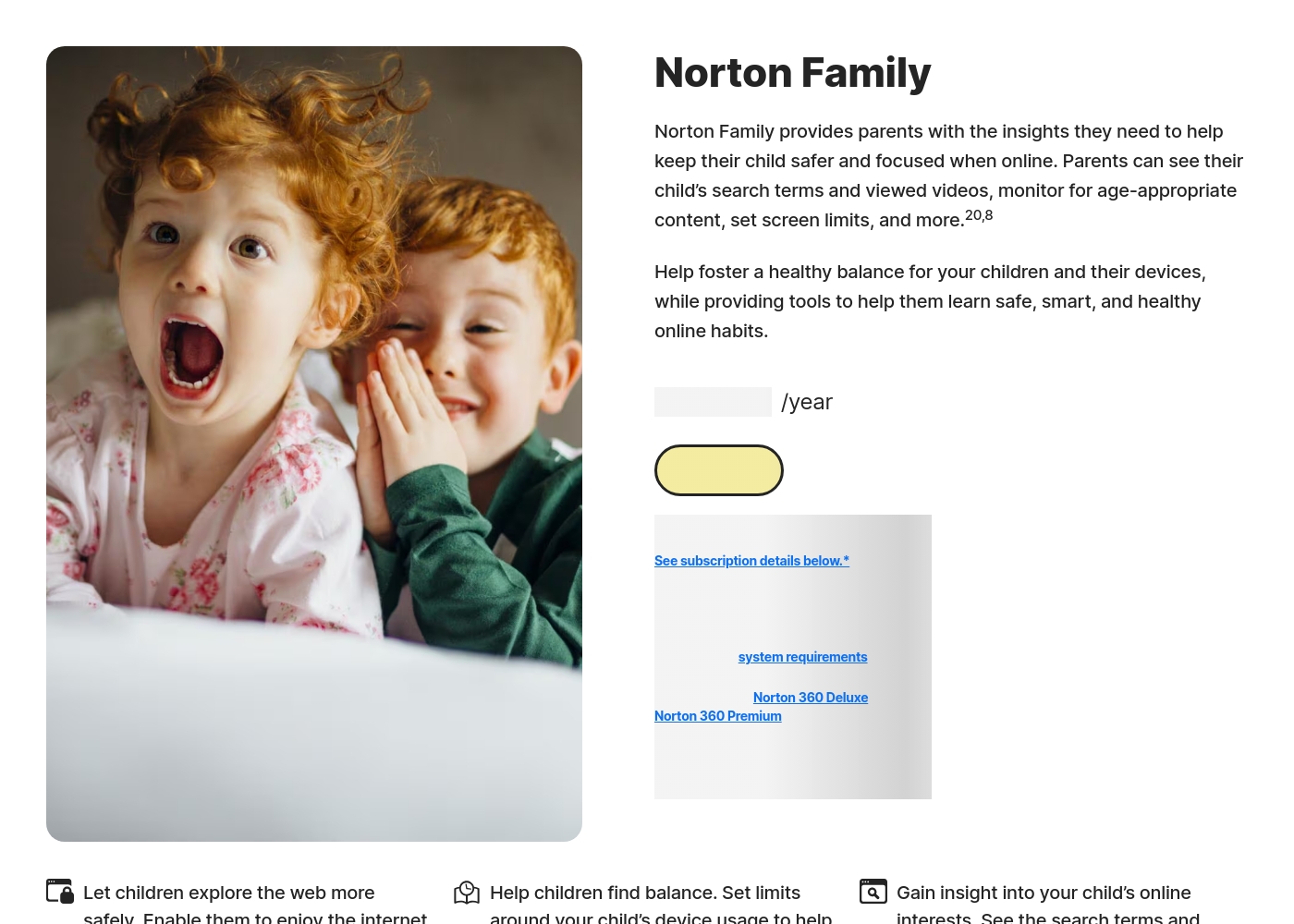
Norton Family is a comprehensive toolset designed to give parents awareness and control over their children’s digital interactions. It focuses on facilitating positive and age-appropriate experiences with technology. Parents can manage protection for their child's devices using an easy-to-use Web Portal or a mobile app 📱. The core mission is to help children learn responsible, healthy methods for exploring the internet.
AboutXnspy
XNSPY is designed as an accessible monitoring solution. It helps you stay informed and provides necessary visibility. The platform works specifically with key mobile systems. You can easily explore compatibility for both Android and iPhone devices before committing. Get instant access to the Live Demo to see the system in action. ✅
Highlights
Feature Comparison
Features Overview
We highlight the main differences and pick a winner for each feature.
Monitoring Philosophy
Norton Family promotes transparent boundaries and discussion; Xnspy enables discreet, deep monitoring without detection.
Norton Family is designed for visible parental control in a family setting. Features like Instant Lock and School Time foster open communication about limits. Xnspy focuses on running 100% undetectably, especially on older Android versions. This stealth approach is suitable for investigating without the user knowing. If you want transparency, choose Norton Family; if you need stealth, choose Xnspy.
Advanced Data Capture
Xnspy captures keystrokes and records ambient sound; Norton Family focuses on search and video history instead.
Norton Family provides clear supervision of web content and video snippets. It delivers detailed reports on what kids searched and watched. Xnspy offers a powerful Keylogger feature for Android devices. This captures every keystroke, including logins and drafts. Additionally, Xnspy Premium can remotely record the device’s surroundings. Norton Family does not have these invasive investigative collection features.
Screen Time Management
Norton Family specializes in scheduling and limits; Xnspy offers only passive data monitoring.
Norton Family offers robust Time Supervision to set daily limits and schedules. It also features a School Time mode to limit distractions during remote learning. Xnspy does not offer scheduled time management or limits on device usage. It is purely an information gathering tool, not a control tool. For establishing healthy digital habits and boundaries, Norton Family is required.
Social Media Coverage
Xnspy offers explicit monitoring for 10+ social apps; Norton Family provides general app supervision.
Norton Family uses App Supervision to show installed apps and monitor general web traffic. It offers video supervision for YouTube and Hulu content snippets. Xnspy Premium Edition tracks chats and media across 10 or more social platforms. This includes deep insight into Snapchat, Instagram, and Tinder activity. If deep social media oversight is the goal, Xnspy is vastly superior here.
Remote Device Controls
Xnspy offers robust remote security controls; Norton Family limits remote action to 'Instant Lock'.
Norton Family provides Instant Lock to immediately pause device use when needed. This remote lock works across Windows, Android, and iOS devices. Xnspy Premium (Android only) offers Remote Wipe and Remote Lock functionality. This lets you protect sensitive data by erasing the phone contents if lost. Both offer immediate control, but Xnspy provides critical data security options.
Pricing and Bundles
Norton Family can be very affordable or even free; Xnspy requires paying for a dedicated subscription.
Norton Family starts cheaply and is frequently included as part of Norton 360 bundles. This means many users access Norton Family at no extra separate cost. Xnspy runs from $4.99 to $7.49 per month when billed annually. It has Basic and Premium tiers, but no free plan or bundle option. Norton Family wins on value, especially if you need antivirus protection too.
Customer Support & Setup
Xnspy offers 24/7 live support, often helping with setup; Norton Family uses standard help channels.
Norton Family uses the standard Norton support and member service channels. Setup is noted as simple and straightforward for most family users. Conversely, Xnspy installation is noted as tricky or difficult for average users. Xnspy prides itself on 24/7 live chat support to assist with tricky installation. If you're not tech-savvy, Xnspy's dedicated support can be a lifesaver.
Norton Family costs S$29.99 per year for the first year. It is offered as a single standalone annual subscription at S$29.99.
Norton Family is designed to help parents foster healthy online habits for their children.
Norton Family (1 Year Subscription)
Price: S$29.99 per year (introductory price) Best For: Parents seeking dedicated tools to help children balance screen time Refund Policy: 60-day money-back guarantee (for annual subscriptions) Other Features:
- Set time limits for device use (Time Supervision).
- See terms children are searching for (Search Supervision).
- Monitor videos viewed on YouTube.com (Video Supervision).
- Set up a block list for distracting sites during remote learning (School Time).
- Use Location Supervision to map mobile devices.
- Web Supervision (blocking unsuitable content)
- Time Supervision (setting device limits)
- Search Supervision (seeing terms children search)
- Video Supervision (monitoring YouTube videos)
- App Supervision (managing downloaded apps)
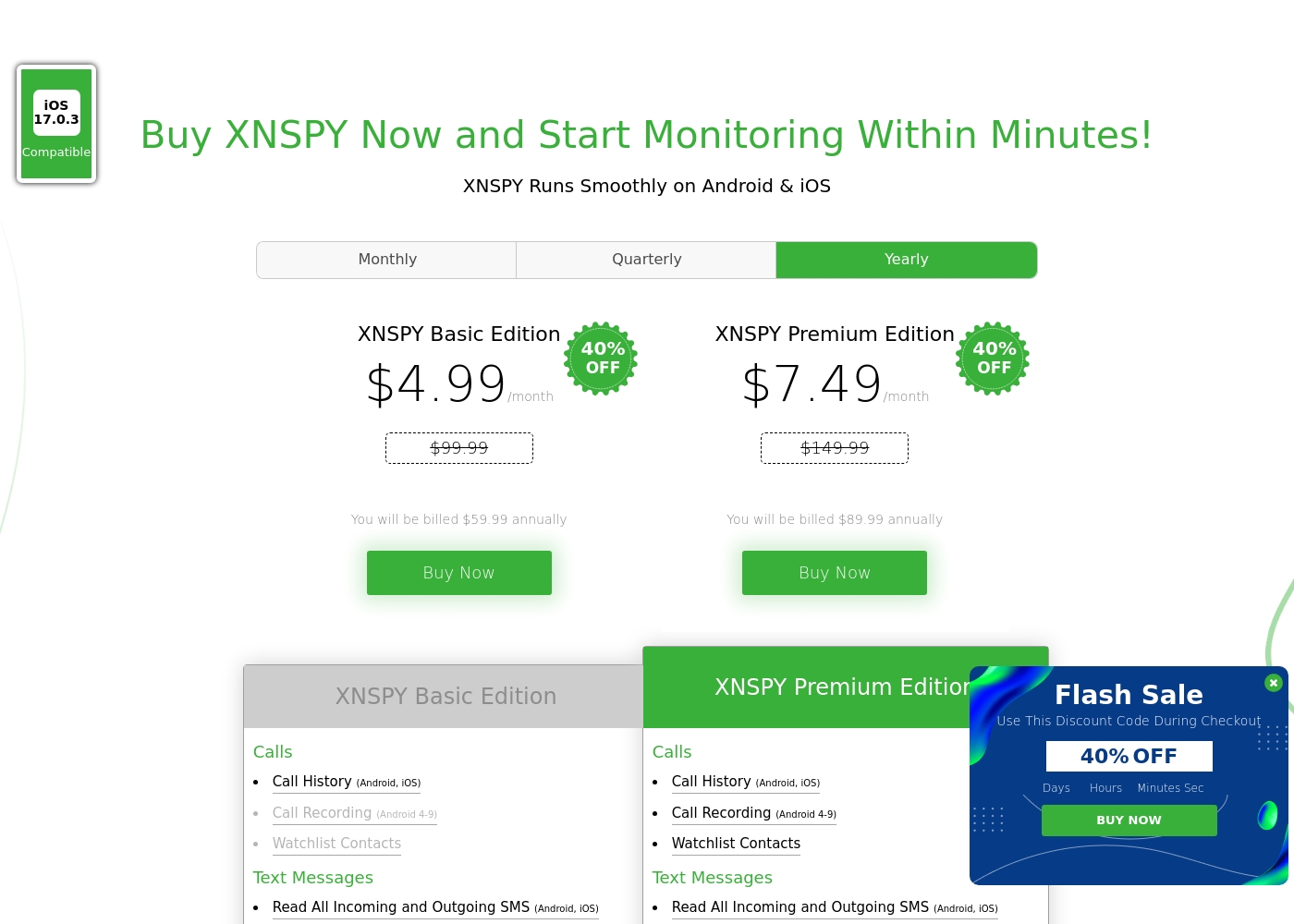
Xnspy costs between $4.99 and $7.49 per month (when billed annually) with 2 plans: XNSPY Basic Edition at $59.99 annually, and XNSPY Premium Edition at $89.99 annually.
These plans offer flexible billing options, including monthly, quarterly, and yearly subscriptions, allowing you to choose the commitment that works best for you.
XNSPY Basic Edition
Price: $59.99 billed annually (equivalent to $4.99/month) Best For: Users who need fundamental call, message, and location monitoring on a budget. Refund Policy: Partial refund within the first 10 days Other Features:
- View full call history and record calls (Android 4-9)
- Read all incoming and outgoing text messages
- Monitor WhatsApp chats and photos
- View internet browsing history and bookmarks
- Monitor keystrokes via Keylogger (Android)
- Call History & Recording (Android 4-9)
- Read All SMS & iMessages
- WhatsApp Chat & Photo Monitoring
- Real-Time Location Lookup
- Keylogger (Android)
- All Basic features included
- Monitor 10+ Social Media Apps (Facebook, Snapchat, Viber, etc.)
- Remotely Record Surroundings (Android)
- Remote Wipe Phone Data & Lock Phone (Android)
- Monitor Gmail App (Android)
Pricing Notes
- Norton Family offers a free trial but requires payment details upfront.
- Xnspy does not offer a free trial; instead, it provides a 10-day partial refund guarantee.
- Norton Family is bundled with Norton 360 Deluxe and Premium, offering excellent value if you need the entire security suite.
- Xnspy locks advanced features like remote wipe and deep social media tracking into the Premium Edition.
- The actual renewal price for Norton Family may be significantly higher after the first promotional year.
Pricing Head-to-Head
User Reviews
Reviewers overwhelmingly praise Norton’s broader security ecosystem, which includes Norton Family. Customers consistently highlight the robust protection provided, confirming that the software ensures their devices are safe from threats and malware.
Consumers often mention the peace of mind they gain from the software operating efficiently in the background, offering prompt alerts and regular scans. The user experience is generally considered easy, even for non-tech-savvy users, and the comprehensive bundles (including VPN and Identity Theft services) are highly valued.
I have been using Norton since its very beginning and have never had protection issues. I have examined others and there is simply no comparison to Norton's performance and protection.
The general sentiment for Xnspy is mixed, reflected in its cumulative Trustpilot score of 3.3/5. Users commonly praise its core capabilities, noting that the app runs discreetly and is effective for monitoring calls, texts, location, and social media activity.
Many parents appreciate the peace of mind it offers, finding the system more straightforward than complex rival monitoring software. A major strength cited frequently across reviews is the responsiveness and professionalism of the 24/7 customer support team.
I’m not very tech-savvy, so I reached out to live support for help with the setup. They opened a support ticket and completed everything for me quickly. The team was professional and really helpful.
Our Verdict
Choosing between Norton Family and Xnspy means deciding between transparency and deep investigative power. Norton Family is the clear choice for most families prioritizing healthy boundaries. It’s an established brand focused on visible parental controls like time scheduling and filtering. If you're already in the Norton ecosystem, Norton Family is often bundled, providing massive value and simple integration on Windows and mobile devices. However, Xnspy is built for a completely different purpose: deep, discreet monitoring. Xnspy is your investigative tool, offering unique capabilities like Keylogging, live call recording, and remote data wiping for Android. Its Premium version tracks conversations across over 10 social media apps, far surpassing Norton Family’s oversight. The deciding factor is your monitoring philosophy and technical needs. If you want a straightforward tool for setting time limits, filtering content, and guiding conversations, choose Norton Family. Norton Family is reliable for daily, transparent supervision. If you require complete stealth, need to capture every keystroke, and demand the deepest social media data extraction, then Xnspy is the specialized tool you need. Just be aware Xnspy’s installation is harder, but their 24/7 support is there to help guide you through the process.
Frequently Asked Questions
Which is more affordable to use: Norton Family or Xnspy?
Norton Family starts at only $1 per year for the first term and often comes free in Norton 360 bundles. Xnspy requires a dedicated paid subscription that costs a minimum of $4.99 per month. Norton Family offers much better value for budget-conscious families.
Can I use Xnspy or Norton Family to record phone calls?
Xnspy offers live call recording functionality, but only on older Android devices (versions 4-9). Norton Family does not include any capability to record or listen in on live phone calls. Check Xnspy compatibility before purchasing this feature.
Does Norton Family have a Keylogger like Xnspy?
No, Norton Family does not include a keylogging feature to capture every keystroke. Xnspy provides a Keylogger, which is available on Android only. Xnspy offers a much deeper, more granular level of input capture.
Which tool is better for comprehensive social media monitoring?
Xnspy is significantly better for deep social media tracking. Xnspy Premium monitors chats across 10+ platforms, including Snapchat and Instagram. Norton Family provides general oversight but lacks this specialized, deep integration.
Can Xnspy or Norton Family help me manage screen time limits?
Norton Family is designed to manage screen time using Time Supervision and scheduling tools. It even has a School Time feature for remote learning focus. Xnspy is purely a data monitoring tool and offers no built-in screen time controls.
Is there a free trial for Xnspy like there is for Norton Family?
Norton Family offers a trial, though you must provide payment information to start it. Xnspy does not provide a free trial subscription. Xnspy offers a strict 10-day partial refund policy instead if you are dissatisfied with the paid software.
Ready to Choose?
Both tools have their strengths. Choose based on your specific needs.