Munch vs Opus Clip
Munch and Opus Clip are AI video giants competing for your time and content. Opus Clip provides transparent, affordable pricing plus reliable speed. Munch hides its costs but offers unique, high-level strategic data. We help you decide which tool deserves your long-form video library.
Best for: Content creators needing high-volume rapid content ideation, Digital marketers needing automated trend-tracking insights
Best for: Solo creators needing a reliable, permanent Free plan solution, High-volume creators requiring reliable processing 5x faster
High potential, hampered by technical issues.
We recognize Munch's advanced AI capabilities for smart video repurposing and its excellent interface design. However, recurring performance issues, including poor clip accuracy and inconsistent reliability, hinder the intended workflow and time savings. Overall, we see a tool with strong potential but significant technical growing pains that require user patience and manual correction.
Pros
- Intuitive, highly functional, and easy-to-navigate interface.
- Effective tool for high-volume content repurposing and rapid ideation.
- Automatically generates keywords, captions, and trend insights.
- Customer service is highly responsive for specific billing/subscription issues.
Cons
- Clip generation is frequently inaccurate, lacking context or proper cutoffs.
- Significant reliability concerns reported, including website freezing and bugs.
- Exported video and sound quality are often reported as poor.
- Rendering times can be excessively long compared to competitors.
Essential AI tool for viral short content.
We found Opus Clip to be an exceptional tool for streamlining content creation workflows, automating the difficult task of transforming long-form content into polished vertical shorts with high accuracy and speed. Overall, this AI editor delivers on its promise to maximize social media output and reach for both budget-conscious creators and growing agencies.
Pros
- Drastic speed increase (clips created up to 5x faster).
- Highly accurate automatic captioning and dynamic text.
- Permanent Free plan and affordable paid tiers starting at $15/mo.
- Watermark-free export available on the Starter plan.
Cons
- Media storage is temporary, expiring rapidly on lower tiers.
- All Free tier exports include a watermark.
- Fixed storage and unlimited advanced AI B-Roll require the Pro plan.
AboutMunch
Munch is an advanced AI platform built to revolutionize content repurposing. It transforms your ready-made long-form content into engaging, stand-alone clips ✨. Instead of just randomly chopping up videos, Munch uses smart algorithms to identify the most engaging moments with context intact. For those needing a full marketing solution, Munch also offers Munch Studio. This new product plans, creates, and posts content for you, ensuring everything is always on-brand. Munch is ideal for Brands, Digital Marketers, Media Agencies, Social Media Managers, and Content Creators.
AboutOpus Clip
OpusClip is an advanced AI editor built to automate your video workflow. It analyzes your long video and uses big data to identify the most viral-worthy moments.
The AI then re-arranges those moments into high-quality shorts. These clips are automatically polished with dynamic captions and smooth transitions.
You can take full editing control or let the AI take over; either way, it's made effortless. Team workspaces are also available to help your business scale creative output without scaling overhead.
Highlights
Feature Comparison
Features Overview
We highlight the main differences and pick a winner for each feature.
Core AI Accuracy
Opus Clip reliably finds viral moments; Munch users report frequent context failure. The core technology in Opus Clip seems more reliable.
Munch uses proprietary AI to find coherent “gold nuggets.” Users often report that Munch's clips lack important context. Many cuts created by Munch require heavy manual editing instead. Opus Clip uses big data to identify highly shareable, viral moments. It ensures every extracted clip is coherent and immediately attention-grabbing. Opus Clip works successfully across virtually all video genres using ClipAnything. The trade-off is often context versus proven viral potential. Munch aims for context but frequently misses the mark entirely. Opus Clip delivers high-impact, shareable segments consistently, making it easier to use. If your brand relies strictly on specific conceptual accuracy, Munch might frustrate you. Opus Clip is the better choice for maximizing fast engagement and reach.
Pricing Model
Opus Clip provides clear, affordable plans; Munch hides its sensitive cost structure. Budgeting is easy with Opus Clip.
Munch does not publicly display its specific pricing tiers online. Potential customers must contact sales or use the free trial to learn the costs. This lack of transparency is often inconvenient for evaluation. Opus Clip offers a highly transparent structure plus a permanent Free plan. Paid tiers begin affordably at just $15 per month for Starter access. Opus Clip bills mainly based on processing time usage. Opus Clip provides outstanding value with its free tier and low-cost entry plan. Munch's final cost is perceived as overly high by users given necessary manual corrections. If budget certainty is essential for your business, Opus Clip is the clear winner. Avoiding hidden costs makes scaling content production simpler.
Speed & Reliability
Opus Clip is reliably 5x faster; Munch reports frustrating bugs and freezing. Reliability hugely favors Opus Clip.
Munch is designed for workflow acceleration and rapid content ideation. However, users frequently report numerous reliability issues and technical bugs. Rendering times in Munch can be excessively long compared to rivals. Opus Clip specifically claims users can create and publish videos 5x faster. The platform is highly stable and reliable according to most user reports. Opus Clip uses dedicated enterprise queues for its fastest paid plans. Munch's intended speed is hampered by ongoing technical growing pains. Opus Clip consistently delivers on its bold promise of dramatic time savings. You get the results you pay for. A marketing agency relying on quick turnaround needs Opus Clip's proven stability. Slow rendering times on Munch can easily derail tight publishing calendars.
Dynamic Reframing
Opus Clip automatically centers subjects; Munch features no equivalent positioning tool. Opus Clip optimizes for mobile perfectly.
Munch focuses on clip selection and automated text generation tools. It does not explicitly mention automatic subject tracking or reframing. Manual adjustments may be required for optimal framing. Opus Clip features `ReframeAnything` for perfect professional formatting. Advanced AI object tracking automatically keeps moving subjects perfectly centered. This ensures professional-looking vertical video instantly. Munch outputs clips where the framing may be unpredictable or off-center. Opus Clip maximizes the visual impact optimized for Reels and TikTok. Opus Clip eliminates manual reframing work. For creators focusing on speaker-centric content, Opus Clip saves huge amounts of manual editing time. Perfect framing is mandatory for high-performing short-form video.
Strategic Focus
Munch provides actionable data on strategy; Opus Clip focuses purely on efficient clip generation. Munch adds marketing intelligence.
Munch provides actionable data on clip performance and current trends. It offers advice on *how, where, and when* to post content. Munch Studio can even handle all content planning and posting for you. Opus Clip focuses purely on the speed and accuracy of the clip generation itself. Its metrics tout quantifiable growth like 2x views or increased watch time. Opus Clip is a production editor, not a strategist. Munch provides strategic marketing intelligence baked into the process. Opus Clip accelerates the production pipeline without offering posting advice. It focuses solely on the tools. Choose Munch if you need strategy guidance built into your video workflow. Opus Clip is perfect if you already have a very strong publishing plan in place.
Video Quality Output
Opus Clip exports high quality seamlessly; Munch users complain about low export resolution. Final quality favors Opus Clip.
Munch users frequently report that exported video quality is disappointingly poor. They cite low resolution for the final clips created. This severely limits professional content usage for Munch. Opus Clip exports clips up to 1080p resolution. Users praise the smooth transitions and overall polished output quality. Opus Clip delivers professional-grade final assets every time. The core promise of Munch is often undermined by its poor technical export quality. High-end creators cannot tolerate grainy low-res outputs. Opus Clip ensures professional visual results. If you are aiming for high production value on vertical platforms, Opus Clip is essential. Quality issues with Munch can require a complete re-edit outside the platform.
Collaboration & Scaling
Opus Clip offers structured team tools and security; Munch requires its Studio product for scaling. Opus Clip is better for growing teams.
Munch offers Munch Studio, which acts as a full marketing team solution. This caters to agencies that need comprehensive planning and posting services. Team features outside the Studio are less defined. Opus Clip offers dedicated team workspaces for project management. The Business plan provides SSO security and SOC II Type 2 compliance. Opus Clip supports unlimited member seats for seamless growth. Opus Clip's scaling solution is baked into its transparent pricing structure. Munch's full organizational suite requires the higher-end Munch Studio product. Opus Clip is built for reliable enterprise scaling. For organizations requiring high security and compliance, Opus Clip's Business plan is the only option. Small teams will benefit from Opus Clip's affordable Pro plan collaboration features.
Language Support
Opus Clip supports 20+ languages for transcription; Munch's global language support is not clarified. Opus Clip is better for international users.
Munch’s description focuses primarily on keywords and accessibility via captions. It does not explicitly state which global languages it supports for transcription processing. Users may need to test this during the free trial period. Opus Clip is clear: it supports over 20 languages for transcription service. This includes major global markets like German, Spanish, and Japanese. This caters to a global creator base. International creators must rely on Opus Clip for guaranteed multi-language support. Munch's lack of clarity suggests it may be primarily focused on English content. If your content involves multiple languages, Opus Clip is the safe and verified choice. Its widespread language support ensures broader audience accessibility.
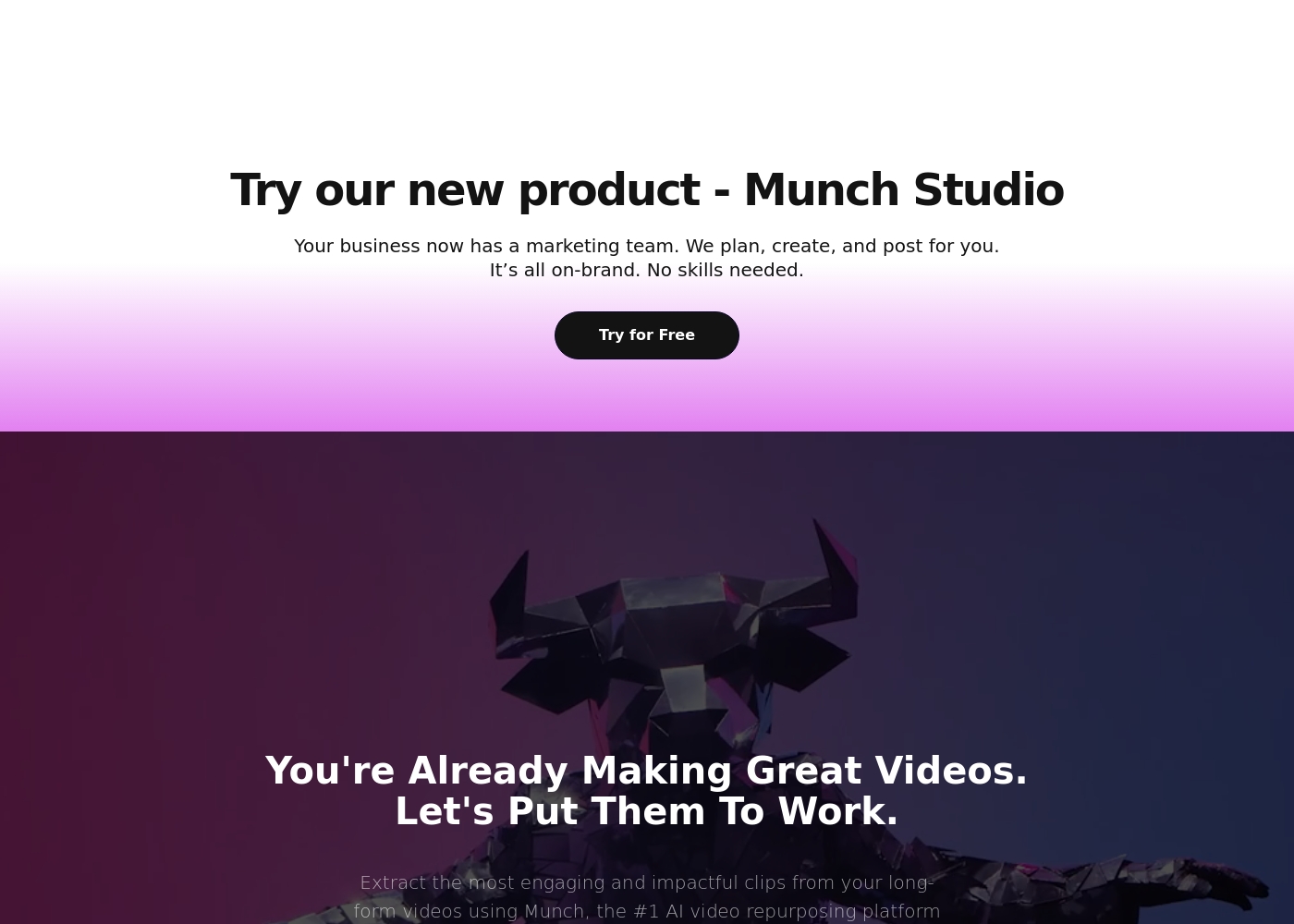
While the specific pricing tiers aren't visible right now, we can review what we know about the packages if they become available. Keep in mind that Munch uses advanced AI to distill the most engaging contextual clips from your long-form videos.
Since no specific plan details are currently displayed, we cannot list individual plan features, prices, or recommendations. If you are a content creator, digital marketer, or social media manager, Munch promises to simplify your workflow and keep you consistent across platforms by extracting effective clips automatically.
To begin using Munch, you'll see a clear option to Try for Free on their website. This indicates they offer a way to experience the tool without immediate financial commitment, either meaning a basic free plan or a time-limited free trial. Check the sign-up page for clarity on any limits associated with this free option.
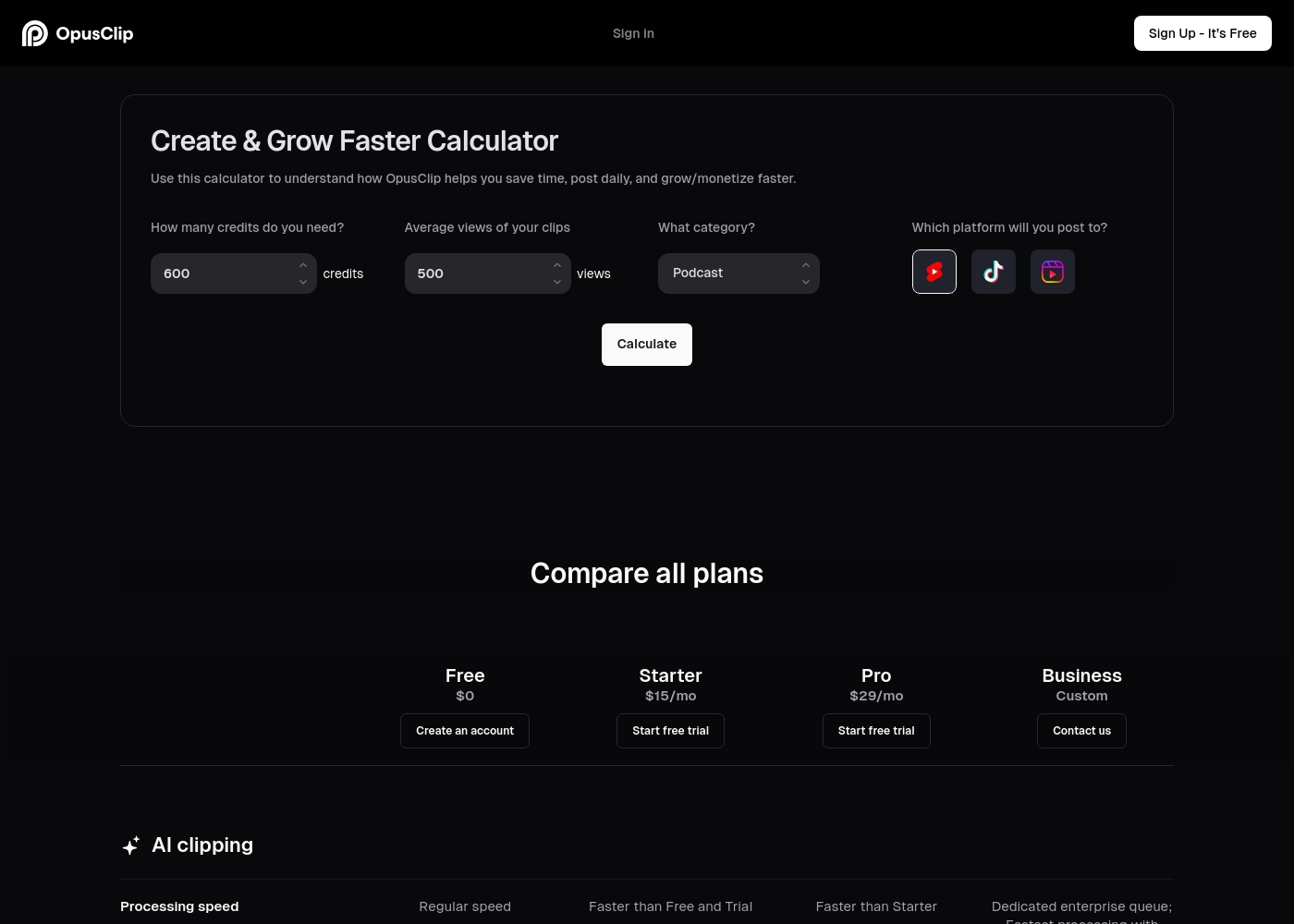
Opus Clip costs between $0 and a custom price per month with four plans: Free at $0, Starter at $15/mo, Pro at $29/mo, and Business (Custom).
If you're ready to select an option, here is a detailed breakdown of what is included in each plan.
Free
Price: $0/mo Best For: New users or small-scale content creators Other Features:
- Regular AI clipping processing speed
- Local video import up to 10GB
- Animated caption templates (with watermark)
- 60 minutes of video processing time refreshed monthly
- Regular AI clipping processing speed
- Local video import (Up to 10GB)
- Animated captions with watermark
- Export limited to 1080p rendered clips
- Faster processing than Free and Trial
- Watermark-free video export
- AI B-Roll Generator (3 clips/month)
- 20 AI Voice-overs per day
- Auto video import from verified YouTube account
- Faster processing than Starter
- 100GB fixed storage
- 2 users/pack, up to 4 users total
- Unlimited stock B-Roll; 50 AI B-Roll clips per day
- Export in bulk
- Dedicated enterprise queue; Fastest processing
- Unlimited member seats and storage
- Single-Sign On (SSO) and SOC II Type 2 compliant
- Priority customer support with dedicated Slack channel
Pricing Notes
- Munch does not publish its specific pricing tiers or costs publicly; users must contact sales or sign up to find details.
- Opus Clip offers a permanent Free plan providing 60 minutes of video processing time monthly.
- Munch's perceived cost is often high given the necessity of extensive manual correction due to low accuracy.
- Opus Clip offers watermark-free export starting at the affordable $15/month Starter plan.
- Opus Clip allows a 7-day free trial of their Pro plan, providing 90 minutes of processing time.
Pricing Head-to-Head
User Reviews
Users have sharply contrasting experiences with Munch, resulting in a low overall Trustpilot rating of 2.8/5.0 💔. Positive feedback highlights the general ease of use and strong interface, noting its potential as a powerful ideation tool that generates usable content rapidly.
However, issues regarding accuracy and reliability are widespread. Many users report that the AI selects random clips, misses critical context, and features poor cutoffs, which makes the core technology frustrating.
The potential of Munch and the ease of use is why I upgraded immediately. This is a powerhouse app that quickly generates a ton of useful content. I'm excited to explore additional features and integrations.
Users consistently praise Opus Clip for its remarkable ease of use and its ability to drastically speed up content production. The core functionality—turning lengthy videos into viral shorts—is highly effective, with many creators reporting time savings of up to 5x.
Reviewers frequently highlight the accuracy of the automated caption generation and the practical utility of the
ReframeAnythingI used to spend hours manually editing one long video. Opus Clip changes that completely. Now, I upload my content and have tons of high-quality clips ready in minutes. It’s truly revolutionized my weekly workflow.
Our Verdict
Choosing between Munch and Opus Clip is surprisingly simple. They actually serve very different, distinct content needs. For the majority of video creators, Opus Clip is the decisive winner. It delivers fast, proven results with remarkable consistency. Munch's true superpower is its advanced strategic intelligence gathering. It provides specific, actionable data on *when* and *where* to post your content. If you need a virtual marketing strategist advising your output, Munch is built for that role. Munch Studio can even fully take over content planning for you. Opus Clip’s superpower is its sheer speed, reliability, and precision framing technology. It helps creators generate clips up to five times faster than traditional editing used to. Opus Clip’s `ReframeAnything` keeps your talking heads perfectly centered automatically. Plus, Opus Clip offers a reliable, permanent Free plan to start. The key choosing factor is quality versus strategic complexity provided. Munch often outputs inaccurate or low-quality video requiring manual fixes. These necessary fixes negate Munch's claim of workflow acceleration. Opus Clip provides reliable, high-quality exports with transparent, consistent pricing. If you prioritize speed, quality output, and predictable costs, choose Opus Clip immediately. It is ideal for most scaling solo creators and high-volume agencies needing stability. Pick Munch only if you desperately need its advanced strategic insights and can tolerate its current technical instability.
Frequently Asked Questions
Which is better for budget-conscious creators: Munch or Opus Clip?
Opus Clip is clearly the better choice for creators watching their budget. It offers a permanent Free plan with 60 minutes usage monthly. Munch does not publicize its specific pricing structure online. Opus Clip's reliable paid plans start affordably at $15 per month.
Does Munch offer automatic subject centering like Opus Clip?
No, Munch does not feature this essential positioning functionality. Opus Clip uses its powerful `ReframeAnything` feature for dynamic tracking. This proprietary technology ensures subjects remain perfectly centered in vertical videos.
Which tool has better output video quality and reliability?
Opus Clip is consistently reliable and produces high-quality video exports up to 1080p. Munch users report frequent technical bugs and low-resolution output quality. Opus Clip's stable performance is highly praised by its users.
Is the Munch Studio feature worth choosing Munch over Opus Clip?
Munch Studio is a full-service content planning and posting solution. It plans, creates, and posts content for you completely. Opus Clip focuses strictly on maximum speed video editing production. Choose Munch only if you need this comprehensive strategic service.
Which tool supports more global languages for transcription?
Opus Clip supports transcription and clipping in over 20 global languages. This includes major languages like Spanish and German. Munch does not explicitly list its multi-language support capabilities.
Opus Clip claims 5x speed; is Munch also that fast?
Munch aims for workflow acceleration for high-volume content. However, frequent bugs and excessively long rendering times are sometimes reported. Opus Clip consistently delivers on its 5x faster processing claim for reliable speed. Opus Clip is the faster, more stable option.
Ready to Choose?
Both tools have their strengths. Choose based on your specific needs.