mSpy vs Umobix
mSpy and Umobix both track devices, but they feel different. mSpy leans deep monitoring; Umobix emphasizes real-time visibility. Your choice hinges on speed, device count, and pricing trust.
Best for: Single-device monitoring with a strict budget, Parents who want deep data capture (Keylogger + Screenrecorder)
Best for: Families with 2-3 devices needing real-time updates, Tech-savvy households wanting quick setup and strong support
Effective Monitoring with Severe Pitfalls
We found mSpy offers a highly capable feature suite, including Keylogger, Screenrecorder, and robust GPS tools, which are powerful when functioning correctly. However, external reports show major issues surrounding reliability, hidden pricing, and difficult installation processes. Overall, this tool provides powerful monitoring features, but its severe operational and billing pitfalls prevent a strong recommendation.
Pros
- Excellent feature set including Keylogger and Screenrecorder capabilities.
- Effective remote features like call recording and microphone control (available in Extreme plan).
- Geofencing and GPS tracking are praised for accurately monitoring location.
- Family Kit successfully allows monitoring up to three devices simultaneously.
Cons
- Frequent reports of inaccurate data tracking, app failure, or connectivity issues.
- Users report that the service stops working after a short period, requiring constant reinstallation.
- Many customers report unauthorized billing, hidden costs, and surprise fees for required add-ons.
- The refund policy is considered very narrow, making returns extremely difficult to obtain.
Powerful monitoring, excellent user support.
We find that uMobix offers powerful and highly detailed monitoring capabilities, which users praise for providing considerable oversight, particularly regarding location tracking and social media activity. Overall, while the core functionality and supporting team are excellent, prospective users must proceed with caution regarding the reported persistent issues with billing transparency and unexpected charges.
Pros
- Comprehensive tracking system supports 41 popular apps, calls, and messages.
- Highly responsive and helpful customer support team assists with difficult installations.
- Accurate and reliable GPS location tracking and keylogging functions.
- Provides highly detailed tracking data often missing in competitor applications.
Cons
- Frequent, serious complaints regarding unauthorized charges and unexpected billing practices.
- Users often report difficulty canceling trials or subscriptions and securing refunds.
- Real-time data and updates can sync slowly, especially during the initial setup phase.
- Some reports indicate the application can negatively impact the target device’s battery life or internet efficiency.
AboutmSpy
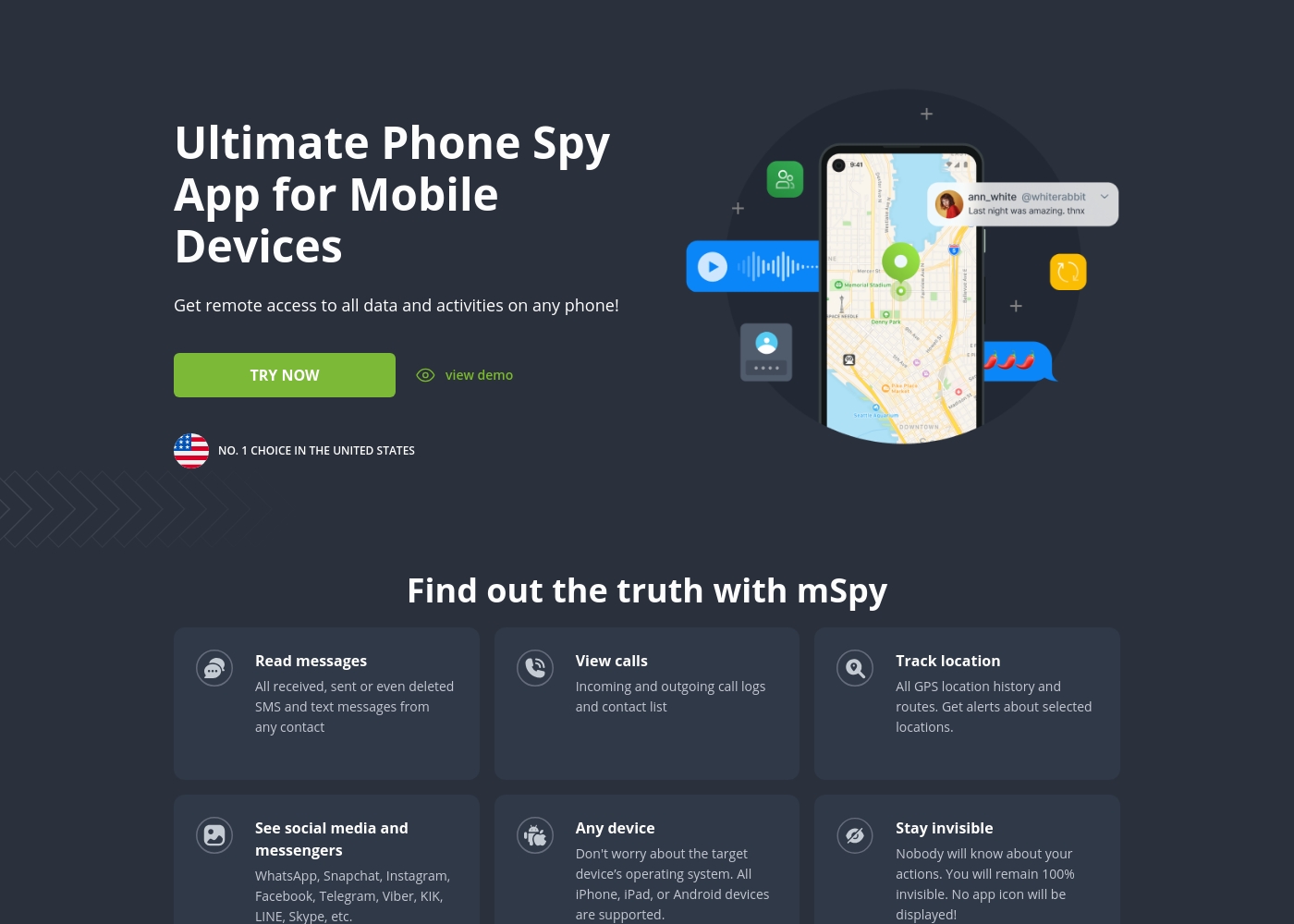
mSpy is the #1 Choice in the United States for trusted parental control. It is a powerful mobile monitoring solution, more than just a simple app. This tracker lets you see exactly what’s happening on their phone without needing to stand over them. It works great on your favorite device, offering solutions that are compatible with any operating system 💡. Installation is simple, allowing you to get the full monitoring power without restrictions, even offering local sync and non-jailbreak solutions.
AboutUmobix
uMobix is a powerful cell phone tracker designed for modern parents. It lets you manage and monitor everything happening on your child's smartphone or tablet. This comprehensive tool supports a wide range of devices, including all iPhones, iPads, and Android OS 4+. You can easily check if your specific model is compatible on the website. uMobix provides real-time access to crucial digital activities and communications. 💡
Highlights
Feature Comparison
Features Overview
We highlight the main differences and pick a winner for each feature.
Real-time visibility
Umobix shines with real-time visibility; mSpy lags on updates.
mSpy tracks location, calls, texts, and social apps with a broad feature set. Umobix provides real-time location and activity across Android and iOS dashboards. Trade-off: Umobix delivers immediacy; mSpy offers deeper data capture like keystrokes. Real-world: parents see faster responses from Umobix when kids move.
Location tracking
Umobix leads real-time location; mSpy provides route history.
mSpy's GPS Presence tracks location history and routes. Umobix shows real-time GPS and visited places history. Trade-off: Umobix real-time vs mSpy historical data. Real-world: quickly confirm where teens are after school.
Social media monitoring
Umobix covers more platforms; mSpy covers many core apps.
mSpy covers major platforms like WhatsApp and Snapchat; Umobix covers 41 apps. mSpy emphasizes breadth across high-traffic apps; Umobix adds niche platforms. Trade-off: breadth vs depth varies by app; both track media and messages. Real-world: pick based on which apps your family uses most.
Alerts & notifications
Umobix offers faster, real-time alerts; mSpy uses keyword-based alerts.
mSpy offers Keyword Alerts for worry words. Umobix provides real-time alerts on critical events. Trade-off: Umobix is more immediate; mSpy supports keyword-driven triggers. Real-world: respond quickly to risky chats with Umobix.
Remote controls
Umobix delivers broader remote controls; mSpy covers core blockers.
mSpy's Website Blocker and App Blocker provide essential control. Umobix adds restrictions on Wi-Fi, calls, and device lock. Trade-off: Umobix broader controls but potentially more setup. Real-world: stop dangerous apps or sites from the dashboard fast.
Setup & onboarding
Umobix setup is quick; mSpy can be more involved.
Umobix offers one-click installation and remote settings. mSpy may require setup steps and, in some cases, rooting. Trade-off: quick setup vs deeper initial data collection. Real-world: start fast with Umobix, then expand features in mSpy.
Migration & device transfers
mSpy makes transfers smoother; Umobix relies on support guidance.
mSpy supports transferring subscriptions to a different device. Umobix provides migration details via customer support. Trade-off: transfer ease vs required guidance. Real-world: upgrade phones without losing monitoring continuity.
Pricing / Value
mSpy offers predictable pricing; Umobix pricing is less public.
mSpy pricing under $1/day for single device. Umobix pricing isn't fully public; value depends on usage. Trade-off: price predictability vs breadth of features. Real-world: budget-conscious families may prefer mSpy.
Security & Privacy
Data security terms aren’t fully disclosed for both tools.
Data security specifics aren’t clearly stated in provided data. Both rely on vendor policies to safeguard data. Trade-off: trust the vendor; verify encryption and retention terms. Real-world: read privacy policies before subscribing.
mSpy offers a choice between two main subscription options, helping users align coverage with their specific monitoring needs. Both plans include the powerful suite of monitoring features available through your personal Control Panel.
Single Device Plan
Best For: Monitoring one child or device Other Features:
- Provides remote access to call logs and contact lists.
- Allows viewing of received, sent, and deleted text messages.
- Includes access to all GPS location history and geofencing alerts.
- Supports monitoring across all major social media and messenger apps.
- Offers features like Keylogger and Screenrecorder capabilities.
This plan is ideal if you only need to keep an eye on a single smartphone or tablet. It delivers the full range of mSpy features for comprehensive, invisible surveillance on one target device. This is the simplest and most accessible option for new users.
- Coverage for one device only
- Invisible monitoring mode
- Keylogger and Screenrecorder
- GPS Location Tracking
- Social Media monitoring (WhatsApp, Snapchat, etc.)
- Coverage for up to 3 devices simultaneously
- All features of the Single Device Plan
- Suitable for monitoring multiple children or mobile devices
- Centralized control via a single Control Panel
While the exact prices aren't currently displayed, Umobix is designed to be a comprehensive mobile monitoring solution featuring cross-platform compatibility. uMobix works seamlessly on all Android devices running OS 4+ and all iPhones and iPads. This broad compatibility ensures that most modern parental devices are supported immediately.
Comprehensive Monitoring Package (Details Not Stated)
Best For: Parents or guardians seeking absolute, real-time activity monitoring across a child's mobile device. Other Features:
- Access to all incoming and outgoing calls, messages, and deleted content.
- Keylogger functionality capturing keystrokes and passwords.
- Real-time and historic GPS location tracking features.
- Total monitoring capability for 41 popular apps and social media platforms.
- Remote control settings (e.g., blocking apps, Wi-Fi, or the device).
This package appears to provide truly extensive surveillance and control tools for monitoring modern Android and iOS devices. If you are prioritizing robust oversight across text communication, social media, and physical location tracking, this feature set is ideal for your needs. The advanced remote controls allow parents to actively manage the device environment, which often provides significant peace of mind. Key features like deleted message recovery and explicit handling of dating apps offer crucial capabilities for proactive parents.
Pricing Notes
- mSpy: Family Kit enables monitoring up to three devices; optional mAssistance is non-refundable.
- Umobix: Free trial not clearly stated; migration details handled by support; data delays possible.
Pricing Head-to-Head
User Reviews
mSpy maintains a moderate 2.9-star rating on Trustpilot, reflecting significant variation in user experiences. Many satisfied customers specifically praise the effective monitoring features, such as remote call recording, screenshot capture, and the precise Geofencing alerts, which help parents track children's locations.
For those features that work, the software is considered powerful. However, the user base reports heavy friction regarding pricing, reliability, and support.
Matthew Stone was crucial when I needed an urgent reinstallation on my daughter’s phone. I only had ten minutes with the device, and he handled everything remotely. He got things rolling again quickly and professionally.
uMobix has a Trustpilot rating of 3.5/5, reflecting a balanced mix of strong praise and serious complaints from over 500 users. Reviewers frequently emphasize the app’s comprehensive monitoring capabilities, noting its reliability for accurate location tracking, accessing messages, and social media oversight. Many users say it provides essential peace of mind. Customer support receives consistently high marks, described as prompt, patient, and knowledgeable, with agents like Nicky Brown and Julia frequently mentioned for their helpfulness during installation and troubleshooting. 👍
However, the platform faces recurring issues related to billing and transparency, which impact overall user satisfaction. We noted significant complaints alleging unauthorized charges following low-cost trials, difficulty canceling subscriptions, and refusal to process refunds. While the core features are robust, some users report slow syncing or delayed real-time updates, particularly right after installation. Successful implementation depends heavily on careful setup and reliance on the praised technical support staff, but prospective customers must be wary of the potential financial friction.
This helped me gain clarity in my relationship. Info came in slow at first but after like a day it started syncing fine. The support team was super helpful when I had issues.
Our Verdict
If you're torn, Umobix often wins on real-time visibility. mSpy remains strong for deep monitoring, but reliability concerns persist. Both deliver crucial insights, yet your priority shapes the winner today. mSpy's edge is Keylogger and Screenrecorder on Android devices. Umobix handles real-time calls and location with fewer setup hassles. If you care about stealth, mSpy can be invisible, while Umobix isn't always. Umobix's real-time location and cross-device view shine for families. mSpy offers grounding with screenshots and keystrokes for evidence. In practice, Umobix updates feel snappier, while mSpy may lag. The deciding factor is value, reliability, and whether you need multi-device support. mSpy's pricing can look attractive, especially under $1 per day per device. Umobix offers broad monitoring but pricing isn’t always public. If you monitor one device with strict stealth, mSpy fits best. If you manage several devices and want real-time control, Umobix wins. Your decision comes down to budgets, device count, and patience with setup.
Frequently Asked Questions
Which is better for small families: mSpy or Umobix?
Both work for small families, but needs differ. mSpy offers deep monitoring with Keylogger and Screenrecorder. Umobix provides real-time location and broader app coverage. Choose mSpy if you monitor one device; Umobix if you need multi-device visibility.
Does mSpy have real-time location tracking like Umobix?
mSpy tracks location, but Umobix emphasizes real-time updates. Umobix offers live location history and quick dashboard visibility. mSpy provides Geofencing alerts, but update timing can vary. If you need immediate changes, Umobix generally performs better.
Is Umobix worth the extra cost over mSpy?
Cost depends on needs and device count. mSpy shows under $1/day for single devices. Umobix pricing isn't fully public; value depends on usage. If you monitor multiple devices, Umobix can justify ongoing costs.
Can I migrate from mSpy to Umobix easily?
Migration is supported by Umobix with customer-service guidance. Umobix provides migration details; verify terms with support. mSpy doesn't mandate a new license, but device transfers require setup. Plan ahead to avoid gaps during switch.
Does Umobix support iCloud backup requirements for iOS monitoring?
Umobix requires iCloud credentials for many iOS setups. mSpy can monitor iOS via backups and offers Android monitoring. Always check current requirements with support. Both need access steps that may vary by device.
What happens if data updates are slow in Umobix?
Umobix can have slow data synchronization at times. Users report delays up to a day for some data. mSpy often updates differently depending on platform and backup intervals. If real-time updates matter, plan for occasional lags.
Ready to Choose?
Both tools have their strengths. Choose based on your specific needs.