mLite App vs Webwatcher
Both mLite App and Webwatcher promise peace of mind for vigilant parents. mLite App emphasizes real-time alerts and strong data encryption for safety. Webwatcher offers superior platform coverage but reports raise serious trust and billing concerns. This comparison helps you prioritize safety and reliability versus device visibility.
Best for: Parents prioritizing immediate physical safety features and alerts, Families who rely exclusively on Android or iOS smartphones and need minimal oversight
Best for: Parents needing forensic-level logs of texts, calls, and email activities, Monitoring a child's complete digital footprint, including PC and Mac
Pros
Cons
Extreme risk due to billing and support issues.
We found Webwatcher markets itself strongly on guaranteed functionality and comprehensive support for parental monitoring needs. However, our review of public user feedback showed severe, concrete accusations of fraudulent billing, refusal to issue refunds, and complete non-response from customer support. Overall, the serious financial and reliability risks reported by consumers necessitate a very low rating.
Pros
- Advertised compatibility across major devices (Android, iPhone, PC, Mac).
- Unlimited data storage is included in the current subscription plan.
- Setup is claimed to be quick and easy (under five minutes).
- Functionality is officially guaranteed with a full refund if issues cannot be resolved.
Cons
- Users report being refused refunds despite the official money-back guarantee.
- Specific claims of fraudulent double billing and funds theft were reported.
- Customer support was reported as non-responsive or misleading ('runaround').
- Product allegedly failed to work properly for some customers.
AboutmLite App
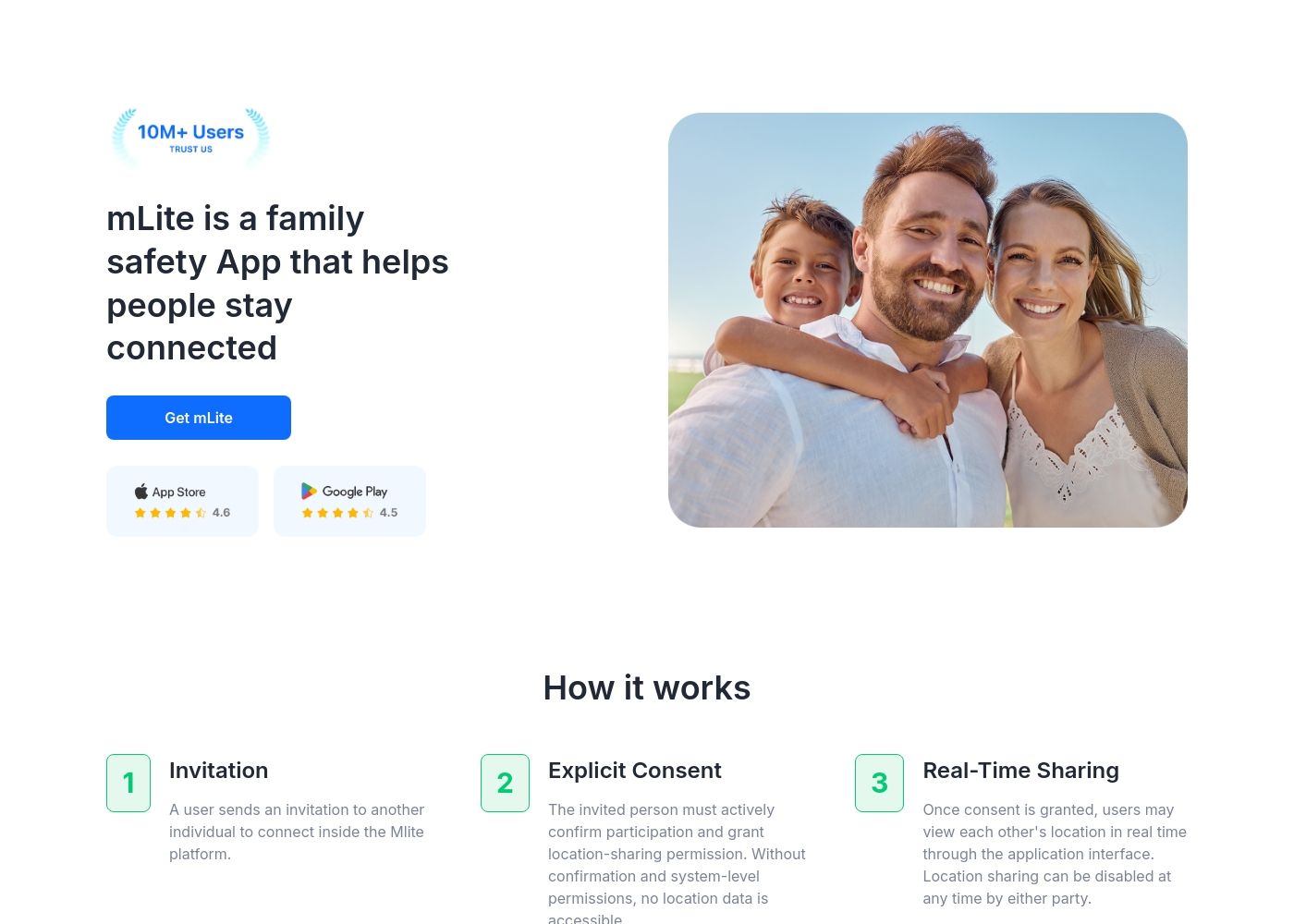
✅ mLite is a family safety app designed to help people stay connected. It’s for families, parents, and anyone who wants a straightforward way to share location with loved ones. The app works on both Android phones and iPhones, making it easy for everyone to join in.
AboutWebwatcher
WebWatcher is a specialized parental monitoring app. It is primarily aimed at supervising teenagers who may be involved in risky online behavior. The software gives parents necessary visibility into their child's digital footprint.
It works across major platforms including Android, iPhone, PC, and Mac devices. You can monitor everything seamlessly from anywhere using your secure, web-based online account. The application is designed to be discrete and tamper-proof once it's correctly installed. 💡
Highlights
Feature Comparison
Features Overview
We highlight the main differences and pick a winner for each feature.
Platform Coverage
Webwatcher supports PC and Mac devices; mLite App is strictly mobile-only (iOS/Android).
mLite App provides great mobile support on both Google Play and the App Store. mLite App focuses entirely on quick linking between family mobile devices. Webwatcher offers monitoring across Android, iOS, PC, and Mac via a secure web account. This makes Webwatcher suitable for monitoring a broader digital environment. If monitoring computer usage is essential, Webwatcher has necessary cross-platform monitoring. mLite App only handles device-to-device mobile connections. Webwatcher provides comprehensive device coverage, which mLite App simply does not offer.
Emergency Features
mLite App has a critical Panic Button for instant alerts. Webwatcher only relies on standard GPS location updates.
mLite App includes a crucial one-tap Panic Button sending an alert plus exact location. This mLite App feature supports responders when seconds count in a crisis. Webwatcher offers standard GPS location tracking but lacks dedicated emergency signaling features. Webwatcher prioritizes activity logs over real-time crisis intervention tools. mLite App is built for proactive physical safety and immediate response capabilities. Webwatcher does not offer this specific, life-saving function. Parents prioritizing immediate response will find the Panic Button in mLite App invaluable for safety.
Data Privacy & Trust
mLite App uses encryption and promotes a privacy-first design. Webwatcher focuses on being discrete and tamper-proof.
mLite App explicitly uses encryption, ensuring data is private and only visible to the family unit. This privacy-first design helps build parent-child trust within mLite App. Webwatcher is tamper-proof and discrete, designed for continuous, invisible data collection. Webwatcher sends all recorded data to a secure online user account. The core intent of mLite App is transparent security and user control over the data flow. Webwatcher prioritizes uninterrupted, hidden data logging. For reliable data security and trust signals, mLite App is the safer choice over Webwatcher’s focus on discretion.
Communication Logging
Webwatcher captures detailed texts, calls, and email logs. mLite App provides general Messengers monitoring only.
Webwatcher captures sent and received text messages and phone call details accurately. Webwatcher logs communication across email and specific instant messaging services. mLite App specializes in 'Messengers monitoring' but lacks detail on SMS, calls, or comprehensive emails. mLite App seems designed to monitor app usage rather than log every detailed entry. Webwatcher offers detailed logging (forensics) across conventional and digital communication channels. mLite App provides limited visibility into specific messaging content. If reviewing deep text and call history is mandatory, Webwatcher gives stronger, more granular insight.
Unique Physical Tools
mLite App offers Surroundings Recording and remote Live Camera access. Webwatcher has no physical proximity monitoring tools.
mLite App provides Surroundings Recording to listen in on the child's immediate environment remotely. You can also utilize the mLite App Live Camera function for remote viewing. Webwatcher monitors installed apps, web activity, texts, calls, and GPS location only. Webwatcher lacks any features related to ambient audio or remote camera functionality. mLite App ensures awareness of the child's physical location and immediate environment. This provides a safety context that Webwatcher is missing completely. When GPS location isn't enough, mLite App provides essential real-world context through audio and video feeds.
Pricing Structure
mLite App offers low-cost entry and a clear trial. Webwatcher requires a 3-month commitment upfront.
mLite App starts incredibly low at $0.99, featuring a very accessible entry point. mLite App also offers a transparent 1-day free trial before requiring payment. Webwatcher's primary plan requires a $59.95 upfront payment for three months of monitoring per device. This locks the user into a quarterly commitment, calculating to $19.98 monthly. mLite App’s clear trial and low initial cost make testing much easier and less risky. Webwatcher’s high upfront cost and vague 'Risk-Free' trial create barriers. For minimized financial risk during the evaluation phase, mLite App is the far simpler and safer choice.
Reliability & Support
mLite App is highly rated internally; Webwatcher has severe, documented claims of fraudulent billing.
mLite App reports high customer satisfaction (87%) and has a large user base (6M downloads). No major consumer trust issues regarding payment or support were noted for mLite App. Webwatcher reviews cite refusal of refunds, fraudulent double billing, and non-responsive support. Users claimed Webwatcher disabled service after payment disputes. Trust is paramount, and Webwatcher's financial and customer service reports are highly alarming. mLite App offers superior stability and ethical handling. The serious reliability risks reported against Webwatcher make mLite App the only trustworthy option in this category.
mLite App pricing: mLite App requires an active subscription to access its core safety features like location history. While a specific starting price is not explicitly stated on the landing page, users can download the app for free on iOS and Android to view available plans and start connecting with family members via invites and explicit consent.
Any subscription typically includes real-time location sharing and emergency alerts across all supported devices. The app focus is on transparent, consent-based safety for families on the go 🛡️.
Detailed plan pricing is visible within the mobile application during the registration and invitation process. mLite provides an affordable, secure way to keep track of loved ones without the complexity of traditional hardware-based tracking systems.
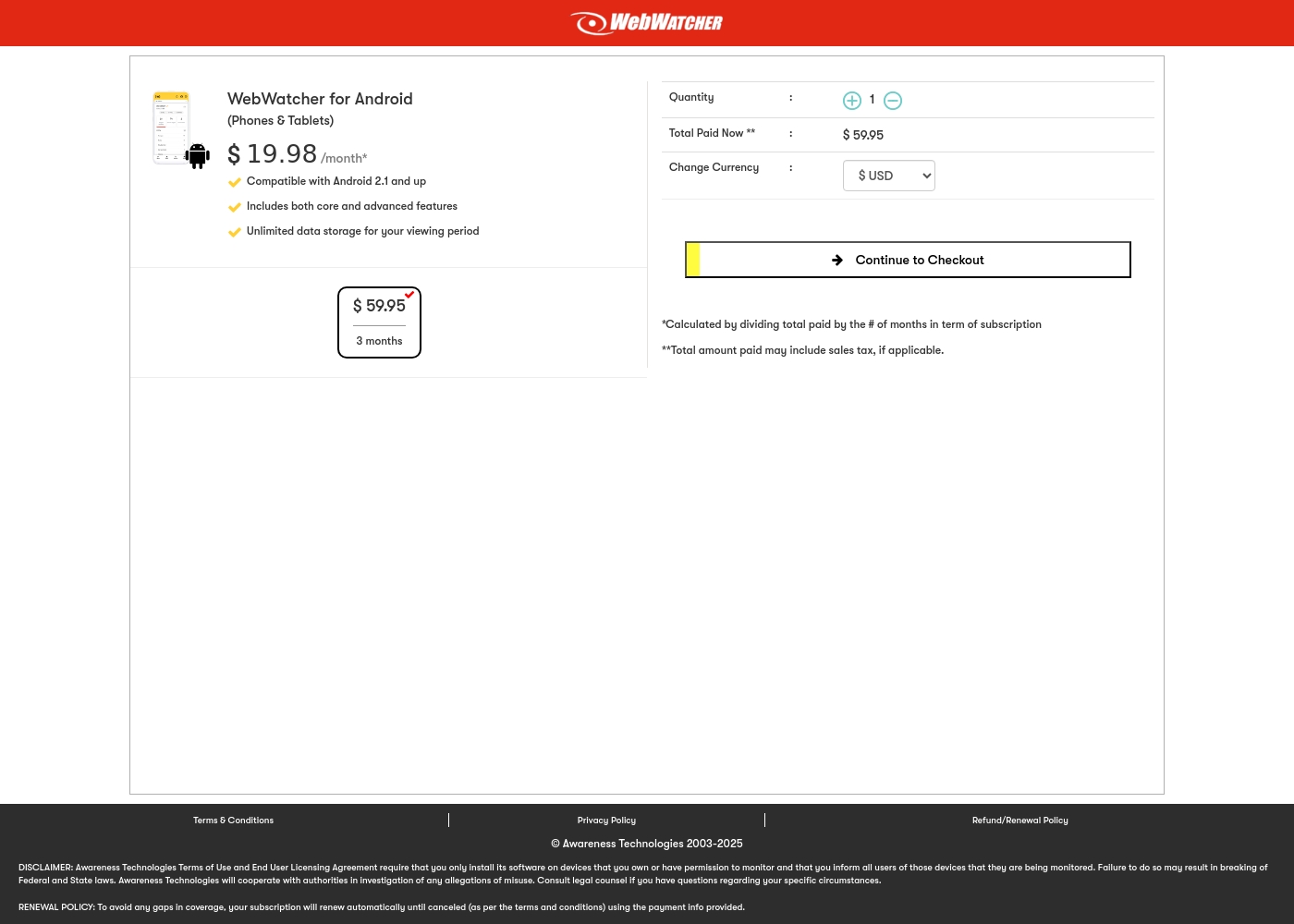
Webwatcher costs $19.98 per month with one explicitly priced plan: the 3-Month Android Subscription at $59.95 total.
Finding the right monitoring solution for your family is simple. Here is a detailed look at the pricing and features available in the current purchase flow.
3-Month Android Subscription
Price: $59.95 (paid every 3 months, calculated at $19.98/month) Best For: Parents monitoring Android phones and tablets Refund Policy: Full refund guaranteed if issues cannot be resolved Other Features:
- Compatible with Android 2.1 and newer versions
- Includes both core and advanced features
- Unlimited data storage for your full viewing period
- Compatible with Android 2.1 and up
- Includes both core and advanced features
- Unlimited data storage for your viewing period
Pricing Notes
- mLite App has a very accessible starting price point beginning at $0.99.
- Webwatcher requires a minimum $59.95 upfront commitment for 3 months of monitoring on one Android device.
- mLite App offers a clear 1-day free trial; Webwatcher’s 'Risk-Free' trial duration is not defined.
- Webwatcher pricing is per device monitored and includes unlimited data storage.
- Be extremely cautious with Webwatcher due to user reports of fraudulent billing practices and refund refusal.
Pricing Head-to-Head
User Reviews
Webwatcher’s external feedback is extremely limited, stemming only from two reviews which resulted in a very low 2.9 TrustScore. While the platform advertises a strong 'risk-free' guarantee and promises excellent, responsive customer care, the limited user reports strongly contradict these claims.
Both reviewers cited severe issues primarily centered on billing and refunds. Users claim they were refused refunds entirely, even when requested within the advertised refund window, despite the monitoring product reportedly failing to work properly.
They refused to honor the risk-free money-back guarantee, even though I submitted the request properly. Furthermore, the product I purchased never actually worked for me as advertised. I absolutely feel like they are ripping me off.
Our Verdict
Choosing between mLite App and Webwatcher is a choice between reliability and comprehensive scope. If trust and financial safety are paramount, mLite App is the clear winner here. mLite App is the dependable solution for parents needing real-time alerts and privacy on mobile devices. mLite App's superpower is proactive family safety focused on immediate physical security and trust. The mLite App Panic Button provides a critical emergency response with one simple tap. mLite App reinforces safety through its privacy-first design, safeguarding encrypted data for your eyes only. Webwatcher’s strength is its extensive cross-platform logging and deep digital forensics capabilities. Webwatcher tracks texts, calls, internet, and even PC activities for immense detail. Unfortunately, Webwatcher has severe user reports of fraudulent double billing and zero customer support response. The deciding factor must be consumer trust versus coverage breadth. If you need PC/Mac monitoring, Webwatcher offers features mLite App lacks. Otherwise, Webwatcher’s high risk profile makes mLite App the default recommended solution. Choose mLite App for peace of mind, reliable service, and strong emergency capability.
Frequently Asked Questions
Which is better for emergency safety features: mLite App or Webwatcher?
mLite App is significantly better for emergencies due to its dedicated Panic Button feature. This instantly sends an alert and location to your device. Webwatcher provides location tracking but lacks an immediate alert or distress signal capability.
Can Webwatcher monitor PC activity like mLite App?
Webwatcher can monitor PC and Mac devices, logging searches and web history. mLite App is limited to mobile devices (iOS and Android). If desktop monitoring is a requirement, Webwatcher is the only option.
Is Webwatcher worth the extra cost over mLite App?
Webwatcher’s potential benefit (PC monitoring) must be weighed against its risk. mLite App has low entry costs and better reliability. Webwatcher user reports cite fraud and major support issues, making mLite App a better value.
Does mLite App allow access to the device camera or microphone?
Yes, mLite App provides unique physical safety tools. It offers both Surroundings Recording and Live Camera access for remote viewing. Webwatcher does not offer these features.
Which software has better consumer trust and reliability?
mLite App shows far better consumer trust with high satisfaction claims and stable reports. Webwatcher has widespread, severe complaints regarding non-responsive support and alleged fraudulent billing practices.
Which tool offers more in-depth monitoring of text messages?
Webwatcher offers deeper forensic logging for traditional texts, calls, and emails. mLite App focuses more generally on monitoring Messenger apps and installed applications.
Ready to Choose?
Both tools have their strengths. Choose based on your specific needs.