mLite App vs Qustodio
mLite App and Qustodio both promise family safety, but their monitoring approaches differ greatly. mLite App focuses intensely on real-time location, physical safety, and emergency response. Qustodio provides broader digital wellbeing tools and powerful screen time controls. Here is how to decide which app is best for your family.
Best for: Parents primarily needing rapid assurance of their child's physical location and safety., Users who want unique awareness capabilities (Live Camera, audio feeds) in true emergencies.
Best for: Large families requiring coverage for 6+ devices or needing unlimited device protection., Parents focused on implementing strict daily time schedules and proactive web filtering.
Pros
Cons
Robust features, unreliable performance, poor support.
We find Qustodio’s feature set impressive, offering tailored control regarding digital wellbeing across unlimited devices with its Complete plan. However, external feedback suggests serious concerns regarding core reliability and customer support responsiveness, especially dealing with technical issues and easy circumvention by children. Overall, we recommend caution due to significant reported performance flaws that undermine its comprehensive approach.
Pros
- Comprehensive digital wellbeing tools and detailed activity reports.
- The Complete plan offers coverage for an unlimited number of devices.
- Features AI-powered real-time alerts for concerning online activity.
- Provides unified supervision from a central, easy-to-use dashboard.
Cons
- Software is easily circumvented, uninstalled, or disabled by children/teens.
- Core functionality like time limits often fails or provides inaccurate usage reports.
- Customer support is widely reported as slow, non-existent, or unhelpful for paid users.
- Can interfere with mobile data and cause connectivity loss due to VPN architecture.
AboutmLite App
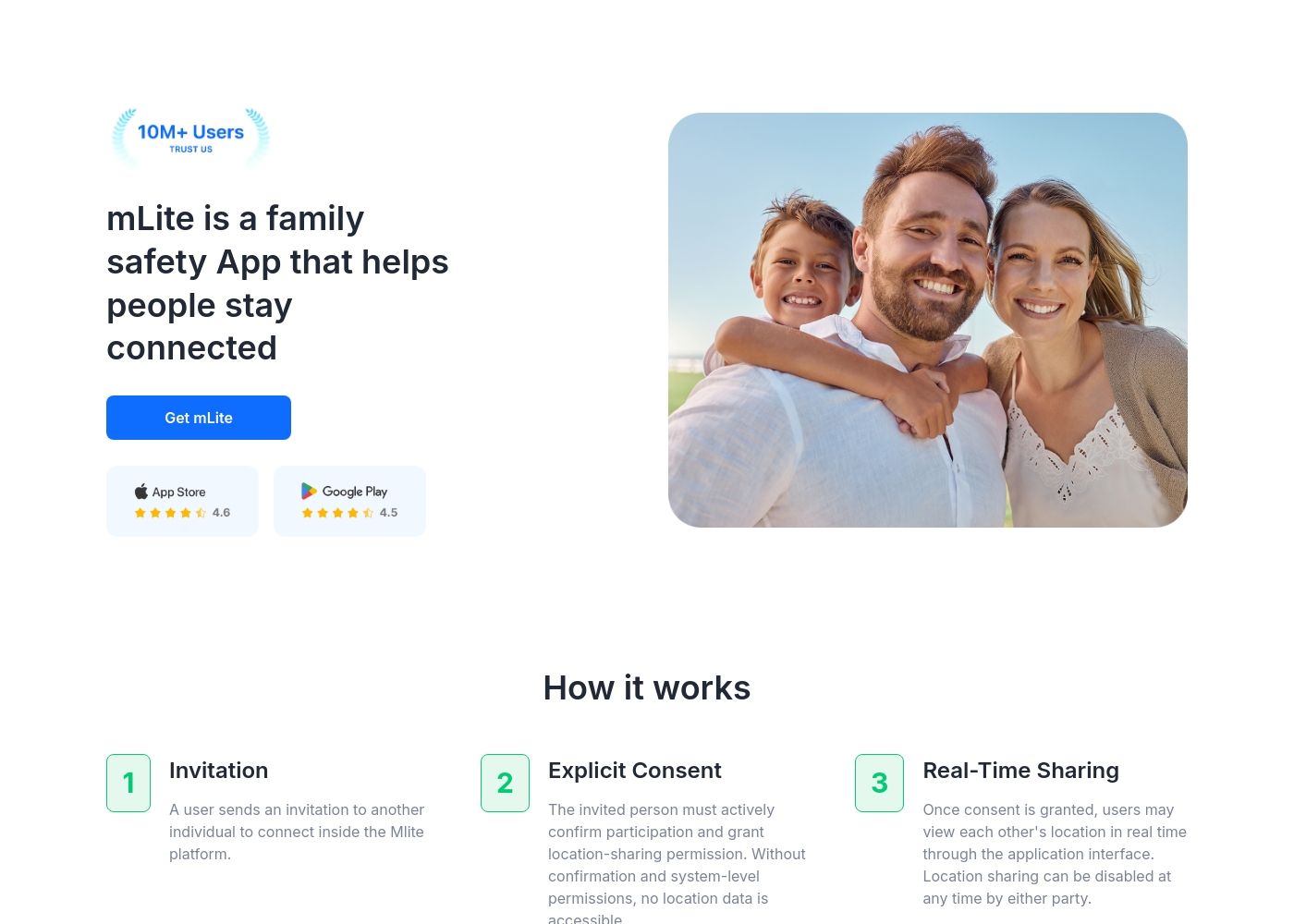
✅ mLite is a family safety app designed to help people stay connected. It’s for families, parents, and anyone who wants a straightforward way to share location with loved ones. The app works on both Android phones and iPhones, making it easy for everyone to join in.
AboutQustodio
Qustodio is a comprehensive parental control tool designed specifically for modern families. It's an easy-to-use solution trusted by over eight million parents worldwide. The goal is to give parents peace of mind while fostering positive digital habits for their children. You manage everything from one simple dashboard, allowing supervision the way you want to. Because it's focused on digital wellbeing, it supports creating a risk-free environment for kids as they grow. ✨
Highlights
Feature Comparison
Features Overview
We highlight the main differences and pick a winner for each feature.
Emergency Response
mLite App provides superior physical awareness tools during crisis situations. Qustodio's SOS features are restricted and less comprehensive for real-time risk assessment.
mLite App offers a critical, one-tap Panic Button sending immediate alerts and location data. It also includes Surroundings Recording and remote Live Camera access for parents. mLite App focuses heavily on giving physical context during an emergency. Qustodio provides an SOS signal feature alerting parents when a child feels unsafe. This specific Panic Button functionality is only available on Android devices. Qustodio systems prioritize long-term monitoring over immediate, real-time physical intervention tools.
Screen Time Control
Qustodio is the clear winner for managing digital habits and setting time boundaries. mLite App does not offer any of these crucial time scheduling functions.
The mLite App feature set emphasizes location safety and app usage monitoring for oversight. It entirely lacks the explicit time duration controls needed for healthy digital habits. mLite App cannot enforce screen-free moments or set strict daily limits. Qustodio provides consistent daily time limits and custom routines for study or bedtime. Parents can instantly pause internet access across devices with one click using Qustodio. Digital schedule management is a central, essential feature of Qustodio. If enforcing digital boundaries is your goal, Qustodio provides the necessary proactive controls. You cannot rely on mLite App for time management enforcement.
Device Scaling & Cost
Qustodio handles unlimited devices affordably, making it superior for large families. mLite App’s coverage limits and long-term pricing are unclear.
mLite App starts low at $0.99, but its top pricing tier is vaguely listed up to $2023. Device limits are not specified per subscription tier, hindering scalability. mLite App seems best suited for monitoring only one or two devices. Qustodio's Complete plan covers an unlimited number of devices for $99.95 per year. Even the Basic plan protects up to five devices affordably in one subscription. This offers better value and scalability for large or growing households. Large families will find Qustodio offers transparent, annual pricing for extensive device coverage. mLite App pricing remains an unknown factor for scaling across many children.
Web Filtering & Blocking
Qustodio provides proactive content filtering and tailored app blocking capabilities. mLite App focuses solely on monitoring activity, not actively preventing access.
mLite App features monitoring for Messengers, Installed Apps, and contacts for safety insight. It seems designed to alert parents to risk rather than actively block risky sites. mLite App lacks controls to block specific content categories universally. Qustodio employs comprehensive web filtering to proactively block inappropriate websites based on rules. Qustodio effectively blocks access to specific games and applications across various devices. This is crucial for creating a curated, safe browsing environment. Qustodio is the essential choice if you need to prevent access to specific websites or apps. mLite App will only show you which apps your child installed later.
Data Privacy Approach
mLite App explicitly promotes a focus on data encryption and user privacy. Qustodio focuses on comprehensive monitoring and centralized reporting to the parent.
mLite App states that data is encrypted in transit and at rest for maximum privacy. The company confirms that only the parent can view the tracking data collected. This is ideal for users deeply concerned about data security. Qustodio emphasizes detailed daily activity reports delivered straight to the parent's email. Qustodio does not explicitly detail comparable end-to-end encryption across its documentation. Its architecture can sometimes lead to connectivity issues due to VPN reliance. If high-level data privacy and explicit encryption are paramount, choose mLite App. Qustodio’s focus is visibility, not stated data protection standards.
Call/Text Monitoring
Qustodio supports tracking call logs and SMS text messages in its top tier package. mLite App only offers monitoring of Messenger apps and contacts activity.
mLite App monitors instant messaging platforms to flag potentially risky communications. It also tracks device contacts to document new connections or changes over time. Its focus remains on online social interactions. Qustodio's Complete plan includes detailed monitoring of incoming and outgoing calls and SMS texts. This advanced feature is crucial for quickly identifying potential cyberbullying via cell services. Qustodio also allows blocking specific phone contacts entirely. If you require oversight over traditional phone calls and device text messages, Qustodio is mandatory. mLite App does not provide this deeper level of communication logging.
mLite App pricing: mLite App requires an active subscription to access its core safety features like location history. While a specific starting price is not explicitly stated on the landing page, users can download the app for free on iOS and Android to view available plans and start connecting with family members via invites and explicit consent.
Any subscription typically includes real-time location sharing and emergency alerts across all supported devices. The app focus is on transparent, consent-based safety for families on the go 🛡️.
Detailed plan pricing is visible within the mobile application during the registration and invitation process. mLite provides an affordable, secure way to keep track of loved ones without the complexity of traditional hardware-based tracking systems.
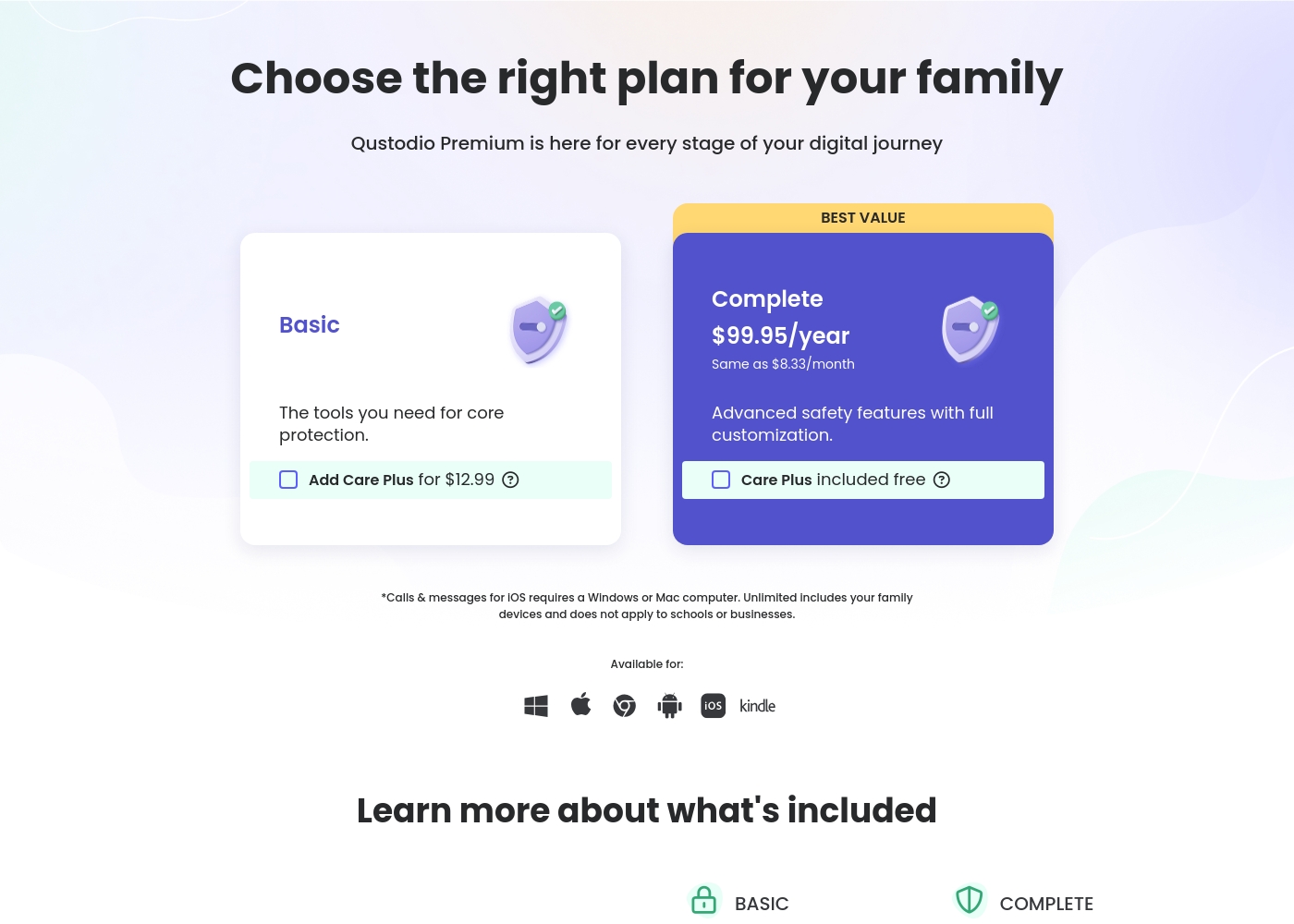
Qustodio costs between $54.95 and $99.95 per year with 2 Premium plans: Basic at $54.95/year and Complete at $99.95/year.
Let's look closely at what each Premium plan offers your family.
Basic
Price: $54.95/year (also listed as $67.94/year in some sections) Best For: Core protection or small families Refund Policy: 30-day money-back Other Features:
- Games & apps blocking
- Daily time limits
- Web filtering and location monitoring
- Pause internet access
- AI-powered alerts and social monitoring
- Games & apps blocking
- Daily time limits
- Web filtering
- Location monitoring
- Pause internet access
- All Basic features included
- Unlimited devices protected
- Calls & messages monitoring*
- Care Plus included free (Priority support, check-ins, personalized help)
- Custom rules for web, apps and games
- Basic protection features
Pricing Notes
- mLite App offers extremely low entry pricing starting at $0.99, but its highest tier is unclear ($2023).
- Qustodio only offers annual subscriptions for its Premium services (Basic and Complete plans).
- The Qustodio Complete plan provides excellent value with coverage for unlimited devices for $99.95/year.
- Qustodio includes a reassuring 30-day money-back guarantee with all paid subscription plans.
- mLite App only offers a short 1-day free trial before requiring payment commitment.
Pricing Head-to-Head
User Reviews
User feedback on Qustodio is highly polarized, resulting in a low average rating (2.5/5 on Trustpilot). While the platform offers appealing features like comprehensive monitoring and time management, users frequently report major reliability issues.
A recurring critical complaint is that the software is easily disabled or uninstalled by children—sometimes by simply ending the process in Task Manager—rendering the expensive Premium subscription useless. Customers also struggled with core functionality; many noted that screen time limits were often inaccurate or failed to apply correctly, occasionally reporting usage during sleeping hours.
Zero customer support despite paying for the premium subscription. It was impossible to recover forgotten passwords. Plus, my 13-year-old son uninstalled the app in 15 seconds, making it useless right away.
Our Verdict
Deciding between mLite App and Qustodio comes down to safety focus versus digital control needs. If your family’s main concern is physical safety and emergency response, mLite App is likely the better fit. It excels at giving you immediate situational awareness when seconds count. mLite App’s superpower is intense, real-time visibility where it matters most. It offers unique tools like remote Live Camera access and Surroundings Recording audio feeds. This focus on immediate, physical location monitoring makes mLite App a strong emergency alert system. Plus, mLite App touts a privacy-first, encryption-based setup. Qustodio’s great strength is comprehensive digital wellbeing management across many devices. Only Qustodio offers the essential ability to set detailed screen time schedules and instantly pause internet access. Qustodio also allows unlimited device coverage in its highest tier, making it cheaper to scale. The deciding factor is reliability versus feature depth. Qustodio provides impressive features but is plagued by user reports of bugs and support failure. mLite App offers fewer tools, but its simpler function set might prove more dependable for tracking. Choose mLite App if robust location tracking and emergency response are paramount for your peace of mind. Opt for Qustodio only if you require detailed screen time control and web filtering, despite the documented risks of potential functionality flaws.
Frequently Asked Questions
Which is better for setting daily screen time schedules, mLite App or Qustodio?
Qustodio offers powerful daily time limits and custom scheduling features for digital management. mLite App prioritizes monitoring activity and location but lacks explicit screen time controls. Qustodio is necessary for boundary enforcement.
Does mLite App offer a Live Camera or audio monitoring feature?
Yes, mLite App has unique features including remote Live Camera access and Surroundings Recording. These tools let parents check the physical environment in real-time. Qustodio does not provide any camera or audio access features.
Is Qustodio easily disabled by children, according to user reviews?
Yes, user feedback frequently reports that Qustodio is easily circumvented or uninstalled by older children. This critical flaw undermines the comprehensive control features. mLite App's external reliability data is currently unavailable for comparison.
Can I monitor unlimited devices with mLite App like I can with Qustodio?
No, the mLite App pricing structure does not clearly specify an unlimited device option. Qustodio offers an unlimited device feature with its Complete plan. This makes Qustodio the only choice for scaling to a large number of family gadgets.
Which tool is better for immediate emergency alerts and physical safety?
mLite App is superior for immediate physical safety and emergency alerts. It provides a reliable one-tap Panic Button sending precise location. mLite App also offers unique physical awareness tools Qustodio lacks.
Why is Qustodio's user review rating relatively low compared to its features?
Qustodio suffers from user complaints about critical bugs, including inaccurate time tracking and poor customer support. Users report that functionality often fails or interferes with internet connectivity. These performance issues pull down the average rating significantly.
Ready to Choose?
Both tools have their strengths. Choose based on your specific needs.