Lucidchart vs OrgCharting
This comparison pits general-purpose versatility against dedicated specialization. Lucidchart offers broad, intelligent diagramming focused on deep integrations and AI. OrgCharting automates organizational charts, making it an HR department powerhouse. We'll show you which platform fits your specific visual needs best.
Best for: Remote product and engineering teams needing Jira/Confluence integration, Architects documenting AWS, Azure, or complex systems infrastructure
Best for: HR professionals managing large, frequently changing organizational structures, Teams needing instant data sync from CSV or Excel files
Powerful Visuals, Risky Billing
Lucidchart offers robust, intelligent diagramming capabilities that teams favor for collaboration and strong integrations. However, we note that widespread user reports describe the company's billing practices as concerningly aggressive, with customer support often being unresponsive in financial disputes. Overall, the platform is technically strong and feature-rich, but this strength is significantly hampered by major issues surrounding subscription transparency and customer service friction.
Pros
- Feature-rich platform using AI for intelligent and automated diagramming.
- Excellent integration support with over 100 applications (Jira, Microsoft 365, etc.).
- Offers a simpler visual interface compared to traditional tools like Visio.
- Strong real-time collaboration tools for shared understanding.
Cons
- Aggressive and highly deceptive billing practices, including charging during free trials.
- Frustrating and 'twitchy' user interface that hinders basic object manipulation.
- Poor customer service responsiveness when addressing unauthorized charges or billing errors.
- Subscription management is overly complicated and downgrading is difficult.
Fast, data-driven org charts with caution.
We found OrgCharting offers exceptionally powerful and efficient tools for HR professionals and managers needing to quickly visualize complex structures using existing data. While the platform is technically impressive and highly intuitive, we caution users about the significant number of negative complaints regarding billing transparency and alleged deceptive subscription practices. Overall, this is technically strong software requiring careful financial scrutiny before purchase.
Pros
- Automates chart creation instantly from data files (Excel, CSV, TXT).
- Features one-click data resynchronization for chart accuracy.
- Highly intuitive and user-friendly interface speeds up workflows.
- Provides extensive templates, professional themes, and icon libraries.
Cons
- Full pricing and plan details are not openly published on the website.
- Users report alleged deceit regarding 'lifetime' subscriptions being altered or revoked.
- Serious complaints about unauthorized charges after the free trial ends.
AboutLucidchart
Lucidchart is a powerful platform designed for next-generation diagramming. It moves far beyond basic shapes and lines. This tool uses intelligence, automation, and data to help you create complex visuals efficiently. It's built for teams who need a shared, visual understanding of their systems, architectures, and organizational plans. If you are looking for intelligent diagramming, Lucidchart is often paired with Lucidspark as part of the complete Lucid Suite solution. ✨
AboutOrgCharting
OrgCharting is a powerful, user-friendly tool designed to build highly professional and data-interactive organizational charts. It’s perfect for HR professionals, managers, and analysts who need efficiency in visualizing company data. You can easily visualize your structure for better strategic planning and confident decision making. Plus, the software is available for Mac and Windows users. ✅
Highlights
Feature Comparison
Features Overview
We highlight the main differences and pick a winner for each feature.
Automation & AI
Lucidchart uses broader AI, while OrgCharting masters data import automation.
Lucidchart employs Lucid AI to generate diagram drafts based on simple text prompts. It uses intelligent data linking for visualization. You can also use Lucid AI to summarize existing documents or enhance prompts quickly. OrgCharting focuses on one core automation task: turning bulk CSV or Excel data into charts. This process creates structured organizational views instantly without any manual drawing. The primary difference is scope; Lucidchart aims to automate various diagram types, while OrgCharting makes one area perfect. Lucidchart offers a wider variety of intelligent help right on the canvas.
Organizational Accuracy
OrgCharting guarantees chart accuracy using instantaneous data synchronization.
Lucidchart manages accuracy with revision history and versioning controls over time. While it handles data linking, dynamically syncing source changes often requires set-up steps. OrgCharting excels here with its unique one-button resynchronization feature. This instantly updates the entire organizational chart using the latest imported employee data. This dedicated feature makes OrgCharting superior for HR teams dealing with constant internal structural changes. Lucidchart is more general-purpose in its data handling.
Integration Ecosystem
Lucidchart integrates with 100+ apps; OrgCharting focuses internally on data and cloud collaboration.
Lucidchart connects seamlessly with over 100 major applications in your workflow. Key integrations include Jira, Microsoft 365, Slack, and Confluence for high-level continuity. OrgCharting’s core strengths lie in its import capabilities (CSV/Excel) and cloud collaboration features. It does not list support for major third-party project management applications like Lucidchart. If you need your diagrams embedded and editable within your existing project tools, Lucidchart is the only viable option. OrgCharting requires exporting to share outside its platform.
Technical Diagramming
Lucidchart is built for engineers and architects; OrgCharting supports HR planning only.
Lucidchart offers specialized features for technical documentation and architecture visualization. Engineers can utilize ERD markup, UML markup, and cloud shape libraries (AWS). OrgCharting is strictly designed for corporate and workforce structure visualizations. It does not include the specialized tools, symbols, or code-based formats technical teams need. For documenting complex systems, networks, or software architecture, Lucidchart is the definitive choice. OrgCharting's focus is too narrow for these technical use cases.
Workforce Planning Tools
OrgCharting offers specific HR planning views that Lucidchart lacks.
Lucidchart can visualize organizational charts but lacks specialized resource management functions. It is focused on diagramming, not explicit people planning. OrgCharting is built for strategic planning and features a Gantt chart view. This dedicated tool helps managers visualize resource allocation and assignment easily. OrgCharting allows HR professionals and managers to define custom data fields for deep workforce analysis. Lucidchart does not offer these strategic planning tools.
Pricing Transparency
Lucidchart clearly publishes its prices; OrgCharting requires clicking 'Buy Now' to see costs.
Lucidchart provides detailed, public pricing tiers starting at $9.00 for individuals. This allows users to easily compare plans and understand their financial commitment upfront. OrgCharting only advertises a 'Free Download' and a 'Buy Now' paid license option. The specific costs are not transparently published in its marketing materials. While both tools have user complaints about billing ethics, Lucidchart is upfront about its pricing structure. OrgCharting forces users deeper into the sales funnel for cost information.
User Experience Trade-offs
OrgCharting's simplicity is praised; Lucidchart users complain about a 'twitchy' UI.
Lucidchart users often praise its feature-rich environment and professional visuals compared to Visio. However, a significant number report a 'twitchy' user interface that complicates basic object manipulation. OrgCharting users consistently praise the platform for its intuitive interface and simple drag-and-drop functionality. Its focus on automation simplifies the entire chart creation process. While both are functionally powerful, OrgCharting seems to deliver a smoother, less frustrating operational experience for core tasks. The dedicated focus helps keep the interface clean.
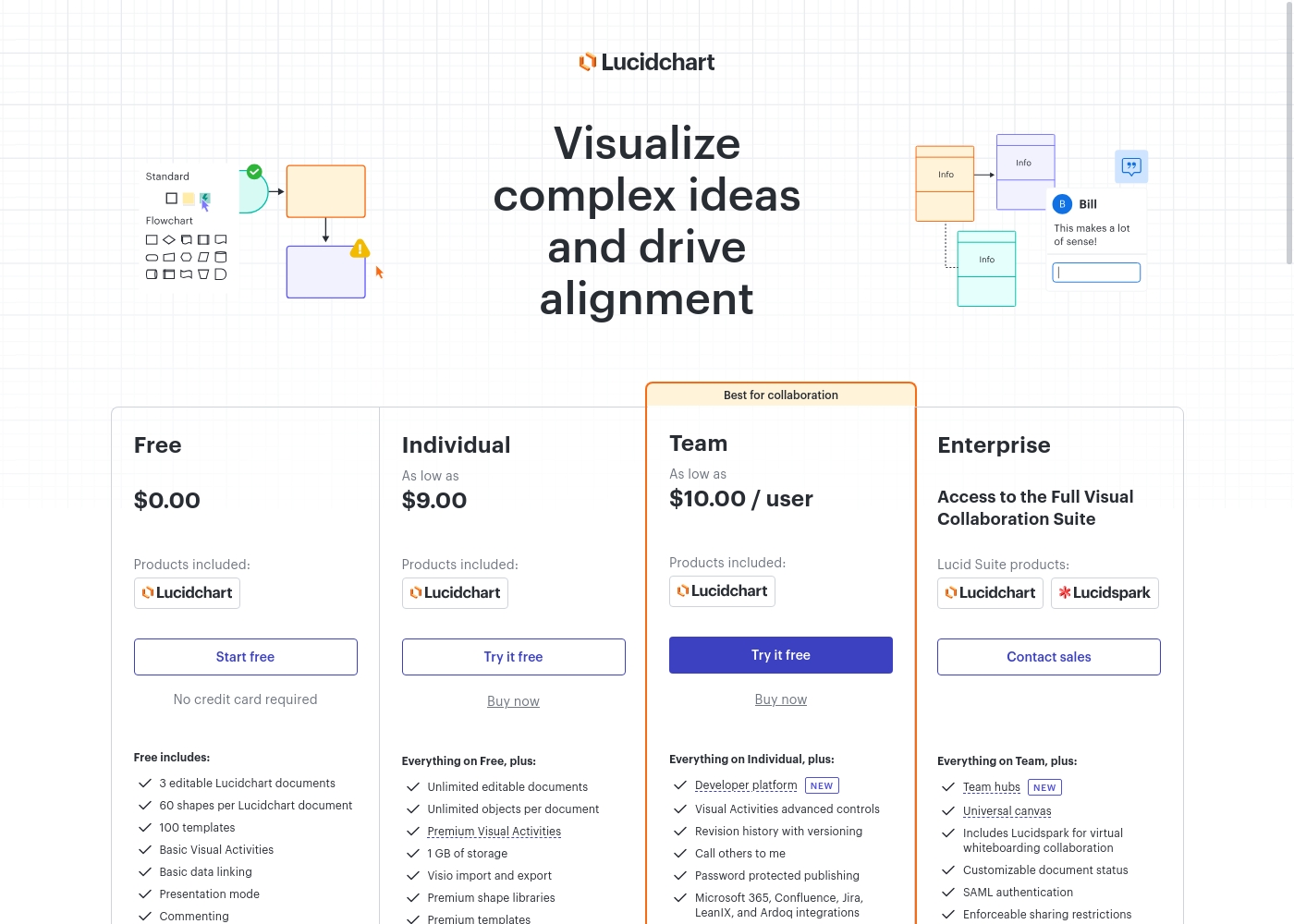
Lucidchart costs between $0.00 and Contact sales per period with 4 plans: Free at $0.00, Individual at $9.00, Team at $10.00/user, and Enterprise at Contact sales.
Paid plans unlock powerful features not available in the Free option. You can pay monthly for flexibility, or save money by choosing annual billing.
Free
Price: $0.00 Best For: Users needing basic diagramming and a quick way to test the platform. Other Features: 3 editable Lucidchart documents, 60 shapes per document, 100 templates, basic data linking, presentation mode, commenting.
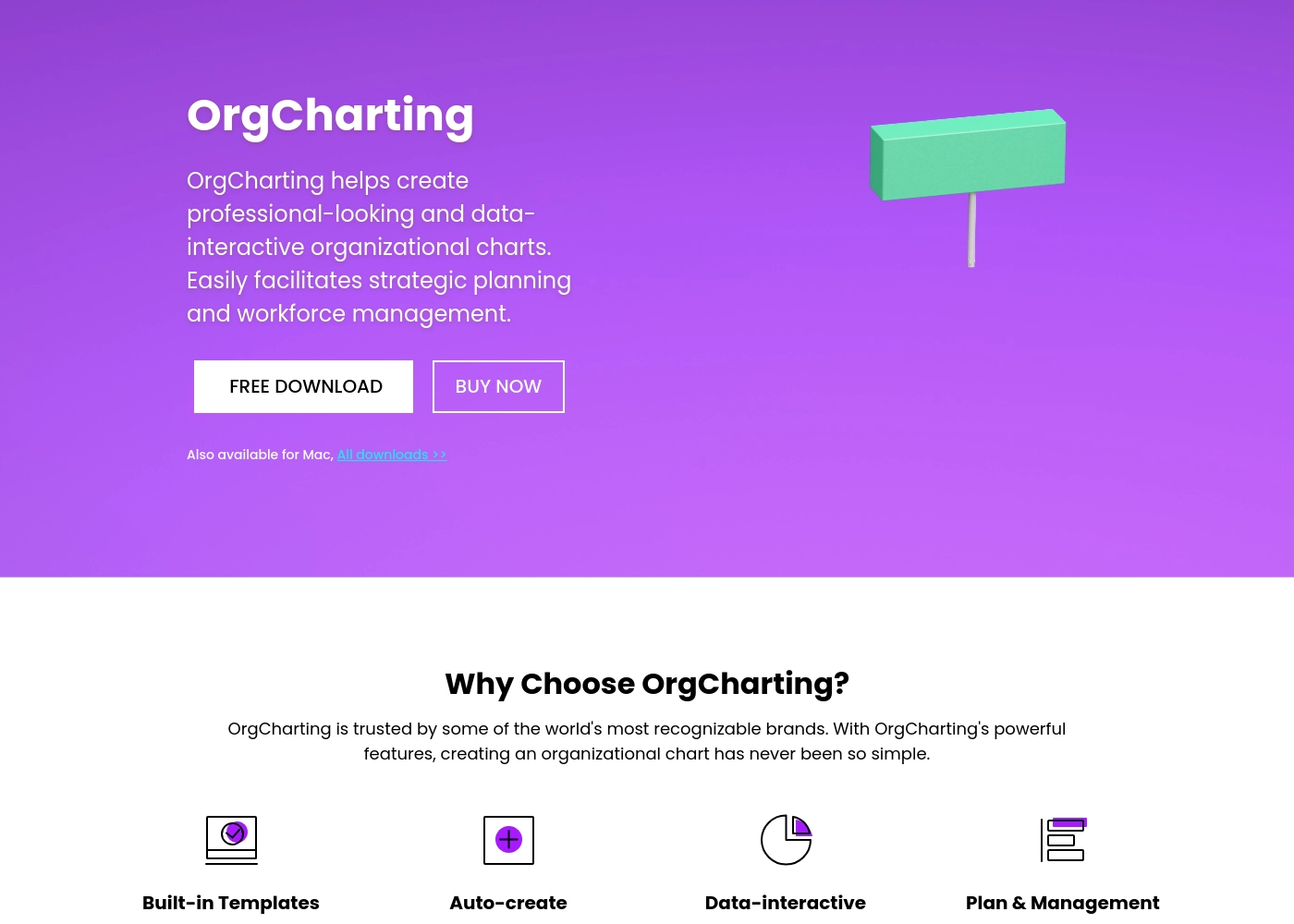
Since the software offers both a free option and a purchase option, you can choose the access level that fits your needs.
Free Download
Best For: Users who want to test the software's core capabilities on Mac or Windows before buying Other Features:
- Available for Mac and Windows
- Use built-in templates
- Ability to auto-create charts
- Quick to start
This option is excellent if you want to try out the software and test its key features yourself. You get a sense of OrgCharting’s usability, including its template library, without committing any money first. It’s a great risk-free way to explore its potential. 🚀
- Available for Mac and Windows
- Access to Built-in Templates
- Auto-create charts
- Advanced Presentation and Export (PDF/MS Word)
- Cloud Collaboration
- Data-driven Visualization and HR Management
- Task Management
Pricing Notes
- Lucidchart maintains transparent, public pricing starting at $9.00/month for individuals.
- OrgCharting's specific license costs are opaque; users must typically visit the 'Buy Now' page to see the final prices.
- Lucidchart users widely report unauthorized charging and aggressive billing practices, especially during free trials.
- OrgCharting has significant user complaints regarding fraudulent lifetime subscription packages and mandatory up-selling.
- Both Lucidchart and OrgCharting offer permanent free access options, allowing new users to test basic features.
Pricing Head-to-Head
User Reviews
Lucidchart receives highly polarized feedback from users. While it generates excellent professional visuals and some users praise its simplicity compared to older tools like Visio, satisfaction concerning company practices is critically low, reflected in an extremely poor Trustpilot score.
The dominant recurring negative theme involves aggressive and potentially deceptive billing. Users frequently report being charged a full annual subscription instantly during a supposed free trial, receiving unexpected auto-renewal charges, or facing 'one-click' charges without confirmation.
We enjoyed using Lucidchart after switching from Visio. We genuinely prefer the simplicity of this tool for our diagrams and workflow visualizations.
Users review Edrawsoft, the parent company suite that includes OrgCharting, giving it a score of 3.7/5.0 stars. Reviewers widely praise the software's functional strengths, noting that the interface is highly intuitive and user-friendly. Many highlight its powerful diagramming capabilities, vast templates, and icon libraries, which ultimately help save significant time on complex projects. For usability, customers find it achieves a great balance between necessary technical function and engaging visual presentation. However, the external sentiment is sharply divided regarding financial clarity and subscription reliability. Several critical reviews strongly warn potential buyers about alleged fraudulent lifetime packages, claiming that useful features or templates were deactivated later to force further purchases.
Furthermore, some users reported serious billing issues, including unauthorized charges (up to $150 AUD) after using the free trial period. While the customer support team appears responsive, replying to 93% of negative feedback, the recurring complaints about pricing structure and alleged payment scams are concerning. This suggests OrgCharting offers powerful technical solutions, but customers must approach billing and subscription commitments with extreme caution. ⚠️
We once struggled with clunky design tools which were slow and impossible to tailor exactly to our organizational needs here at CCNE. Since finding Edrawsoft, it completely reshaped our entire work approach. The tool balances technical precision with great visual appeal.
Our Verdict
Choosing between Lucidchart and OrgCharting depends entirely on your project's specific needs. Lucidchart is the expansive, intelligent diagramming platform for teams building diverse visuals. OrgCharting, conversely, is focused exclusively on organizational chart automation, excelling in that niche. Lucidchart wins on sheer versatility and integration depth, connecting to over 100 apps. If you need complex technical diagrams, process maps, or leverage AI automation, Lucidchart is the technical powerhouse. Just review your subscription management carefully, as users report aggressive, unexpected charges from Lucidchart. OrgCharting dominates organizational chart creation, maintenance, and accuracy. Its unique one-button data synchronization from Excel/CSV is unmatched for HR teams. You also get specific tools like the specialized Gantt chart view for workforce resource planning. The key deciding factor is the breadth versus depth trade-off. If you need flowcharts and systems architecture alongside org charts, pick Lucidchart. If 90% of your job is managing and updating highly detailed company structure from bulk data, OrgCharting is the dedicated solution. Final verdict: Choose Lucidchart if you prioritize vast integration and technical intelligence over HR specialization. Pick OrgCharting if your team manages hundreds of employees and needs reliable, automated organizational charts that stay current.
Frequently Asked Questions
Which is better for technical teams: Lucidchart or OrgCharting?
Lucidchart is superior for technical teams and engineers. It offers specialized architecture shape libraries (AWS/UML) and enables visual creation using ERD markup. OrgCharting lacks these technical tools as it focuses solely on HR management visualization.
Does OrgCharting offer AI diagram generation like Lucidchart?
No, OrgCharting does not feature AI generation based on text prompts like Lucidchart's Lucid AI. OrgCharting's automation focuses specifically on instantly converting raw bulk data (CSV/Excel) into structural charts. It solves the update problem automatically.
Can Lucidchart automatically update employee charts when data changes?
Lucidchart supports data linking, but OrgCharting makes automatic data synchronization seamless. OrgCharting features a dedicated one-button resynchronization tool. This ensures better real-time organizational chart accuracy than general diagramming tools.
Which software has better third-party workflow integrations?
Lucidchart has a massive lead, integrating with over 100 major business applications. It connects seamlessly with Jira, Slack, and Confluence. OrgCharting does not list support for these third-party integrations, focusing on internal collaboration.
Is OrgCharting worth the potential extra cost over Lucidchart?
OrgCharting may be worth it if you critically rely on strategic HR tools like the Gantt view and constant data accuracy. However, OrgCharting's specific pricing is opaque, unlike Lucidchart’s clear tiers ($9.00 Individual plans).
Are there major user complaints about billing practices for Lucidchart or OrgCharting?
Yes, both carry significant risks. Lucidchart users widely report unauthorized charging during free trials. OrgCharting users have warned of fraudulent lifetime subscription packages that require later up-selling to function fully.
Ready to Choose?
Both tools have their strengths. Choose based on your specific needs.