Keeper Security vs Wiz
Keeper Security and Wiz protect different parts of your digital world. Keeper Security locks down passwords and secrets for people. Wiz scans and secures your entire cloud infrastructure. Your choice depends on what you're trying to protect.
Best for: Federal agencies and government contractors requiring FedRAMP High authorization., IT and security teams managing privileged access for admins, workloads, and service accounts.
Best for: Cloud security teams in mid-to-large enterprises, DevOps and developers building on AWS, Azure, or GCP
Secure platform, tricky billing.
We find Keeper Security offers a robust, zero-trust platform for password and secret management, backed by strong compliance and a unified interface. However, our review is tempered by external user feedback that points to significant concerns with subscription billing practices and customer support responsiveness for account issues. Overall, it's a capable security tool, but potential buyers should be mindful of the billing process.
Pros
- Strong zero-knowledge security architecture
- Unified platform for passwords, secrets, and connections
- AI-powered threat detection and session monitoring
- FedRAMP High authorized for government use
Cons
- Recurring user complaints about auto-renewal and billing issues
- Difficulties reported with account cancellation and refunds
- Some users mention occasional syncing problems between devices
- Enterprise pricing is quote-based, not transparent
Top-tier, unified cloud security platform.
We find Wiz to be a powerful and comprehensive cloud security solution. It excels at unifying visibility across code, cloud, and runtime, which is crucial for modern, fast-moving teams. Overall, it's a top-tier platform for organizations needing deep context and automated protection at scale.
Pros
- Unified security graph connects code, cloud, and runtime for complete context.
- Trusted by over half of the Fortune 100 for proven risk reduction.
- Enables automated threat response and even code fixes to speed up remediation.
- Designed to protect modern AI workloads and agents.
Cons
- Custom, consumption-based pricing requires a sales consultation, lacking upfront transparency.
- Platform scope and depth may be more than needed for very small or simple cloud setups.
- Implementation and full value realization likely require significant enterprise-level commitment.
AboutKeeper Security
💡 Keeper is an identity security platform for privileged access management (PAM), secrets, endpoints, and connections. It's built for organizations needing to protect administrative, workload, and service account access. The platform combines just-in-time access, session control, and AI-powered threat detection.
AboutWiz
✨ Wiz is a comprehensive cloud security platform. It's designed for security teams, developers, and DevOps professionals who need to protect modern cloud-native applications. The platform unifies visibility across your entire stack, helping you secure what you build from the start.
Highlights
Feature Comparison
Features Overview
We highlight the main differences and pick a winner for each feature.
Core Mission
Keeper Security protects credentials and access. Wiz protects your entire cloud environment.
Keeper Security is an identity security platform. It manages passwords, secrets, and privileged access for humans and machines. It uses zero-knowledge encryption. Wiz is a cloud security platform. It scans your cloud infrastructure (AWS, Azure, GCP) for risks. It connects code, cloud, and runtime data. The key difference is scope. Keeper Security secures the keys. Wiz secures the entire castle and its surroundings. Think of Keeper Security as a high-tech safe for your most valuable keys. Think of Wiz as a security drone that surveys your entire digital property.
User Experience
Keeper Security is built for daily use by anyone. Wiz is a dashboard for security professionals.
Keeper Security offers browser extensions and mobile apps. The interface is designed for quick, everyday password management. It aims for simplicity. Wiz is a web-based console for analysts. It presents complex cloud data in graphs and charts. The learning curve is steeper. Keeper Security's UX prioritizes speed and convenience. Wiz's UX prioritizes deep analysis and context. A non-technical user can master Keeper Security in minutes. A security analyst might need days to master Wiz's full capabilities.
Security Scope
Keeper Security focuses on credential security. Wiz focuses on infrastructure and application security.
Keeper Security secures passwords, secrets, and privileged sessions. It encrypts data end-to-end. It provides audit trails for access. Wiz scans virtual machines, containers, databases, and code repositories. It finds misconfigurations and vulnerabilities. It can even trace a cloud risk back to a line of code. Keeper Security prevents credential theft. Wiz prevents breaches from cloud vulnerabilities and misconfigurations. For a DevOps team, Wiz could prevent a leaked API key from becoming a full cloud compromise. Keeper Security would have protected the key itself.
AI Capabilities
Keeper Security uses AI to monitor access. Wiz uses AI to automate security fixes.
Keeper Security's AI (KeeperAI) analyzes privileged sessions. It looks for anomalies and can terminate risky sessions automatically. Wiz's AI agents are broader. The 'Green' agent opens pull requests with code fixes. The 'Red' agent performs automated pen-testing. Keeper Security's AI is reactive and focused on access. Wiz's AI is proactive and focused on remediation across the stack. Keeper Security's AI acts like a security guard stopping an intruder. Wiz's AI acts like a software engineer fixing the broken lock.
Deployment & Integration
Keeper Security integrates with daily tools. Wiz integrates with cloud infrastructure and CI/CD pipelines.
Keeper Security deploys via browser extensions, desktop apps, and mobile apps. It integrates into your team's daily workflow. Wiz deploys via API connection to your cloud accounts. It integrates with your development pipeline (CI/CD). It runs in the background. Keeper Security is user-facing software. Wiz is infrastructure-level software. You install Keeper Security on a laptop. You connect Wiz to your cloud account. The deployment mindset is completely different.
Compliance & Governance
Keeper Security offers FedRAMP High. Wiz provides cloud compliance reporting.
Keeper Security is FedRAMP High and GovRAMP High authorized. This is critical for U.S. federal agencies and contractors. Wiz provides compliance dashboards. It helps you track compliance with frameworks like SOC 2, HIPAA, and GDPR for your cloud. Keeper Security's certification is a product feature. Wiz's compliance is a reporting capability for your infrastructure. If you're a government contractor, Keeper Security's FedRAMP authorization might be mandatory. Wiz helps you prove your own compliance.
Scalability
Keeper Security scales with users. Wiz scales with cloud workloads.
Keeper Security's Family plan supports 5 users. Business plans scale with seat count. It's linear. Wiz scales with the number of cloud resources you protect. The cost grows with your infrastructure. Keeper Security's scaling is about adding people. Wiz's scaling is about adding digital assets. A startup with 10 engineers but a huge cloud footprint might find Wiz essential. A large company with many employees but simple cloud needs might only need Keeper Security.
Customer Support
Keeper Security offers 24/7 support for all plans. Wiz support is for enterprise clients.
Keeper Security provides 24/7 customer support for its personal and family plans. Support includes regional phone numbers. Wiz is an enterprise product. Support is part of the sales and onboarding process. There is no public support page for individuals. Keeper Security's support is accessible and product-focused. Wiz's support is consultative and implementation-focused. If you're an individual, you can get help from Keeper Security. Wiz support assumes you're a business with a dedicated security team.
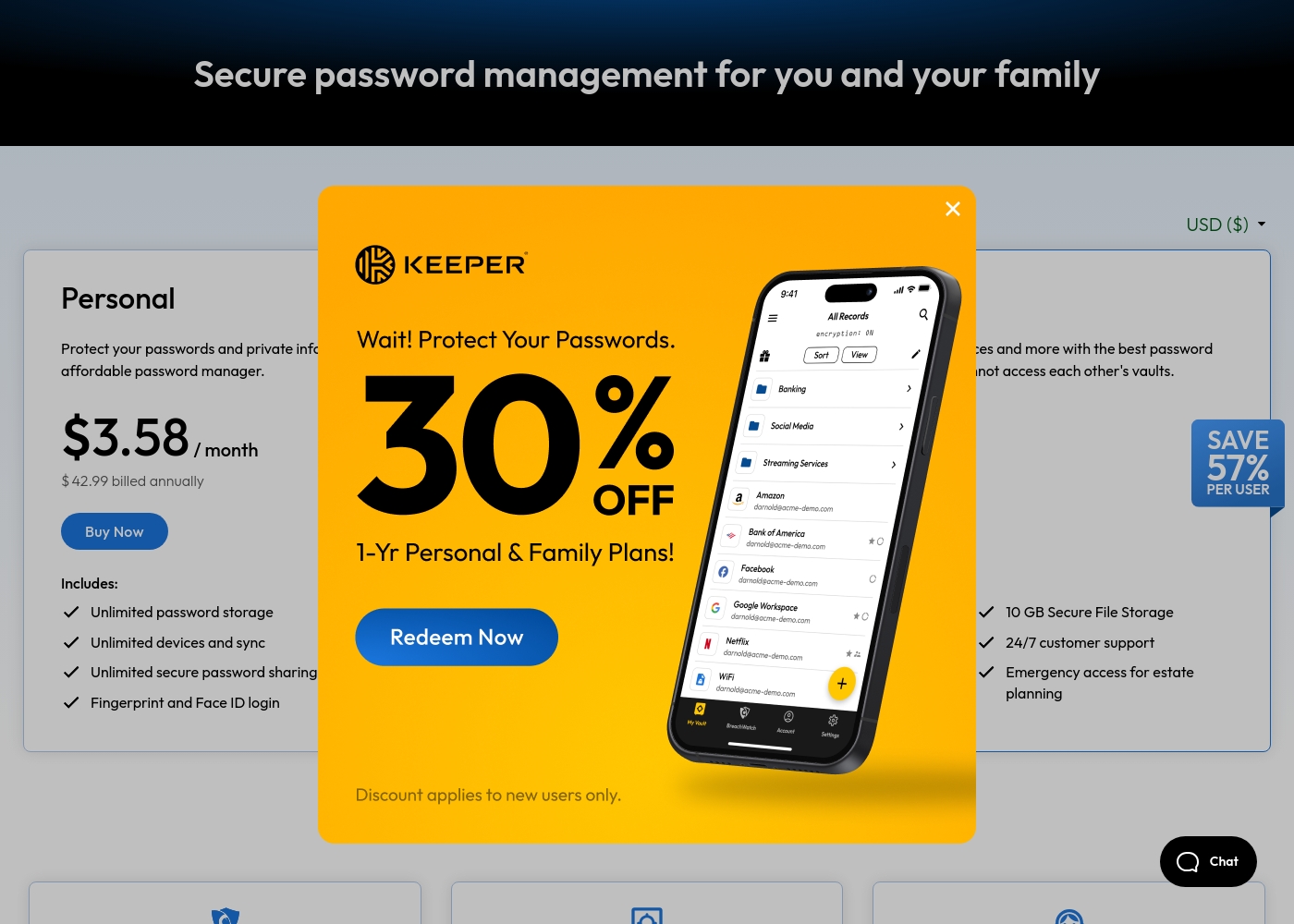
Keeper Security costs between $42.99 and $99.00 per year with 2 plans: Personal at $42.99 and Family at $99.00.
Take a look at the specific features included in each tier below to find your best fit.
Personal
Price: $3.58 / month (billed annually at $42.99) Websites Supported: Unlimited Best For: Single users needing cross-device security Other Features: Unlimited password storage, Unlimited devices and sync, Fingerprint and Face ID login, Web app and browser extensions, 24/7 customer support
- Unlimited password storage
- Unlimited devices and sync
- Unlimited secure password sharing
- Fingerprint and Face ID login
- Web app and browser extensions
- 5 Private vaults
- 10 GB Secure File Storage
- Unlimited shared folders and permissions
- Emergency access
- Everything in Personal
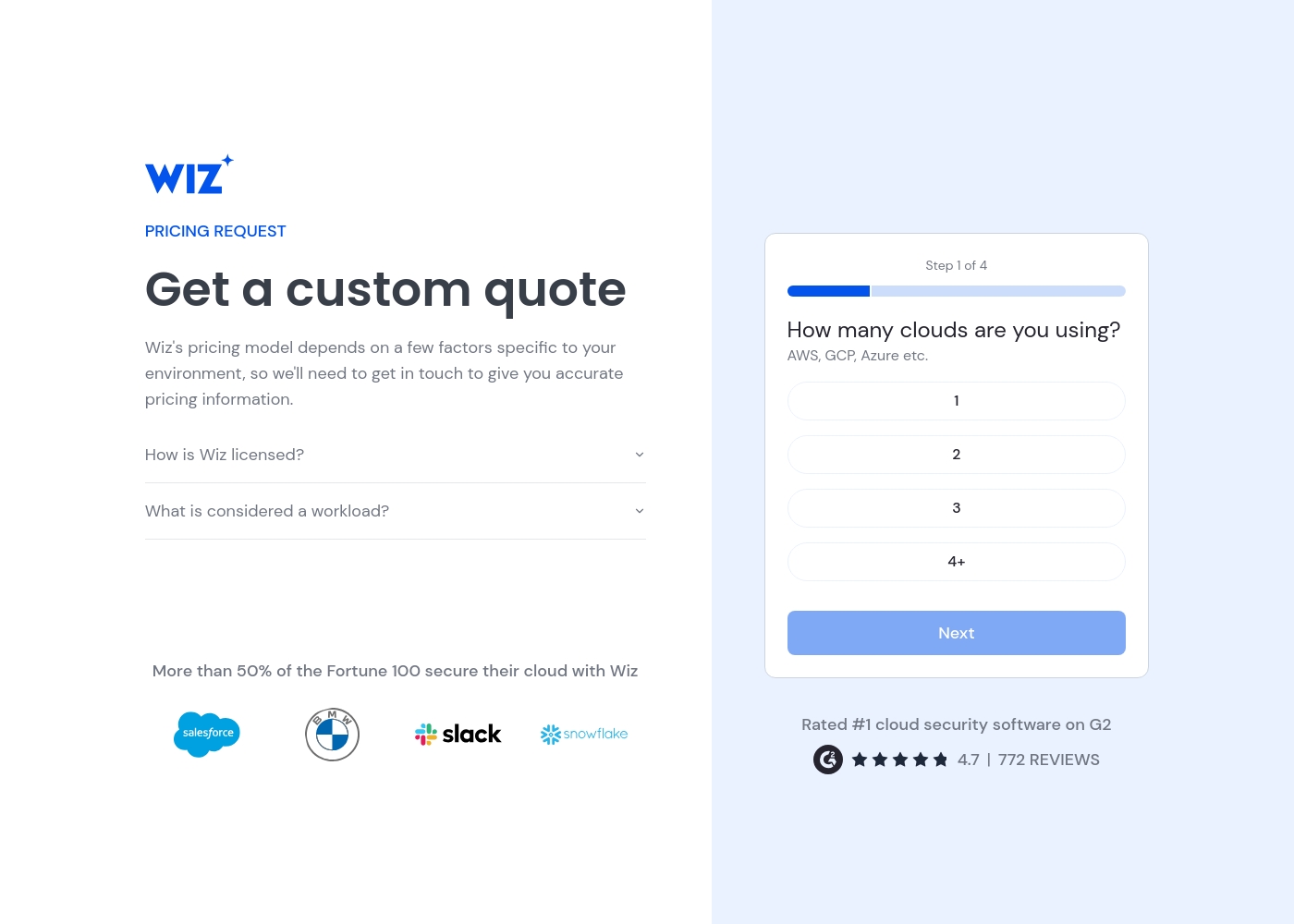
Wiz pricing: Wiz uses a custom pricing model tailored to your specific cloud environment. Costs are license-based and scale with your workload and the number of cloud platforms you use, such as AWS, GCP, or Azure.
To get exact numbers, you'll need to request a personalized quote from their sales team. This ensures you pay for the specific resources and features your enterprise actually needs for total cloud protection.
It is a flexible, consumption-driven approach for security at scale. You can start the process by providing details about your cloud infrastructure on their pricing page.
Pricing Notes
- Keeper Security has transparent, public pricing starting at $3.58/month.
- Wiz pricing requires a sales consultation and is not publicly listed.
- Keeper Security offers a 30-day free trial for personal plans.
- Wiz does not advertise a free trial; evaluation happens via a demo.
- For an individual or family, Keeper Security is the only financially viable option.
- For an enterprise, Wiz's cost must be evaluated against your total cloud infrastructure value.
Pricing Head-to-Head
User Reviews
User feedback for Keeper Security on Trustpilot highlights a mix of experiences. Many praise the platform's strong security features and ease of use for managing passwords across devices, often noting helpful customer support.
🙌 However, a recurring theme involves frustration with subscription management, including auto-renewal charges and difficulties with cancellation or refunds. Some users report occasional syncing issues between devices.
Keeper is fantastic for keeping all my passwords and notes secure. The browser extension works perfectly, and syncing across my phone and laptop is seamless. The support team was also very helpful when I had a setup question.
External review sites for Wiz were inaccessible during our analysis, preventing a direct sentiment synthesis. 😔 This means we couldn't verify recurring user themes on platforms like Trustpilot and Capterra regarding accuracy, ease of use, support, pricing, or onboarding. Our review therefore relies solely on the provided marketing content and our internal assessment.
Our Verdict
This isn't a fair fight. Keeper Security and Wiz are solving different problems for different people. Keeper Security is the champion of credential security. Its superpower is making password and secret management simple, secure, and accessible for everyone. You can protect your family's Netflix password or your company's admin accounts with one tool. Wiz is the giant of cloud infrastructure security. Its superpower is giving security teams one clear view of risk across your entire cloud. It connects a cloud misconfiguration all the way back to the line of code that caused it. The deciding factor is your asset. If your main concern is protecting passwords and access keys, choose Keeper Security. If your main concern is securing virtual machines, containers, and cloud workloads, choose Wiz. For most individuals, families, and small teams, Keeper Security is the clear and affordable choice. For enterprise security teams protecting large cloud environments, Wiz is the powerful, specialized tool they need.
Frequently Asked Questions
Can I use Keeper Security to protect my cloud infrastructure like Wiz?
They protect different things. Keeper Security protects your passwords and secrets. Wiz protects your cloud infrastructure from misconfigurations and vulnerabilities.
Which is more affordable: Keeper Security or Wiz?
Keeper Security has clear, public pricing. Wiz requires a custom quote from their sales team.
Is Wiz a replacement for a password manager like Keeper Security?
Keeper Security is for people (passwords). Wiz is for machines and infrastructure (cloud). They are complementary, not competing.
Which tool is easier to set up and use day-to-day?
Keeper Security is for daily use by anyone. Wiz is a dashboard for security professionals to analyze data.
Does Keeper Security work with AWS, Azure, and GCP?
Keeper stores the keys to the cloud. Wiz monitors the security of the cloud environment.
I'm a developer. Which tool helps me more?
Use Keeper Security to protect your secrets. Use Wiz to protect your cloud applications and infrastructure.
Ready to Choose?
Both tools have their strengths. Choose based on your specific needs.