Hoverwatch vs Webwatcher
Hoverwatch and Webwatcher both promise hidden device monitoring for total peace of mind. Both offer high-level surveillance, but they differ greatly in target devices. The biggest difference is Webwatcher's severe user complaints regarding alleged financial fraud and support failures. Choose carefully, as reliability is key in this niche.
Best for: Families needing to monitor 2-5 Android devices simultaneously., Users who require device security alerts (SIM changes, front-camera photos).
Best for: Parents needing focused, short-term supervision of a single Android device., Users whose primary concern is closely monitoring high-risk apps like Snapchat.
Pros
Cons
Extreme risk due to billing and support issues.
We found Webwatcher markets itself strongly on guaranteed functionality and comprehensive support for parental monitoring needs. However, our review of public user feedback showed severe, concrete accusations of fraudulent billing, refusal to issue refunds, and complete non-response from customer support. Overall, the serious financial and reliability risks reported by consumers necessitate a very low rating.
Pros
- Advertised compatibility across major devices (Android, iPhone, PC, Mac).
- Unlimited data storage is included in the current subscription plan.
- Setup is claimed to be quick and easy (under five minutes).
- Functionality is officially guaranteed with a full refund if issues cannot be resolved.
Cons
- Users report being refused refunds despite the official money-back guarantee.
- Specific claims of fraudulent double billing and funds theft were reported.
- Customer support was reported as non-responsive or misleading ('runaround').
- Product allegedly failed to work properly for some customers.
AboutHoverwatch
Hoverwatch is a monitoring application for Android devices. 💡 It’s designed for parents who want to ensure their children’s safety, and for employers managing company devices. The software runs quietly in the background, tracking activity without disrupting the user. It works by recording data from the device itself.
AboutWebwatcher
WebWatcher is a specialized parental monitoring app. It is primarily aimed at supervising teenagers who may be involved in risky online behavior. The software gives parents necessary visibility into their child's digital footprint.
It works across major platforms including Android, iPhone, PC, and Mac devices. You can monitor everything seamlessly from anywhere using your secure, web-based online account. The application is designed to be discrete and tamper-proof once it's correctly installed. 💡
Highlights
Feature Comparison
Features Overview
We highlight the main differences and pick a winner for each feature.
Platform Coverage
Webwatcher supports more device types, but Hoverwatch offers stronger native compatibility. Monitoring iPhones on Webwatcher requires complex local computer syncing.
Hoverwatch focuses clearly on robust monitoring for Android, Windows PC, and Mac devices. It works best if your target device is one of these three platforms. Webwatcher boasts broader compatibility, covering Android, iPhone, PC, and Mac devices. The iPhone setup is more complicated, requiring a one-time physical sync. Hoverwatch delivers a strong native experience on its supported platforms, including key Android hardware alerts. Webwatcher attempts to cover all major bases, trading simplicity for device width. If monitoring an iPhone is non-negotiable, Webwatcher offers a difficult path. If not, Hoverwatch’s native support is more straightforward.
Security & Alerts
Hoverwatch provides unique, real-time physical security alerts. Webwatcher focuses mainly on digital communication monitoring.
Hoverwatch includes unique features that provide physical device security context. It captures a front-camera photo whenever the screen is unlocked. You also receive an immediate notification if the SIM card is ever changed on the device. Webwatcher includes GPS location monitoring but lacks explicit hardware security features. Its alerts focus on digital activity and app tracking. Hoverwatch gives you visual proof and physical security awareness the moment an event happens. For monitoring staff or high-value devices, Hoverwatch's specific alerts are significantly superior.
Multi-Device Scaling
Hoverwatch is built for multi-device management, supporting up to five devices. Webwatcher is designed only for single-device oversight.
Hoverwatch uses a tiered structure allowing up to five devices under one Professional plan. This makes it ideal for managing multiple family members or a small fleet of company assets. Webwatcher explicitly prices its plans for monitoring only one device at a time. It is marketed strictly for focused, single-child parental supervision. If you need coverage for just one device, Webwatcher is sufficient, although Hoverwatch offers a Personal plan. Teams or large families must choose Hoverwatch for essential multi-device oversight capacity.
Specialized Monitoring
Webwatcher provides deeper monitoring for complex social apps like Snapchat. Hoverwatch provides essential coverage across common communication platforms.
Webwatcher excels at monitoring high-risk apps, offering detailed Snapchat coverage on Android devices. It captures received messages and takes activity screenshots regularly. Hoverwatch tracks generalized app usage, listing installed apps and monitoring popular messengers like Telegram and WhatsApp. Both tools ensure communication tracking, but Webwatcher specializes in defeating disappearing message apps. If the target user utilizes complicated social platforms, Webwatcher offers more forensic detail.
Data Storage
Webwatcher provides unlimited storage for all monitoring logs. Hoverwatch has a strict, very short data retention window.
Webwatcher guarantees unlimited data storage for monitoring logs for your subscription duration. This is excellent for long-term historical review of activity. Hoverwatch automatically deletes all monitoring logs seven days after your paid subscription ends. This requires users to frequently review or download their data. If you need to keep years of activity history readily available, Webwatcher is the superior solution. Hoverwatch’s short retention window demands quicker action from the account owner.
Financial Reliability & Trust
Hoverwatch appears reliable and financially sound; Webwatcher has critically poor user reports. Financial risk is lowest with Hoverwatch.
Hoverwatch has no published user reports alleging financial issues or refund fraud on major review sites. Webwatcher has widespread, concrete accusations of fraudulent double billing and theft from users. Customers report Webwatcher refused to honor their advertised risk-free refund policy. This operational failure makes purchasing Webwatcher a serious financial gamble. Stick to Hoverwatch to ensure billing stability and customer support if problems arise.
Hoverwatch pricing: Plans from $0/month Plans range: $0–$499.95/month Billing options: Monthly subscription

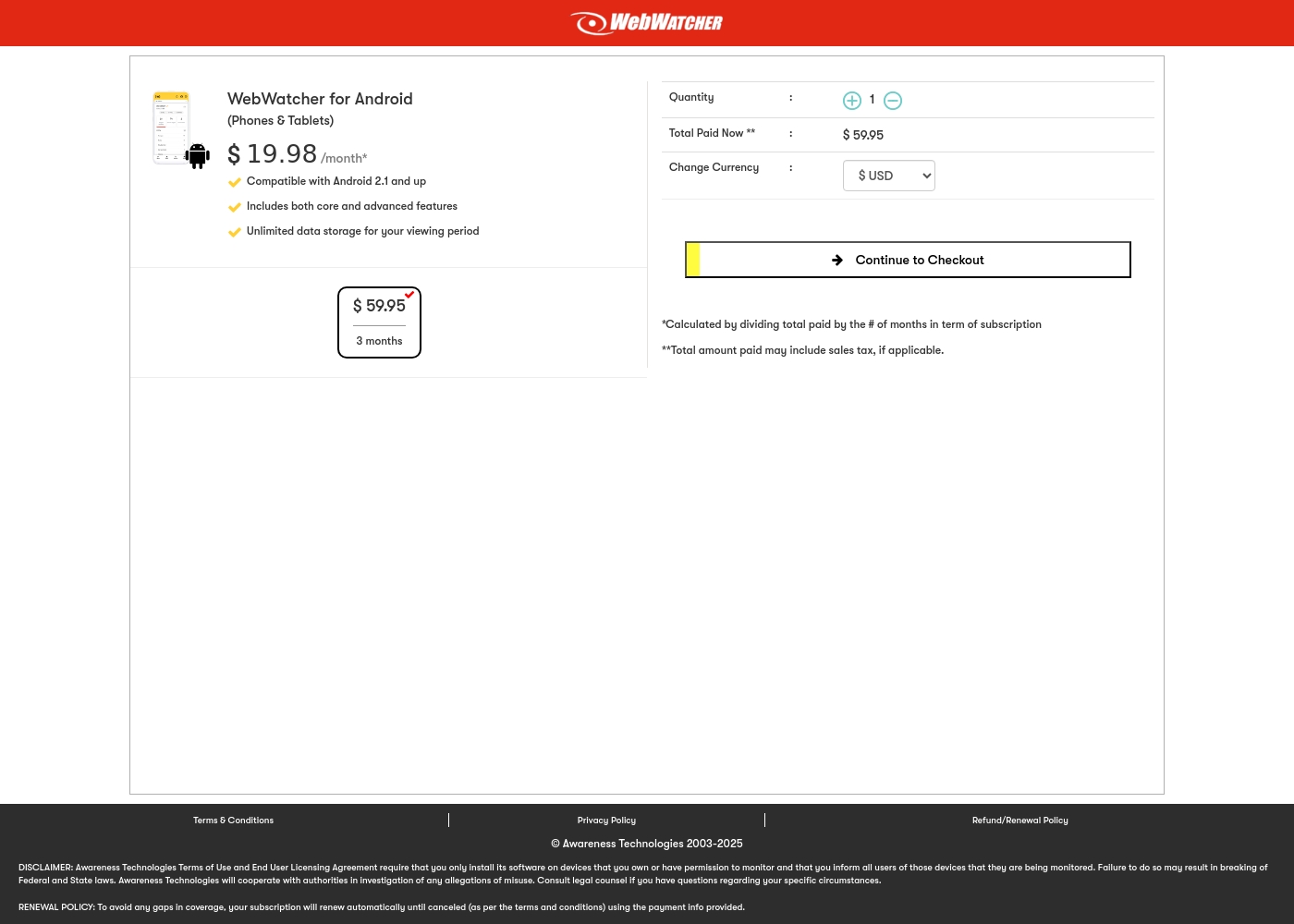
Webwatcher costs $19.98 per month with one explicitly priced plan: the 3-Month Android Subscription at $59.95 total.
Finding the right monitoring solution for your family is simple. Here is a detailed look at the pricing and features available in the current purchase flow.
3-Month Android Subscription
Price: $59.95 (paid every 3 months, calculated at $19.98/month) Best For: Parents monitoring Android phones and tablets Refund Policy: Full refund guaranteed if issues cannot be resolved Other Features:
- Compatible with Android 2.1 and newer versions
- Includes both core and advanced features
- Unlimited data storage for your full viewing period
- Compatible with Android 2.1 and up
- Includes both core and advanced features
- Unlimited data storage for your viewing period
Pricing Notes
- Hoverwatch pricing scales based on the number of devices (up to 5) and subscription duration.
- Webwatcher's advertised $19.98/month rate is based on a single-device, $59.95 payment every three months.
- Webwatcher advertises a 'risk-free trial,' but user reviews state the company refuses to honor its money-back guarantee.
- Users report that Webwatcher has critical billing issues, including unauthorized double charging and fund theft.
Pricing Head-to-Head
User Reviews
Webwatcher’s external feedback is extremely limited, stemming only from two reviews which resulted in a very low 2.9 TrustScore. While the platform advertises a strong 'risk-free' guarantee and promises excellent, responsive customer care, the limited user reports strongly contradict these claims.
Both reviewers cited severe issues primarily centered on billing and refunds. Users claim they were refused refunds entirely, even when requested within the advertised refund window, despite the monitoring product reportedly failing to work properly.
They refused to honor the risk-free money-back guarantee, even though I submitted the request properly. Furthermore, the product I purchased never actually worked for me as advertised. I absolutely feel like they are ripping me off.
Our Verdict
If you are comparing Hoverwatch and Webwatcher, the decision quickly focuses on reliability and trust. Hoverwatch is the clear winner for anyone seeking a safe, stable monitoring solution. Webwatcher is highly controversial; strong user reports allege billing fraud and nonexistent customer support. Avoid purchasing Webwatcher unless you are willing to risk financial loss. Hoverwatch excels at providing stable, discreet oversight across multiple devices (up to 5). It offers critical security alerts like SIM card change notifications and front-camera photo snapshots. Hoverwatch ensures that monitoring remains quiet without technical or significant financial headaches. It is the dependable choice. Webwatcher attempts to be the champion of cross-platform monitoring (Android, iPhone, PC, Mac). It provides unique, deep monitoring for tricky social apps like Snapchat on Android devices. Webwatcher also notably offers unlimited data storage for monitoring logs. The deciding factor is the massive purchasing risk associated with Webwatcher’s non-responsive support. Users widely report being double-charged and refused guaranteed refunds, contradicting its 'risk-free' messaging. You simply cannot trust Webwatcher's billing department. Stick with Hoverwatch if you need professional-grade, multi-device monitoring without financial risk. Choose Webwatcher only if absolute Snapchat monitoring is mandatory and you accept a high risk of billing problems. For stability and trust, Hoverwatch provides a much safer experience.
Frequently Asked Questions
Which monitoring tool is safer to buy, Hoverwatch or Webwatcher?
Hoverwatch is financially safer; no user reports suggest billing fraud or support failure. Webwatcher has numerous user complaints citing double charges and money-back guarantee refusals. Choose Hoverwatch for predictable pricing and support reliability.
Does Hoverwatch support iPhone monitoring like Webwatcher claims to?
No, Hoverwatch is strictly limited to Android, Windows PC, and Mac monitoring. Webwatcher claims iPhone support but requires complicated syncing via a local computer. Hoverwatch offers better native support for its chosen platforms.
Which is better for multi-device monitoring: Hoverwatch or Webwatcher?
Hoverwatch is much better if you need multiple devices monitored. Hoverwatch supports up to five devices per plan easily. Webwatcher’s explicit pricing structure strictly limits monitoring to a single device.
Does Webwatcher have a better data retention policy than Hoverwatch?
Yes, Webwatcher guarantees unlimited data storage for all logs during your subscription period. Hoverwatch deletes logs just seven days after your subscription ends. Webwatcher is better for users needing long-term historical data access.
Why are user reviews for Webwatcher so negative compared to Hoverwatch?
Webwatcher’s negative reviews focus on billing and support failures. Customers claim the company stole money and refused refunds promised by the guarantee. Hoverwatch lacks these severe complaints, suggesting superior operational integrity.
Which one is best for discreet desktop monitoring (PC/Mac)?
Hoverwatch works very well for discreet PC and Mac monitoring, supporting up to five devices. Webwatcher supports PC/Mac monitoring but is highly focused on its single-device parental supervision model.
Ready to Choose?
Both tools have their strengths. Choose based on your specific needs.