Hoverwatch vs Parentaler
Hoverwatch and Parentaler both offer deep device visibility but target different ecosystems. Parentaler is the clear flexible choice for cross-platform support, covering Android and iOS. Hoverwatch focuses heavily on powerful, deeply discreet monitoring across Android, PC, and Mac only. This difference in platform coverage will likely be your deciding factor.
Best for: Small businesses needing oversight on company Windows PC or Mac devices, Users focused on Android monitoring only who require SIM card change notifications
Best for: Parents managing mixed households (both iOS and Android devices), Guardians who absolutely require website and app content blocking
Pros
Cons
Powerful Tracking, Compromised Purchase Transparency.
We assess Parentaler as a highly functional monitoring tool with robust security features, including comprehensive communication viewing and precise GPS alerts. However, we found serious and recurring concerns regarding product fulfillment and billing transparency, as multiple users report being directed to the mSpy service upon purchase. Overall, we advise potential users to be keenly aware of these recurring payment and product delivery issues.
Pros
- Provides reliable GPS tracking and Geofencing alerts.
- Keyword Alert feature helps parents intervene quickly in serious situations.
- Enables comprehensive viewing of photos, videos, and communication logs.
- Effective for setting limits and managing screen time overuse.
Cons
- Widespread complaint of a bait-and-switch (users purchase Parentaler but receive mSpy).
- Reports of unauthorized annual charges despite selecting monthly plans.
- Customer support is reportedly resistant to issuing refunds for non-technical reasons.
- Advertised social media features may not be delivered via the substitute product.
AboutHoverwatch
Hoverwatch is a monitoring application for Android devices. 💡 It’s designed for parents who want to ensure their children’s safety, and for employers managing company devices. The software runs quietly in the background, tracking activity without disrupting the user. It works by recording data from the device itself.
AboutParentaler
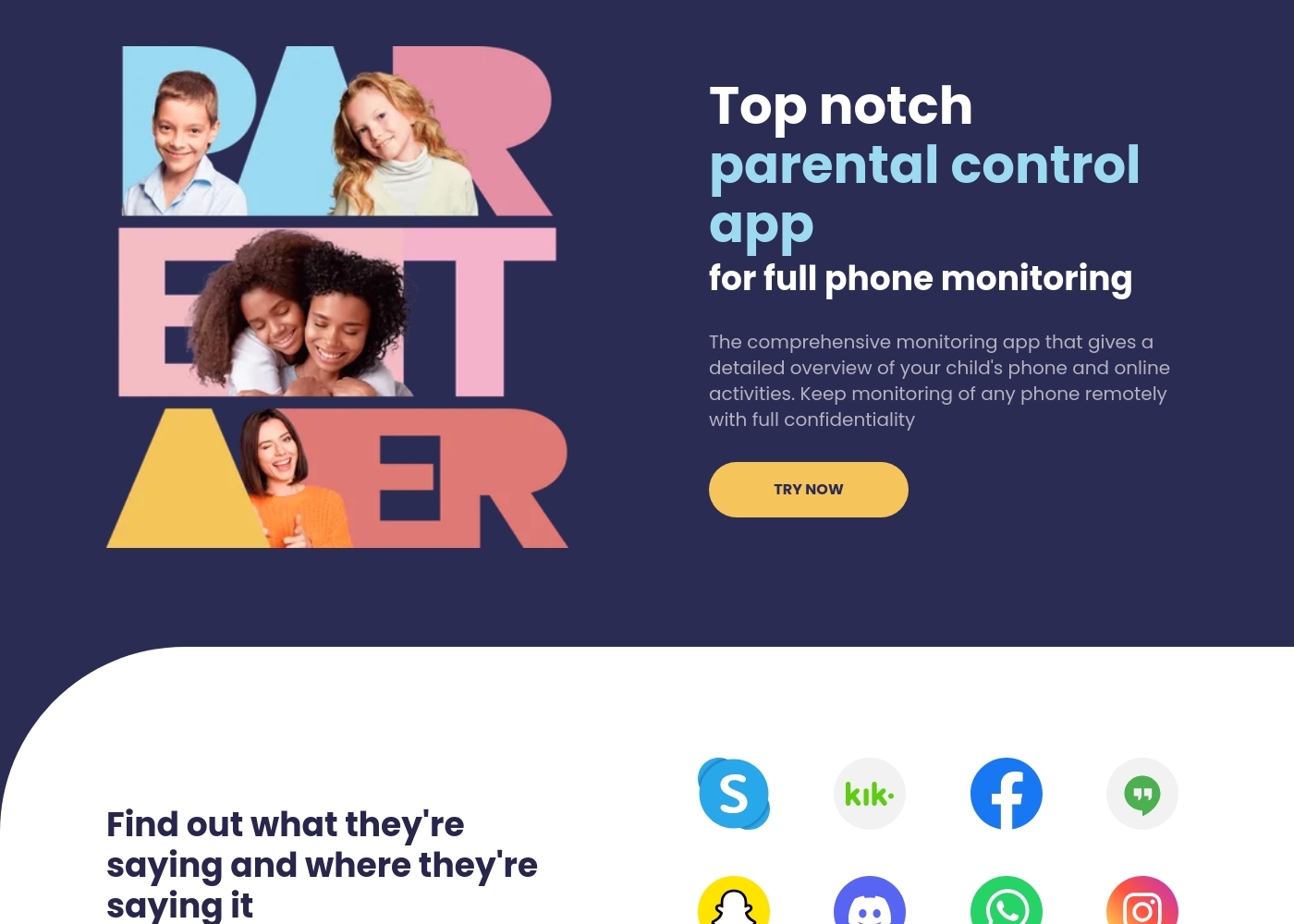
Parentaler is a top-notch parental control app. It gives you a detailed overview of your child’s phone and online activities, helping you monitor them remotely and with full confidentiality.
The application works smoothly on any iPhone, iPad, or Android device. You can then access all features through a simple dashboard using any device or browser.
Crucially, the app operates quietly in the background. It sends no notifications or alerts to your child’s phone, meaning they won't know when you are checking data.
Highlights
Feature Comparison
Features Overview
We highlight the main differences and pick a winner for each feature.
Platform Coverage
Parentaler is the flexible winner, covering both major mobile platforms. Hoverwatch offers essential PC and Mac monitoring that Parentaler lacks.
Hoverwatch supports deep monitoring on Android alongside Windows PC and Mac computers. This is ideal if you need visibility across desktop environments too. Parentaler focuses exclusively on mobile monitoring, supporting both Android and iOS devices. Most families today use a mix of phones, making Parentaler much more versatile. If monitoring an iPhone or iPad is essential, you must choose Parentaler. If you need silent oversight on a desktop machine, Hoverwatch is your only option.
Content Blocking
Parentaler offers active controls like blocking; Hoverwatch focuses only on passive tracking. If you need to restrict access, choose Parentaler.
Hoverwatch is a passive tracking tool, meaning it records activities like browser history and app usage. It does not provide any active controls or content filtering capabilities. Parentaler goes further, offering active controls like blocking apps and websites, including a porn blocker. Parentaler also allows you to restrict specific Wi-Fi networks and manage time limits. This active management makes Parentaler much stronger for proactive parental control. Hoverwatch is strictly about silently observing usage after the fact.
Location & Geofencing
Parentaler provides advanced geofencing alerts, while Hoverwatch only offers basic location tracking and history. Geofencing is crucial for safety.
Hoverwatch uses GPS, cell towers, and Wi-Fi to locate the device and provides location awareness. It gives you a map view and location history data. Parentaler also offers live GPS tracking and location history with coordinates and timestamps. Parentaler's key advantage is geofencing alerts; you get notifications when the device enters or leaves designated safe zones. This difference in proactive alerts makes Parentaler superior for managing physical safety boundaries.
Unique Alerts
Hoverwatch offers unique security features like front-camera photos and SIM change alerts. Parentaler lacks these specific device triggers.
Hoverwatch provides valuable alerts focused on device integrity and immediate context. It captures a front-camera photo whenever the screen is unlocked, proving useful real-time context. Hoverwatch also notifies you instantly if the SIM card is changed on the monitored device. Parentaler focuses on conversation and boundary alerts (like geofencing). It does not include the unique camera or SIM tamper notifications that Hoverwatch provides.
Monitoring Depth
Both monitor standard communications, but Parentaler supports email monitoring alongside SMS and calls. Hoverwatch tracks calendar entries.
Hoverwatch offers comprehensive activity views, including calls, SMS, media, and calendar/to-do lists. It provides detailed Android screenshots for usage context. Parentaler monitors various conversations—calls, texts, and social chats—and crucially adds internal email monitoring to the mix. Both tools offer deep visibility but Parentaler ensures cross-communication oversight, including major email clients. If checking emails is important, Parentaler has a slight edge.
Customer Support
Parentaler offers verified 24/7, multilingual support, a key benefit for worried parents. Hoverwatch details on support availability are unclear.
Parentaler users frequently praise the availability of 24/7 multilingual support via chat and email. This is essential when dealing with urgent family safety issues. Hoverwatch does not specify its support availability, making users reliant on their FAQ and email response times. For critical, around-the-clock help, Parentaler is the clear and reliable choice. Reviews indicate 97% of Parentaler users are happy with their support responsiveness.
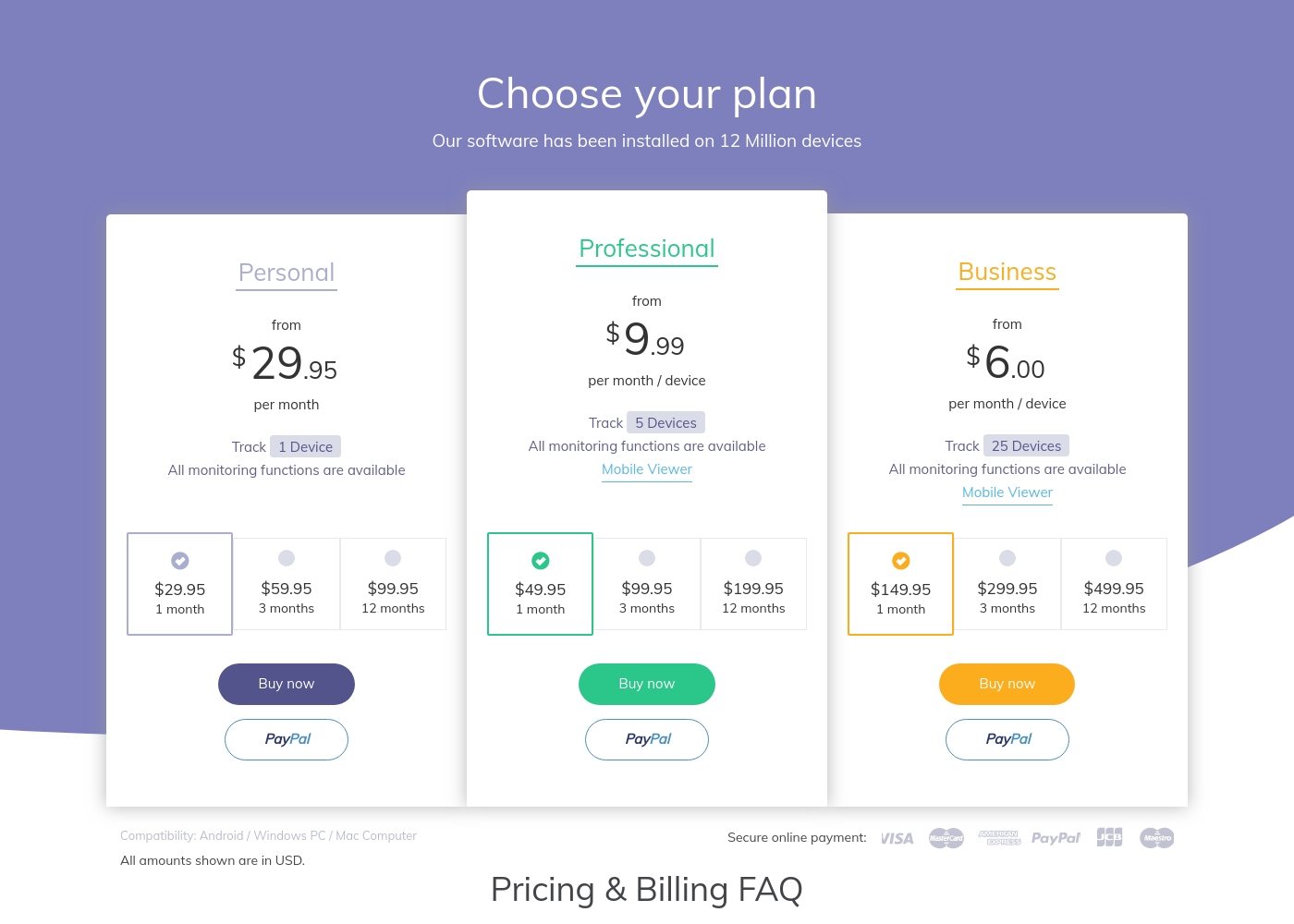
Hoverwatch pricing: Plans from $0/month Plans range: $0–$499.95/month Billing options: Monthly subscription
Parentaler utilizes a subscription model, but the specific costs and plan names are not explicitly detailed in the available information.
To begin using the comprehensive monitoring tools, you first need to select a subscription option.
Standard Subscription Plan
Best For: Any parent or guardian needing full phone monitoring capabilities Other Features:
- Monitors social media and messenger conversations
- Detailed GPS location tracking and Geofencing alerts
- Website and Apps & Games blocking
- Access to SMS, calls, emails, and contacts
- Keyword alerts and screen capture functionality
- Full phone monitoring overview
- GPS location and Geofencing alerts
- Website porn and app blocker
- Monitor SMS, calls, and email
- Keyword alerts and screen capture
Pricing Notes
- Hoverwatch has a massive pricing range, likely due to small business packages offering 25+ devices.
- Parentaler's pricing is simpler but some users report the subscription cost is relatively high for standalone parental monitoring.
- Neither Hoverwatch nor Parentaler explicitly confirms a publicly available, risk-free trial period for new users.
- Hoverwatch pricing is tiered solely based on the number of devices you need to monitor (1, 5, or 25).
Pricing Head-to-Head
User Reviews
Parentaler holds a mixed user rating of 3.6 on Trustpilot. Many parents praise the app's capability to provide essential monitoring features, specifically emphasizing reliable location tracking and timely Geofencing alerts which have helped in real-world emergencies, like locating a child after a vehicle breakdown.
Users also frequently cite the value of communication oversight, noting they successfully intervened in cases of potential cyberbullying, unsafe conversations, and concerning online searches using the Keyword Alert feature. The software is appreciated for helping manage excessive screen time, leading to positive changes in children's behavior and improved family understanding.
My daughter's car broke down deep in the country, and she didn't know her location. I used Parentaler to pinpoint her immediately. It let me reassure her that I was only minutes away. This app is absolutely essential for parent peace of mind.
Our Verdict
Choosing between Hoverwatch and Parentaler typically comes down to platform requirements and control needs. For most modern families, Parentaler is the better overall solution today. Parentaler successfully covers both Android and iOS devices from a single, accessible dashboard. Hoverwatch, however, is the clear choice if you need deep, discreet monitoring for Windows PC or Mac computers. If your family uses iPhones or requires active content restrictions, Parentaler is mandatory. Hoverwatch's superpower lies in its deep forensic features across desktop operating systems. It uniquely captures front-camera photos upon screen unlock, adding key contextual evidence. Plus, Hoverwatch immediately alerts you if the target user changes the SIM card. Parentaler shines with proactive safety features and superior flexibility across mobile platforms. It offers much-needed features like geofencing alerts and essential website/app blocking capabilities. Parentaler also backs up its service with reliable, multilingual 24/7 customer support, highly rated by users. The deciding factor is control versus platform. If managing both iOS and Android with strict content controls is your priority, choose Parentaler. If you prioritize silent observation across Android and desktop (PC/Mac), stick with Hoverwatch.
Frequently Asked Questions
Which software is better for monitoring iOS devices, Hoverwatch or Parentaler?
Parentaler is the only option, as it specifically supports monitoring Android and iOS devices. Hoverwatch currently does not support iOS devices like iPhones or iPads. If you have an iPhone, you must select Parentaler for monitoring capabilities.
Does Hoverwatch or Parentaler offer content blocking features?
Parentaler offers comprehensive content blocking features for websites and apps. It includes a website porn blocker and the ability to restrict apps and games. Hoverwatch is purely observational and does not include any active blocking or content filtering functions.
Which tool provides monitoring for Windows PC or Mac computers?
Hoverwatch supports deep, discreet monitoring across Windows PC and Mac systems, alongside Android phones. Parentaler focuses exclusively on mobile monitoring and lacks desktop support. If PC or Mac oversight is key, Hoverwatch is required.
Does Parentaler include Geofencing like competing tools?
Yes, Parentaler features robust geofencing capabilities with real-time alerts. This notifies you when the device enters or exits defined safe zones. Hoverwatch only provides basic GPS location tracking and location history data.
Is Parentaler worth the higher price point versus Hoverwatch?
Parentaler's higher price often reflects its broader platform support (including iOS) and advanced control features. If you need blocking, parental controls, and cross-platform flexibility, Parentaler offers superior value. Hoverwatch may be cheaper but lacks these crucial family safety tools.
Which offers better unique security features: Hoverwatch or Parentaler?
Hoverwatch offers unique device security alerts not found in Parentaler. These include instant notifications if the SIM card is changed. Hoverwatch also captures a front-camera photo when the monitored device screen is unlocked.
Ready to Choose?
Both tools have their strengths. Choose based on your specific needs.