FamiSafe vs mLite App
FamiSafe and mLite App spark a real decision between safety and simplicity. FamiSafe leans into AI risk detection and kid-friendly controls, while mLite App prioritizes location. If you want deep monitoring, choose FamiSafe; for quick, private visibility, pick mLite App.
Best for: Large families with 10-40 devices needing AI monitoring across 14 platforms, Teen households wanting driving safety reports and geofence alerts
Best for: Smaller households prioritizing real-time location and privacy, Parents who want quick onboarding and simple device pairing
Advanced parental controls, reliability needed.
We recognize FamiSafe's exceptionally comprehensive feature set, including AI monitoring and affordable plans that cover up to 40 devices. External feedback raises serious concerns regarding installation frustration, technical glitches, and overall reliability, especially on iOS devices. Overall, we recommend FamiSafe primarily for users who value advanced monitoring features and are comfortable managing potential technical challenges.
Pros
- Flexible subscription tiers covering up to 40 devices ($4.99/mo annual rate).
- Features include AI-powered monitoring for social media, chats, and content safety.
- Robust physical safety tools like real-time location tracking and Geofence alerts.
- Customer support, when reached, is often highly professional and technically focused.
Cons
- Users report significant issues with technical instability and app reliability.
- Setup process can be challenging, leading some users to report system disruption.
- Required iOS features/companion apps sometimes crash frequently upon opening.
- Initial refund procedures may be frustrating, requiring extensive troubleshooting and logs.
Pros
Cons
AboutFamiSafe
FamiSafe is a next-generation parental control application designed by Wondershare. It empowers families to establish positive digital habits together. The platform lets you see and guide your child's activities, balancing freedom with necessary protection. It is built for all parents who want reliable tools to manage screens, monitor device activity, and protect loved ones in real life. You’ll receive detailed reports on daily device usage and app activities effortlessly. 💡
AboutmLite App
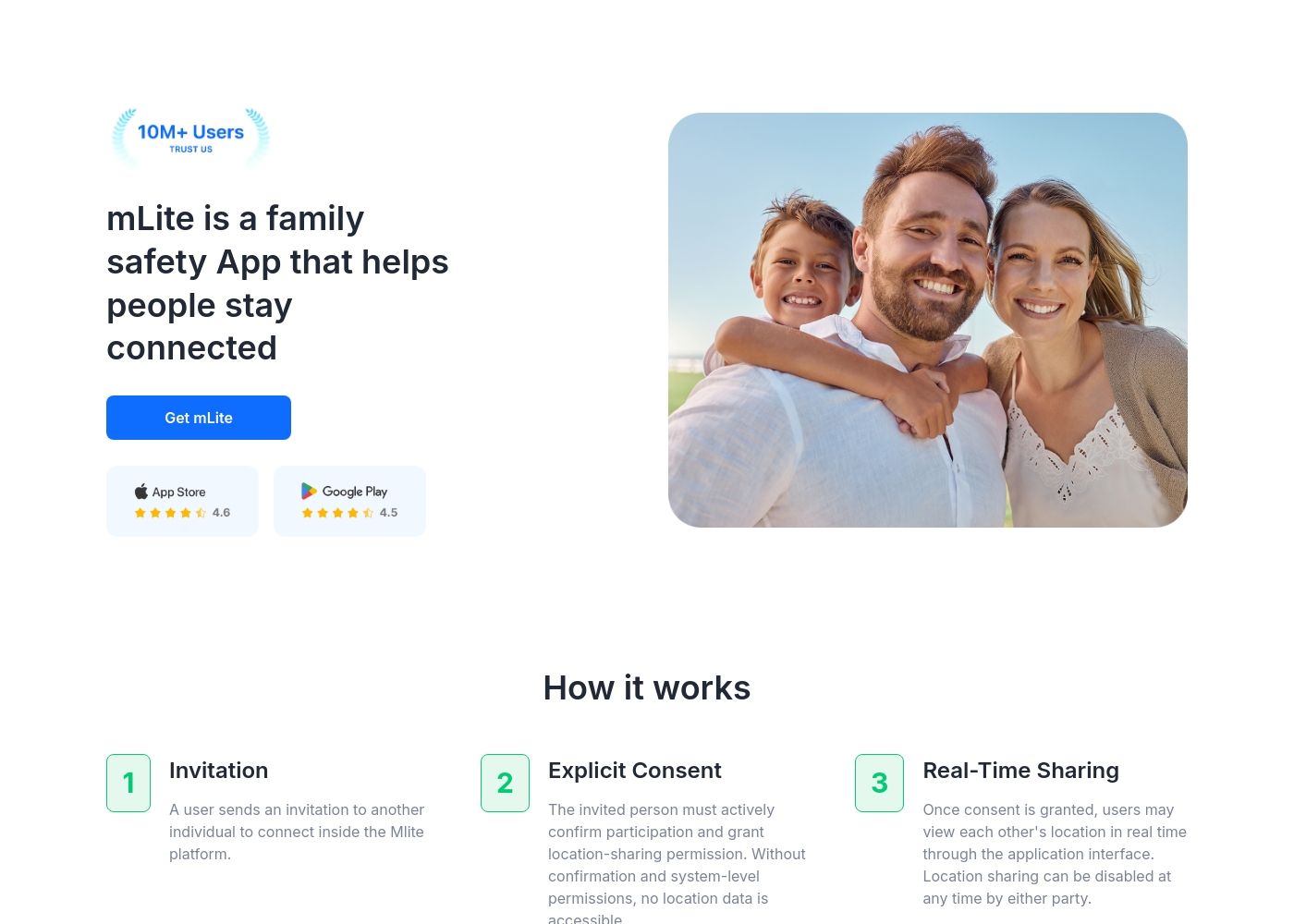
✅ mLite is a family safety app designed to help people stay connected. It’s for families, parents, and anyone who wants a straightforward way to share location with loved ones. The app works on both Android phones and iPhones, making it easy for everyone to join in.
Highlights
Feature Comparison
Features Overview
We highlight the main differences and pick a winner for each feature.
Real-Time Location
Both apps show live location and history; FamiSafe adds geofence alerts.
FamiSafe tracks your child's position in real time on a live map. You can also view location history to confirm routes and arrivals. FamiSafe uses Geofences to alert you when they enter or leave areas. mLite App offers live location and location history with location-based alerts. The two apps differ on privacy layers and how alerts are delivered. You’ll feel secure whether at home or away with both options.
Panic and SOS
Both vendors provide urgent alerts, but implementations differ slightly.
FamiSafe includes SOS Alert capabilities for emergencies with precise location data. mLite App provides a Panic Button for immediate signaling and location sharing. In practice, both help you trigger quick responses when needed. FamiSafe emphasizes broad safety tools, while mLite App focuses on speed and simplicity in emergencies. Consider your preferred alert workflow when choosing.
AI Risk Monitoring
FamiSafe leans into AI-driven risk detection across many channels.
FamiSafe uses AI to monitor calls, chats, and messages for concerning content. It scans over 14 social platforms simultaneously. You can customize keywords to trigger alerts for adult content or risky wording. mLite App relies on basic safety signals and manual review rather than AI-driven detection. If AI depth matters, FamiSafe leads.
Web and Content Safety
FamiSafe pools content controls with filters and platform history checks.
FamiSafe provides a Web Filter to block unsafe sites automatically. You can monitor YouTube and TikTok histories for age-appropriate viewing. Explicit images can trigger immediate alerts. mLite App does not highlight web filtering or content blocks in the data. FamiSafe wins for content safety depth.
Location Privacy & Encryption
mLite App centers on privacy-first location visibility and quick setup.
mLite App emphasizes encryption for data in transit and at rest, keeping location data private. Setup is straightforward on Android and iOS. Real-time location features work even when you’re apart. FamiSafe includes Geonection encryption for location sharing but emphasizes broader monitoring. For privacy-first goals, mLite App shines.
Driving Safety
FamiSafe includes teen driving monitoring; mLite App lacks this area.
FamiSafe offers Driving Reports that track speed and habits for new drivers. You can review driving data to coach safer behavior. mLite App focuses on location and alerts, not driving analytics. If driving safety is key, FamiSafe has the edge.
Setup & Onboarding
Both aim for easy setup, but experiences differ in depth.
FamiSafe gives a rich feature set via a guided setup, then adds many options. mLite App advertises quick onboarding with linking two devices. In practice, size of the feature set can affect initial setup. If you want fast onboarding, mLite App may feel lighter.
Monitoring Scope
FamiSafe covers broad monitoring; mLite App focuses on essential visibility.
FamiSafe monitors apps, calls, chats, and social platforms with AI layers. You also get screen time controls and geofences. mLite App concentrates on location, history, and alerts with privacy at the core. Choose based on whether you want breadth or privacy-first focus.
Notifications & Alerts
Both apps push timely alerts, but the delivery sometimes differs.
FamiSafe delivers alerts across its AI risk system and geofences. You can customize warnings for keywords and risky content. mLite App delivers location alerts and Panic Button notifications quickly. If you want deep alert customization, FamiSafe has more knobs to tweak.
Installed Apps & Contacts
Both apps monitor apps; contacts monitoring is stronger on mLite.
FamiSafe provides app activity reporting and control options like App Rules. It tracks daily device activity and is strong on platform coverage. mLite App explicitly includes Installed Apps monitoring and Contacts monitoring. If you need Contacts-level monitoring, mLite App leads.
User Experience
User experience varies; FamiSafe is feature-rich, mLite simpler.
FamiSafe has a broad feature set and strong support behind it. mLite App emphasizes privacy and quick use, with fewer features to configure. If you want depth and control, pick FamiSafe. If you want simplicity and privacy, pick mLite App.
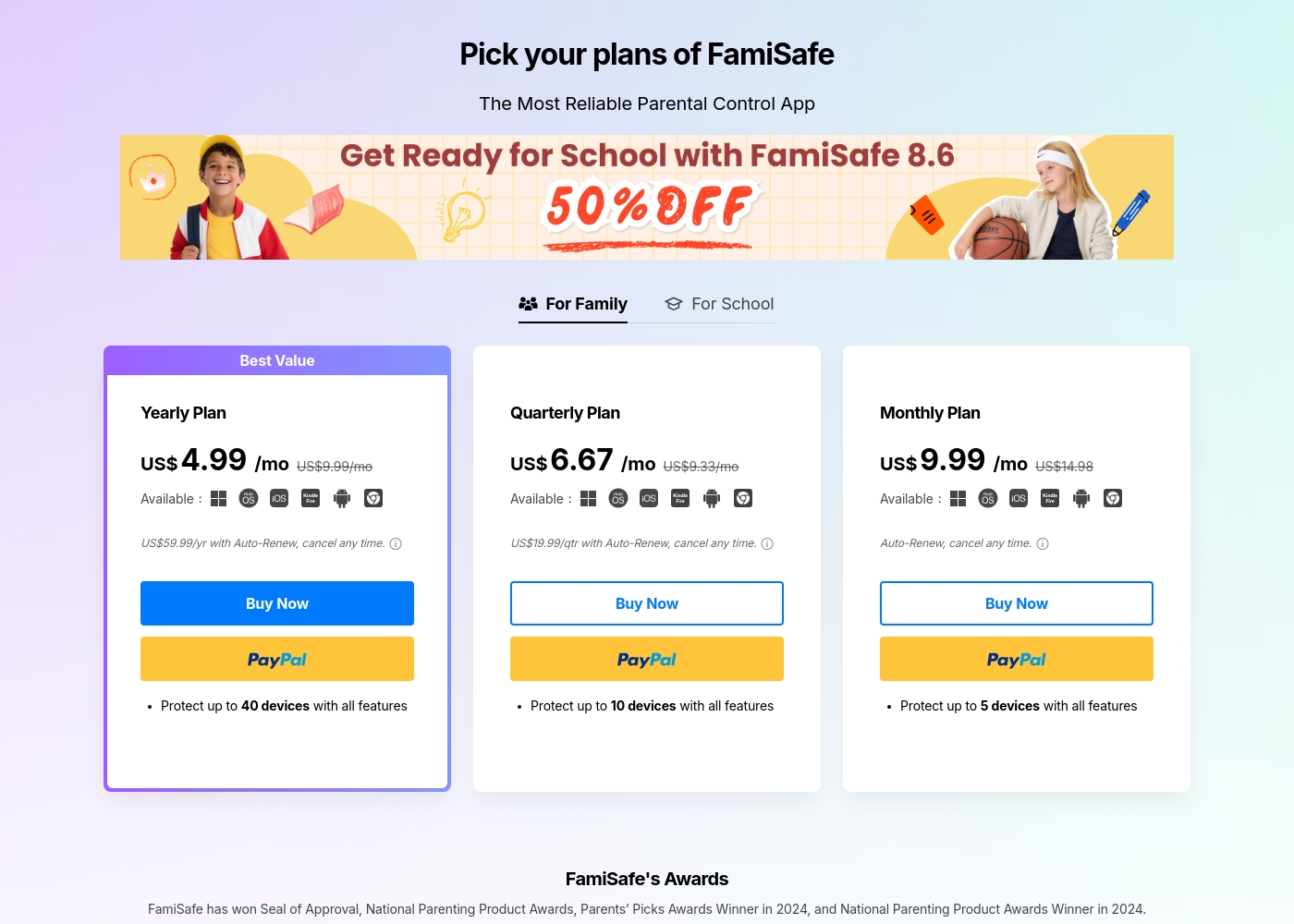
FamiSafe costs between US$4.99 and US$9.99 per month with three main plans: Yearly Plan at US$59.99/year, Quarterly Plan at US$19.99/quarter, and Monthly Plan at US$9.99/month.
FamiSafe provides simple, device-based plans for family monitoring. Here is a closer look at what each subscription offers.
Yearly Plan
Price: US$59.99 per year (effective US$4.99/mo) Websites Supported: Up to 40 devices Best For: Families needing comprehensive, long-term coverage Refund Policy: 7-day money-back guarantee Other Features:
- Includes all premium features
- Auto-Renews, cancel any time
- Protection for the highest number of devices
mLite App pricing: mLite App requires an active subscription to access its core safety features like location history. While a specific starting price is not explicitly stated on the landing page, users can download the app for free on iOS and Android to view available plans and start connecting with family members via invites and explicit consent.
Any subscription typically includes real-time location sharing and emergency alerts across all supported devices. The app focus is on transparent, consent-based safety for families on the go 🛡️.
Detailed plan pricing is visible within the mobile application during the registration and invitation process. mLite provides an affordable, secure way to keep track of loved ones without the complexity of traditional hardware-based tracking systems.
Pricing Notes
- FamiSafe Yearly Plan covers up to 40 devices; great value.
- FamiSafe auto-renews; cancel anytime within account settings.
- mLite App starts at $0.99 with a broad range; pricing not fully disclosed.
- FamiSafe free trial exists; mLite App offers a 1-day free trial per data.
Pricing Head-to-Head
User Reviews
FamiSafe holds a “Poor” 2.5 TrustScore, reflecting significant user frustration despite the company actively replying to 100% of negative feedback. The central issues revolve around technical operation and reliability. Users frequently cite major compatibility problems, including slow download speeds, app crashes—especially with the required “Wondershare Connect” tool for iPhone features—and reports of the application improperly installing or “ruining” device setup. The process to secure a refund can also be bureaucratic initially; customers sometimes had to “jump through hoops” by providing log files before the engineering team was convinced the product failed.
Conversely, nearly all positive feedback is centered on specific customer support agents, who are often described as outstanding, patient, fast, and technically competent (e.g., Mojoe, John, Angelo C). When a user successfully contacts a live agent, the problem is frequently resolved quickly or a full refund is processed, even covering taxes and VAT requested by European users. Overall, while the individual support experience is high-quality, the underlying product stability and the initial difficulty getting help contribute to the low external rating. 🤔
Mojoe was outstanding. He was technically competent, patient, and analytical, taking the time to walk me through every step. However, getting to a live person took too long, and I waited 30 minutes after being told it would be 13.
Our Verdict
Bottom line: for most families, it's a tie between FamiSafe and mLite App. Both tools offer strong safety options, but they lean in different directions. If you want deep, AI-driven monitoring, FamiSafe is the pick. If you crave real-time location with privacy and fast setup, go with mLite App. The deciding factor is your top priority: monitoring depth or privacy-focused visibility. For many households, start with a free trial on either side and compare real-world vibes in your own home.
Frequently Asked Questions
Which is better for small families: FamiSafe or mLite App?
For small families, mLite App offers private, easy setup. FamiSafe provides deeper, AI-driven monitoring. Choose based on privacy or monitoring depth.
Does FamiSafe have features like mLite App's Panic Button?
FamiSafe has an SOS Alert for emergencies. mLite App includes a Panic Button. Both provide quick location sharing in urgent moments.
Is mLite App worth the extra cost over FamiSafe?
If location privacy matters most, mLite App can be worth it. If you need deep monitoring, FamiSafe shines.
Can I migrate from FamiSafe to mLite App easily?
Migration steps aren't detailed in the data. Check Support for migration guidance.
What platforms does each app support?
FamiSafe supports iOS, Android, Windows, Chrome, Mac, Kindle Fire. mLite App supports Android and iOS.
Is data encrypted and private on both apps?
FamiSafe uses Geonection and bank-level encryption for location sharing. mLite App uses encryption for data in transit.
Ready to Choose?
Both tools have their strengths. Choose based on your specific needs.