Drata vs Keeper Security
Drata and Keeper Security tackle security from very different angles. Drata automates compliance audits and builds a trust center for sales. Keeper secures passwords and privileged access with zero-knowledge encryption.
Best for: Startups preparing for their first SOC 2 audit, Sales teams needing to accelerate security reviews
Best for: Federal agencies and government contractors requiring FedRAMP High authorization., IT and security teams managing privileged access for admins, workloads, and service accounts.
Powerful, automated compliance platform.
We find Drata to be a robust platform that significantly automates compliance workflows and evidence collection. Overall, it's a strong choice for organizations aiming to streamline audits and prove trust continuously, though pricing details are not transparently listed.
Pros
- Automates evidence gathering and control monitoring.
- Supports a wide range of compliance frameworks.
- Includes AI features for questionnaires and risk assessment.
- Helps reduce audit preparation time and costs.
Cons
- Pricing is customized and not publicly listed.
- Lacks a stated free trial or money-back guarantee.
- Complex features may be more than small teams need.
- Onboarding may require significant initial setup.
Secure platform, tricky billing.
We find Keeper Security offers a robust, zero-trust platform for password and secret management, backed by strong compliance and a unified interface. However, our review is tempered by external user feedback that points to significant concerns with subscription billing practices and customer support responsiveness for account issues. Overall, it's a capable security tool, but potential buyers should be mindful of the billing process.
Pros
- Strong zero-knowledge security architecture
- Unified platform for passwords, secrets, and connections
- AI-powered threat detection and session monitoring
- FedRAMP High authorized for government use
Cons
- Recurring user complaints about auto-renewal and billing issues
- Difficulties reported with account cancellation and refunds
- Some users mention occasional syncing problems between devices
- Enterprise pricing is quote-based, not transparent
AboutDrata
Drata is an Agentic Trust Management Platform designed for security, compliance, and trust teams. 🛡️ It automates the complex work of governance, risk, and compliance (GRC). The platform helps you map controls, collect evidence, and monitor your security posture in real-time across multiple frameworks like SOC 2, ISO 27001, and more.
AboutKeeper Security
💡 Keeper is an identity security platform for privileged access management (PAM), secrets, endpoints, and connections. It's built for organizations needing to protect administrative, workload, and service account access. The platform combines just-in-time access, session control, and AI-powered threat detection.
Highlights
Feature Comparison
Features Overview
We highlight the main differences and pick a winner for each feature.
Security Focus
Drata proves your security to others. Keeper secures your own credentials and access.
Drata automates the evidence collection needed for compliance audits like SOC 2. It monitors your controls continuously and provides a Trust Center to share your security posture with prospects. Keeper uses a zero-knowledge architecture where your data is encrypted on your device. It secures passwords, secrets, and provides privileged access management with session recording. The key difference is direction. Drata is outward-facing (proving compliance), while Keeper is inward-facing (protecting internal assets).
AI Capabilities
Drata's AI handles paperwork. Keeper's AI watches for threats.
Drata deploys AI agents to automate security questionnaire responses and perform third-party risk assessments. This can save teams hundreds of hours on manual tasks. KeeperAI analyzes privileged session activity in real time. It can detect anomalies and automatically terminate high-risk sessions to prevent breaches. Drata's AI reduces audit friction, while Keeper's AI provides active threat defense. They solve different problems.
Compliance & Certifications
Drata helps you get certified. Keeper already holds major government certifications.
Drata is a platform designed to help organizations achieve and maintain certifications. It maps controls across frameworks like SOC 2 and ISO 27001. Keeper Security itself holds FedRAMP High and GovRAMP High authorizations, making it suitable for federal agencies. It also has ISO, SOC 2, and HIPAA compliance. If you need a FedRAMP-authorized solution for government work, Keeper is the clear choice. If you need to build a compliance program, Drata is the engine.
Pricing Transparency
Keeper shows its prices upfront. Drata requires a sales call.
Keeper Security lists clear subscription pricing: $42.99/year for Personal and $99.00/year for Family. You can sign up directly. Drata uses customized pricing based on your company size and needs. You must contact their sales team for a quote, and no public pricing is listed. This makes Keeper immediately accessible for individuals and small teams. Drata's model is typical for enterprise GRC software.
Ease of Getting Started
Keeper lets you sign up in minutes. Drata requires planning and implementation.
Keeper offers a 30-day free trial for its personal plans. You can download the app, import passwords, and start securing your data quickly. Drata involves an implementation process to map your controls and integrate with your tech stack. It's designed for a more strategic compliance program rollout. Keeper provides immediate utility for password management. Drata is a project to improve your security posture over time.
User Interface & Experience
Keeper is a daily-use vault. Drata is a workflow dashboard for security teams.
Keeper's interface is built for daily password retrieval, autofill, and secure sharing. It needs to be simple and fast for all employees. Drata's interface is a dashboard for compliance officers. It shows control status, evidence collection progress, and audit readiness. One is a productivity tool for everyone; the other is a specialized tool for a specific team.
Value for Money
Keeper is a low-cost subscription. Drata is a strategic investment with ROI from faster sales.
Keeper's value is straightforward: predictable annual fees for unlimited password storage and security. The ROI is reduced risk from password breaches. Drata's value comes from cutting audit costs and accelerating sales cycles. One enterprise reported a $20M revenue impact from faster trust verification. Keeper is an operational expense. Drata can be a revenue driver, but the upfront cost is higher and opaque.
Here is a breakdown of the available plans for your compliance journey.
Foundation Compliance Automation
Best For: Small teams building their first program Other Features: Up to 50 FTEs, 1 Pre-Mapped Framework, Trust Center Standard, AI Questionnaire Assistance, Standard Risk Management
This plan helps you reach audit-ready orbit fast. It's a great choice if you're a startup needing to tackle one core framework like SOC 2 or ISO 27001 without manual headaches. 🚀
- Up to 50 FTEs
- 1 Pre-Mapped Framework
- Trust Center Standard
- AI Questionnaire Assistance
- Standard Risk Management
- Any Available Framework
- Custom Connections and Tests
- Custom Fields and Formulas
- Advanced GRC features
- Enterprise Dashboards
- Risk Management Pro
- Compliance as Code Pro
- Third-Party Risk Management Pro
- User Access Review
- Approved Domains up to 100
- Branded Trust Center
- Knowledge Base
- Clickwrap NDA Support
- AI Questionnaire Assistance (10)
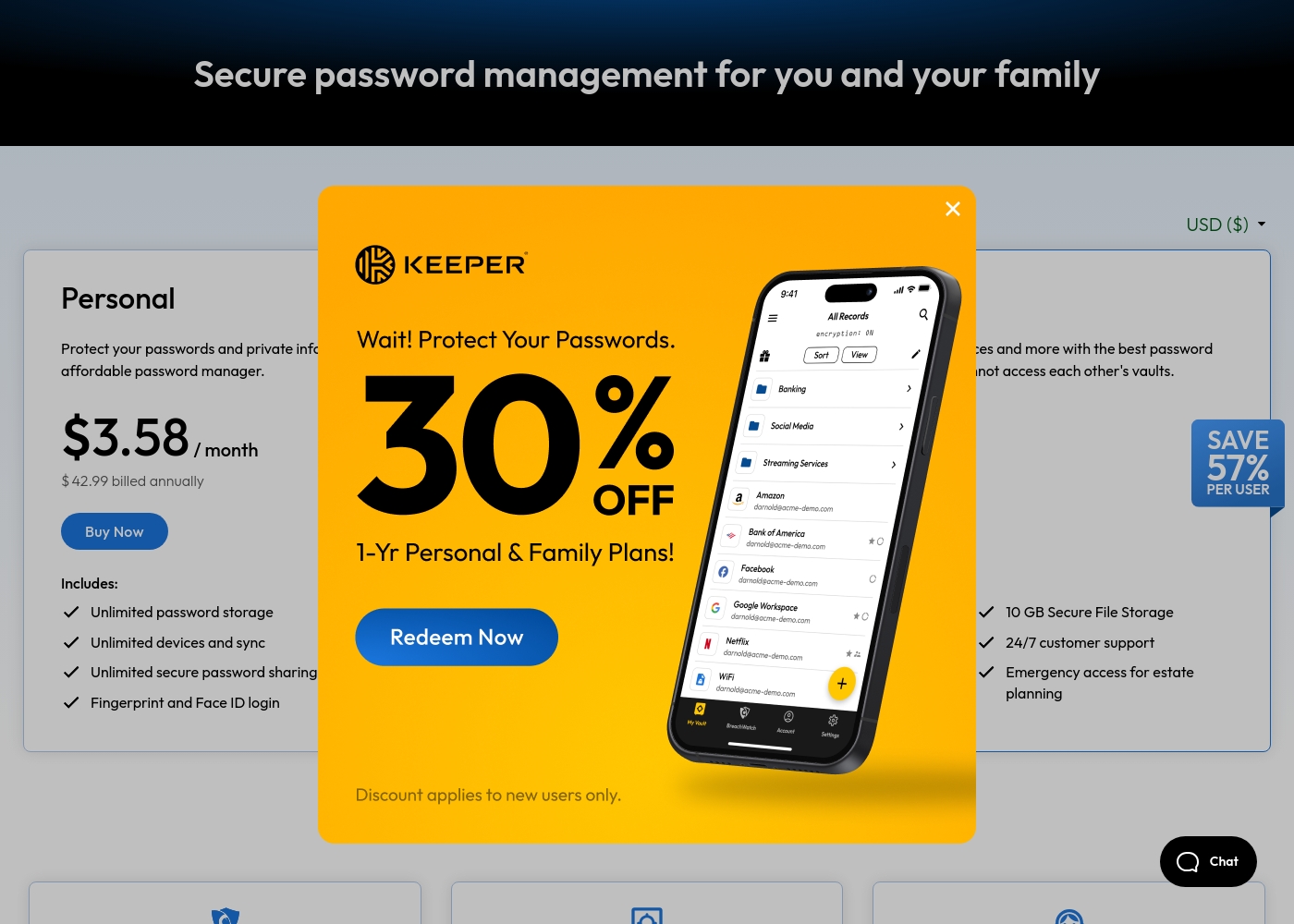
Keeper Security costs between $42.99 and $99.00 per year with 2 plans: Personal at $42.99 and Family at $99.00.
Take a look at the specific features included in each tier below to find your best fit.
Personal
Price: $3.58 / month (billed annually at $42.99) Websites Supported: Unlimited Best For: Single users needing cross-device security Other Features: Unlimited password storage, Unlimited devices and sync, Fingerprint and Face ID login, Web app and browser extensions, 24/7 customer support
- Unlimited password storage
- Unlimited devices and sync
- Unlimited secure password sharing
- Fingerprint and Face ID login
- Web app and browser extensions
- 5 Private vaults
- 10 GB Secure File Storage
- Unlimited shared folders and permissions
- Emergency access
- Everything in Personal
Pricing Notes
- Drata's pricing is customized and not publicly listed, requiring contact with sales.
- Keeper Security has transparent pricing for its Personal ($42.99/yr) and Family ($99/yr) plans.
- Drata's value proposition focuses on ROI from faster audits and sales cycles.
- Keeper's pricing is straightforward but some users report issues with auto-renewal.
Pricing Head-to-Head
User Reviews
Unfortunately, we could not access full review data from Trustpilot or Capterra due to security verification blocks (403 errors). This means we cannot synthesize external sentiment on themes like accuracy, ease of use, support, or pricing from those specific platforms at this time. For this review, we rely solely on the provided product and pricing information.
Drata has been a game-changer for our SOC 2 journey. The automation cut our evidence collection time by more than half. The support team is also very responsive and helpful during setup.
User feedback for Keeper Security on Trustpilot highlights a mix of experiences. Many praise the platform's strong security features and ease of use for managing passwords across devices, often noting helpful customer support.
🙌 However, a recurring theme involves frustration with subscription management, including auto-renewal charges and difficulties with cancellation or refunds. Some users report occasional syncing issues between devices.
Keeper is fantastic for keeping all my passwords and notes secure. The browser extension works perfectly, and syncing across my phone and laptop is seamless. The support team was also very helpful when I had a setup question.
Our Verdict
Drata and Keeper Security aren't really competitors. They solve different security problems for different people. Drata's superpower is automating compliance. It turns the nightmare of SOC 2 audits into a manageable, continuous process. If proving your security to customers is slowing down deals, Drata is your accelerator. Keeper's superpower is securing credentials with zero-knowledge encryption. It's a straightforward, powerful vault for passwords and privileged access. If your team uses shared admin accounts or hardcodes API keys, Keeper locks that down. The deciding factor is your problem. Need to prove you're secure? Choose Drata. Need to secure your own secrets and access? Choose Keeper. For most businesses focused on growth and sales, Drata provides a unique competitive edge. For any organization protecting sensitive access, Keeper is an essential security layer. Many mature companies might even need both.
Frequently Asked Questions
Can I use Drata and Keeper Security together?
Yes. They serve complementary purposes. Use Drata to prove your compliance posture to customers. Use Keeper to manage employee and privileged access credentials internally.
Which is better for small teams: Drata or Keeper Security?
Keeper Security is better for small teams needing basic password management. Drata is ideal for small teams that need to rapidly achieve a compliance certification like SOC 2 to land bigger clients.
Does Drata handle password management like Keeper Security?
No. Drata focuses on compliance evidence and control monitoring. It does not include a password vault or credential management for employees.
Is Keeper Security worth the extra cost over a free password manager?
Keeper's value is in its zero-knowledge security, cross-device sync, and features like emergency access. For serious personal or business use, the $3.58/month cost provides significantly more security than free alternatives.
Which tool is better for preparing for a SOC 2 audit?
Drata is purpose-built for this. It automates evidence collection and provides a clear framework mapping to prepare you efficiently. Keeper Security does not handle compliance automation.
Can I migrate from another compliance tool to Drata?
Drata is designed for onboarding new compliance programs. While migration details aren't public, their implementation team would likely assist with setting up your controls within their platform.
Ready to Choose?
Both tools have their strengths. Choose based on your specific needs.