CorelDRAW vs Renderforest
CorelDRAW and Renderforest serve two very different creative needs, making your choice quite straightforward. CorelDRAW is a deeply technical software for professional vector design and print layouts. Renderforest is a quick, AI-powered marketing platform generating video, web, and graphic assets instantly.
Best for: Professional graphic designers requiring deep vector illustration controls., Print design professionals needing extensive multi-page layout capabilities.
Best for: Small business owners needing quick marketing assets (video, graphics, web)., Entrepreneurs creating their own logos and brand identities instantly via AI.
Powerful design suite with unstable support.
We find CorelDRAW Graphics Suite offers a comprehensive, professional design experience coupled with a competitive annual price point equivalent to $22.42 per month. However, external feedback consistently highlights serious concerns about software stability and abysmal customer support responsiveness. Overall, the powerful feature set is hampered by reliability issues and questionable transparency in feature delivery.
Pros
- Complete suite for professional vector illustration, layout, and photo editing.
- Considered user-friendly and approachable for a powerful design tool.
- Highly flexible platform with customizable workspaces and toolbars.
- Competitive annual subscription cost for a complete software suite.
Cons
- Reports of extremely poor, non-existent customer support.
- Frequent software instability and crashing, especially with large files.
- Lack of backward compatibility and issues managing older licenses.
- Concerns regarding false advertising of included features (AI, cloud sharing) that require extra cost.
Reliable, Easy Visual Marketing Suite
We found Renderforest to be an extremely versatile and reliable platform. It successfully consolidates key creative tools—video, web, and design—into one simple interface, making professional content accessible to small teams and beginners. Overall, this is an excellent, high-value tool that delivers on its promise of powerful, easy-to-use marketing assets.
Pros
- Exceptional ease of use, welcoming to both beginners and professionals.
- Excellent, responsive customer support that consistently goes above and beyond.
- Offers a constant stream of new, functional, and impressive templates.
- Very high reliability and stability in video rendering quality.
Cons
- Limited text editing capabilities within some templates and elements.
- The dedicated website creation service needs further improvements.
- Some users dislike the new credit system limiting HD video renders.
AboutCorelDRAW
CorelDRAW Graphics Suite is a professional resource designed to push the boundaries of visual communication. It serves as your comprehensive go-to toolbox for creative projects involving graphics. The suite provides specialized capabilities covering professional vector illustration and effective page layout. Users also gain powerful tools for typography, font management, and advanced photo editing. 💡 Plus, subscribers now get exclusive access to CorelDRAW Web Online graphic design features.
AboutRenderforest
Renderforest is a comprehensive online platform that brings all your design, branding, and marketing needs together. It’s trusted by over 30 million users, including small businesses, startups, and large enterprises. The platform is designed to make high-quality visual creation possible for everyone, even if you don't have design skills or experience. It ultimately helps you enhance your digital presence and boost overall brand awareness. 💡
Highlights
Feature Comparison
Features Overview
We highlight the main differences and pick a winner for each feature.
Core Functionality
CorelDRAW offers deep vector design; Renderforest provides broad marketing asset generation.
CorelDRAW delivers a complete suite for detailed vector illustration and precise page layouts. Professionals use CorelDRAW for advanced graphical work and complex print design projects. Renderforest aggregates six distinct AI tools covering video, logo, mockups, and website generation. Renderforest focuses on asset generation speed using high-quality thematic templates. The key difference is CorelDRAW focuses on creation depth; Renderforest focuses on marketing generation speed. If you need fine control over every vector point, CorelDRAW’s robust tools are necessary. Renderforest is the smarter choice if your main goal is producing high-volume, diverse marketing content quickly.
Ease of Use & Learning
Renderforest is designed for beginners; CorelDRAW is suitable for expert users.
CorelDRAW is viewed as the easiest-to-use professional design software available today. However, mastering CorelDRAW's full potential still demands a significant commitment from users. Renderforest is template-driven, making professional assets accessible to non-designers effortlessly. Renderforest requires almost zero specialized knowledge to start generating assets immediately. CorelDRAW allows extensive workspace customization to streamline expert workflows. Renderforest wins for users who prioritize speed, simplicity, and immediate results over feature depth. If you have no design background, Renderforest is the intuitive choice.
AI Automation
Renderforest is AI-driven content generation; CorelDRAW lacks significant AI assistance.
Renderforest leverages AI extensively for instant video, logo, and comprehensive website generation. You can convert a text script into a fully produced video in less than five minutes using Renderforest. CorelDRAW relies primarily on the user's manual skill for illustration and layout creation. CorelDRAW includes tools like object symmetry but lacks broad AI generation capability. Renderforest includes tools like the AI Website Builder and Logo Generator for instant results. Renderforest is far superior for users who need instant content generation via automation and AI.
Customer Support
Renderforest support is excellent; CorelDRAW support is reportedly non-existent and frustrating.
Renderforest receives near-universal praise for its quick, exceptional, and highly responsive customer support. Renderforest staff frequently go above and beyond to solve client problems rapidly, according to users. CorelDRAW users describe support as 'appalling' and unable to assist with basic installation or file issues. Reliability in CorelDRAW is worsened by the inability to get adequate technical assistance quickly. Renderforest provides peace of mind that help is available when crucial projects demand it. For guaranteed service and support, Renderforest is the clear winner here.
Software Stability
Renderforest offers high reliability; CorelDRAW frequently suffers from instability and crashes.
Renderforest boasts verified high reliability and consistent performance across all its creation tools. User reviews confirm Renderforest provides stable video rendering and dependable overall platform access. CorelDRAW faces frequent reports of instability, often crashing when attempting to handle large files. This instability makes professional design work high-risk for users on tight deadlines when using CorelDRAW. Renderforest maintains platform stability, which is essential for cloud-based rendering processes. For users needing predictable, reliable output, Renderforest provides better operational performance.
Web Capabilities
CorelDRAW Web is a design extension; Renderforest builds and hosts entire websites.
CorelDRAW Web provides online graphic design features for subscribers and allows flexible access to projects. This companion tool ensures continuity in CorelDRAW workflow, even when away from the main desktop. Renderforest’s AI Website Builder creates full, responsive sites, including free hosting and necessary SSL security. Renderforest provides a complete, end-to-end solution for launching a new digital presence instantly. For quick web development and hosting bundled together, Renderforest is the decisive choice.
Design Depth
CorelDRAW is necessary for complex vector needs; Renderforest is template-based graphics assembly.
CorelDRAW Graphics Suite is mandatory for advanced vector illustration and comprehensive print layout control. It offers deep control for typography, color management, and detailed graphical modifications. Renderforest focuses on generating marketing graphics, logos, and presentations using pre-designed templates. You rely on the platform’s aesthetic choices rather than creating from scratch with Renderforest. CorelDRAW provides the highest level of detail for professional pre-press and brand output. Renderforest is suitable only for fast graphics assembly and digital marketing assets.
Value Proposition
CorelDRAW offers professional depth; Renderforest replaces multiple specialty subscriptions.
CorelDRAW provides a singular, professional desktop design suite for $269 per year. Renderforest aims to replace dedicated video, website, and design subscriptions for one simple fee. Renderforest bundles AI tools for five different use cases, offering significant functional variety. For a small business needing diverse assets, Renderforest provides significantly higher functional value. While CorelDRAW is indispensable for dedicated design pros, Renderforest offers broader appeal for marketing needs.
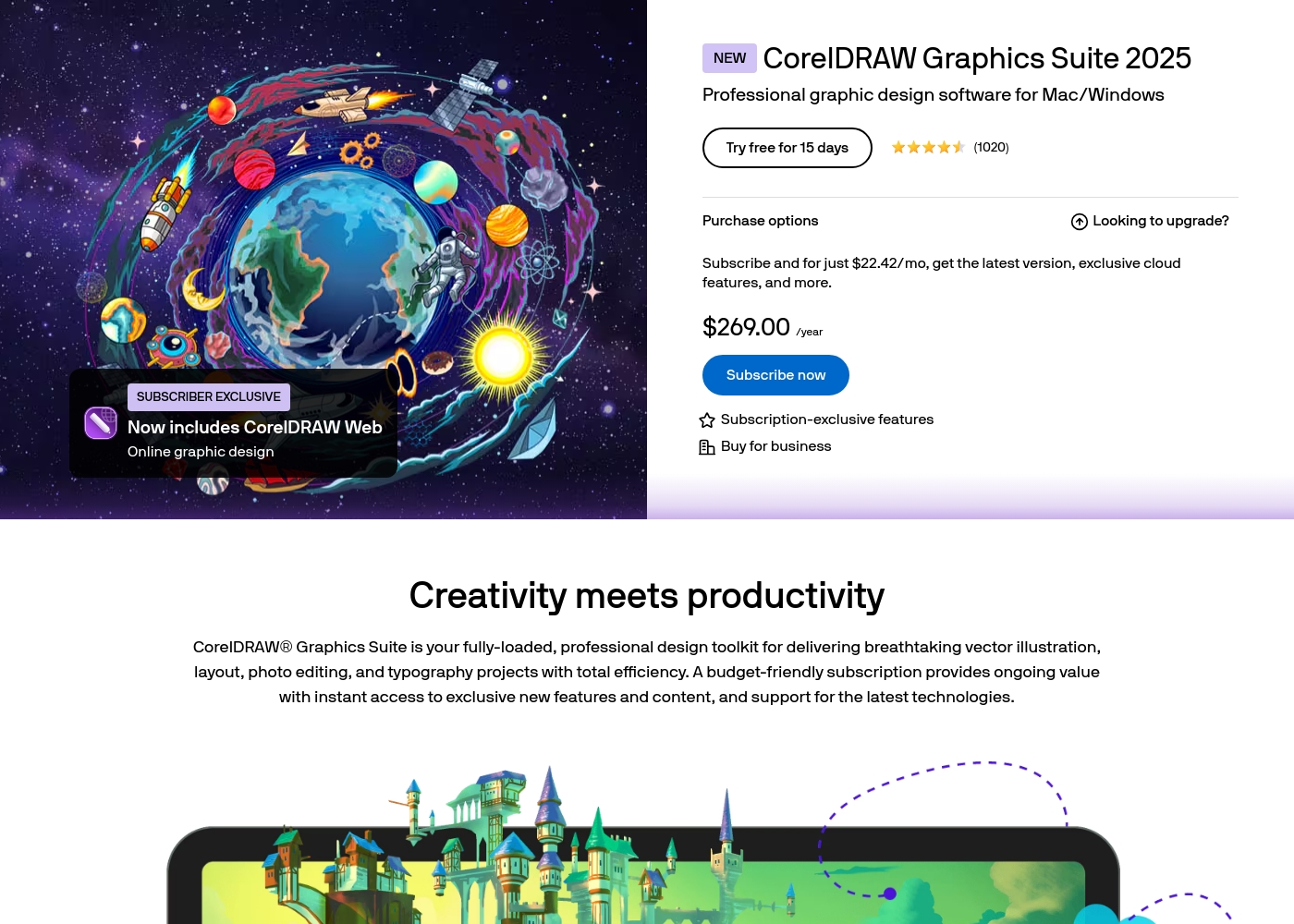
CorelDRAW costs $269.00 per year with 1 advertised plan: CorelDRAW Graphics Suite 2025 Subscription at $269.00 annually (or $22.42 per month equivalent).
Let's look closer at the subscription options available for this professional graphics suite, which is designed for Mac and Windows.
CorelDRAW Graphics Suite 2025 Subscription
Price: $269.00 annually ($22.42/mo equivalent) Best For: Professional graphic design software for Mac/Windows Other Features:
- Latest software version
- Exclusive cloud features
- Includes CorelDRAW Web (Online graphic design)
- Subscription-exclusive features
- Latest version of CorelDRAW Graphics Suite
- Exclusive cloud features
- Includes CorelDRAW Web (Online graphic design)
- Subscription-exclusive features
Since the detailed pricing structure was not provided, here is an overview based on the primary subscription model we found.
The platform centers around one all-encompassing subscription solution. It aims to simplify your marketing efforts by consolidating several creative capabilities into one account. The website refers to this as a "simple subscription" that saves you money by replacing multiple specialty tools you might currently use for design and video creation.
Subscription Plan
Best For: Small to medium enterprises (SMEs), startups, and freelancers requiring a comprehensive suite of digital creation tools. Other Features:
- Access to AI Video Generator and AI Animation Generator tools
- Video marketing suite for promotional videos, intros, and music visualizations
- Website creation, including hosting and SEO enhancement tools
- Design resources for logos, mockups, presentations, and social media graphics
- AI Logo Generator and AI Website Builder tools
- Video Marketing capabilities (Explainer videos, intros, music visualizations)
- Website Marketing (Includes hosting and SEO tools)
- Design Creation (Logos, mockups, presentations, graphics)
- Access to full suite of AI generators (Video, Animation, Logo, Website Builder)
Pricing Notes
- CorelDRAW offers a 15-day free trial; Renderforest subscription details are not public.
- CorelDRAW’s annual price is $269, locking in the best monthly equivalent rate ($22.42).
- Renderforest markets itself as an affordable tool replacing multiple expensive specialty tools.
- Reports suggest CorelDRAW has hidden costs for features like cloud sharing and AI previously advertised as included.
- Renderforest users noted a shift to a credit system for high-definition video rendering.
Pricing Head-to-Head
User Reviews
The combined sentiment from Trustpilot (2.5/5) and Capterra reviews presents a stark dichotomy. On one hand, loyal, long-time users praise CorelDRAW’s powerful functionality, stating it performs exactly what they need for professional vector work.
This high praise confirms the software's core feature accuracy and utility. However, the overwhelmingly negative majority sentiment focuses on three critical areas: customer service, reliability, and pricing transparency.
I just love CorelDRAW. I’ve been working happily with it for over 10 years, and I truly don’t want to switch to any of the newer tools. It still does exactly what I need on a daily basis, and I really like it.
Users consistently praise Renderforest for its phenomenal ease of use, often calling it an invaluable tool for both beginners and seasoned professionals. The platform's massive library of versatile, ready-made templates for video creation, logo design, and web development is a major highlight, allowing users to create professional-looking content quickly.
Many reviews emphasize the platform’s high reliability and continuous improvement, especially regarding video rendering stability. Furthermore, users frequently laud the customer experience, comparing the support team favorably and noting prompt, effective assistance, making it a great option for those starting out.
Their platform is incredibly simple and straightforward to use, and their customer service is excellent. Whenever I have a question or can't configure something, they are quick to help.
Our Verdict
The CorelDRAW versus Renderforest decision comes down to your primary use case. If you are a dedicated professional designer, CorelDRAW provides the technical depth you need. However, for most business owners and marketers, Renderforest is the superior, safer, and faster choice. Renderforest provides massive value by replacing multiple separate video, web, and design subscriptions.
Frequently Asked Questions
Which software is easier to learn: CorelDRAW or Renderforest?
Renderforest is significantly easier, designed for beginners using templates and AI generation for speed. CorelDRAW requires substantial time to master, despite being user-friendly for a professional tool. Renderforest allows you to produce professional results on your first try. CorelDRAW demands dedication to harness its full vector power.
Does CorelDRAW offer tools for video creation like Renderforest?
No, CorelDRAW is a graphics suite focused on vector illustration, layout, and photo editing. Renderforest has dedicated AI video generating tools, including explainer videos and music visualizations. CorelDRAW users must purchase separate, expensive software for video production. Only Renderforest can instantly convert a text prompt into a high-quality video asset.
Is Renderforest a stable platform, unlike CorelDRAW?
Yes, Renderforest reports very high reliability, and user feedback confirms its consistent performance and rendering quality. CorelDRAW frequently faces reports of system instability and crashing, especially on large, complex files. If stability is critical for your deadlines, Renderforest is reportedly the much safer tool option.
Which tool is better for non-designers and small businesses?
Renderforest is explicitly built for small businesses and non-designers needing professional assets fast. CorelDRAW is aimed squarely at the professional graphic designer audience. Renderforest lets entrepreneurs create logos and hosted websites without hiring expensive freelancers. They can use the AI tools to generate assets instantly.
Do CorelDRAW and Renderforest offer competitive customer support?
No, the support quality is a major difference between these two platforms. Renderforest is celebrated for its excellent, quick, and responsive customer support team. CorelDRAW customer service is tragically criticized by users as being non-existent and appalling.
Can I build a professional website using Renderforest or CorelDRAW?
You can build an entire website using Renderforest's AI Website Builder, which includes free hosting and SSL security. CorelDRAW is purely a design tool, so it can produce graphics for a site but cannot build or host the website. Renderforest provides the full infrastructure needed to launch a web presence.
Ready to Choose?
Both tools have their strengths. Choose based on your specific needs.