Chrome vs Vivaldi
Chrome and Vivaldi are both powerful, free browsers built on similar technology. Chrome offers speed and cutting-edge Google AI features for simplified search. Vivaldi counters with superior power controls, deep customization, and integrated productivity tools. The choice depends on whether you prioritize ease-of-use or advanced, control-focused functionality.
Best for: Users who prioritize rapid, AI-powered searching and visual identification, Individuals needing seamless sync across a wide range of devices (iOS, Android, Windows, Mac)
Best for: Power users overwhelmed by dozens of open tabs and projects, Users requiring built-in, private communication tools (Mail, Calendar, Feed Reader)
Feature-Rich and Free, But Support is Lacking
We find Chrome offers superior speed and excellent value since it's entirely free to use across all devices. The successful integration of AI features and strong account syncing makes for a powerful browsing experience. Overall, however, we must note that the widespread user issues concerning customer support, privacy policies, and security challenges significantly diminish the reliability of the broader Google platform.
Pros
- Completely free to use across all operating systems and devices.
- Features advanced AI tools like AI Mode and integrated Google Lens.
- Cross-device synchronization maintains settings and data seamlessly.
- Includes built-in security auditing via Safety Check.
Cons
- Customer support for account or service issues is often reported as inaccessible.
- Users express major concerns about data collection and online privacy.
- Difficulty with required verification steps can lead to account lockouts.
- Accuracy of search results is questioned, particularly due to forced AI use.
Highly Customizable, Feature-Packed, and Free.
We find Vivaldi offers unparalleled privacy and built-in features that usually require separate extensions. While the performance can be inconsistent, and users report occasional bugs, the level of control and the value proposition are immense. Overall, we recommend Vivaldi, especially for advanced users who prioritize customization and an all-in-one suite.
Pros
- Unmatched customization options for both interface and functionality.
- Zero data tracking and built-in privacy protection features.
- Bundled applications like Mail, Calendar, and Feed Reader are included.
- Advanced tools for tab organization (Workspaces and Stacking).
Cons
- Performance issues, including high RAM consumption and occasional lagging.
- Users report bugs, crashes, and stability problems.
- Bookmarking import and organization process can be difficult.
- Minor compatibility issues reported with certain older or complex websites.
AboutChrome
Chrome is a web browser from Google designed to make your time online easier and more secure. It delivers a consistent experience across all your major devices. You can use Chrome on Windows, Mac, iPhone, iPad, and Android devices without issue. Installation is simple: just download the file, and then follow the quick instructions to get started. Once installed, Chrome ensures all your settings and data travel with you everywhere. 💡
AboutVivaldi
Vivaldi is a web browser built for users who demand more control and efficiency. It is designed specifically for power users seeking innovative features and custom workflows. This browser fights for a better web by focusing on privacy and avoiding the incessant pollution of data mining. Vivaldi is meant to let you browse the web your way. 💡
Highlights
Feature Comparison
Features Overview
We highlight the main differences and pick a winner for each feature.
AI Search Features
Chrome directly integrates powerful AI for search and visual identification. Vivaldi publicly focuses on user control over AI features.
Chrome uses AI Mode in the omnibox for immediate complex, multi-part search queries. It generates fast, powered responses and suggests helpful follow-up questions. Google Lens integration allows visual search, identification, or shopping using images seen online. Vivaldi’s official philosophy focuses on deep user control and productivity features. The company has publicly stated its intent to keep generative AI out of the browser functions. Vivaldi instead offers robust built-in tools like private translation. Chrome is leveraging future search technology now in its core functionality. Vivaldi rejects integrated AI to maintain its strong privacy and control focus. If you want cutting-edge search assistance and visual identification, Chrome is the clear choice here. Vivaldi requires external tools for AI tasks.
Privacy & Security
Vivaldi offers deeper privacy with encryption, ad blocking, and anti-tracking. Chrome provides a strong, proactive Safety Check tool.
Chrome features Safety Check, which instantly audits for compromised saved passwords and updates. This proactive tool helps manage your online security efficiently. Vivaldi sync uses robust end-to-end encryption for sensitive data like passwords and history. It includes built-in Ad Blocker and tracker protections for a cleaner browsing experience. Vivaldi also offers integrated access to Proton VPN. Vivaldi prioritizes fighting tracking and profiling with its core design philosophy. Chrome focuses on system-level scanning and credential protection against known threats. Vivaldi gives you control against external data collection; Chrome gives you tools to manage your own secure posture.
Customization
Vivaldi allows unmatched customization of the interface and automated workflows. Chrome focuses on streamlined use with basic themes.
Users can personalize Chrome with various themes, extensions, and the popular dark mode options. It maintains a clean, simple interface focused on the browsing content. Vivaldi allows customization of nearly every interface element, theme, and shortcut configuration. Power users can define Command Chains to automate complex sequences of actions. Chrome focuses on streamlined simplicity and ease-of-use for a broad user base. Vivaldi gives technical users total control over their browser environment for maximum efficiency. If workflow automation is key, Vivaldi’s custom Command Chains offer productivity Chrome cannot match.
Tab Management
Vivaldi excels at conquering tab overload with Workspaces and Tab Tiling. Chrome provides essential standard tab organization.
Chrome offers standard tab functionality, relying on basic grouping via folders or window management. The focus is on a distraction-free browsing experience. Vivaldi features Workspaces to separate tabs into distinct project categories, significantly reducing clutter. Tab Tiling lets users view multiple pages simultaneously in a custom split-screen layout. Vivaldi handles the needs of severe multitaskers who routinely open hundreds of tabs. Chrome is better suited for users with lighter tab usage who prefer simplicity. This makes Vivaldi ideal for managing intensive research or multiple concurrent work projects effectively.
Integrated Tools
Vivaldi is a comprehensive communication hub with built-in Mail, Calendar, and news feeds. Chrome is a pure browser relying on external apps.
Chrome is a pure browsing tool that integrates easily with Google ecosystem applications via web interfaces. It focuses functionality on search and secure browsing. Vivaldi features a powerful, unified Mail client, a private Calendar, and an algorithm-free Feed Reader built right in. All tools are designed to keep user data private. Vivaldi allows users to manage essential organizing and communication without toggling separate software. Chrome relies on users opening Gmail, Google Calendar, or other external tabs. Vivaldi is a productivity suite inside your browser, eliminating dependency on third-party communication apps.
Ecosystem Sync
Chrome provides instant, seamless sync across the largest device ecosystem. Vivaldi syncs securely, protected by strong end-to-end encryption.
Chrome offers total device sync across Windows, Mac, iPhone, iPad, and Android devices easily. Signing in instantly retrieves bookmarks and saved passwords for maximum convenience. Vivaldi Sync automatically handles history, notes, and passwords across devices. The process uses end-to-end encryption, ensuring high protection against third-party access. Chrome emphasizes ubiquitous compatibility and ease-of-use across the most devices globally. Vivaldi prioritizes data security during the cross-device process. If you own a mix of iOS, Android, and desktop devices, Chrome's breadth of ecosystem support is generally faster and simpler to manage.
Target Audience
Chrome is for mainstream users prioritizing ease, speed, and modern AI features. Vivaldi targets technical 'power users' demanding deep control.
Chrome is excellent for general users who need a fast, simple browser with reliable consistency. It fits users valuing essential security and easy access to AI tools. Vivaldi is specifically designed for users demanding advanced feature density and control over their browser environment. It appeals strongly to privacy advocates and multitaskers. Chrome maximizes wide accessibility and a low learning curve for every user type. Vivaldi maximizes control and feature richness for advanced users. If you are satisfied with default settings and fast surfing, Chrome works best. If you need 100% fine-grained control, choose Vivaldi.
Chrome costs $0 per period, as no required payment is mentioned in the documentation provided.
Here is a breakdown of the currently available way to access Chrome and its features.
Standard Chrome Access
Price: $0 Best For: General users looking for a fast, safe, and customizable web browser experience. Refund Policy: Not applicable Other Features:
- Use AI Mode in your omnibox to ask complex, multi-part questions.
- Google Lens for searching, identifying, or translating content.
- Sign in across devices to access bookmarks and saved passwords.
- Use Safety Check to audit for compromised passwords and safe browsing status.
- AI Mode in omnibox
- Google Lens search, translate, identify, or shop
- Customize with themes, dark mode and other options
- Browse across devices (sync bookmarks/passwords)
- Save time with autofill (addresses, passwords, etc.)
Vivaldi is a free web browser; there are no mandatory subscription costs or explicit paid pricing tiers listed in the provided documentation.
While there are no set plans to compare, it helps to review the core offering and what you get upon download.
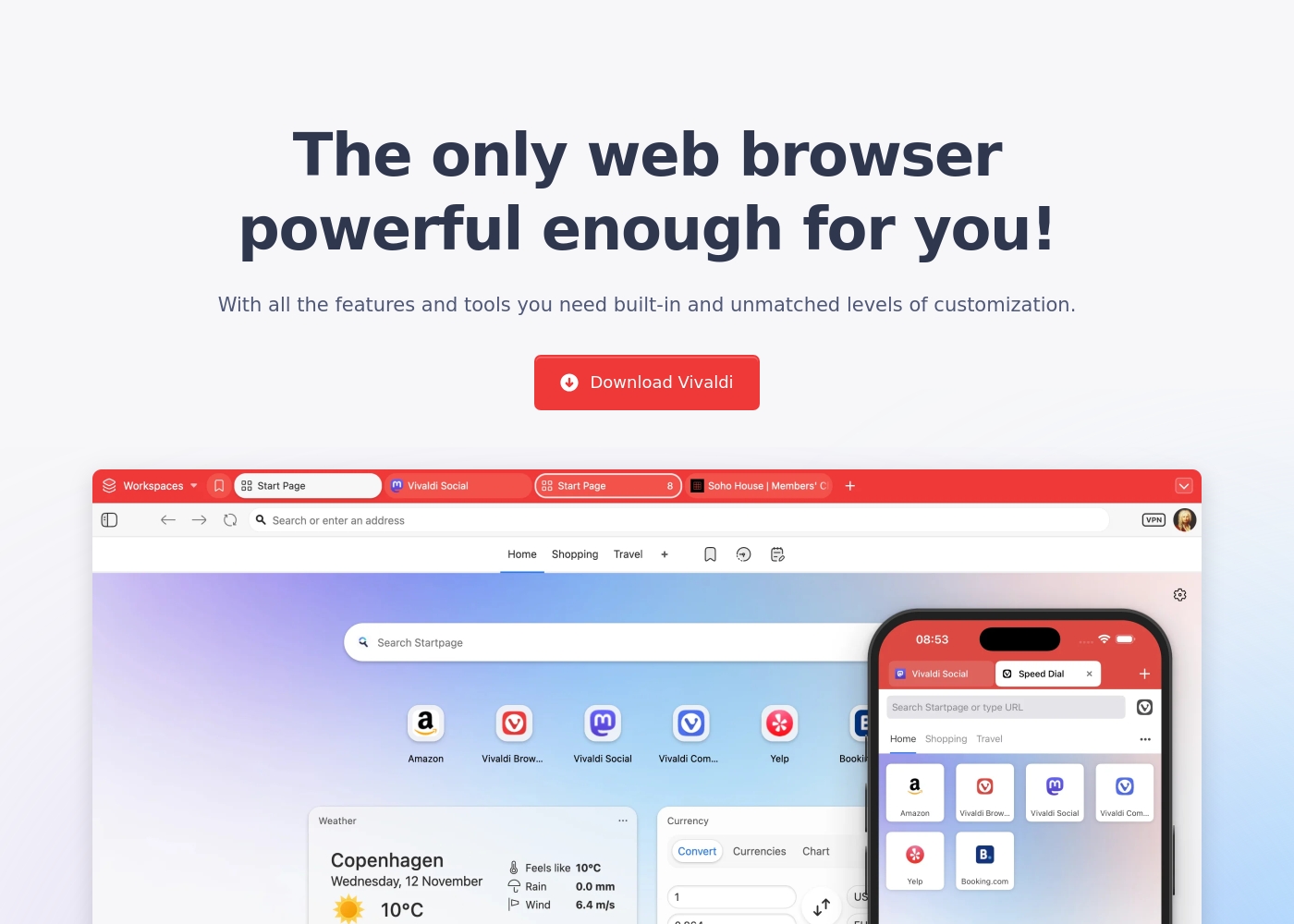
Vivaldi Browser (Free)
Best For: Users who demand powerful built-in features, extensive privacy, and high levels of customization. Other Features:
- Built-in Mail, Calendar, and Feed Reader
- Secure Sync with end-to-end encryption
- Advanced tab management (Tab Tiling, Stacking, Workspaces)
- Built-in Ad Blocker and private translation tool
- Keyboard Command Chains for boosting productivity
- Built-in Mail, Calendar, and Feed Reader
- Secure Sync with end-to-end encryption
- Advanced tab management (Tab Tiling, Tab Stacking, Workspaces)
- Built-in Ad Blocker and tracking protection
- Private translation tool
Pricing Notes
- Both Chrome and Vivaldi are fundamentally free to download and use without required subscriptions.
- Chrome includes all publicized features like AI Mode and Safety Check at no cost in the standard download.
- Vivaldi provides its powerful built-in tools (Mail, Calendar, Feeds) completely for free, relying on optional user donations.
- Neither browser offers traditional paid plans, ensuring core browsing functionality is instantly accessible to everyone.
Pricing Head-to-Head
User Reviews
User feedback, largely sourced from Trustpilot reviews aimed at the broader Google ecosystem, reveals significant user frustration. Users frequently cite concerns about privacy and excessive advertising, noting discomfort with pervasive data collection practices and targeted ads.
A major pain point is the near-total lack of responsive customer support; reviewers report being locked out of accounts with no accessible way to contact the company or resolve issues, sometimes resulting in continued service charges. Furthermore, many users report a decline in search result accuracy, particularly since the forced introduction of AI features, which they fear delivers misleading or inaccurate information.
I was locked out of my Workspace account and I'm still being charged monthly. There is absolutely no accessible way to contact support or cancel the subscription in that situation. It's truly a shame that a company this large has zero accountability.
Vivaldi receives positive but highly polarized reviews, resulting in a 3.7 average score on Trustpilot. Users overwhelmingly commend its feature-rich design, noting the massive benefits of the built-in Mail client, Calendar, and advanced Tab Management.
The browser’s staunch focus on privacy and customization is frequently highlighted as a major benefit, especially for power users and developers seeking an efficient, non-tracking environment. However, reliability remains a recurring pain point.
This is finally a fully customizable browser. I can adjust how it works to match exactly what I need. It is a huge relief to have this level of control over my browsing experience.
Our Verdict
Deciding between Chrome and Vivaldi means choosing a browsing philosophy, as both are free and powerful. The core choice is between integrated intelligence or integrated complexity and control. Both Chrome and Vivaldi are excellent, but they serve very different users. Chrome is the king of speed, simplicity, and integrated AI capabilities. Syncing your data is instantly seamless across Windows, Mac, iOS, and Android devices. Chrome uses AI Mode and Google Lens to power rapid research directly from the search bar, offering cutting-edge convenience. Vivaldi is the ultimate customization and productivity workstation, built for serious users. Vivaldi incorporates private Mail, Calendar, and Feed Readers directly into the browser. Specialized features like Workspaces, Tab Tiling, and Command Chains conquer clutter and automate complex tasks. Pick Chrome if you prioritize a low learning curve, AI-driven search, and reliable syncing across every device you own. Choose Vivaldi if you are a power user seeking total control and specialized, built-in tools for communication and organization. Vivaldi is the clear winner for workflow customization; Chrome wins for immediate accessibility.
Frequently Asked Questions
Which browser is better for security: Chrome or Vivaldi?
Vivaldi offers arguably deeper privacy since it uses end-to-end encryption for sync and has built-in blockers. Chrome offers a proactive security approach with Safety Check. Chrome scans passwords and updates; Vivaldi protects against tracking and profiling.
Does Vivaldi have built-in AI features like Chrome's AI Mode?
No, Vivaldi publicly avoids integrating generative AI tools into its browser functions. Chrome features AI Mode in the omnibox for complex queries and uses Google Lens for visual tasks. Vivaldi focuses on user control and existing feature sets instead of AI.
Which browser is better for productivity and tab management?
Vivaldi is significantly better for heavy management and productivity tasks. Features like Workspaces, Tab Tiling, and Command Chains are unique to Vivaldi. Chrome offers basic tab handling, relying on a simple, streamlined interface.
Can I use built-in email and calendar tools in Chrome?
No, Chrome is focused solely on browsing and relies on external web apps like Gmail and Google Calendar. Vivaldi features a powerful, unified Mail client and a private Calendar built directly into the browser itself.
Is Vivaldi truly free, or does it require subscriptions later?
Vivaldi is genuinely free to download and use, including all its advanced features. The company relies on optional user donations rather than paid subscriptions. Chrome is also free, supported by the larger Google ecosystem.
How does cross-device syncing differ between Chrome and Vivaldi?
Chrome offers a broader, more seamless sync experience across all major platforms (iOS/Android/Desktop). Vivaldi offers high security for sync, using strong end-to-end encryption for saved passwords and notes. Chrome prioritizes convenience; Vivaldi prioritizes data protection.
Ready to Choose?
Both tools have their strengths. Choose based on your specific needs.