Chrome vs Opera
Chrome and Opera are both highly popular, zero-cost browsers, but they serve different needs. Chrome focuses on deep integration with Google's AI and security mechanisms. Opera loads up on unique, built-in features like a VPN and Ad Blocker. We'll show you which one matches your specific browsing style best.
Best for: Users heavily reliant on the Google services ecosystem, Individuals prioritizing real-time audited password security
Best for: Privacy-conscious users needing a free, integrated VPN, Power users seeking superior, automatic tab organization through Tab Islands
Feature-Rich and Free, But Support is Lacking
We find Chrome offers superior speed and excellent value since it's entirely free to use across all devices. The successful integration of AI features and strong account syncing makes for a powerful browsing experience. Overall, however, we must note that the widespread user issues concerning customer support, privacy policies, and security challenges significantly diminish the reliability of the broader Google platform.
Pros
- Completely free to use across all operating systems and devices.
- Features advanced AI tools like AI Mode and integrated Google Lens.
- Cross-device synchronization maintains settings and data seamlessly.
- Includes built-in security auditing via Safety Check.
Cons
- Customer support for account or service issues is often reported as inaccessible.
- Users express major concerns about data collection and online privacy.
- Difficulty with required verification steps can lead to account lockouts.
- Accuracy of search results is questioned, particularly due to forced AI use.
Feature-rich browser, marred by instability.
We found Opera impressive for its density of free, built-in features like a VPN and AI assistant, offering high perceived value compared to default browsers. Overall, we must caution users about significant instability issues reported during updates and serious user concerns regarding data privacy and ownership.
Pros
- Includes a free, built-in VPN and integrated AI assistant (Aria).
- Built-in Ad Blocker provides faster, distraction-free browsing.
- High level of customization and intuitive user interface.
- Tab Islands feature aids in productivity and organization.
Cons
- Frequent crashing and reliability issues, causing permanent loss of open tabs after updates.
- Significant user concerns regarding company ownership, data privacy, and security.
- Built-in VPN often fails to work with major streaming services.
- Updates are intrusive, auto-changing settings or adding unwanted shortcuts.
AboutChrome
Chrome is a web browser from Google designed to make your time online easier and more secure. It delivers a consistent experience across all your major devices. You can use Chrome on Windows, Mac, iPhone, iPad, and Android devices without issue. Installation is simple: just download the file, and then follow the quick instructions to get started. Once installed, Chrome ensures all your settings and data travel with you everywhere. 💡
AboutOpera
Opera Browser positions itself as your personal digital hub 💡, moving beyond the limitations of standard programs like Chrome or Edge. It is designed for users who prioritize performance, security, and organization in their online lives.
For over 25 years, Opera has focused on expanding browser technology, ensuring you get the highest levels of flexibility and privacy available. It's a complete web experience that's easy to take on the go with specific mobile versions for Android and iOS.
Highlights
Feature Comparison
Features Overview
We highlight the main differences and pick a winner for each feature.
Built-in Privacy Tools
Opera includes a free VPN and Ad Blocker; Chrome relies on its Safety Check tool.
Chrome relies on its Safety Check for compromised passwords and updates. It has no native VPN or integrated Ad Blocker included. Users generally need extensions to achieve enhanced privacy features. Opera includes both a free built-in browser VPN and a powerful Ad Blocker. This allows for cleaner, faster, and more secure browsing sessions right away. Opera prioritizes connection privacy for all users. This is Opera's key advantage for users concerned about tracking and online anonymity. You save the hassle of finding and managing third-party extensions. If browsing public Wi-Fi is common, Opera provides instant, integrated security with its one-click VPN feature.
Integrated AI
Opera offers unlimited text AI; Chrome integrates AI search and visual recognition.
Chrome offers AI Mode in the omnibox for complex, multi-part queries. It also uses Google Lens for easy visual search and identification of images. Chrome's AI is deeply tied to Google's search infrastructure. Opera provides Aria, an unlimited and free AI assistant available directly in the browser sidebar. Aria helps with real-time summarization and generating quick answers. It helps immensely with rapid research. Opera’s Aria is unlimited and free, appealing strongly for regular quick informational queries. Chrome dominates if your research involves identifying things visually. If you frequently need summaries or complex synthesized answers, both Chrome and Opera offer powerful zero-cost AI features.
Ecosystem Sync
Chrome offers more seamless ecosystem dominance; Opera adds fast file sharing via Flow.
Chrome provides Total Device Sync across Windows, Mac, iOS, and Android seamlessly. Signing in instantly synchronizes bookmarks and saved passwords everywhere. Consistency across devices is Chrome's supreme strength. Opera also syncs user data across all major platforms, including Linux devices. It also adds the unique Flow feature for quick transfer of files and links between coupled devices. Opera creates an excellent, connected ecosystem. Chrome's synchronization feels slightly more integrated into the general operating system environment. Opera adds practical utility with its quick, secure file sharing feature. If absolute consistency is vital across work and personal laptops, Chrome maintains a slight edge in ubiquity.
Tab Management
Opera automatically organizes tabs; Chrome uses manual grouping methods.
Chrome employs standard tab management functionality, relying on manual grouping for organization. Users must actively categorize tabs themselves to clear clutter. Opera features 'Tab Islands,' which intelligently groups related tabs automatically. This creates a highly organized, contextual workspace. It prevents tab sprawl from overwhelming the user. Opera’s Tab Islands directly address the chaos of heavy multitasking. This unique feature significantly improves focus and reduces context switching time. If you typically have 20-30 tabs open during complex work, Opera provides superior structure with less effort.
Security Focus
Chrome checks credentials and updates; Opera protects the network connection and privacy.
Chrome focuses on protecting your identity and stored credentials. Its Safety Check instantly audits for compromised passwords and ensures you have the latest updates. It is designed for password integrity. Opera prioritizes connection security with its built-in browser VPN and integrated Ad Blocker. This shields your browsing data effectively and cuts trackers. It ensures privacy on unsecured networks. Chrome offers stronger internal credential and update monitoring. Opera offers stronger external privacy protection via traffic encryption. The best choice depends on your threat model: password breach (Chrome) or connection sniffing (Opera).
Unique Communication
Opera integrates social apps into the browser; Chrome integrates visual research tools.
Chrome's unique tools revolve around Google's ecosystem, notably Google Lens. This visual search capability allows identification, translation, or shopping directly from images. It focuses on research. Opera integrates popular messengers like WhatsApp and Telegram directly into the sidebar. This placement allows for quick communication without switching application windows. Opera is a central web hub. Opera merges browsing and communication into one fluid workflow. Chrome embeds powerful search and visual intelligence tools. If you frequently message while working or researching, Opera streamlines that workflow considerably.
Chrome costs $0 per period, as no required payment is mentioned in the documentation provided.
Here is a breakdown of the currently available way to access Chrome and its features.
Standard Chrome Access
Price: $0 Best For: General users looking for a fast, safe, and customizable web browser experience. Refund Policy: Not applicable Other Features:
- Use AI Mode in your omnibox to ask complex, multi-part questions.
- Google Lens for searching, identifying, or translating content.
- Sign in across devices to access bookmarks and saved passwords.
- Use Safety Check to audit for compromised passwords and safe browsing status.
- AI Mode in omnibox
- Google Lens search, translate, identify, or shop
- Customize with themes, dark mode and other options
- Browse across devices (sync bookmarks/passwords)
- Save time with autofill (addresses, passwords, etc.)
You can start using all of Opera’s core features immediately without paying anything. Below are the details for the core browser and the enhanced VPN option.
Opera Browser (Free)
Price: Free Best For: Everyday browsing, integrated productivity, privacy Other Features:
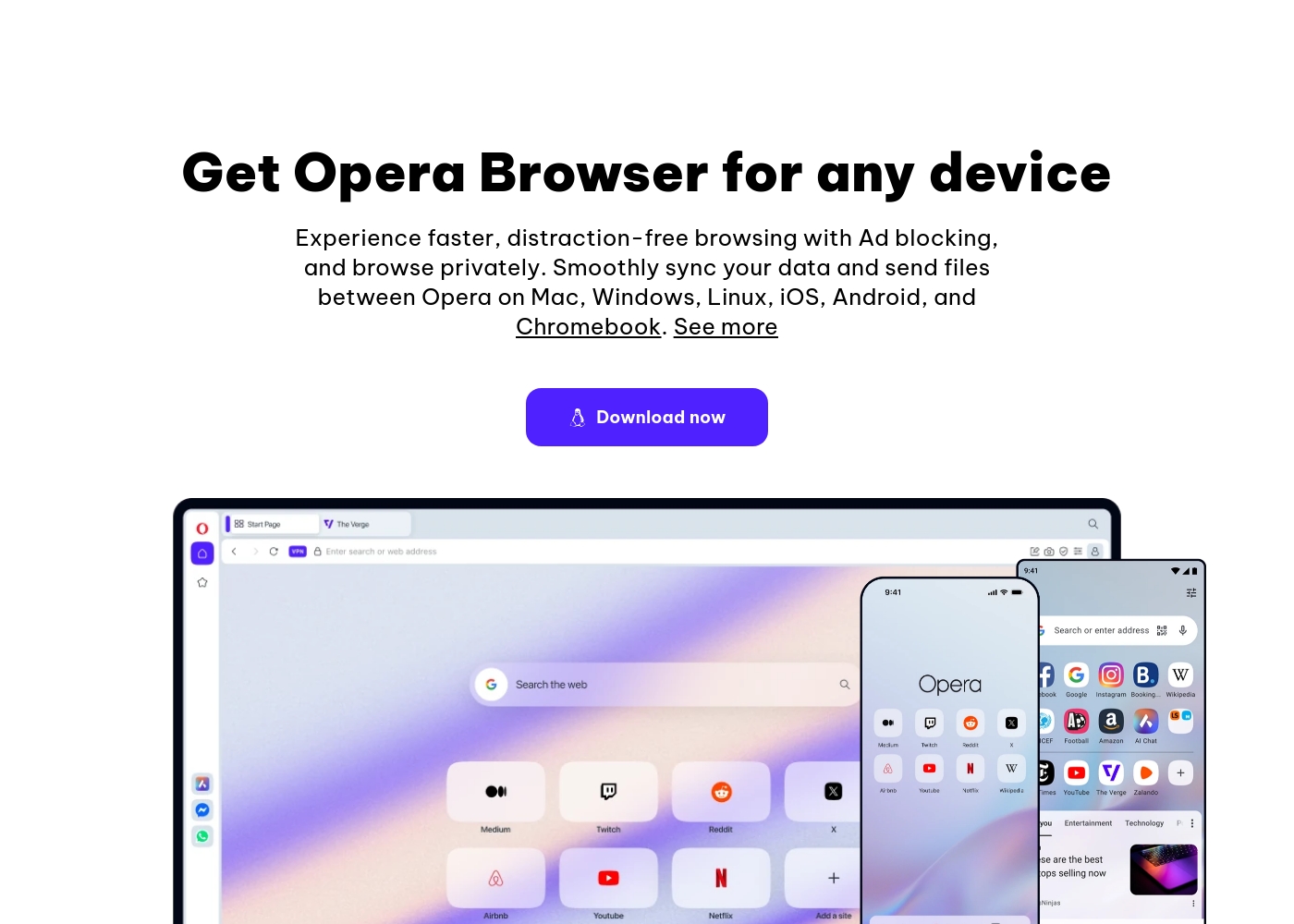
- Built-in, free VPN for secure browsing
- Aria, the free and unlimited browser AI
- Integrated Ad Blocker for faster loading
- Flow file sharing between devices
- Built-in messengers (WhatsApp, Instagram, etc.)
This is the perfect choice if you want a fast, secure, and modern browser with AI and privacy tools included at no charge. It easily protects your browsing experience and streamlines productivity with features like Tab Islands and built-in chat apps. It's truly a smarter way to browse—for free!
- Ad Blocker
- Free VPN (built-in)
- Aria AI (free and unlimited)
- Built-in Messengers (WhatsApp, Instagram, Twitter)
- Tab Islands for organization
- Enhanced protection for your entire device
- Browse privately anywhere
Pricing Notes
- Both Chrome and Opera are free to download and use for their core functionalities.
- All major standard Chrome features like AI Mode and Safety Check are included at zero cost.
- Opera includes substantial free utilities: a built-in browser VPN, Ad Blocker, and unlimited Aria AI.
- Opera offers an optional paid upgrade, VPN Pro, for device-wide security, though specific pricing is not explicitly stated.
- For purely free browsing, Opera provides more high-value, typically premium privacy features integrated upfront.
Pricing Head-to-Head
User Reviews
User feedback, largely sourced from Trustpilot reviews aimed at the broader Google ecosystem, reveals significant user frustration. Users frequently cite concerns about privacy and excessive advertising, noting discomfort with pervasive data collection practices and targeted ads.
A major pain point is the near-total lack of responsive customer support; reviewers report being locked out of accounts with no accessible way to contact the company or resolve issues, sometimes resulting in continued service charges. Furthermore, many users report a decline in search result accuracy, particularly since the forced introduction of AI features, which they fear delivers misleading or inaccurate information.
I was locked out of my Workspace account and I'm still being charged monthly. There is absolutely no accessible way to contact support or cancel the subscription in that situation. It's truly a shame that a company this large has zero accountability.
The external feedback for Opera is highly polarized. Users consistently praise the excellent value due to its free features, including a built-in VPN, effective Ad Blocker, and customizable interface, calling the UI intuitive and elegant.
However, reliability concerns dominate the recent reviews, leading to a "Poor" rating (2.1). Many users report that mandatory, automatic updates frequently cause the browser to crash, resulting in the permanent loss of all open tabs and workspaces.
The free VPN is useless because streaming services refuse to work with it. You should also be cautious about privacy here because it's owned by a Chinese company. I strongly suggest caution before relying on it.
Our Verdict
The choice between Chrome and Opera isn't about cost; both browsers are essentially free. It truly comes down to what you prioritize in your workflow. Opera is the full-suite browser, packed with essential integrated utilities. Chrome remains the standard, deeply integrated ecosystem choice. Chrome’s superpower is its seamless ecosystem dominance and security auditing. Chrome links flawlessly across Windows, Mac, and mobile devices for total sync. Its sophisticated Safety Check runs audits on compromised passwords automatically. The integrated Google Lens also makes visual researching incredibly straightforward. Conversely, Opera's superpower is its built-in utility and high performance. Opera provides a free VPN, an integrated Ad Blocker, and advanced organizational features like Tab Islands. The unlimited Aria AI is a functional, free summarization and query tool. Opera is designed to be faster and better focused than default options. The essential deciding factor is your need for native features versus ecosystem depth. If you want unmatched credential checking and Google support, choose Chrome. If you require free privacy tools and productivity helpers without installing extensions, choose Opera instead. Use Chrome if device synchronization and consistency across the Google universe is your main requirement. Pick Opera if you need speed, organization, and those key free privacy tools like the integrated VPN and Ad Blocker.
Frequently Asked Questions
Which browser offers a better free package: Chrome or Opera?
Opera offers more concrete utility features integrated in its core free package. This includes a built-in VPN, an Ad Blocker, and the unlimited Aria AI assistant. Chrome's free offering centers on powerful AI search and proactive security auditing tools.
Does Chrome have a built-in VPN like Opera?
No, Chrome does not offer a free, built-in VPN feature like Opera. Opera includes a free browser-level VPN immediately upon download. Chrome users must depend on third-party extensions for this specific functionality.
Which browser is better for organizing many open tabs?
Opera is clearly superior at tab organization thanks to its Tab Islands feature. Tab Islands automatically groups related tabs together contextually. Chrome relies almost entirely on manual tab organization or external aids.
Is Opera's AI (Aria) better than Chrome's AI Mode?
Opera's Aria is free and unlimited for general summarization tasks, making it very accessible. Chrome's AI Mode is integrated into the omnibox for synthesizing complex, multi-part queries. Both offer excellent, core, free AI capability depending on the task need.
Which offers stronger security: Chrome's Safety Check or Opera's VPN?
They focus on different aspects of security protection. Chrome's Safety Check actively audits your stored credentials and passwords for breaches. Opera's free VPN protects the privacy of your connection and shields your IP address.
Can I use Chrome extensions within the Opera browser?
Yes, desktop versions of Opera are designed to support Chrome extensions. This allows Opera users to access the large extension library of the Chrome Web Store. Chrome remains the native and guaranteed platform for these extensions.
Ready to Choose?
Both tools have their strengths. Choose based on your specific needs.