Bricks vs Cwicly
Bricks and Cwicly are the top choices for builders focused on superior performance and clean code. Bricks offers a robust, established feature set with clear lifetime pricing options. Cwicly champions deep Tailwind integration and aims specifically for consistent A+ speed metrics.
Best for: Web agencies needing unlimited lifetime licenses and predictable costs, Users building complex dynamic data sites using a visual Query Loop builder
Best for: Builders specializing in Tailwind CSS workflows who seek native integration, Professionals prioritizing A+ speed metrics above all other feature priorities
Performance-Driven Builder, Technical Onboarding Required
We find Bricks offers industry-leading performance and clean code generation, which is ideal for complex or scalable agency work. Its integrated features, like the native WooCommerce and Query Loop builders, provide depth unavailable in many competitors. Overall, this is a technically brilliant builder, but prospective users should know that documentation and community responsiveness present significant onboarding hurdles.
Pros
- Outputs exceptionally clean code for superior site performance.
- Native integration of advanced features (Query Loop, conditions, WooCommerce Builder).
- Flexible pricing options, including a $599 unlimited lifetime license.
- Offers full visual control over all site components (header, footer, content).
Cons
- Relies heavily on its own theme, leading to vendor lock-in.
- Complete reference documentation appears scarce or nonexistent.
- Reportedly requires solid CSS knowledge for non-professional users.
- Community support is sometimes perceived as unhelpful to detailed user questions.
Pros
Cons
AboutBricks
Bricks is an innovative, community-driven visual site builder theme. It is built specifically for your self-hosted WordPress website. This powerful tool empowers you to handle full site editing visually, from the header to the footer, using simple drag & drop functionality. It's often called the best developer-friendly builder because it offers 100% flexibility on the development side of things. Bricks fills the critical gap between heavy visual builders and needing to write clean code from scratch. 💡
AboutCwicly
Cwicly is a professional site builder specifically for WordPress. 💡 It’s a complete, no-code solution aimed at creators who want to build and design websites directly within their WordPress environment. It’s built for users who value performance and a streamlined workflow.
Highlights
Feature Comparison
Features Overview
We highlight the main differences and pick a winner for each feature.
Code Performance
Both offer clean code; Cwicly targets A+ metrics, while Bricks focuses on lightweight output.
Bricks generates exceptionally clean and lightweight code, which dramatically boosts SEO. This approach ensures your site loads fast by avoiding unnecessary code bloat. Cwicly is engineered with dedicated tools for superior performance results. Cwicly consistently aims for specific A+ speed metrics for every project. The key difference is philosophy; Bricks focuses on clean output, Cwicly on measured performance goals. If raw speed metrics are your top concern, Cwicly might provide more specialized tools.
Pricing & Licensing
Bricks offers clear annual and lifetime pricing; Cwicly's costs are currently unknown.
Bricks has annual options from $79 up to $249 for unlimited sites. The Ultimate Lifetime plan from Bricks is $599, eliminating recurring costs forever. Cwicly's specific pricing structure is not defined in the available data. Users must visit Cwicly’s official site to determine plan costs and limitations. Bricks offers a transparent 60-day money-back guarantee on all plans. Because Bricks offers transparency and the clear value of a lifetime deal, it is the clear winner here.
Dynamic Data Tools
Bricks has a visual Query Loop Builder; Cwicly's advanced data handling is unspecified.
Bricks includes a robust native Query Loop Builder for visual database querying. You can display complex post types and utilize dynamic data tags easily in Bricks. Bricks also natively supports features like AJAX pagination and infinite scroll. Cwicly focuses on being a complete no-code solution for complex results. Dedicated dynamic tools like the Query Loop in Cwicly are not mentioned or confirmed. For displaying structured data like portfolios, Bricks has the explicit advantage.
Framework Integration
Cwicly integrates Tailwind CSS natively; Bricks uses native Flexbox and CSS Grid.
Cwicly champions seamless integration with the utility-first Tailwind framework. Professionals access powerful Tailwind utility classes visually within Cwicly's interface. Bricks uses native Flexbox and modern CSS Grid for sophisticated layouts. Bricks relies on its own robust framework for design freedom. For developers who already depend on the Tailwind ecosystem, Cwicly offers an immediate workflow boost. This specialized focus gives Cwicly a clear edge for Tailwind users.
E-commerce Support
Bricks has a dedicated WooCommerce builder; Cwicly's e-commerce features are unknown.
Bricks features a comprehensive WooCommerce builder to visually customize all store aspects. You can drag and drop to design the cart, checkout, archive, and product pages in Bricks. Cwicly is marketed primarily as a professional WordPress builder focused on clean speed. Specific dedicated e-commerce components like WooCommerce integration are not confirmed for Cwicly. If building bespoke online shops is critical, Bricks provides the necessary specialized tools expressly. This makes Bricks the better choice for e-commerce sites.
Responsive Control
Bricks allows unlimited custom breakpoints; Cwicly's breakpoint control is unspecified.
Bricks provides truly unlimited custom breakpoints for precise, pixel-perfect responsive design across all devices. It builds on a unique internal desktop and mobile-first approach. Cwicly emphasizes achieving clean design standards for superior quality output. Cwicly does not specify if custom breakpoint control matches Bricks’ capability. For fine-grained control over every unique screen size, Bricks offers unmatched flexibility and power.
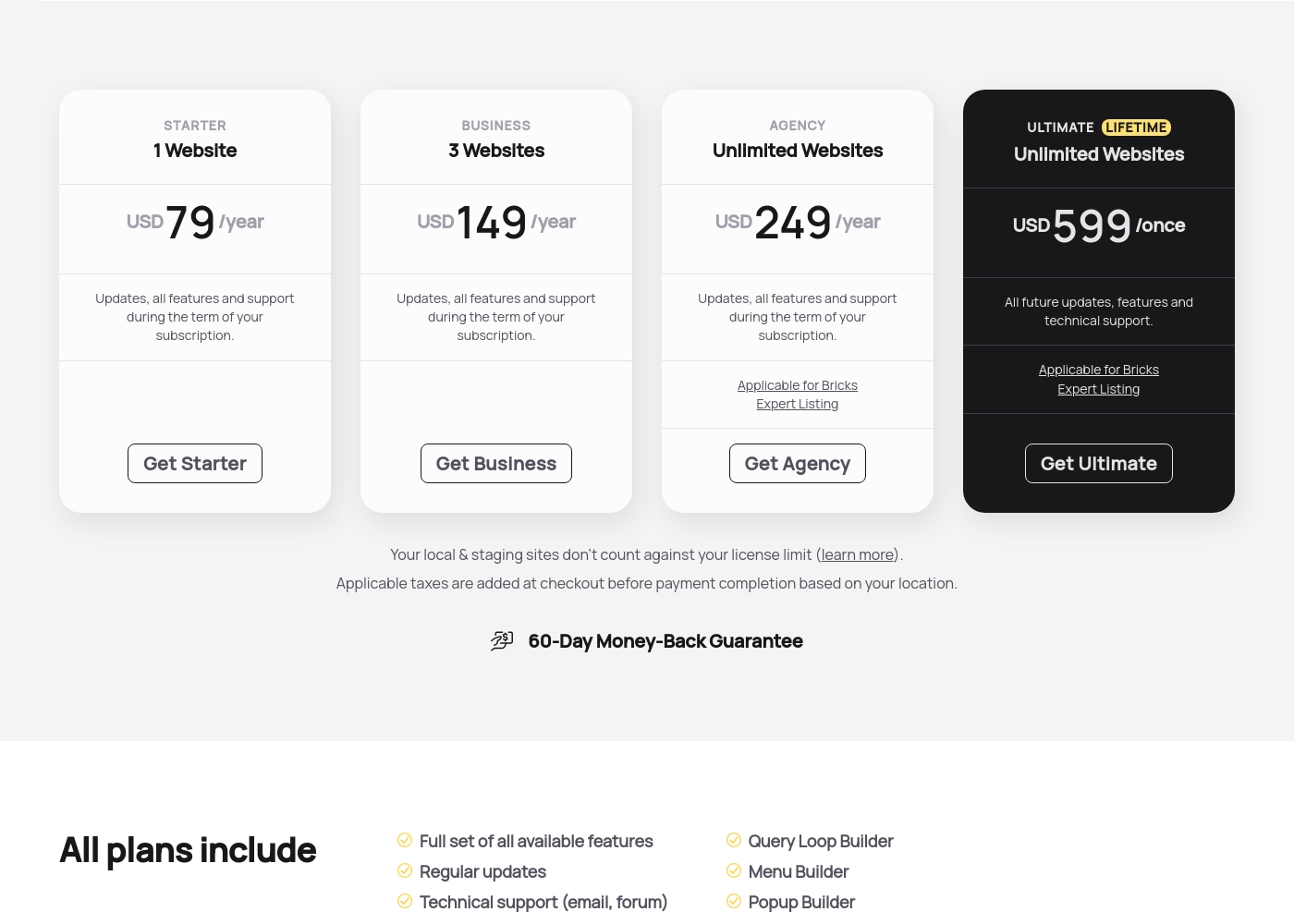
Bricks costs between $79 and $599 yearly or once with four plans: Starter at $79/year, Business at $149/year, Agency at $249/year, and Ultimate Lifetime at $599/once.
Here are the details for each available license type you can secure today. Every plan includes the full feature set, technical support, and access to all 110+ elements.
Starter
Price: USD 79 /year Websites Supported: 1 Website Best For: Single-site projects or personal blogs Refund Policy: 60-Day Money-Back Guarantee Other Features: Updates, all features, and support during the term of your subscription, Query Loop Builder, WooCommerce Builder.
- Full set of all available features
- Regular updates
- Technical support (email, forum)
- Access to community templates
- All 110+ elements
- Full set of all available features
- Regular updates
- Technical support (email, forum)
- Access to community templates
- All 110+ elements
- Full set of all available features
- Regular updates
- Technical support (email, forum)
- Access to community templates
- All 110+ elements
- All future updates, features and technical support
- Applicable for Bricks Expert Listing
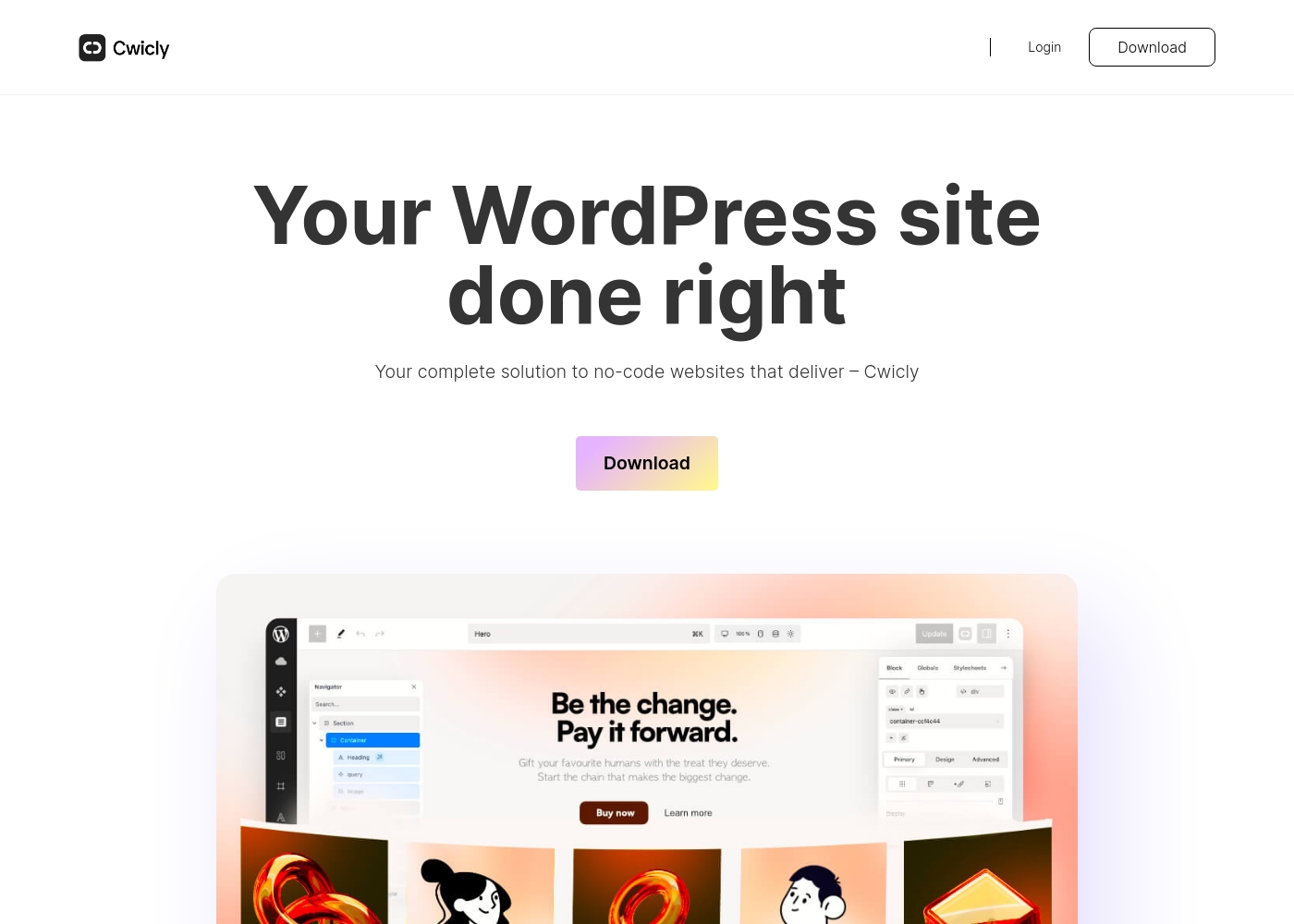
Cwicly pricing: Cwicly's specific pricing plans are currently not explicitly stated on the provided web content. The platform focuses on professional no-code site building with deep WordPress integration and a high-performance design toolset for developers and designers alike alike alike alike alike alike alike alike alike alike alike alike alike alike alike alike alike alike alike alike alike alike alike alike alike alike alike alike alike alike alike alike alike alike alike alike alike alike alike alike alike alike alike alike alike alike alike alike alike alike alike alike alike alike alike alike alike alike alike alike alike alike alike alike alike alike alike alike alike alike alike alike alike alike alike alike alike alike alike alike alike alike alike alike alike alike alike alike alike alike alike alike alike alike alike alike alike alike alike alike alike alike alike alike alike alike alike alike alike alike alike alike alike alike alike alike alike alike alike alike alike alike alike alike alike alike alike alike alike alike alike alike alike alike alike alike alike alike alike alike alike alike alike alike alike alike alike alike alike alike alike alike alike alike alike alike alike alike alike alike alike alike alike alike alike alike alike alike alike alike alike alike alike alike alike alike alike alike alike alike alike alike alike alike alike alike alike alike alike alike alike alike alike alike alike alike alike alike alike alike alike alike alike alike alike alike alike alike alike alike alike alike alike alike alike alike alike alike alike alike alike alike alike alike alike alike alike alike alike alike alike alike alike alike alike alike alike alike alike alike alike alike alike alike alike alike alike alike alike alike alike alike alike alike alike alike alike alike alike alike alike alike alike alike alike alike alike alike alike alike alike alike alike alike alike alike alike alike alike alike alike alike alike alike alike alike alike alike a
Pricing Notes
- Bricks offers tiered annual plans ($79 to $249) and a $599 Ultimate Lifetime deal for unlimited websites.
- The Bricks Ultimate Lifetime plan guarantees perpetual access to all features, updates, and support.
- Specific pricing details for Cwicly are currently unavailable and must be checked on their official website.
- Bricks provides a generous 60-day money-back guarantee on all plans offered.
- Cwicly's trial and refund policies are not confirmed in the available data.
Pricing Head-to-Head
User Reviews
Users overwhelmingly praise Bricks for its speed, stability, and high performance, calling it their must-have stack for building scalable websites. Reviewers describe the builder as "super smooth and powerful," noting its strong capacity to handle client projects effectively.
However, user satisfaction is notably polarized around documentation and support responsiveness. A recurring concern is the lack of cohesive, complete documentation and proper references within the official 'Bricks Academy.' Users feel forced to rely on disparate YouTube videos or figure out technical aspects alone, suggesting the tool requires existing solid CSS knowledge, especially for non-professionals.
The experience has been great across all my different projects. It's super smooth, fast, and very stable in performance. The available add-ons make it easy to bring designs to life, and I'm very impressed with the future outlook.
Our Verdict
Choosing between Bricks and Cwicly depends purely on your primary development priorities. Bricks provides a tested, feature-rich set of tools and transparent pricing. Cwicly specializes intensely on performance and advanced framework integration. Bricks’ superpower is its sheer functional depth combined with its lifetime license offering. Bricks provides essential tools such as the robust Query Loop Builder and the specialized WooCommerce builder. The $599 Ultimate Lifetime plan from Bricks is an unbeatable long-term investment for agencies. Bricks also provides superior responsive control with unlimited custom breakpoints. Cwicly’s unique strength lies in its specialized focus on performance and modern frameworks. Cwicly is engineered to hit A+ performance metrics using dedicated tools baked into its core. Its seamless, native integration with the Tailwind framework is a massive workflow advantage for Cwicly users. Cwicly is clearly built for those who prioritize the cleanest possible design standards. The deciding factor is feature breadth versus specialized power. Choose Bricks if you need dynamic content tools and e-commerce customization within a reliable structure. Select Cwicly if native Tailwind workflow integration and achieving absolute peak speed is non-negotiable. Bricks is the safer, more feature-rich, and transparent all-rounder.
Frequently Asked Questions
Which is better for agency use: Bricks or Cwicly?
Bricks offers Unlimited Websites licenses via annual or lifetime plans. The transparency and clear scalability of Bricks make it better for agency growth. Cwicly's licensing scale is not explicitly defined in the data.
Does Cwicly support e-commerce like Bricks?
Bricks explicitly includes a comprehensive visual WooCommerce builder for stores. Building customizable product and checkout pages is simple with Bricks. Cwicly's specific e-commerce capabilities are not specified in available data.
Is Bricks worth the one-time Ultimate Lifetime cost?
Yes, the $599 Ultimate Lifetime license for Bricks offers exceptional value. It includes perpetual updates, full features, and support for unlimited websites. This eliminates yearly renewal fees permanently.
Which tool has better integration with the Tailwind framework?
Cwicly is built specifically around seamless, native integration with Tailwind CSS. Bricks uses native Flexbox and CSS Grid support instead of Tailwind’s utility-first approach. Cwicly is the choice for dedicated Tailwind users.
Can I try Bricks or Cwicly for free before buying?
You can test Bricks using their free online playground account before purchase. Cwicly indicates a purchase is required, as it does not explicitly state a free trial or demo option.
Which builder gives more precise control over responsive design?
Bricks offers superior responsive control with its unique mobile-first approach. Only Bricks confirms support for truly unlimited custom breakpoints for precision design.
Ready to Choose?
Both tools have their strengths. Choose based on your specific needs.