Brave vs Vivaldi
These two privacy browsers reject the Big Tech tracking models entirely. Brave promises lightning-fast loading speeds and default, ironclad security. Vivaldi is the ultimate toolkit for power users who demand total customization.
Best for: Users prioritizing the absolute fastest possible page loading experience, Anyone seeking guaranteed, default privacy protection without needing extensions
Best for: Productivity experts who want built-in Mail, Calendar, and Feed Reader functions, Power users needing advanced organization tools like Workspaces and Tab Tiling
Unmatched Speed, Mixed Reliability.
We found Brave delivers on its core promise of superior speed and robust, built-in privacy protection, blocking trackers and ads better than competitors. However, the user experience is hampered by reports of random crashes, site loading failures, and difficulties managing certain optional features like translation and communication tools. Overall, Brave is an exceptional choice for privacy-focused power users, though its reliability needs improvement for mainstream adoption.
Pros
- Exceptionally fast browsing speeds (3x to 6x faster than competitors).
- Blocks all privacy-invasive ads, trackers, and popups by default.
- Built-in security shielding against tracking and fingerprinting.
- Includes feature-rich tools like Brave Search and the Leo AI assistant.
Cons
- Users report issues with random crashes, hanging, and site incompatibility (e.g., Gmail).
- Customer service is difficult or impossible to contact for support and refunds.
- Settings for advanced privacy features are not always easily controllable or visible.
- Unwanted crypto features are sometimes pushed or defaulted onto the user.
Highly Customizable, Feature-Packed, and Free.
We find Vivaldi offers unparalleled privacy and built-in features that usually require separate extensions. While the performance can be inconsistent, and users report occasional bugs, the level of control and the value proposition are immense. Overall, we recommend Vivaldi, especially for advanced users who prioritize customization and an all-in-one suite.
Pros
- Unmatched customization options for both interface and functionality.
- Zero data tracking and built-in privacy protection features.
- Bundled applications like Mail, Calendar, and Feed Reader are included.
- Advanced tools for tab organization (Workspaces and Stacking).
Cons
- Performance issues, including high RAM consumption and occasional lagging.
- Users report bugs, crashes, and stability problems.
- Bookmarking import and organization process can be difficult.
- Minor compatibility issues reported with certain older or complex websites.
AboutBrave
Brave is a powerful browser designed for anyone who wants a less annoying and more private online experience. It's built on the reputable, open-source Chromium Web core, but with a crucial difference: it prioritizes the user over profits.
The makers of Brave Software Inc. are an independent, privately-held company. They exist to fight against Big Tech's poor privacy practices. This commitment means you get robust, built-in security that works right out of the box. No complicated setup or PhD is required. You're ready to browse securely immediately. ✅
AboutVivaldi
Vivaldi is a web browser built for users who demand more control and efficiency. It is designed specifically for power users seeking innovative features and custom workflows. This browser fights for a better web by focusing on privacy and avoiding the incessant pollution of data mining. Vivaldi is meant to let you browse the web your way. 💡
Highlights
Feature Comparison
Features Overview
We highlight the main differences and pick a winner for each feature.
Speed Optimization
Brave is optimized for speed first; Vivaldi is fast due to ad blocking.
Brave strips out unnecessary content resulting in lightning-fast loading times. It's often 3x to 6x faster than traditional browsers like Chrome. This efficiency saves mobile data, CPU use, and significantly improves battery life. Vivaldi gains speed mainly through its effective built-in ad and tracker blockers. Its performance focuses on managing complex workflows smoothly rather than raw rendering speed. Vivaldi is feature-rich, which can sometimes impact loading. Brave’s core mission is providing the fastest and most private default experience possible. Vivaldi prioritizes feature depth and user control above all else. If milliseconds count for your browsing experience, Brave offers quantified, documented speed benefits.
Built-in Tools
Vivaldi is an all-in-one productivity suite; Brave is focused on browsing core.
Brave focuses entirely on browsing, private search, and its free Leo AI assistant. You will not find integrated communication tools inside Brave directly. Brave maintains a lean and fast user experience. Vivaldi includes a powerful built-in Mail client for multiple accounts and a private Calendar. It also features an algorithm-free Feed Reader for curated news feeds. Vivaldi aims to replace several standalone apps. This is the biggest feature gap between Brave and Vivaldi. Vivaldi consolidates your digital life, while Brave excels as a superior browsing utility. If you currently use extensions for RSS or separate desktop apps for email, Vivaldi offers massive workflow consolidation.
Customization
Vivaldi offers total control; Brave provides simple, effective defaults.
Brave works right out of the box with strong security and minimal setup required. Customization is limited to basic themes and extension management. Brave prioritizes reliability over endless tweaking. Vivaldi lets you personalize nearly every visible element, from themes to toolbar placements. Power users build custom workflows using Command Chains and handy Mouse Gestures. Vivaldi adapts entirely to the user's workflow. The power user demands of Vivaldi contrast sharply with Brave's philosophy of simple, secure efficiency. Vivaldi requires more setup but rewards the effort. Users who love spending time refining their interface should pick Vivaldi over Brave instantly.
Privacy Defaults
Brave provides unbreakable privacy defaults; Vivaldi focuses heavily on E2E sync security.
Brave makes privacy automatic, using Shields against active tracking and fingerprinting attempts. Crucially, Brave turns on Global Privacy Control (GPC) automatically upon installation. Brave instantly blocks persistent 'Accept cookies?' pop-ups. Vivaldi is also strongly privacy-focused, operating against profiling and data mining methods. Its Sync feature uses robust end-to-end encryption for passwords and history. Vivaldi also includes built-in ad blocking. Brave is more aggressive with its default protection against tracking methods like fingerprinting. Vivaldi secures its integrated tools with E2E encryption. If you want zero configuration to achieve maximum defense against trackers, Brave is your best choice.
Tab Management
Vivaldi excels at managing complexity; Brave uses standard, functional tab features.
Brave offers the customary tab features found in most Chromium-based browsers, which works fine for light users. There are no specialized organizational features built into Brave. Vivaldi is purpose-built to eliminate tab chaos using powerful Workspaces for project separation. It offers Tab Tiling to view multiple pages side-by-side easily. Vivaldi's two-level Tab Stacks keep related pages neatly grouped. Vivaldi treats the browsing environment as a complex workspace demanding structure. Brave treats it as a pipeline needing speed. For project managers or researchers constantly juggling dozens of sources, Vivaldi’s organizational tools are mandatory.
AI Integration
Brave includes a free AI assistant; Vivaldi avoids generative AI entirely.
Brave integrates the Leo AI assistant, available to all users for free. You can use Leo AI for instant answers or generating content right within the browser’s interface. This enhances search capabilities securely. Vivaldi has publicly stated its commitment to keeping generative AI out of the browser experience. Vivaldi focuses on improving existing features and maintaining user control. Vivaldi is not interested in AI assistance. Users prioritizing modern integrated assistance will prefer Brave's Leo AI. Users critical of AI incorporation will prefer Vivaldi's stance. Brave offers a blend of speed, privacy, and AI innovation, while Vivaldi is dedicated pure customization and productivity tools.
Pricing Model
Vivaldi is guaranteed 100% free; Brave requires payment for device-wide VPN protection.
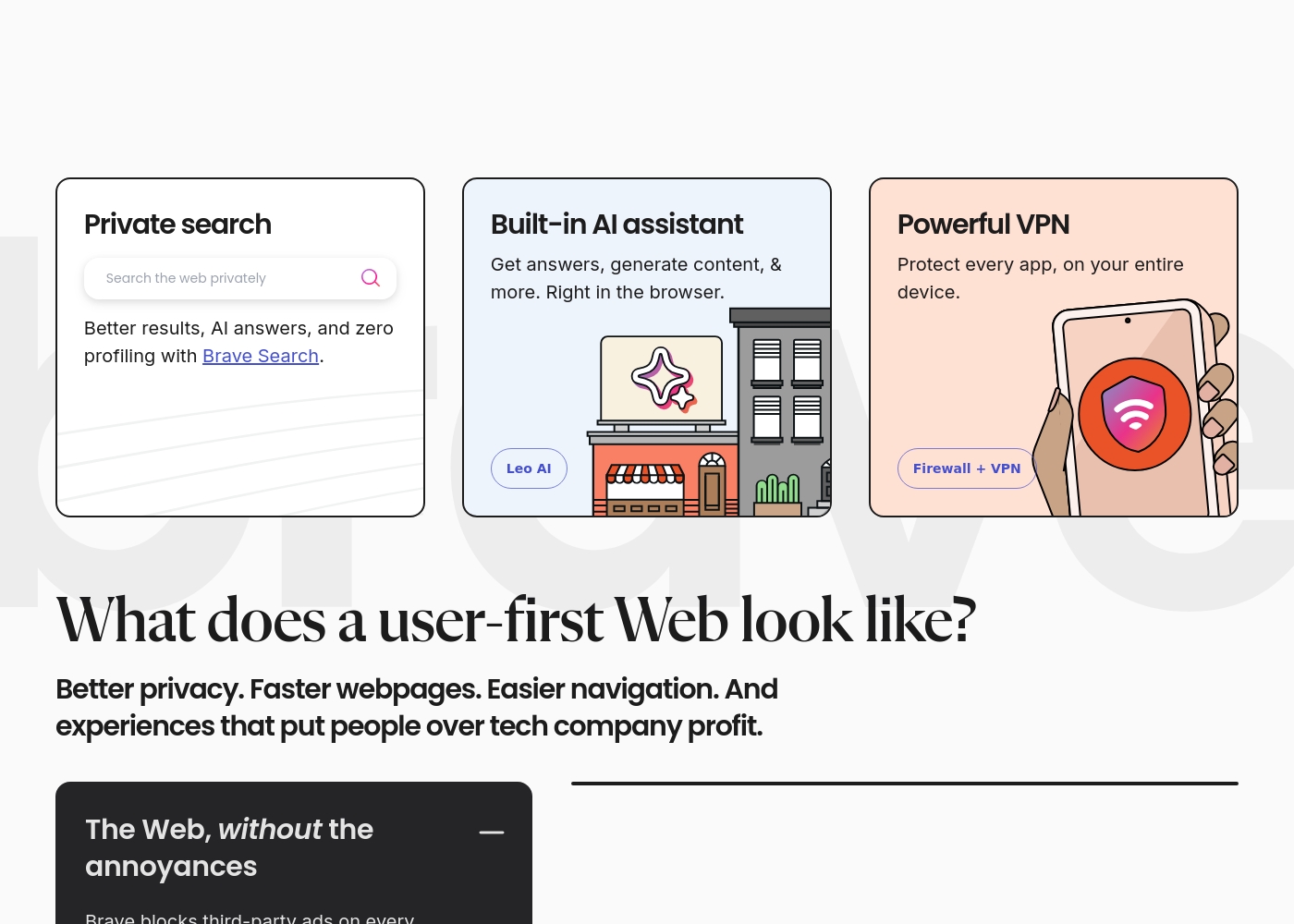
Brave’s core browser, private search, and basic AI assistant are free for life. Subscription fees apply to the Brave Firewall + VPN service and Brave Talk Premium features. The VPN protects up to five devices. Vivaldi is offered as a complete, full-featured free download to all users. It relies on optional user donations rather than paid subscriptions to fund development. Every built-in tool is free. Vivaldi provides a higher number of core features (Mail, Calendar, Tab Management) at zero cost. Brave offers specialized device security for a fee. If you need the free built-in tools of Vivaldi, you will pay nothing; if you need device-wide VPN, you must pay Brave a subscription.
Here are the details for how users access the features and the subscription options available.
Brave Browser (Standard)
Price: Free Best For: Everyday users seeking privacy, speed, and default security protection. Other Features:
- Blocks privacy-invasive ads and trackers automatically.
- Includes the high-performing Brave Search and Leo AI assistant.
- Websites load 3x-6x faster than other browsers.
- Built on the secure, open-source Chromium web core.
This is the simplest option for almost all users getting started with Brave. You can quickly download the browser for desktop or mobile and start browsing privately right away. Since it blocks third-party data storage and prevents tracking, you get a much safer and faster online experience at zero cost.
- Blocks privacy-invasive ads and trackers by default
- Includes Brave Search and Leo AI assistant
- Up to 3x-6x faster page loading speed
- Built-in security protection
- Available on all major desktop and mobile operating systems
- Protects every app on your entire device
- Encrypts every connection no matter where you are
- Subscription-based feature for enhanced communication
Vivaldi is a free web browser; there are no mandatory subscription costs or explicit paid pricing tiers listed in the provided documentation.
While there are no set plans to compare, it helps to review the core offering and what you get upon download.
Vivaldi Browser (Free)
Best For: Users who demand powerful built-in features, extensive privacy, and high levels of customization. Other Features:
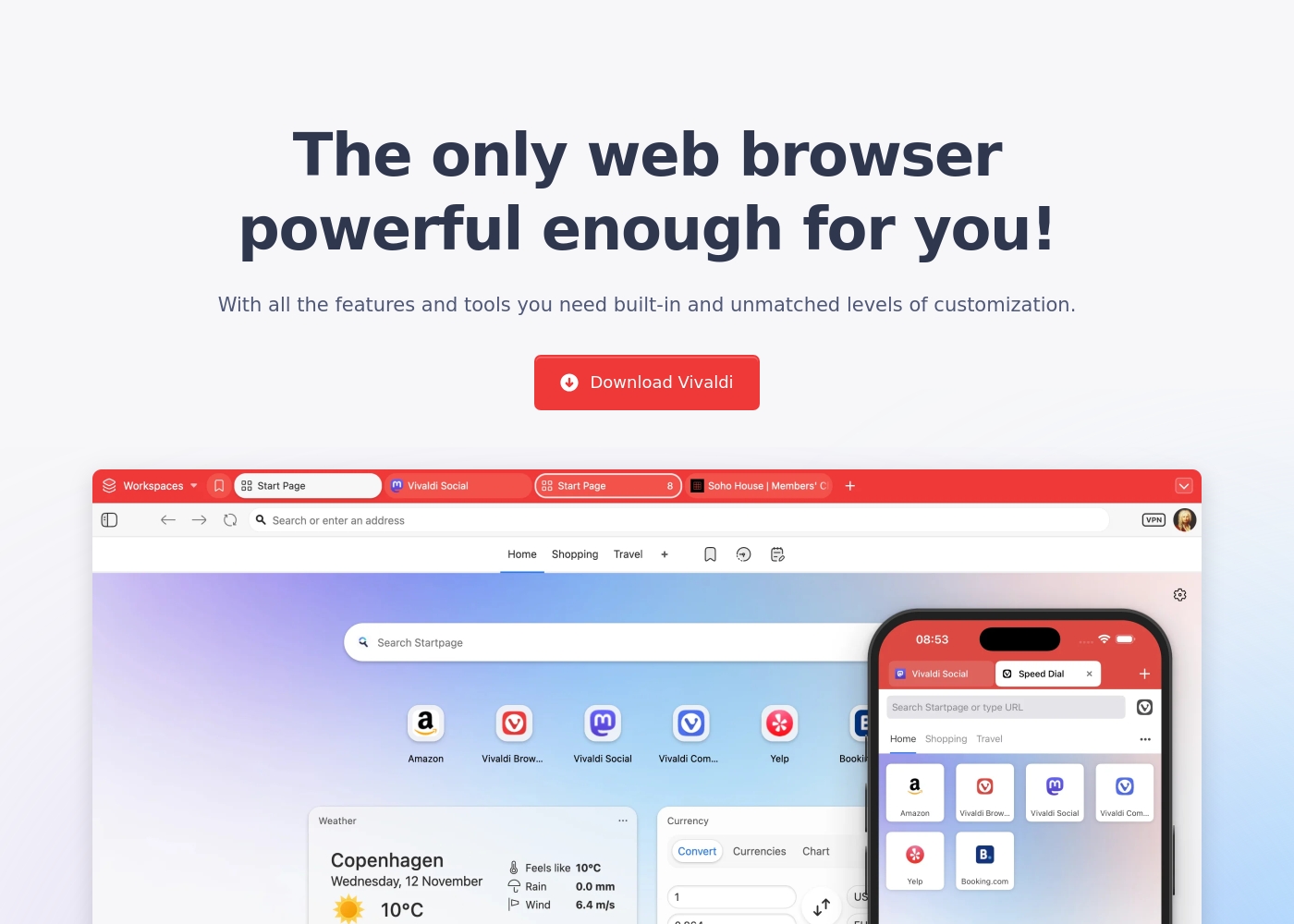
- Built-in Mail, Calendar, and Feed Reader
- Secure Sync with end-to-end encryption
- Advanced tab management (Tab Tiling, Stacking, Workspaces)
- Built-in Ad Blocker and private translation tool
- Keyboard Command Chains for boosting productivity
- Built-in Mail, Calendar, and Feed Reader
- Secure Sync with end-to-end encryption
- Advanced tab management (Tab Tiling, Tab Stacking, Workspaces)
- Built-in Ad Blocker and tracking protection
- Private translation tool
Pricing Notes
- Brave's core browser, features, and Leo AI are permanently free to use.
- Vivaldi is 100% free to download and use for all features including Mail and Calendar.
- Brave requires a paid subscription for the Firewall + VPN protecting up to five devices.
- Vivaldi relies on optional user donations rather than enforcing paid tiers or subscriptions.
Pricing Head-to-Head
User Reviews
External user sentiment for Brave is highly polarized, primarily collected on Trustpilot where the rating averages around 2.9 stars. Users consistently praise the core product's speed and efficiency, frequently noting that the browser is significantly faster and lighter than alternatives like Chrome.
The powerful ad-blocking feature is universally appreciated, enhancing the online experience and maximizing privacy. However, substantial reliability issues prevent a higher consensus rating.
I made the switch to Brave a good while ago and it’s been working pretty well. I don't care about the wallets or rewards; I just need a browser that works reliably. It is considerably lighter and faster than Google Chrome.
Vivaldi receives positive but highly polarized reviews, resulting in a 3.7 average score on Trustpilot. Users overwhelmingly commend its feature-rich design, noting the massive benefits of the built-in Mail client, Calendar, and advanced Tab Management.
The browser’s staunch focus on privacy and customization is frequently highlighted as a major benefit, especially for power users and developers seeking an efficient, non-tracking environment. However, reliability remains a recurring pain point.
This is finally a fully customizable browser. I can adjust how it works to match exactly what I need. It is a huge relief to have this level of control over my browsing experience.
Our Verdict
Your choice between Brave and Vivaldi hinges on your specific browsing habits and needs. Both Brave and Vivaldi offer exceptional privacy and a strong anti-tracking philosophy. Brave is dedicated to pure, unadulterated speed and simplicity. Brave is the clear winner for raw performance, loading pages up to 6x faster than Chrome. It offers unbeatable, zero-configuration privacy; GPC is immediately enabled for you. Brave also includes a free, private Leo AI assistant and superior mobile efficiency. Brave is perfect for users who want to "install and forget" their privacy controls. Vivaldi, conversely, is built for the ultimate power user who demands control and features. Vivaldi offers unparalleled customization over themes, shortcuts, and interface elements. It consolidates workflow with free built-in Mail, Calendar, and powerful tab management features. The deciding factor is functional depth versus speed. If you constantly juggle dozens of tabs for work, Vivaldi provides necessary organization tools. If you only care about blazing speed and battery savings, Brave is demonstrably superior. Choose Brave for instant velocity and simple, strong defaults. Choose Vivaldi if you live in your browser and need to automate complex, feature-rich daily tasks.
Frequently Asked Questions
Which is easier to use for a new privacy browser user: Brave or Vivaldi?
Brave is significantly easier because it handles maximum security by default. Vivaldi requires more setup and investment to customize the numerous features. Brave provides excellent speed and security right out of the box.
Does Vivaldi have a built-in AI assistant like Brave?
No, Vivaldi explicitly avoids integrating generative AI tools into the browser interface. Brave includes the Leo AI assistant completely free of charge. Brave offers AI, while Vivaldi focuses on existing user productivity tools.
Which browser is better for conquering tab overload?
Vivaldi is clearly superior for managing immense tab counts and complexity. It features Workspaces, Tab Tiling, and two-level Tab Stacking options. Brave uses only standard, basic tab management features.
Is Vivaldi completely free, or does it have paid plans like Brave?
Vivaldi is 100% free with all built-in features, relying only on optional donations. Brave charges a subscription for its Firewall + VPN service. Vivaldi gives away massive functionality for zero cost.
Which browser provides faster page loading speeds?
Brave is significantly faster, claiming loads 3x to 6x quicker than competitors due to aggressive content blocking. While Vivaldi is fast due to its ad blocking, Brave prioritizes raw speed optimization.
Does Brave include integrated tools like Mail or Calendar?
No, Brave focuses on being the fastest and most private browsing core. Vivaldi includes a powerful built-in Mail client, private Calendar, and algorithm-free Feed Reader. Vivaldi is the all-in-one suite.
Ready to Choose?
Both tools have their strengths. Choose based on your specific needs.