Brave vs Opera
Brave and Opera are feature-rich privacy browsers designed to escape traditional 'Big Tech' tracking. Brave focuses intensely on speed, delivering 3x to 6x faster loading times by default. Opera provides superior organization, integrating unique features like Tab Islands and sidebar messengers.
Unmatched Speed, Mixed Reliability.
We found Brave delivers on its core promise of superior speed and robust, built-in privacy protection, blocking trackers and ads better than competitors. However, the user experience is hampered by reports of random crashes, site loading failures, and difficulties managing certain optional features like translation and communication tools. Overall, Brave is an exceptional choice for privacy-focused power users, though its reliability needs improvement for mainstream adoption.
Pros
- Exceptionally fast browsing speeds (3x to 6x faster than competitors).
- Blocks all privacy-invasive ads, trackers, and popups by default.
- Built-in security shielding against tracking and fingerprinting.
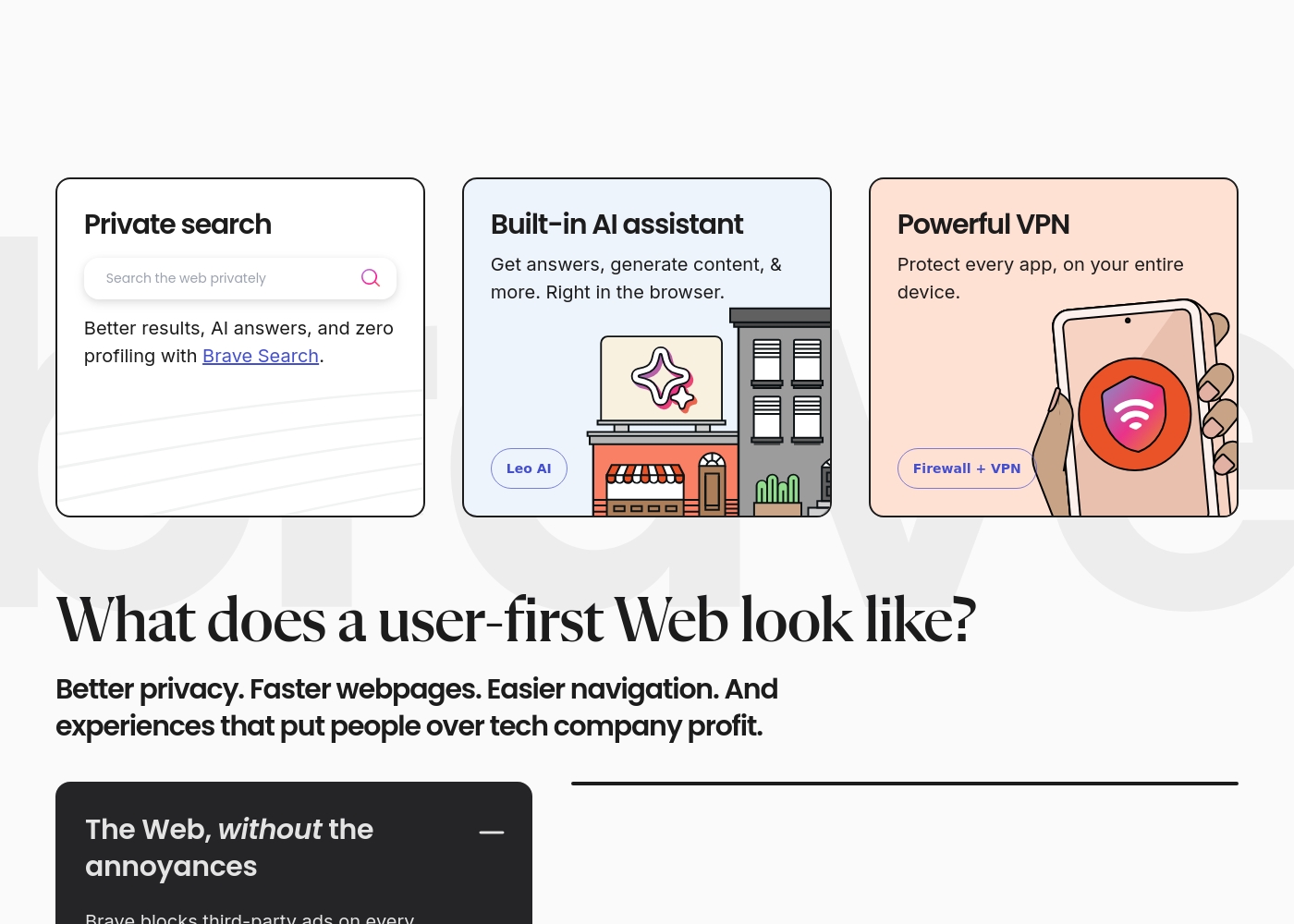
- Includes feature-rich tools like Brave Search and the Leo AI assistant.
Cons
- Users report issues with random crashes, hanging, and site incompatibility (e.g., Gmail).
- Customer service is difficult or impossible to contact for support and refunds.
- Settings for advanced privacy features are not always easily controllable or visible.
- Unwanted crypto features are sometimes pushed or defaulted onto the user.
Feature-rich browser, marred by instability.
We found Opera impressive for its density of free, built-in features like a VPN and AI assistant, offering high perceived value compared to default browsers. Overall, we must caution users about significant instability issues reported during updates and serious user concerns regarding data privacy and ownership.
Pros
- Includes a free, built-in VPN and integrated AI assistant (Aria).
- Built-in Ad Blocker provides faster, distraction-free browsing.
- High level of customization and intuitive user interface.
- Tab Islands feature aids in productivity and organization.
Cons
- Frequent crashing and reliability issues, causing permanent loss of open tabs after updates.
- Significant user concerns regarding company ownership, data privacy, and security.
- Built-in VPN often fails to work with major streaming services.
- Updates are intrusive, auto-changing settings or adding unwanted shortcuts.
AboutBrave
Brave is a powerful browser designed for anyone who wants a less annoying and more private online experience. It's built on the reputable, open-source Chromium Web core, but with a crucial difference: it prioritizes the user over profits.
The makers of Brave Software Inc. are an independent, privately-held company. They exist to fight against Big Tech's poor privacy practices. This commitment means you get robust, built-in security that works right out of the box. No complicated setup or PhD is required. You're ready to browse securely immediately. ✅
AboutOpera
Opera Browser positions itself as your personal digital hub 💡, moving beyond the limitations of standard programs like Chrome or Edge. It is designed for users who prioritize performance, security, and organization in their online lives.
For over 25 years, Opera has focused on expanding browser technology, ensuring you get the highest levels of flexibility and privacy available. It's a complete web experience that's easy to take on the go with specific mobile versions for Android and iOS.
Highlights
Feature Comparison
Features Overview
We highlight the main differences and pick a winner for each feature.
Speed & Performance
Brave claims extreme speed gains, loading pages 3x to 6x faster than rivals. Opera also guarantees superior, smooth performance.
Brave removes junk content like ads and trackers for massive speed gains. Websites load significantly faster, saving time and resources actively. This efficiency also saves mobile data and improves battery life considerably. Opera focuses on delivering speed through powerful ad blocking and smooth animations. Opera guarantees a faster, smoother experience compared to system default browsers. Brave's specific 3x-6x speed metric gives it a measurable, verifiable advantage. If raw speed is your only deciding factor, Brave is the clear and consistent winner here.
Integrated AI Assistant
Both browsers offer powerful, integrated AI assistants at absolutely no cost to the user. Brave uses Leo AI; Opera uses Aria AI.
Brave includes the Leo AI assistant for content generation and quick Q&A. Leo integrates smoothly within the native Brave browser interface for immediate help. Opera features the Aria AI assistant, which is free and unlimited for all core users. Aria focuses on enhancing your immediate research and information gathering process. Both tools offer immense value without extra associated cost or quotas. Choosing depends mostly on the interface design and specific AI integration you prefer.
Core Privacy Tools
Brave provides default unbreakable privacy and automatic Global Privacy Control (GPC). Opera ships with a free, built-in browser VPN.
Brave automatically turns on Global Privacy Control (GPC) upon immediate installation. GPC actively stops websites from selling your private browsing data. Brave uses powerful Shields against fingerprinting and sophisticated tracking attempts aggressively. Opera has upheld a 25-year security focus built into all core functions. It includes an integrated Ad Blocker and a free basic browser VPN. The free VPN enhances privacy for general browser activity instantly. Brave wins for absolute, default, data-selling prevention and anti-tracking features.
VPN Strategy
Opera gives users a free VPN only for the browser connection. Brave requires a paid subscription for any VPN usage.
Opera gives users a completely free VPN that secures just the browser tabs directly. This is great for quick security protection on untrusted public Wi-Fi. For full device protection, users must purchase Opera VPN Pro separately. Brave offers its comprehensive Firewall + VPN only as a required paid subscription service. Brave’s VPN protects the entire device and covers up to five different devices. If you need a quick, no-cost security feature, Opera is the better choice for immediate use.
Workflow Organization
Opera shines with unique Tab Islands for contextual tab grouping and cleaning workspaces. Brave provides traditional, standard tab management.
Opera features Tab Islands, which automatically group similar tabs together intuitively. This keeps your online workspace incredibly clean and easy to navigate. Its Flow feature also enables seamless file and link sharing between devices. Brave provides traditional tab handling, which is common to most Chromium-based platforms. Brave notably lacks the advanced, contextual grouping offered by Opera's Tab Islands. Opera is clearly superior for users juggling many research projects or complex tasks.
Integrated Communications
Opera builds in popular messaging apps directly into the sidebar for convenience. Brave focuses on external communication interfaces.
Opera integrates popular messaging apps into a convenient sidebar panel. Users easily switch between services like WhatsApp, Instagram, and Telegram. This allows you to chat and stay connected efficiently mid-task. Brave focuses instead on integrated products like Brave Talk Premium for video conferencing. Brave does not offer immediate, integrated access to social sidebar messengers. Opera provides a huge productivity benefit for users who constantly check incoming notifications.
Advanced Ecosystem
Brave develops an ecosystem around crypto (BAT) and independent search. Opera focuses on integrated social tools and future Web3 support.
Brave includes Brave Search and the optional Brave Wallet for secure digital assets. The optional Rewards program lets users earn Basic Attention Tokens (BAT). Brave's focus is on decentralization and user ownership through crypto rewards. Opera also explicitly supports Web3 functionality for future-proofing your browser experience. Both browsers offer unique feature sets absent in conventional browsers. Your preferred ecosystem depends purely on your web usage philosophy.
Free Features Included
Both offer an incredible suite of free tools, including unlimited AI and powerful ad blocking. Neither requires payment for superior browsing.
Brave’s core includes Leo AI, Brave Search, and best-in-class ad/tracker blocking. Opera bundles Aria AI, Tab Islands, ad-blocking, and the browser VPN. These core offerings make both browsers exceptional value propositions immediately. Both charge only for the optional, device-wide VPN protection services. For most users, the free version of either Brave or Opera is more than enough.
Brave costs between Free and Not explicitly stated per period with three main options: Brave Browser (Standard) at Free, Brave Firewall + VPN at Not explicitly stated, and Brave Talk Premium at Not explicitly stated.
Here are the details for how users access the features and the subscription options available.
Brave Browser (Standard)
Price: Free Websites Supported: Not explicitly stated Best For: Everyday users seeking privacy, speed, and default security protection. Refund Policy: Not explicitly stated Other Features:
- Blocks privacy-invasive ads and trackers automatically.
- Includes the high-performing Brave Search and Leo AI assistant.
- Websites load 3x-6x faster than other browsers.
- Built on the secure, open-source Chromium web core.
- Blocks privacy-invasive ads and trackers by default
- Includes Brave Search and Leo AI assistant
- Up to 3x-6x faster page loading speed
- Built-in security protection
- Available on all major desktop and mobile operating systems
- Protects every app on your entire device
- Encrypts every connection no matter where you are
- Subscription-based feature for enhanced communication
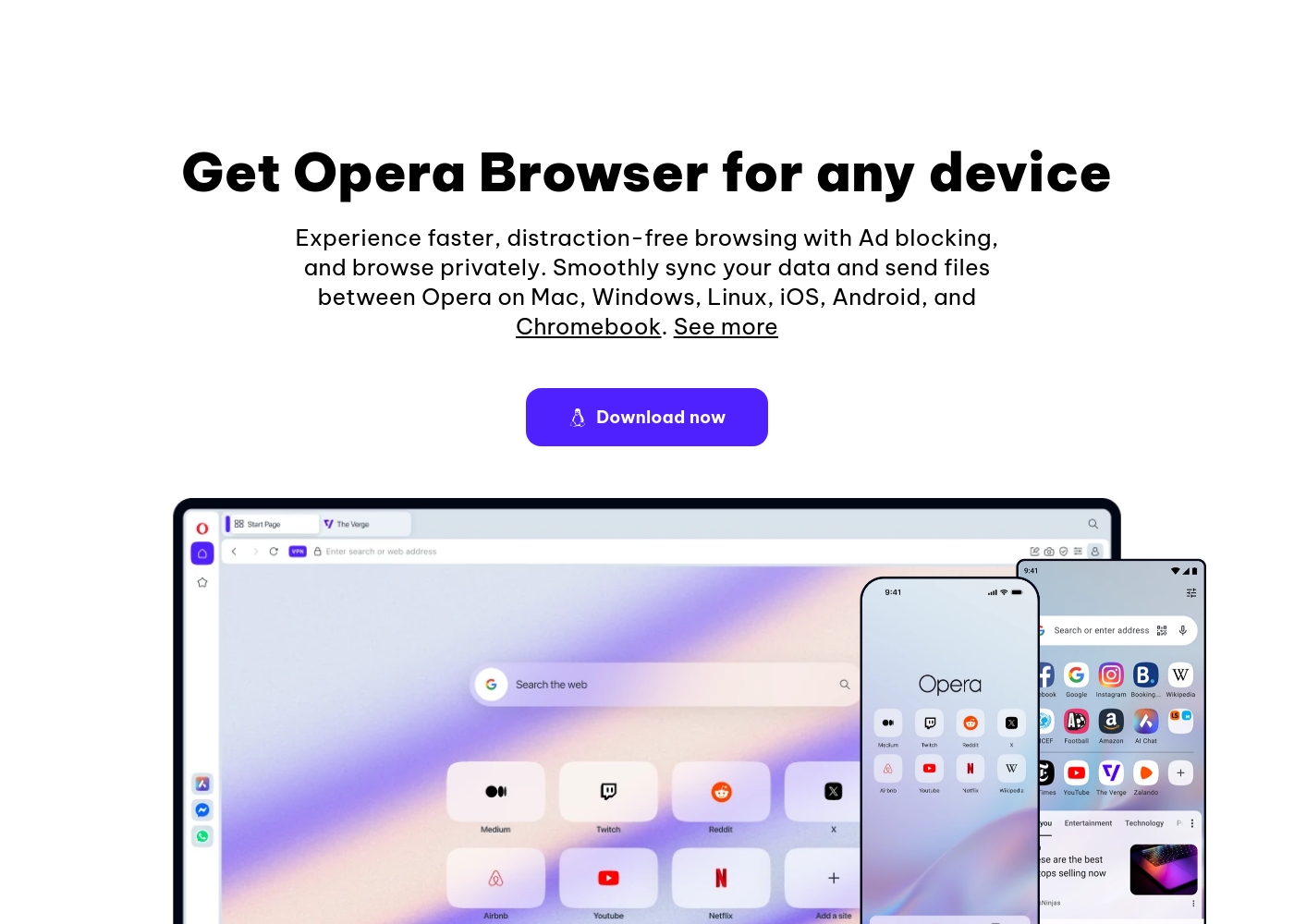
Opera is available for free, with an optional paid service (VPN Pro) whose cost is Not explicitly stated.
You can start using all of Opera’s core features immediately without paying anything. Below are the details for the core browser and the enhanced VPN option.
Opera Browser (Free)
Price: Free Websites Supported: Not explicitly stated Best For: Everyday browsing, integrated productivity, privacy Refund Policy: Not explicitly stated Other Features:
- Built-in, free VPN for secure browsing
- Aria, the free and unlimited browser AI
- Integrated Ad Blocker for faster loading
- Flow file sharing between devices
- Built-in messengers (WhatsApp, Instagram, etc.)
- Ad Blocker
- Free VPN (built-in)
- Aria AI (free and unlimited)
- Built-in Messengers (WhatsApp, Instagram, Twitter)
- Tab Islands for organization
- Enhanced protection for your entire device
- Browse privately anywhere
Pricing Notes
- Both Brave and Opera offer their powerful core browsers, including integrated AI and ad blockers, for absolutely free.
- Brave requires a subscription for its Firewall + VPN, which secures up to 5 devices across all platforms.
- Opera offers a free, limited browser VPN built-in, but requires a separate VPN Pro subscription for device-wide security.
- Neither Brave nor Opera explicitly publishes the exact subscription prices for their premium services in the provided data.
Pricing Head-to-Head
User Reviews
External user sentiment for Brave is highly polarized, primarily collected on Trustpilot where the rating averages around 2.9 stars. Users consistently praise the core product's speed and efficiency, frequently noting that the browser is significantly faster and lighter than alternatives like Chrome.
The powerful ad-blocking feature is universally appreciated, enhancing the online experience and maximizing privacy. However, substantial reliability issues prevent a higher consensus rating.
I made the switch to Brave a good while ago and it’s been working pretty well. I don't care about the wallets or rewards; I just need a browser that works reliably. It is considerably lighter and faster than Google Chrome.
The external feedback for Opera is highly polarized. Users consistently praise the excellent value due to its free features, including a built-in VPN, effective Ad Blocker, and customizable interface, calling the UI intuitive and elegant.
However, reliability concerns dominate the recent reviews, leading to a "Poor" rating (2.1). Many users report that mandatory, automatic updates frequently cause the browser to crash, resulting in the permanent loss of all open tabs and workspaces.
The free VPN is useless because streaming services refuse to work with it. You should also be cautious about privacy here because it's owned by a Chinese company. I strongly suggest caution before relying on it.
Our Verdict
Choosing between Brave and Opera depends entirely on your browsing style and priorities. Both are superb, free alternatives to generic system browsers. Both offer built-in AI and strong privacy features right out of the box. Ultimately, this choice is absolute speed versus integrated lifestyle features. Brave is an assassin focused on speed and privacy liberation from tracking. Its superpower is performance, promising websites load 3x to 6x faster than rivals. Brave integrates powerful, default protections like Global Privacy Control (GPC) to prevent data selling actively. Choose Brave if your goal is unparalleled speed and unbreakable privacy by default. Opera’s superpower is making a chaotic digital life organized and highly productive. Opera brilliantly uses Tab Islands to keep your research and projects separate and clean. You also get instant access to messengers like WhatsApp right in the sidebar. Opera is best for users who juggle many tasks and need integrated communication tools. The key deciding factor is performance metrics versus workflow enhancement. Brave excels at passively saving you time while blocking ads and tracking robustly. Opera actively helps you manage your communication and time within one single app. Note that Brave locks the device-wide VPN behind a subscription, while Opera gives you a basic browser VPN for free. If raw, lightning speed and data privacy protection matter most, switch to Brave today. If managing complex multi-tasking and quick communication is your priority, Opera will transform your workflow. Millions choose Brave for freedom; millions choose Opera for powerful features.
Frequently Asked Questions
Which browser, Brave or Opera, offers stronger privacy protection by default?
Brave is superior for default privacy straight out of the box. Brave automatically enables Global Privacy Control (GPC) to stop data selling. Brave also uses aggressive Shields against fingerprinting and sophisticated tracking attempts.
Does Brave or Opera offer a totally free VPN service?
Opera offers a totally free VPN service, but it only protects your browser activity, not your entire device. Brave's VPN service is subscription-based, but it protects up to five devices completely.
Which browser is better for organizing many open tabs: Brave or Opera?
Opera is significantly better for tab organization due to its Tab Islands feature. Tab Islands automatically group related tabs together for contextual browsing. Brave uses standard, basic tab management.
How do the included AI assistants, Leo (Brave) and Aria (Opera), compare?
Both the Brave Leo AI and Opera Aria AI are free and unlimited for core users. Both integrate into the browser for content generation and instant answers. Both offer huge value for users without added cost.
Is Brave or Opera faster for general web browsing?
Brave is definitively faster for general browsing due to its aggressive ad blocking. Brave claims websites load 3x to 6x faster compared to competitors. Opera offers superior speed, but without specific metrics.
Which tool is better for integrating social media and messaging?
Opera is better for social messaging integration because it includes sidebar access. You can use apps like WhatsApp, Telegram, and Instagram right within the browser. Brave does not include this direct sidebar integration.
Ready to Choose?
Both tools have their strengths. Choose based on your specific needs.