Bark vs Webwatcher
Bark and Webwatcher both promise crucial online safety for your children. Bark offers proactive AI alerts and comprehensive screen time controls for the whole family. Webwatcher is focused on discreet, single-device monitoring through data logging. Trust and reliability are the major dividing factors between Bark and Webwatcher.
Best for: Families prioritizing comprehensive, AI-driven safety coverage, Parents needing unified screen time management and device controls
Best for: Parents who strictly require discrete, hidden activity surveillance only, Users committed to monitoring activity logs on a single Android device
Comprehensive AI Safety For Modern Families
We find Bark offers an essential, modern solution for digital parenting, leveraging advanced AI to monitor threats without excessive surveillance. The platform provides comprehensive coverage across various devices and social media platforms, including tamper-proof device options. Overall, Bark delivers robust protection and specific, actionable guidance for handling complex online safety issues.
Pros
- AI monitors 30+ social media platforms for severe issues like self-harm and bullying.
- System focuses only on potential threats, preserving a child's general privacy.
- Comprehensive controls cover screen time management, app blocking, and GPS location tracking.
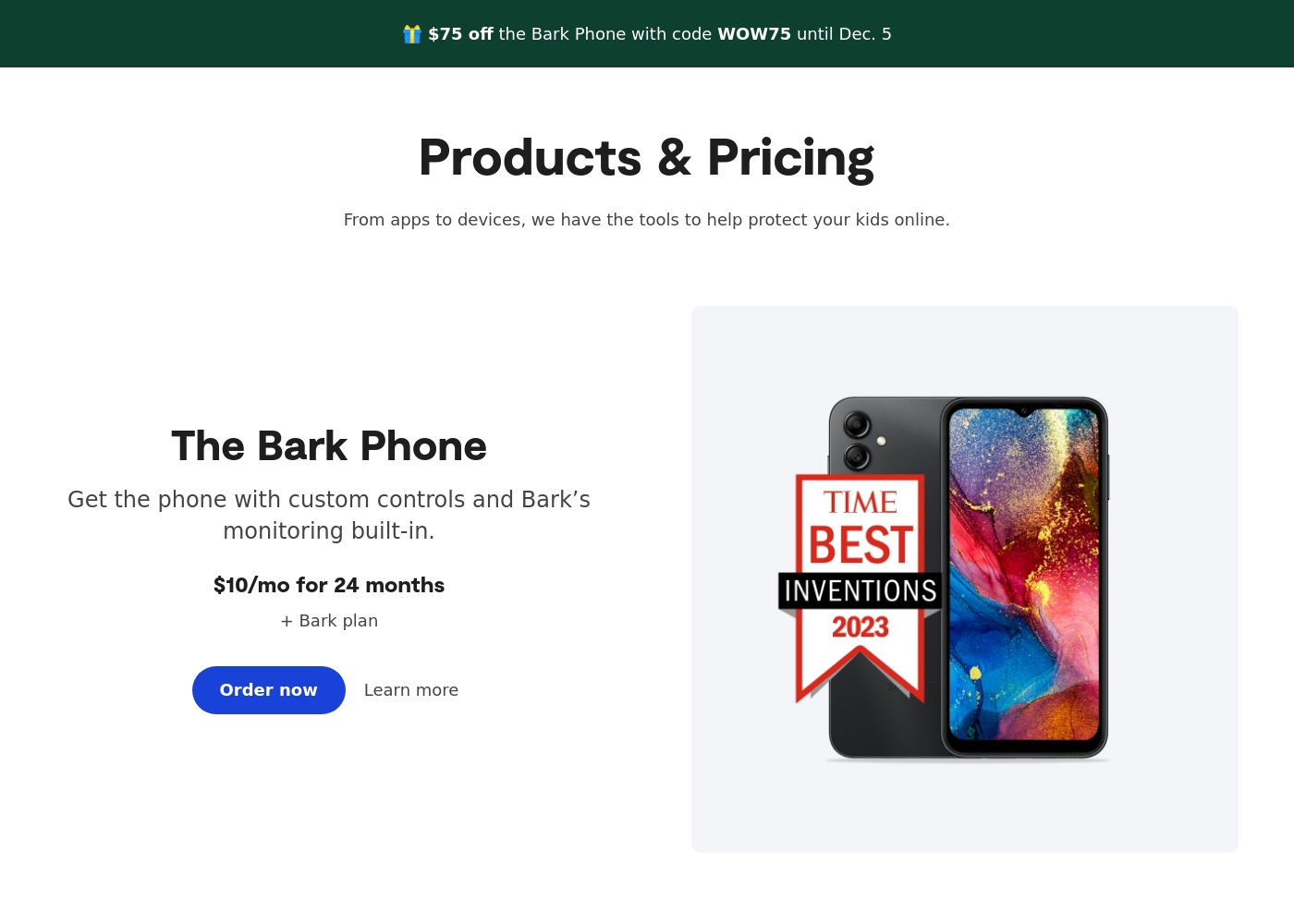
- Specialized options like the Bark Phone offer tamper-proof, built-in controls for a first device.
Cons
- Users have noted some complexity or inconsistency with the mobile app's user interface.
- The varied product line (App, Phone, Watch, Home) creates a complex overall pricing structure.
- The mandatory free trial registration requires a credit card and auto-enrolls into a paid subscription.
Extreme risk due to billing and support issues.
We found Webwatcher markets itself strongly on guaranteed functionality and comprehensive support for parental monitoring needs. However, our review of public user feedback showed severe, concrete accusations of fraudulent billing, refusal to issue refunds, and complete non-response from customer support. Overall, the serious financial and reliability risks reported by consumers necessitate a very low rating.
Pros
- Advertised compatibility across major devices (Android, iPhone, PC, Mac).
- Unlimited data storage is included in the current subscription plan.
- Setup is claimed to be quick and easy (under five minutes).
- Functionality is officially guaranteed with a full refund if issues cannot be resolved.
Cons
- Users report being refused refunds despite the official money-back guarantee.
- Specific claims of fraudulent double billing and funds theft were reported.
- Customer support was reported as non-responsive or misleading ('runaround').
- Product allegedly failed to work properly for some customers.
AboutBark
Bark offers a comprehensive suite of digital safety tools designed for modern families. The system provides monitoring and parental controls across various device types, including phones, tablets, and home internet networks. Whether you need an optimized safety phone or just the software for existing devices, Bark offers solutions tailored to your needs. Their robust systems actively scan texts, emails, web browsers, and over 30 social media apps for concerning content. They have already covered 7.4 million children, indicating a strong commitment to digital protection. ✅
AboutWebwatcher
WebWatcher is a specialized parental monitoring app. It is primarily aimed at supervising teenagers who may be involved in risky online behavior. The software gives parents necessary visibility into their child's digital footprint.
It works across major platforms including Android, iPhone, PC, and Mac devices. You can monitor everything seamlessly from anywhere using your secure, web-based online account. The application is designed to be discrete and tamper-proof once it's correctly installed. 💡
Highlights
Feature Comparison
Features Overview
We highlight the main differences and pick a winner for each feature.
Core Monitoring & AI
Bark uses smart AI to proactively alert you to danger. Webwatcher focuses on discreetly logging all screen activity.
Bark uses AI to scan across 30+ social apps and web browsers. This AI identifies risks across 29 categories proactively, delivering real-time alerts. Bark also provides expert advice with every alert to guide parent response. Webwatcher offers monitoring via captured texts, calls, and activity screenshots. Monitoring is primarily log-based, providing raw activity data for parents to review later. Webwatcher specializes in discrete logging on platforms like Android Snapchat. This is a fundamental safety difference: Bark is proactive and preventive. Webwatcher is reactive surveillance, logging everything the child does. Choose Bark if you need intelligent interception and helpful guidance. Choose Webwatcher only if absolute, hidden surveillance is your priority.
Screen Time Controls
Bark provides powerful scheduling and blocking tools. Webwatcher cannot actively manage screen time.
Bark gives parents robust control over screen time and content filtering. You can set custom schedules for apps and pause internet access globally. Bark Home extends filtering to network-level control. Webwatcher is purely a monitoring and reporting tool. It tracks phone activity and reports app usage. Webwatcher does not offer scheduling, blocking, or internet pause controls. If imposing clear time boundaries is essential, Webwatcher simply cannot compete. Bark offers the control parents need for healthy digital habits. Bark allows parents to manage time limits across devices seamlessly. Webwatcher only enables silent reporting after the time has been used.
Device & Family Coverage
Bark covers your entire family for one price. Webwatcher charges per device monitored.
Bark's unique model covers limitless children and devices under one Bark Premium subscription. This includes the Bark App, Bark Watch, and Bark Phone. Protection is comprehensive across the family network. Webwatcher is clearly focused on selling per device monitored. The advertised plan covers only a single Android device per purchase. Monitoring multiple teens gets expensive fast with Webwatcher. Bark offers far better value for families with more than one child or multiple devices. Webwatcher treats each monitored device as a separate subscription. Bark provides a unified safety net that grows with your family. Webwatcher forces a difficult per-device budgeting decision.
Customer Trust & Billing
Bark is reliable despite minor issues. Webwatcher has major, concrete reports of financial fraud.
Bark reviews focus on feature depth and generally positive experiences. Reported issues include occasional GPS delays or difficulty canceling subscriptions. Bark has an aggregate rating of 3.2. Webwatcher reviews are critically negative, with a 1.0 rating based on serious allegations. Users report fraudulent double billing and theft of funds. Customer support is widely reported as non-responsive or misleading. This difference is catastrophic: Bark is a trustworthy vendor. Webwatcher faces severe warnings about financial risk and customer service failure. Before choosing Webwatcher, you must weigh the risk of losing money. Bark provides safe, if sometimes imperfect, service.
Bark costs between $49 and $99 per year, offering two main app subscription plans: Bark Jr at $49/year and Bark Premium at $99/year. Bark also offers devices like the Bark Watch and Bark Phone in device installment plans.
You can protect your family with Bark's powerful monitoring and parental controls through several options tailored to your needs. Note that the prices listed below for the App plans reflect the software subscription cost only.
Bark Jr
Price: $5/month or $49/year Websites Supported: Unlimited devices & accounts Best For: Families focused on basic control and location tracking Other Features:
- Gain control over screen time
- Block unwanted websites and apps
- Filter inappropriate content
- Track your child's whereabouts with live GPS
- Gain control over screen time
- Block unwanted websites and apps
- Filter inappropriate content
- Track your child's whereabouts with live GPS, location alerts, and check-in features
- Covers every child and device in the family
- Monitor and receive alerts for social media, phones, tablets, and computers
- Manage screen time
- Block specific websites and apps
- Track location
- Alerts for potential dangers (Parent’s top choice for comprehensive coverage)
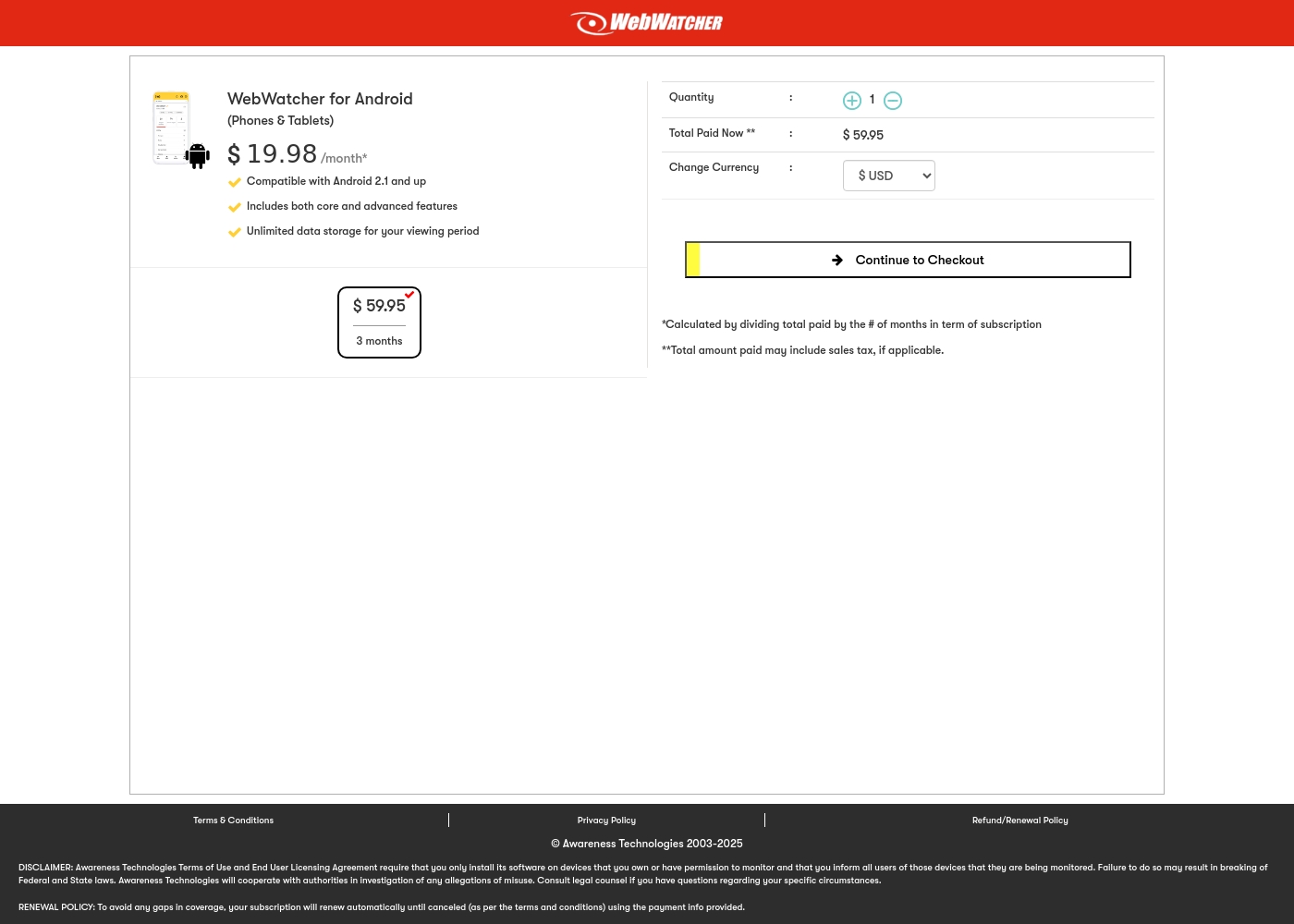
Webwatcher costs $19.98 per month with one explicitly priced plan: the 3-Month Android Subscription at $59.95 total.
Finding the right monitoring solution for your family is simple. Here is a detailed look at the pricing and features available in the current purchase flow.
3-Month Android Subscription
Price: $59.95 (paid every 3 months, calculated at $19.98/month) Best For: Parents monitoring Android phones and tablets Refund Policy: Full refund guaranteed if issues cannot be resolved Other Features:
- Compatible with Android 2.1 and newer versions
- Includes both core and advanced features
- Unlimited data storage for your full viewing period
- Compatible with Android 2.1 and up
- Includes both core and advanced features
- Unlimited data storage for your viewing period
Pricing Notes
- Bark allows Premium or Jr plans to cover every child in the family under one subscription.
- Webwatcher explicitly prices access per device monitored, making family coverage more expensive.
- Bark Jr is the cheapest entry point starting at $5/month for screen time and location tools.
- Webwatcher advertises a full refund guarantee, but user reports strongly suggest this guarantee is not honored.
Pricing Head-to-Head
User Reviews
Bark receives generally positive feedback, especially concerning its effectiveness in digital safety. Users frequently praise the AI monitoring system, noting that it provides helpful alerts only when concerning content is detected.
This strikes a crucial balance between essential protection and maintaining a child's privacy. Many families feel safer using the service, often highlighting the reliability of location tracking and comprehensive screen time scheduling features.
The Bark Phone is excellent security. It’s better than the parental controls on a standard iPhone. Bark has truly saved my teenager’s life three or four times by alerting us to severe dangers. You get to monitor everything that matters, which provides essential peace of mind.
Webwatcher’s external feedback is extremely limited, stemming only from two reviews which resulted in a very low 2.9 TrustScore. While the platform advertises a strong 'risk-free' guarantee and promises excellent, responsive customer care, the limited user reports strongly contradict these claims.
Both reviewers cited severe issues primarily centered on billing and refunds. Users claim they were refused refunds entirely, even when requested within the advertised refund window, despite the monitoring product reportedly failing to work properly.
They refused to honor the risk-free money-back guarantee, even though I submitted the request properly. Furthermore, the product I purchased never actually worked for me as advertised. I absolutely feel like they are ripping me off.
Our Verdict
Bark is the clear and reliable winner for modern parental monitoring. Webwatcher risks are simply too high for safety-focused software. Bark provides peace of mind and proactive intervention tools. Bark’s superpower is its AI-powered safety across 30+ platforms. It gives parents comprehensive screen time controls and content filtering. Bark integrates hardware like the Bark Phone for consistent, tamper-proof protection. Webwatcher focuses entirely on discrete, hidden surveillance and activity logging. Its main selling point is being tamper-proof and undetectable post-installation. Webwatcher also claims unlimited data storage for monitoring logs. The critical deciding factor is customer trust and reliability. Bark is an established service with a functional customer support framework. Webwatcher has overwhelming user reports of fraudulent billing, refused refunds, and zero support response. If you want comprehensive family safety and reliable billing, always choose Bark. If surveillance is your goal, reconsider the massive financial risk posed by Webwatcher. Bark offers proven protection you can actually trust.
Frequently Asked Questions
Which software is better for controlling screen time: Bark or Webwatcher?
Bark is vastly superior for managing screen time and setting limits. Bark allows parents to set custom schedules and pause the internet instantly. Webwatcher is purely monitoring software and offers no active control or scheduling features.
Is Webwatcher's monitoring completely hidden from kids?
Yes, Webwatcher is designed to be discrete and run in the background. It aims to be tamper-proof once installed successfully. Bark is designed to be more transparent, focusing on guidance and open conversation.
Which software covers multiple children affordably?
Bark provides dramatically better value for families with multi-child pricing. Bark Premium covers all children and devices in the household for a single fee. Webwatcher charges nearly $20/month individually for every device monitored.
Does Bark monitor social media as well as Webwatcher?
Bark monitors over 30 social media platforms using proactive AI to spot dangers. Webwatcher mainly captures activity logs and screenshots of certain apps. Bark offers smarter, wider-ranging coverage than Webwatcher’s capture method.
Are there known payment or refund issues with Webwatcher?
Webwatcher has a very low user rating due to severe, concrete billing complaints. Users frequently report being double-charged and actively denied refunds under the guarantee. Bark does not have these systemic financial fraud allegations.
Can Webwatcher monitor an iPhone without connecting it to a PC?
For initial setup, Webwatcher requires connecting the iPhone to a local PC or Mac one time. Bark uses a simple, dedicated app for iPhone monitoring. Bark's setup is much simpler for iOS devices.
Ready to Choose?
Both tools have their strengths. Choose based on your specific needs.