Bark vs mSpy
Parents often compare Bark and mSpy for total digital protection. These tools have extremely different philosophies on monitoring children. Bark focuses on alerts, AI, and safety across an entire ecosystem of devices. mSpy prioritizes deep, hidden surveillance features like Keyloggers and Screenrecorders.
Best for: Families prioritizing transparent safety and open dialogue, Users needing coverage for 4+ children or multiple devices (unlimited)
Best for: Parents requiring absolute, hidden (stealth) monitoring, Monitoring only one specific child/device aggressively
Comprehensive AI Safety For Modern Families
We find Bark offers an essential, modern solution for digital parenting, leveraging advanced AI to monitor threats without excessive surveillance. The platform provides comprehensive coverage across various devices and social media platforms, including tamper-proof device options. Overall, Bark delivers robust protection and specific, actionable guidance for handling complex online safety issues.
Pros
- AI monitors 30+ social media platforms for severe issues like self-harm and bullying.
- System focuses only on potential threats, preserving a child's general privacy.
- Comprehensive controls cover screen time management, app blocking, and GPS location tracking.
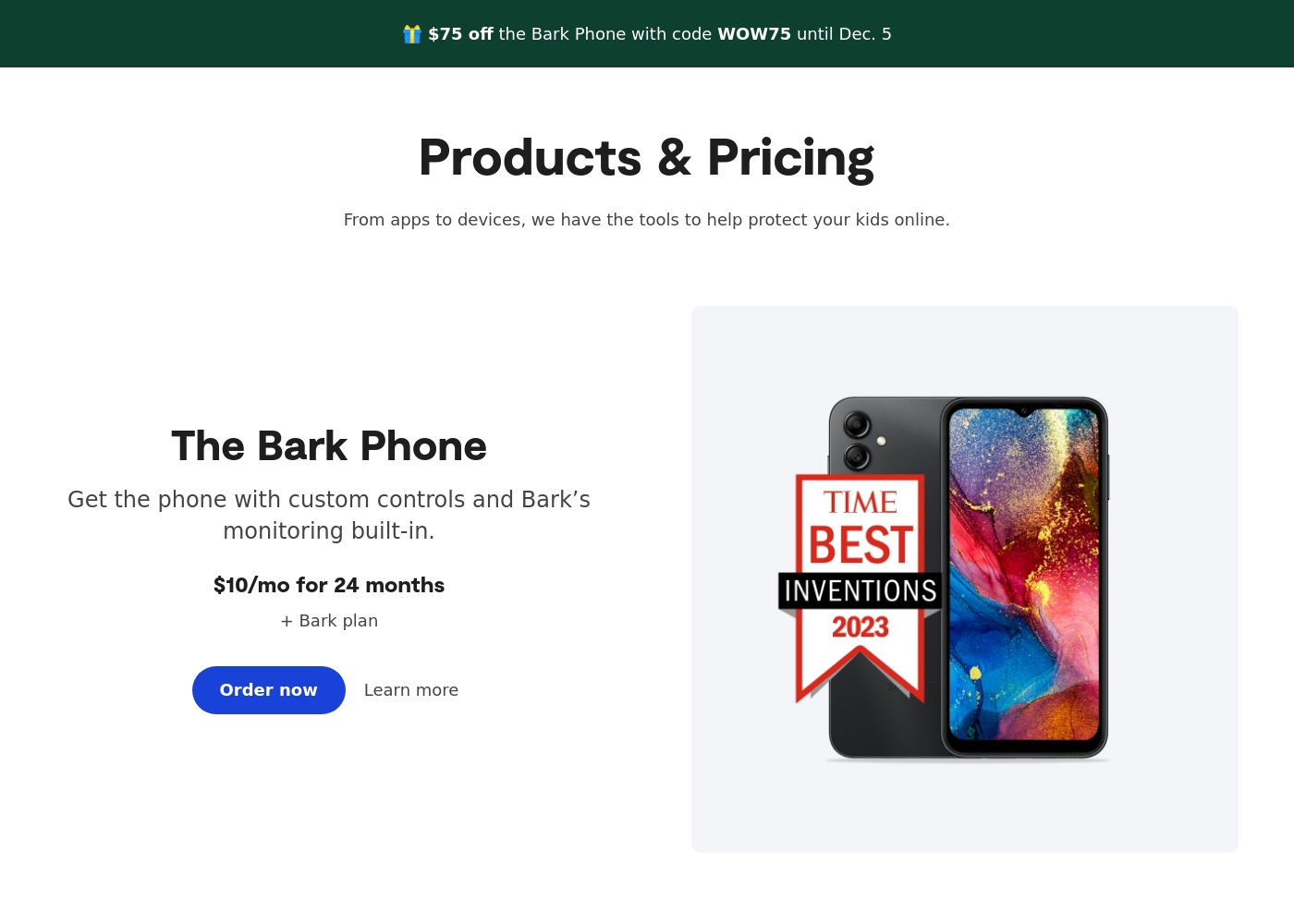
- Specialized options like the Bark Phone offer tamper-proof, built-in controls for a first device.
Cons
- Users have noted some complexity or inconsistency with the mobile app's user interface.
- The varied product line (App, Phone, Watch, Home) creates a complex overall pricing structure.
- The mandatory free trial registration requires a credit card and auto-enrolls into a paid subscription.
Effective Monitoring with Severe Pitfalls
We found mSpy offers a highly capable feature suite, including Keylogger, Screenrecorder, and robust GPS tools, which are powerful when functioning correctly. However, external reports show major issues surrounding reliability, hidden pricing, and difficult installation processes. Overall, this tool provides powerful monitoring features, but its severe operational and billing pitfalls prevent a strong recommendation.
Pros
- Excellent feature set including Keylogger and Screenrecorder capabilities.
- Effective remote features like call recording and microphone control (available in Extreme plan).
- Geofencing and GPS tracking are praised for accurately monitoring location.
- Family Kit successfully allows monitoring up to three devices simultaneously.
Cons
- Frequent reports of inaccurate data tracking, app failure, or connectivity issues.
- Users report that the service stops working after a short period, requiring constant reinstallation.
- Many customers report unauthorized billing, hidden costs, and surprise fees for required add-ons.
- The refund policy is considered very narrow, making returns extremely difficult to obtain.
AboutBark
Bark offers a comprehensive suite of digital safety tools designed for modern families. The system provides monitoring and parental controls across various device types, including phones, tablets, and home internet networks. Whether you need an optimized safety phone or just the software for existing devices, Bark offers solutions tailored to your needs. Their robust systems actively scan texts, emails, web browsers, and over 30 social media apps for concerning content. They have already covered 7.4 million children, indicating a strong commitment to digital protection. ✅
AboutmSpy
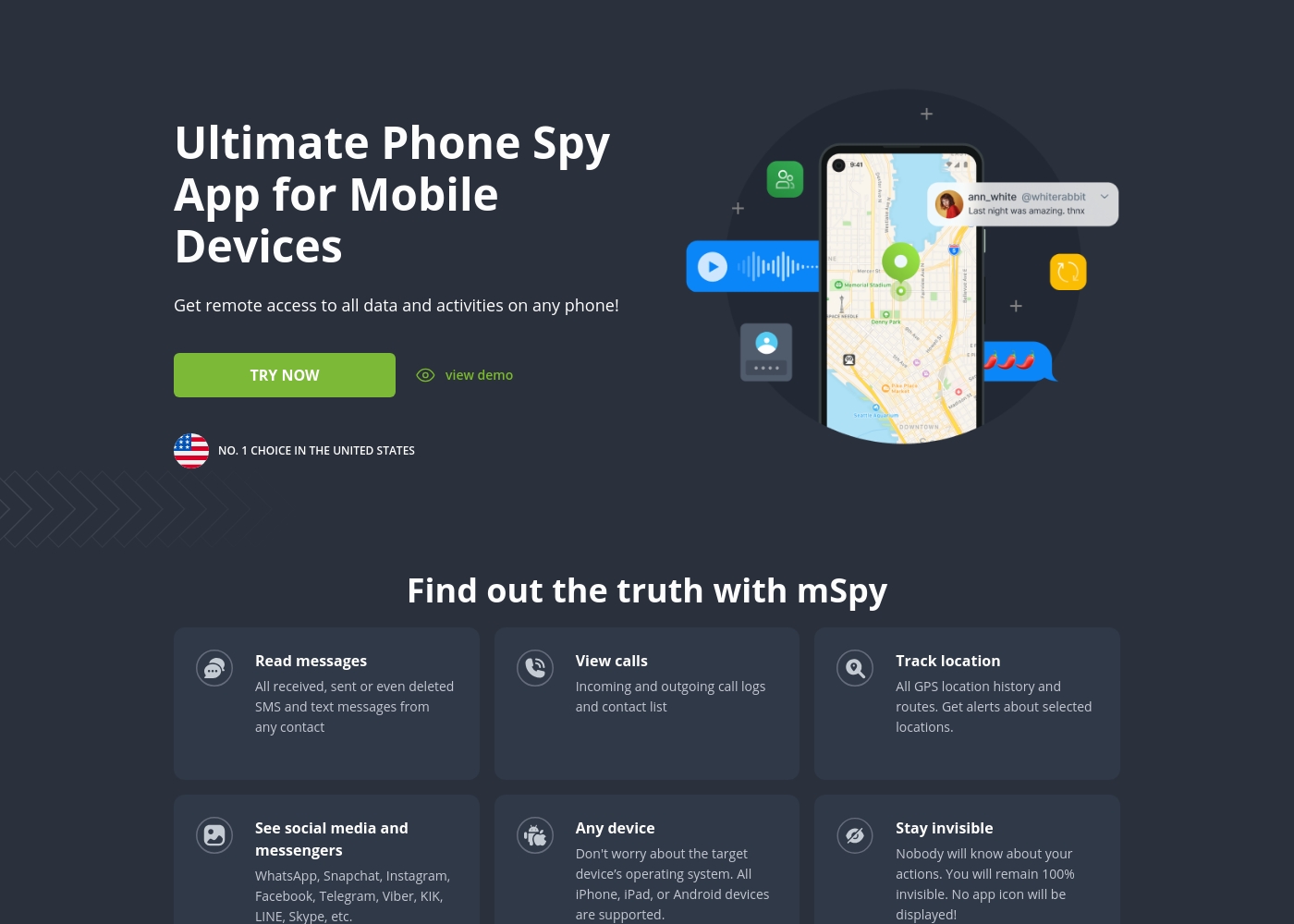
mSpy is the #1 Choice in the United States for trusted parental control. It is a powerful mobile monitoring solution, more than just a simple app. This tracker lets you see exactly what’s happening on their phone without needing to stand over them. It works great on your favorite device, offering solutions that are compatible with any operating system 💡. Installation is simple, allowing you to get the full monitoring power without restrictions, even offering local sync and non-jailbreak solutions.
Highlights
Feature Comparison
Features Overview
We highlight the main differences and pick a winner for each feature.
Monitoring Philosophy
Bark uses AI to flag severe issues and promote dialogue. mSpy delivers full, granular data for deep surveillance.
Bark gives detailed alerts in over 29 risk categories like cyberbullying, drugs, and depression. It provides personalized recommendations to help parents start conversations. mSpy aims for comprehensive data collection, capturing keystrokes and screenshots. It offers the parent maximum visibility into a child's digital life. This is the core choice: Do you need actionable warnings (Bark) or raw, deep evidence (mSpy)? Bark offers breadth across many apps using AI. mSpy is better if you require definitive visual proof captured via the Screenrecorder feature or need every typed word.
Stealth and Detection
mSpy works in hidden mode for total invisibility. Bark's method is more open and visible on the child's device.
mSpy is specifically designed to work in hidden mode, providing undetectable monitoring. This means the child will not know the app is tracking their behavior. Bark relies on an installed app ecosystem, Bark Kids, which is known to the child. Bark focuses on tamper-proof settings, not invisibility. If stealth is your highest priority, mSpy is the clear winner for hidden surveillance. Bark promotes trust and open dialogue. However, mSpy users report the service often stops working, which risks detection during reinstallation attempts.
Keylogging & Screenshots
mSpy has built-in Keylogger and Screenrecorder capabilities. Bark does not offer direct keystroke monitoring or screenshots.
mSpy captures every single keystroke using its built-in Keylogger functionality. The Screenrecorder takes regular screenshots of activity in any app. Bark uses advanced AI analysis of text content, scanning messages after they are sent or received. It does not provide the raw keystroke data. For parents needing definitive proof, mSpy’s visual tools are superior to Bark’s content analysis. Only mSpy gives you screenshots of activity. These mSpy features gain information from apps that Bark's content monitoring might miss, like specific AI Chatbot discussions.
Device Ecosystem Coverage
Bark provides a strong, unified family safety ecosystem. mSpy focuses only on mobile phones and tablets.
Bark offers solutions across Bark Phone, Bark Watch, Bark App, and Bark Home. This provides consistent protection for the entire family. Bark Home specifically manages screen time and pausing the internet on consoles and smart TVs. mSpy offers no related integrations. mSpy is limited strictly to Android and iOS mobile devices. It offers coverage for only one or three devices simultaneously. If you seek a holistic safety net for every digital device the family uses, Bark offers significantly broader coverage and integration options.
Pricing and Value
Bark offers simple family-wide coverage for cheaper. mSpy uses per-device pricing and is often plagued by surprise fees.
A single Bark Premium subscription covers every child and device in your family, offering unlimited users for one monthly price ($14/month). mSpy uses a per-seat model, forcing users to buy the Family Kit if they need to cover more than one child. Pricing is less flexible. mSpy users often report being charged extra for installation help or unauthorized recurring billing. Bark’s pricing is more transparent. Bark offers a 7-day free trial; mSpy offers only a free Control Panel demo before purchase.
Advanced Call Monitoring
mSpy offers advanced Call Recording and analysis features. Bark focuses on text and social media content monitoring only.
mSpy offers Call Monitoring logs, providing duration, contact, and timestamps for every call. Higher tiers also include a live Call Recorder. Bark’s monitoring capabilities do not extend to recording or listening to live phone calls. It focuses purely on digital content analysis. If discovering the precise content of live voice calls is critical, mSpy is the only way to gain that insight. However, specific mSpy features like Call Recorder may require device rooting or higher-tier subscription add-ons.
Customer Reliability
Bark has better overall user sentiment regarding stability. mSpy users report frequent installation and reliability failures.
Bark users occasionally report GPS delays or minor reliability hiccups, but the core AI alerting system remains robust. mSpy frequently faces reports of the app failing to function after installation or connectivity issues requiring difficult reinstallation. The service is often unstable. This instability in mSpy can lead to high frustration, forcing users to purchase non-refundable installation assistance. Bark, despite minor complaints, seems to provide a more consistent safety platform necessary for peace of mind.
Location Tracking
Both tools offer strong GPS tracking and Geofencing alerts. Bark adds physical device features; mSpy allows live tracking via a link.
Bark includes live GPS, location alerts, and check-ins available across Bark Phone, Bark Watch, and the Bark App. mSpy offers precise GPS tracking, detailed route history, and Geofencing alerts for defined unsafe zones. They also offer tracking via link. Both Bark and mSpy provide the critical features parents need to keep track of their child's physical location. Bark integrates these features into its device ecosystem; mSpy provides similar reliability strictly through the mobile app.
Bark costs between $49 and $99 per year, offering two main app subscription plans: Bark Jr at $49/year and Bark Premium at $99/year. Bark also offers devices like the Bark Watch and Bark Phone in device installment plans.
You can protect your family with Bark's powerful monitoring and parental controls through several options tailored to your needs. Note that the prices listed below for the App plans reflect the software subscription cost only.
Bark Jr
Price: $5/month or $49/year Websites Supported: Unlimited devices & accounts Best For: Families focused on basic control and location tracking Other Features:
- Gain control over screen time
- Block unwanted websites and apps
- Filter inappropriate content
- Track your child's whereabouts with live GPS
- Gain control over screen time
- Block unwanted websites and apps
- Filter inappropriate content
- Track your child's whereabouts with live GPS, location alerts, and check-in features
- Covers every child and device in the family
- Monitor and receive alerts for social media, phones, tablets, and computers
- Manage screen time
- Block specific websites and apps
- Track location
- Alerts for potential dangers (Parent’s top choice for comprehensive coverage)
mSpy offers a choice between two main subscription options, helping users align coverage with their specific monitoring needs. Both plans include the powerful suite of monitoring features available through your personal Control Panel.
Single Device Plan
Best For: Monitoring one child or device Other Features:
- Provides remote access to call logs and contact lists.
- Allows viewing of received, sent, and deleted text messages.
- Includes access to all GPS location history and geofencing alerts.
- Supports monitoring across all major social media and messenger apps.
- Offers features like Keylogger and Screenrecorder capabilities.
This plan is ideal if you only need to keep an eye on a single smartphone or tablet. It delivers the full range of mSpy features for comprehensive, invisible surveillance on one target device. This is the simplest and most accessible option for new users.
- Coverage for one device only
- Invisible monitoring mode
- Keylogger and Screenrecorder
- GPS Location Tracking
- Social Media monitoring (WhatsApp, Snapchat, etc.)
- Coverage for up to 3 devices simultaneously
- All features of the Single Device Plan
- Suitable for monitoring multiple children or mobile devices
- Centralized control via a single Control Panel
Pricing Notes
- Bark offers a straightforward 7-day free trial on both Premium and Jr plans.
- mSpy does not offer a free trial for monitoring; users only get access to a Control Panel demo before purchase.
- Bark provides unlimited device coverage under one plan, ideal for large families.
- mSpy limits coverage to 1 or 3 devices; users report significant hidden costs for add-ons like installation support or unexpected renewal fees.
Pricing Head-to-Head
User Reviews
Bark receives generally positive feedback, especially concerning its effectiveness in digital safety. Users frequently praise the AI monitoring system, noting that it provides helpful alerts only when concerning content is detected.
This strikes a crucial balance between essential protection and maintaining a child's privacy. Many families feel safer using the service, often highlighting the reliability of location tracking and comprehensive screen time scheduling features.
The Bark Phone is excellent security. It’s better than the parental controls on a standard iPhone. Bark has truly saved my teenager’s life three or four times by alerting us to severe dangers. You get to monitor everything that matters, which provides essential peace of mind.
mSpy maintains a moderate 2.9-star rating on Trustpilot, reflecting significant variation in user experiences. Many satisfied customers specifically praise the effective monitoring features, such as remote call recording, screenshot capture, and the precise Geofencing alerts, which help parents track children's locations.
For those features that work, the software is considered powerful. However, the user base reports heavy friction regarding pricing, reliability, and support.
Matthew Stone was crucial when I needed an urgent reinstallation on my daughter’s phone. I only had ten minutes with the device, and he handled everything remotely. He got things rolling again quickly and professionally.
Our Verdict
Choosing between Bark and mSpy means deciding between transparency and surveillance. Bark generally wins for most modern families seeking comprehensive solutions. It provides AI-powered alert assistance, fostering healthier communication rather than confrontation. Bark’s superpower is its robust, scalable ecosystem. A single Bark subscription covers every child and device from Bark Phone to Bark Home. Its AI detects risks in over 29 categories, delivering actionable insights with every alert. Conversely, mSpy’s superpower is its intensity and invisibility. Features like the Keylogger, Screenrecorder, and Call Recorder provide raw, deep evidence. mSpy is the choice when maximum stealth monitoring of a critical device is non-negotiable. The deciding factor is often reliability and scope. Bark is reliable, supports unlimited devices, and is priced per family. mSpy offers powerful features but users struggle with frequent app failures, complex reinstallation, and frustrating billing issues. Choose Bark if you need comprehensive, reliable, family-wide safety and clear guidance. Choose mSpy only if you absolutely must have keystroke capture and call recording, accepting the trade-off in stability and potential hidden costs.
Frequently Asked Questions
Which is better for monitoring multiple children: Bark or mSpy?
Bark is significantly better for large families and multiple devices. A Bark Premium plan covers every child and device in your family without limitations. mSpy uses a per-seat model, limiting you strictly to monitoring one or three devices, even with the Family Kit.
Does mSpy offer a free trial like Bark?
No, mSpy does not offer a free trial for the monitoring subscription itself. Bark allows users to try Bark Premium or Bark Jr with a 7-day free trial. mSpy only provides a free demo of the Control Panel interface before purchase.
Can Bark capture keystrokes like mSpy's Keylogger?
No, Bark does not include a Keylogger feature to capture every keystroke. mSpy provides both a Keylogger and a Screenrecorder for definitive visual proof. Bark relies on advanced AI content analysis to scan text after it is sent or received.
Is mSpy truly invisible compared to Bark's monitoring?
Yes, mSpy is designed to work in hidden, stealth mode, making it undetectable to the child. Bark’s monitoring method is more open, using the Bark Kids app on the device. mSpy is the clear winner if invisibility is your primary goal.
Which tool offers help with installations and rooting?
mSpy offers optional paid services, like 'mAssistance,' for installation and rooting help. Take note that these paid services are strictly non-refundable. Bark’s setup is generally simpler and does not promote rooting for basic functionality.
Does Bark provide features for calls and private media inspection?
Bark focuses on texts and social media content; it does not offer live call monitoring or recording. mSpy includes detailed Call Logs and, in higher tiers, a Call Recorder feature. mSpy also provides a Photo Viewer to inspect private media files.
Ready to Choose?
Both tools have their strengths. Choose based on your specific needs.