Yaymail

Yaymail

WooCommerce Email Customizer with Drag and Drop Builder

#1 dans WooCommerce Email Customizer
3 min read · Updated 10/6/2025
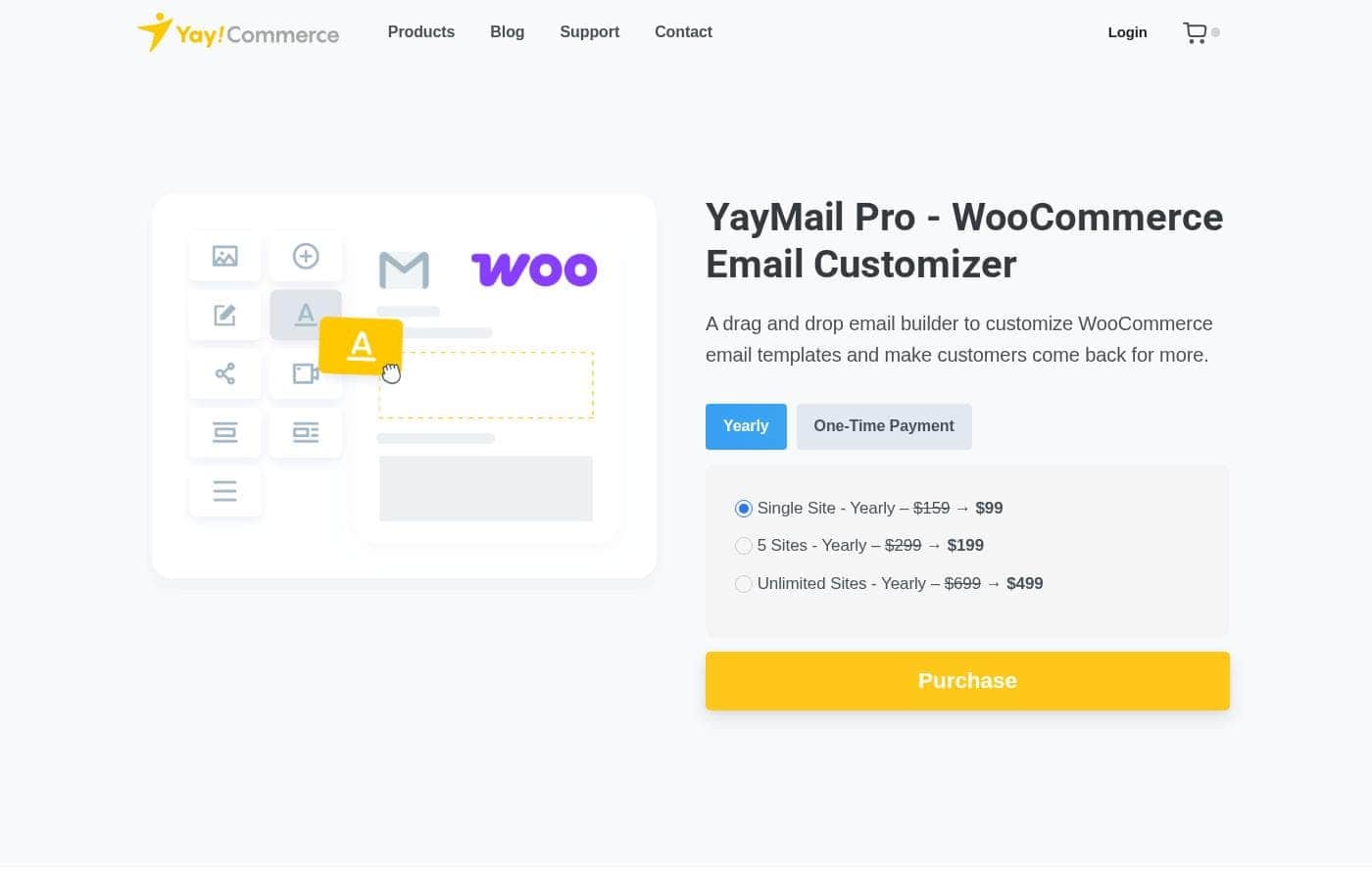
Yaymail homepage screenshot

At a glance

Quick overview for Yaymail: rating, pricing summary, key features, and highlights.

Ciroapp review

4.6
Code-free WooCommerce email perfection.

We thoroughly assessed YayMail Pro’s robust customization tools and found the functionality highly impactful for WooCommerce stores. We noted its strong drag-and-drop builder and vast integration compatibility, which simplifies brand consistency across all emails. Overall, the exceptional support feedback strongly suggests this product offers major value, making it a market leader.

Pros

  • Pro:Outstanding, fast, and professional customer support (highly praised by users).
  • Pro:Highly intuitive drag-and-drop editor simplifies email design.
  • Pro:Seamless compatibility with over 80 WooCommerce extensions.
  • Pro:Flexible pricing, including value-driven one-time lifetime licenses.

Cons

  • Con:An isolated incident of poor customer service interaction was reported.
  • Con:No free trial or version is explicitly offered (only a 30-day money-back guarantee).
Money-back guarantee
Yes — 30 days
Range: $59/year – $999 One-timeYearly subscription, One-time payment
This section is a summary. Detailed sections about features, use cases, pricing, and reviews follow below.

Yaymail review, pricing, features, pros & cons

Are your WooCommerce emails failing to reflect your brand and drive sales? YayMail Pro solves this common frustration. This powerful tool offers a simple drag-and-drop builder to customize all transactional emails.

You can ensure every message is on brand and even use conditional logic to turn simple emails into strategic sales opportunities. ✨

What is Yaymail?

YayMail Pro is an integrated email editor designed specifically for WooCommerce stores. It helps you customize every aspect of your transactional emails sent by WooCommerce. Store owners can effortlessly edit content, media, fonts, and colors in a single workspace.

This editor seamlessly covers customizing the 12 standard built-in transactional email types. It’s perfect for merchants who want professional branding without needing to write any code. ✅

Yaymail Key Features

✨ Effortless Design with Drag and Drop

YayMail provides a simple, integrated email editor designed specifically for WooCommerce. You can quickly and visually design professional emails using our intuitive workspace. This includes adding columns and element blocks easily, without needing to touch a single line of code.

The WYSIWYG editor shows you real-time changes as you build. You simply drag and drop elements into place to design your emails in minutes. This makes the tool ideal for store owners and non-technical roles who need powerful customization.

✨ Complete Coverage for All 12 Email Types

You can consistently manage and customize every crucial customer touchpoint. YayMail allows you to effortlessly customize the 12 standard, built-in WooCommerce transactional emails. This covers key communications like New Order, Order Processing, and Order Completed emails.

The system is flexible, too. YayMail only overrides the templates you actively enable in the editor. Emails like new account notifications or password resets can remain as plain text if you prefer, giving you control over which messages are branded.

🎯 Advanced Targeting with Conditional Logic 🎯

Turn simple customer notifications into a strategic sales channel. YayMail lets you target customers precisely by using conditional logic. This is an advanced feature that allows you to show or hide specific content blocks.

You can set these conditions based on criteria like order value or other specific rules. This means you can dynamically insert upsells, special offers, or requests for reviews only when it makes sense. This focused approach helps drive repeat purchases and conversion rates.

✨ Dynamic Data Insertion and Shortcode Support

Display accurate and personalized customer details exactly where they are needed. YayMail supports WooCommerce shortcodes, and it also detects third-party shortcodes. These tools allow you to insert dynamic data easily.

This data includes essential information like order details, customer addresses, shipping information, and coupons used. You can also customize purchased product lists quickly. All shortcodes are instantly accessible and automatically adapt to fit each unique email type.

✨ Global Brand Consistency

Ensure every email your store sends maintains a unified brand look. You can apply global design settings for layout, font, and color across all templates simultaneously. This instant application ensures a consistent professional appearance.

It is simple to apply a consistent Global Header and Footer section across all templates. If you need subtle design control, you can use the built-in CSS box to add custom styles and fine-tune every visual detail of your email’s appearance.

✨ Extensive Third-Party Compatibility

YayMail Pro works seamlessly with your growing WooCommerce setup. It supports customizing extra email templates added by over 80 major WooCommerce extensions. The comprehensive integration supports variables and data from most third-party plugins.

This compatibility covers essential tools like WooPayments, Shipment Tracking, and Custom Order Status plugins. This ensures you can customize all emails, regardless of which third-party tool generates them.

✨ Streamlined Workflow and Testing

The clean, intuitive workspace helps you work faster and more confidently. You can smoothly switch between editing blocks, viewing your design, and managing global settings. Before any email goes live, you can instantly preview templates on both desktop and mobile views.

To ensure perfection, you can send test emails and verify the output of placeholder values. For better template management, you can keep track of changes easily. YayMail also allows you to back up and transfer your customized templates between different websites.

Use Cases

🎨 Applying Global Branding Instantly

Your transactional emails should always look professional and match your store's style. Instead of editing 12 separate core templates, you can apply global design settings just once. This includes using your exact brand font, preferred colors, and overall layout.

You can also set a consistent global header and footer, ensuring familiarity across all messages. This step quickly unifies all your customer notifications, making sure your brand is perfectly represented in every email they receive.

🎯 Boosting Sales with Targeted Offers

Every order email is a chance to sell more products to an engaged customer. YayMail lets you use powerful conditional logic to show or hide specific content based on dynamic data. For example, you can insert an upsell block that only appears if the customer's order value exceeds a certain amount.

This precision targeting helps you make personalized offers automatically. You can also easily add specific blocks in the footer that encourage customers to request a review or feature purchased product lists.

🔌 Customizing Emails from Third-Party Extensions

Many stores use extra plugins for handling shipping, payments, or custom order statuses. These added extensions often create their own automated email templates. Fortunately, YayMail offers compatibility with over 80 WooCommerce extensions.

It allows you to customize these extra email templates seamlessly within the same drag-and-drop editor. You can identify the source plugin for each template at a glance and ensure that every email, even those from complex integrations like Shipment Tracking or WooPayments, remains perfectly on brand.

📲 Designing Code-Free and Testing Safely

The user-friendly drag-and-drop editor means marketing teams can design emails without needing a developer or writing code. You simply drag elements, edit content blocks, and see the changes instantly in a real-time visual editor.

Before you send anything to a real customer, you can preview the design on both mobile and desktop screens. You can also send a test email to yourself to check shortcode values, ensuring the final message looks flawless across all devices and email clients.

💾 Managing Templates Across Multiple Stores

If you manage several WooCommerce sites, standardizing emails can be difficult and time-consuming. YayMail makes it smarter to work across your projects.

Use the built-in tools to back up your beautifully customized templates. You can then easily transfer and restore them to different sites. This saves you significant time when launching a new store or updating staging environments.

✉️ Enhancing Customer Service Post-Purchase

Improve the customer experience by providing crucial information immediately after an order. You can easily attach files directly to specific emails, like an invoice, product care guide, or detailed installation instructions.

Pricing Overview for Yaymail

Pricing range
$59/year – $999 One-time
Pricing types
Yearly subscription, One-time payment
Money-back guarantee
Yes — 30 days

Yaymail Pro offers two convenient ways to buy: annual subscriptions or a one-time lifetime payment. Pricing starts at $59 per year for a single site license, scaling up based on the number of websites you need to cover.

Plans & Pricing

Single Site (Yearly)

MonthlyNot explicitly stated (Annual is $59)
Yearly$59
Limited to 1 website.
  • 1 Site License
  • Drag and drop builder
  • Customize 12 WooCommerce emails
  • 80+ third-party integrations
  • Custom CSS support

3 Sites (Yearly)

MonthlyNot explicitly stated (Annual is $139)
Yearly$139
Limited to 3 websites.
  • 3 Site License
  • All features of Single Site
  • Conditional logic
  • Apply Global Header & Footer

Unlimited Sites (Yearly)

MonthlyNot explicitly stated (Annual is $399)
Yearly$399
Recurring annual payment required.
  • Unlimited Site License
  • All features included
  • Back up and transfer templates across sites
  • Save and reuse design blocks

Single Site (Lifetime)

Yearly$199
One-time cost; Limited to 1 website.
  • 1 Site License (Lifetime)
  • One-time payment
  • No recurring fees
  • All Pro features

3 Sites (Lifetime)

Yearly$339
One-time cost; Limited to 3 websites.
  • 3 Site License (Lifetime)
  • One-time payment
  • Full access to drag-and-drop editor and integrations

Unlimited Sites (Lifetime)

Yearly$999
One-time cost.
  • Unlimited Site License (Lifetime)
  • One-time payment
  • Perpetual access to all Pro features and updates

Yaymail costs between $59 and $999 per purchase with 6 plans: Single Site (Yearly) at $59/year, 3 Sites (Yearly) at $139/year, Unlimited Sites (Yearly) at $399/year, Single Site (Lifetime) at $199, 3 Sites (Lifetime) at $339, and Unlimited Sites (Lifetime) at $999.

This pricing structure provides flexibility by offering both annual subscriptions and perpetual, one-time payment options.

Single Site (Yearly)

Price: $59 Yearly Websites Supported: 1 Best For: Small or new WooCommerce stores Refund Policy: 30-day money-back Other Features: Drag and drop builder, customize 12 built-in WooCommerce emails, support for shortcodes and dynamic data.

This annual plan is great if you are launching your first store and need a powerful email customization tool without a large upfront investment. It keeps your options flexible.

3 Sites (Yearly)

Price: $139 Yearly Websites Supported: 3 Best For: Growing businesses or small agencies Refund Policy: 30-day money-back Other Features: Conditional logic functionality, ability to set a global header and footer, email preview on desktop/mobile.

If you manage up to three different WooCommerce stores, this yearly license offers excellent value for scaling your brand consistency across multiple sites.

Unlimited Sites (Yearly)

Price: $399 Yearly Websites Supported: Unlimited Best For: Developers and large agencies Refund Policy: 30-day money-back Other Features: Back up and transfer email templates across different sites, full compatibility with 80+ third-party WooCommerce extensions.

Choose this recurring plan if you handle design and development for multiple clients, ensuring you always have the latest Yaymail Pro features across your entire portfolio.

Single Site (Lifetime)

Price: $199 One-Time Payment Websites Supported: 1 Best For: Dedicated long-term single stores Refund Policy: 30-day money-back Other Features: Perpetual license, never pay renewal fees, includes features like adding attachments to emails.

This is a solid choice for committed store owners. Pay one time and gain permanent access to the Pro features for your sole website.

3 Sites (Lifetime)

Price: $339 One-Time Payment Websites Supported: 3 Best For: Established merchants with a few sites Refund Policy: 30-day money-back Other Features: All Pro tools included, such as the ability to translate and localize order status emails without leaving the editor.

Opting for this license maximizes long-term savings compared to annual plans if you know you'll use the plugin on three sites indefinitely. This package brings significant value.

Unlimited Sites (Lifetime)

Price: $999 One-Time Payment Websites Supported: Unlimited Best For: Serial entrepreneurs and web development firms Refund Policy: 30-day money-back Other Features: Full, non-expiring access to all features and future updates, conditional logic support.

This unlimited lifetime option is the ultimate investment for professionals needing powerful tools across all their projects without worrying about annual fees. It provides maximum freedom.

While Yaymail Pro pricing doesn't show a free version or free trial, you can buy with confidence. All purchases are backed by a 100% no questions asked refund policy. You have 30 days from the purchase date to fully test out the email builder framework and receive a full refund if it doesn't meet your needs.

User Reviews

Users consistently rate YayCommerce products highly, frequently spotlighting the plugins' reliability and how easy they are to use across various WooCommerce setups. The support team is the true standout, earning repeated descriptions like "superb," "outstanding," and "fast and professional." Reviewers particularly appreciate the quick response times and effectiveness, even when addressing complex issues like compatibility bugs or honoring refund requests immediately.

Specifically regarding YayMail Pro, users call the drag-and-drop builder a "game-changer" that makes customization effortless and significantly enhances customer contacts. The sophisticated tools, like the live preview feature, save users considerable time.

Although feedback is overwhelmingly positive, there was one isolated incident noted where a customer service agent provided vague, unhelpful responses about a specific campaign idea. However, this appears to be an anomaly amidst a sea of high praise for the team’s dedication and efficiency.

👍

What users say elsewhere

K. Johnson
· Trustpilot · Feb 22, 2024
5.0 / 5

YayMail Pro significantly enhanced my email customization process with its user-friendly interface and extensive options. The drag-and-drop builder is a game-changer, and the live preview feature has consistently saved me a lot of time.

J. Smith
· Trustpilot · Sep 23, 2025
5.0 / 5

Yay Commerce plugins are excellent and backed up by superb support. I discovered a bug and sent an email with details. Within 24 hours they had updated the plugin to solve the issue. Very impressed!

No reviews yet.

Write a Review

Write a Review for Yaymail
0/100 characters
0/2000 characters

Why use Yaymail?

Do you want to boost your conversion rate using messages you already send? YayMail is more than a simple editor; it’s a strategic asset designed to drive repeat purchases for your store. It turns every customer notification into another sales opportunity.

  • 💡 Build professional emails visually: Design the exact emails you want in minutes using the WYSIWYG drag-and-drop editor. You never need to touch a single line of code, making it ideal for non-technical roles.
  • Maintain brand unity easily: Apply global design settings for layout, font, and color across all templates at once. You can apply a consistent global header and footer instantly.
  • Target customers with precision: Use conditional logic to show or hide blocks based on criteria like order value. You can dynamically insert order details and customer information using available shortcodes.
  • Enjoy expansive compatibility: Customize extra email templates added by over 80 WooCommerce extensions, including WooPayments and Shipment Tracking. YayMail uses seamless integration to support variables from most third-party data.
  • Work smarter, not harder: Preview your emails instantly on both mobile and desktop views before sending a test email to yourself. You can also back up and transfer your customized templates between different sites.

Ready to transform your workflow with Yaymail?

Frequently Asked Questions

Is Yaymail Pro's pricing based on the number of emails I send or my website traffic?

No, the licensing model is strictly based on the number of sites you use it on. Your chosen plan supports 1, 3, or unlimited websites, regardless of your email volume or store traffic.

Can Yaymail customize email templates created by external plugins?

Yes, Yaymail boasts seamless compatibility with over 80 third-party WooCommerce extensions. It can incorporate variables and data from those external plugins into your customized emails.

If I buy a Lifetime license, will I still receive future product updates?

Yes. The Lifetime license options grant perpetual access to all current features and future updates. You will never need to pay renewal fees to keep receiving updates.

If I manage multiple sites, can I easily reuse my existing email template designs?

Yes, if you purchase the Unlimited Sites license, you gain the ability to back up and transfer your customized email templates across different sites.

If I choose an Annual plan, how do I manage or cancel my subscription renewals?

Details regarding the specific cancellation steps for the annual subscription are not explicitly stated on the official site. You should find managing options within your customer account dashboard.

Is there a free trial offered to test out the email builder features?

Yaymail Pro does not offer a traditional free trial. However, every purchase is protected by a 30-day money-back guarantee, allowing you to test it risk-free.

Does Yaymail handle or store customer data or transactional records?

The official site does not explicitly state how or if Yaymail Pro handles customer email data or transactional records. As a WordPress plugin, it typically operates within your existing server environment.

What payment methods are accepted for buying a license?

You can pay using PayPal or a credit or debit card through the secure Stripe gateway. If you purchase via the Woo Marketplace, you may also have the option to use Apple Pay or Google Pay.

Does the support team provide a guaranteed response time or service level agreement (SLA)?

Not explicitly stated on the official site. They do offer 24/7 live chat and private ticket support, which users frequently praise for being quick and professional.

Does the email editor support languages like Arabic or Hebrew that read right-to-left (RTL)?

Yes, Yaymail confirms it supports RTL languages, including Arabic, Hebrew, and Persian. This ensures that your layout and text direction will display correctly.

Can I incorporate custom CSS styling into the templates if needed?

Yes, Yaymail includes a dedicated Custom CSS box. This allows users to add specific styling and fine-tune their email appearance beyond the drag-and-drop options.

Will Yaymail automatically override all my existing WordPress and WooCommerce emails?

No. Yaymail only overrides the specific transactional templates that you manually enable and customize within the editor. You can keep other email types, like new account notifications, as default plain text.

Can I attach files, like invoices or guides, to my WooCommerce emails using Yaymail?

Yes. With Yaymail Pro, you have the ability to attach files directly to your WooCommerce transactional emails. This is helpful for sending documents like invoices or product guides.

Ready to try Yaymail? Check out the official site or pricing.