WP Fusion

WP Fusion

The Essential Connector for WordPress Marketing Automation

#2 dans WordPress Plugins
2 min read · Updated 11/21/2025
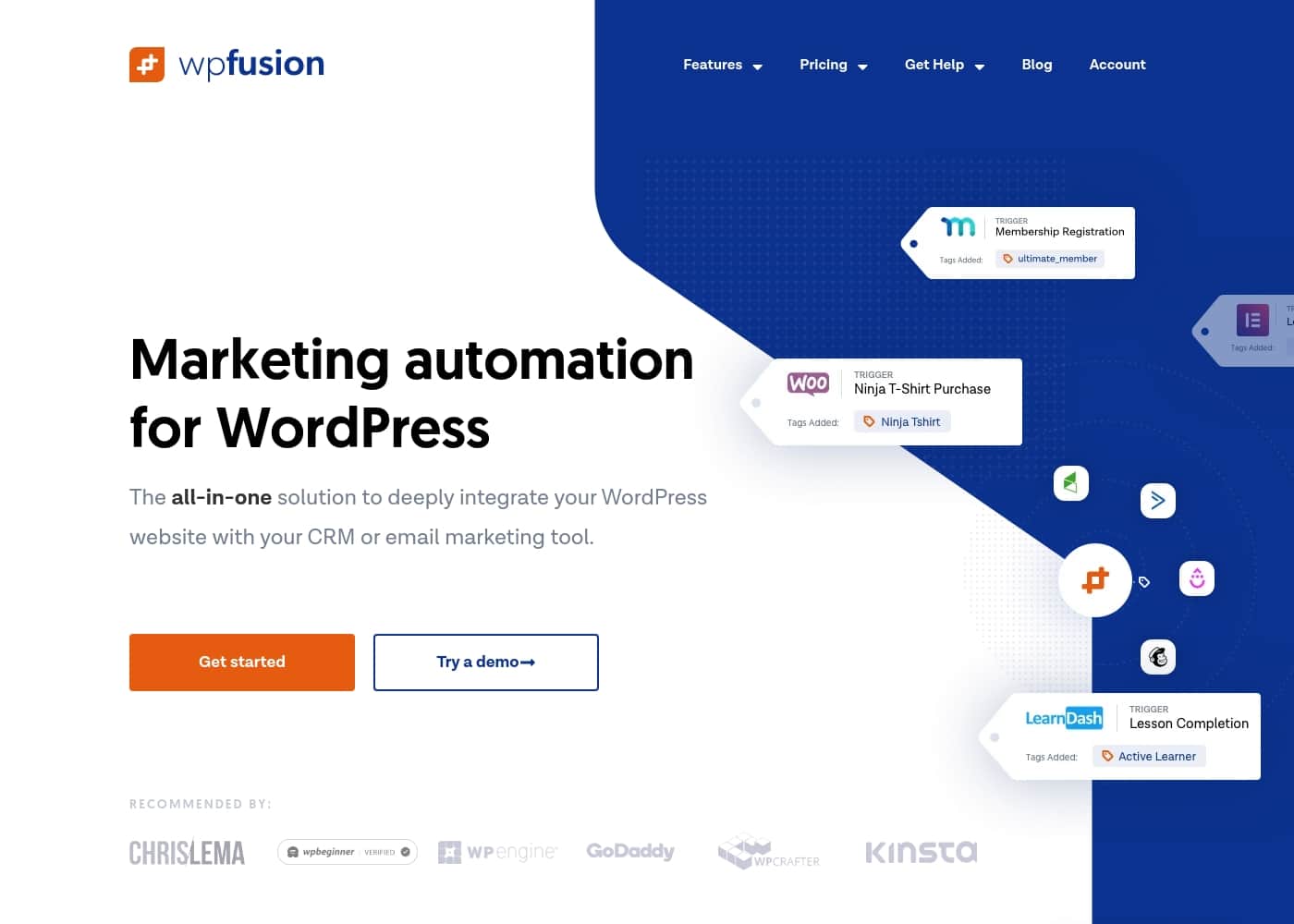
WP Fusion homepage screenshot

At a glance

Quick overview for WP Fusion: rating, pricing summary, key features, and highlights.
Money-back guarantee
Yes
Range: $0–$647/yearFree plan, Yearly subscription
This section is a summary. Detailed sections about features, use cases, pricing, and reviews follow below.

WP Fusion review, pricing, features, pros & cons

Are you frustrated by the disconnect between your WordPress site and your marketing platform? It's challenging when leads, memberships, and purchases don't automatically sync with your CRM. WP Fusion is the deep integration solution you need.

This powerful tool helps users save time and increase revenue using powerful marketing automation. ✨

What is WP Fusion?

WP Fusion is the essential connector that links your WordPress website directly with your chosen CRM or email marketing tool. Think of it as the glue that holds your sophisticated ecosystem together. This solution extends the functionality of plugins you already rely on, like those for e-commerce, memberships, or online courses. 💡

It works universally across all supported CRMs and integrates with over 100 popular WordPress tools. By connecting everything from lead generation to online learning, you gain limitless automation and valuable insight into your customer base.

WP Fusion Key Features

✨ Universal Integration and Connectivity

WP Fusion is the essential connector that acts as the glue between your WordPress site and your chosen CRM. You can stop worrying about the disconnect between your leads, purchases, and membership data. This solution works universally to integrate WordPress and over 100 popular plugins with all leading CRMs and marketing automation systems.

It extends the functionality of plugins you already use every day for e-commerce, online learning, and memberships. Connecting everything this deeply gives you limitless automation capabilities. Getting started is fast; installation takes only minutes.

✨ Deep Personalization and Access Control

You can easily personalize the entire WordPress site experience based entirely on tags and custom fields from your CRM. This feature allows for truly sophisticated engagements on your front end without needing a developer to build custom logic.

Use your CRM tags to control access to premium content, ensuring that only users with the correct status or purchase history can view it. This provides powerful flexibility in delivering highly targeted content experiences to your audience.

✨ Reliable Customer Data Synchronization

WP Fusion features an intuitive field mapping system designed to keep all your customer data perfectly in sync. You can connect any piece of user profile information directly to fields inside your CRM, including custom fields. This reliable sync ensures your CRM always displays accurate customer records, reflecting the most current data from your WordPress site.

Use field mapping to keep track of vital information:

✨ Automating Complex Activity Tracking

Stop wasting time on repetitive manual tasks by letting WP Fusion handle complex logic automatically. The system applies specific tags in your CRM based on user activity across your site. This activity tracking allows you to trigger events and perform truly sophisticated automations.

For example, you can engage students based on their course progress or award badges and achievements using timers and logic. You gain valuable insight by tracking engagement, last logins, and stale accounts, allowing you to trigger events other tools won't permit.

✅ E-commerce and Purchase History Sync

WP Fusion is crucial for connecting your membership sites and online stores to your marketing engine. It automatically tracks purchases and subscription statuses as they happen on your website. This immediate sync enables email customers based on their specific purchase history.

You can perform essential e-commerce actions like sending form submissions directly to your CRM. The tool also helps you recover abandoned carts, ensuring you capture maximum revenue potential from your online store.

Use Cases

🔒 Automated Content Protection for Members

You are running a popular membership site with varying access tiers. When a member's subscription status changes in your e-commerce platform, that information must restrict access instantly.

WP Fusion handles this by reliably syncing the status as a CRM tag. WordPress reads this tag and automatically enforces your content protection rules. This ensures only subscribers with the correct tag can view premium downloads or courses.

Expected outcome: Members always see the content they are entitled to, and administration staff avoid tedious manual access checks.

🎓 Engaging Students Based on Course Progress

It’s vital to send timely, relevant encouragement to students taking your online courses. WP Fusion connects your Learning Management System’s progress reports directly to your marketing tool.

When a student completes a specific module, WP Fusion applies a unique tag in the CRM instantly. You can then trigger automated, sophisticated campaigns based on course progress, not just enrollment status. You can even award badges and achievements using timers and logic based on their activity.

🛒 Recovering Lost Revenue from Abandoned Carts

Abandoned carts are a constant challenge for online stores. You can use WP Fusion to automate the process of bringing shoppers back.

Approach:

  1. A potential customer leaves items in their shopping cart without purchasing.
  2. WP Fusion tracks the activity and applies an 'Abandoned Cart' tag to their profile in your CRM.
  3. Your CRM triggers a specialized email or SMS sequence designed to recover the sale.

Tip: Use tags based on purchase history to exclude returning customers from irrelevant sales campaigns, saving you money on contact limits.

✨ Deep Personalization Across the Entire Website

You want to create a highly personalized experience for returning users without writing code. Use WP Fusion to easily personalize the entire WordPress site based on tags and custom fields in your CRM.

For example, if the CRM marks a user as 'VIP Customer,' your WordPress site can selectively display a special welcome message or exclusive pricing pages. This level of personalized content improves engagement and makes users feel valued based on their full customer journey.

🔁 Reliable Two-Way Data Synchronization

Keeping customer data synchronized across your website and CRM usually requires constant manual effort or custom development. WP Fusion simplifies this using an intuitive field mapping system.

You can connect any piece of user profile data—including complex custom fields—to your CRM’s corresponding fields. This keeps data like addresses, preferences, and internal metrics like lifetime values updated automatically. This reliability helps ensure your entire customer ecosystem remains perfectly in sync across multiple sites.

⏰ Identifying and Re-engaging Inactive Users

It’s hard to know exactly when to send a re-engagement email without tracking internal user activity. WP Fusion applies tags based on specific user behavior, helping you track stale accounts.

The system tracks last logins for all users. If a customer hasn't logged in for 60 days, WP Fusion automatically applies an 'Inactive' tag in the CRM. This triggers a timely email series designed to draw them back to the site, allowing you to perform sophisticated automation based on real-time engagement.

Pricing Overview for WP Fusion

Pricing range
$0–$647/year
Pricing types
Free plan, Yearly subscription
Money-back guarantee
Yes

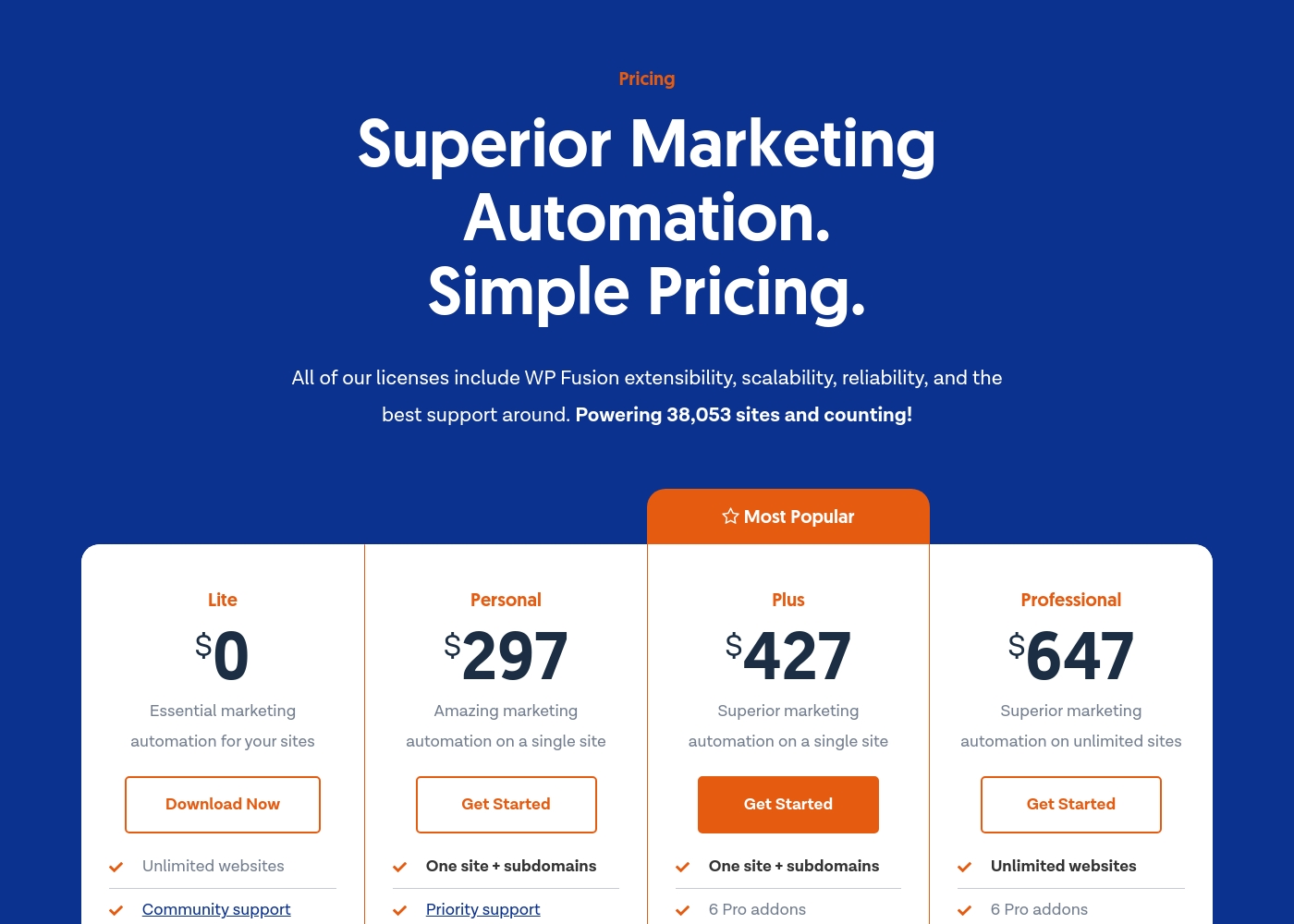
WP Fusion offers four straightforward annual license plans, including a free Lite option at $0. Paid plans range from $297 to $647 per year, scaling access from a single site to unlimited installations.

Plans & Pricing

Lite

Yearly$0
Not explicitly stated
  • Essential marketing automation for your sites
  • Unlimited websites
  • Community support

Personal

Yearly$297
One site + subdomains
  • Amazing marketing automation on a single site
  • One site + subdomains
  • Priority support

Plus

Yearly$427
One site + subdomains
  • Superior marketing automation on a single site
  • One site + subdomains
  • 6 Pro addons

Professional

Yearly$647
Unlimited websites
  • Superior marketing automation on unlimited sites
  • Unlimited websites
  • 6 Pro addons

WP Fusion costs between $0 and $647 per year with four plans: Lite at $0, Personal at $297, Plus at $427, and Professional at $647.

Let's look closely at what is included in each of these straightforward annual licenses.

Lite

Price: $0 per year Websites Supported: Unlimited websites Best For: Essential marketing automation Refund Policy: Not explicitly stated Other Features: Community support

This plan is perfect for those who need basic sync features across multiple installations without significant cost commitment. It's a great way to start using marketing automation features immediately.

Personal

Price: $297 per year Websites Supported: One site + subdomains Best For: Amazing marketing automation on a single site Refund Policy: Not explicitly stated Other Features: Priority support

If you manage a key site and require faster assistance, the Personal license provides powerful single-site automation. This includes full support for your main domain and any associated subdomains, which is ideal if you host content like courses or memberships separately.

Plus

Price: $427 per year Websites Supported: One site + subdomains Best For: Superior marketing automation on a single site Refund Policy: Not explicitly stated Other Features: 6 Pro add-ons, Priority support

The Plus plan is typically the most popular choice for users who want advanced functionality and all the available integrations. You get superior automation capabilities and crucial access to six powerful Pro add-ons, making this an excellent choice for a dedicated membership or course site.

Professional

Price: $647 per year Websites Supported: Unlimited websites Best For: Superior marketing automation on unlimited sites Refund Policy: Not explicitly stated Other Features: 6 Pro add-ons, Priority support

The Professional license offers the maximum value if you run multiple projects or manage sites for clients. This plan includes unlimited website installations, superior automation features, and all six Pro add-ons. It ensures consistent, comprehensive integration capability across your entire network.

While there is no explicit free trial mentioned, you can start with the $0 Lite plan to test essential functionality before committing. For any paid license, WP Fusion stands behind its product with a supportive guarantee. They promise to refund 100% of your money if you are unhappy with the plugin, ensuring your investment is well-protected.

User Reviews

No reviews yet.

Write a Review

Write a Review for WP Fusion
0/100 characters
0/2000 characters

Why use WP Fusion?

If you seek truly sophisticated automation without needing a developer, WP Fusion is ready to work for you. It simplifies complex tasks while ensuring your entire customer ecosystem remains perfectly in sync. This solution is robust, dependable, and helps you stop wasting time on repetitive manual tasks.

Here’s how WP Fusion transforms your website operations:

  • Deep Personalization: You can easily personalize the entire WordPress site experience based on tags and custom fields updated in your CRM.
  • Reliable Data Sync: The intuitive field mapping system keeps all customer data in sync. You can connect any piece of user profile data directly to your CRM, including custom fields.
  • Seamless Integration: WP Fusion plays well with others, connecting WordPress and the 100+ plugins you already use to the leading CRMs and marketing automation systems.
  • Automate Complex Logic: The system applies tags based on specific user activities, allowing you to track engagement, perform sophisticated automations, and trigger events based on course progress or purchase history.

Users confirm that WP Fusion is the missing link for their membership and learning management software. It allows you to trigger critical events that other tools simply won't permit. Getting started is fast—installation takes only minutes. You’ll also find extensive documentation and stellar support if you require assistance. Rethink how much WordPress can accomplish for you. ✅

Ready to transform your workflow with WP Fusion?

WP Fusion Alternatives

Other tools in the WordPress Plugins category

Frequently Asked Questions

What happens if I decide not to renew my annual license?

You are under no obligation to renew your license after one year. However, you need an active license key to receive continued automatic updates and customer support.

Is pricing based on how many users I have or how much data I sync?

Pricing depends only on the number of sites you need to cover. We do not use user limits or data transfer quotas for our billing structure.

If I buy a single-site license, does that cover my course site on a subdomain?

Yes, the Personal and Plus paid licenses cover one main website plus all associated subdomains. This setup works perfectly for syncing membership or course content.

Is there a free trial period to test the plugin before buying?

There is no typical free trial, but you can download the $0 Lite plan. This lets you test essential marketing automation features before committing to a paid tier.

Can I buy the Pro add-ons separately if I have the Personal plan?

No, the six Pro add-ons are exclusively included with the Plus and Professional license tiers. They are not available for individual purchase.

How long do I have to request a refund under the money-back guarantee?

WP Fusion stands behind its product with a supportive guarantee. We promise to refund 100% of your money if you are unhappy with the plugin.

How long does it take to install and set up WP Fusion?

Installation is easy and fast, often taking only minutes until you are running. Extensive documentation is available if you need help getting set up.

Can I easily switch to a higher-priced plan later on?

Yes, you can easily upgrade your license plan directly through your account page at any time.

Do I lose any features if I switch to a different CRM provider?

No. WP Fusion features are designed to work universally across every supported CRM integration. Your functionality will remain consistent.

What is the guaranteed response time (SLA) for priority support issues?

Not explicitly stated on the official site. Priority support is included with Personal, Plus, and Professional plans, promising stellar customer assistance.

Does WP Fusion handle custom user fields during synchronization?

Yes, WP Fusion excels at precise data synchronization. You can map any custom user profile data directly to matching custom fields inside your CRM.

What kind of users benefit most from this integration tool?

This plugin is highly beneficial for users running membership sites, LMS platforms, or e-commerce stores. It triggers complex automation based on user activity.

Ready to try WP Fusion? Check out the official site or pricing.