WinZip

WinZip review

Compress, encrypt, back up, and share files from one long-established utility.

By Ciroapp Editorial Team · Updated Sep 17, 2026

Commission may apply at no extra cost

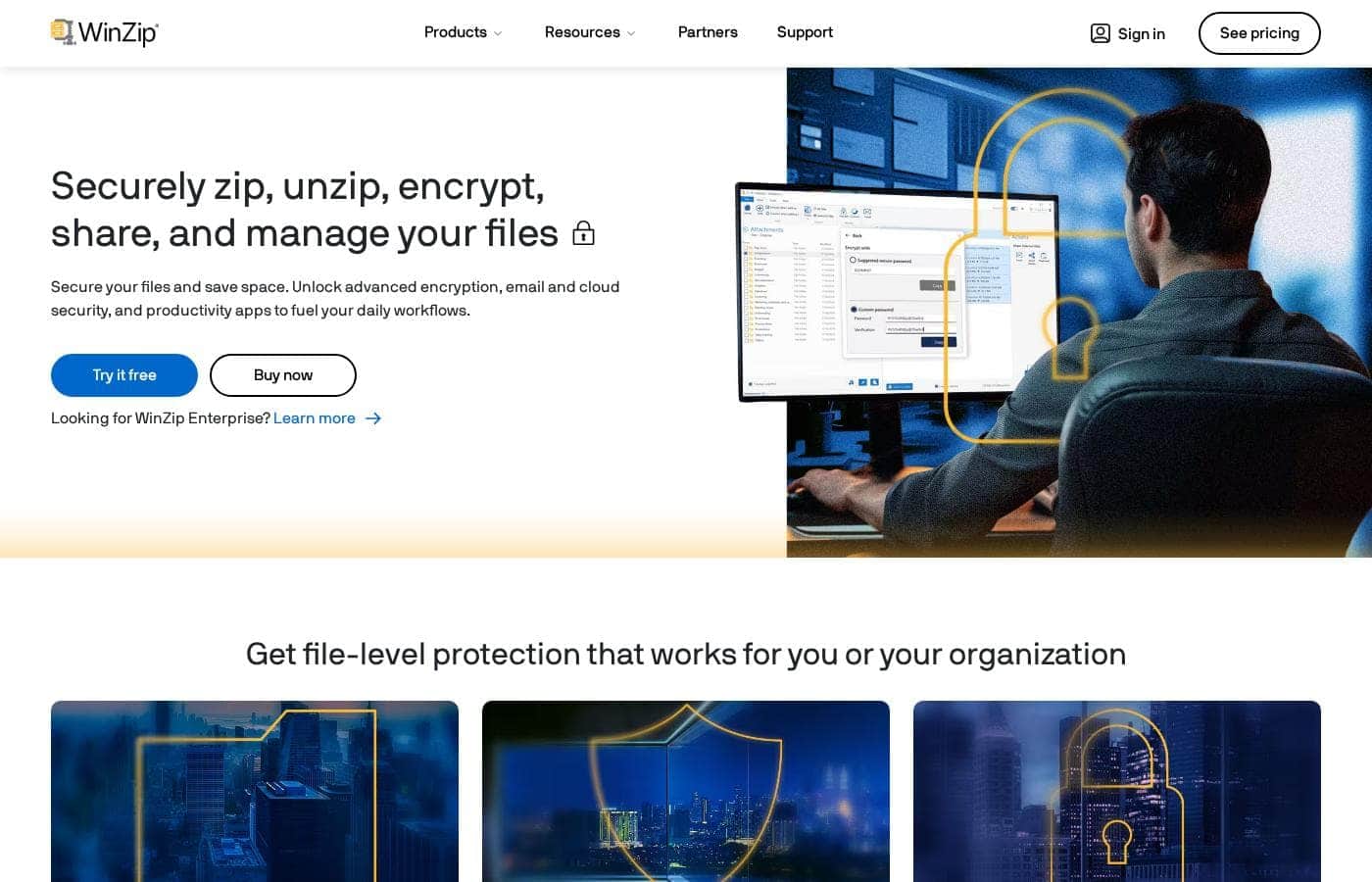
WinZip homepage screenshot

At a glance

Quick overview for WinZip: rating, pricing summary, key features, and highlights.
Vendor page checked Oct 13, 2026

Ciroapp score

3.6/ 5

WinZip bundles compression, AES encryption, scheduled backups, and cloud sharing into one polished app for Windows and Mac. It's mature and dependable, but you're paying for extras your operating system already handles free, and the full feature set requires a subscription. Overall, it's worth it if you encrypt and share files daily, not if you just unzip occasionally.

Pros

  • Pros:Combines compression, AES encryption, backup, and cloud sharing in one application instead of requiring separate tools for each step
  • Pros:Direct sharing to email and cloud services avoids manual upload-and-paste workflows and sidesteps email attachment size limits
  • Pros:Decades of development and adoption by millions of users and thousands of organizations, so the archive handling is mature and dependable

Cons

  • Cons:Requires a paid subscription for full functionality, while basic zip and unzip features are already built into Windows and macOS for free
  • Cons:The breadth of features means a heavier application than a minimal unzip utility, which can feel like overkill if you only occasionally open archives
  • Cons:Password-protected archives are only as secure as the password chosen, so users who pick weak passwords may have a false sense of security
Best for
  • Professionals who regularly email confidential documents and need reliable encryption built into their compression workflow
  • Small teams and organizations that want a standardized, secure way to package and share files across many users
  • Anyone who frequently transfers large files and wants direct cloud and email sharing without juggling multiple tools
This section is a summary. Detailed sections about features, use cases, pricing, and reviews follow below.

What is WinZip?

WinZip has been a fixture of Windows file management for decades, and it has grown well beyond its original job of zipping and unzipping archives. Today it combines compression, strong encryption, backup scheduling, PDF conversion, and direct sharing to email and cloud services in a single application. This review looks at what it actually does well, where it falls short, and who should consider paying for it.

WinZip is a file compression and management utility for Windows and Mac. Its core function is reducing file sizes through zip archives so files take up less storage and transfer faster. Around that core, it adds file encryption for sensitive documents, scheduled backups, duplicate file detection, direct upload to cloud storage platforms, and sharing links you can paste into email or chat.

It is used by individuals managing personal files and by organizations enforcing document security policies.
Should you choose WinZip?

Quick buyer guidance before you compare plans or click through.

Choose it if

  • Professionals who regularly email confidential documents and need reliable encryption built into their compression workflow
  • Small teams and organizations that want a standardized, secure way to package and share files across many users
  • Anyone who frequently transfers large files and wants direct cloud and email sharing without juggling multiple tools

Skip it if

  • Users who only occasionally open a zip file, since built-in OS tools handle that for free
  • Budget-conscious buyers who need nothing beyond basic compression and are unwilling to pay a subscription for extras they will not use

Next steps before buying

  1. 1Visit winzip.com and download the installer for your platform (Windows or Mac), then install it and start a trial to test the full feature set before purchasing
  2. 2Compress a sample folder, apply a password with AES encryption, and practice sending it via the built-in email or cloud sharing options to confirm the workflow fits your needs
  3. 3If you keep using it, choose a subscription plan on the WinZip store page that matches your usage, and set up a scheduled backup for your most important folders as your first real task

WinZip Key Features

✨ File Compression and Archive Support

WinZip compresses files into smaller zip archives to save storage space and speed up transfers. It handles the standard Zip format as well as other common archive types, so you can both create and extract files. Compression options let you balance archive size against speed depending on whether you are archiving for storage or preparing files to send.

✨ Encryption and File Security

Sensitive archives can be protected with password-based AES encryption, so confidential documents stay protected when they leave your machine. This matters for anyone emailing contracts, financial records, or client data, since an unencrypted zip attachment can be opened by anyone who intercepts it. Security controls also extend to how files are managed and backed up.

✨ Cloud and Email Sharing

Rather than fighting email attachment size limits, WinZip can send large files directly to cloud storage platforms and generate shareable links. You can also share directly via email from within the app. This turns the archive step and the delivery step into a single workflow instead of a manual upload-and-paste routine.

✨ Backup and File Management

WinZip includes backup tools for scheduling regular copies of important folders, reducing the risk of data loss from accidental deletion or drive failure. Supporting utilities such as duplicate file finding help reclaim disk space. Together these features position the app as a general file-management hub rather than a one-trick compressor.

Use Cases

💡 Sending Large Files by Email

Email systems commonly reject or mangle oversized attachments. Compressing a folder of documents or photos into a single archive shrinks it below attachment limits, and WinZip's direct sharing options let you hand off larger sets via a cloud link instead. This is the most common everyday use case for the software.

💡 Protecting Confidential Documents

Lawyers, accountants, HR staff, and consultants routinely send sensitive files. Encrypting an archive with a strong password before it leaves the building is a basic but effective safeguard, and WinZip makes that step part of the normal zipping workflow rather than a separate chore.

💡 Freeing Up Disk Space

Old project folders, downloads, and photo libraries accumulate quickly. Compressing infrequently accessed files shrinks their footprint, and the duplicate-file finder targets wasted space directly. Combined with scheduled backups, this makes WinZip useful for routine digital housekeeping.

💡 Team File Handoffs and Backups

Organizations use WinZip to standardize how files are packaged and secured before sharing, and to keep scheduled backups of working folders. Having one tool enforce the same compress-encrypt-share pattern across a team reduces mistakes compared with everyone improvising their own method.

WinZip pricing

Prices not verified yet — see the vendor page.

WinZip's pricing page

WinZip pricing page screenshotView pricing page screenshot

Price history

Tracking prices since Oct 1, 2026. No price change detected yet.

Pricing types: Monthly subscription, Yearly subscription, Usage-based pricing

Pricing notes

WinZip pricing: Billing options: Monthly subscription, Yearly subscription, Usage-based pricing

Email me when WinZip changes price

One email when we detect a price change on the vendor's pricing page. No newsletter, no deals. Unsubscribe in one click.

User Reviews

No reviews yet.

Write a Review

Write a Review for WinZip
0/100 characters
0/2000 characters

Why use WinZip?

Compression alone is a solved problem, but WinZip justifies itself by bundling the steps that usually follow it. Instead of zipping in one tool, encrypting in another, and uploading in a third, you can archive, password-protect with AES encryption, and push the result to a cloud service from one interface.

For anyone who regularly sends large attachments or handles confidential documents, that consolidation reduces both time and the chance of forgetting a security step.

WinZip alternatives

Other tools in the Zip Extractor category

View all Zip Extractor tools

WinZip FAQ

Is WinZip free to use?

WinZip is commercial software that typically requires a paid subscription for ongoing use, with plans starting from $0/year according to its current pricing tiers and ranging upward for premium and business-oriented options. A trial period lets you evaluate the full feature set before committing, but long-term use of the complete feature set generally requires a subscription.

Do I still need WinZip if Windows and Mac can already open zip files?

Both operating systems can create and extract basic zip archives natively, so if that is all you do, you may not need WinZip. It becomes worthwhile when you need the extras the OS lacks: strong AES encryption for confidential files, scheduled backups, duplicate file cleanup, and direct sharing to cloud services and email from one interface.

How does WinZip protect sensitive files?

WinZip supports password-based AES encryption, which scrambles the contents of an archive so it cannot be opened without the password. When you send confidential documents, encrypting the archive before it leaves your computer is a practical safeguard, and WinZip integrates this step directly into the zipping workflow rather than requiring a separate encryption tool.

Can WinZip send files that are too large for email?

Yes. Instead of forcing an oversized attachment through your email provider, WinZip can upload the compressed files to cloud storage and generate a share link, or share directly via email from within the app. This lets recipients download large sets of files without hitting attachment size limits.

Ready to try WinZip? Check out the official site or pricing.

Are you WinZip? Claim this listing · Get the badge