Virbo

Virbo review

AI product video drafts from a sentence, a photo, or a link

By Ciroapp Editorial Team · Updated Sep 17, 2026

Commission may apply at no extra cost

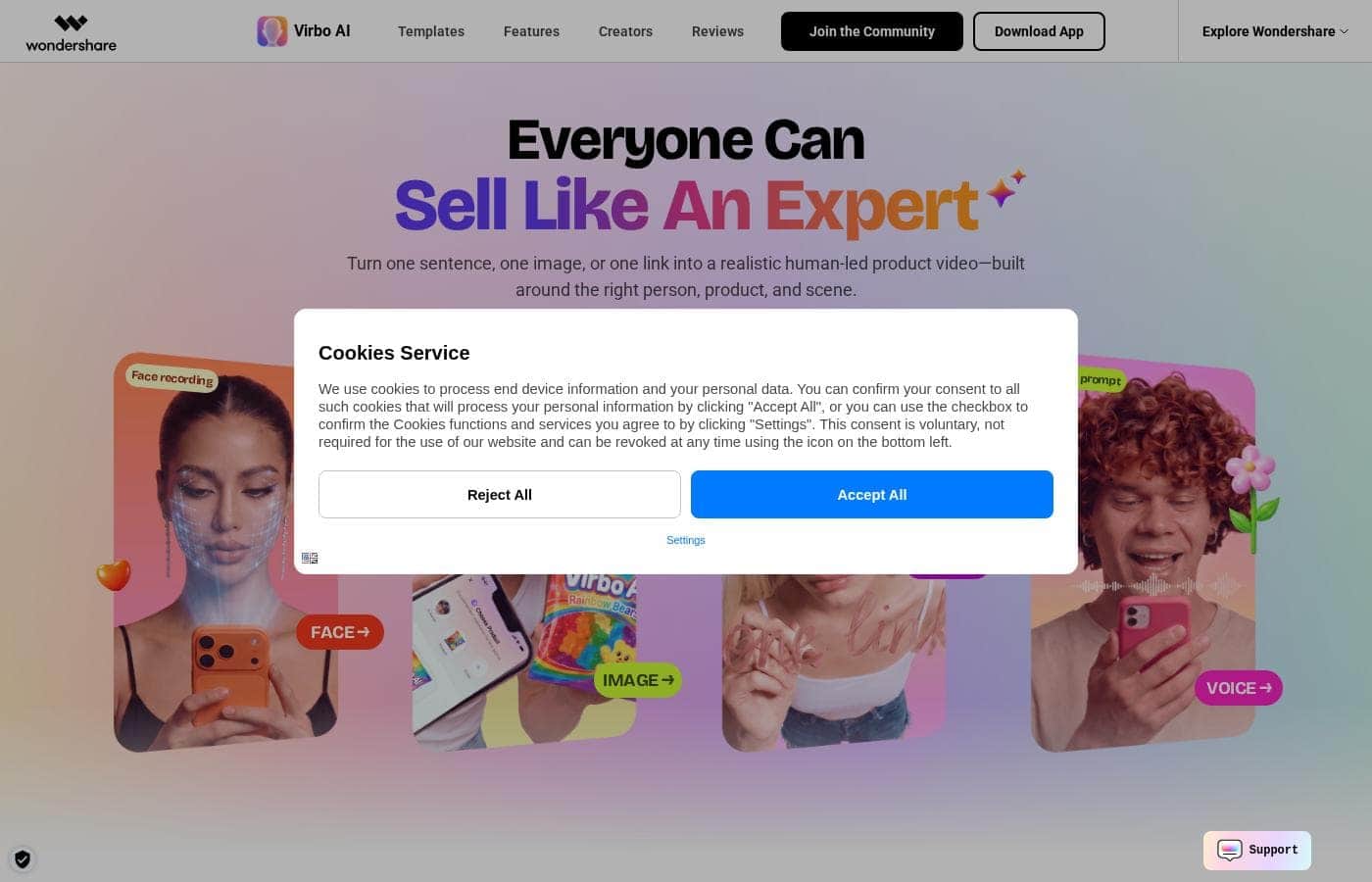
Virbo homepage screenshot

At a glance

Quick overview for Virbo: rating, pricing summary, key features, and highlights.

Ciroapp score

3.5/ 5

Virbo turns a sentence, product photo, or link into a workable video draft, backed by 350+ avatars, voice cloning, and translation into 80+ languages. The catch: plan prices weren't visible during our review, and AI output still needs human checking before you publish. Overall, it's a practical pick for quick product videos if you verify pricing first.

Pros

  • Pros:Starts videos from minimal input — a sentence, a product image, or a product link — so you get a concrete draft to refine instead of a blank editor
  • Pros:Large asset library with 350+ AI avatars, 400+ naturally sounding voices, and translation and speech support in over 80 languages for localized content
  • Pros:Hybrid Control blends AI generation with live footage to preserve creator identity and restore accurate product details, reducing the uncanny look common in AI video

Cons

  • Cons:Plan prices and billing terms weren't visible on the pricing page during our review, so you must check the official plans page to know what each tier costs
  • Cons:AI-generated drafts still need careful human review before publishing, particularly for complex product actions or claims
  • Cons:The tool is built for short marketing and social videos, so it's not a substitute for long-form production workflows
Best for
  • E-commerce sellers and dropshippers who receive just a product link or photo from a brand and need a usable video draft fast
  • Solo creators and UGC-style marketers testing multiple presenters, scenes, and angles before committing to a reshoot
  • Small marketing teams running several accounts for the same product who need distinct versions so no feed looks repetitive
This section is a summary. Detailed sections about features, use cases, pricing, and reviews follow below.

What is Virbo?

Virbo is an AI video creation suite covering text-to-video generation, AI avatars, voice cloning, video translation, AI dubbing, and an auto clip generator that turns long videos into shorts. Its product-focused workflow matches the presenter, product, and scene for you, and its Hybrid Control technology blends AI generation with live footage to preserve creator identity and product detail. The editor runs in a browser with no download required, and dedicated apps are available for Android and iOS.

Verdict

good-shortlived-projects-or-long-term-careers?: worthwhile for quick product videos, with caveats on pricing and output review

Virbo Key Features

🎬 Start with What You Already Have

Skip the scripting, filming, and editing. You can start from a sentence, a product image, or a product link, and Virbo builds a video draft from it. Then you refine the result as you go.

It's handy when you don't have footage yet but need something concrete to react to.

✨ Presenter, Product, and Scene—Matched

Who should sell what, and in which scene? Virbo AI matches the presenter, the product, and the setting for you. One click gives you a full product video draft, so you can test different people and scenes without reshooting anything.

That makes it easier to keep one product feeling fresh.

✨ Hybrid Control Keeps It Real

AI video can look off when it's not grounded in reality. Virbo's Hybrid Control technology blends AI generation with live footage. It preserves the creator's identity, restores product details accurately, and delivers naturally believable visuals.

Use it when your video needs to show a real product, not an approximation.

✨ Proven Templates, Ready to Fill

Pick a proven format before you create. Virbo's viral template library covers 18 categories, including fashion, beauty, personal care, and food, so you're not starting from a blank canvas.

  • Product reviews and unboxings
  • TVCs and product recommendations
  • Comparisons across items

Each template gives your video a structure that already works.

✨ A Full AI Video Toolkit in One Place

Virbo packs more than product drafts. You can generate videos from text with AI avatars, clone voices, translate videos, and add AI dubbing. There's also an auto clip generator that turns long videos into shorts.

So one tool can cover most of your short-video workflow.

Use Cases

🔗 Turn a Product Link into a First Draft

A brand sends you a link, not a script. Paste it into Virbo and get a usable starting video, so your time goes to checking facts, not facing a blank timeline. Expected outcome: a clear direction within minutes, not days.

🎬 Test Scenes Before You Shoot

Wondering if another angle would land? Generate quick variations with different people, scenes, and settings first. Small changes cost minutes, not a reshoot.

Tip: Complex actions still deserve careful review before you publish.

🔄 Keep One Product Fresh Across Accounts

Running several accounts for the same product? Start from different people and scenes to explore new directions. Each version feels distinct, so no feed looks like reruns.

Expected outcome: more creative options for your team to pick from.

🎥 Rescue Talking Points from Livestreams

Your live sessions already hold proven selling points. Turn those highlights into first video drafts so strong ideas keep working after the stream ends. > Tip: Start with the moments that got the best reactions.

Virbo pricing

Prices not verified yet — see the vendor page.

Virbo's pricing page

Virbo pricing page screenshotView pricing page screenshot
PlanBilled monthlyBilled annuallyIncludes
Free
See vendor page
See vendor page
  • Start online for free
  • Browser-based editor, no download needed
  • Mobile apps for Android and iOS

Pricing range: Free to start

Pricing types: Free plan

Pricing notes

Virbo invites you to start online for free, and its web and mobile apps cover AI avatars, text to video, voice cloning, video translation, and more. Exact plan prices weren't shown on the page we reviewed, so check Virbo's official plans page for current rates.

Virbo doesn't list plan prices on the page we reviewed, but the site invites you to start online for free before you pay anything.

Here's what Virbo's own site does confirm.

Start Online For Free

Price: Free Best For: Testing the platform before any commitment Other Features: Browser-based access with no download needed, plus mobile apps for Android and iOS

This free entry point is the clearest pricing signal on Virbo's site. You can open the web editor and try the core experience before spending a cent. It's a low-pressure way to see whether the tool fits how you work.

So what would a paid plan cover? Virbo is an AI video generator built for short marketing and social videos. You can start from a sentence, a product image, or a product link, then refine the result as you create. The toolkit is broad: AI avatars, text to video, voice cloning, video translation, AI dubbing, and an auto clip generator that turns long videos into shorts.

There's also a template library with 18 categories, including fashion, beauty, personal care, and food. Templates cover product reviews, unboxings, TVCs, recommendations, and comparisons. Virbo's Hybrid Control feature blends AI generation with live footage to keep creators and products looking true to life.

You can work in your browser or on your phone. Mobile apps are available for Android and iOS, so you're not tied to a desk.

One practical tip before you buy: this pricing page didn't load, so check Virbo's official plans page for live prices, plan limits, and billing terms. That's where you'll confirm monthly versus yearly costs and any usage caps. Plan details can change, so a quick check now saves surprises later.

The bottom line: Virbo lets you start online for free, so you can explore the platform with no upfront cost. Once you've seen what it can do, upgrading becomes an easy decision.
Email me when Virbo changes price

One email when we detect a price change on the vendor's pricing page. No newsletter, no deals. Unsubscribe in one click.

User Reviews

No reviews yet.

Write a Review

Write a Review for Virbo
0/100 characters
0/2000 characters

Why use Virbo?

Producing product videos traditionally requires recording equipment, editing software, and time most small teams don't have. Virbo removes those barriers by generating a usable draft in minutes from whatever you already have — a product link, a photo, or a one-line brief.

Its 18-category template library covers proven formats like reviews, unboxings, TVCs, and comparisons, so you're reacting to a concrete draft rather than facing a blank timeline. For teams selling across multiple channels or languages, the 80+ language support and auto clip generation extend one piece of content much further.

Virbo alternatives

Other tools in the AI Video Generator category

View all AI Video Generator tools
HeyGen

HeyGen

AI Video Generator4.4/5

HeyGen is an advanced AI video platform designed to make creating professional content easy. It handles the entire video process automatically, from script to final sync. You don’t need special cameras or a full studio setup anymore. It’s perfect for business teams and creators who value quality, simplicity, and speed. HeyGen’s foundation is built on its AI Studio, a text-based editor that makes refining your videos feel as easy as modifying a document. That means you can focus entirely on human-first storytelling.

Synthesia

Synthesia

AI Video Generator4.3/5

Synthesia is a powerful AI video generation platform trusted by over 50,000 teams. It allows businesses to create polished, on-brand videos without needing complex filming or specialized editing skills. You simply provide text, and the platform generates content using expressive, customizable AI Avatars. The entire video workflow—from creation to publishing—is housed in a single, secure environment. It’s built for enterprise use, satisfying tough legal and security requirements.

ngram

ngram

AI Video Generator4.2/5

ngram is an AI Video Engine. Help Marketing and product teams create professional videos without hiring a video team. Earn up to 30% recurring commission for every customer you refer.

Colossyan Creator

Colossyan Creator

AI Video Generator4.1/5

Colossyan Creator is an innovative AI video platform designed for enterprises and growing teams. It allows anyone to transform documents, such as PDFs and PowerPoints, or simple text scripts into polished, narrated training videos. You don't need any special editing skills. This platform eliminates the need for expensive video production, making it fast and simple to create, update, and translate materials. You can select an AI avatar or just use a voiceover to interact with your learners, ensuring training that engages everyone.

DeepBrain AI

DeepBrain AI

AI Video Generator4/5

AI STUDIOS is the comprehensive, all-in-one SaaS platform designed by DeepBrain AI for rapid video creation. It functions as a single, powerful workspace where you handle everything from script input to final 4K export. The platform combines advanced AI features with essential video editing tools, all accessible through the cloud. It’s built for businesses, educators, and content creators who need to make professional-level content quickly and at scale. Whether you start with a text prompt or a PDF, AI STUDIOS quickly delivers a polished video ready to share.

Visla

Visla

AI Video Generator3.8/5

Visla is an innovative, AI-powered platform designed for seamless video creation. It eliminates the barrier of needing editing expertise, allowing you to move quickly from an initial thought to a polished final video. The core of the system is the intelligent AI Video Agent, which analyzes your input and builds a complete draft with visuals and narration. The platform is ready for enterprise teams, too, supporting secure Single Sign-On and SOC 2 Type II compliance for strong data integrity.

Virbo FAQ

Who is Virbo best for?

It's built for quick product and marketing videos. Virbo's use cases target e-commerce, product reviews and unboxings, brand promotion, customer service, plus education and training content — a fit for sellers, small teams, and solo creators.

Can I use Virbo on my phone, or only in a browser?

Both work. The editor runs in your browser with no download needed, and dedicated apps are on Google Play for Android and the App Store for iOS.

How do I get started and learn the tool?

Start in the editor from a sentence, product photo, or link, then refine as you go. For learning, Virbo offers an online user guide, YouTube video tutorials, a tech specs page, and an official community.

Does Virbo offer support with guaranteed response times?

The pages we reviewed list a user guide, YouTube tutorials, and an official community, but no response-time guarantee. If quick support matters to your decision, confirm availability and speed with Virbo before you buy.

Ready to try Virbo? Check out the official site or pricing.

Are you Virbo? Claim this listing · Get the badge