Vidnoz

Vidnoz review

Turn text into professional AI videos in four steps, free.

By Ciroapp Editorial Team · Updated Sep 17, 2026

Commission may apply at no extra cost

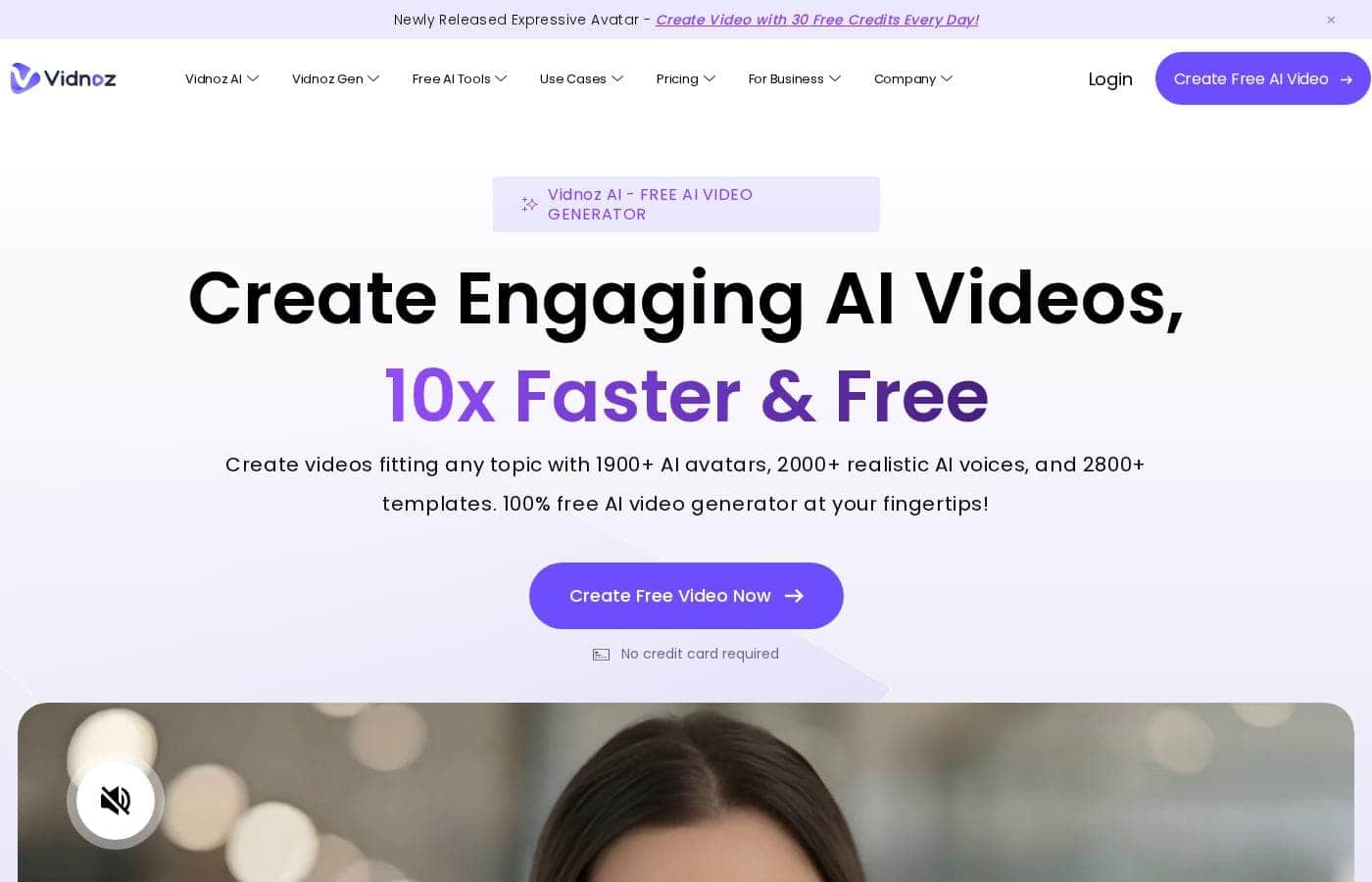
Vidnoz homepage screenshot

At a glance

Quick overview for Vidnoz: rating, pricing summary, key features, and highlights.
Vendor page checked Oct 12, 2026

Ciroapp score

3.6/ 5

Vidnoz turns scripts into presenter-style videos using templates, AI avatars, and a browser-based editor, and its free plan makes it easy to try before paying. Creative control is limited compared with traditional editors, and detailed plan pricing isn't published beyond the free tier. Overall, it's a practical pick for steady volume content like explainers, training clips, and social videos.

Pros

  • Pros:The free plan lets users generate real videos without any upfront cost, making it easy to evaluate before committing to a subscription.
  • Pros:The four-step workflow (template, script, customize, generate) is simple enough for users with no video editing experience to complete a video end to end.
  • Pros:AI avatars and synthesized voices remove the need for on-camera talent, microphones, or studio recording for presenter-style videos.

Cons

  • Cons:Template-driven creation limits creative control compared with traditional editing tools like Premiere Pro or DaVinci Resolve, which matters for highly custom or brand-specific productions.
  • Cons:AI avatars and synthesized voices, while realistic, may not suit audiences that expect a genuine human presenter or highly emotive delivery.
  • Cons:Free plans on AI video platforms typically carry limits such as watermarking, export caps, or reduced rendering priority, so heavier usage will require a paid tier.
Best for
  • Solo content creators and small businesses that need regular social media or explainer videos without a production budget.
  • Marketing teams producing high volumes of short promotional or announcement videos on a recurring schedule.
  • HR and training teams converting written onboarding and policy material into narrated video content.
This section is a summary. Detailed sections about features, use cases, pricing, and reviews follow below.

What is Vidnoz?

Vidnoz AI is a browser-based video generation platform aimed at removing the traditional bottlenecks of video production: scripting, filming, and editing. Instead of shooting footage, users type or paste a script, choose a template and an AI avatar or voice, and let the platform render a finished video. It is positioned for speed, offering a free tier that makes it accessible to individuals while scaling to the needs of larger media teams.

Vidnoz is an AI video generator that converts text input into complete videos using prebuilt templates, realistic AI avatars, and synthesized voiceovers. The workflow is structured around four steps: choosing a template or starting point, customizing the script and visuals, applying AI assets such as avatars and voices, and exporting the final video. Everything runs in the browser, so no camera, studio, or editing software is required.
Should you choose Vidnoz?

Quick buyer guidance before you compare plans or click through.

Choose it if

  • Solo content creators and small businesses that need regular social media or explainer videos without a production budget.
  • Marketing teams producing high volumes of short promotional or announcement videos on a recurring schedule.
  • HR and training teams converting written onboarding and policy material into narrated video content.
  • Educators and course creators who want presenter-style lesson videos without filming themselves.

Skip it if

  • Productions requiring custom filmed footage, cinematic camera work, or complex motion graphics that templates cannot accommodate.
  • Brands that require a live human presenter with authentic emotional delivery rather than an AI avatar.
  • Users who need frame-level editing control comparable to professional NLE software such as Premiere Pro or DaVinci Resolve.

Next steps before buying

  1. 1Create a free account at vidnoz.com to access the free plan and explore the editor before paying anything.
  2. 2Browse the template library and pick a template that matches your video type, such as an explainer or social media clip.
  3. 3Write or paste your script, then select an AI avatar and voice that fit your content and audience.
  4. 4Customize the scenes with your own media and branding, generate the video, and review the output before scaling up to a paid plan if you need higher volume or exports without free-tier limits.

Vidnoz Key Features

✨ AI Avatars and Voices

Vidnoz provides a library of realistic AI avatars that act as on-screen presenters, paired with synthesized voices for narration. Users select an avatar and voice, provide a script, and the platform generates a video of the avatar delivering the content, eliminating the need for filming or voice recording.

✨ Template Library

The platform includes a comprehensive set of templates covering common video formats such as explainer videos, announcements, and social media clips. Templates handle layout, pacing, and visual structure so users start from a finished frame rather than a blank canvas.

✨ Four-Step Production Workflow

Vidnoz structures video creation as four steps: pick a template or scene, enter or paste your script, customize with AI assets and media, and generate the final video. This guided flow is designed so users without editing experience can complete a video end to end.

✨ Browser-Based Editing

All creation and editing happen in the web browser with no software installation. Users can adjust text, swap assets, and rearrange scenes within the editor, then export the finished video directly.

Use Cases

💡 Marketing and Social Media Content

Marketing teams and solo creators can use templates to quickly produce promotional clips, product explainers, and social media videos. Because a video can be generated from a script in minutes, teams can maintain a regular posting schedule without a production crew.

💡 Training and Internal Communication

HR and L&D teams can turn written training material, onboarding documents, or policy updates into narrated videos using AI avatars. This makes internal content more engaging than plain documents while avoiding the cost of filming a human presenter for every update.

💡 Explainer and Educational Videos

Educators and content creators can convert lessons, tutorials, or how-to guides into videos with a consistent presenter. Templates designed for explanation-style content help structure the narrative without manual scene planning.

💡 Rapid Prototyping of Video Ideas

Teams can draft a script, generate a quick video to test messaging or concepts, and iterate before committing to higher-production content. This makes Vidnoz useful as a low-cost way to validate video ideas early.

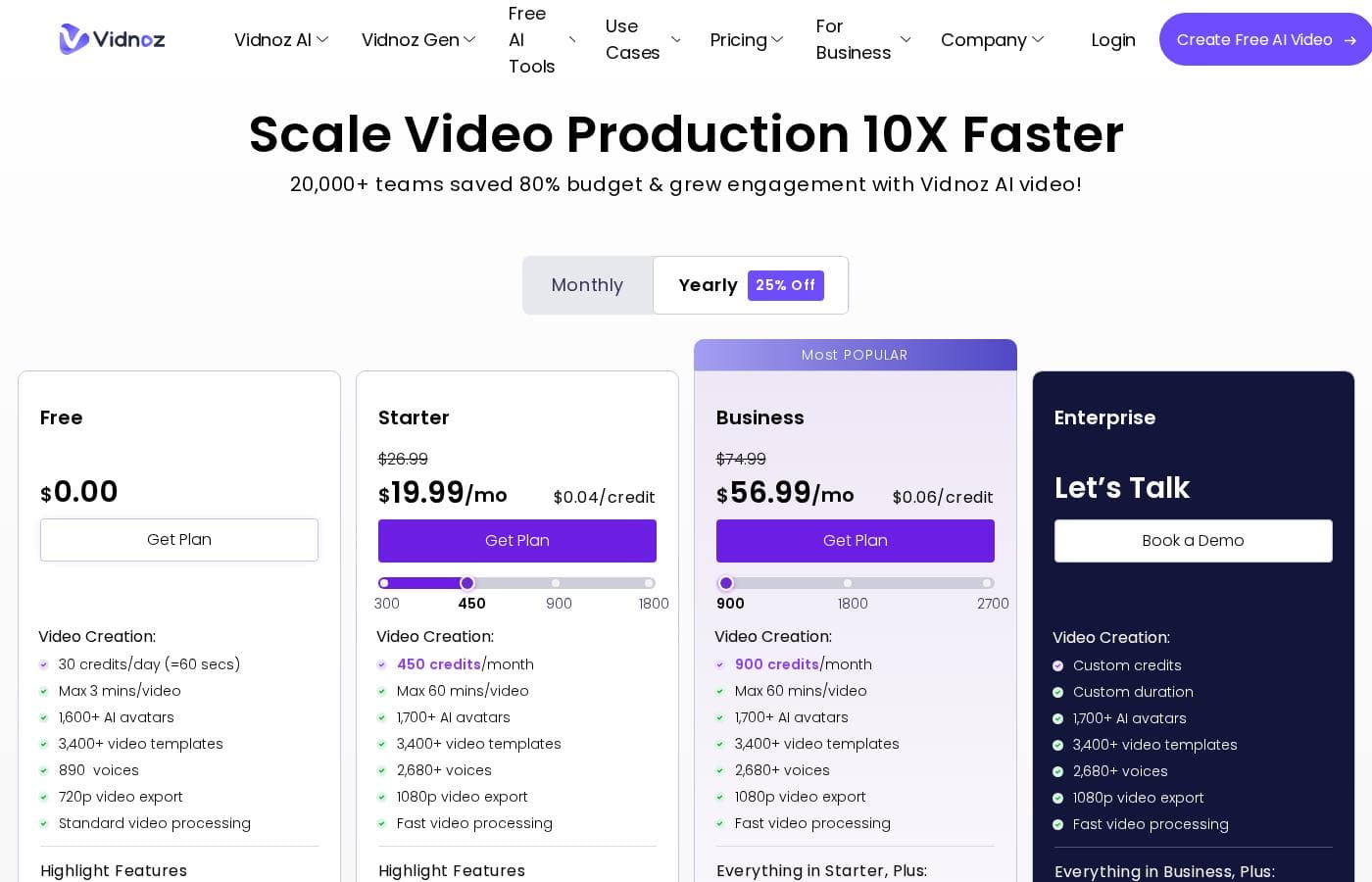
Vidnoz pricing

Prices not verified yet — see the vendor page.

Vidnoz's pricing page

Vidnoz pricing page screenshotView pricing page screenshot

Price history

Tracking prices since Oct 9, 2026. No price change detected yet.

Pricing types: Free plan, Monthly subscription, Yearly subscription, Usage-based pricing

Pricing notes

Vidnoz pricing: Plans from $0/month Billing options: Free plan, Monthly subscription, Yearly subscription, Usage-based pricing

Email me when Vidnoz changes price

One email when we detect a price change on the vendor's pricing page. No newsletter, no deals. Unsubscribe in one click.

User Reviews

No reviews yet.

Write a Review

Write a Review for Vidnoz
0/100 characters
0/2000 characters

Why use Vidnoz?

Producing video traditionally requires equipment, on-camera talent, and hours of editing, which puts regular video output out of reach for many small teams. Vidnoz addresses this by automating the production layer: templates handle layout and pacing, AI avatars replace on-camera presenters, and text-to-speech handles narration.

For teams that need a steady stream of video content, this compresses production time from hours to minutes and removes the need for specialized editing skills.

Vidnoz alternatives

Other tools in the AI Video Generator category

View all AI Video Generator tools
HeyGen

HeyGen

AI Video Generator4.4/5

HeyGen is an advanced AI video platform designed to make creating professional content easy. It handles the entire video process automatically, from script to final sync. You don’t need special cameras or a full studio setup anymore. It’s perfect for business teams and creators who value quality, simplicity, and speed. HeyGen’s foundation is built on its AI Studio, a text-based editor that makes refining your videos feel as easy as modifying a document. That means you can focus entirely on human-first storytelling.

Synthesia

Synthesia

AI Video Generator4.3/5

Synthesia is a powerful AI video generation platform trusted by over 50,000 teams. It allows businesses to create polished, on-brand videos without needing complex filming or specialized editing skills. You simply provide text, and the platform generates content using expressive, customizable AI Avatars. The entire video workflow—from creation to publishing—is housed in a single, secure environment. It’s built for enterprise use, satisfying tough legal and security requirements.

ngram

ngram

AI Video Generator4.2/5

ngram is an AI Video Engine. Help Marketing and product teams create professional videos without hiring a video team. Earn up to 30% recurring commission for every customer you refer.

Colossyan Creator

Colossyan Creator

AI Video Generator4.1/5

Colossyan Creator is an innovative AI video platform designed for enterprises and growing teams. It allows anyone to transform documents, such as PDFs and PowerPoints, or simple text scripts into polished, narrated training videos. You don't need any special editing skills. This platform eliminates the need for expensive video production, making it fast and simple to create, update, and translate materials. You can select an AI avatar or just use a voiceover to interact with your learners, ensuring training that engages everyone.

DeepBrain AI

DeepBrain AI

AI Video Generator4/5

AI STUDIOS is the comprehensive, all-in-one SaaS platform designed by DeepBrain AI for rapid video creation. It functions as a single, powerful workspace where you handle everything from script input to final 4K export. The platform combines advanced AI features with essential video editing tools, all accessible through the cloud. It’s built for businesses, educators, and content creators who need to make professional-level content quickly and at scale. Whether you start with a text prompt or a PDF, AI STUDIOS quickly delivers a polished video ready to share.

Visla

Visla

AI Video Generator3.8/5

Visla is an innovative, AI-powered platform designed for seamless video creation. It eliminates the barrier of needing editing expertise, allowing you to move quickly from an initial thought to a polished final video. The core of the system is the intelligent AI Video Agent, which analyzes your input and builds a complete draft with visuals and narration. The platform is ready for enterprise teams, too, supporting secure Single Sign-On and SOC 2 Type II compliance for strong data integrity.

Vidnoz FAQ

Is Vidnoz really free to use?

Yes. Vidnoz offers a free plan that starts at $0/month, so you can generate videos without paying. The free tier comes with the limitations typical of free AI video plans (such as usage caps), and Vidnoz also offers monthly and yearly subscription tiers plus usage-based pricing for users who need more volume or features. Checking the current plan details on the pricing page before committing is advisable, since limits and inclusions can change.

Do I need video editing experience to use Vidnoz?

No. Vidnoz is built around a four-step process: choose a template, provide your script, customize the visuals and AI assets, and generate the video. Templates handle layout and pacing, and AI avatars handle the on-screen presentation, so the platform does most of the technical work. Users comfortable with basic web apps can produce a finished video without any prior editing background.

What kinds of videos is Vidnoz best suited for?

Vidnoz works best for presenter-style and structured content: explainers, training and onboarding videos, product announcements, social media clips, and educational material. Because it relies on templates and AI avatars, it is less suited to cinematic footage, complex motion graphics, or productions that require custom filmed footage.

Can teams use Vidnoz for regular content production?

Yes. Vidnoz is positioned for both individual creators and larger media teams that need consistent video output. The subscription and usage-based billing options support higher volumes, and the template-driven workflow keeps quality consistent across multiple contributors, which is useful when several people on a team produce videos.

Ready to try Vidnoz? Check out the official site or pricing.

Are you Vidnoz? Claim this listing · Get the badge