Upscale.media

Upscale.media review

AI image upscaling connected to the PixelBin asset ecosystem, with extensible APIs for developer workflows

Upscale.media costs from $15/mo Β· 3 plans Β· prices checked Oct 13, 2026

By Ciroapp Editorial Team Β· Updated Sep 16, 2026

Commission may apply at no extra cost

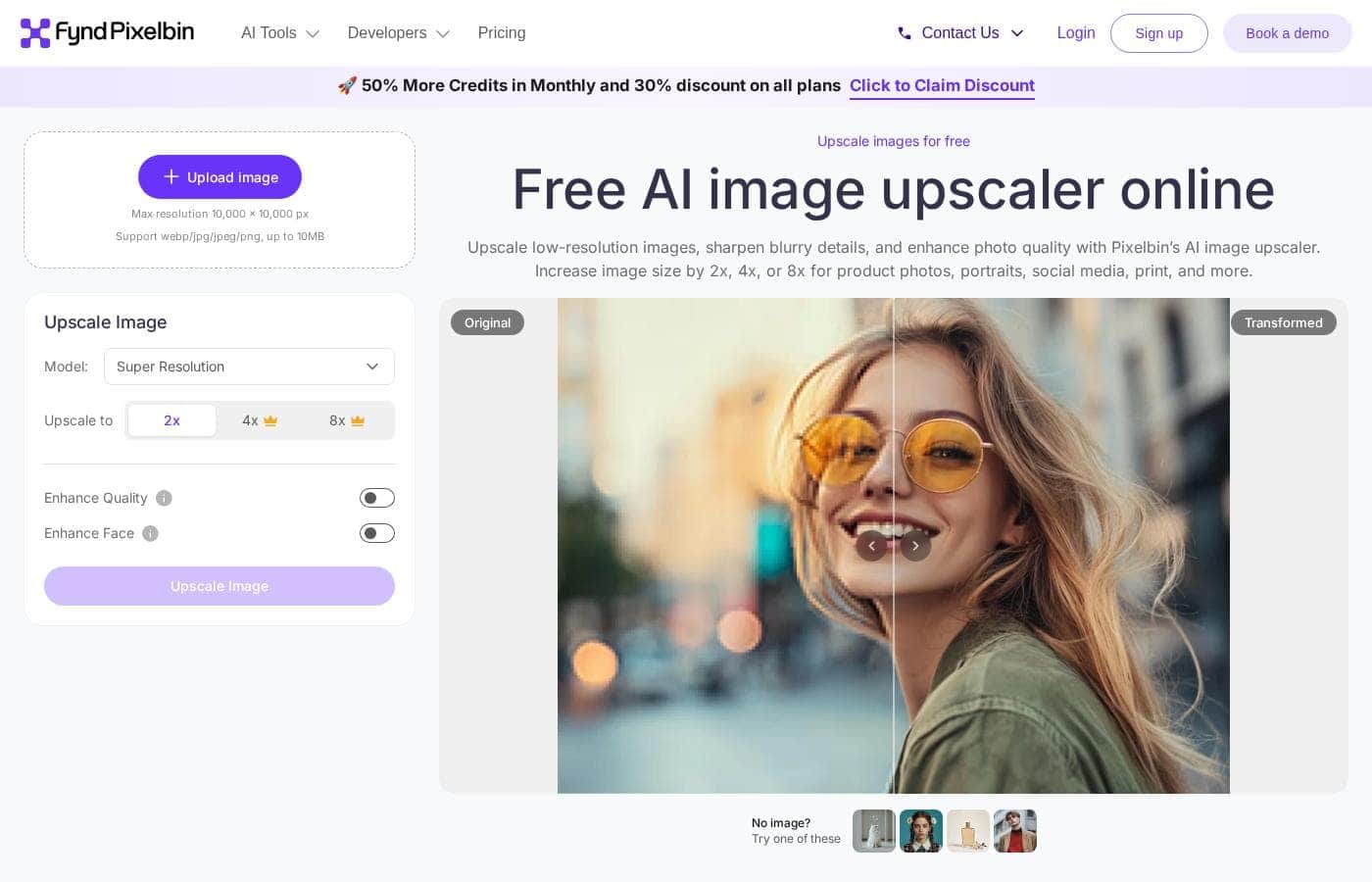
Upscale.media homepage screenshot

At a glance

Quick overview for Upscale.media: rating, pricing summary, key features, and highlights.
Pricing verified Oct 13, 2026

Ciroapp score

3.5/ 5

Upscale.media brings AI image enlargement into the PixelBin asset ecosystem, with extensible APIs that suit developers and retail teams working at volume. Independent reviews are scarce, and the top pricing tier climbs steeply. Overall, it's a credible workflow pick if you test the free tier on your own images first.

Pros

  • Pros:Free entry point β€” plans start at $0/month, so upscaling quality can be tested on real images before any spend
  • Pros:Extensible APIs let developers embed upscaling directly into applications instead of processing files through a manual interface
  • Pros:Membership in the PixelBin ecosystem means upscaled images can be stored, managed, and further transformed without switching tools

Cons

  • Cons:Independent review coverage is thin β€” there is little third-party user feedback from major review platforms to validate real-world performance
  • Cons:The PixelBin ecosystem orientation can be more machinery than a casual user needs for occasional one-off enlargements
  • Cons:Enterprise-scale pricing climbs steeply β€” the published plan range tops out at $99,696/month, signaling a large gap between entry and high-volume tiers
Best for
  • E-commerce and retail teams that need to enlarge supplier or catalog product images to listing-ready sizes on a recurring basis
  • Developers building apps or pipelines that should upscale images automatically via API rather than through a manual interface
  • Organizations already using PixelBin for digital asset management that want upscaling inside the same ecosystem
This section is a summary. Detailed sections about features, use cases, pricing, and reviews follow below.

What is Upscale.media?

Upscale.media is an AI image upscaler developed by Shopsense Retail Technologies Limited, an established retail technology company. Rather than operating as a standalone utility, it works as part of the broader PixelBin ecosystem, which handles storage, management, and transformation of digital assets. The platform targets users who need efficient asset transformation combined with the ability to build it into their own systems.

Extensible APIs for integration with existing setups position it as much a developer tool as an image editor.

Upscale.media is a specialized AI tool for enlarging images, built by Shopsense Retail Technologies Limited as part of the PixelBin platform. Beyond upscaling, it is designed to help users store, manage, and transform assets, so an enlarged image can move directly into the same pipeline used for the rest of an organization's digital assets. The vendor's stated focus is efficient asset transformation paired with easy system development, which is reflected in the extensible APIs available for connecting the tool to existing infrastructure.

In practice, that makes it relevant both to people who need a quick image enlargement and to teams processing images at scale.
Should you choose Upscale.media?

Quick buyer guidance before you compare plans or click through.

Choose it if

  • E-commerce and retail teams that need to enlarge supplier or catalog product images to listing-ready sizes on a recurring basis
  • Developers building apps or pipelines that should upscale images automatically via API rather than through a manual interface
  • Organizations already using PixelBin for digital asset management that want upscaling inside the same ecosystem
  • Marketing and design teams handling mixed-resolution assets from many contributors who need a consistent enlargement step

Skip it if

  • Casual users who only occasionally enlarge a single image and do not need asset storage, management, or APIs β€” a lightweight standalone upscaler may be simpler
  • Buyers who rely on extensive third-party reviews and ratings before adopting a tool, since independent coverage of Upscale.media is limited
  • Teams needing video upscaling or editing β€” the product is scoped to images
  • Users who require fully offline processing, as the tool is delivered through PixelBin's online platform and APIs

Next steps before buying

  1. 1Open the AI image upscaler page on pixelbin.io and create an account to access Upscale.media
  2. 2Start on the free plan ($0/month) and run a few representative images of your own β€” product photos, legacy files, low-resolution uploads β€” to judge output quality
  3. 3If you are a developer, review the API documentation and make a test call to confirm the upscaling endpoint fits your stack
  4. 4Compare the monthly, yearly, one-time, and usage-based billing options against your expected image volume before selecting a paid tier

Upscale.media Key Features

✨ AI Image Upscaling

The core capability of Upscale.media is enlarging images using AI. The tool is built to take low-resolution or small source files and produce larger versions usable at bigger display sizes. Within the PixelBin platform, upscaling is treated as one transformation among a wider set of asset processing operations rather than an isolated converter.

✨ PixelBin Ecosystem Integration

Upscale.media is developed by Shopsense Retail Technologies Limited as part of the PixelBin ecosystem for digital asset needs. That means upscaled images can be stored and managed alongside the rest of an organization's assets instead of being downloaded and re-uploaded elsewhere. For teams already handling assets through PixelBin, this removes an entire export-import step from the workflow.

✨ Extensible APIs

The platform exposes extensible APIs so upscaling can be integrated directly into existing applications and systems. Developers can call the service programmatically, which makes it practical to enlarge images automatically as they enter a catalog, a feed, or a user-generated-content queue. This API-first design is what positions the tool for users who need efficient asset transformation combined with system development.

✨ Asset Storage and Management

Beyond upscaling, the platform is designed to help users store and manage assets. This turns the tool into part of an image infrastructure layer rather than a single-purpose utility. Teams can keep source files, enlarged versions, and related assets in one system, which matters for organizations with ongoing image operations rather than one-time edits.

Use Cases

πŸ’‘ E-commerce and Retail Product Images

Product photos often arrive from suppliers at resolutions too low for zoom views, large listings, or print catalogs. A retail or e-commerce team can run those images through Upscale.media to reach listing-ready sizes, and because the tool comes from Shopsense Retail Technologies, retail workflows are clearly a design focus. Combined with PixelBin's storage and management, enlarged product assets stay organized alongside the rest of the catalog.

πŸ’‘ API-Based Automation for Developers

Developers building applications that handle user-uploaded or third-party images can wire upscaling into their backend through the extensible APIs. This suits scenarios like automatically enlarging profile pictures, thumbnails, or submitted artwork without human involvement. Usage-based billing makes it possible to align cost with actual processing volume rather than paying a fixed fee.

πŸ’‘ Team Asset Pipelines

Design and marketing teams that receive mixed-resolution assets from many contributors can make upscaling a standard step in their intake process. Images are enlarged, stored, and managed within the same ecosystem, reducing file shuffling between separate tools. This is most valuable at a volume where manual, one-at-a-time upscaling in a desktop editor stops being practical.

πŸ’‘ Rescuing Low-Resolution Legacy Images

Older photos, archived graphics, and heavily compressed files often exist only at small sizes that look poor on modern high-resolution displays. Upscaling can extend the usable life of these assets for websites, presentations, or draft print work without a reshoot or redesign. The free plan lets users test how well the AI handles their specific legacy material before spending anything.

Upscale.media pricing

From$15/mo

  • From the vendor's pricing page, checked Oct 13, 2026
  • 3 plans

Prices checked on Oct 13, 2026 from Upscale.media's pricing page

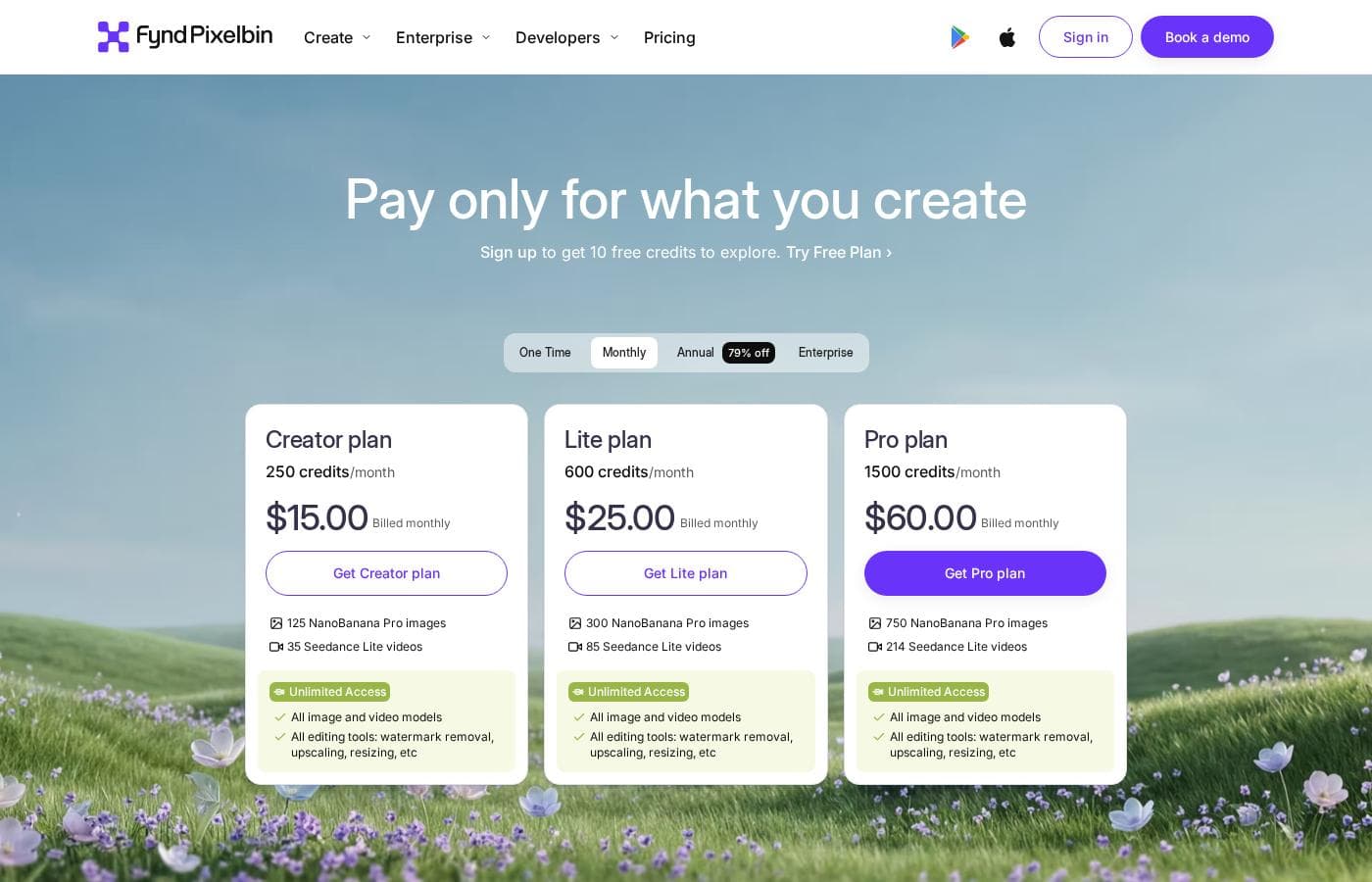
Upscale.media pricing page screenshotView pricing page screenshot
PlanBilled monthlyBilled annuallyIncludes
Creator plan
$15/mo
β€”
Lite plan
$25/mo
β€”
Pro plan
$60/mo
β€”

Price history

Tracking prices since Oct 1, 2026. No price change detected yet.

Pricing types: Free plan, Monthly subscription, Yearly subscription, One-time payment, Usage-based pricing

Pricing notes

Upscale.media pricing: Plans from $0/month Billing options: Free plan, Monthly subscription, Yearly subscription, One-time payment, Usage-based pricing

Cost calculator

Estimate what Upscale.media costs for your team.

Billing
Per month
$15
Per year
$180

Creator plan states no user limit: shown as one price for the whole account. Check the price for 5 users with the vendor. Estimate based on published list prices, before taxes, add-ons and discounts.

Email me when Upscale.media changes price

One email when we detect a price change on the vendor's pricing page. No newsletter, no deals. Unsubscribe in one click.

User Reviews

No reviews yet.

Write a Review

Write a Review for Upscale.media
0/100 characters
0/2000 characters

Why use Upscale.media?

Choosing Upscale.media over a basic one-off upscaler makes sense when image enlargement is a recurring step in a larger workflow. Teams that handle product photos, catalog assets, or user uploads at volume benefit from having upscaling connected to storage and management rather than shuttling files between separate tools.

Developers can automate enlargement as part of an application through the extensible APIs instead of processing images manually one by one. A free plan starting at $0/month also lowers the risk of evaluating whether the output quality meets your standard.

Upscale.media alternatives

Other tools in the AI Image Upscaler category

View all AI Image Upscaler tools

Upscale.media FAQ

How much does Upscale.media cost?

Upscale.media's cheapest paid plan, Creator plan, costs $15 per month. Paid plans range from $15 to $60 per month. Prices checked on Oct 13, 2026 from the vendor's pricing page.

Has Upscale.media's price changed recently?

No. We have not detected a price change since we started tracking on Oct 1, 2026.

Who develops Upscale.media?

Upscale.media is developed by Shopsense Retail Technologies Limited and operates as part of the PixelBin ecosystem, a platform for storing, managing, and transforming digital assets. The tool is hosted on the PixelBin website, and its capabilities are designed to work alongside the wider asset-management platform rather than as an isolated product.

Is there a free plan?

Yes. Pricing starts at $0/month, and the vendor offers a free plan alongside monthly subscription, yearly subscription, one-time payment, and usage-based billing options. This makes it possible to evaluate upscaling results on your own images before choosing a paid tier.

Can I integrate Upscale.media into my own application?

Yes. The platform provides extensible APIs intended for seamless integration with existing systems, which is the vendor's stated focus for users who need efficient asset transformation combined with system development. Developers can therefore automate upscaling as part of an application workflow rather than processing images manually.

Ready to try Upscale.media? Check out the official site or pricing.

Are you Upscale.media? Claim this listing Β· Get the badge