Turbo Theme

Turbo Theme review

A fast, premium Shopify theme with six polished styles built for speed and visual impact.

By Ciroapp Editorial Team · Updated Sep 17, 2026

Commission may apply at no extra cost

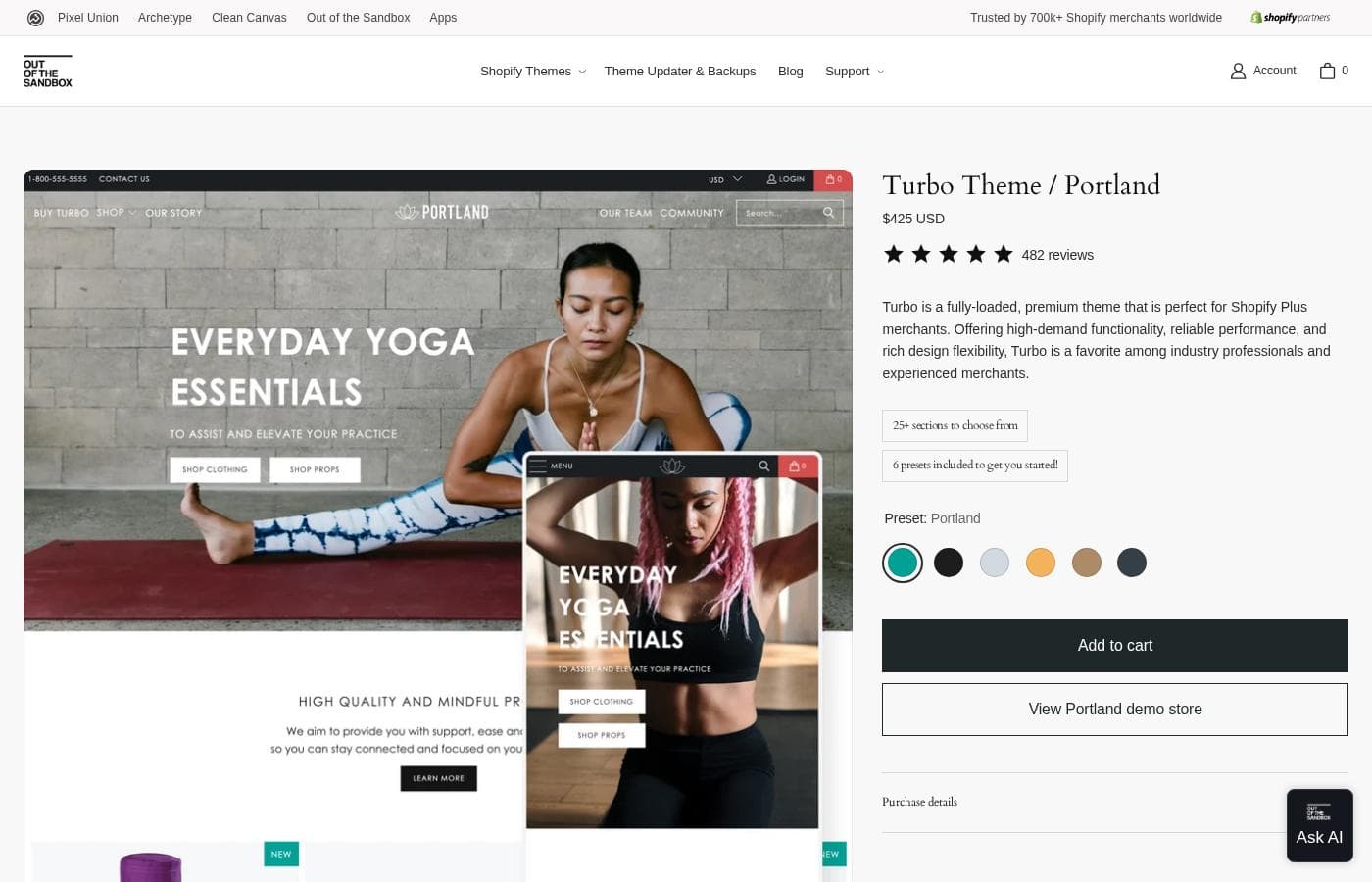
Turbo Theme homepage screenshot

At a glance

Quick overview for Turbo Theme: rating, pricing summary, key features, and highlights.
Vendor page checked Nov 5, 2026

Ciroapp score

4.1/ 5

Turbo Theme bundles six polished styles, two performance modes, and built-in merchandising tools into a single $425 purchase, with free updates and a 14-day refund as safety nets. You'll give up a free trial, independent review data, and simple Theme Store installation. Overall, it's a strong pick for Shopify owners who prize speed and can absorb the upfront cost.

Pros

  • Speed-first architecture with two performance modes — Ludicrous adds smart page preloading that predicts and pre-loads the next page a shopper will visit, while Sport offers the same core optimizations without preloading
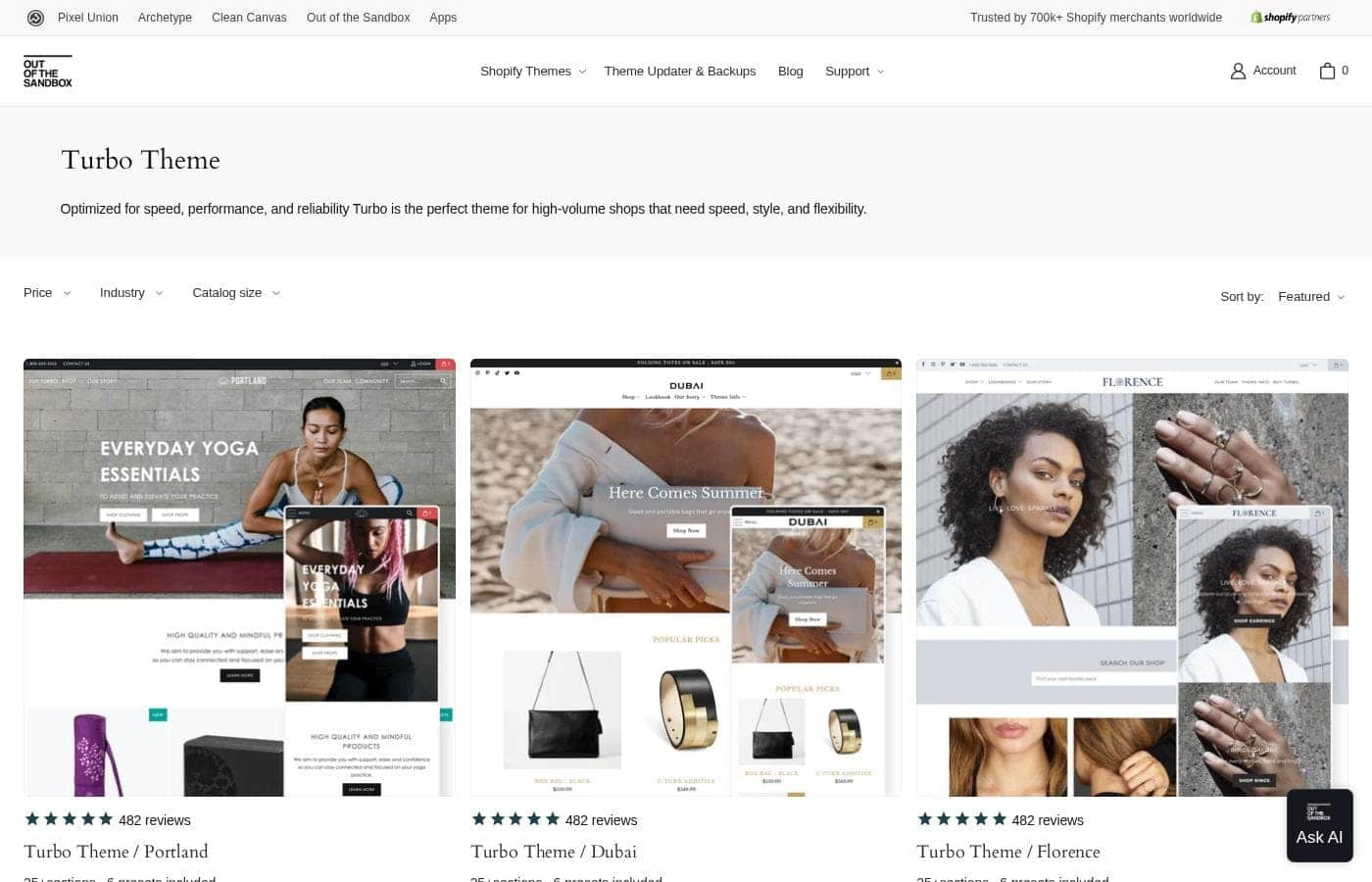
  • Every $425 purchase includes all six styles (Portland, Dubai, Florence, Chicago, Seoul, and Tennessee), each with 25+ sections and six presets, so you can switch your store's default look anytime without buying again
  • Merchandising tools are built into the theme itself — mega menu, predictive search, newsletter popup, color swatches, product tabs, and image hotspots — reducing reliance on third-party apps

Cons

  • At $425 USD it's a significant step up from free Shopify themes, and there's no free trial or free plan — your only protection is the 14-day refund window
  • Turbo is sold only through outofthesandbox.com, not the Shopify Theme Store, so you install it manually from a ZIP file and manage updates through a separate app
  • The product page doesn't spell out license limits (such as how many stores a single purchase covers), so you need to confirm this with the vendor before buying
Best for
  • Shopify store owners who care most about page speed and mobile shopping
  • Brands with image-heavy catalogs that need strong visual layouts
  • Merchants who want multiple presets to match or test different brand looks
Money-back guarantee
Yes — 14 days
This section is a summary. Detailed sections about features, use cases, pricing, and reviews follow below.

What is Turbo Theme?

Slow pages cost you sales. Out of the Sandbox cites research that 40% of shoppers abandon sites taking over three seconds to load. Turbo Theme targets that problem head-on with quick load times, a smooth mobile experience, and six polished styles you can tailor to your brand.

Turbo Theme is a premium Shopify theme from Out of the Sandbox. It comes in six styles — Portland, Dubai, Florence, Chicago, Seoul, and Tennessee — each with 25+ sections and six presets. The vendor positions it as a speed-focused, visually rich option and says it's a popular pick among Shopify experts and agencies.

It suits store owners who want a fast, professional storefront without building one from scratch.

Should you choose Turbo Theme?

Quick buyer guidance before you compare plans or click through.

Choose it if

  • Merchants worried about losing shoppers to slow, three-second-plus load times
  • Stores that want homepage galleries and full-width image sections with multiple action buttons
  • Buyers who want 25+ sections and six presets per style for flexible customization
  • Brands that value a theme widely used by Shopify experts and agencies
  • Shop owners comfortable paying a premium listed price of $425 USD per style

Skip it if

  • Non-Shopify stores — Turbo is a Shopify theme, so merchants on WooCommerce, BigCommerce, or other platforms will need a different option
  • Tight budgets — at $425 USD per style, it's a big step up from free Shopify themes, and the listing doesn't mention a trial or refund policy
  • Buyers who need detailed setup, support, or update information upfront — this page doesn't provide it, so you'll have to research elsewhere
  • Merchants whose needs are already met by a free Shopify theme, where the premium price may be hard to justify

Next steps before buying

  1. 1Compare all six styles — Portland, Dubai, Florence, Chicago, Seoul, and Tennessee — and pick the preset direction closest to your brand
  2. 2Confirm the current $425 USD price and ask whether a demo, trial, or refund policy applies
  3. 3Check compatibility with your Shopify plan and the apps your store depends on
  4. 4Look for live demos or vendor data on load-time performance for the style you want
  5. 5Shortlist alternatives, including free Shopify themes, to make sure the premium price fits your budget

Ease of use

The listing doesn't describe onboarding or the theme editor in detail, so ease of use is hard to judge from the page alone. It does note six presets and 25+ sections per style, which suggests you start from a designed layout rather than a blank page. Out of the Sandbox is an established Shopify theme maker, but you should review their documentation and support options before you buy.

Turbo Theme Key Features

⚡ Speed that protects your sales

Every extra second of load time risks a sale — research cited by Out of the Sandbox says 40% of shoppers abandon slow sites. Turbo tackles this with Ludicrous and Sport speed modes and smart page preloading, so pages stay snappy. Mobile browsing gets the same care, which matters when shoppers buy from phones.

✨ Visuals that let products shine

Image-heavy catalogs need layouts that do them justice. Turbo ships homepage galleries, full-width image sections with multiple action buttons, and product row sliders. Text and color settings let you fine-tune the look, so your products — not the theme — stay the focus.

Use these sections when photography drives your sales.

🎨 Six polished starting points

You don't start from a blank page. Every Turbo purchase includes all six styles — Portland, Dubai, Florence, Chicago, Seoul, and Tennessee — with 25+ sections and six presets apiece. The style you pick just sets the default look, and you can switch it anytime without buying again.

✨ Merchandising tools built in

Turbo bundles practical selling tools, so you don't need extra apps for the basics. You also get color swatches, product tabs, and image hotspots for richer product pages:

  • Mega menu for organized navigation
  • Predictive search that surfaces products as shoppers type
  • Built-in newsletter popup to capture emails

✨ A favorite of Shopify experts

Out of the Sandbox positions Turbo as a theme of choice for many Shopify experts and agencies, thanks to its speed, polish, and customizability. More than 21,000 merchants have bought it. If you work with an expert or agency, there's a good chance they already know their way around it.

Use Cases

⚡ Keep mobile shoppers from bouncing

You run a Shopify store and worry about slow pages. Turbo loads quickly on phones, where most browsing happens. The vendor cites research that 40% of shoppers leave sites taking over three seconds.

Expected outcome: snappier pages and fewer lost mobile visitors.

Tip: Turbo includes Ludicrous and Sport performance modes, so try both to see which suits your catalog.

🖼️ Put image-heavy products front and center

You sell fashion, furniture, or anything visual. Build homepage galleries, full-width image sections with multiple action buttons, and product row sliders. Text and color settings let each section match your brand.

Expected outcome: a storefront where your photos do the selling.

Tip: Use image hotspots and color swatches to make product pages more shoppable.

🎨 Switch brand looks without paying again

One $425 purchase includes all six styles — Portland, Dubai, Florence, Chicago, Seoul, and Tennessee. Each ships with 25+ sections and six presets, so you can change your store's default look or test a rebrand anytime.

Expected outcome: a fresh storefront without buying a new theme.

🤝 Deliver client stores faster as an agency

You build Shopify stores for clients. Turbo is a favorite among experts and agencies, and every license includes all six styles. Start from a polished preset, customize the sections, and hand over a professional site.

Expected outcome: client-ready storefronts built from proven starting points.

Turbo Theme pricing

Vendor page checked on Nov 5, 2026; confirm current prices on Turbo Theme's pricing page

Turbo Theme pricing page screenshotView pricing page screenshot
PlanBilled monthlyBilled annuallyIncludes
Turbo Theme (one-time purchase)
$425
$425 USD one-time
  • All 6 preset styles included: Portland, Seoul, Florence, Chicago, Dubai, Tennessee
  • 25+ sections and 6 presets
  • Delivered as a ZIP file after purchase
  • Free updates via the Theme Updater app (free plan)
  • Ludicrous and Sport performance modes, mega menu, predictive search, newsletter popup

Price history

Tracking prices since Oct 1, 2026. No price change detected yet.

Pricing types: One-time payment

Pricing notes

Turbo Theme is a one-time purchase of $425 USD with no subscription or recurring fees. Every purchase includes all 6 preset styles (Portland, Seoul, Florence, Chicago, Dubai, and Tennessee), and free theme updates come through the Theme Updater app.

Turbo Theme costs a flat $425 USD one-time — there's a single purchase option, and it bundles all 6 preset styles: Portland, Seoul, Florence, Chicago, Dubai, and Tennessee.

Here's what that one payment covers and who it's built for.

Turbo Theme (one-time purchase)

Price: $425 USD one-time Best For: Shopify Plus merchants, agencies, and experienced store owners Refund Policy: 14-day full refund Other Features:

  • All 6 theme styles included in every purchase, so you can switch your store's default look anytime
  • 25+ sections and 6 presets to start from
  • ZIP file delivery right after checkout
  • Free theme updates through the Theme Updater app
  • Ludicrous and Sport speed modes, mega menu, predictive search, and a built-in newsletter popup

Pick Turbo if you want premium features without a monthly bill. You pay once, and the theme is yours to install on your Shopify store. Speed is the big selling point — smart page preloading and two performance modes keep pages snappy. Merchandising tools like image hotspots, product tabs, and color swatches help your products stand out. Agencies favor it too, and more than 21,000 merchants have bought Turbo. If your shop is small and simple, this much power may be more than you need, so match the features to your workflow. Before buying, confirm how many stores you can use it on, since license limits aren't spelled out on the page.

There's no free plan or free trial for the theme itself. What protects you is the 14-day satisfaction guarantee: contact Out of the Sandbox within two weeks of purchase and you'll get a full refund. The $1/month Shopify offer shown on the page is Shopify's own promotion and doesn't cover theme costs. Staying current costs nothing extra, since the Theme Updater app's free plan delivers new Turbo versions.

How to pay less for Turbo Theme

  • 14-day money-back guarantee if it does not fit.
Visit Turbo Theme

Email me when Turbo Theme changes price

One email when we detect a price change on the vendor's pricing page. No newsletter, no deals. Unsubscribe in one click.

User Reviews

No reviews yet.

Write a Review

Write a Review for Turbo Theme
0/100 characters
0/2000 characters

Why use Turbo Theme?

If speed and presentation drive your revenue, Turbo Theme was built around exactly that — and its track record in the Shopify community backs it up.

  • Speed that protects sales – The vendor cites research that 40% of online shoppers abandon sites that take more than three seconds to load. Turbo emphasizes super quick page loads and an enhanced mobile browsing experience.
  • Strong visual control – Homepage galleries, full-width image sections with multiple action buttons, text and color settings, and product row sliders are designed to make your products shine.
  • Six distinct styles – Portland, Dubai, Florence, Chicago, Seoul, and Tennessee each ship with 25+ sections and six presets, giving you several polished starting points.
  • Trusted by professionals – Out of the Sandbox says Turbo has become a theme of choice for many Shopify experts and agencies, thanks to its speed, polish, and extensive customizability.
  • Clear, consistent pricing – Every style is listed at $425 USD, so you can compare looks without wading through tiered pricing.

Turbo Theme alternatives

Other tools in the Shopify Themes category

View all Shopify Themes tools
Flex Theme

Flex Theme

Shopify Themes4/5

The Flex Theme is a powerful Shopify solution designed for maximum customization and flexibility. It offers multiple layout and section options for building your pages. Flex includes 13 unique style variants or presets, helping you start fast 💡. Access to over 25 sections is also available when building your unique store. It supports everything from small businesses to large power-merchants.

Superstore Theme

Superstore Theme

Shopify Themes4/5

The Superstore Shopify theme is specifically tailored for merchants who run wholesale operations or manage extensive inventories. It provides the heavy-duty framework needed for complex setups, reliably supporting catalogs ranging from 10 to over 200 products. 💡 This theme offers significant layout flexibility, giving you countless options for styling, typography, and promotions. It also comes ready to use with four distinct presets and 25+ configurable sections.

Debutify

Debutify

Shopify Themes3.9/5

Debutify AI is a comprehensive, all-in-one solution built specifically for Shopify store owners. It simplifies the entire eCommerce process using powerful, intelligent tools. This platform is designed to take the guesswork out of building and running your shop. You get sophisticated technology intended to increase sales and streamline your daily operations. This system is already trusted and built upon more than 10,000 reviews.

Turbo Theme FAQ

Does Turbo Theme offer a free trial or a money-back guarantee?

It has a 14-day money-back guarantee.

Has Turbo Theme's price changed recently?

No. We have not detected a price change since we started tracking on Oct 1, 2026.

Can I buy Turbo directly from the Shopify Theme Store?

No. Turbo is sold only at outofthesandbox.com. After checkout, you'll download a ZIP file containing all six styles, and the style you pick simply sets your store's default look.

What's the difference between Ludicrous and Sport mode?

Both modes use Turbo's speed features. Ludicrous adds smart page preloading, which predicts the next page a shopper will visit and loads it in the background. Sport mode is identical, minus that preloading.

Which languages does Turbo support out of the box?

Turbo includes EU translations in English, French, Italian, German, and Spanish. If you sell in other languages or regions, review the theme's documentation to confirm coverage before you buy.

What does Turbo's support cover if I need help?

Out of the Sandbox's support team helps with your Turbo theme and the Theme Updater app. For bigger customizations, they'll connect you with partner Shopify experts. Confirm response times with them before buying if that matters.

Ready to try Turbo Theme? Check out the official site or pricing.

Are you Turbo Theme? Claim this listing · Get the badge