TubeBuddy

TubeBuddy

Your ultimate best buddy for YouTube success.

#2 dans YouTube
2 min read · Updated 10/6/2025
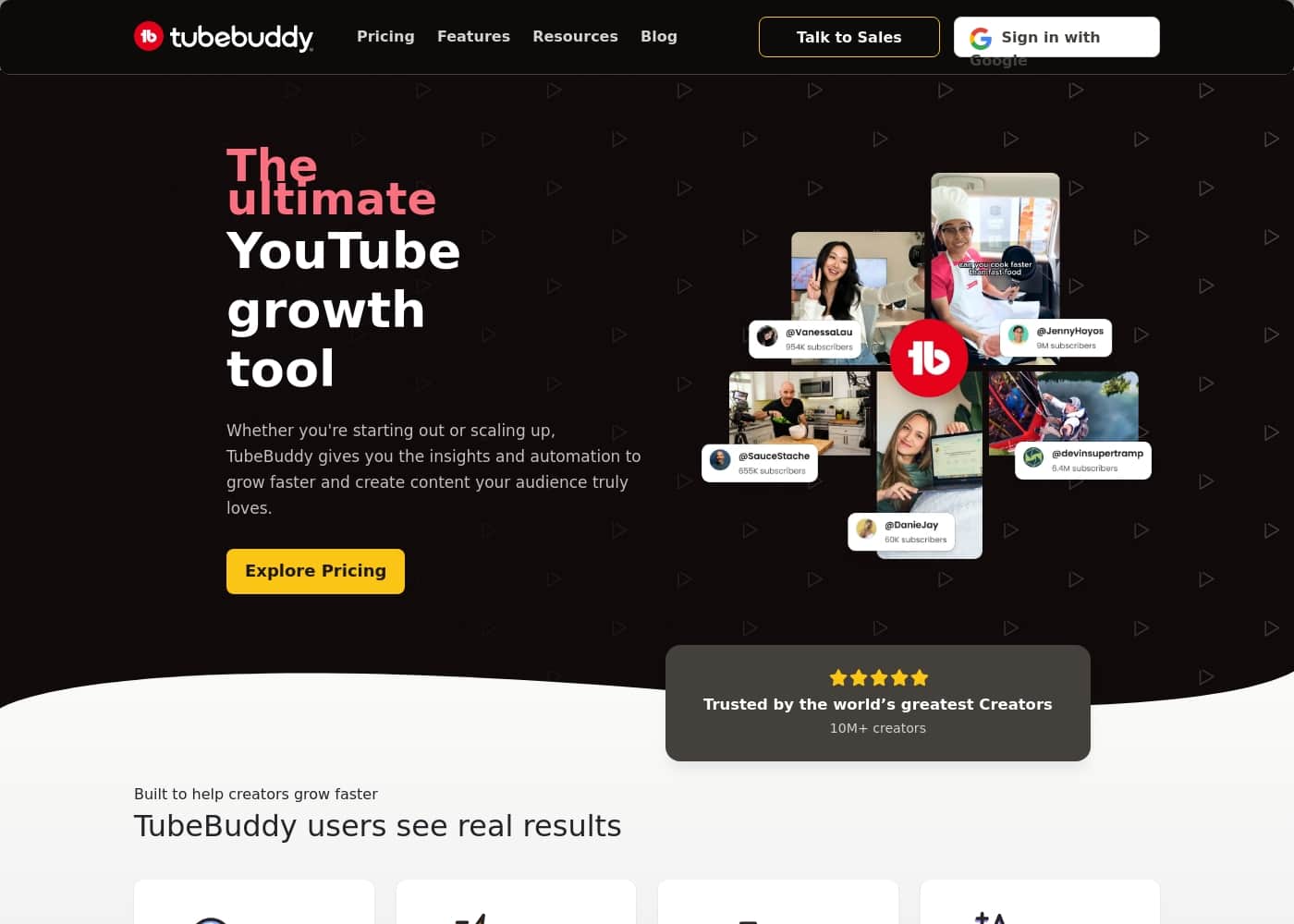
TubeBuddy homepage screenshot

At a glance

Quick overview for TubeBuddy: rating, pricing summary, key features, and highlights.

Ciroapp review

3.8
Powerful optimization, risky billing.

We found TubeBuddy provides robust features essential for growing a YouTube channel, excelling in SEO and A/B testing capabilities. However, we note significant concerns raised by users regarding inconsistent customer support and troubling lack of transparency concerning billing and renewals. Overall, the comprehensive optimization tools make it a powerful choice, but potential users should proceed cautiously regarding subscriptions.

Pros

  • Pro:Seamless and intuitive browser extension integration.
  • Pro:Excellent tools for keyword research and SEO optimization (Tag Explorer, SEO Studio).
  • Pro:Includes advanced features like A/B testing for thumbnails and titles.
  • Pro:Saves significant time with bulk processing and workflow management.

Cons

  • Con:Pricing for Pro and Legend plans is not visible/transparent on the service page.
  • Con:Reports cite difficult cancellation and unauthorized automatic renewal charges.
  • Con:Customer support quality is highly inconsistent (ranging from great to unresponsive).
  • Con:Recommendations and tool accuracy may vary significantly across different niches.
Range: Not visible (Pro monthly to Custom Pricing)Monthly subscription, Yearly subscription, Quote based
This section is a summary. Detailed sections about features, use cases, pricing, and reviews follow below.

TubeBuddy review, pricing, features, pros & cons

Growing your YouTube channel can feel overwhelming when you're stuck doing repetitive management tasks instead of creating. 🤔 Are you tired of guessing what works? TubeBuddy solves this by offering crucial insights and powerful automation.

It helps you grow faster and create content your audience truly loves.

What is TubeBuddy?

TubeBuddy is an essential workflow optimization software built specifically for YouTube creators. Think of it as your best friend for success on the platform. This software supports creators at every point in their journey, whether you're just starting out or working to scale up.

TubeBuddy integrates tools for AI, SEO, bulk processing, and overall workflow management right into your YouTube Studio. You install a simple browser extension, authorize your channel, and it starts working right away to help you succeed. ✅
TubeBuddy Key Features

🔎 Boost Your Discovery with Smart SEO

To grow your channel faster, you need to know what viewers are actively searching for. TubeBuddy offers essential SEO tools that help you identify the right keywords and compelling topics before you even start recording. This strategic approach ensures your videos get found by the specific audience you want to reach.

The full suite of search and SEO features lets you optimize titles, tags, and descriptions easily. By helping you rank higher, TubeBuddy ensures your finished videos receive more YouTube algorithm love and increased watch time.

Established creators gain access to advanced features designed for deep data analysis. This provides critical data insights and helps you consistently refine your content strategy based on current platform trends.

✨ Make Your Content Impossible to Ignore

TubeBuddy helps you make your creative work stand out, blending precision with creativity. Refining your titles and thumbnails helps you nail the small details that drive higher click-through rates and views. Even early in your journey, you can use the basic video and thumbnail tools included in the Pro tier.

Established creators ready to scale up can leverage the Advanced Thumbnail Generator and the powerful Video A/B Testing feature included in the Legend plan. This allows you to test content assets against live audience data before making final design decisions.

Key optimization tools assist with:

✨ Streamline Your Workflow Using Automation

Stop spending hours on repetitive channel management tasks; productivity tools handle them in minutes. TubeBuddy is designed to streamline your overall workflow so you can focus much more time on creating great videos. This powerful automation is built right into your YouTube Studio, working easily via a simple browser extension installed on your device.

For established creators managing a growing library, this capability is essential. The Legend plan includes bulk processing and editing tools. These features let you optimize processes across your entire video catalog efficiently, saving valuable creative time.

✨ Uncover Clear Strategy Through Data

It’s important to stop guessing what works and start building content based on clear strategy. TubeBuddy’s strategy tools show you precisely which videos are performing the best. You can see what content successfully drives subscribers, views, and critical revenue.

By digging deep into this data, you can uncover hidden patterns behind your niche and your top-performing videos. This information lets you create significantly more of the winning content that your audience already loves and enjoys. Legend members benefit from advanced reporting and analytics for deeper strategic insights.

🛠️ Integrated Tools for Every Creator Stage

TubeBuddy adapts to your needs, whether you are running a brand-new channel or managing a large catalog. New creators benefit from simple SEO and video optimization tools, along with features for content idea generation. This helps you lay a strong foundation for rapid growth.

If you have the Pro plan, you can access tools like YouTube Shorts Linking and Topical Analysis. As you become an established creator, you gain access to powerful advanced features, including deep data analysis and community management assistance.

Use Cases

💡 Finding Your Next Topic Before You Film

Are you tired of guessing what content your audience truly wants? TubeBuddy’s SEO tools help you answer, “What should I make?” The software finds the keywords and topics viewers are actively searching for on YouTube. This insight helps you choose ideas that will naturally get found and watched by your ideal audience.

Creating content based on this real data ensures you’re targeting the right people from the start.

📈 Boosting Click-Through Rates with Optimization

It’s frustrating when you create a great video but no one clicks. TubeBuddy helps you nail the small details that make content stand out and become impossible to ignore. You can confidently refine your video titles and tags right in your YouTube Studio interface.

Established creators can leverage advanced features like Video A/B testing to compare different thumbnails and titles scientifically. This process ensures you put out your best work, leading to more views and better algorithm performance.

⏱️ Mass Optimization of Existing Videos

Managing a growing catalog of content can quickly become overwhelming. For established creators, TubeBuddy includes powerful Bulk Processing tools to handle channel management tasks quickly. You can update tags or descriptions across hundreds of videos in minutes, not hours.

This saves immense time and allows you to optimize past performance efficiently. You never have to sacrifice creation time just to maintain your existing content library.

🧭 Uncovering Your Winning Content Strategy

Problem: You don't know which videos are generating the most value for your channel. Approach: Use the strategy tools to see precisely which types of content drive views, subscribers, and revenue. These insights reveal the niche patterns that make your channel unique and successful.

Outcome: You stop guessing and start creating more of the winning content your existing audience loves. This repeatable strategy helps you evolve and scale your channel effectively. > Tip: Focus on the data stories TubeBuddy tells to shape your next three months of content planning.

🌱 Laying a Strong Foundation as a New Creator

If you're just starting, TubeBuddy helps you build momentum right away. Early creators benefit from simple SEO tools and content idea generation features. The software encourages the habits successful creators use most, like optimizing tags and titles actively.

New creators who use optimization software typically see faster growth because they are starting with a proven strategy, rather than speculating.

🛠️ Workflow Streamlining for Creative Focus

Use TubeBuddy to handle the repetitive management tasks so you can focus on creativity. The workflow optimization software simplifies common YouTube tasks that might otherwise take hours of manual effort. Install the simple browser extension, and it integrates directly into your workflow.

This automation ensures you spend much more time making great videos and much less time wrestling with tedious channel administration.

Pricing Overview for TubeBuddy

Pricing range
Not visible (Pro monthly to Custom Pricing)
Pricing types
Monthly subscription, Yearly subscription, Quote based

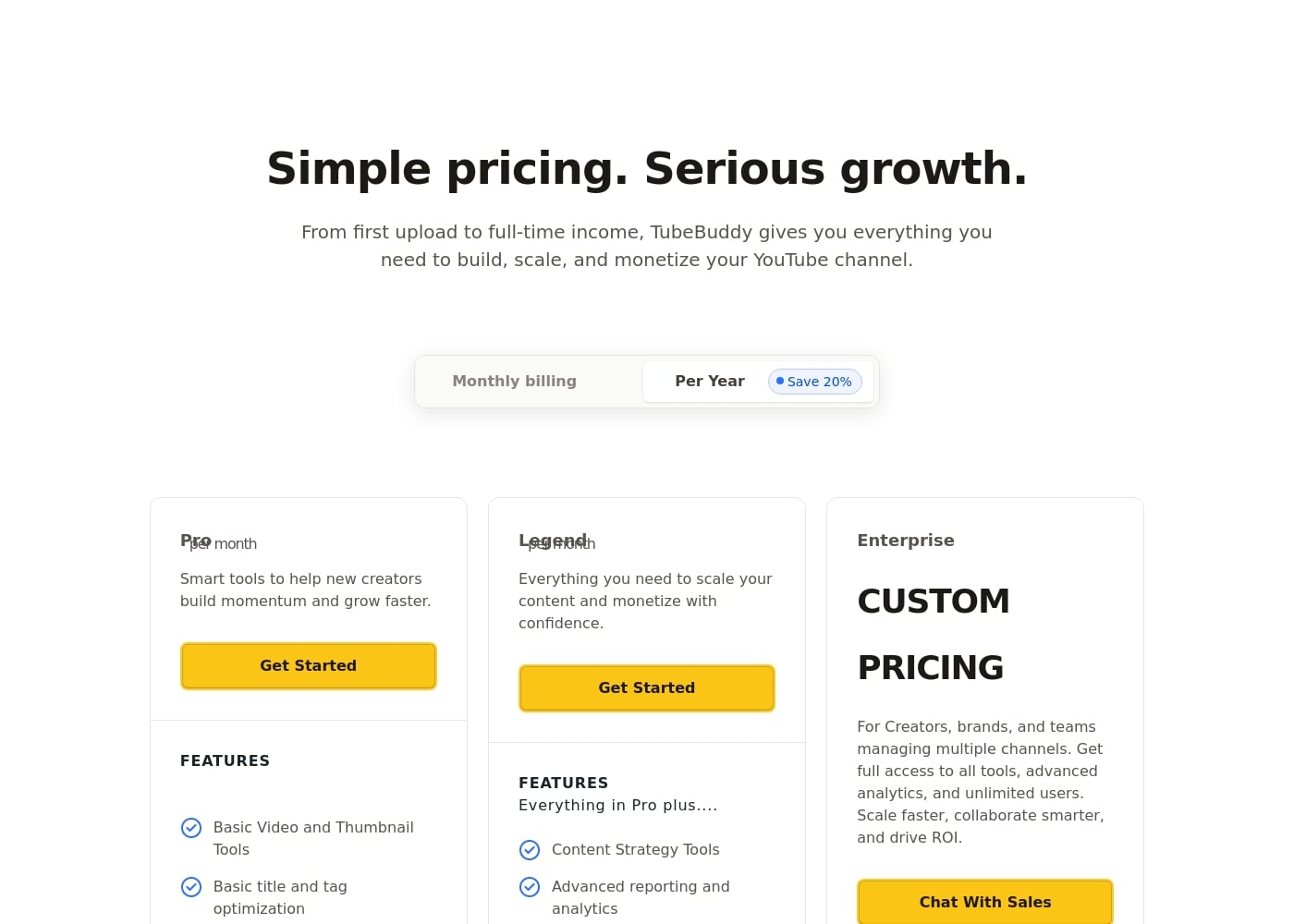
TubeBuddy offers flexible subscription packages, including Pro and Legend tiers paid monthly or annually, plus a custom Enterprise option for larger operations. Choosing annual billing saves you 20% on the standard rates.

Plans & Pricing

Pro

MonthlyNot visible
YearlyNot visible (20% savings)
Creator License Package (subject to TubeBuddy discretion, excluded criteria include 50k+ subscribers or 3+ channel managers)
  • Basic Video and Thumbnail Tools
  • Basic title and tag optimization
  • Content Strategy Tools
  • Audience Understanding Tools
  • YouTube Shorts Linking
  • Topical Analysis

Legend

MonthlyNot visible
YearlyNot visible (20% savings)
Creator License Package (subject to TubeBuddy discretion, excluded criteria include 50k+ subscribers or 3+ channel managers)
  • All Pro features
  • Advanced reporting and analytics
  • Full search and SEO access
  • Bulk Processing/Editing Tools
  • A/B Testing
  • Advanced Thumbnail Generator

Enterprise

MonthlyCustom Pricing
YearlyCustom Pricing
Full access to all tools and unlimited users
  • All Pro and Legend features
  • For brands with 3+ channels
  • 1:1 Training Sessions
  • Dedicated Expert Support
  • Automated Channel Reviews
  • Advanced AI Analytics
  • Personalized + priority service

TubeBuddy costs between Not explicitly stated and Custom Pricing per month (or year), with 3 plans: Pro at Not explicitly stated, Legend at Not explicitly stated, and Enterprise at Custom Pricing.

These plans are built to support you, whether you’re just starting or managing multiple large channels. You can decide to pay monthly or save 20% by choosing the yearly option.

Pro

Price: Not explicitly stated (labeled "Pro month"). Annual billing saves 20%. Websites Supported: Not explicitly stated Best For: New creators looking to build momentum and grow faster. Refund Policy: Not explicitly stated (cancellation possible anytime) Other Features:

  • Basic Video and Thumbnail Tools
  • Basic title and tag optimization
  • Content Strategy Tools
  • Audience Understanding Tools
  • YouTube Shorts Linking and Topical Analysis

The Pro plan includes the smart tools new creators need most. It's a great choice if you are focused on laying a strong foundation for your channel and learning the basics of optimization. It helps you get discovered early in your YouTube journey! 🎉

Legend

Price: Not explicitly stated. Annual billing saves 20%. Websites Supported: Not explicitly stated Best For: Scaling your content and monetizing with confidence. Refund Policy: Not explicitly stated (cancellation possible anytime) Other Features:

  • Everything in Pro plus Advanced reporting and analytics
  • Full search and SEO access
  • Bulk Processing/Editing Tools
  • Advanced Thumbnail Generator and A/B Testing

Legend gives you everything you need as you become an established creator. This tier is perfect when you are ready to scale up your operations and need deeper insights, like advanced reporting and bulk processing features, to manage your growing video library efficiently.

Enterprise

Price: Custom Pricing Websites Supported: For brands with 3+ channels Best For: Creators, brands, and teams managing multiple channels who need full access to all tools and unlimited users. Refund Policy: Not explicitly stated Other Features:

  • Everything in Legend and Pro plus...
  • 1:1 Training Sessions
  • Dedicated Expert Support and Automated Channel Reviews
  • Advanced AI Analytics
  • Personalized + priority service

If you manage several channels or run a large team, the Enterprise plan is for you. It offers personalized support and advanced features designed to help you drive massive returns on investment (ROI) across your entire network.

TubeBuddy allows you to cancel any paid plan at any time, as there are no long-term contracts required. While the information doesn't explicitly mention a free plan or a specific money-back guarantee period, the flexibility of month-to-month billing is always available.

User Reviews

TubeBuddy receives highly mixed feedback from its user base, with strong praise for the product's functionality balanced by serious issues related to billing and support. Users frequently describe the browser extension as intuitive and feature-rich, specifically highlighting SEO tools like the Tag Explorer and effective A/B testing for massive time savings and channel growth.

However, a significant recurring concern involves billing reliability and transparency. Multiple reports note difficulty canceling plans, unexpected renewals without notice, and money being taken without explanation or invoice.

Support quality is highly inconsistent; some users call the customer experience 'A1,' while others cite ZERO customer support response when attempting cancellations or refunds. Additionally, some creators feel the recommendations aren't accurate enough to notably improve their performance, suggesting the tool's effectiveness varies by niche.

While the underlying software is powerful for optimization, the lack of reliability in the business operations is a strong drawback. 🛠️

What users say elsewhere

Alex N.
· Trustpilot
0.0 / 5

Using TubeBuddy early in my channel's growth was a game-changer. It helped me understand my audience metrics perfectly, showing me where to focus my content creation efforts. The combined power of Click Magnet and A/B testing delivered huge value.

Jamie L.
· Trustpilot
0.0 / 5

TubeBuddy completely changed how I manage and scale my YouTube presence. The browser extension is feature-rich, intuitive, and offers everything from advanced keyword research to A/B testing thumbnails. The SEO Studio particularly helps optimize visibility.

No reviews yet.

Write a Review

Write a Review for TubeBuddy
0/100 characters
0/2000 characters

Why use TubeBuddy?

You should use optimization software to grow your channel much faster. TubeBuddy is built by experienced YouTube creators, so it facilitates exactly what successful mentors would advise. It provides the key automation and insights needed to stop guessing and start scaling. Here’s why creators trust TubeBuddy to elevate their work:

Get Discovered Easily: The SEO tools help you find keywords and topics viewers are actively searching for, even before you start recording. This gets your videos found and watched by the right people.

Make Content Clickable: Refine your titles and thumbnails with confidence. TubeBuddy helps you nail the small details that make your content stand out, leading to more clicks and views.

Save Valuable Time: Productivity tools handle repetitive channel tasks in minutes, not hours. This streamlines your workflow so you can spend much more time making great videos.

Uncover Clear Strategy: Use the strategy tools to see precisely which videos drive subscribers, views, and revenue. You can reveal niche patterns and create more of the winning content your audience enjoys.

Support All Stages: Whether you are new to YouTube or you manage a large catalog, TubeBuddy adapts. Early creators see faster growth, while established channels value advanced features like Video A/B Testing and bulk processing.

Ready to transform your workflow with TubeBuddy?

TubeBuddy Alternatives

Other tools in the YouTube category

Frequently Asked Questions

Does TubeBuddy offer a free trial or a money-back guarantee?

Not explicitly stated on the official site. The pricing information does not mention a free trial period or a specific money-back guarantee. However, you can choose monthly billing and cancel anytime without penalty.

How quickly can I cancel my paid subscription?

TubeBuddy does not require long-term contracts for the Pro or Legend plans. You can cancel any paid plan at any time you wish, offering great billing flexibility.

Why are the specific prices for Pro and Legend plans not shown?

The specific dollar amounts for the Pro and Legend tiers are not publicly visible on the main pricing page. You will likely need to start the sign-up process to view the current monthly costs.

What is the key difference between the Pro/Legend plans and the Enterprise plan?

Pro and Legend are Creator License Packages intended for individual creators managing a single channel. The Enterprise plan is designed for brands and teams handling three or more channels and includes dedicated expert support and unlimited users.

Who specifically is excluded from purchasing the Pro or Legend Creator License packages?

These plans are limited to individual creators. If you manage multiple channels, have over 50,000 subscribers, or employ three or more channel managers, you may be required to purchase the custom Enterprise plan.

How fast is TubeBuddy to set up and integrate with my channel?

The process is designed to be easy. You simply sign up, install the browser extension, and then authorize the software to access your channel through the YouTube Studio.

How much can I save if I choose annual billing instead of monthly?

If you commit to paying yearly for either the Pro or Legend plan, you will automatically receive a 20% savings off the standard monthly subscription rate.

Which plan includes advanced features like A/B testing and bulk processing?

A/B testing, full search and SEO access, and powerful bulk processing tools are included beginning with the Legend plan. This tier is built for established creators ready to scale their video library.

What level of customer support do Pro and Legend subscribers receive?

Dedicated Expert Support, 1:1 Training Sessions, and Automated Channel Reviews are exclusive to the custom Enterprise tier. Standard customer support details for Pro and Legend subscribers are not explicitly stated.

Is TubeBuddy available in multiple languages or compatible globally?

The Legend plan includes a 'Limited Auto Translator' feature to assist creators. However, broad language availability or regional restrictions for the primary software are not explicitly stated.

Ready to try TubeBuddy? Check out the official site or pricing.